

The documented SATA recording path and USB backup path serve different tasks. A storage-menu heading does not establish USB recording, NAS support or RAID.
Section 01
Identify the recording source and the export destination
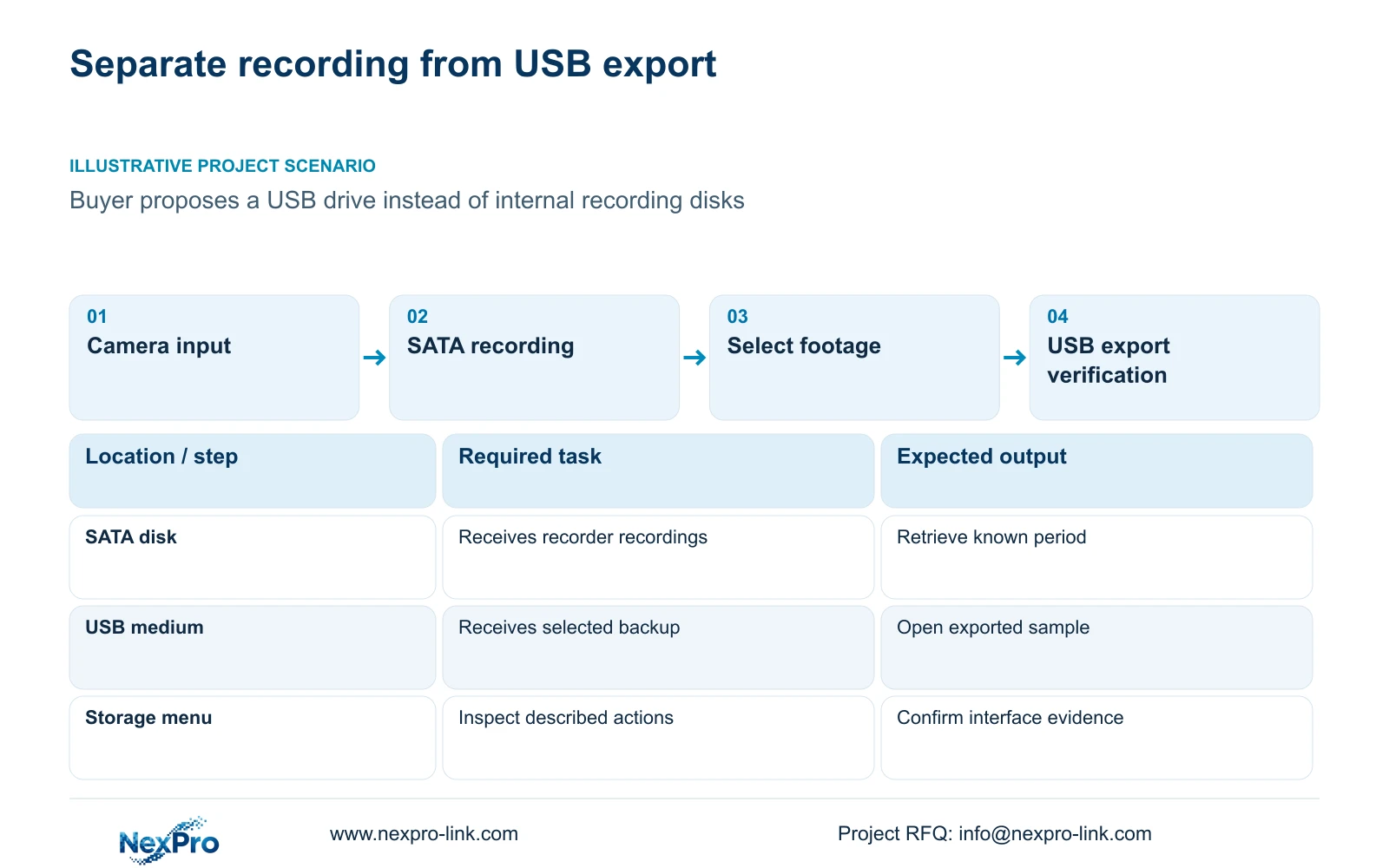
Use the recorder's documented SATA disk path for the recording task and treat USB media as the destination in the documented backup workflow. The External Storage Devices heading does not establish that a USB drive or network share can replace recording disks. Its described operations cover disk information, selected formatting, full-disk behavior and the startup no-disk prompt. Before omitting internal media from a purchase, identify where ongoing recordings will be written and where selected footage will be copied. If the project requires another recording architecture, make that an explicit model-level requirement and obtain evidence for the actual device and firmware.
The source is the private supplied NVR4.0 user manual CH_V2.4.doc, whose body states V2.2. Sections 3.2, 4.11.4, 4.12.21, 5.1 and 5.2 define the relevant installation, backup and selection scope. Seetong Windows client storage is a separate object and does not establish a recording destination on the NVR.
Section 03
Confirm the internal recording installation path
Section 3.2 describes installing a disk with power disconnected: open the case, secure the disk, connect SATA data and power, then replace the cover. Identify the intended media and any existing data before installation. The source does not establish hot-swap support for these internal connections.
For work on a running unit, authorize the interruption and preserve required accessible footage before software shutdown and power removal. After installation, check recognition separately from preparation. A recognized disk still needs the appropriate recording setup; a missing disk needs a recognition-path investigation. Neither result can be inferred from a USB backup device being detected.
Section 04
Build the USB backup selection from existing recordings
In section 4.11.4, select the file format, recording types, channels and start/end time. Update the required-capacity estimate, detect the inserted USB storage device and start the backup. The manual lists MP4 as the default and permits selection of multiple channels.
This path starts with recordings already available to the recorder. Detecting the USB destination proves only that the destination is available for that operation. It does not prove an ongoing recording path. Verify the copied files by opening a sample on the intended receiving system and checking the selected channel and period.
Keep the backup estimate tied to the selected export. A short incident selection and an ongoing retention requirement have different boundaries, even when both are described casually as storage capacity.
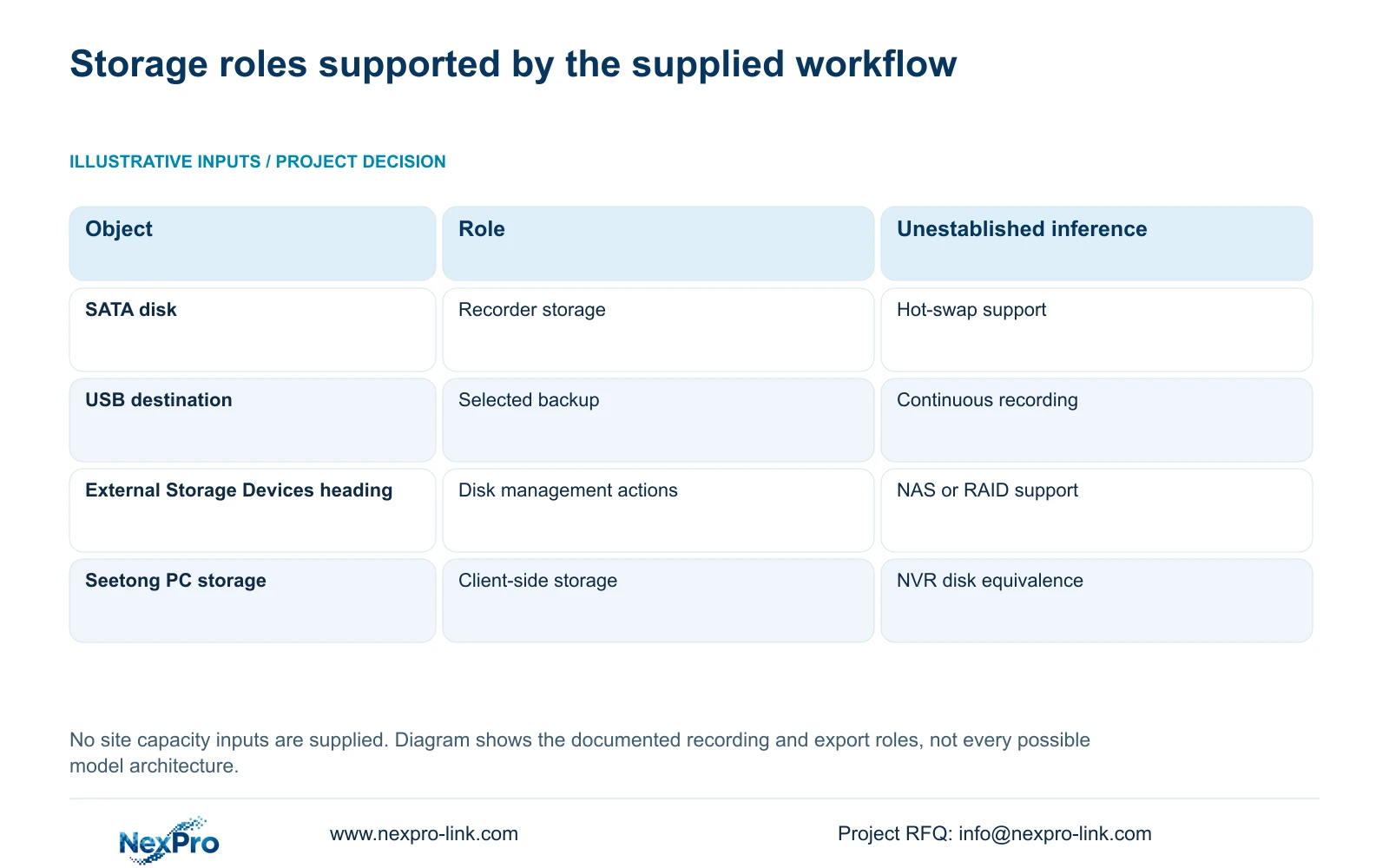
| Object or control | Documented role | Do not infer |
|---|---|---|
| Internal SATA disk | Installed recorder storage | Recording is proven merely by physical installation |
| USB backup destination | Receives selected exported recordings | Continuous USB recording support |
| External Storage Devices section | Disk information, formatting and full-disk controls | NAS, NFS, iSCSI or RAID support |
| Seetong PC local storage | Client-side storage object | Equivalent storage on the recorder |
Section 05
Identify what a formatting selection will change
Before formatting, establish which actual disk the selected entry represents. Check its data-preservation requirement and obtain authority for the storage change. Export required recordings first where possible. Similar media entries or multiple disk positions make this identity check more important.
Formatting is not a harmless recognition test and does not convert an undocumented interface into a supported recording destination. If the selected target is uncertain, stop before confirmation. If the project needs a different storage architecture, resolve that through equipment selection rather than experimenting on media that may contain footage.
Section 06
Size ongoing retention separately from the export device
Collect the recording groups, channel count, average video bitrate in Mbps, hours recorded per day and retention days. Add audio and storage overhead separately, and identify the planned reserve. This topic has no supplied site values, so it cannot produce a defensible disk quantity or retention total.
For decimal units, video TB = 0.00045 × Σ(channels × average Mbps × recording hours/day × days). The conversion factor follows 10^6 bits/s × 3600 s/hour ÷ 8 bits/byte ÷ 10^12 bytes/TB = 0.00045. An assumed bitrate remains a planning input until the recording workload is checked.
If r is the fraction of usable capacity reserved, required usable capacity = recording volume ÷ (1 - r), with recording volume including separately accounted audio and overhead. Keep overhead and reserve definitions distinct to avoid counting the same allowance twice. USB export capacity should instead follow the backup selection's updated estimate.
Section 07
Specify extra interfaces alongside the other recorder constraints
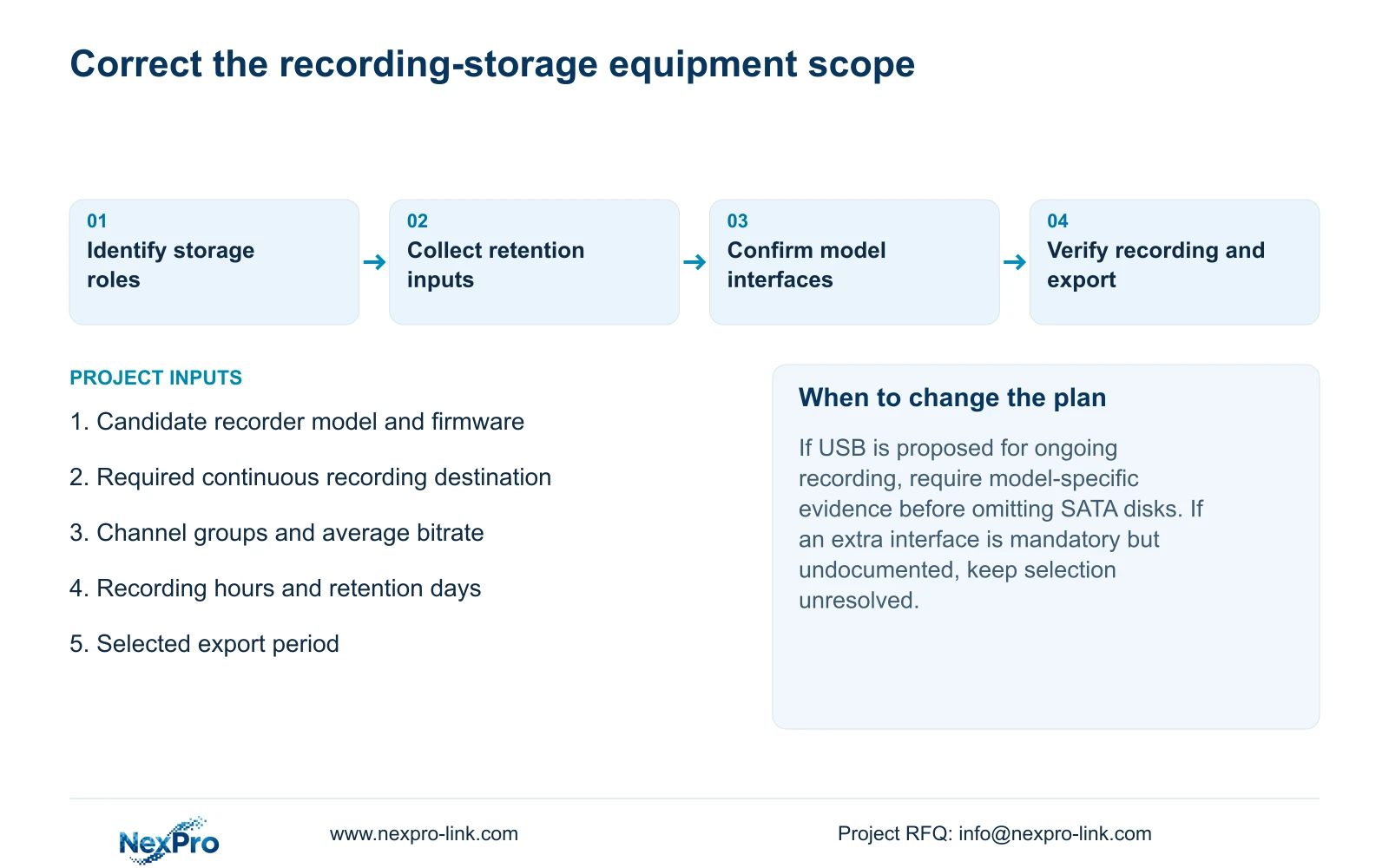
Compare the required recording modes, incoming bitrate, playback combinations, usable storage, interfaces and remote tasks separately. A 4K label or channel count cannot establish all of these. An extra-storage requirement should name its intended role: ongoing recording, selected export or another explicitly supported operation.
Keep manual TS models separate from NexPro-Link commercial SKUs. Model playback entries are alternatives, not additive capacities. For example, the supplied TS8232C4 row lists 1×4K OR 4×2MP OR 2×5MP local playback. That row is a manual-scoped example, not evidence that a commercial candidate supports the same storage or playback architecture.
A procurement comparison should identify which mandatory fields are supported and which need confirmation. NexPro-Link's BOQ and tender support provides a route for equipment matching and technical-document discussion; an unresolved interface should remain visible in that scope.
Section 08
Correct a diskless purchasing assumption
Illustrative project scenario: A buyer plans to omit internal disks and use a USB drive because the menu says external storage. The equipment schedule should retain the documented recording-storage requirement until a different supported write path is established. The USB device stays in the export role, while the retention inputs determine the recording capacity. This is a purchasing correction, not a measured device test.
Section 09
Does detecting USB media prove that recording storage is ready?
No. Check the recording disk and policy independently, then retrieve a known recorded period. USB detection belongs to the documented backup operation.
Section 10
State the required storage role
Send NexPro-Link the candidate recorder identity and whether the proposed extra storage must record continuously or receive exports at info@nexpro-link.com.
Engineering references
These sources support the general planning principles. Always use the selected product's current datasheet and applicable project standards for final design.


