
Builders & Main Contractors
Connect the ELV scope with the building programme, subcontractor interfaces and material approvals.
For your team: Scope boundaries, submittal register and supply batches by building or floor.
Discuss My Project Scope
Your China-based equipment & project support partner
From your drawings and BOQ to a coordinated equipment package.
NexPro-Link supports builders, ELV contractors, system integrators and installation teams with equipment selection, design assistance, technical submittals and coordinated supply from China.

 CCTV manufacturing. Multi-brand ELV supply.Your equipment, accessories and technical documents in one defined project scope.
Support built around your role
We work through your appointed project team. You remain the main interface for site delivery, installation and end-client coordination.
Connect the ELV scope with the building programme, subcontractor interfaces and material approvals.
For your team: Scope boundaries, submittal register and supply batches by building or floor.
Discuss My Project Scope
Keep your design intent while matching models, software, network interfaces and installation accessories.
For your team: Model schedule, interface questions and a documented alternative comparison.
Review My Drawings or BOQ
Check the details between a main-device list and the equipment your team can actually install.
For your team: Accessory schedule, mounting information, wiring references and configuration inputs.
Check My Equipment ListKeep revisions, open decisions and equipment supply aligned with the next project milestone.
For your team: Clarification log, approval status and a procurement package with traceable revisions.
Plan My Procurement PackageDefine requirements, share the current drawings and coordinate site conditions, consultant decisions and installation.
Review the agreed scope, match equipment, identify open checks and coordinate technical information and supply.
Agree named contacts and document recipients at the start. Confidentiality, joint customer discussions, neutral presentation material and project arrangements can be discussed for the specific engagement.
Procurement teams can start directly with an equipment list. A finished design is not required for the first inquiry.
Make procurement easier to review
Turn open questions into a clear support task and a document your team can review.
Review uses, zones, proposed points and system roles.
Review output: Point schedule and initial equipment scopeRecord clause references, revisions and the basis for each selection.
Review output: Clarification log and model matching sheetCheck power, mounting, connectors, software and recurring terms with the main device.
Review output: Equipment, accessory and license scheduleLink each requirement to model evidence and make deviations visible.
Review output: Technical submittal and open-decision registerReview model, interface, firmware and software conditions together.
Review output: Interface matrix and compatibility checksExplain differences, operational impact and the approval needed before substitution.
Review output: Original-versus-alternative comparisonGroup the confirmed schedule by zone and receiving milestone.
Review output: Batch plan, zone labels and packing listCheck mounting, terminations, local power and required connection accessories.
Review output: Installation interface and accessory checklistRetain model, version and applicable serial records against the order.
Review output: Equipment record and document indexCoordinate information through your nominated team and agree any joint discussions.
Review output: Named coordination route and agreed recipientsFrom tender to handover
Begin at the stage you have reached. Open a stage to see the inputs and support; your selection can follow you into the inquiry.
The consultant or owner decides approvals. Pre-dispatch checks support the equipment order; the site team performs system acceptance. As-built drawings use actual installation records. Site installation, electrical, fire, elevator and other specialist work remains with the appointed professional teams.
One coordinated purchasing scope
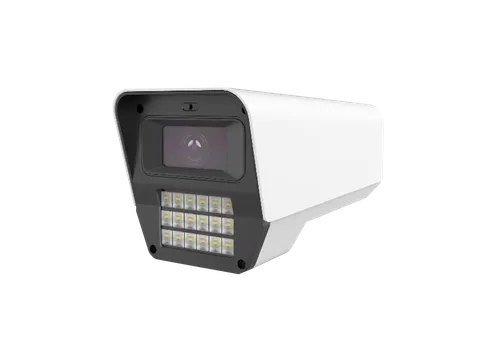
Source our CCTV products alongside network, access, communication, server, cabling and power equipment matched to your project. Each product image below represents part of the stated system scope.
CCTV product reference
IP cameras, PTZ, NVRs, VMS, hard drives, video storage, decoding and display equipment. Define recording, licenses and mounting together.
CCTV system scope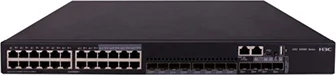
H3C network equipment reference
APs, switches, gateways, suitable optical systems, transceivers and management options. Match uplinks, fiber interfaces, local power and PoE budgets.
Enterprise & optical networks
Entrance equipment reference
Controllers, readers, locks, intercoms, visitor and pedestrian or vehicle entry equipment. Match door hardware, exit methods and safety interfaces.
Access & entrance systems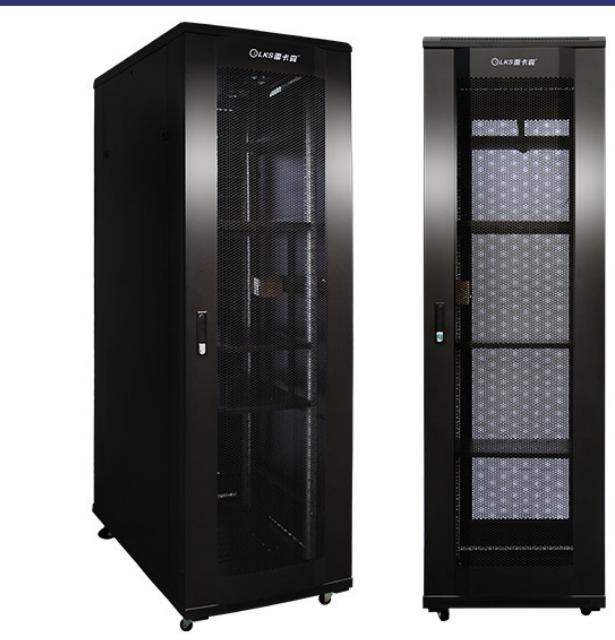
Rack infrastructure reference
Project-configured enterprise and video servers, storage, racks, PDU, KVM and environmental monitoring. Workload, usable capacity and software define the configuration.
Servers & equipment rooms
Display equipment reference
IP phones, suitable IP PBX, IPTV, meeting AV, digital signage and ordinary PA. Review platform support and licensing for the selected endpoints.
AV displays & control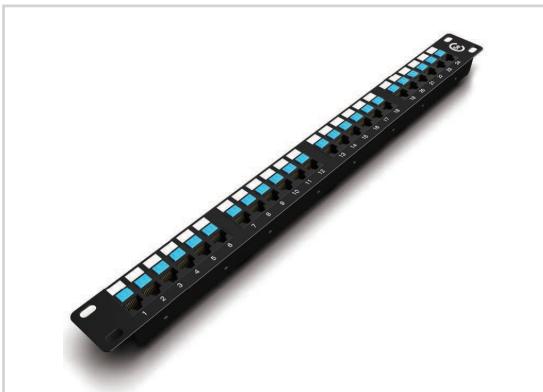
Structured connectivity reference
Fiber, copper and control cable, patch panels, modules, faceplates, leads, brackets and terminations. Match the complete link to the actual route and environment.
Cabling & connectivity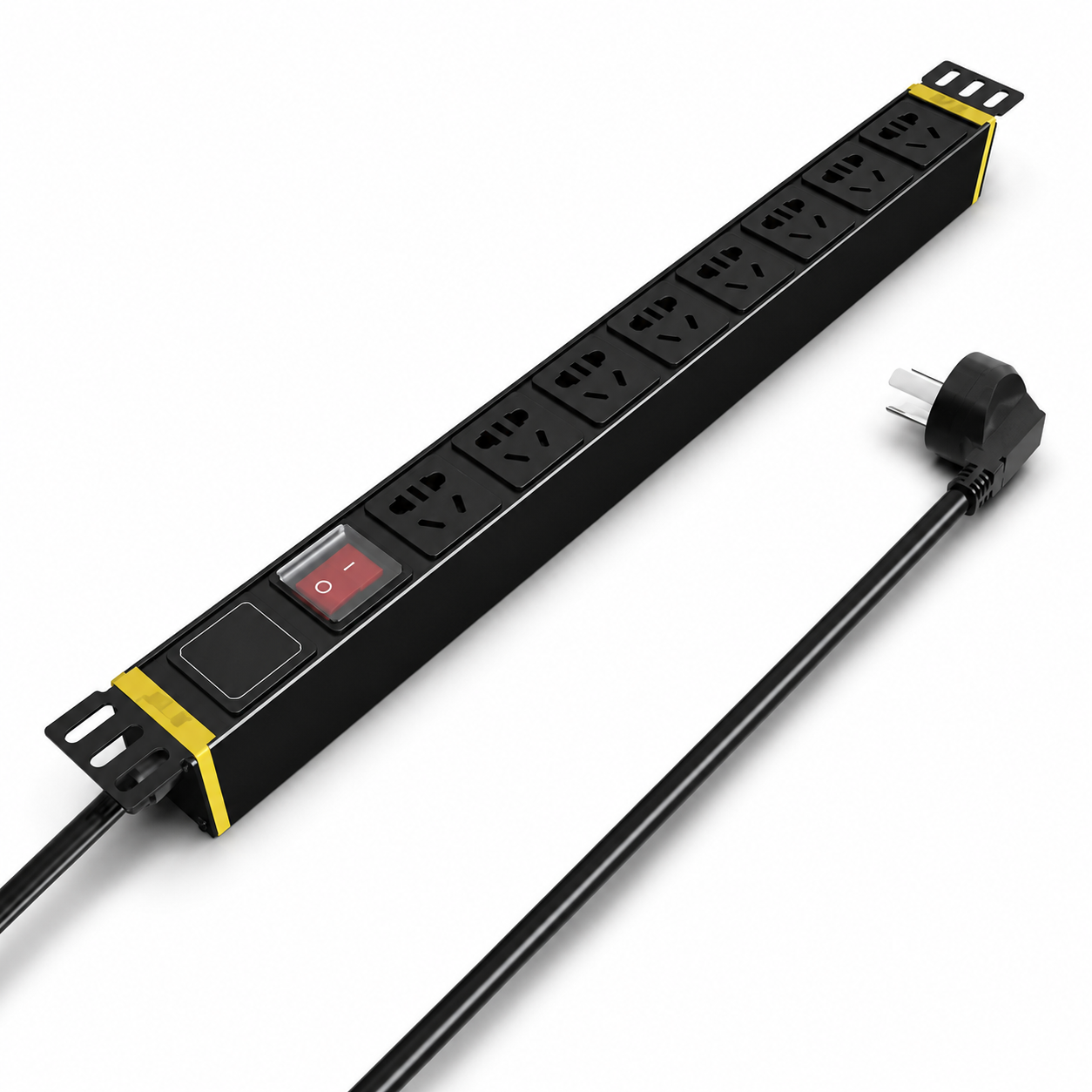
Power distribution reference
UPS, batteries, DC backup, distribution and power accessories. Confirm critical loads, required runtime, connectors and electrical responsibilities.
UPS & critical power
Storage product reference; project sizing required
Commercial energy-storage configurations and supporting equipment are reviewed against the site's load profile. The electrical designer confirms protection, grid and backup interfaces.
Energy & electrical boundariesCheck its mount, power, switch port, recording and storage, software and cabling.
Check uplink optics, fiber ends, power supplies, PoE budget, rack fittings and feature licenses.
Match readers, lock hardware, door status, exit method, local power and the required specialist interfaces.
Sample project documents
Illustrative Project Support Package · Reference CPS-01. Explore one consistent drawing-to-supply example. It shows how information is organized, with open decisions visible throughout.
Illustrative Project Support Package
CPS-01 / R01Reference only · pending project review
A small office planning excerpt connects one reception camera, one office AP, one access switch and one recorder. Quantities demonstrate traceability only; model selection, coverage, storage and power remain open.
AP traffic uses its own network policy. CAM-01 and AP-01 need verified PoE or local supplies. SW-01 and NVR-01 require local power; no power budget is implied by these data links.
Illustrative Project Support Package
CPS-01 / R01Reference only · pending project review
CPS-01-BOQ01 R01 follows the same four device IDs. Accessory types are review prompts; their models and quantities must be confirmed before quotation.
| ID / zone | Model & quantity basis | Accessory / software scope | Open inputs |
|---|---|---|---|
| CAM-01CCTV / Reception | Model pending selection1 planning role. One proposed point on CPS-01-D01 R01. | Mount, PoE source, recording channel, storage allowance and data lead | Viewing objective, model, retention and mounting surface |
| AP-01WLAN / Office | Model pending selection1 planning role. One planning placeholder on CPS-01-D01 R01. | Bracket, data outlet, PoE allocation and management scope | Survey, coverage, client density and controller/license choice |
| SW-01Network / Equipment room | Model pending selection1 planning role. One access-switch role on CPS-01-D01 R01. | Power cord, rack kit and selected uplink optics or copper connection | Port count, link type, device loads and PoE reserve |
| NVR-01Recording / Equipment room | Model pending selection1 planning role. One recorder role on CPS-01-D01 R01. | Approved drives, network lead and local power | Channels, bandwidth, usable storage and supported camera functions |
Illustrative Project Support Package
CPS-01 / R01Reference only · pending project review
CPS-01-SUB01 R01 refers to the illustrative requirements in CPS-01-S01. No exact product datasheet or test evidence has been selected, so every clause remains pending confirmation.
| Clause / requirement | Proposed equipment | Evidence location | Review status / next decision |
|---|---|---|---|
| CPS-01-S01 / C01Reception viewing task | CAM-01 / pending | Model datasheet: to be supplied; imaging section pending | Pending confirmationProject team to confirm view and mounting position |
| CPS-01-S01 / C02Office wireless coverage | AP-01 / pending | Model radio data and coverage study: pending | Pending confirmationIntegrator to confirm survey and client requirement |
| CPS-01-S01 / C03Endpoint power and uplinks | SW-01 / pending | Model power and interface sections: pending | Pending confirmationEngineer to confirm actual loads, reserve and link choice |
| CPS-01-S01 / C04Recording and retention | NVR-01 / pending | Model bandwidth data and storage calculation: pending | Pending confirmationClient to confirm retention and required camera functions |
A supported match needs exact model evidence and a recorded reviewer. If an alternative changes a clause, record the deviation, impact and decision before purchase.
Illustrative Project Support Package
CPS-01 / R01Reference only · pending project review
CPS-01-SUP01 R01 is a proposed batch sequence tied to CPS-01-BOQ01 R01. Actual dates and labels follow the approved order and receiving plan.
| Batch / zone | Equipment from BOQ R01 | Proposed packing reference | Document scope |
|---|---|---|---|
| B01 / infrastructureEquipment room | SW-01; accessories from approved BOQ | CPS-01 / R01 / B01 / SW-01 | Packing list, model documents and applicable equipment records |
| B02 / endpointsReception; Office | CAM-01, AP-01; approved mounts and connections | CPS-01 / R01 / B02 / device ID | Device list, installation references and configuration notes |
| B03 / recordingEquipment room | NVR-01; confirmed drives and power accessories | CPS-01 / R01 / B03 / NVR-01 | Recording configuration, document index and warranty scope |
Installer returns actual positions, configuration and applicable serial records. Those site records support the final document index and as-built drawings.
Keep the reference consistent when a revision changes. The approved order and actual installation determine final equipment and handover records.
Model and configuration control
Use the approved requirements and exact equipment configuration as the reference for selection, order review and dispatch.
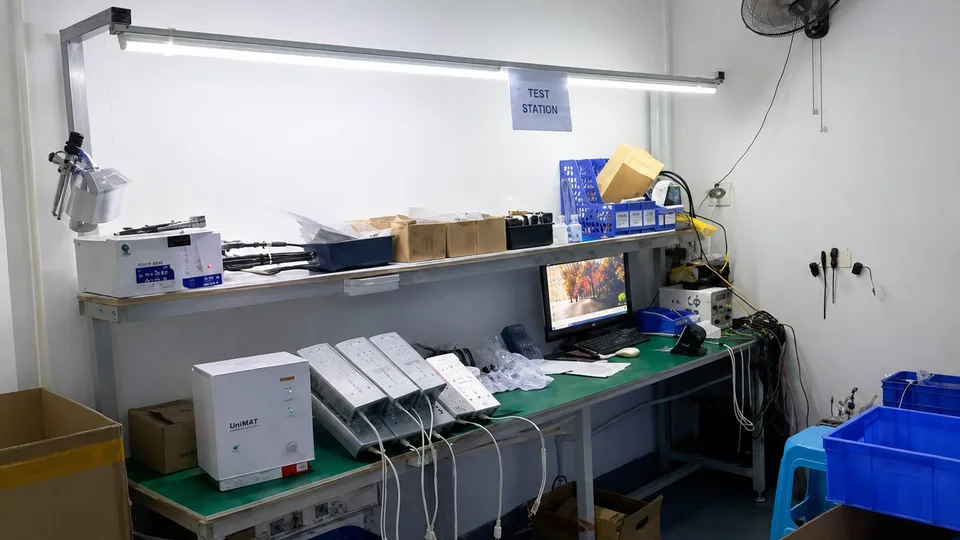
Partner equipment uses the original brand's model documents and applicable traceability. Verify each certificate's issuer, model, revision and scope. Management-system certificates do not replace product evidence. Special tests, FAT, third-party inspection or project reports require a separately confirmed scope.
Service application examples
Three ways to begin, based on the information a project team may already have.
Manufacturing and equipment partnerships
NexPro-Link combines its CCTV manufacturing and OEM/ODM capabilities with project equipment supply through H3C, IP-COM, Fanvil, TP-Link and Huawei partnerships.
IP cameras, PTZ and NVRs with the branding, configuration or development work agreed for the selected platform. Confirm samples and customization before bulk supply.
Explore CCTV manufacturing & OEM/ODMProject-matched models with manufacturer identity, regional versions, documents and support terms identified separately. We coordinate wholesale quotations around quantities and the actual supply scope.
Review H3C network equipment




China-based describes our supply and coordination location. Product manufacturer and country of origin follow the actual model documents. Brand names alone do not establish system compatibility; check models, software and interfaces together.
Commercial and delivery coordination
Compare the same equipment configuration and included work. The project quotation identifies:
Compare the original requirement, proposed alternative, difference and operational impact. Record the approval status before changing an agreed brand, model or key configuration.
Reference the current drawing, BOQ, submittal and order revisions. When quantity, model or scope changes, show the effect on price, lead time and supporting equipment before proceeding.
Discuss batches by building, floor or installation milestone. Labels, project packing, preconfiguration and shipment documents are arranged within the confirmed scope. Destination requirements and transport depend on the products and order.
Share procurement restrictions early. Where a brand, origin or eligibility condition limits a proposal, record the restriction and review compliant options with your team.

Practical project questions
What we can prepare, what your team confirms and how the equipment scope takes shape.
Detailed BOQ & tender supportWe work with your appointed team on equipment selection, agreed design assistance, technical information and supply coordination. You lead end-client communication, construction and site delivery. We define the equipment and support outputs around your project stage.
Yes. Send the current drawings, list and specification revision. We retain the design intent, match equipment, identify missing accessories or licenses and return clarifications. Changes to approved models or key configurations are proposed for your approval before ordering.
Yes. Start with the floor plans, building use and systems you need. We can help develop proposed points, architecture and an initial equipment scope. Site measurements, installation constraints and the responsible team's design decisions complete the next revision.
We can organize model data, drawings and requirement-by-requirement review notes within the agreed scope. Each item identifies its source and any deviation or missing evidence. Your consultant or owner makes the approval decision; submitting a package does not establish approval.
Share the exact brand, full model, region and mandatory clauses. We check availability and project suitability. An alternative is listed against the original requirement with differences, impact and approval status. A lower price alone does not establish equivalence.
We review each device's mounting, power, network and control connections, then identify required modules, brackets, leads and terminations. Software editions, capacity, license duration and subscriptions are separate schedule items, including anything you already own or will procure locally.
Yes. Send the selected equipment and tell us what is already installed or supplied by others. We can quote one product family or a defined package while recording its interfaces and dependencies. A full-system purchase is not required.
We can discuss batches by building, floor, zone or installation milestone. Batch quantities, feasible labels, packing, receiving conditions and availability are confirmed against the order. Delivery dates follow the actual supply and transport arrangements.
We provide applicable wiring and configuration documents and agreed remote technical coordination. Send the exact model, version, observed issue and relevant site information. Your appointed installation and specialist teams remain responsible for site work, statutory requirements and acceptance.
Yes. Our CCTV manufacturing and OEM/ODM scope can be quoted alongside partner-brand project equipment. Branding, configuration and sample approval apply to the agreed CCTV products. Each other brand retains its own manufacturer identity, model documents and product terms.
We use the approved specification, full model and confirmed configuration as the reference. Applicable sample, batch and dispatch checks are agreed for the products ordered. Warranty depends on the brand, model and order terms. Any special test, FAT or third-party inspection needs a separately confirmed scope.
Your name, work email and a short requirement are enough to begin. A BOQ, drawing or equipment list helps, but is optional. Add the country, quantities, project stage and required date when known. Use the upload or shared-file link for supporting documents; you do not need to disclose the final owner's name.
Start with the information you have
Send a BOQ, drawing, equipment list or short project brief. We will help identify the equipment, technical documents and supply scope needed for the next stage.
Only name, email and a short requirement are required. Company details, project inputs and files are optional. A final owner's name and complete sensitive drawings are not needed to start.
info@nexpro-link.comDiscuss on WhatsApp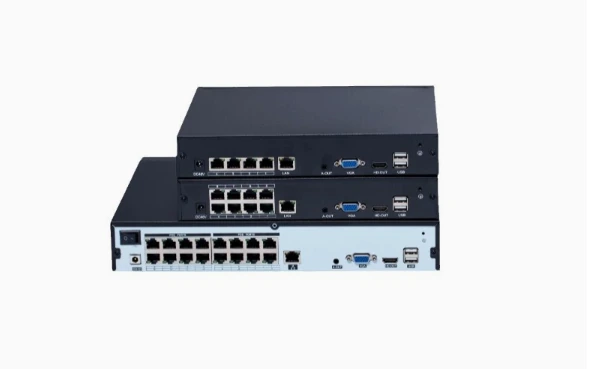
Check camera input, recording limits, HDD bays and power requirements. Download English datasheets or request a configuration quote.