
01
Network and security integrators
Cabinet, power, access and connectivity matched to installed devices.
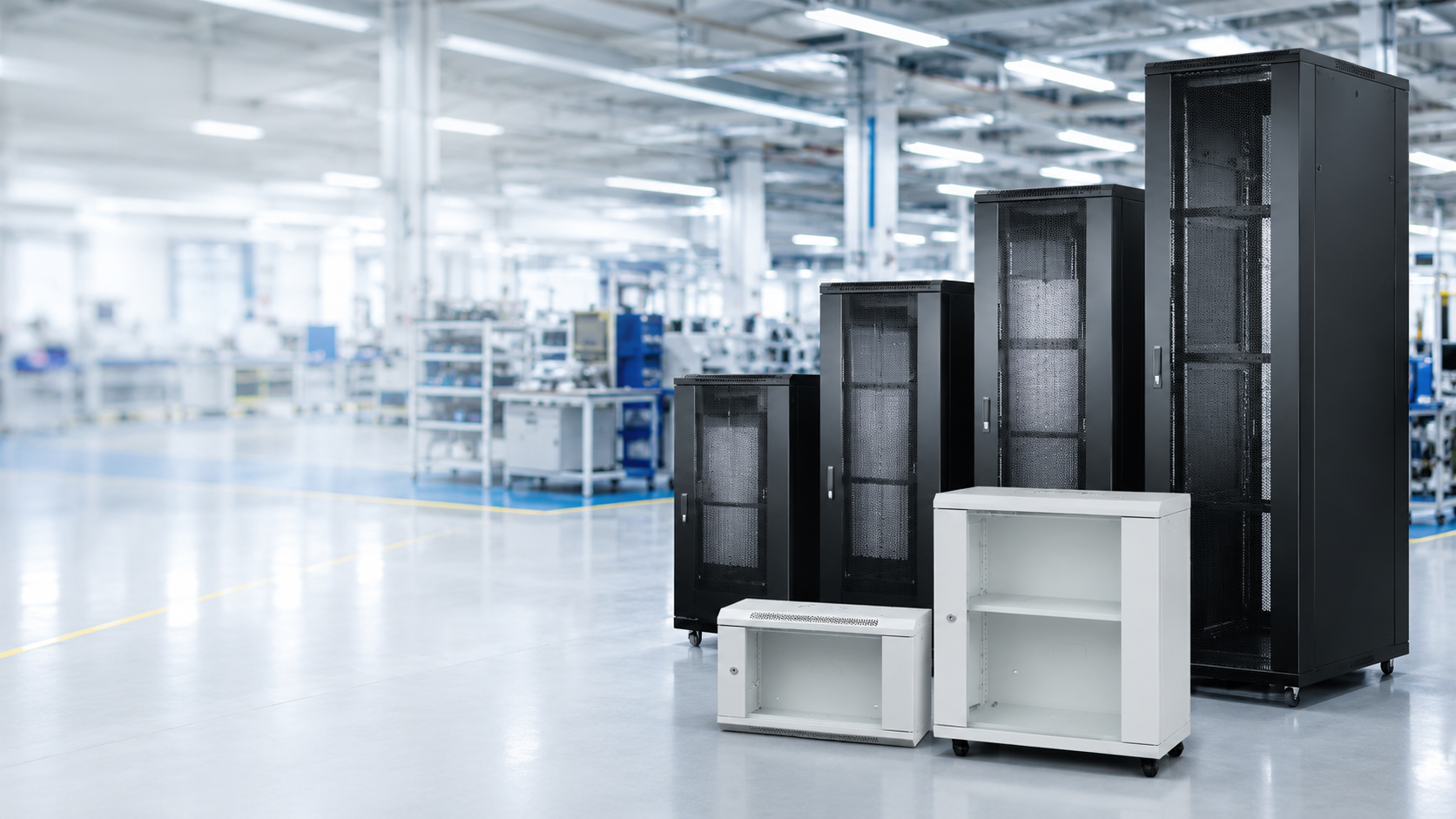
Build a maintainable equipment-room package from rack elevations, device depth, power distribution, KVM access and connectivity schedules.
System definition
A rack solution combines enclosure dimensions, installed equipment, cable routes, power distribution, local or remote access and service clearance. Rack units alone do not prove that the cabinet can accept the deepest device or the planned cable bend radius.
NexPro-Link coordinates current cabinet, PDU, KVM and patch-panel products against the rack elevation and room inputs. Cooling, grounding, fire protection and final room engineering remain project-specific.

Who this solution is for
For network and security integrators, equipment-room contractors, consultants and buyers organizing CCTV, server, network and control equipment in maintainable racks.
01
Cabinet, power, access and connectivity matched to installed devices.
02
Dimensions, clearance, cable-route and accessory inputs.
03
A model-matched rack package with stated assumptions.
Problems this system solves
These are the decisions a BOQ or source list has to answer before individual products become a coherent system.
Device depth, rail position, cable bend, door clearance, loading and growth reserve can invalidate a nominal RU selection.
PDU input, current, outlet type, quantity and mounting have to match the actual equipment and site supply.
KVM users, server interfaces, patch-panel ports, labels and service paths belong in the room design before procurement.
System architecture
Follow the operating path from the first project input through control, operation and protected infrastructure.
The room layout and installed-device schedule establish physical constraints.
Cabinet size and accessories are selected from the rack elevation.
UPS output or utility input feeds the matched PDU schedule.
KVM gives authorized operators access to installed devices.
Patch panels and labels organize field and network terminations.
Functional modules
Each module has a distinct job and a defined set of inputs. The final quotation keeps those roles visible.
Cabinets matched to rack units, installed depth, load and room space.
PDU input and outlet schedule matched to site supply and equipment plugs.
Local or IP KVM selected from server count and access workflow.
Patch panels, labels and environmental requirements complete the package.
Visual project reference
Real rack and PDU details help project teams review enclosure, distribution and monitoring as one equipment-room scope.
 Product reference
Cabinet reference for checking usable height, depth, access, ventilation and installed equipment space.
View details Equipment detail
Meter-module detail supports current, display and monitoring review for the selected PDU configuration.
View details Product reference
A managed rack-power reference for projects that require remote status, alarms or outlet-level control.
View detailsApplication scenes are visual references. Final models, quantities and interfaces follow the approved project information.
Product database source
These are selected current products from the NexPro-Link product database. They illustrate system roles; the final model mix follows the approved project inputs and compatibility review.

K1-6042
A current 42U cabinet reference for standard networking and security equipment after depth, load and room clearance are confirmed.
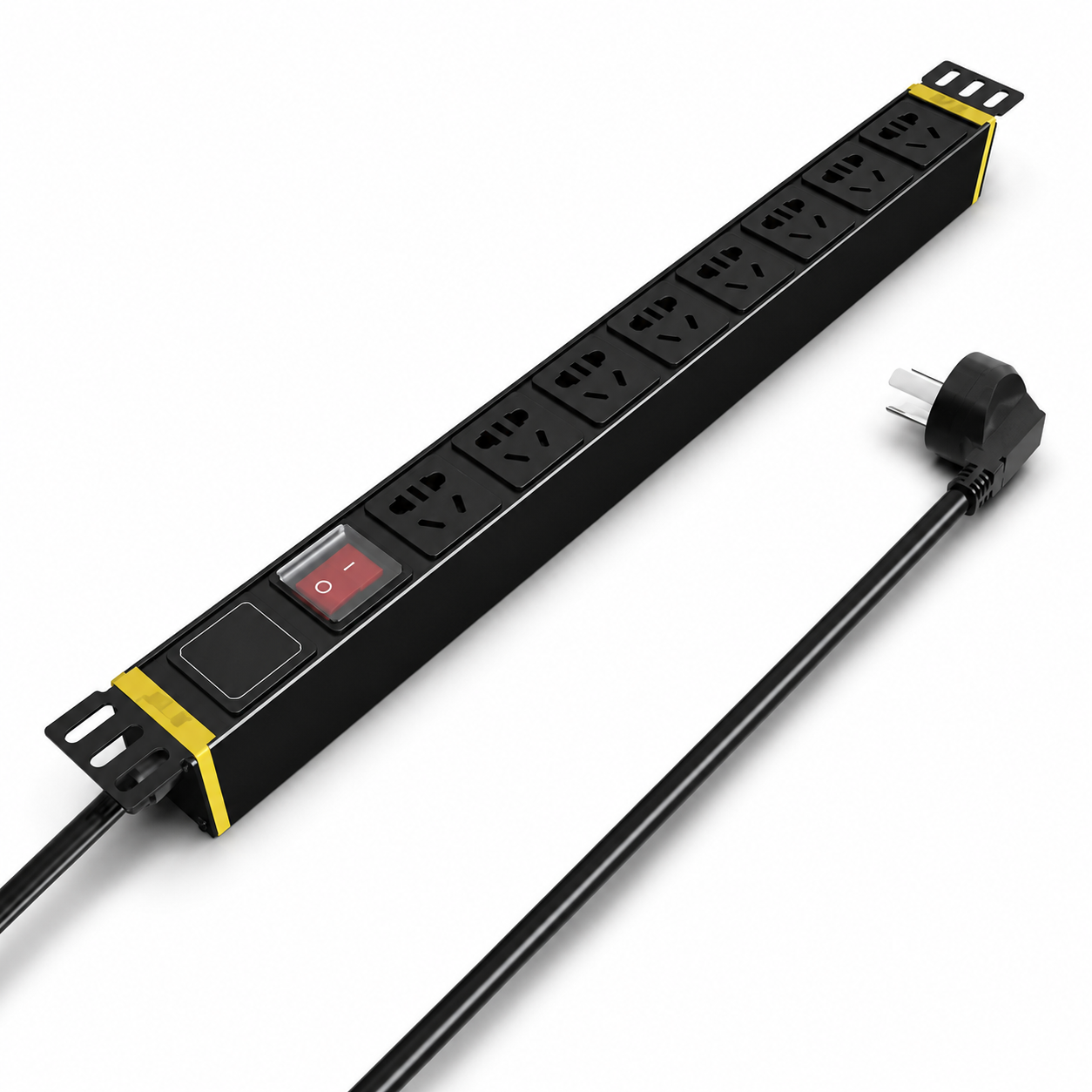
SP5181
A current basic rack PDU reference for centralized distribution where its input and outlet schedule matches the approved equipment map.
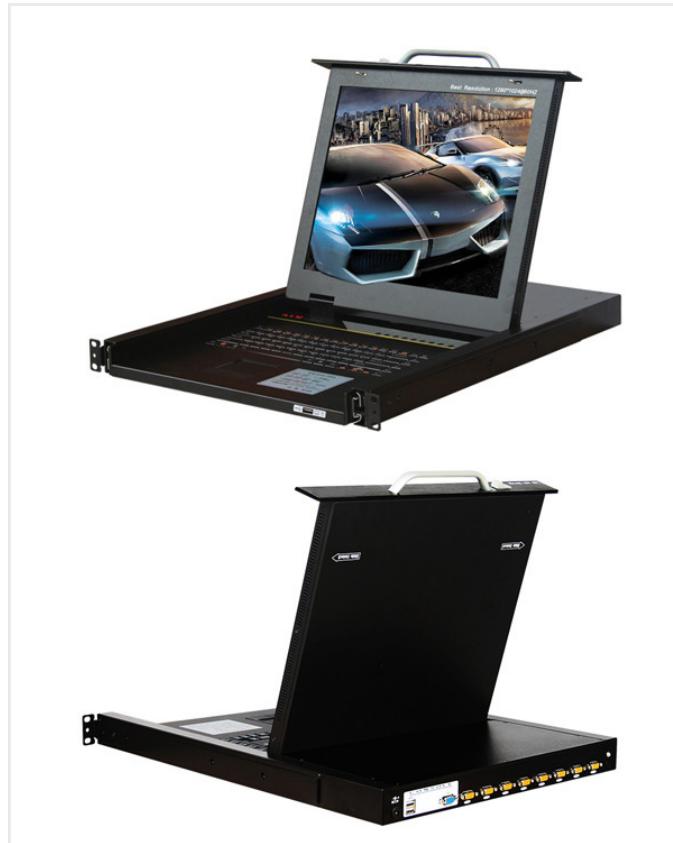
SP1708-B
A current eight-port local KVM reference for rack devices using the confirmed VGA and operator-access workflow.
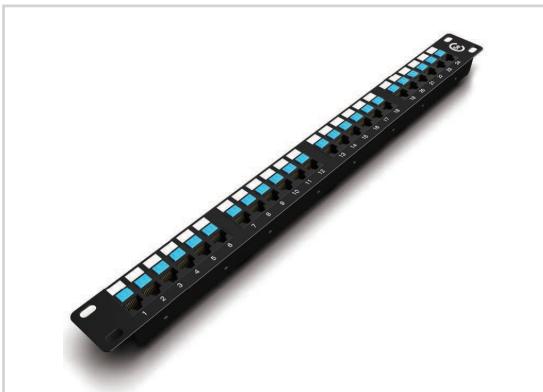
SP5524
A current 24-port data patch panel reference for organizing Cat5e rack terminations within the approved cable schedule.
Product category mapping
These category links provide the full product and specification context. The solution page stays focused on how the equipment works together.
12 consolidated cabinet and containment pages covering KP-C shielding, K1/K2 network cabinets, K5 server cabinets and cold-aisle projects.
Explore Rack Cabinets products 0223 model, product-group and intelligent-PDU series pages organized by outlet, protection, monitoring and installation requirements.
Explore Rack PDU products 037 consolidated KVM model and product-group pages for local, IP and CAT5 server administration.
Explore Rack KVM products 0410 structured-connectivity products organized across data patch panels, voice panels, 86-type faceplates and keystone modules.
Explore Rack Connectivity productsEngineering and selection inputs
A useful review separates buyer inputs from compatibility checks so open assumptions are visible before quotation.
Starting configurations
These are scope frameworks, not fixed kits. Quantities and models remain subject to the project drawing, BOQ and compatibility review.
CONFIG 01
Small security and network rooms with one cabinet and a limited device list.
Confirm before quotation: Confirm RU, deepest device, switch and NVR dimensions, PDU input and cable entry.
CONFIG 02
Medium projects consolidating NVR, network, server or control equipment.
Confirm before quotation: Confirm rack elevation, power map, access users, thermal load and service clearance.
CONFIG 03
Larger control rooms or server areas using separated network, recording and control racks.
Confirm before quotation: Provide the room layout, single-line power diagram, rack elevations and cross-connect schedule.
Technical submittal
Document availability and revision are confirmed against the models included in the final quotation. The download center provides general selection forms and project checklists.
Open the technical download centerOEM / ODM scope
Selected rack infrastructure products can be reviewed for dimensions, color, labeling, outlet configuration, packing and project accessory schedules.
Custom dimensions and electrical configurations require drawing and sample approval. Final room cooling, grounding, fire protection and structural design remain outside the product quotation.
Review OEM and ODM supportRelated project applications
Industry pages keep the Project Supply intent separate while showing how this system is quoted in a real application.
FAQ
Answers reflect NexPro-Link's equipment-supply and compatibility-review role; project-specific values remain subject to the final BOQ and approved models.
Provide the rack elevation, device dimensions and weights, cable routes, service clearance, growth allowance, room layout and environmental requirements. RU count alone is not enough.
Yes. We coordinate cabinet dimensions, PDU input and outlets, local or remote KVM and patch-panel connectivity as one equipment-room scope.
The review matches destination supply, plug or hardwire input, rated current, outlet types, connected equipment and mounting position against the rack elevation.
We coordinate supplied equipment and product data. Cooling, grounding, fire protection, structural work, installation and local compliance remain with the appointed room-design and contracting team.
BOQ / RFQ review
Share the BOQ, BOM, drawing or equipment schedule. NexPro-Link will review system roles, current models, compatibility assumptions and the coordinated supply scope.
Networking & Fiber · H3C equipment and project supply
Compare H3C optical switches, point-to-point Ethernet, multichannel Ethernet and PON. Explore six industry reference designs and turn drawings or an existing BOQ into an equipment scope.