
01
Hotel and property integrators
Room, staff and management workflows mapped to lock families.
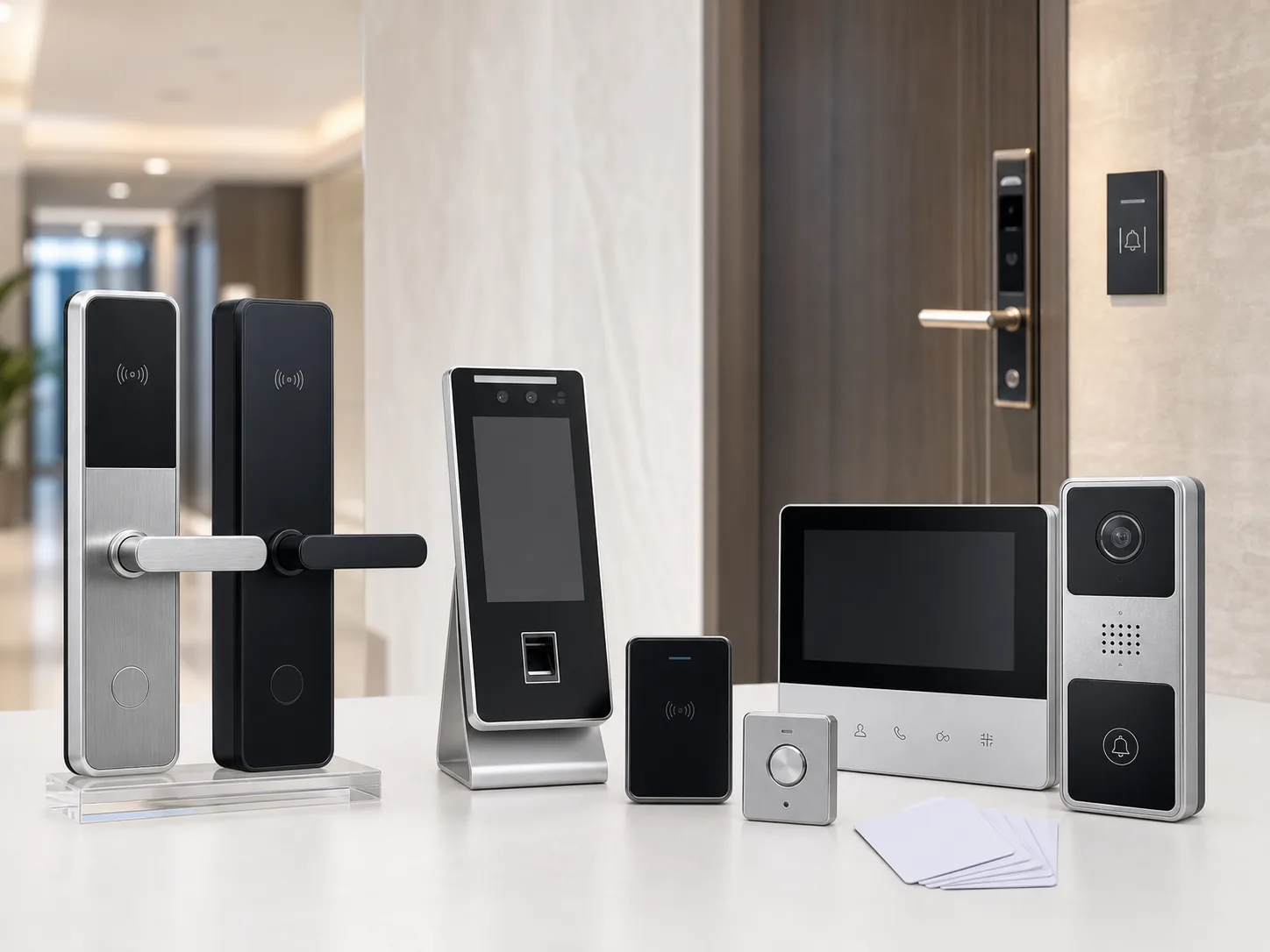
Match doors, lock bodies, credentials, management workflow and emergency access to current smart-lock and hotel-lock product families.
System definition
The visible lock panel is only one part of the system. Door material, thickness, opening direction, cutout and lock body determine mechanical fit, while the user workflow determines card, fingerprint, PIN, app or key-backup requirements.
NexPro-Link reviews current lock products against those inputs and defines the supplied equipment and software boundary. Door preparation, network integration and site installation remain with the local project team.

Who this solution is for
For hotel-system distributors, smart-entry integrators, door contractors and project buyers selecting locks and credentials against real doors and operating workflows.
01
Room, staff and management workflows mapped to lock families.
02
Mechanical fit inputs before cutouts and lock bodies are approved.
03
A controlled model, finish, packaging and spare-parts plan.
Problems this system solves
These are the decisions a BOQ or source list has to answer before individual products become a coherent system.
Door material, thickness, opening direction, existing cutout, backset and lock body have to be known before a lock panel is selected.
Card, fingerprint, PIN, app and mechanical backup are chosen from guest, resident, staff and administrator workflows.
Standalone, hotel-software and app-managed products have different onboarding, gateway, card and support boundaries.
System architecture
Follow the operating path from the first project input through control, operation and protected infrastructure.
A guest, resident or staff member presents the approved credential.
The lock or managed system validates access under the chosen workflow.
The lock body releases the mechanically matched door.
Cards, users or mobile access are administered within the defined software boundary.
Battery maintenance and emergency opening methods support recovery.
Functional modules
Each module has a distinct job and a defined set of inputs. The final quotation keeps those roles visible.
Lock panels and bodies matched to the actual door construction.
Unlock methods matched to guest, tenant, staff or manager workflows.
Standalone or managed responsibilities stated before quotation.
Spares, batteries, samples and repeat-order controls included in procurement planning.
Visual project reference
Door fit, credential workflow and component selection need both an installation reference and real hardware detail.
 Application reference
Catalog scene showing lock placement on a door; final cutout, handing and thickness are checked from the door schedule.
View details Product reference
A physical lock reference for reviewing finish, handle form, credential type and project branding scope.
View details Equipment detail
Source-facility component reference supporting credential and module discussions; exact compatibility follows the selected lock model.
View detailsApplication scenes are visual references. Final models, quantities and interfaces follow the approved project information.
Product database source
These are selected current products from the NexPro-Link product database. They illustrate system roles; the final model mix follows the approved project inputs and compatibility review.

NX-SL-3S01
A current smart-door model for projects requiring app, fingerprint and password methods after the door and software scope are confirmed.

NX-HL-DQ
A current hotel-lock model for room-access packages that include card and encoder workflow planning.

NX-BL-2031
A current Bluetooth-lock model for managed-entry projects after mobile workflow, door fit and emergency access are reviewed.
Product category mapping
These category links provide the full product and specification context. The solution page stays focused on how the equipment works together.
Engineering and selection inputs
A useful review separates buyer inputs from compatibility checks so open assumptions are visible before quotation.
Starting configurations
These are scope frameworks, not fixed kits. Quantities and models remain subject to the project drawing, BOQ and compatibility review.
CONFIG 01
Apartment, office or residential doors using local credentials.
Confirm before quotation: Confirm the actual door, cutout, direction, user count and required unlock methods.
CONFIG 02
Hotels and serviced apartments requiring room locks and managed cards.
Confirm before quotation: Confirm room quantity, door schedule, card workflow, front-desk responsibility and sample approval.
CONFIG 03
Rental or managed residences requiring mobile or Bluetooth access.
Confirm before quotation: Confirm connectivity, app responsibility, tenancy workflow, gateway coverage and data expectations.
Technical submittal
Document availability and revision are confirmed against the models included in the final quotation. The download center provides general selection forms and project checklists.
Open the technical download centerOEM / ODM scope
Selected smart-lock and hotel-lock models can be reviewed for finish, logo, model label, packaging, manual language and controlled repeat orders.
OEM scope depends on the selected lock family, order quantity, sample approval and software responsibility; unverified platform features are not assumed.
Review OEM and ODM supportRelated project applications
Industry pages keep the Project Supply intent separate while showing how this system is quoted in a real application.
Related technical guides
FAQ
Answers reflect NexPro-Link's equipment-supply and compatibility-review role; project-specific values remain subject to the final BOQ and approved models.
Confirm door material, thickness, opening direction, backset, current cutout, lock body, finish, quantity and whether the project uses standalone, hotel-software or app-managed operation.
Yes. A hotel quotation can include current room-lock models, lock bodies, cards, encoder scope, software-workflow assumptions, spare parts, packing and rollout planning.
Card, fingerprint, PIN, app and mechanical backup are selected from the actual guest, tenant, staff and administrator workflow, then checked against the current product series.
No. NexPro-Link supplies and coordinates the equipment package. Door preparation, site installation, local network integration and ongoing property operation remain with the project team.
BOQ / RFQ review
Share the BOQ, BOM, drawing or equipment schedule. NexPro-Link will review system roles, current models, compatibility assumptions and the coordinated supply scope.