

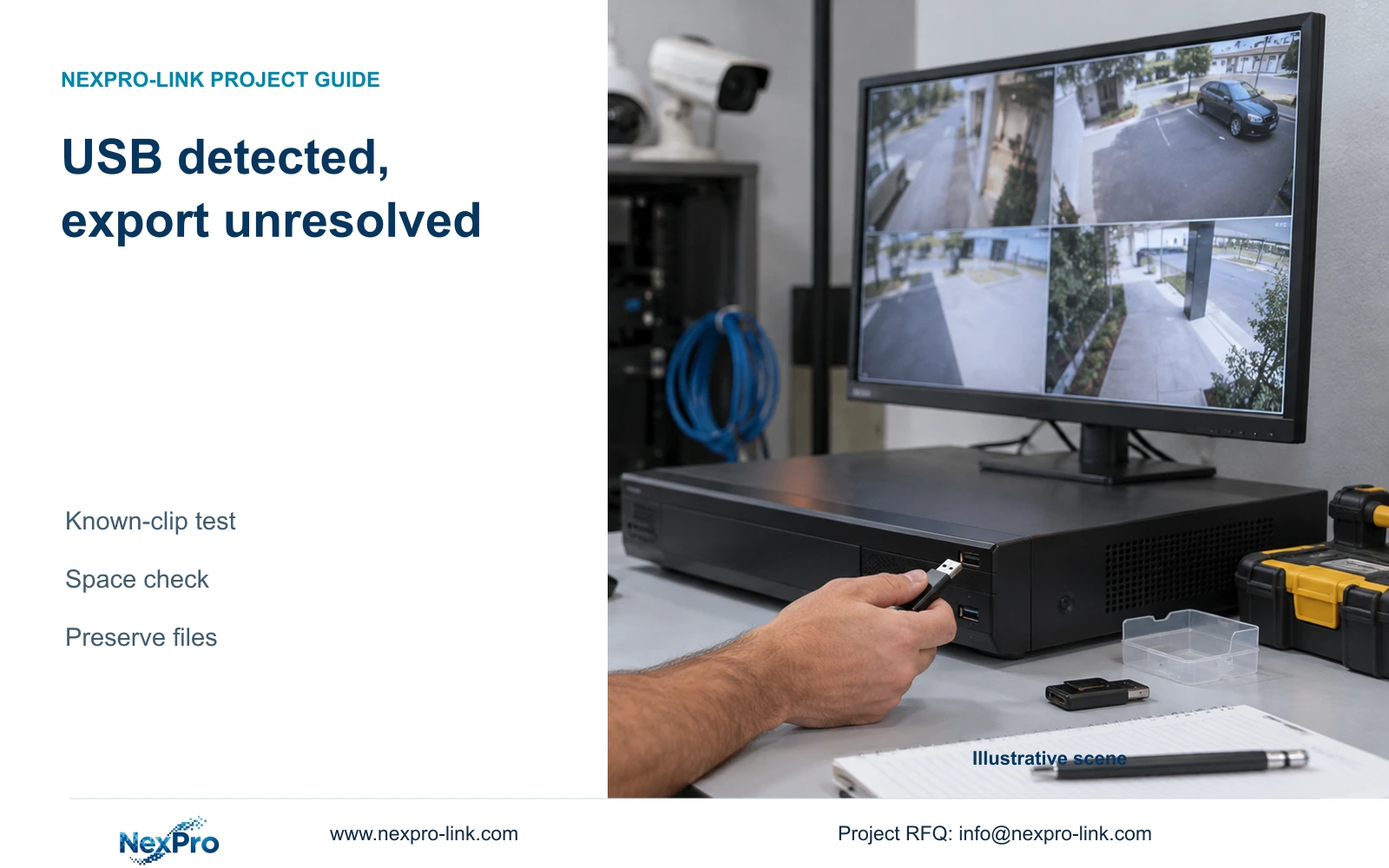
Separate USB recognition from a completed, playable export. Check known footage and destination space, protect existing files and collect precise support evidence.
Section 01
Identify the stage that fails after USB detection
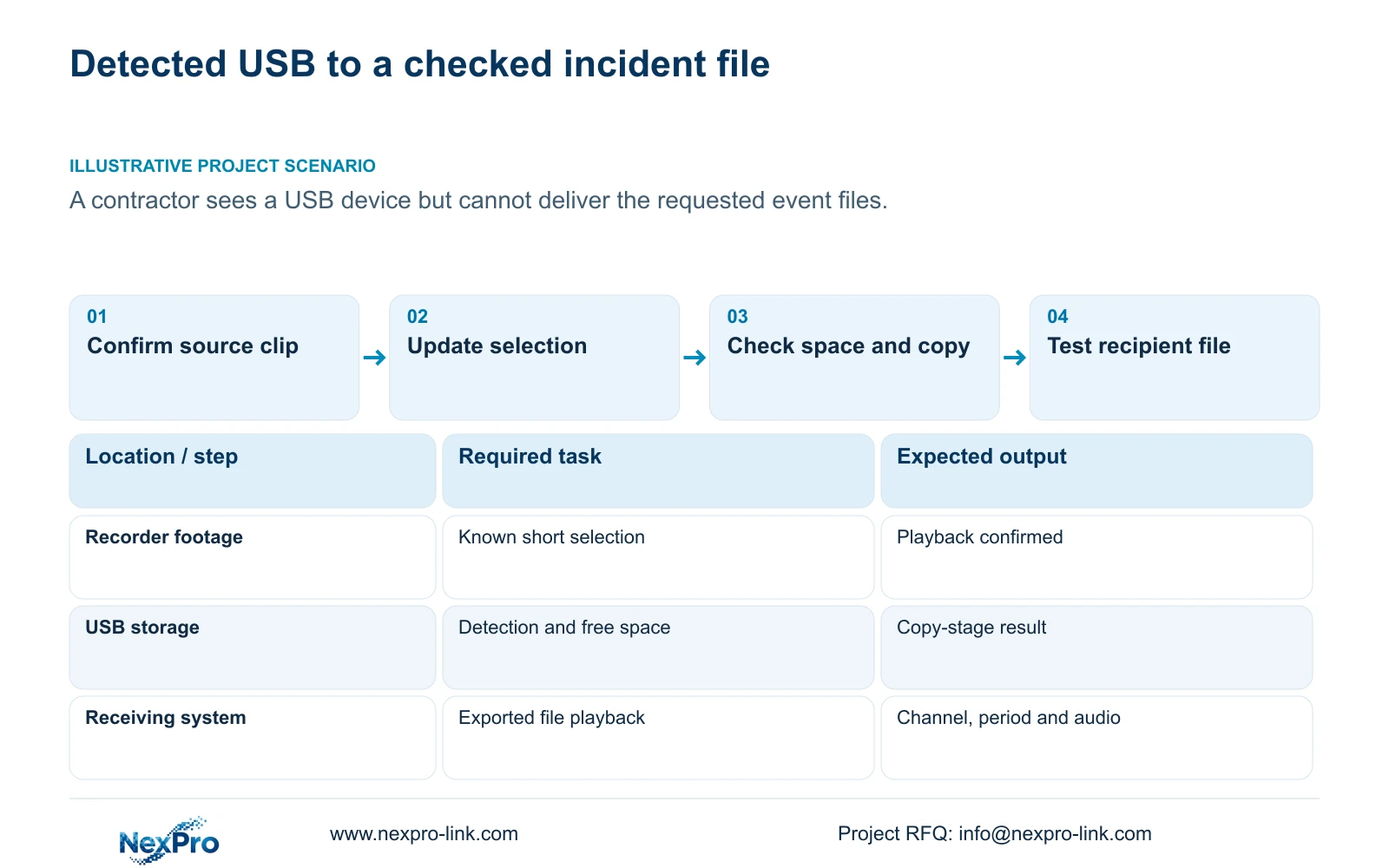
A detected USB device has passed a recognition step, but that does not establish a completed NVR backup. Confirm that the requested footage exists, build a short known selection, run Update and compare the required capacity with destination free space. Start the copy and record its actual result, then test any exported file on the receiving system. Keep existing recorder footage and destination files intact while these checks are unresolved. Formatting should be considered only with a confirmed target, preservation plan and authority. The supplied manual does not establish a universal USB filesystem or justify formatting recording disks because an export fails.
Identify which connected device the recorder has recognized. A USB mouse and USB storage serve different roles. Mouse illumination or pointer response cannot establish that the export destination is ready, and Ethernet activity does not establish recorder health.
Record whether the problem occurs before copying starts, during the task or only when the resulting file is played. This avoids reporting every outcome as 'USB failure' and gives the next check a clear purpose.
Section 02
Test a short recording already confirmed in playback
Choose a short period that the operator has already viewed on the recorder. This establishes a known source for the test. If the requested incident cannot be found in playback, resolve the recording selection first; USB detection cannot establish that source footage exists.
Follow section 4.11.4: select file format, recording types, channel and start/end time, then run Update to display the required capacity. MP4 is the documented default, and multiple channels are permitted. Begin the diagnostic copy with a clear, limited selection so its resulting file can be checked without uncertainty about several views.
Detect the inserted storage destination and start backup. Retain the exact selection and visible result. If the small known selection works but the larger request does not, compare the larger request's channels, types, boundaries and space requirement before changing media or recorder settings.
Section 03
Compare the updated requirement with available space
Use the requirement produced for the current selection, not a remembered estimate from an earlier attempt. Compare it with the destination's available capacity. A device with a suitable total label may already contain files that leave too little space for the requested export.
If free space is insufficient, preserve existing files and use a sufficient destination or an agreed complete split of the requested footage. Do not shorten the incident silently. A successful small export establishes that particular test, not that the media can accommodate every larger selection.
Keep recording storage and export storage separate. Section 4.12.21 describes attached-disk information, selected formatting, full-disk behavior and the startup no-disk prompt under External Storage Devices. The heading does not establish NAS, NFS, iSCSI, RAID or USB replacement of the recorder's recording disks.
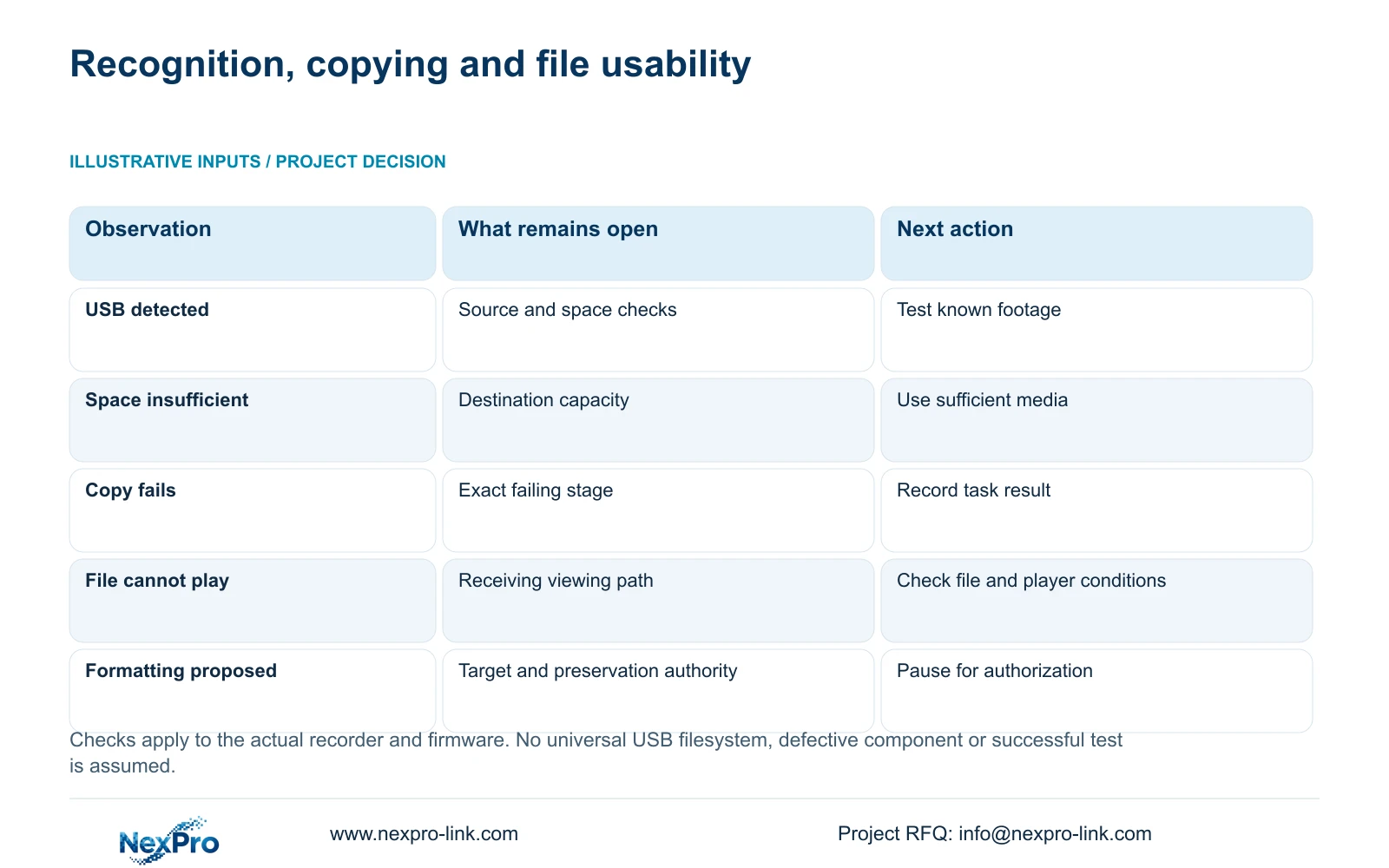
| Observed result | Check first | Next action |
|---|---|---|
| USB listed, source clip unconfirmed | Recorder playback for the selected channel and period | Locate a known recording before testing the destination |
| Updated requirement exceeds free space | Destination capacity and existing files | Use sufficient media while preserving needed files |
| Known short copy fails | Exact task stage and visible result | Retain evidence and obtain model-specific guidance |
| Copy ends, file cannot play | Receiving system and tested viewing method | Separate playback failure from recognition failure |
| Formatting proposed | Actual target, retained data and authority | Pause until preservation and authorization are settled |
Section 04
Identify the media before any formatting decision
Formatting changes storage. Section 4.12.21 includes selection and confirmation of the target disk, so the identity of that selection must be established before proceeding. On a multi-disk unit, do not assume that a displayed disk number corresponds to a physical bay label.
List the recordings or other files that must survive. Export required recorder footage first where possible and preserve needed destination files before changing that media. Obtain authority for the particular storage change. If preservation cannot be completed, stop and resolve that requirement instead of treating formatting as a diagnostic experiment.
The manual's disk-formatting operation does not establish a universal procedure for preparing every USB destination. Obtain the actual model and firmware requirements before choosing a filesystem or replacement device. Factory restoration likewise cannot be assumed to preserve or erase all recordings, and it is not part of this initial check sequence.
Section 05
Test exported content independently of recognition
When the task ends, check whether the expected files exist and open them on the intended receiving system. Confirm the channel, requested period and visible incident. Include required audio. Section 4.11.4 mentions players such as VLC but does not guarantee every platform and codec combination.
A file that cannot open requires a different investigation from a copy that never started. A playable file containing the wrong camera points back to selection. Missing required audio also needs a specific observation, rather than a general claim that the USB port has failed.
Keep the original footage protected until the required deliverable has been verified. Record the tested viewing method so another person can reproduce the check. Avoid obtaining unofficial software packages merely to force playback.
Section 06
Escalate with device identity and the failed operation
Section 4.12.19 identifies product model, hardware version, software version and software date through System Information. Record these details with the affected channel, symptom time and failed backup stage. They help match the correct instructions; a version label alone does not identify the cause.
Keep serial numbers and cloud identifiers within an appropriate private support record. Redact credentials, QR codes and identifiable site content from shared screenshots. A useful task record preserves the selection, updated capacity, available destination space and result without exposing incident footage unnecessarily.
If peripheral isolation becomes necessary, sections 3.3 and 5.3 question 3 support checking power and display before a minimal setup. Do not disconnect media carrying an active backup or upgrade. Any required recorder interruption needs authority, preservation of relevant data and a restoration plan. Record the original wiring and change one connection at a time.
Section 07
Separate a contractor's missing deliverable into testable stages
Illustrative project scenario: A contractor can see a USB device in the recorder but cannot deliver the requested event files. The contractor confirms a short source clip, refreshes its backup requirement and checks destination space before copying. The result is then classified as a copy-stage or viewing-stage problem. No successful test or defective component is assumed.
The private source is NVR4.0 user manual CH_V2.4.doc, whose body identifies V2.2. Relevant sections are 3.3, 5.3 question 3, 4.11.4, 4.12.21 and 4.12.19. Section references take priority over page numbers. Seetong PC local recording storage is a separate object, and the manual's TS identities have no established mapping to NexPro-Link commercial SKUs.
Section 08
Buyer questions about failed USB exports
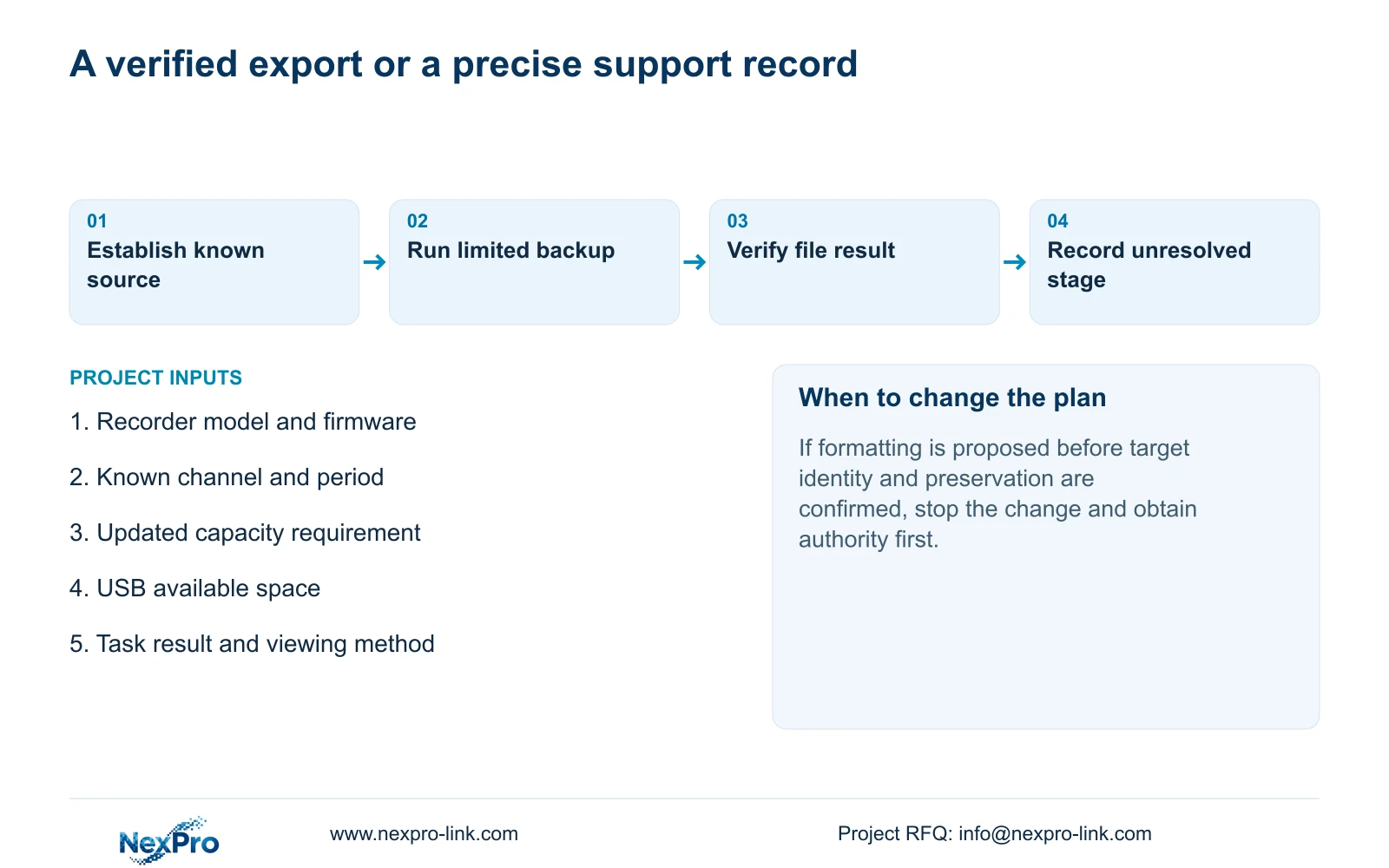
Should detected media be formatted immediately? No. Check known footage, current selection, space and task results first. Formatting requires a confirmed target and data-preservation authority.
Can a working mouse prove USB backup works? No. The mouse and storage destination perform different tasks.
Does the manual prescribe one filesystem for all USB devices? The supplied evidence does not establish one. Obtain requirements for the actual recorder and firmware.
Section 09
Provide the failed-stage record
Send NexPro-Link the recorder model and firmware plus the result of the short known-clip backup test at info@nexpro-link.com.
Engineering references
These sources support the general planning principles. Always use the selected product's current datasheet and applicable project standards for final design.


