

A still can locate a visible moment, while a video clip shows the surrounding sequence. Build the incident package around the review question and verify both files on the receiving system.
Section 01
Choose files that answer the review question
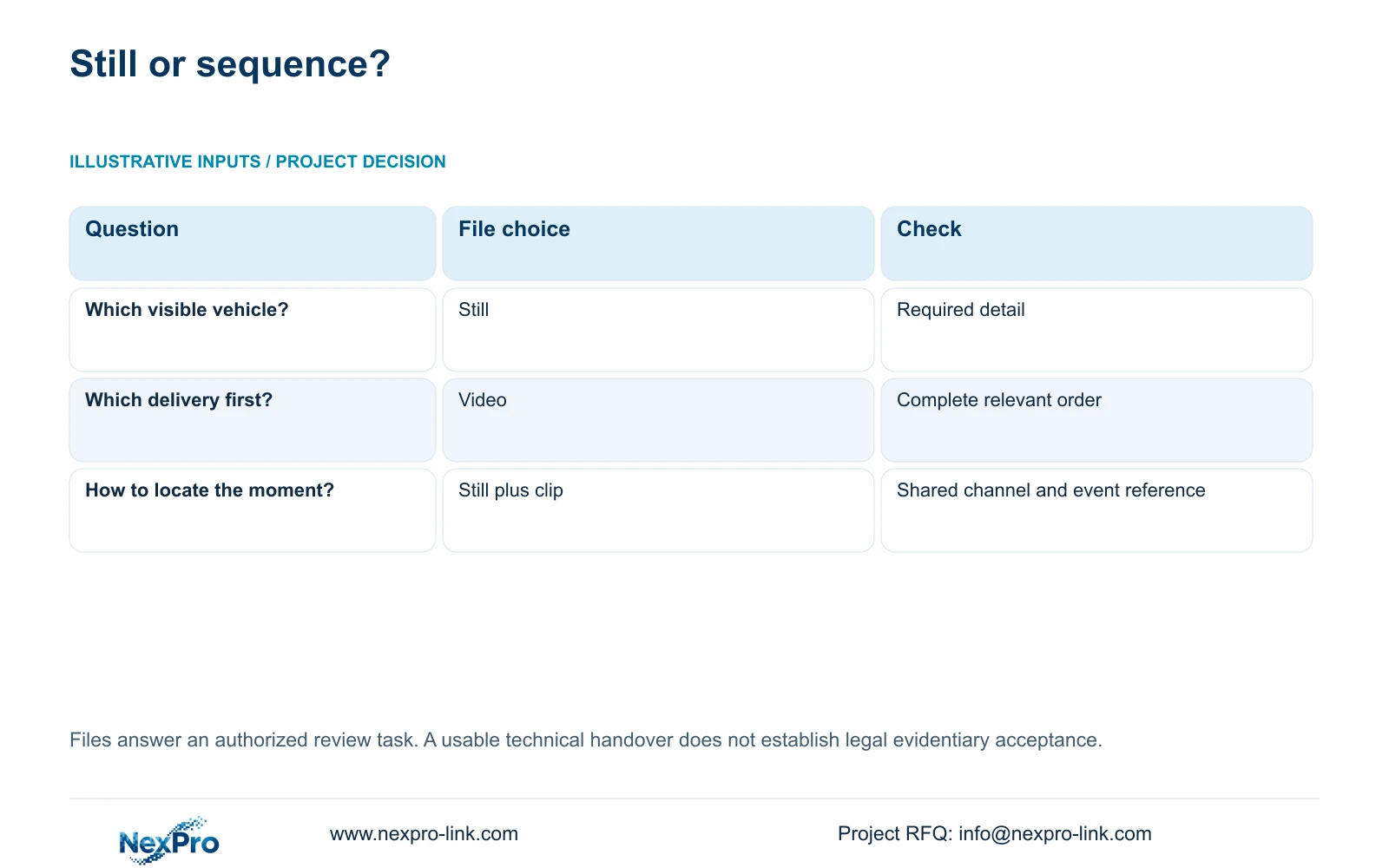
Use a snapshot when the review needs a visible moment, and a video segment when it needs movement, event order or surrounding context. For a warehouse delivery dispute, a vehicle image can help locate the event but cannot show which delivery occurred first. Keep the still and clip connected through the same recorder channel and an understandable time reference. Retrieve enough preceding and following footage to answer the question, then verify the exported files on the intended receiving system. The handover should state what was copied and checked. These operating steps establish a usable review package without promising a legal conclusion about its evidentiary status.
Write the review question before selecting the export. If the owner wants to identify a visible object, inspect whether the still contains the required detail. If the owner needs to understand a sequence, define its beginning and end in playback. A sharp image can remain useful as a locator within a larger video package.
This guide follows the private NVR4.0 user manual CH_V2.4.doc, whose body identifies V2.2. Sections 4.9.1 through 4.9.3 describe snapshots; sections 4.11.3 and 4.11.4 describe playback navigation and backup. The verification and file-index recommendations are engineering extensions.
| Review requirement | Deliverable | Acceptance check |
|---|---|---|
| Locate a visible vehicle or moment | Relevant still image | Expected content and channel reference |
| Establish delivery order | Video covering the sequence | Both deliveries and necessary surrounding context |
| Help a recipient navigate the sequence | Still plus corresponding clip | Shared incident reference and matching event period |
Section 02
Find the boundaries of the event in playback
Locate the likely period broadly, then inspect the event closely enough to identify its useful boundaries. Section 4.11.3 provides thirty-second forward and backward jumps, time positioning and timeline zoom. Electronic image enlargement changes the view of a frame; it does not expand the recorded time interval.
The supplied teaching example uses a twenty-second event. A thirty-second navigation jump can pass over that interval depending on where the operator starts. Missing the event while jumping is therefore insufficient grounds for declaring a recording failure. Return to the likely time and review the interval continuously.
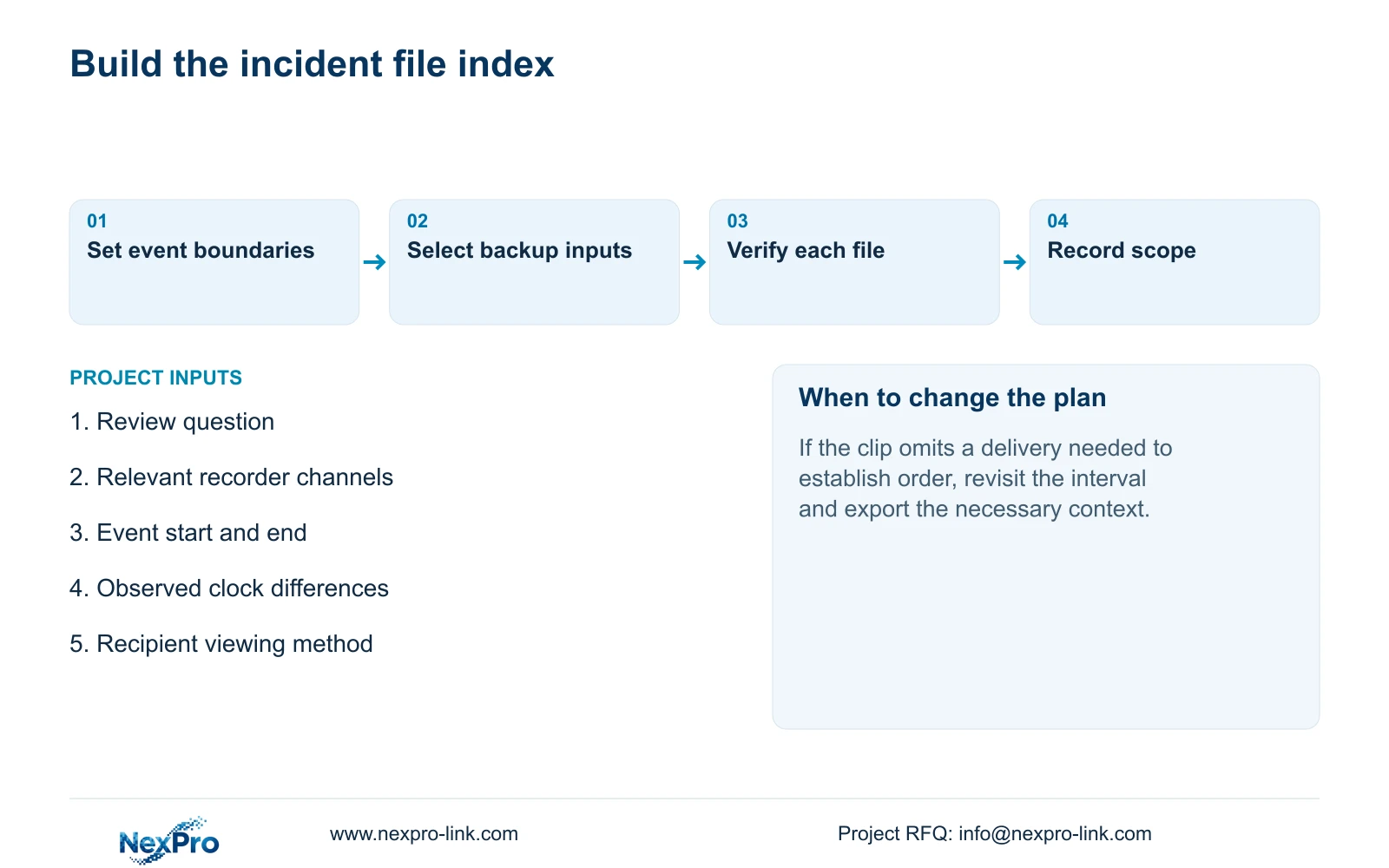
For delivery order, begin before the first relevant arrival and continue until the sequence can be understood. If a selected clip begins after one vehicle is already present, it may omit the action needed to answer the question. Extend the selection based on observed footage, without adding unrelated material simply because it is available.
Section 03
Connect the still to the recorded event time
Record the source channel and event period for both files. A still captured during playback should be described as a playback capture, so a recipient does not mistake the later capture operation for the time of a live event. Use the file index to explain the relationship.
Image Management distinguishes manual, alarm and playback snapshots and can default to the first channel and current recorder date. Select the category, channel and time range explicitly when retrieving the still. Recorder-held images are separate from images stored through the Seetong PC workflow.
Sections 4.4.2 and 4.12.2 describe camera and recorder time controls, including time zone, daylight saving and an IPC synchronization interval measured in hours. Document the intended authority and direction. If different cameras show inconsistent times, retain those observations and compare a known event before drawing conclusions about cross-camera order. Current matching clocks do not prove historical alignment.
Section 04
Export the interval that contains the required process
Section 4.11.4 requires selection of file format, recording types, channels and start/end time. Update the capacity estimate after setting the selection, then detect the inserted USB storage device and start the backup. The manual lists MP4 as the default and permits selection of multiple channels.
Compare the backup inputs with the reviewed event boundaries before copying. A narrow recording-type filter may exclude material needed for context. Select the types that contain the requested process, and confirm the resulting interval in playback.
When several views are relevant, list their channel identities separately. Multiple-channel selection does not establish that every recorder can play every combination locally at once. Use the actual model's supported viewing path without turning an export option into a universal playback specification.
Section 05
Check image detail and video continuity separately
Open the exported still and inspect the detail required by the review. Then play the clip on the receiving system, checking its source channel, start and end content, and the sequence between them. Include audio in the check only when it is part of the authorized requirement and was recorded.
The manual mentions players such as VLC for backed-up video and audio. It does not guarantee every operating system, player version or codec combination. Record the viewing method that works for the actual recipient.
If the clip plays but omits a necessary arrival, revisit the interval selection. If the recorder shows the sequence but the recipient cannot play the export, investigate the receiving path while preserving the source footage. A transfer completion indicator cannot settle either problem. Keep the original material until the required copy has been checked.
Section 06
Describe the package and its operational limits
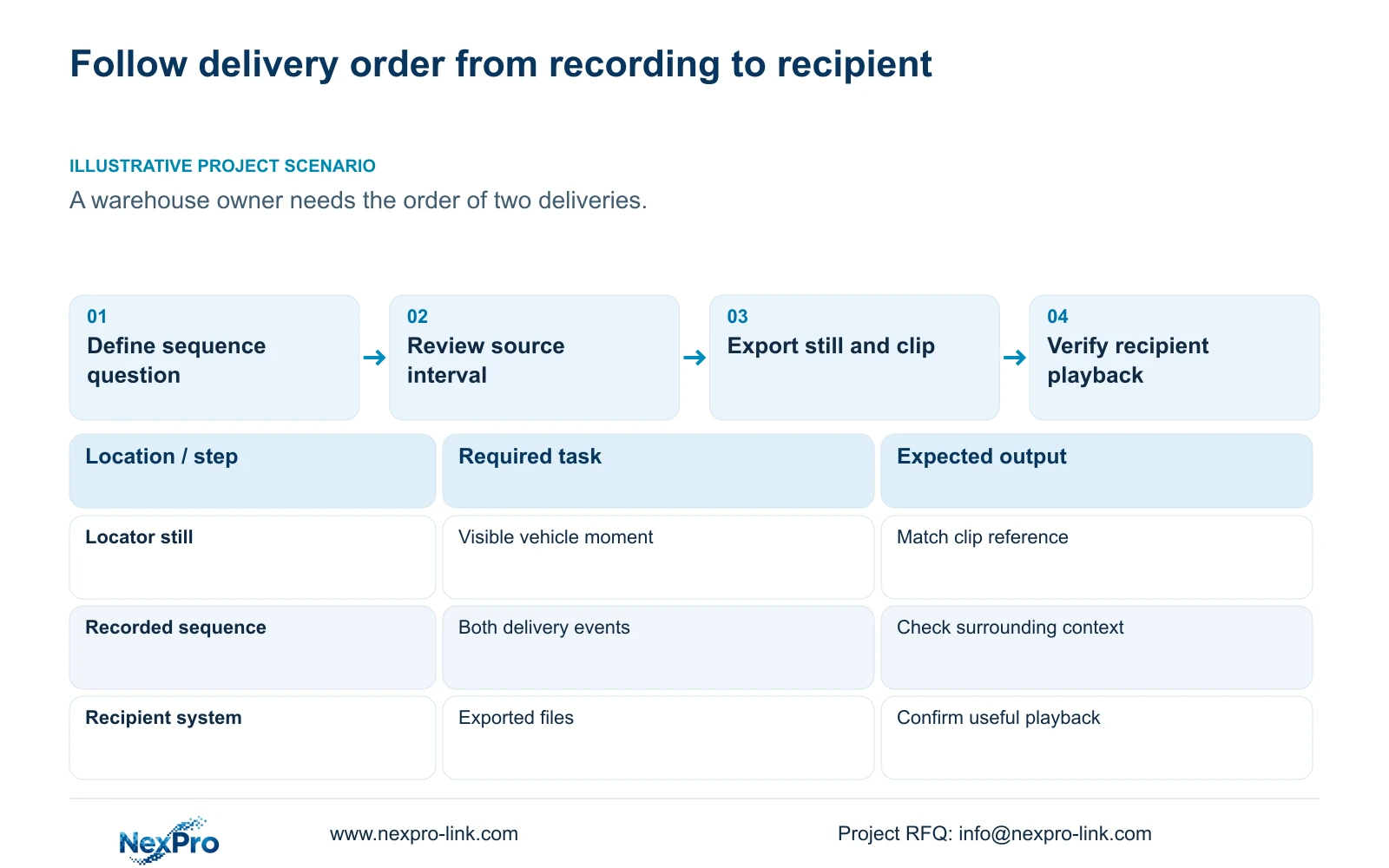
Illustrative project scenario: A warehouse owner needs to understand the order of two deliveries rather than identify only one vehicle image. The proposed package includes a locator still and video covering the relevant sequence. Its acceptance check asks whether the recipient can see the order, not simply whether a vehicle appears in a picture.
Use a shared incident reference in the file index, with separate entries for the still and each clip. Include channel, event period, snapshot category, viewing method and any unresolved time discrepancy. Identify the authorized recipient and the person responsible for follow-up retrieval.
The handover should enable the operator to repeat the search and export. Sections 4.11, 4.12.3 and 4.12.17 through 4.12.19 support the related operating, permission and system-record workflows. Keep versions, configuration-backup location and maintenance responsibility together, while transferring credentials separately through a controlled route.
State any missing interval or unavailable required audio plainly. Technical retrieval, playable delivery and legal assessment are different tasks. This workflow makes no claim of legal certification or guaranteed evidentiary acceptance.
Section 07
Can a clear still establish delivery order?
A single still shows one visible moment. Use the surrounding recorded sequence when the question concerns which delivery came first.
Section 08
Does skipping past an incident mean it was not recorded?
No. Coarse playback jumps can pass over a short event. Position the timeline near the reported time and inspect the interval continuously.
Section 09
Define the incident package
Send NexPro-Link the review question, relevant channels and intended recipient viewing method at info@nexpro-link.com to discuss the required handover scope.
Engineering references
These sources support the general planning principles. Always use the selected product's current datasheet and applicable project standards for final design.


