

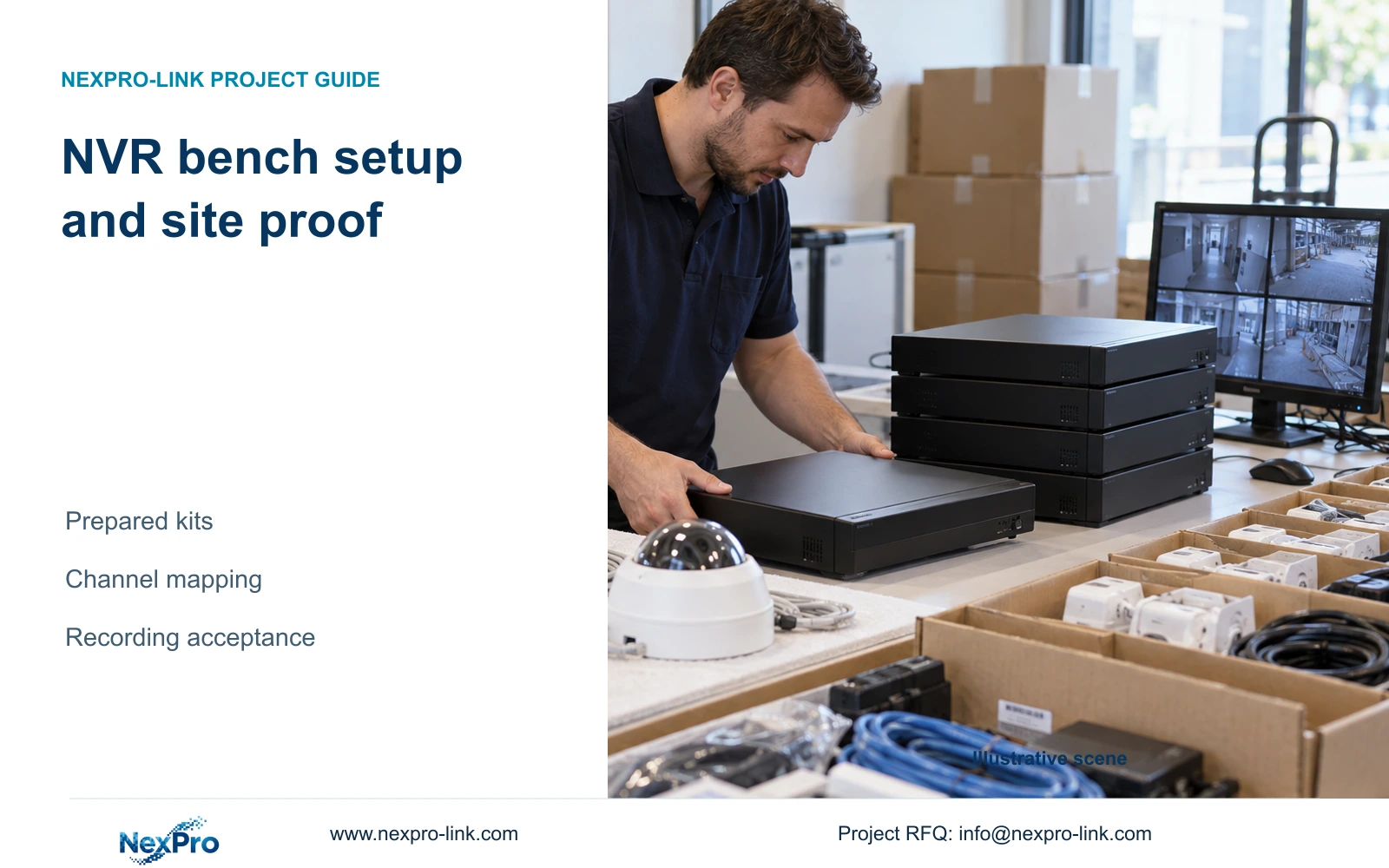
At receiving, match each unit to its bench identity, approved configuration reference and destination. If transport replacement or substitution changes the recorder, reopen the affected preparation checks before applying settings.
Section 01
Separate prepared settings from installation evidence
At receiving, match each unit to its bench identity, approved configuration reference and destination. If transport replacement or substitution changes the recorder, reopen the affected preparation checks before applying settings. Keep site-dependent tasks pending. A kit label cannot establish that the received unit is the device documented in the bench record.
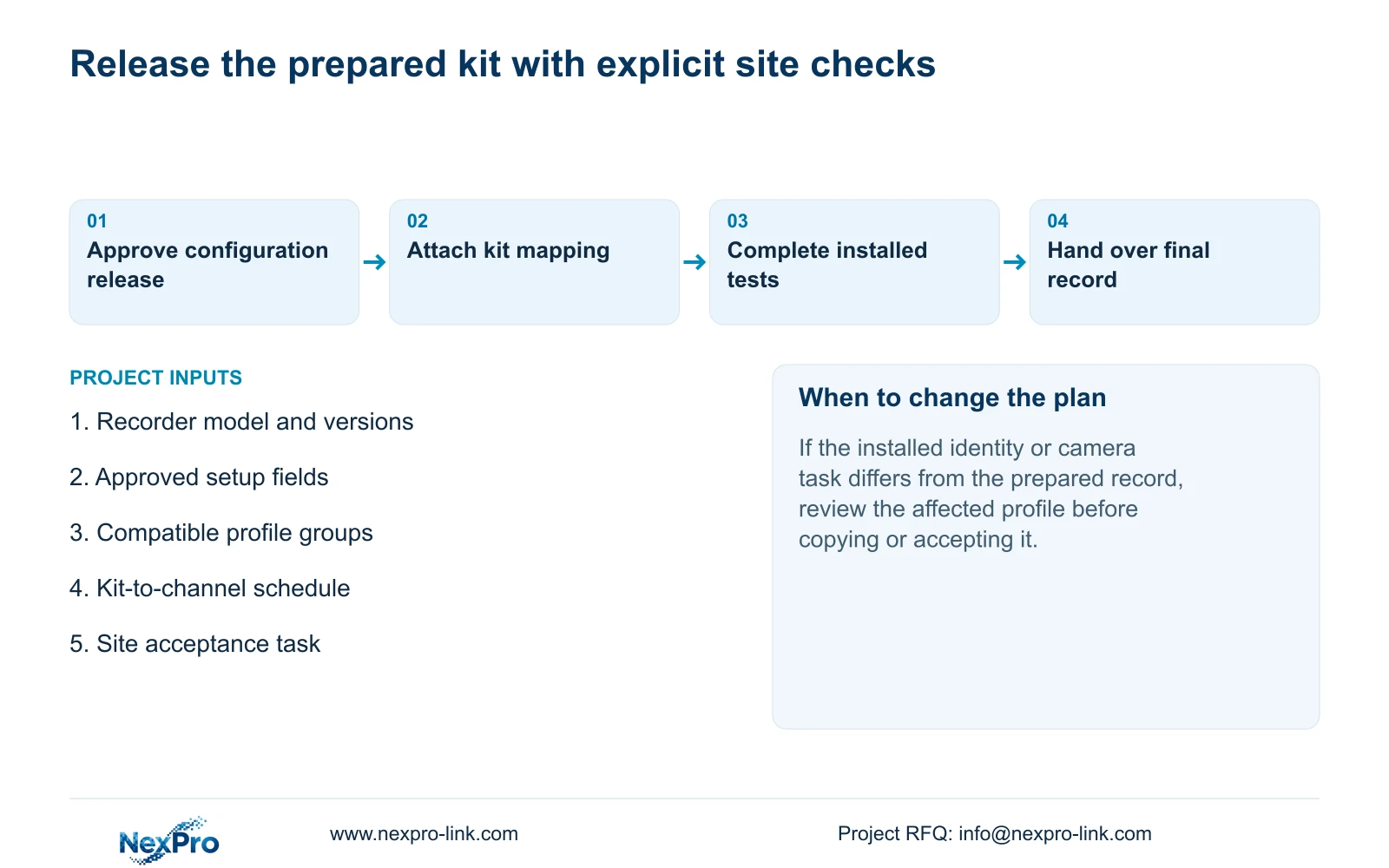
Before delivery, prepare agreed repeatable NVR settings against an identified recorder and a controlled configuration record. Record the model and versions, establish suitable channel-profile groups and map each kit to its intended destination. Leave real network conditions, installed camera identities and the complete recording task for site verification. Finishing the startup wizard or copying a profile cannot prove that the hotel installation will produce retrievable footage. Each floor kit should carry a preparation record showing what was completed, what remains dependent on the site and who owns the remaining work. Accept the installed system through identifiable recording, playback and export checks, followed by an operator demonstration.
This guide uses the private supplied NVR4.0 user manual CH_V2.4.doc, whose body states V2.2. Sections 4.12.19, 4.2, 4.11.1, 4.4.2, 4.12.6 and 4.12.7 support identity, setup and copying. The preparation split and acceptance workflow are engineering extensions. They do not establish a mapping between manual TS models and NexPro-Link commercial SKUs.
Section 02
Freeze the sample identity and the configuration release
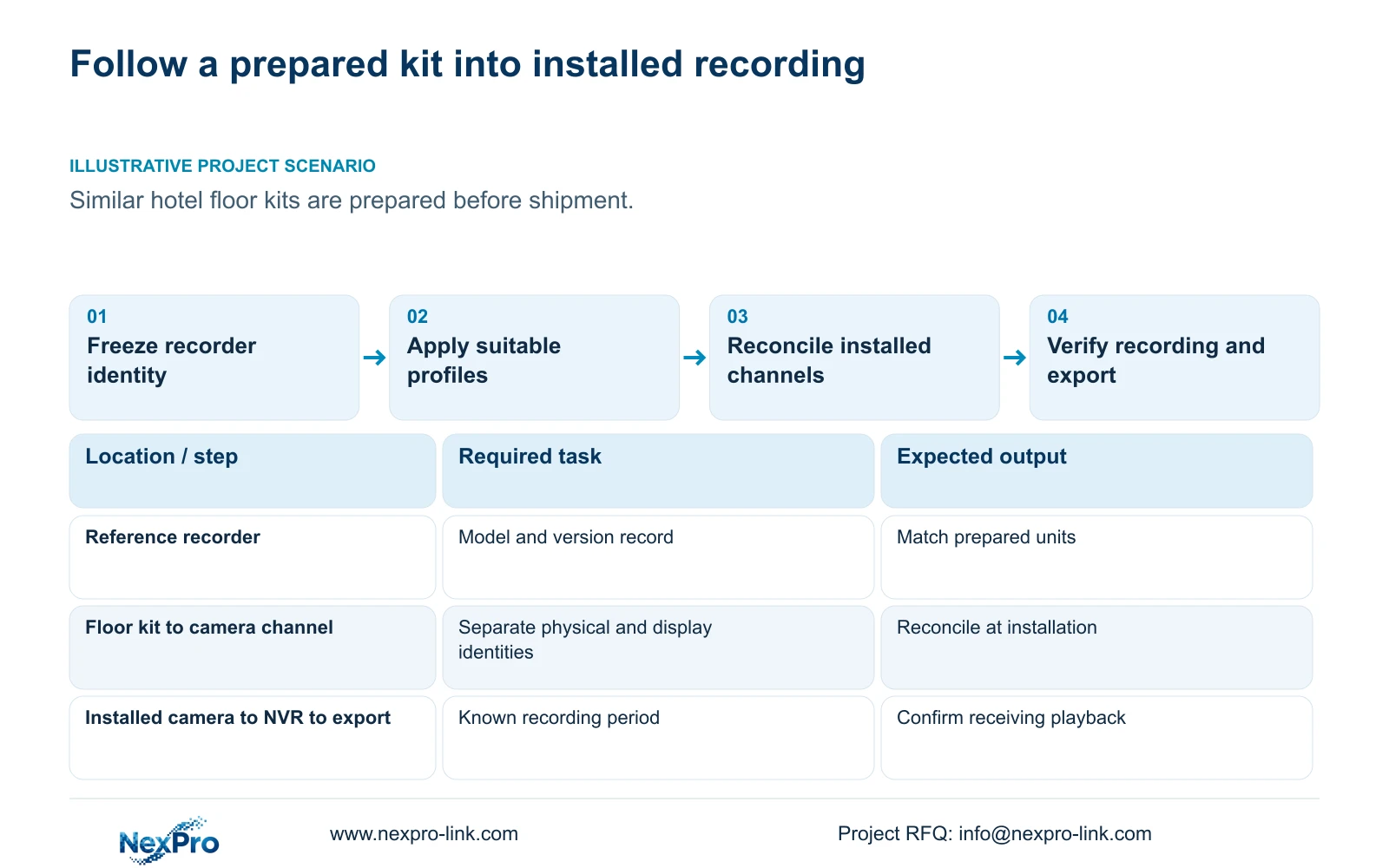
Use System Information, described in section 4.12.19, to record the product model, hardware version, software version and software date. Attach that identity to the reference configuration. A description such as 'prepared NVR' is too broad to show which instructions or supported options apply. If a shipment uses a different identity, review the affected settings and checks before treating it as equivalent to the approved sample.
Keep serial references in controlled service records where needed. Public screenshots should exclude cloud identifiers, QR codes and recognizable site information. Version details help match instructions; a newer version label does not prove that every operating task works. The release record should distinguish the sample tested, the settings approved and the units prepared, so a later site issue can be compared with the correct baseline.
Section 03
Prepare agreed wizard fields and mark site dependencies
Section 4.2 covers language, management password, time, network, cloud access, disk and IPC information. Prepare only fields for which the project has supplied an approved value or method. Language and agreed time fields can form part of the baseline, while installed network and camera information still require confirmation at the destination. Keep account information in a controlled handover process.
The wizard is a setup workflow, not acceptance evidence. After installation, check the actual time, disk and camera information and perform a recording-and-export task. If a disk-formatting step is proposed during preparation, identify the target and obtain authority after preserving any required existing data. A visible wizard button does not remove that responsibility. Mark unresolved fields as site work rather than supplying guessed values that later appear to be approved.
Section 04
Copy profiles within groups that share the same task
Group destination channels by recording purpose and supported options before using copy controls. Sections 4.11.1, 4.4.2, 4.12.6 and 4.12.7 describe relevant copying paths. Record the source channel or profile and the selected destinations. A copy operation does not decide whether different cameras support the same resolution or whether a local schedule exception should be retained.
Inspect the applied destination values and the resulting footage. If a hotel entrance and corridor have different recording requirements, keep them in separate preparation groups even when their equipment looks similar. If a destination lacks a required option, stop copying that profile and resolve the model or task difference. A save confirmation establishes that an operation was accepted by the interface; it does not demonstrate a suitable recording result.
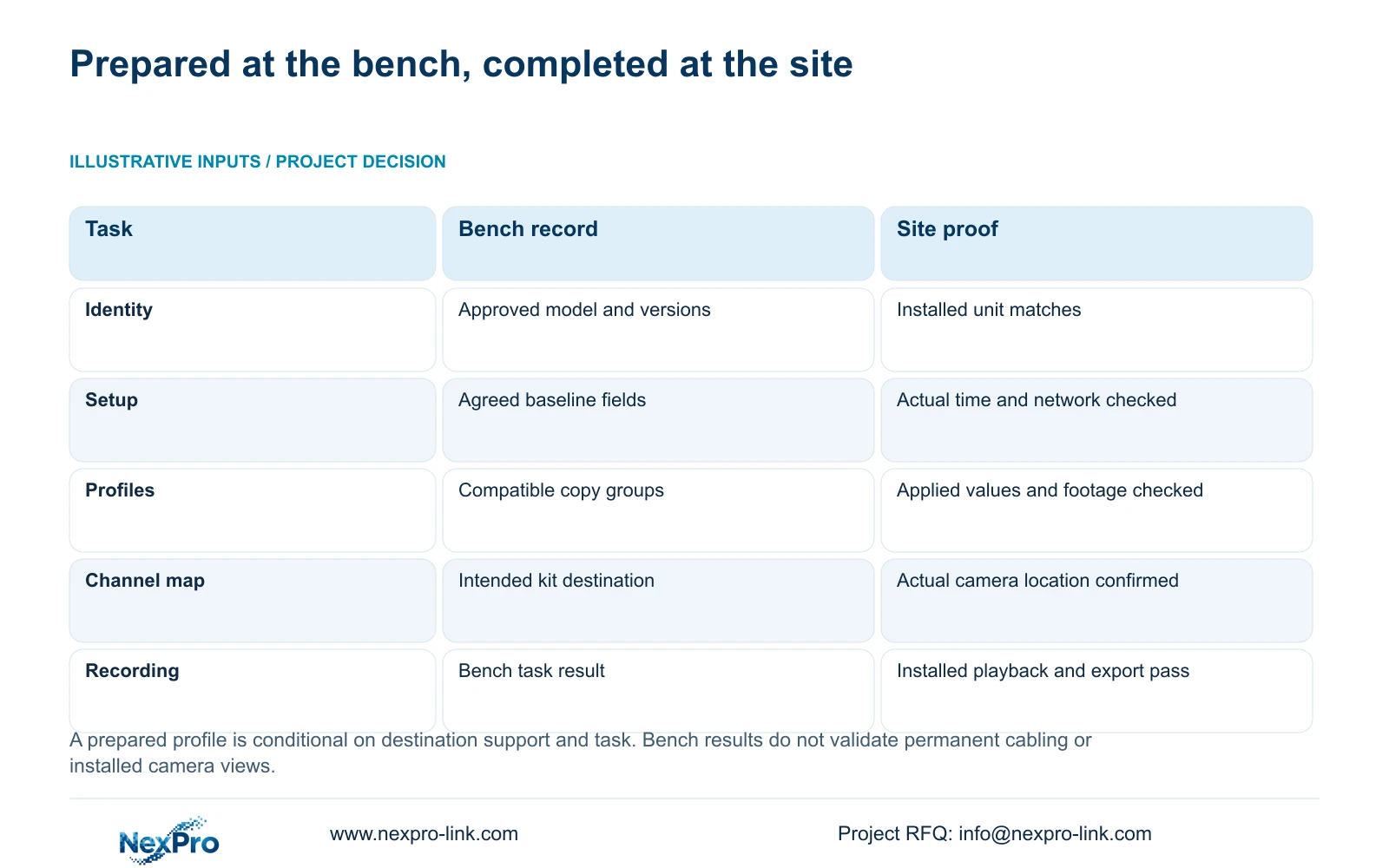
| Work item | Bench deliverable | Site-dependent completion |
|---|---|---|
| Recorder identity | Model and hardware/software release record | Confirm the installed unit matches the prepared record. |
| Basic setup | Agreed language and time-field baseline | Check actual time and approved installed network values. |
| Channel profiles | Source profile and compatible destination list | Check destination values and recorded results. |
| Camera mapping | Kit destination and intended channel schedule | Confirm physical camera identity and installed location. |
| Acceptance | Bench task result tied to its equipment | Complete installed recording, playback and export checks. |
Section 05
Connect carton identity to the installed channel map
Give each kit a destination record and maintain separate fields for drawing location, physical camera identity, IP address, recorder channel and displayed name. Sections 4.3.1, 4.4.4 and 4.12.6 provide channel and naming controls, but the project must maintain the relationship between those fields. A familiar displayed name is not sufficient evidence of the camera's physical location.
At unpacking and installation, reconcile the actual devices with the kit record. Update the mapping after a camera replacement or channel reordering. Changing a display alias and replacing a camera are different changes and should be recorded separately. If a carton goes to another floor, revise its destination and channel record before acceptance. This prevents a later export being attributed to the wrong location because the operator recognizes the screen position.
| Situation | Required record | Decision boundary |
|---|---|---|
| Received identity matches bench record | Unit, configuration and destination | Retain prepared tasks and site exclusions |
| Unit substituted in transport | New exact identity and version | Reopen affected preparation checks |
| Only kit label matches | Missing device-to-record mapping | Resolve identity before applying settings |
Section 06
Prove the recording task on the installed path
Follow an identifiable installed channel from live view to a known recording period. Check its recording status, selected disk and recording policy, then retrieve that period in playback. Export the required sample and open it on another intended viewing system. Record the expected result and the observed result at each step. Sections 4.3, 4.11 and 4.12.21 supply the operating functions used by this engineering acceptance sequence.
Bench footage demonstrates the bench combination under its recorded conditions. It cannot establish the hotel's permanent network, real camera view or installed channel identity. If live video passes but playback or export fails, keep acceptance open at the failed task. Do not restart the whole preparation process without first recording the specific difference. The resulting record should identify what was tested at the bench and what was proved at the site.
Section 07
Hand over the final version and remaining ownership
Keep the installed configuration version, channel map, backup location and maintenance responsibilities together. Transfer credentials through the approved controlled route. The owner should demonstrate identifying a channel, retrieving a requested period and producing a playable export. Document receipt and operator capability are separate acceptance outcomes.
Illustrative project scenario: A contractor wants identical floor kits configured before shipment to a hotel under construction. The preparation team records each recorder identity, applies profiles only within suitable groups and links each kit to its destination. The site team reconciles the real cameras and completes recording, playback and export checks. Similar cartons do not establish identical installed conditions.
A NexPro-Link BOQ and tender support discussion can define the requested equipment and preparation documentation. State which checks remain with the installation team and which preparation records travel with the shipment. Keep those deliverables explicit instead of describing an unbuilt installation as already commissioned.
Section 08
Can a completed startup wizard approve a floor kit?
It confirms setup steps, not installed acceptance. Verify the actual channel, recording, playback and export tasks at the site.
Section 09
Can one profile be copied to every hotel camera?
Only destinations with the relevant shared task and supported options should receive it. Preserve exceptions and verify the resulting footage.
Section 10
Provide the preparation and site split
Send NexPro-Link the floor-kit channel schedule with the requested bench settings and remaining site checks at info@nexpro-link.com.
Engineering references
These sources support the general planning principles. Always use the selected product's current datasheet and applicable project standards for final design.


