

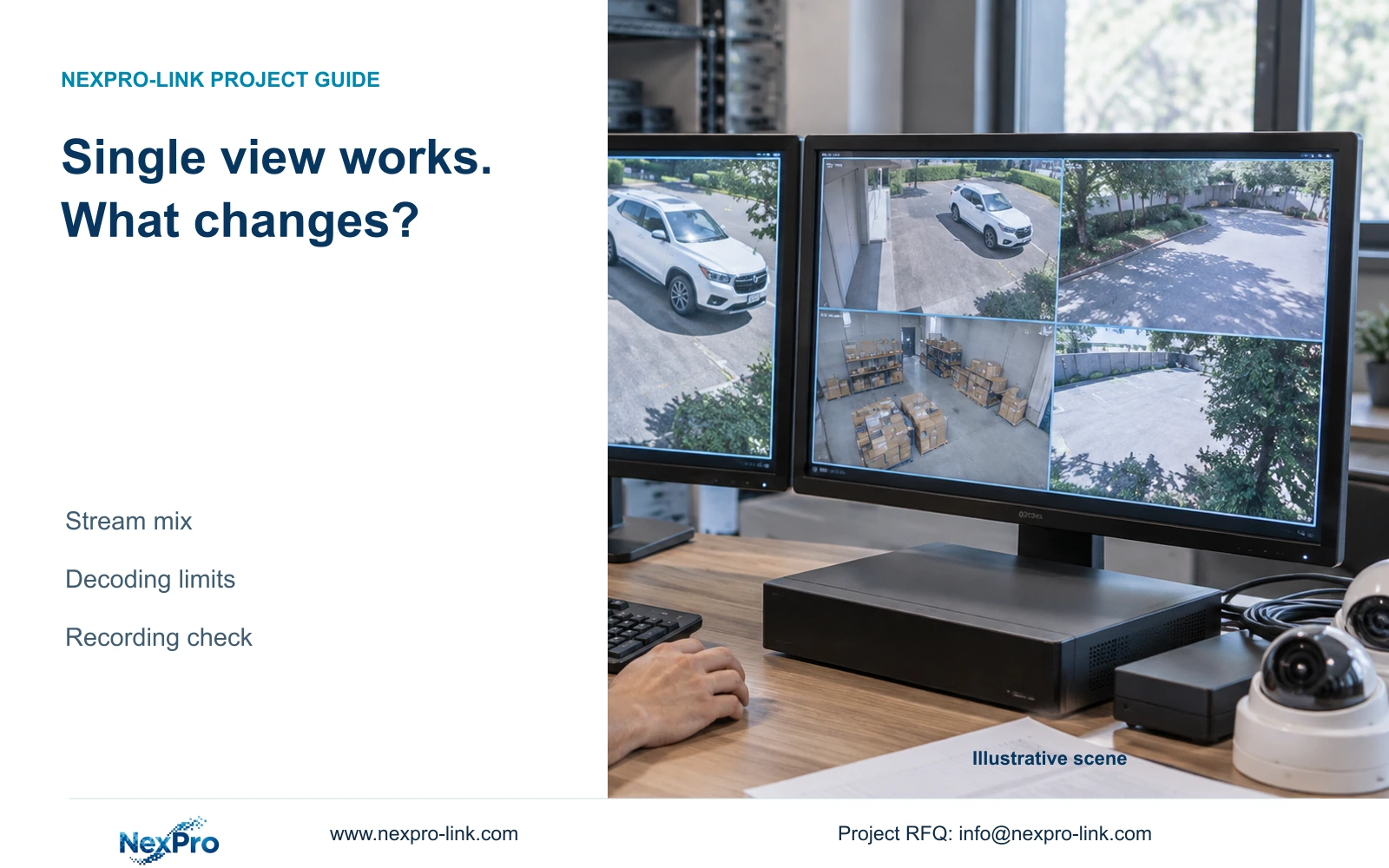
Keep the working layout as a reference and add the required sources in a documented sequence. Record the first failing combination and whether the operation is live or playback.
Section 01
Preserve the conditions of the working view
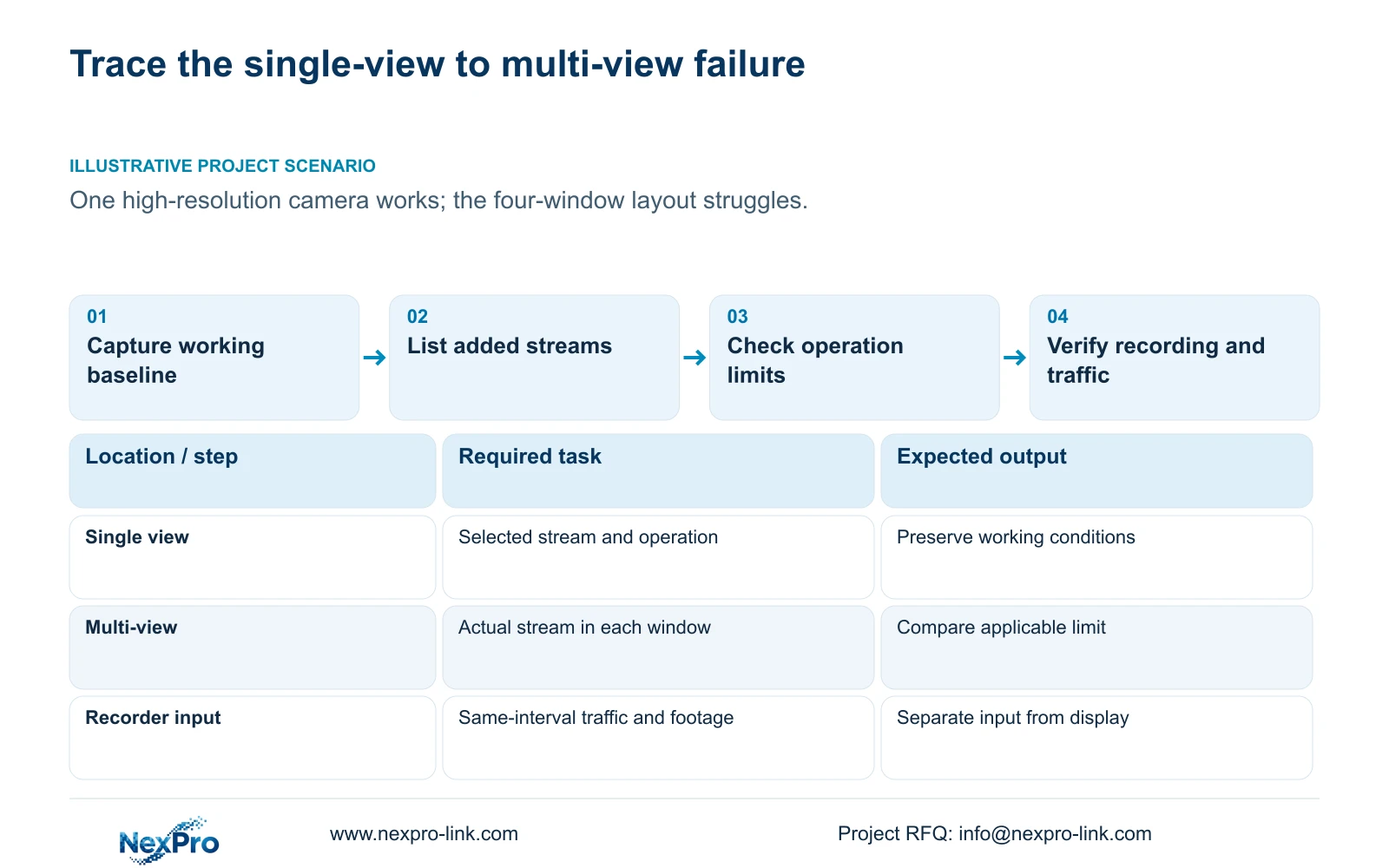
Keep the working layout as a reference and add the required sources in a documented sequence. Record the first failing combination and whether the operation is live or playback. Compare it with applicable model limits before changing source quality. This controlled difference identifies an escalation input, not proof of a particular hardware defect.
When one camera displays correctly but a multi-window layout fails, preserve the working conditions and compare the exact streams added by the larger layout. Check whether the failing operation is live preview or recorded playback, then use the actual model's applicable limits. Camera enrollment, incoming bitrate, preview decoding, playback combinations and monitor output are separate resources. Inspect a recorded sample before lowering source quality, because a local display problem does not establish a recording fault. If the required combination exceeds the documented capability, test an appropriate viewing arrangement or qualify another device while keeping the evidence requirement intact.
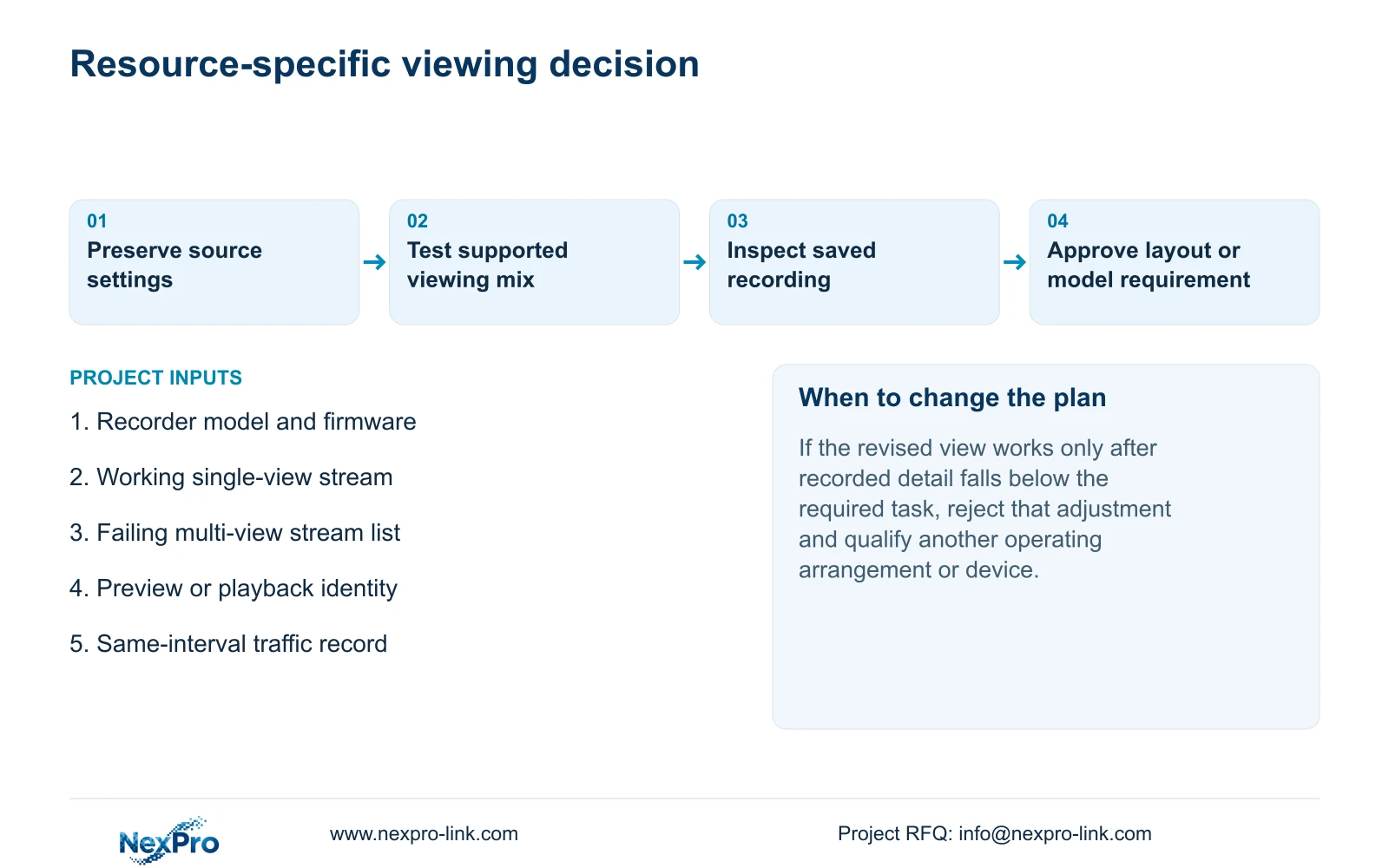
Record the channel identity, selected stream, resolution, frame rate, bitrate, recorder model and firmware, output mode and symptom time. Retain the original settings so a later adjustment can be evaluated against the same baseline. Note whether the single view is stable throughout the comparison or only worked at an earlier moment.
Section 02
Turn the failing layout into a stream list
List every camera opened in the multi-window arrangement and the actual stream shown in each window. A four-window selection describes a screen arrangement, not four identical processing tasks. The mix can differ from the working single view even when one of the same cameras remains on screen.
Section 4.5 lists layout choices; section 5.2 provides model limitations. Compare those separately. Start with the working camera and introduce the proposed viewing workload in a controlled sequence, recording when the symptom appears. Keep unrelated camera settings unchanged so the observation remains useful.
If a smaller supported arrangement works, that supports further investigation of the combined viewing load. It does not establish that every other cause is excluded. If the same camera becomes unstable alone during the test, return to that baseline and investigate the changed condition before treating the grid as the sole cause.
| Situation | Required record | Decision boundary |
|---|---|---|
| Reference layout works | Sources and live/playback operation | Preserve the known combination |
| One source is added | First failing combination and versions | Compare applicable limits before changing quality |
| Failure cause unproved | Reproducible sequence and evidence | Escalate without declaring a hardware defect |
Section 03
Check viewing streams against the recorded sample
Sections 4.4.5 and 4.12.7 expose main- and substream parameters. Keep the configured camera stream, the stream actually viewed and the saved recording sample as separate observations. A lower-detail preview can reflect a viewing choice without establishing a recording change.
Where the applicable interface supports the intended viewing selection, compare a suitable preview stream while preserving the recording requirement. Inspect the saved output afterward instead of assuming which stream the recorder used. Do not import a Seetong PC recording default into the local NVR workflow; PC local storage and recorder storage are different objects.
If a viewing-only adjustment resolves the layout symptom and the recording still meets the required task, document both results. If changing camera encoding alters the saved sample, reassess the evidence requirement before accepting that adjustment. A restored picture is insufficient when the necessary recorded detail has been lost.
Section 04
Apply the correct playback alternative
For recorded review, use the actual model's local-playback row. Section 5.2 lists TS8108D7 as 1×3MP; TS8116D7 as 1×5MP OR 2×2MP; and TS8232C4 as 1×4K OR 4×2MP OR 2×5MP. Each OR separates alternative operating modes.
For TS8836M/TS8436M, the listed alternatives are 1×4K 30fps OR 2×5MP OR 4×4MP@20fps OR 4×2MP@25fps. Preserve the stated frame-rate conditions. These examples explain why one high-resolution playback can succeed while a larger requested combination is unsupported.
Do not add the alternatives together, use a playback row as a preview specification, or map a TS code to a NexPro-Link commercial SKU. If the operation is live preview, obtain the applicable preview evidence. If it is playback, select a listed combination that serves the review task or specify a device that supports the required simultaneous recordings.
| Manual model | Listed alternatives | Use |
|---|---|---|
| TS8108D7 | 1×3MP | Check this model's playback task |
| TS8116D7 | 1×5MP OR 2×2MP | Choose one supported alternative |
| TS8232C4 | 1×4K OR 4×2MP OR 2×5MP | Do not infer four 4K playback streams |
| TS8836M/TS8436M | 1×4K 30fps OR 2×5MP OR 4×4MP@20fps OR 4×2MP@25fps | Preserve rate conditions |
Section 05
Compare traffic over the same operating interval
Section 4.3.3.3 shows interface transmit and receive information. Record the interval containing the layout change and note camera recording input, remote viewers, concurrent playback and any downloads. Incoming and outgoing values do not need to match because those activities use different paths.
A sum of configured video bitrates is a planning payload calculation. Interface observations can include protocol overhead and other activity, so compare them using a common interval and scope. A single unexplained traffic screenshot cannot establish that the network remained stable throughout the fault.
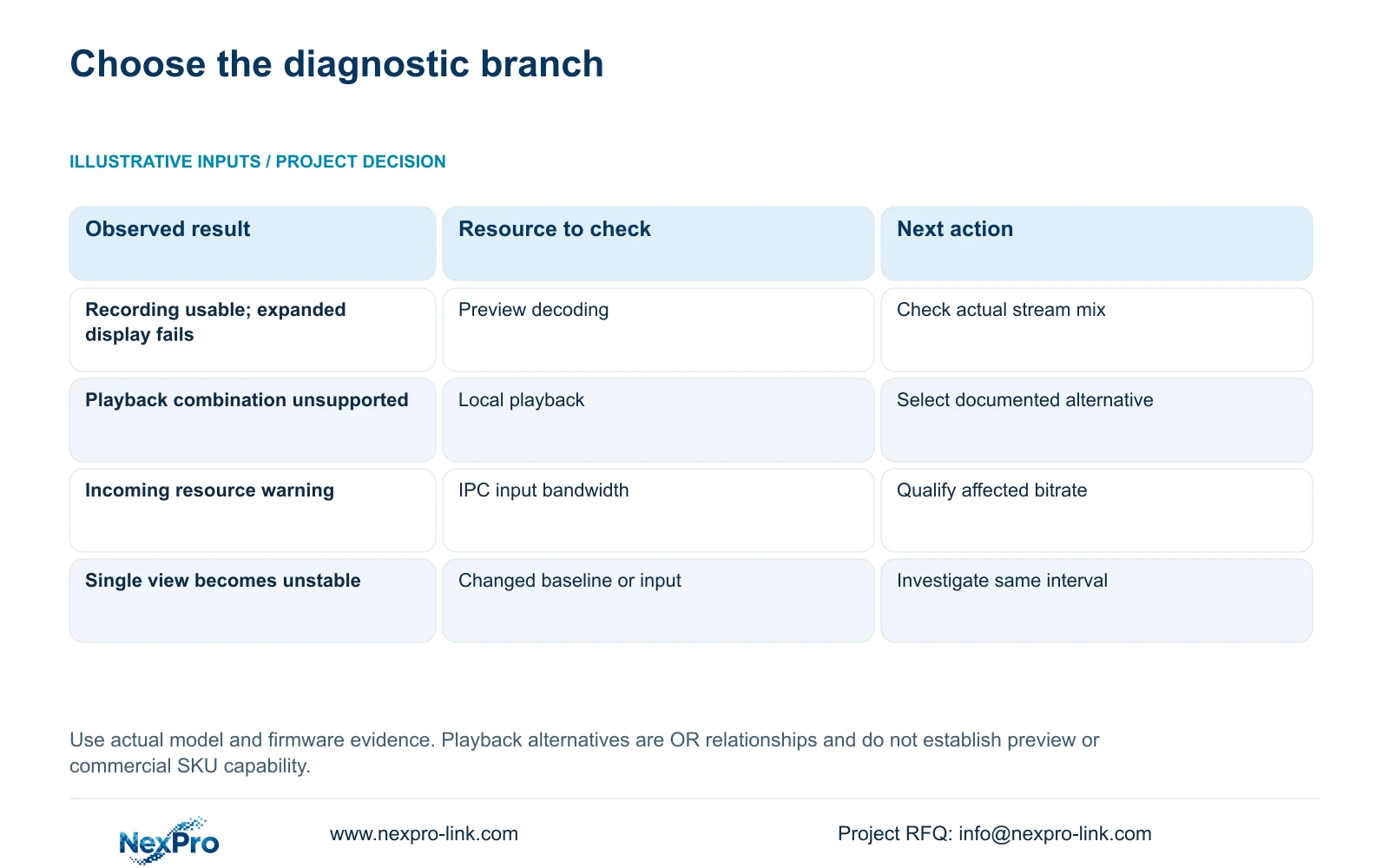
If the single view and recording also become unreliable during the same interval, investigate input and network behavior alongside the local workload. If recording remains usable while only the expanded local display fails, retain that distinction as evidence for the decoding branch. Neither observation should be stretched into a universal diagnosis.
Section 06
Choose the change that addresses the observed limit
Section 5.3, question 7, associates insufficient channel resources with total incoming IPC bandwidth and suggests reducing the affected bitrate. Apply that explanation to the relevant resource warning after preserving the original stream mix. It is not a reason to lower every camera's resolution for every blank window.
Illustrative project scenario: A recorder displays one high-resolution camera correctly but struggles after a four-window layout is selected. The engineer records the viewing mix, checks main- and substream use, identifies whether the operation is preview or playback, and compares traffic over the fault interval. No test outcome is assumed.
If a supported viewing arrangement satisfies the operator, retain the recording quality and document the revised layout. If incoming bandwidth is the limiting resource, qualify any affected bitrate adjustment against recorded detail. When the mandatory simultaneous task remains unsupported, use that exact workload for model selection through NexPro-Link's project-supply process.
| Observation | Decision branch | Next action |
|---|---|---|
| Only expanded display fails; recording usable | Local viewing workload | Check applicable decoding and stream selection |
| Requested playback exceeds listed alternative | Playback capability | Use supported mode or qualify another device |
| Incoming resource warning with excessive payload | Input bandwidth | Assess affected bitrate against evidence task |
| Single view also changes during comparison | Baseline no longer stable | Investigate the changed input condition |
Section 07
Source and model boundaries
This guide uses the private supplied NVR4.0 user manual CH_V2.4.doc, with V2.2 in its body. Relevant sections are 5.2, 4.5, 4.4.5, 4.12.7, 4.3.3.3 and 5.3 question 7. Section references take priority over page numbers. The model examples are manual-specific alternatives, not commercial SKU equivalences or measured performance results.
Section 08
Can a playback table diagnose live preview by itself?
No. Identify the failing operation and check its corresponding capability. A local-playback alternative does not establish preview performance.
Section 09
Does selecting a viewing substream prove recording changed?
No. Confirm the recorded source through its settings and a saved sample. Viewing and recording choices need separate verification.
Section 10
Provide the working and failing combinations
Send NexPro-Link your recorder model and firmware plus the working single-view and failing multi-view stream lists, identifying preview or playback, at info@nexpro-link.com.
Engineering references
These sources support the general planning principles. Always use the selected product's current datasheet and applicable project standards for final design.


