

A recorder can accept the required cameras while struggling with the operator's playback layout. Check input bandwidth, supported decoding combinations and output behavior separately before changing image quality or replacing equipment.
Section 01
Why channel count cannot answer the playback question
An NVR can accept all the project's cameras and still fail a required multi-window playback task. Camera inputs, incoming bandwidth, live-preview decoding, simultaneous playback and monitor output have separate limits. A 4K label does not establish how many high-resolution recordings the operator can review together. When one camera plays correctly but a larger layout fails, record the selected streams and compare that workload with the exact model's listed playback combinations. Then check whether the symptom concerns incoming traffic, local decoding or display output. This separates a configuration adjustment from a genuine equipment limitation without reducing recording quality before the cause is understood.
Section 02
Separate the resources the operator is using
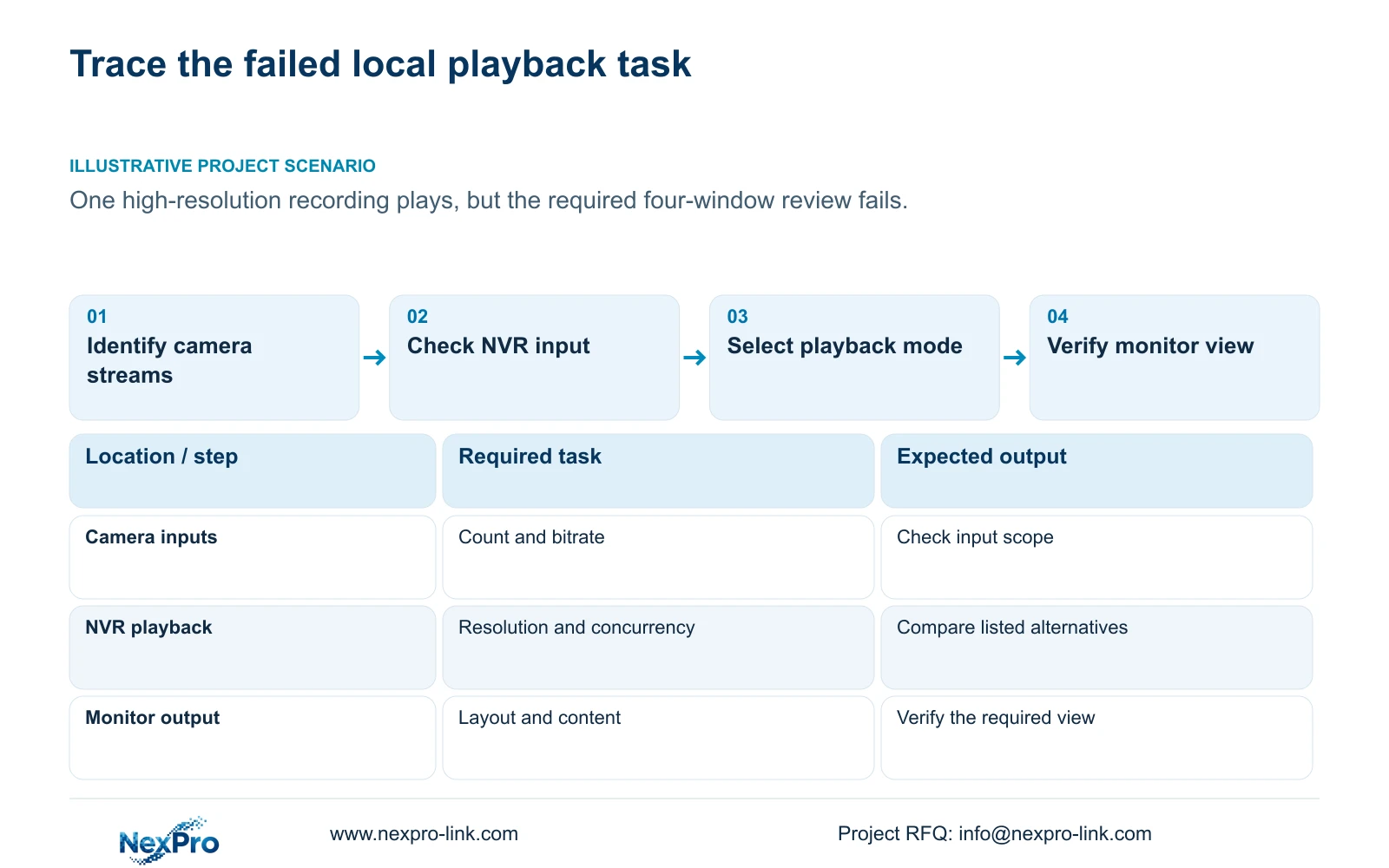
Begin with the operation that fails. Adding a camera changes the input requirement. Increasing its recording bitrate changes incoming traffic. Opening more live windows changes the preview workload, while replaying several recorded channels changes the playback workload. Connecting a monitor introduces another requirement: the recorder must provide an output mode that the display can use.
Record those requirements separately, even when they concern the same cameras. A channel count describes how many inputs the recorder can accept within its applicable modes; it does not establish every viewing combination. Successful recording also does not prove that several recordings can be decoded locally together.
The operating source is NVR4.0 user manual CH_V2.4.doc, whose body identifies V2.2. Sections 5.1 and 5.2 provide the model comparison basis. Section references take priority over old page numbers. Its TS model identities have no established mapping to NexPro-Link commercial SKUs.
Section 03
Translate the layout into a stream requirement
Section 4.5 lists layouts with 1, 2, 4, 6, 8, corridor 8, 9, 10, 16, 24, 25 and 36 pictures. These choices describe window arrangements. The model table separately limits processing, so selecting a grid does not prove that every window can carry the desired full-resolution stream.
For each required window, identify the camera, live or recorded source, resolution and frame rate. Keep bitrate in the record because it also matters to input evaluation. State whether the operator needs a broad overview or detailed simultaneous review; those tasks may justify different layouts.
Try the supported workload before expanding it. If the operator can complete the task with a permitted combination, retain that arrangement. If the task requires more detail or more concurrent streams, carry the unmet requirement into model selection instead of treating the menu's larger grid as evidence of capacity.
Section 04
Choose one supported playback combination
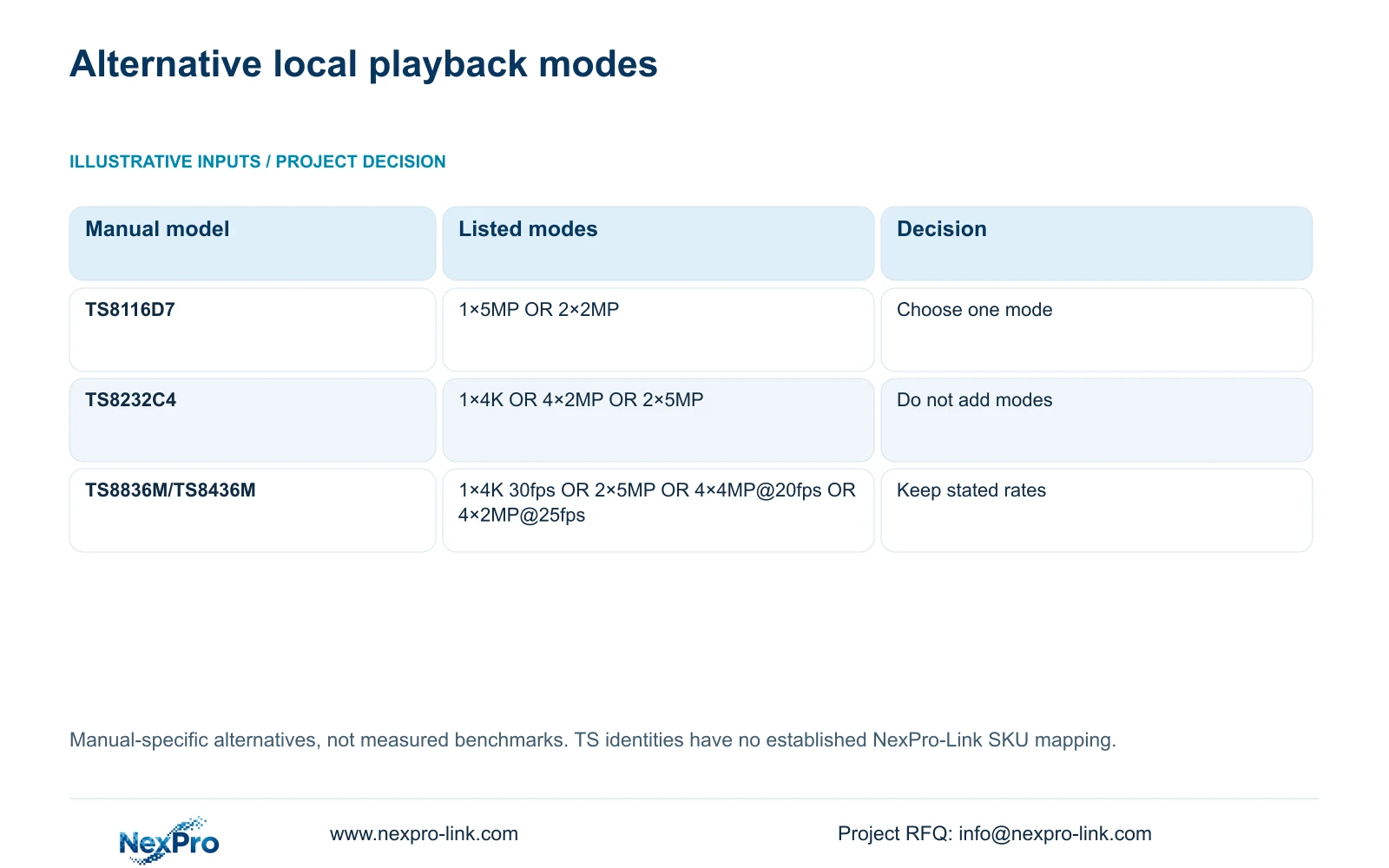
Section 5.2 lists TS8116D7 local playback as 1×5MP OR 2×2MP. TS8232C4 is listed as 1×4K OR 4×2MP OR 2×5MP. These are alternative modes. They cannot be added together, and the listed TS8232C4 modes do not establish four simultaneous 4K recordings.
Where the selected hardware is TS8836M or TS8436M, preserve its more specific alternatives: 1×4K 30fps OR 2×5MP OR 4×4MP@20fps OR 4×2MP@25fps. Frame-rate conditions belong to the modes in which the source states them. Do not fill an unstated rate from another row.
Use the table below to choose the next check. A picture returning after a lighter workload is useful evidence, but acceptance still depends on whether the operator can retrieve the required detail.
| Observation or model | Supported distinction | Next action |
|---|---|---|
| TS8116D7 | 1×5MP OR 2×2MP | Select one listed mode and check the review task. |
| TS8232C4 | 1×4K OR 4×2MP OR 2×5MP | Do not infer four simultaneous 4K views. |
| TS8836M/TS8436M | 1×4K 30fps OR 2×5MP OR 4×4MP@20fps OR 4×2MP@25fps | Preserve the stated mode and rate conditions. |
| Insufficient channel resources | Section 5.3 question 7 associates this with total IPC input bandwidth. | Check the original stream mix before changing bitrate. |
Section 05
Identify the exhausted resource before changing quality
The manual's section 5.3, question 7, connects insufficient channel resources with total incoming IPC bandwidth and suggests reducing the affected bitrate. Start by saving the current camera count, stream settings and operating state. Compare incoming traffic with the actual recorder's documented limit.
If the input condition exceeds that limit, revise the affected bitrate within the image task's requirements and retest. Change one relevant setting at a time so the result remains interpretable. If input remains within its documented scope but simultaneous local playback fails, return to the playback combinations.
Do not apply the bandwidth advice to every black window. A fault description must name the operation and its conditions. Check the revised recording as well as the screen: a configuration that restores visibility but loses required incident detail has not completed the owner's task.
Section 06
Specify output behavior beyond the socket count
Sections 1.2, 4.8 and 4.12.1 describe simultaneous VGA and HDMI output. That statement does not establish two independently managed canvases. Record the required resolution, layout and content at each display, then check the selected recorder's actual behavior.
If both monitors need the same view, simultaneous output may satisfy the task once the modes are confirmed. If separate desks need different camera groups, independent output becomes a selection requirement. An explicitly scoped workstation or decoding arrangement is another candidate, but its supported functions must be confirmed separately.
Section 07
Choose between an operating adjustment and another model
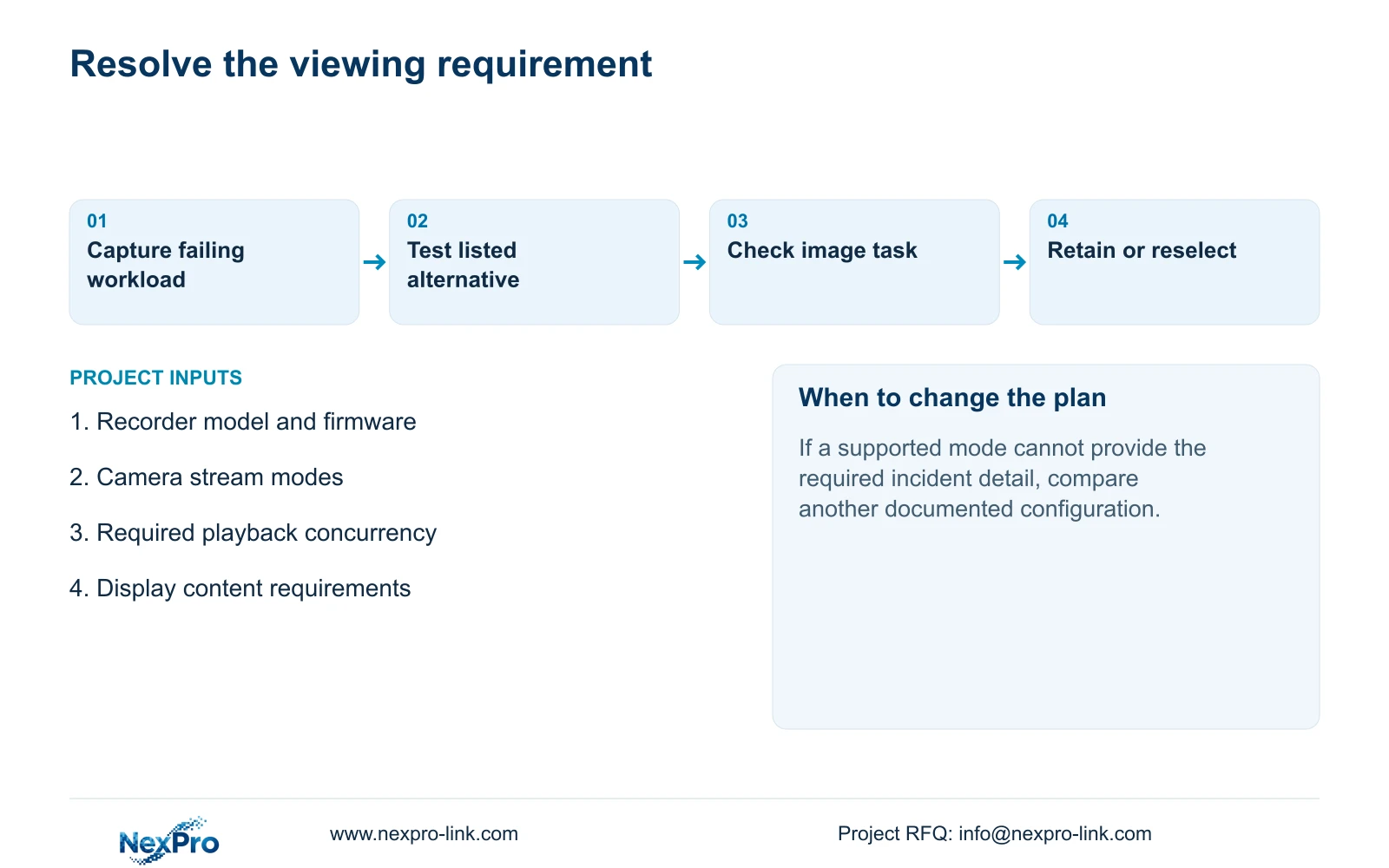
Illustrative project scenario: A security supervisor can replay one high-resolution camera but cannot reproduce the same view across four windows. The engineer records the failing combination, compares it with the model table and tests a listed alternative. The scenario does not establish a delivered result.
Retain the recorder if an allowed layout meets the review task and recording requirements. Otherwise, compare candidates against channels and per-channel modes, incoming bitrate, required playback combinations, usable storage, interfaces, remote tasks and operating environment. NexPro-Link's BOQ and tender support provides a route for that scoped equipment discussion; a larger channel label alone does not resolve the playback gap.
Section 08
Buyer questions
Does a 32-channel label promise 32 full-resolution playback windows? No. Check the exact playback combinations separately from input capacity.
Can lowering bitrate resolve a playback limitation? It may address the input-bandwidth condition described in the manual. It does not establish support for an unlisted playback combination.
What evidence should accompany a replacement request? Provide the actual model and firmware with the required simultaneous streams, their modes and the operation that fails.
Section 09
Provide the viewing requirement
Send NexPro-Link the recorder model and firmware plus the required simultaneous playback combination at info@nexpro-link.com.
Engineering references
These sources support the general planning principles. Always use the selected product's current datasheet and applicable project standards for final design.


