

Build an NVR access matrix around the tasks each role performs locally and remotely, then verify permitted actions, prohibited actions and screen visibility separately.
Section 01
Assign each action to its actual access path
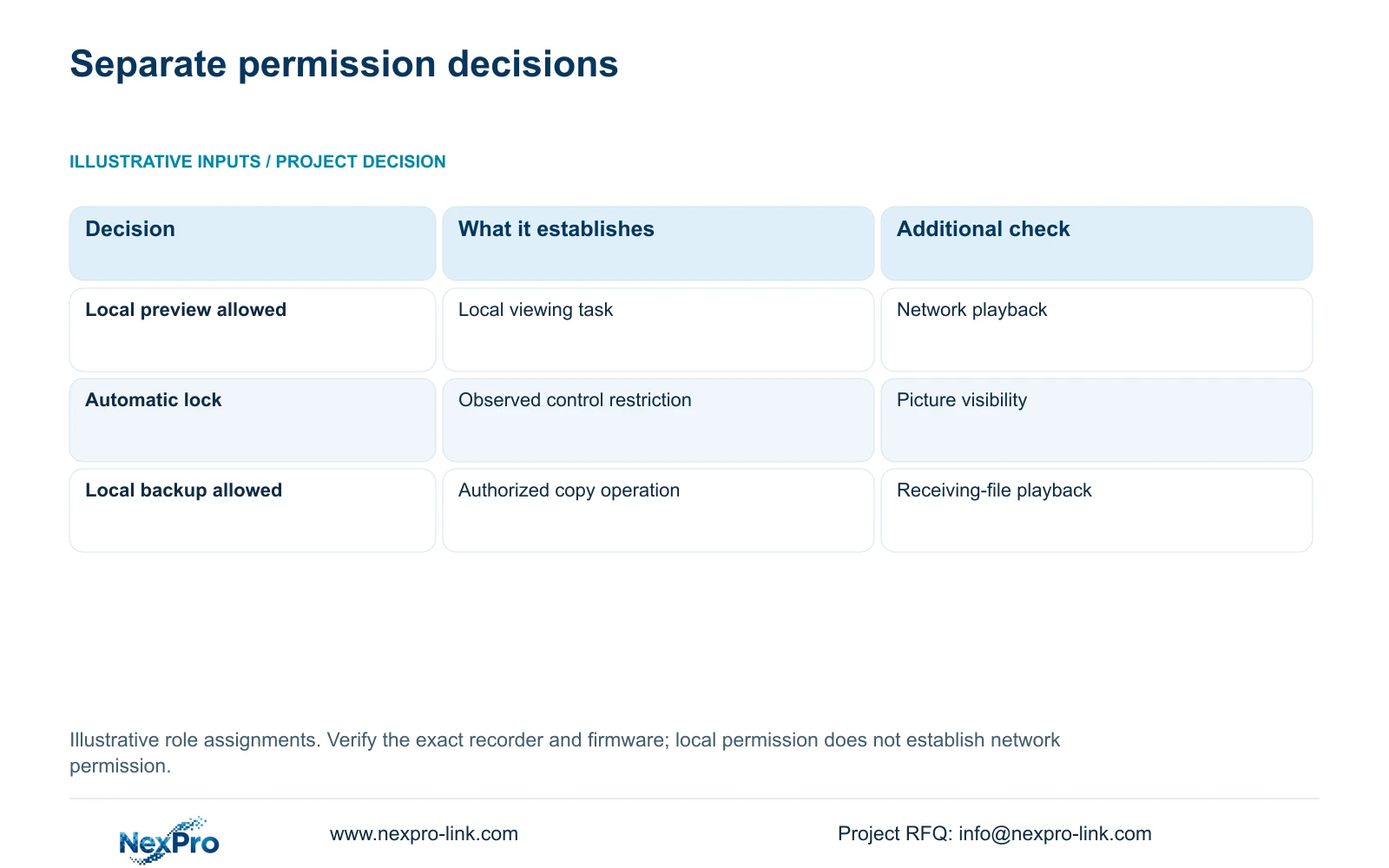
A user who can watch cameras at the recorder may still be unable to replay footage over the network or copy it to USB storage. Build the access matrix with separate local and network columns, then list the actions each role needs: preview, playback, PTZ control, settings and local recording backup. Assign permissions to those tasks and test the intended account through the intended path. Include a prohibited action in each test, because successful viewing alone cannot establish that restricted operations remain blocked. Screen visibility before login also needs its own check, especially where a monitoring desk is visible to visitors.
Section 4.12.3 of the supplied NVR4.0 manual separates local and network permissions and identifies local recording backup independently. Start with an approved role description, then translate it into observable actions. For example, write that a manager must retrieve an incident remotely, rather than simply naming the account "manager."
Use the proposed matrix below as a project decision example. Its assignments are recommendations for the stated roles, not factory defaults. If an action is required through another path, add that path explicitly and verify the corresponding device behavior.
| Role and path | Required action | Restricted action |
|---|---|---|
| Guard at local desk | Preview agreed cameras | System settings and local backup |
| Manager over network | Preview and incident playback | Settings and PTZ unless assigned |
| Maintenance contractor | Approved maintenance tasks | Unrelated footage delivery |
Section 02
Reserve administration for controlled maintenance
The manual states that admin cannot be disabled or deleted and always retains all permissions. A restricted daily role therefore requires a separate account. Giving guards the administrator account would undermine the restrictions the matrix is meant to establish, even if their normal activity is only watching entrances.
Identify who controls administrative ownership and who can authorize changes to operating permissions. Keep those credentials out of the role matrix and transfer them through a controlled private route. The matrix should describe responsibilities without becoming a password list.
For a contractor, define the approved work before selecting permissions. Where a particular permission has unclear behavior, obtain matching device and firmware information. The remote-upgrade row in section 4.12.3 contains inconsistent descriptive text, so that row alone cannot establish what an account may actually do.
Section 03
Check pictures separately from locked controls
Section 4.12.5 provides separate settings for automatic locking and prohibiting preview by users who are not logged in. Decide whether the desk may continue displaying camera pictures when operating controls are locked. A reception monitor and a controlled security room can have different viewing requirements.
Observe the screen while logged out and while automatically locked. Then attempt an operation that the owner expects to require authorization. Record picture visibility and control access separately. If controls are blocked but sensitive pictures remain visible, revisit the unauthenticated-preview decision instead of treating the lock indicator as sufficient.
Do not describe a single successful local test as proof of remote protection. Repeat the relevant checks on the actual network access path, using the account assigned to that role.
Section 04
Match control rights to supported camera functions
Permission and equipment capability answer different questions. Before granting PTZ rights, identify whether the camera supports physical movement, optical zoom or focus. A visible control does not establish that the attached camera can perform it. Assign only the operations needed for the role and test them on the selected camera and protocol.
Audio needs the same separation. Sections 1.2, 2.3.3, 2.4.4 and 5.2 restrict the documented talkback and broadcast functions in several places to 32- or 36-channel models. The appendix also lists model differences. TS8108D7 and TS8116D7 are listed without talkback support, while TS8232C4 and TS8836M/TS8436M are listed with support.
Those TS identities have no established mapping to NexPro-Link commercial SKUs. Match the actual recorder, camera, audio connections and access path. The documented input-waiting and output states do not establish universal full-duplex behavior. If authorized control fails, check capability before broadening permissions.
Section 05
Assign footage delivery to an identified role
A playback user may be responsible for reviewing an event without being responsible for distributing its recording. Name the person who may perform local backup and identify the authorized recipient. This keeps incident review and file delivery clear without giving every viewer unrestricted export responsibility.
For the assigned operator, section 4.11.4 requires selection of the format, recording types, channels and start/end time. Use Update to inspect the required-capacity estimate, detect the inserted USB storage and then begin copying. The manual lists MP4 as the default and permits multiple channels.
Acceptance should include opening the resulting file on the receiving system and checking the requested channel and period. A detected USB device or completed copy indicator leaves file usability untested. Recorder disk footage, Seetong PC local recordings and exported files remain separate objects.
Section 06
Repeat the matrix with the people who will use it
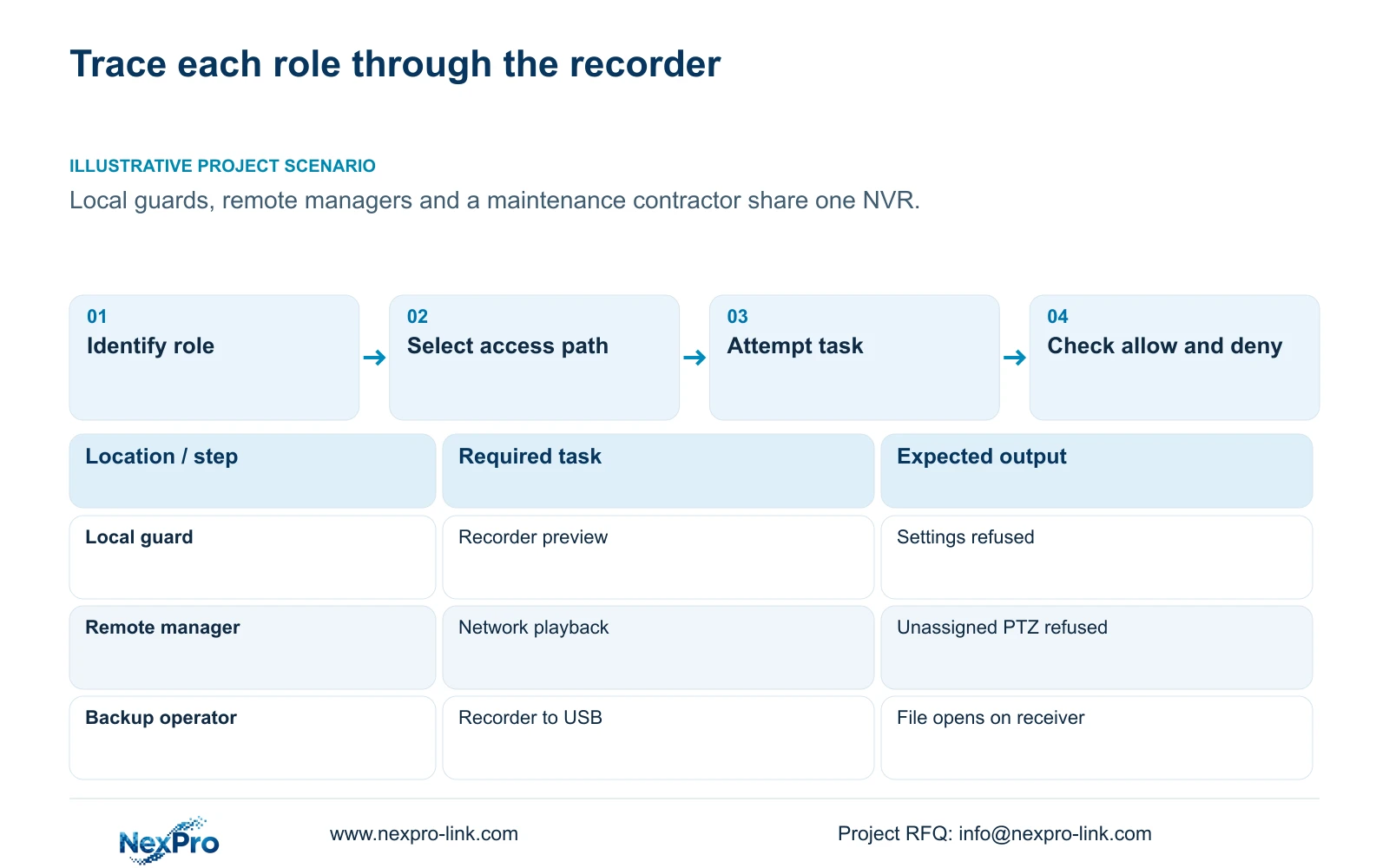
Illustrative project scenario: A company needs local guards, remote managers and a maintenance contractor to use the same system differently. The owner assigns entrance preview to guards, remote incident review to managers and defined maintenance work to the contractor. Each role then demonstrates an allowed action and an action that should be refused.
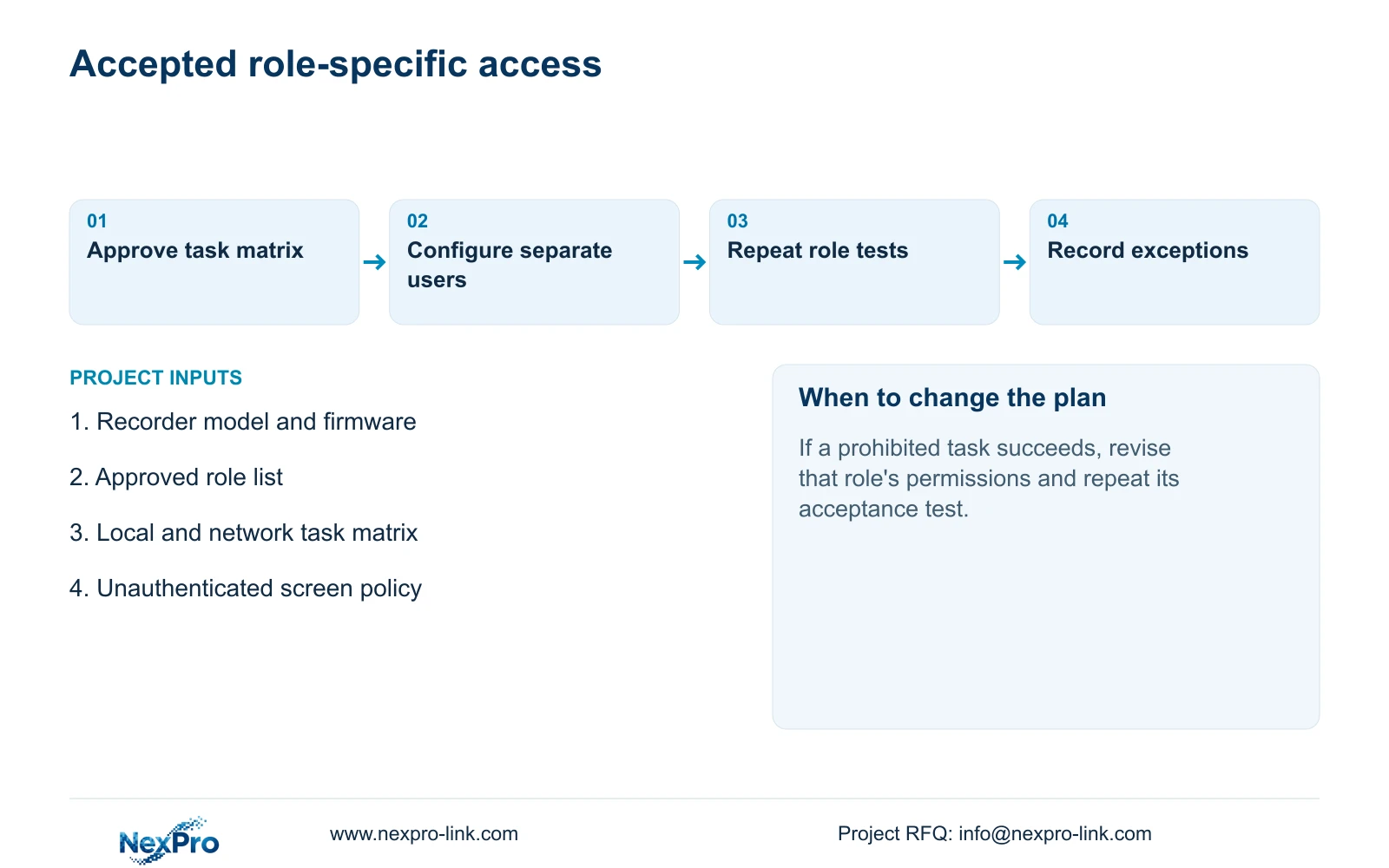
Keep the actual recorder model and firmware with the test record. For each result, identify the role, access path, selected task and observed outcome. If an unexpected action succeeds, review that permission before accepting the role. If a required action fails, establish whether the cause is authorization, unsupported equipment or the selected operating path.
The handover record should also identify channels, the configuration-backup location and maintenance responsibilities. An authorized investigator should be able to retrieve and deliver a playable recording. A guard's acceptance instead ends with the agreed viewing task and escalation route. Keep the role instructions distinct so that training does not quietly expand authority.
Section 07
Questions about role acceptance
Can local viewing permission authorize remote playback? No. The manual separates both the access path and the task; test remote playback independently.
Can the administrator be removed after handover? The supplied manual says admin cannot be disabled or deleted. Use separate restricted accounts for routine operation.
Should every viewer receive backup rights? Only where footage delivery belongs to that role. Local backup is a separate permission and needs a usable-file test.
Section 08
Document the applicable permission arrangement
This guide uses NVR4.0 user manual CH_V2.4.doc, whose body identifies V2.2, principally sections 4.12.3, 4.12.5 and 4.11.4, with audio scope from sections 1.2, 2.3.3, 2.4.4 and 5.2. Section references take priority over pagination. The role assignments are illustrative engineering decisions.
Send NexPro-Link your proposed role-by-task access matrix, including local or network access for each action, at info@nexpro-link.com.
Engineering references
These sources support the general planning principles. Always use the selected product's current datasheet and applicable project standards for final design.


