

A delivery alert can appear without proving that footage was retained. Start from its channel and time, inspect the recorder's recording path and verify any recovered copy.
Section 01
Start from the delivery channel and alert time
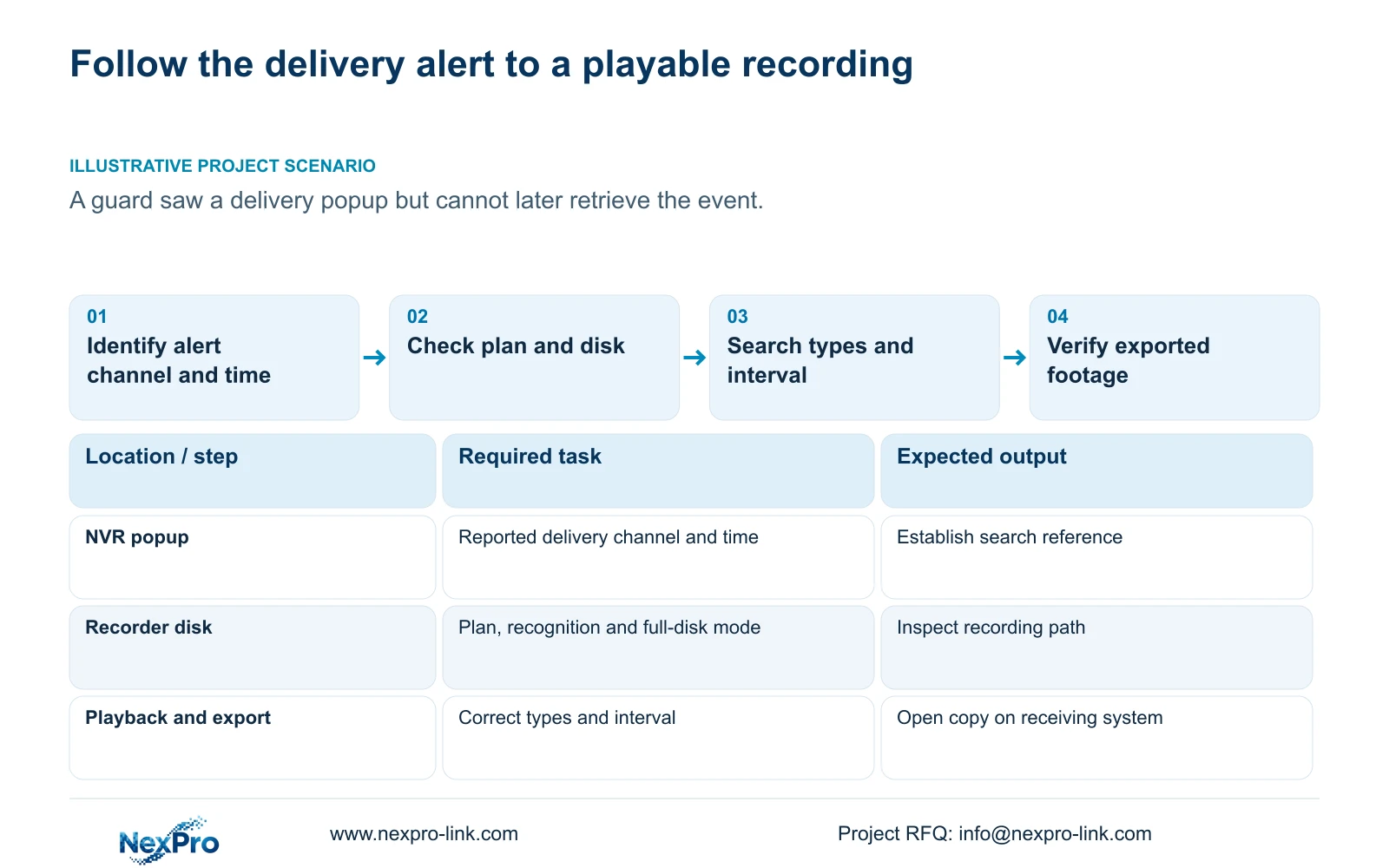
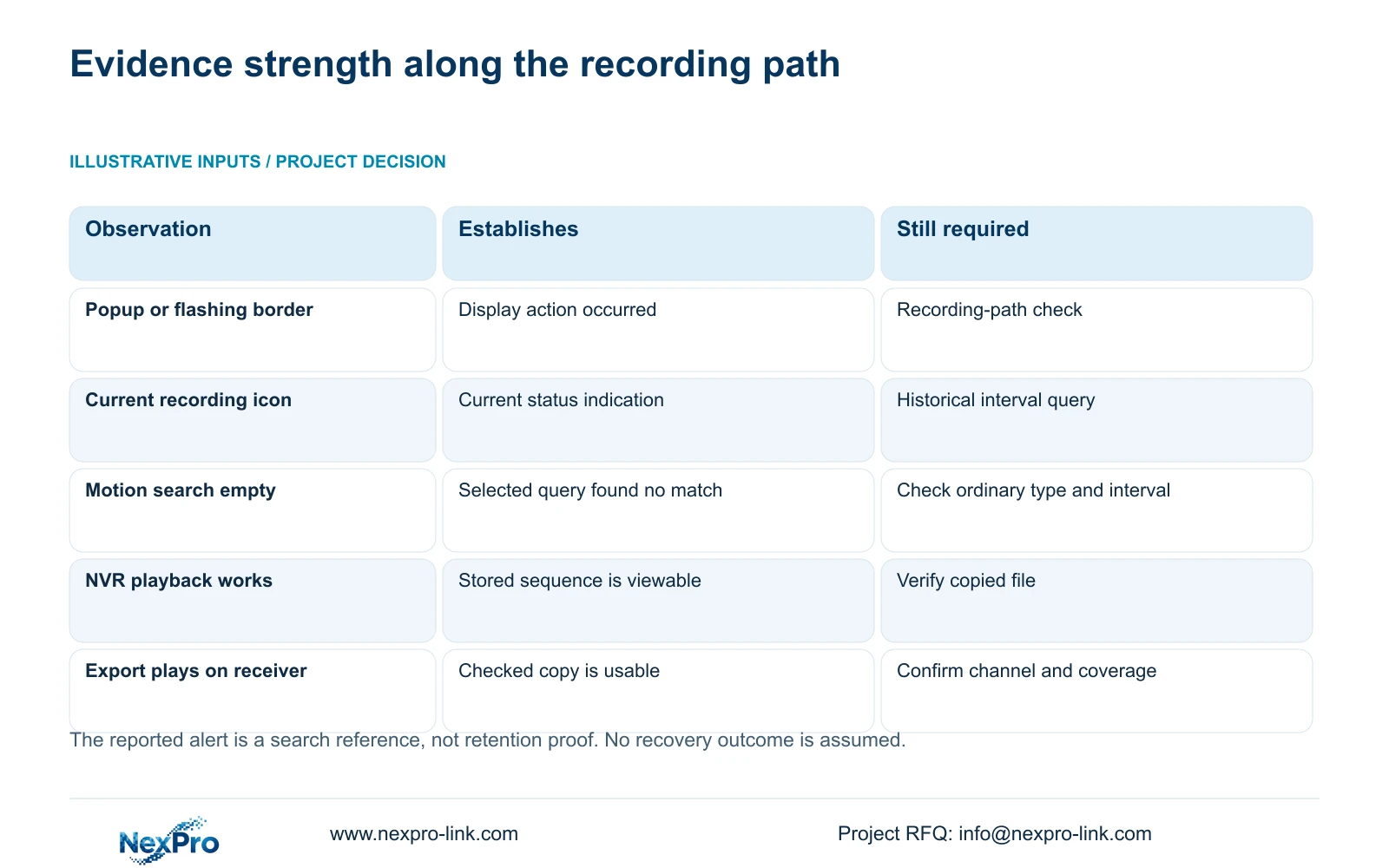
A popup or flashing border confirms a display action, not that the required footage was written and retained. When a guard saw a delivery alert but cannot retrieve the event, record the channel and time, then inspect recording linkage, the plan covering that period, disk information and playback selection. Keep the alert path separate from the recording path. Current icons can guide the investigation but cannot prove an earlier interval remains available. If footage is found, export the needed sequence and open the copy through the receiving system before closing the investigation.
Identify the camera view the guard actually observed. Preserve the reported time and describe any uncertainty in that reference. Search a suitable surrounding period if the report is approximate, while keeping the channel identity fixed. An unidentified alert makes every later storage conclusion less reliable.
Section 4.12.11 lists popup, border flashing, buzzer, email, snapshot, preset call, recording and app push separately. Check whether recording was among the required actions. The display response is useful evidence of one completed output, but it supplies no file-preservation result.
Section 02
Use icons to choose a check, not to certify retention
Sections 2.3.3 and 2.4.4 distinguish recording, remote preview, motion, I/O and light-intelligence status indications. Read the applicable symbol against the actual interface. A flashing border and a recording indication represent different observations.
A recording icon seen now does not establish that the delivery was recorded earlier. Likewise, an alarm icon disappearing does not establish that associated footage was deleted. Move from the current status to a query for the reported channel and interval.
For a controlled repeat test, note the event indication and recording status separately, then retrieve the test period afterward. This helps locate the failing stage without assuming that every icon proves the entire path. The repeat test supports a configuration diagnosis; it does not recreate missing historical footage.
Section 03
Read the plan that covered the reported delivery
Section 4.11.1 provides timed recording, no recording, motion recording and motion-plus-timed recording. Its plan grid has a 30-minute minimum scale. Inspect the affected channel and the period containing the reported event before changing the current plan.
Motion-only recording depends on motion triggering. Motion-plus-timed continues ordinary timed recording between triggers and records motion-type footage when triggered. If mixed recording was selected, search ordinary footage as well as the expected event type.
Record whether the observed plan supports the required delivery sequence. A current configuration may inform the investigation, but do not silently present it as proof of the historical state. Keep Seetong PC local recordings separate from NVR disk recordings and make the query against the intended storage owner.
| Observation | Required distinction | Next action |
|---|---|---|
| Popup was observed | Display response versus stored video | Check recording linkage and the relevant plan. |
| Motion search returns nothing | Event marking versus ordinary footage | Inspect ordinary recording and confirm the channel and period. |
| Intended disk is absent | Recognition fault versus search selection | Preserve evidence and investigate the disk path. |
| Disk is full | Capacity state versus configured full-disk behavior | Check the selected policy before changing storage. |
| Clip plays on NVR but copy fails | Recorder playback versus exported-file usability | Verify the selection and receiving playback method. |
Section 04
Check disk information and full-disk behavior
Section 4.12.21 is headed External Storage Devices, but its described operations concern disk information, selected-disk formatting, full-disk behavior and the startup no-disk prompt. Inspect the intended recording disk and configured behavior when capacity is reached.
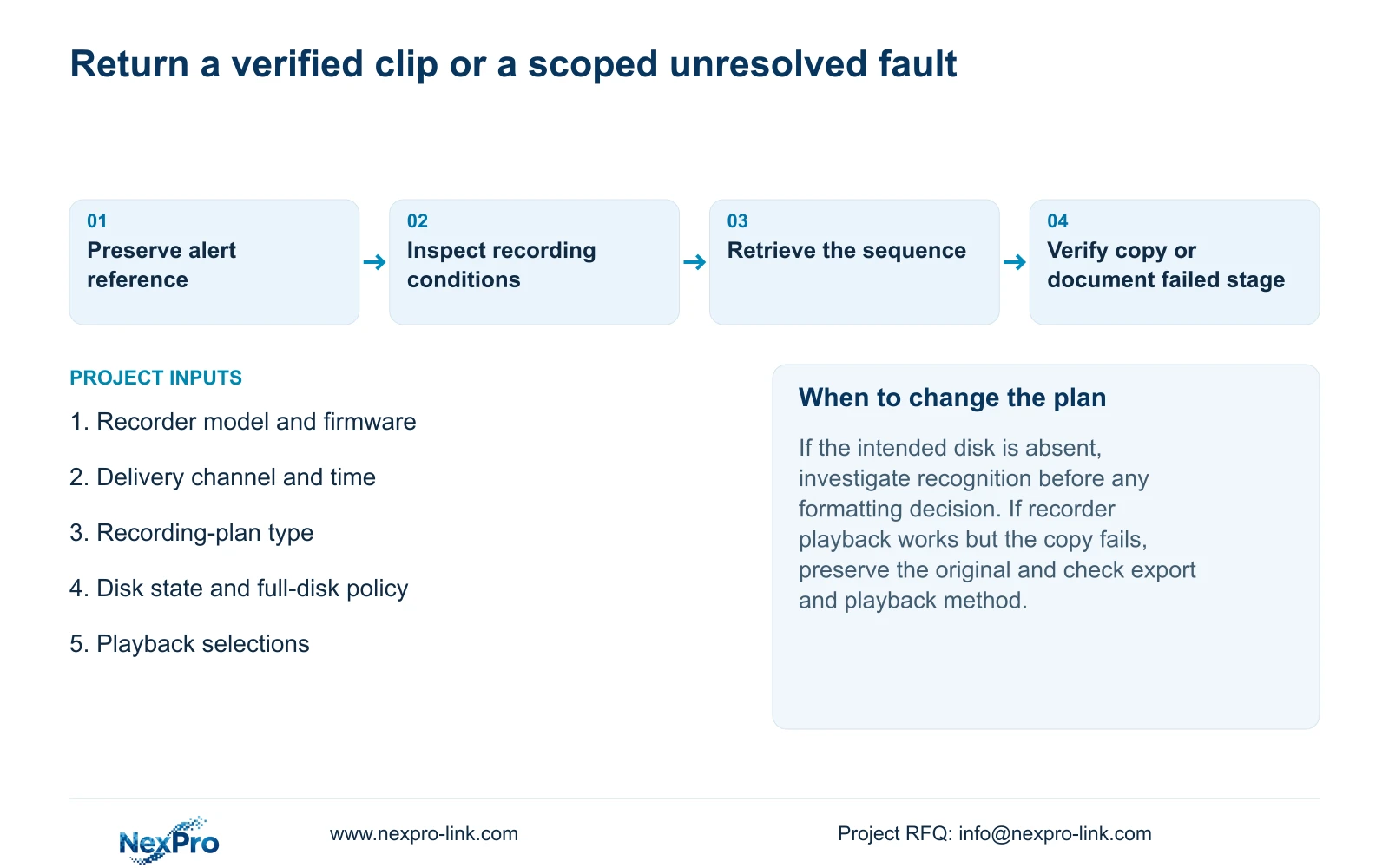
If the intended disk is missing, follow a recognition investigation rather than treating formatting as a first check. If it is recognized and full, inspect the configured full-disk mode and compare it with the missing interval. Record the displayed state before making a storage change.
Formatting requires authority and preservation of required data. Confirm the exact target and whether accessible footage must be exported first; do not format as a shortcut for finding a delivery clip. The section heading also does not establish NAS, NFS, iSCSI, RAID or shared-storage support. Those architectures need separate model-level evidence.
Section 05
Search the correct channel, types and time interval
Confirm the selected playback channel, incident date and time before interpreting an empty result. Review the applicable ordinary, alarm and motion recording-type selections. A narrow event-type search can answer a different question from whether any video exists for the delivery.
Section 4.11.3 describes 30-second jumps, time positioning and timeline zoom. Use coarse navigation to reach the likely period, then play through a finer interval. Electronic image enlargement concerns picture detail and does not substitute for time navigation.
The supplied teaching example uses a 20-second event. A 30-second jump is 10 seconds longer because 30 s - 20 s = 10 s. Depending on alignment, jumping can move past the activity without showing it. Inspecting too coarsely is therefore not evidence that the recorder failed to store the event.
Section 06
Verify the recovered sequence on the receiving system
Once the footage is located, select its format, recording types, channels and start and end times in the backup workflow. Update the capacity estimate, detect the inserted USB device and copy the selection. Section 4.11.4 lists MP4 as the default and permits multiple channels.
Open the copy on the intended receiving system. Confirm the source channel, required interval and actual playback, including audio where the task requires it. The manual mentions players such as VLC, but that recommendation does not guarantee every platform and codec combination.
If the copy cannot be played, keep the original footage protected while checking the export selection and receiving playback method. Record the method that was tested and identify the authorized recipient. A completed copy progress indicator alone is insufficient for a useful handover.
Section 07
Close the investigation with the observed result
Illustrative project scenario: A guard saw an alert window during a delivery but cannot later retrieve the event. The integrator identifies the channel and reported time, checks the relevant plan and disk policy, then searches ordinary and event footage with finer navigation. If the sequence is found, the investigation ends with a verified copy. If it remains absent, the report identifies the unresolved stage without claiming that the popup proved recording.
The operating source is NVR4.0 user manual CH_V2.4.doc, sections 4.12.11, 2.3.3, 2.4.4, 4.11.1, 4.12.21, 4.11.3 and 4.11.4. Its body identifies V2.2. The verification sequence is an engineering workflow, not a demonstrated recovery guarantee.
Section 08
Does a recording icon prove yesterday's delivery exists?
No. Query that channel and period from the recorder and verify playback. The icon describes a current observation.
Section 09
Should the disk be formatted to resolve an empty search?
No. Check selection, recording policy and disk state first. Formatting is a separate authorized data decision and may destroy required footage.
Section 10
Provide the unresolved recording-path evidence
Send NexPro-Link the recorder model and firmware, delivery channel and time, observed disk state and playback selections at info@nexpro-link.com.
Engineering references
These sources support the general planning principles. Always use the selected product's current datasheet and applicable project standards for final design.


