
Handle sewing-line reconfiguration through a controlled camera change sheet, preserving common routes and checking local resource thresholds before buying additions.
Section 01
Preserve coverage of unchanged material routes
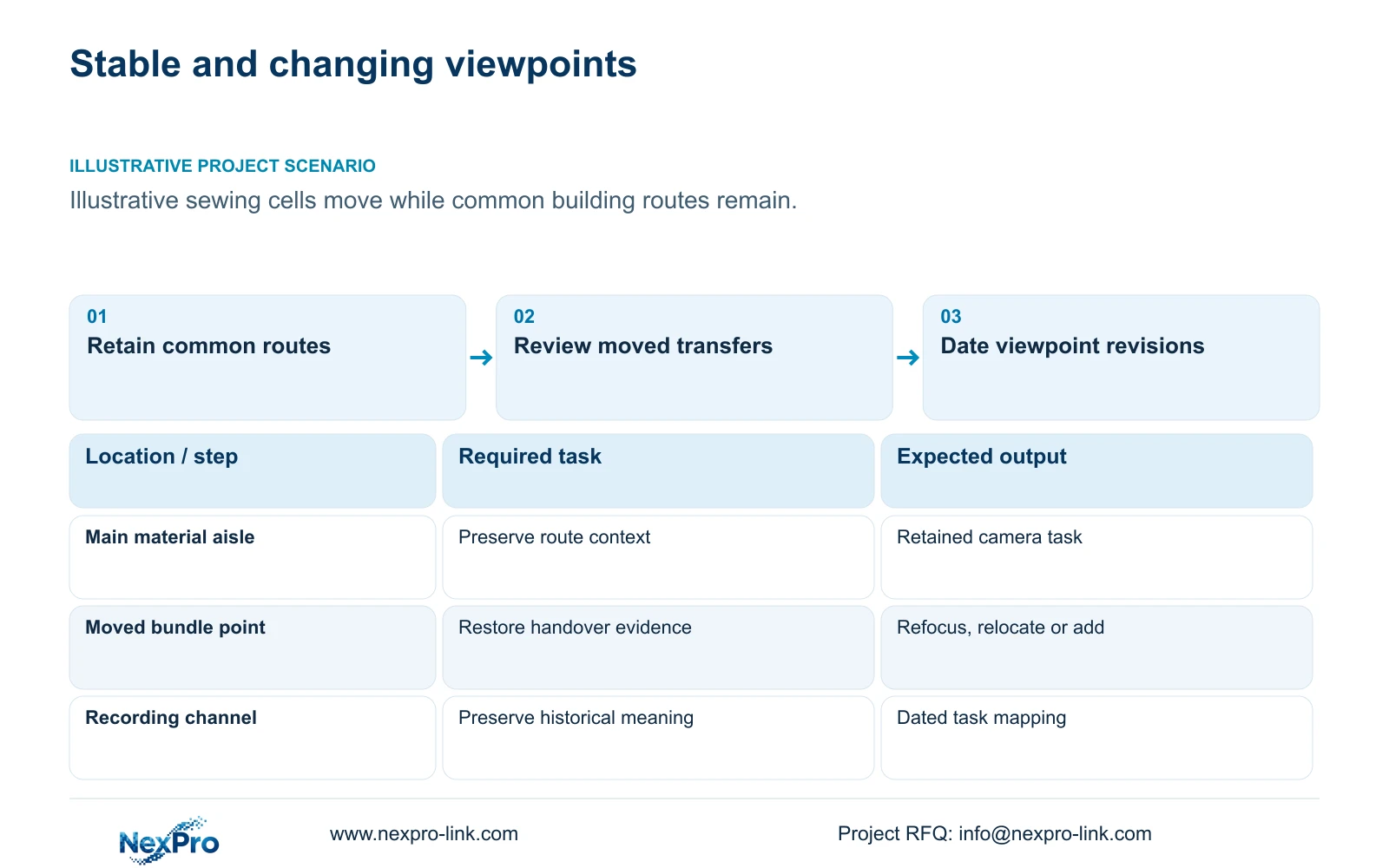
When sewing lines change, retain cameras serving unchanged common routes and review only the viewpoints tied to moving cells or transfer positions. Separate a layout change from a demand for additional equipment. A repeatable change sheet should record which evidence task moved, which existing view can still satisfy it and what requires new coverage. This gives the project manager a controlled alteration scope.
Illustrative project scenario: Sewing cells are regrouped for different garment styles while the building network remains unchanged. Assume common entrances and the main material-transfer aisle retain their roles, while some bundle handover positions move. The first proposal keeps those stable-route cameras and reviews the affected transfer views. These assumptions do not prove that existing ports, storage or electrical capacity can accommodate additions.
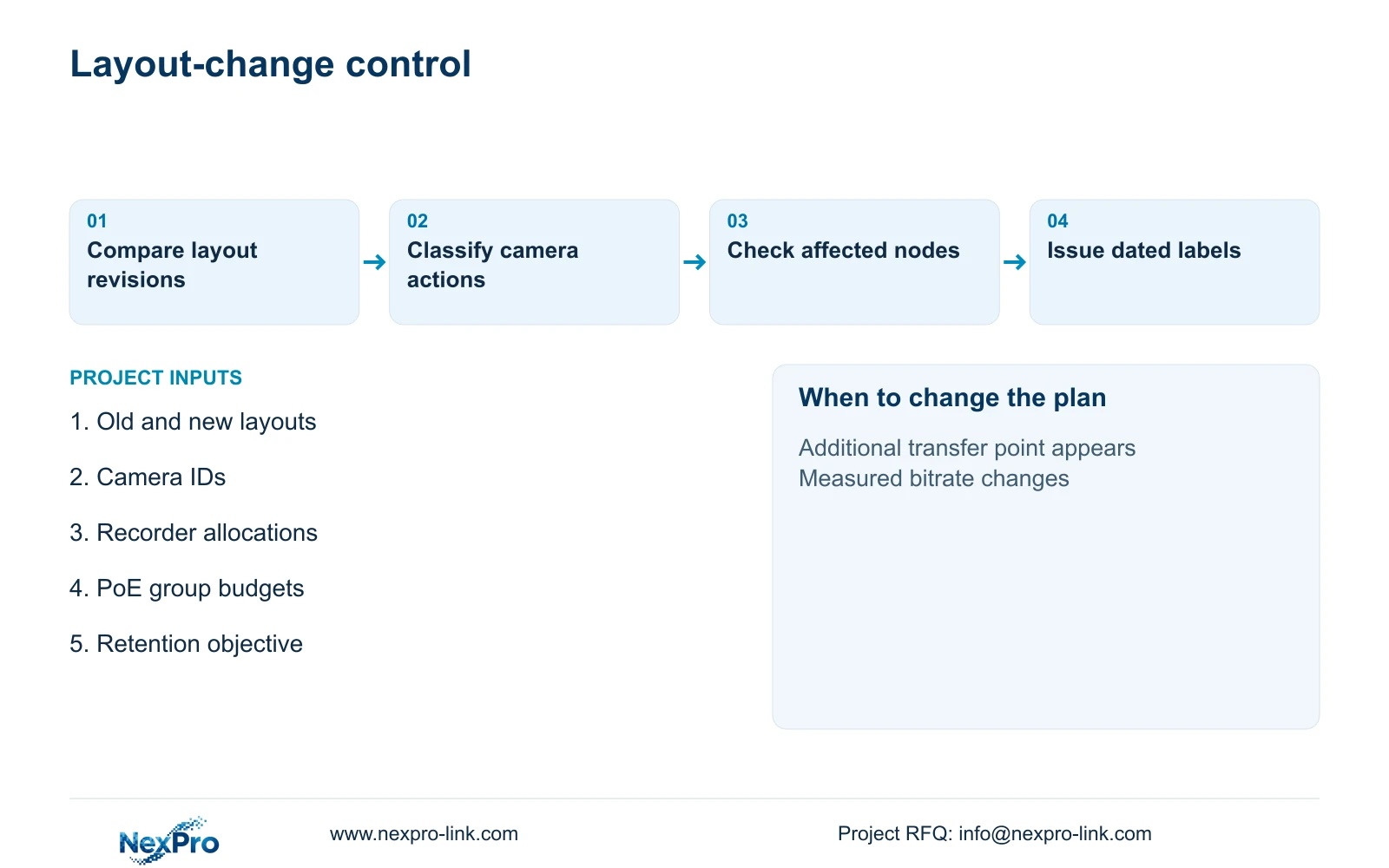
Compare the old and new layout with representative trolleys and bundle stacks. Classify viewpoints as unchanged, refocused, relocated or added. A route camera may physically remain in place yet lose its purpose if new stacks obscure it. Keep the brief focused on permitted material and security evidence, without turning the reconfiguration into an employee-output monitoring program.
Section 02
Distinguish lens adjustment from relocation
For a moved handover point, first check whether the existing camera position still has a clear line of sight. A lens adjustment can change framing within available geometry. It cannot see around a machine or restore a transfer behind a stack. Relocation introduces mount, connection and cable work; an addition introduces another recording and power load. Price these actions separately.
The ordinary NexPro-BL2812M55-5MP-DIC-AI and source Dome-family NexPro-DM2812M55-5MP-DIC-AI list 2.8 to 12mm motorized lenses and 2880x1620 main output within their 5MP references. Those fields provide candidate adjustment scope, without proving that a particular new cell is visible. Test the proposed view at normal lighting and at the relevant night-shift state before declaring the camera reusable.
Update exposure and service access when a position moves. Lint deposition, humidity and cleaning conditions may differ only a short distance away, while new equipment can block a previously usable maintenance route. A technically reusable camera may therefore need a different mounting location or a separately assessed replacement. Retain that reason on the change sheet so procurement does not treat it as an unexplained model upgrade.
Section 03
Keep historical recordings understandable
Use a stable physical camera ID alongside the current task name. Record the effective date when its viewpoint changes from one transfer position to another. Update the drawing, recorder channel label and operator map together. Otherwise a supervisor reviewing an older event may search under the new location and misinterpret what the camera was showing at that time.
The project manager owns the change revision; the designer defines the revised task and framing; the installer records the implementation time and verifies recording; the owner approves review permissions. Preserve any incident footage that needs separate retention before an alteration affects access or storage. Relocating a camera does not inherently require disk initialization, and the work instruction should not assume destructive storage changes.
Include a short acceptance record for unchanged views as well as modified ones. Verify that additions have not displaced existing channels or altered recording schedules. Map supplied new cameras, retained devices, optional extra views and local-contractor work explicitly. That classification makes both the quotation and the later asset record usable when another garment style prompts a further change.
Section 04
Calculate additions before approving resource changes
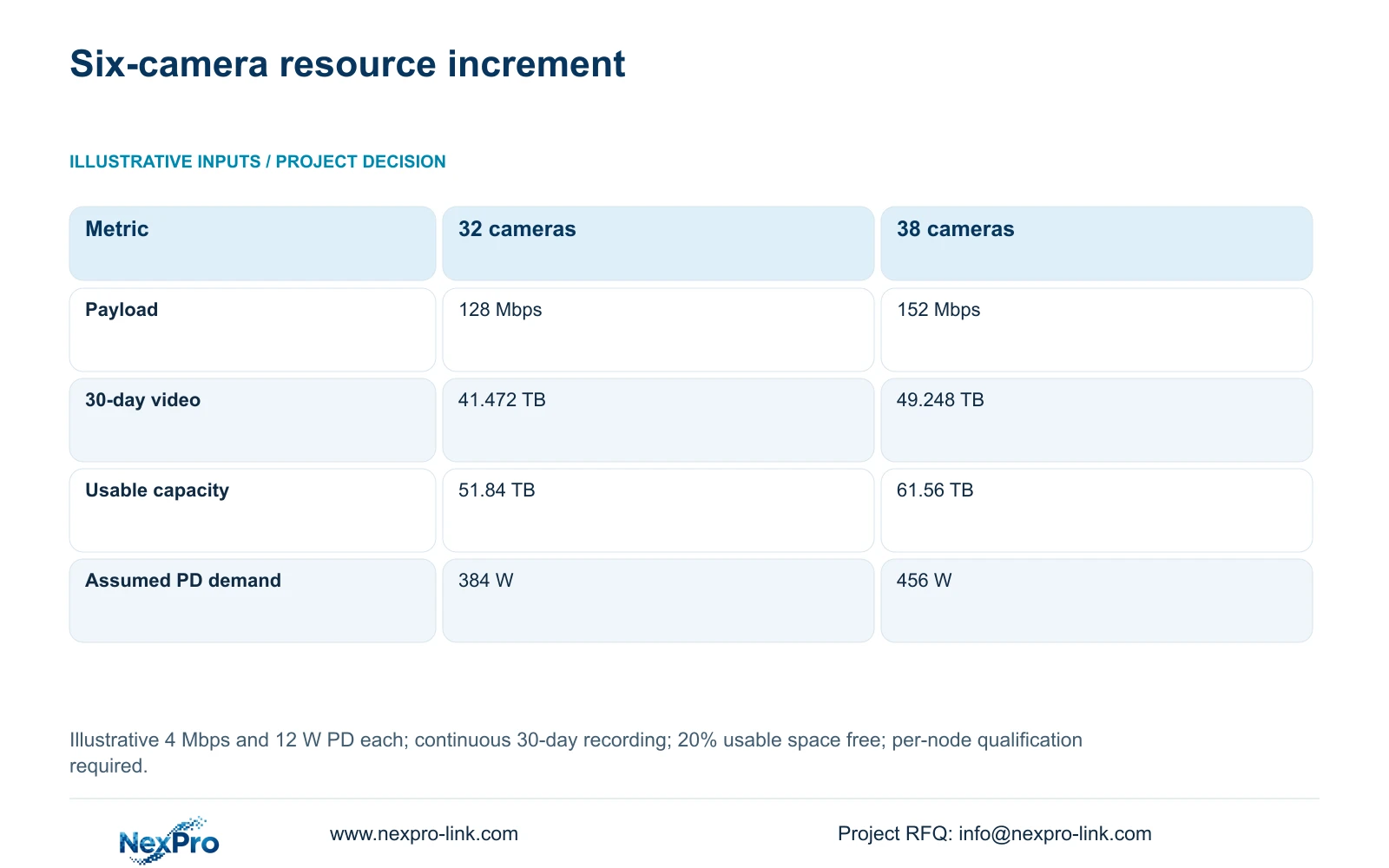
The illustrative expansion compares 32 and 38 cameras, each at an assumed average 4 Mbps, recording continuously for 30 days. Each camera is also assumed to demand 12 W at the powered-device side. Calculate payload_Mbps = cameras × 4; video_TB = 0.0108 × cameras × 4 × 30; required_usable_TB = video_TB / 0.8; and PD_W = cameras × 12. The 12 W input is not a published maximum for either camera reference.
Adding six cameras changes the recording payload from 128 to 152 Mbps and video from 41.472 to 49.248 TB. Required usable capacity rises from 51.84 to 61.56 TB, with 20% free space retained. Assumed camera-side demand rises from 384 to 456 W. The decisive purchasing question is which local resource limit the increment reaches, not simply the price of six camera bodies.
These totals do not establish that one existing rack can accept the change. Assign each addition to its recorder and access-switch group. Obtain actual device power and port requirements, then account for delivery losses and switch AC demand in the node calculation. Preserve the original camera load inside complete switch demand when sizing UPS protection, avoiding a second addition of the same watts.
| Metric | 32-camera basis | 38-camera revision |
|---|---|---|
| Recording payload | 128 Mbps | 152 Mbps |
| 30-day video data | 41.472 TB | 49.248 TB |
| Required usable capacity | 51.84 TB | 61.56 TB |
| Assumed camera-side demand | 384 W | 456 W |
| Camera quantity | 32 | 38 |
Section 05
Use node-level checks to choose the alteration
Recommend refocusing or relocating suitable cameras where that restores the accepted task, then add cameras for remaining gaps. Keep the unchanged network only after checking the affected links and nodes. The NexPro-NVR4449-4K lists 320 Mbps input and four SATA bays supporting up to 18 TB per drive. Its summary distinguishes 49×5MP from 9×4K modes; being below 49 cameras is not sufficient evidence of fit.
CASE04 is a separate 80-camera campus example with four 20-camera recording nodes. Each node has 25.92 TB of 30-day video against a 36.48 TB video budget from four 12 TB disks after the stated formatting and reserve assumptions. That example shows why spare space must be examined at the affected node. Free capacity in another building does not automatically meet a local recorder's additional demand.
Power candidates need the same discipline. The SP1KR(S) reference is rated 1kVA/900W, but its actual load and selected battery configuration govern the backup decision. Added PD watts alone do not establish full AC demand or runtime. A changed display arrangement is another separate load; retain the existing retrieval screen unless the revised operation actually needs more simultaneous views.
Section 06
Order from the approved camera change sheet
The alteration BOQ should show quantities and work categories beside the old and new task IDs. Include new cable lengths where relocation prevents reuse, termination and testing work, mounts, channel configuration and the local implementation window. Keep retained equipment out of new-purchase quantities while still listing it in the completed asset schedule. Unknown labour or backbone work must remain visible quotation items.
NexPro-Link can discuss selective camera supply, node resources and technical deviations through its BOQ & Tender Support scope. Project preparation and location-labelled packing can distinguish new positions from replacements. Release the order only against the approved layout revision, then hand over effective-date labels, accepted views and updated retrieval instructions. A later cell regrouping can start from that documented basis rather than another full-system replacement proposal.
Section 07
Buyer questions
Does changing camera framing increase storage? It can change the observed average bitrate under the selected encoding settings, even without adding cameras. Review representative recordings after the adjustment and revise retention calculations if the measured average changes.
Can old camera names simply be overwritten? Keep a dated mapping of old and new tasks before changing labels. Historical recordings need location context, particularly when the same physical camera serves a different cell after the change.
What if spare recorder channels exist but switch power is exhausted? Treat the switch group as the limiting resource. Specify an appropriate access-power alteration and check its upstream AC and UPS dependencies. Spare recorder channels cannot compensate for insufficient device power.
Section 08
Scope the next sewing-line revision
Send the old and new cell layouts, existing camera/channel schedule, affected-node storage and PoE information, and required retention and backup objectives to info@nexpro-link.com for a selective alteration quotation discussion.
Engineering references
These sources support the general planning principles. Always use the selected product's current datasheet and applicable project standards for final design.