

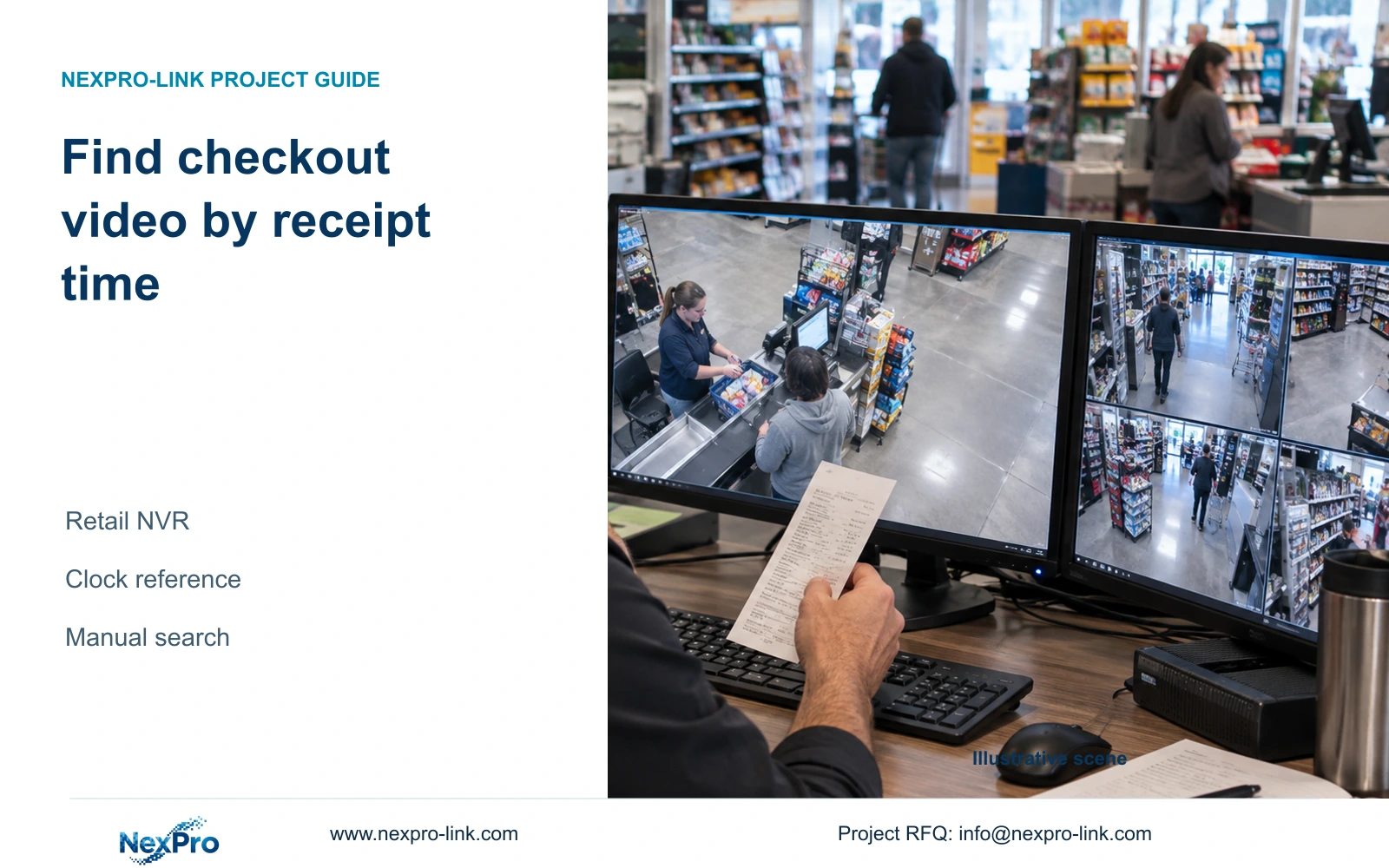
Use a receipt timestamp to guide authorized manual playback, preserve its relationship to recorder time, and separate serial-link settings from transaction indexing.
Section 01
Translate a receipt timestamp into a video search window
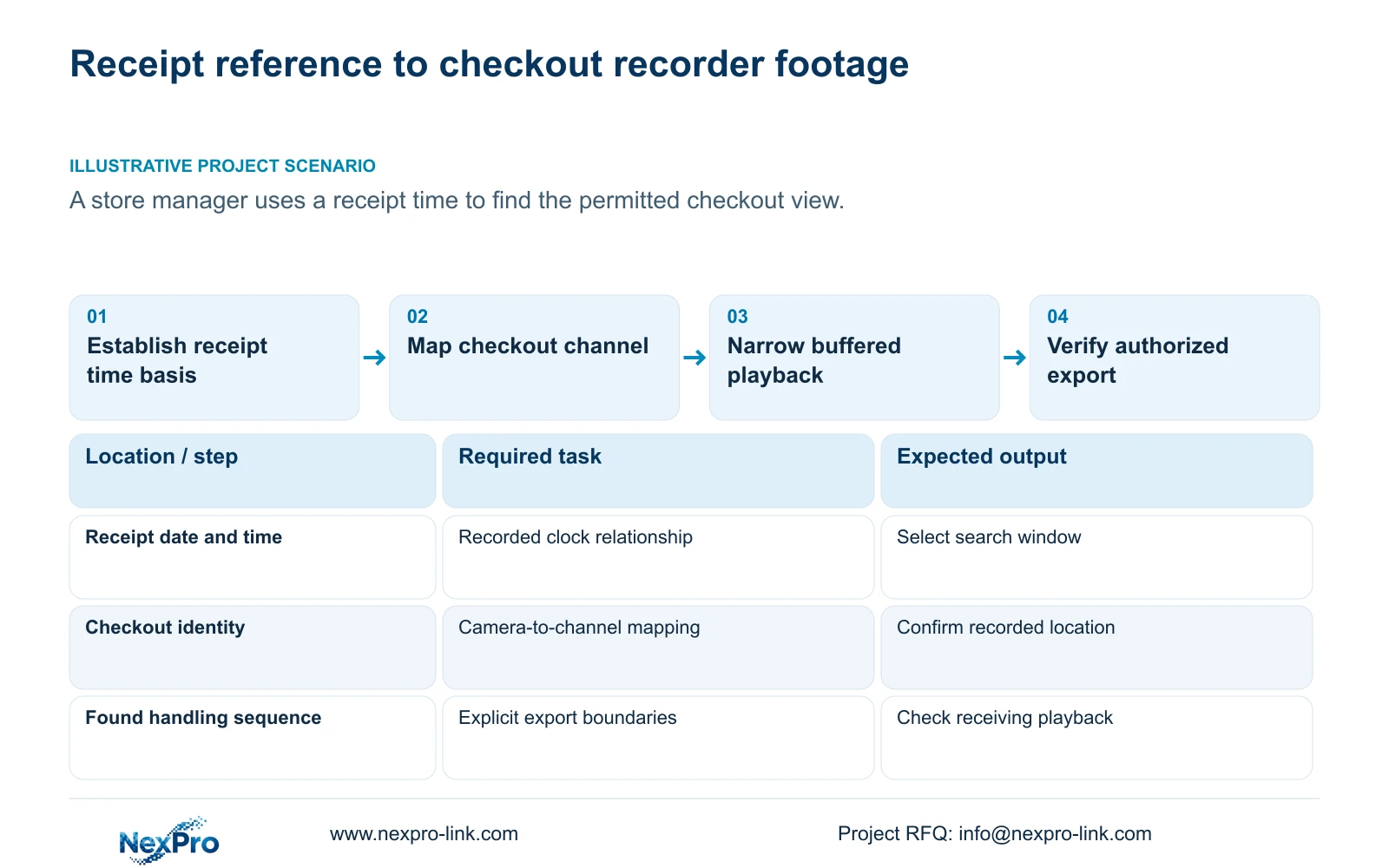
Use the receipt's date and time as a manual search reference after establishing its time zone and relationship to recorder time. Identify the checkout camera that covered the transaction, search a buffered interval around the corresponding recorded time and narrow the timeline until the relevant handling sequence is visible. Export only the authorized view and period, then check the copy. This workflow can serve a store without transaction-indexed video search. The supplied NVR manual does not establish native POS indexing, and its RS232 settings do not prove that receipt data can be interpreted or searched. Keep that integration requirement separate from the manual retrieval task.
Section 02
Record the receipt's date and clock basis
Begin with the full receipt date, reported time and checkout identity. Establish whether the timestamp represents the store's local time and whether daylight-saving settings affected the relevant date. If the time basis is unknown, retain it as an unresolved input instead of assuming it matches the recorder.
Document how the recorder and cameras obtain time. Sections 4.4.2 and 4.12.2 describe IPC manual time, network synchronization, time-zone and daylight-saving controls, plus separate NVR network-time settings and an IPC synchronization interval measured in hours. Those settings do not establish the POS terminal's clock source. Keep the terminal reference alongside the video time record so the manager can explain how the search window was selected.
Section 03
Establish the offset before changing clock settings
Compare a recognizable transaction or reference event with its recorded checkout sequence and note the observed difference. State which clock is ahead or behind. Use a reference applicable to the period under review; a comparison made after a clock change may not explain earlier footage.
A network-synchronized device can still display the wrong local time because time-zone and daylight-saving choices are separate. The manual calls for correct time-zone selection before network synchronization and provides independent daylight-saving start and end settings. Preserve the original offset and event reference before making an authorized correction. Afterwards, check current display and retrieval. Do not assume that correcting today's clock rewrites historical timestamps.
If the offset remains unknown or varies across the period, widen the initial search and record the uncertainty. Enabling several competing time mechanisms is not a substitute for establishing the reference used by the existing recordings.
| Known condition | Search decision | Next action |
|---|---|---|
| Receipt and video share a checked time basis | Search around the receipt time | Include surrounding transaction context |
| A stable offset is documented for that period | Translate to the recorded time | Keep the offset with the exported clip record |
| Time zone or daylight-saving basis is unresolved | Do not claim exact time equivalence | Establish the basis and search a wider interval |
| A clock was corrected after the transaction | Separate historical and current references | Check an event from the historical period |
Section 04
Identify the checkout view that applied at the time
Connect the checkout named on the receipt to the camera schedule. Keep its drawing location, physical camera identity, IP address, NVR channel and displayed name separate. Sections 4.3.1, 4.4.4 and 4.12.6 provide device, channel-name and OSD controls, while the store's mapping record supplies the terminal-to-view relationship.
Confirm the selected recording shows the relevant checkout. A familiar live window can contain a different camera after reordering, and a current label may conceal a previous replacement or reassignment. If the receipt identifies another terminal, select that terminal's recorded view before continuing. Also confirm that the operator is permitted to review the view; access to one checkout should not be treated as authorization for unrelated customer areas.
Section 05
Narrow the interval around the handling sequence
Search before and after the translated receipt time so the review can include the associated handling context. A timestamp is a starting reference, not a complete description of the visible action. Establish that footage exists in the interval before narrowing recording-type filters.
Use the time-positioning and timeline-zoom controls in section 4.11.3 for finer review. Thirty-second jumps help locate a broad period, but a twenty-second teaching event can fall between successive steps. Review the likely interval continuously before concluding that an action was not recorded. Electronic picture enlargement helps inspect an image area; it does not refine the timeline or create missing detail.
If the expected transaction is not visible, return to the terminal mapping and time evidence. Record what the footage actually shows. Avoid selecting a nearby sequence solely because it appears close to the printed time.
Section 06
Scope transaction integration separately from RS232
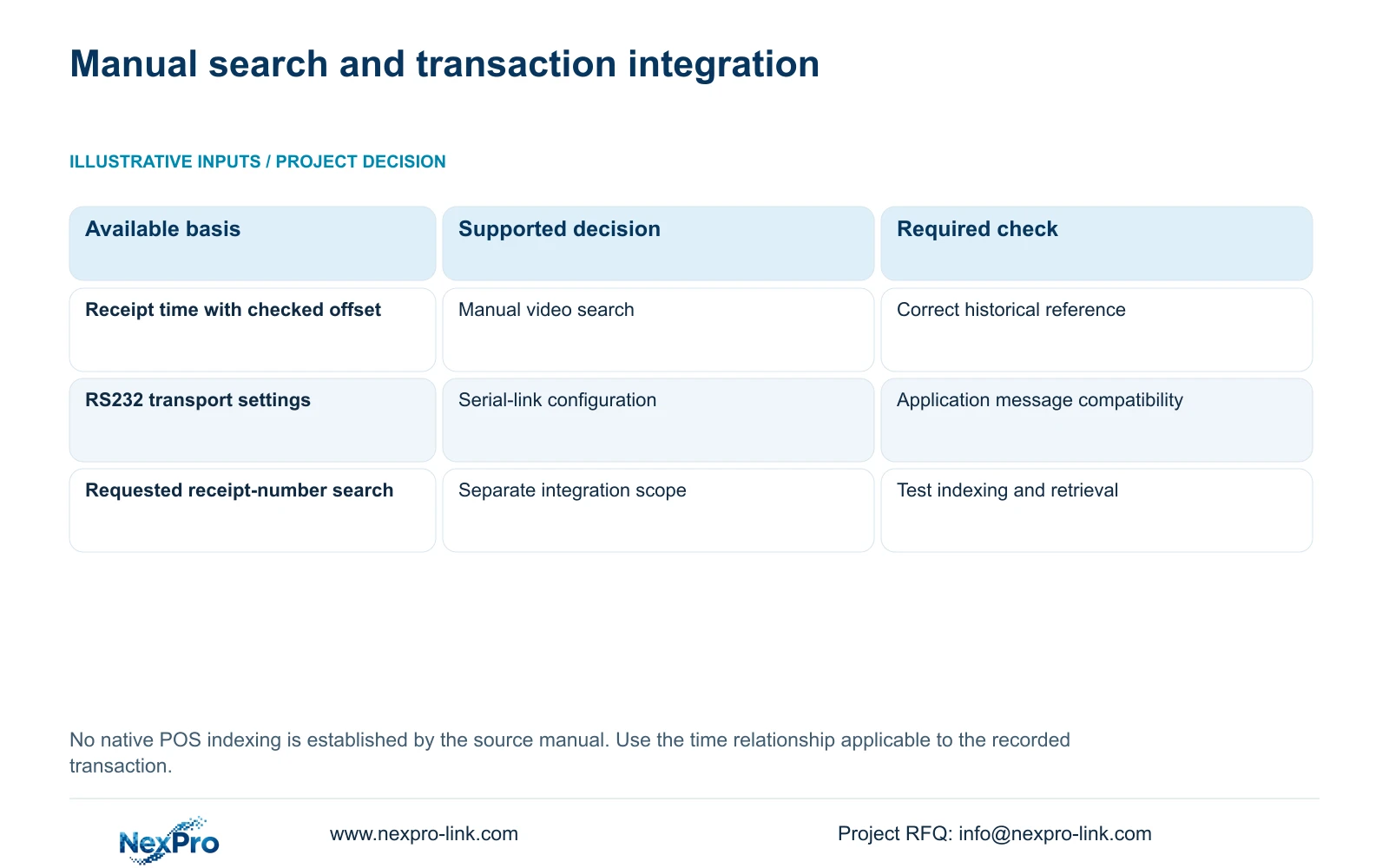
Section 4.12.4 lists baud rate, data bits, stop bits, parity, flow control and transparent transmission. These describe the serial transport arrangement. They do not establish application-level understanding of an arbitrary POS message, transaction overlay or searchable receipt index.
If the buyer requires receipt-number search, automatic event jumps or other structured transaction functions, specify the actual POS version, interfaces and required message fields for a separate integration enquiry. Confirm both ends and the intended operator workflow. A functioning serial link alone cannot demonstrate that a recorder stores a searchable transaction record.
NexPro-Link's existing POS integration guide addresses interface and workflow requirements, including the distinction between visible overlays and structured search. For the manual task here, the manager can continue with documented time and camera references without claiming that any such integration has been installed.
Section 07
Export the relevant checkout process
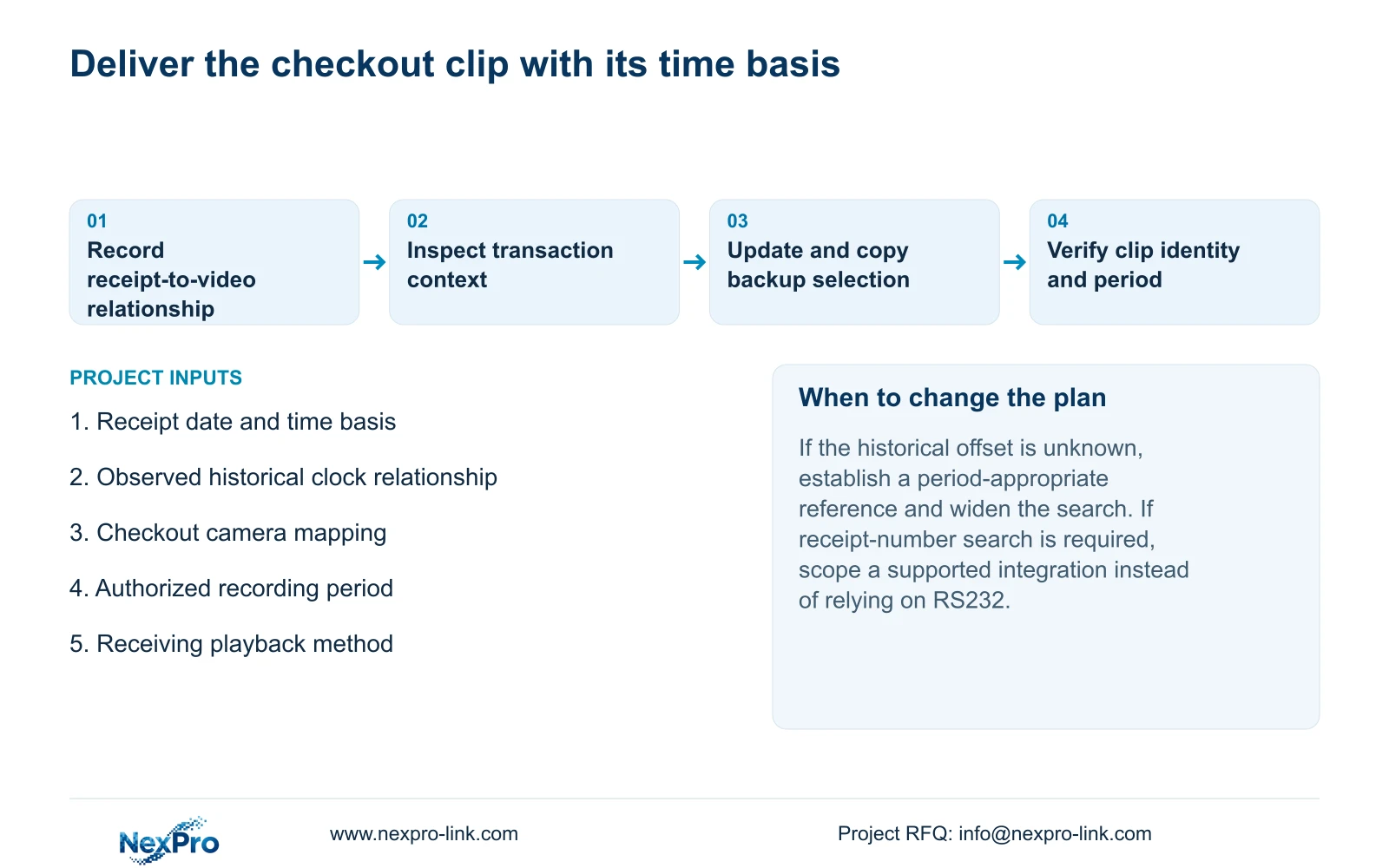
Once the sequence is identified, select explicit boundaries that retain the necessary lead-in and conclusion. Choose file format, recording types and authorized channels, then update the backup capacity estimate. Section 4.11.4 lists MP4 as the default and permits multiple channels. Detect the inserted USB storage before starting the copy.
Check the exported file on the intended receiving system and confirm its channel and period. Keep the receipt reference, observed clock relationship and clip boundaries together in the controlled review record. Do not attach unnecessary transaction fields or customer footage to a public support enquiry.
A successful export completes the selected video task. It does not establish searchable POS integration or prove a transaction outcome that the footage cannot show. If the buyer needs an integrated workflow, NexPro-Link's BOQ and tender support can discuss equipment and interface responsibilities as a separately defined scope.
Section 08
Apply the search to a receipt enquiry
Illustrative project scenario: A store manager has a receipt time and needs to find the corresponding permitted checkout view. The manager checks the clock relationship, identifies the recorded terminal view and narrows a buffered search before exporting the relevant sequence.
This guide follows the private supplied NVR4.0 user manual CH_V2.4.doc, with V2.2 in its body, sections 4.4.2, 4.12.2, 4.3.1, 4.4.4, 4.12.6, 4.11.3, 4.12.4 and 4.11.4. Actual recorder and firmware scope applies. Seetong PC local footage and NVR disk footage remain separate objects.
Section 09
Can receipt-number search be assumed from a serial port?
No. Serial transport settings do not establish message interpretation or transaction indexing. Those functions require a separately specified and tested interface.
Section 10
Does correcting time fix an older receipt search automatically?
No. Preserve the old time relationship and verify historical retrieval. A current correction does not establish that earlier timestamps were rewritten.
Section 11
Describe the required checkout search
Send whether the store needs manual time-based retrieval or searchable transaction indexing to info@nexpro-link.com.
Engineering references
These sources support the general planning principles. Always use the selected product's current datasheet and applicable project standards for final design.


