Version the event-location-to-camera map independently of the connector. After a production layout change, test one earlier event against its historical map and one new event against the current map.
Section 01
Choose the event record that anchors video lookup
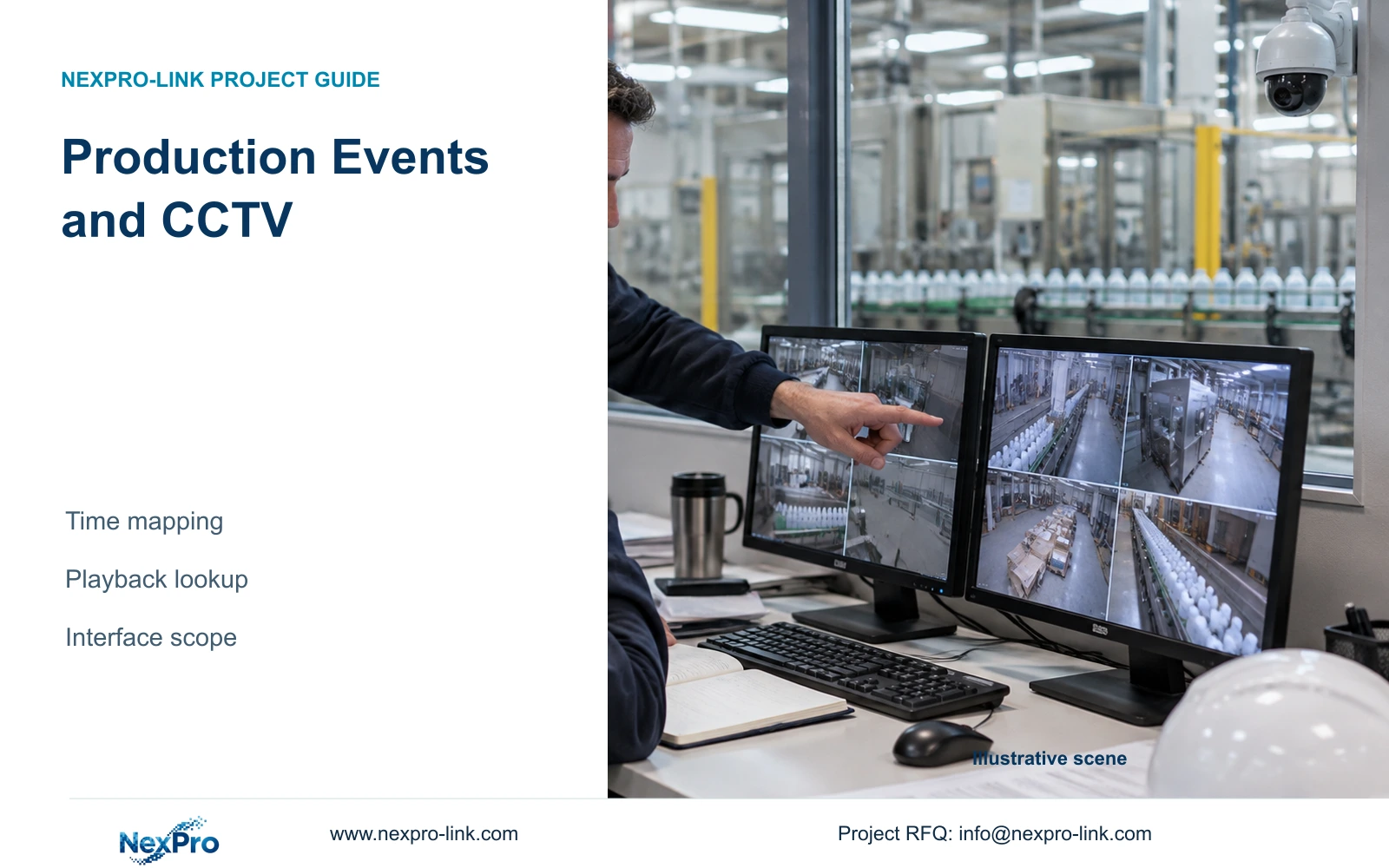
Version the event-location-to-camera map independently of the connector. After a production layout change, test one earlier event against its historical map and one new event against the current map. If historical mapping is unavailable, retain that limitation. Reusing today's camera label cannot reliably resolve an event recorded before reassignment.
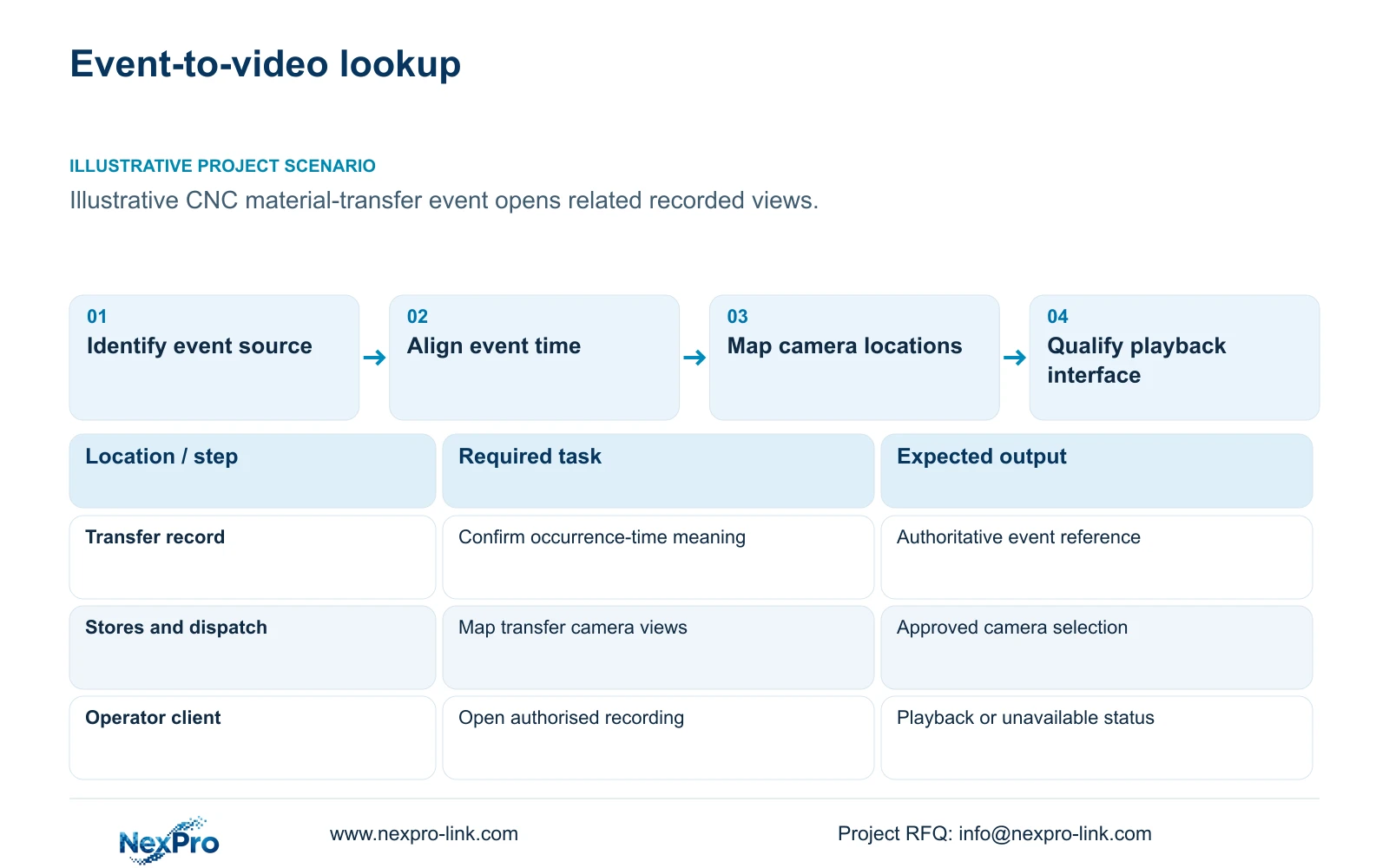
Connect production events and CCTV first through an agreed event-time-camera mapping. Identify the authoritative event record, establish what its timestamp means, and map its location to relevant recorded views. Commission automated opening only after the actual playback interface, permissions and software ownership are documented. A dependable manual lookup provides a baseline against which an automated proposal can be tested.
Illustrative project scenario: An operations team wants to click a production event and open the related camera footage. Use the supplied 32-camera CNC factory reference as the recording background. Assume a material-transfer record contains an event identifier, a location and an occurrence time, while a security operator currently searches the recorder manually. These added details are planning assumptions, not a claimed installation or demonstrated integration.
Ask the production owner whether the recorded time marks the physical transfer, a scan, or later entry into the business system. Preserve that distinction in the lookup schedule. Assign one owner to approve the event source and another to maintain camera mapping. Video may provide context for a transfer, but it does not replace the production record or turn ordinary security cameras into machine-inspection equipment.
Section 02
Resolve time meaning before narrowing the search
Document the time zone, timestamp format and clock source for the event application, cameras, recorder and viewing client. Establish whether the application stores an offset with the timestamp or displays a converted local time. Where seasonal clock changes apply, test the relevant interpretation instead of relying on an operator to remember it. A correct event identifier can still lead to the wrong footage if the time conversion is ambiguous.
Use a controlled trial event visible in a relevant camera view and recorded through the ordinary production workflow. Compare the physical occurrence, event entry and recorded-video time. Note observed differences and separate clock error from business-process delay. Set the initial search window wide enough to cover the identified uncertainty, then refine it only after repeat checks support a narrower window.
Keep the original event timestamp and any correction separately in the lookup record. Do not silently rewrite the source event to match the video. Assign responsibility for time configuration and periodic checks, including checks after equipment replacement or firmware change. If clocks diverge or delayed entries become common, widen the search window until the cause is resolved; precise-looking links should not conceal uncertain timing.
Section 03
Specify what an automated link must actually do
An integration proposal should name the supported mechanism for opening recorded footage, its software and firmware versions, required credentials and responsible developer. Define the request fields: event identifier, mapped camera or location, start time and review interval. Require documented behaviour when footage has expired, the camera is unavailable, or the user lacks access. Do not assume a recorder offers a playback API or deep link because it provides network video.
ONVIF profiles concern defined device and client capabilities; basic video connectivity does not establish every event, search, audio or playback workflow. Confirm the exact devices, firmware and required functions against the proposed interface. Likewise, the NexPro-Link Seetong page provides APP and PC-client context, without proving that an external production application can open a selected recording. Treat that capability as a qualification question.
Keep production-network access under the factory's approved security architecture. NIST SP 800-82 Rev.3 provides OT-security context for respecting operational constraints and separation. A read-only event extract or approved intermediary may be considered, but its design requires the responsible IT and OT teams. The interface schedule should identify the retained production source, supplied recording equipment, optional software connector and owner-controlled access rights.
| Item | Required task | Scope status | Responsible party |
|---|---|---|---|
| Production event source | Provide identifier, location and occurrence time | Retained | Production application owner |
| Recording platform | Record and retrieve mapped camera footage | Supplied or retained | CCTV supplier and installer |
| Playback connector | Open authorised camera and time selection | Optional, interface-dependent | Appointed software developer |
| Access policy | Limit footage to permitted users | Owner-controlled | Factory security and IT |
Section 04
Use event mapping to control review volume
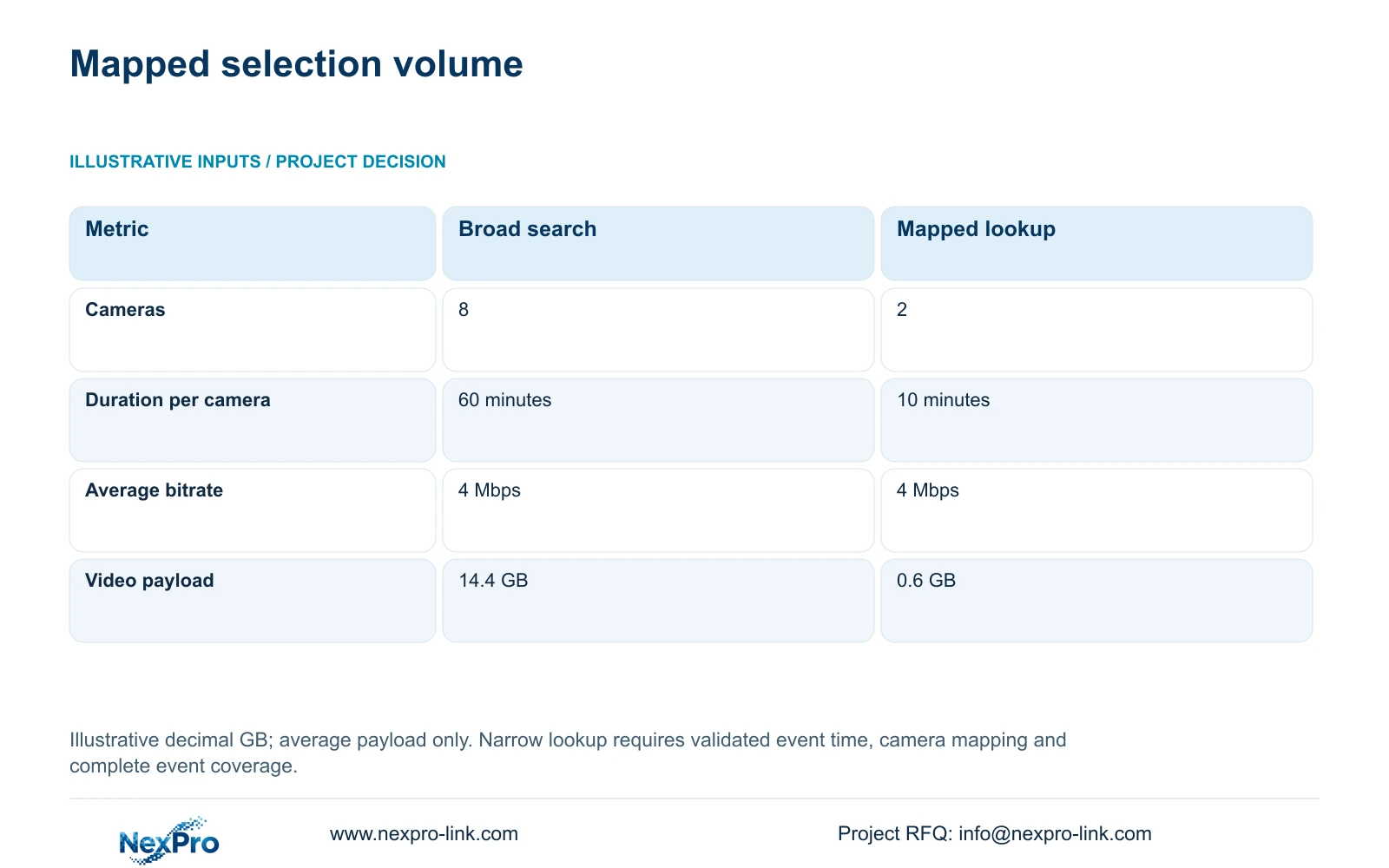
The supplied illustrative comparison measures selected video payload. A broad request covers eight cameras for 60 minutes each at an average 4 Mbps. A targeted event lookup covers two relevant cameras for 10 minutes each at 4 Mbps. With decimal GB, GB = cameras × Mbps × seconds / 8 / 1000. The calculations are 8 × 4 × 3600 / 8 / 1000 = 14.4 GB and 2 × 4 × 600 / 8 / 1000 = 0.6 GB.
The targeted result depends on trustworthy location mapping and adequate timing context. If the transfer moves between stores and dispatch, both selected views must cover the relevant sequence. If the event timestamp represents a later administrative entry, a 10-minute interval may miss it entirely. In that situation, expand the interval or return to the broad search while the event-time relationship is investigated.
The table therefore compares selection scopes, not integration performance. A 0.6 GB selection does not prove faster retrieval, a guaranteed export time or reduced staffing. Automated playback may transfer data differently from an exported package. Use the payload estimate when planning review or export scope, and measure the actual client workflow separately. Continue recording the full agreed factory scope regardless of how narrowly an individual event is retrieved.
| Metric | Option A: broad search | Option B: mapped lookup |
|---|---|---|
| Cameras selected | 8 | 2 |
| Minutes per camera | 60 | 10 |
| Average bitrate | 4 Mbps | 4 Mbps |
| Estimated video payload | 14.4 GB | 0.6 GB |
Section 05
Choose manual lookup or a qualified connector
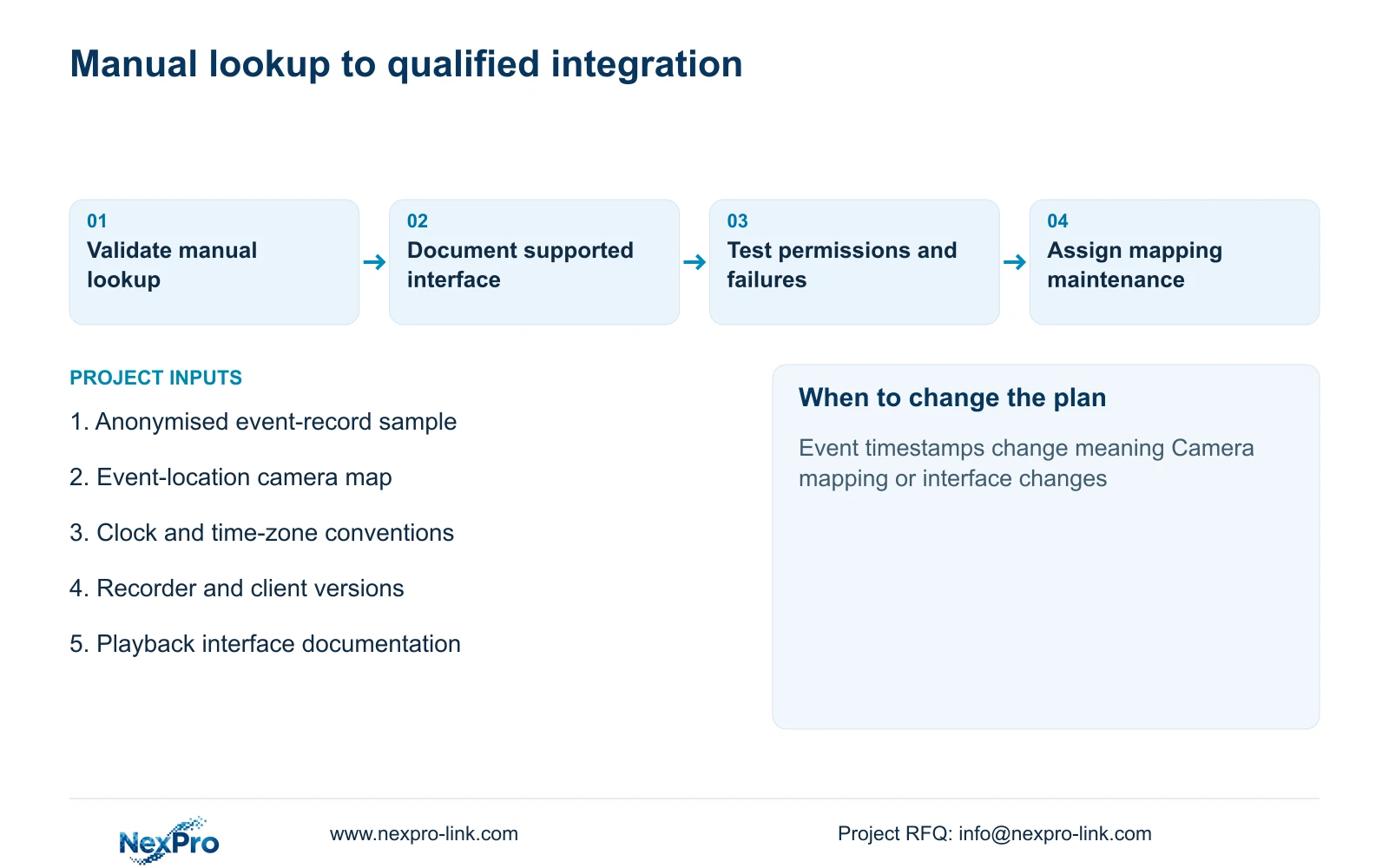
Start with manual time-based lookup when requests are occasional, location mapping is still changing, or the proposed interface remains undocumented. Give the operator an event-to-camera schedule and a tested time interpretation. Move to automated linking when the mapping is stable, the operating workload justifies it, and a supported interface can preserve the same permissions and context. Retain manual lookup as the fallback for connector failure.
For the CASE01 background, the assumed 32 cameras at 4 Mbps produce 128 Mbps recording input. The NexPro-NVR4449-4K reference lists 320 Mbps input and four SATA bays up to 18 TB per drive, with summary modes distinguishing 49×5MP and 9×4K. These fields help screen the recording platform, but neither the channel count nor input rating proves custom integration, simultaneous decoding or concurrent playback capacity.
Prepare a recorder and client capacity comparison for the chosen firmware and working pattern. Check ongoing recording, operator live views, event playback users and exports independently. Compare competing proposals against identical event samples and access rules. Preserve a mandated platform if its required integration cannot be reproduced. Price connector development, licences where applicable, testing and maintenance separately; no matched quotation or measured saving is assumed here.
Section 06
Procure a maintainable event-to-video workflow
Make acceptance cover the whole lookup chain. Test a correctly mapped event, an event with timing uncertainty, a location with changed camera coverage, and footage outside retention. The expected response should be explicit in each case. An unavailable clip must be reported as unavailable rather than replaced silently with the nearest recording. Test an unauthorised user as well as the normal operator.
Deliver a versioned mapping schedule containing event locations, camera identifiers, recorder assignment, time interpretation and approved search windows. Keep the deployed client and firmware versions with the interface documentation. Appoint someone to update the schedule when a production station moves or a camera is reassigned. Otherwise, a technically functioning connector can continue opening the wrong view after a layout change.
NexPro-Link's BOQ and tender-support scope can help align recording equipment and technical submittals with this workflow. Custom application development and production-system approval must remain with named parties who accept those responsibilities. Split the quotation into the recording baseline and the conditional connector scope, with change triggers for firmware, application schema and camera mapping. This lets procurement evaluate the usable result and its maintenance obligations together.
Section 07
Buyer questions
Can we pilot event lookup without custom software? Yes. Use an approved event extract and a camera mapping schedule to perform manual time-based retrieval. Record mismatches and unavailable footage. The pilot can establish requirements without granting new production-network access or assuming an undocumented integration.
What should happen when the event is older than the video retention period? The lookup should report that the related footage is unavailable. Keeping a production event record longer does not extend CCTV retention. Any separate preservation process needs its own owner, authorisation and storage scope.
Does changing a camera name break the mapping? It can if the connector relies on display names. Define how the selected interface identifies devices, and control naming or identifier changes accordingly. Re-test the affected location after replacement or reassignment.
Section 08
Define the event lookup before commissioning development
Send an anonymised event-record sample, the event-location camera map, clock and time-zone conventions, and recorder/client versions with interface documentation to info@nexpro-link.com to discuss the recording scope and optional integration dependencies.
Engineering references
These sources support the general planning principles. Always use the selected product's current datasheet and applicable project standards for final design.