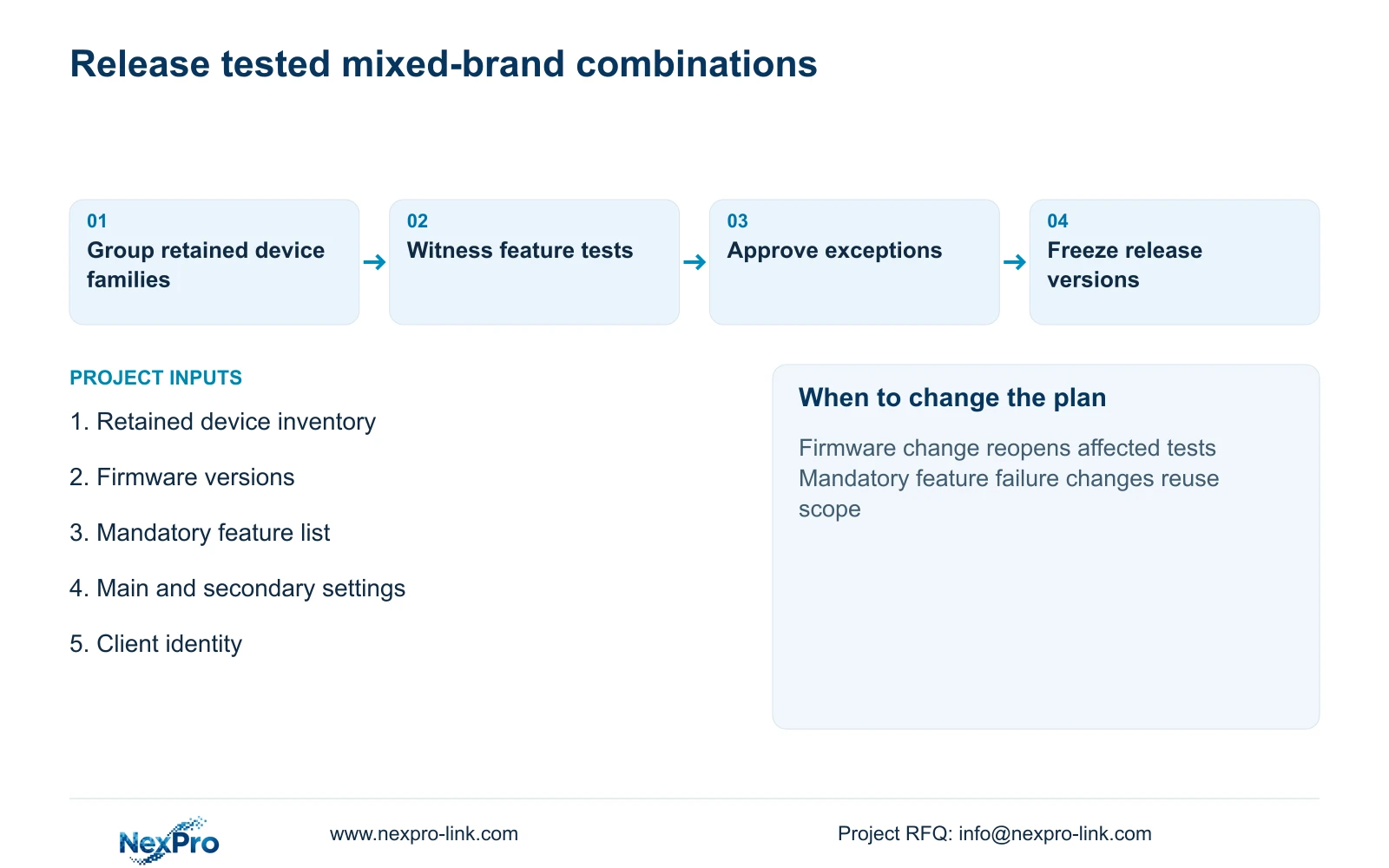
When one retained model changes firmware, mark only its affected device/client pairings as pending retest. Preserve previously tested combinations and the exact feature results.
Section 01
Approve exact device and client combinations by feature
When one retained model changes firmware, mark only its affected device/client pairings as pending retest. Preserve previously tested combinations and the exact feature results. Do not extend a successful new live-video connection to audio, events or proprietary services. The exception register should identify the supported fallback and responsible interface owner.
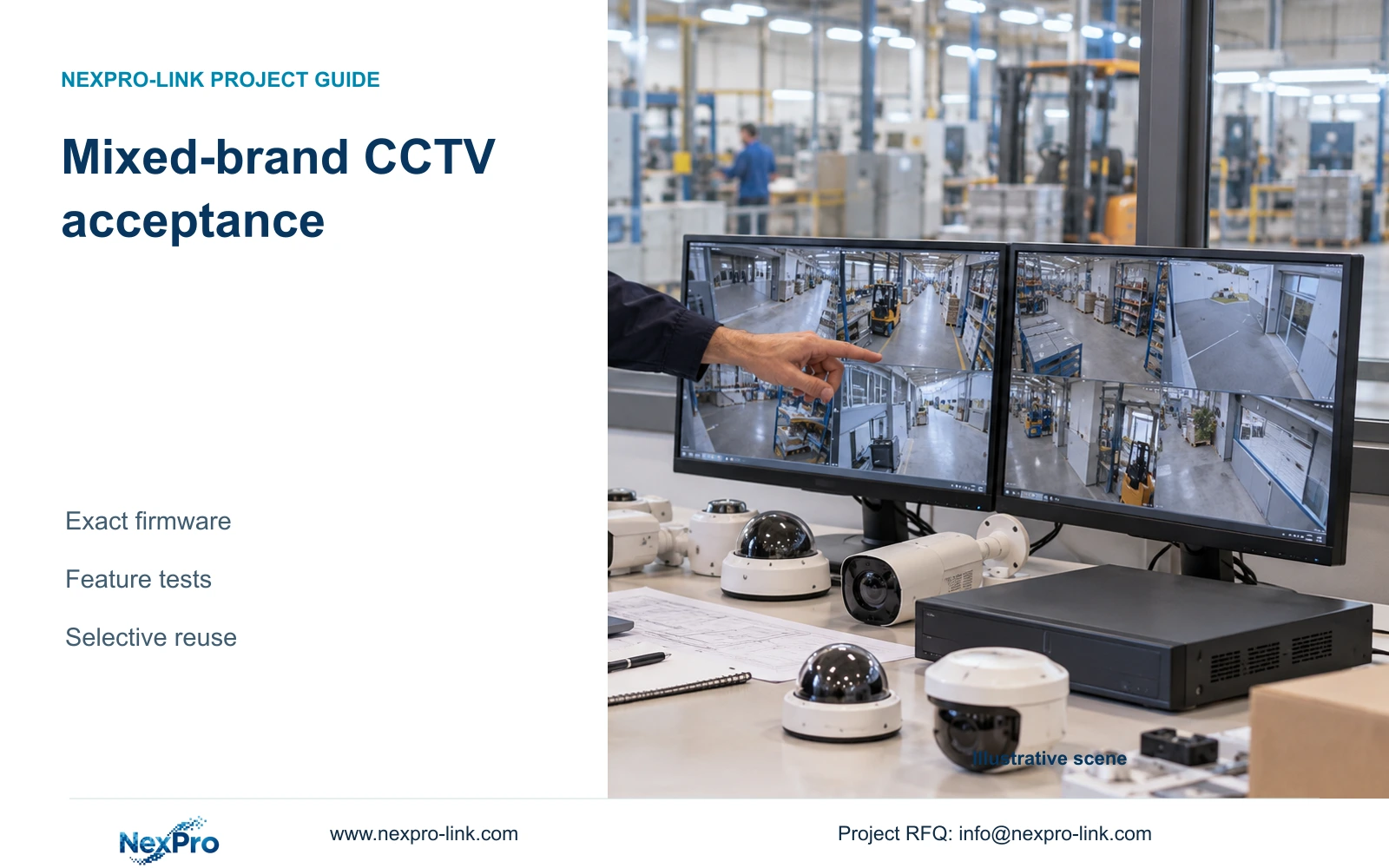
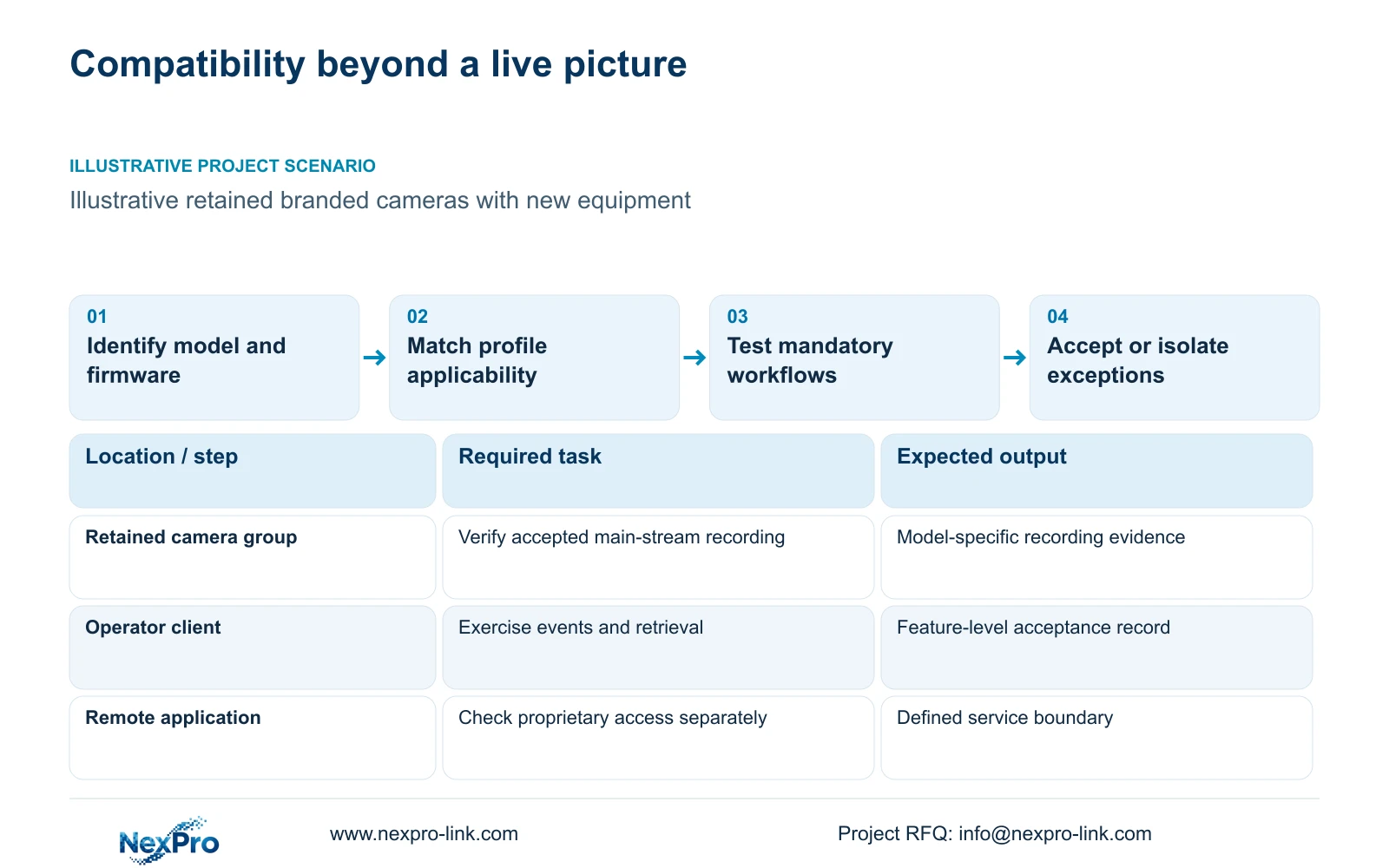
Approve mixed-brand factory CCTV through a feature-level compatibility matrix for exact models and firmware. Check the device and client profile applicability, then demonstrate the required recording and operator workflows. A live picture does not establish analytics, audio, playback search, camera control or cloud-service compatibility.
Illustrative project scenario: A factory wants to retain existing branded cameras while adding NexPro-Link cameras or recording equipment. Use CASE01's 32-camera recording load as a calculation baseline, while treating retention of existing cameras as a new planning variation. CASE01 contains no retained camera inventory, so no quantity or compatibility result for the existing equipment is assumed.
Capture the model, hardware identity where relevant, firmware, enabled streams and required functions for each retained device family. Include the proposed recorder and client versions in the same record. A statement that two brands support ONVIF is too broad to identify what this project's installed combination can actually do.
Section 02
Test recording, events and control as separate acceptance items
First establish stable recording at the agreed stream settings. Verify the selected resolution and frame rate, correct camera identity, timestamp continuity and reconnection after an approved interruption. Retrieve the recorded interval and export it to the intended workstation. A displayed image at a temporary low setting cannot approve the planned recording configuration.
Test required events separately. Create an authorised representative event and check whether the expected notification, recording association or searchable record reaches the receiving system. Camera-side human or vehicle classification does not prove that another brand's recorder receives the same event meaning. Record unsupported or untested functions explicitly rather than hiding them under a general compatibility pass.
Where audio or control is required, define its direction and operator task. A received audio track differs from two-way conversation, and motorized lens adjustment differs from PTZ movement. Require only the controls actually needed, but verify them individually. Keep test status as pending until observations exist; this planning article supplies no field-test results.
Section 03
Keep proprietary services outside the basic video approval
Draw separate rows for local video interfaces, vendor applications and any proprietary event or management service. An ONVIF video connection does not move account ownership, cloud access or every configuration tool to the replacement platform. Identify which original application remains necessary and whether users must switch tools during an investigation.
NexPro-Link's Seetong system reference provides app and PC-client context, not a guarantee of full-function operation with every retained brand. If the project requires remote playback or notifications through a specific application, demonstrate that path using the intended hardware and software combination. Keep service terms and support ownership separate from camera-manufacturing identity.
Assign each issue to the relevant party: retained-device supplier, proposed recorder supplier, client provider or local integrator. For an unsupported required function, decide whether to retain its original service, procure a documented interface or replace the affected device. A working video feed should not silently erase a workflow the owner already relies on.
Section 04
Verify the viewing stream without weakening local recording
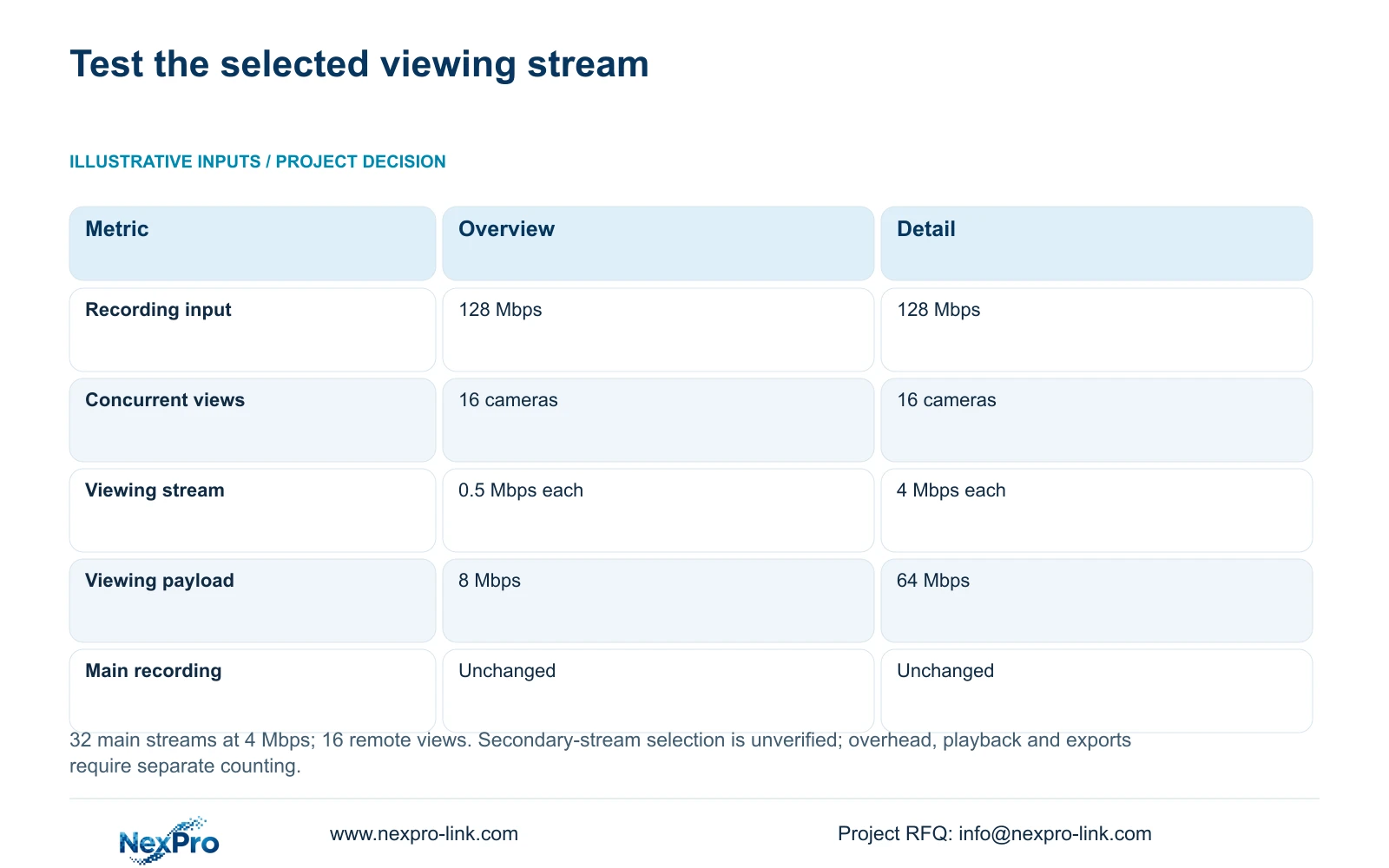
The illustrative load assumes 32 main streams at 4 Mbps, so recorder_Mbps = 32×4 = 128 Mbps. A separate viewing comparison assumes 16 concurrent cameras. Viewing_Mbps = 16×stream_Mbps produces 8 Mbps with 0.5 Mbps overview streams and 64 Mbps with 4 Mbps detail streams. These figures are payloads before protocol overhead.
The useful difference is an approved lower-bandwidth overview while main recording stays unchanged. In a mixed-brand trial, verify that the client selects the intended secondary stream and that switching to it does not change the recorder's accepted main-stream configuration. Stream selection is a function to test, not a universal compatibility assumption.
Add playback, export and other shared traffic only to interfaces it actually traverses. If overview selection fails, the client may require a different workflow or the network may need another budget. Record that consequence in the compatibility matrix. The example does not demonstrate WAN performance, guaranteed connection stability or a fixed bitrate for any supplied camera.
| Check | Overview workflow | Detail workflow |
|---|---|---|
| Main recording input | 128 Mbps | 128 Mbps |
| Concurrent viewed cameras | 16 | 16 |
| Each selected viewing stream | 0.5 Mbps | 4 Mbps |
| Viewing payload | 8 Mbps | 64 Mbps |
| Recording setting changed | No | No |
| Required trial evidence | Correct secondary stream selection | Accepted detail-stream viewing |
Section 05
Retain cameras only when required functions remain usable
Prefer selective retention where exact camera families pass the mandatory recording and operator tests. Classify failures by consequence. A missing optional lens-control convenience may be acceptable with a documented local adjustment method; a missing required event search or unusable exported recording may invalidate the proposed replacement path.
The NexPro-NVR4449-4K offers a relevant recording reference with 320 Mbps input and four SATA bays, while its summary distinguishes 49×5MP from 9×4K. Those fields support capacity comparison, not mixed-brand feature approval. Verify accepted camera modes and disk demand alongside compatibility so a successful sample connection does not become an oversized rollout assumption.
Compare alternatives on the same retained inventory and mandatory feature list. Separate savings from reused hardware from the costs of additional clients, integrations, support and selective replacement. No supplied quotation establishes a financial winner. Where a mandated platform is necessary for a required workflow, preserve it and define the permitted additional scope.
Section 06
Release tested combinations with a controlled firmware baseline
The final matrix should connect each requirement to the tested model/version pair, test method, observed result and accepted exception. Attach representative export files and configuration records through the project's authorised document process. Keep credentials and private footage out of public technical submittals, and identify who approves the remaining limitations.
NexPro-Link's BOQ support can coordinate proposed model matching and deviations. Request a recorder and client capacity comparison with firmware scope, then mark retained cameras, new hardware, optional interfaces and local testing responsibilities. A supply quotation should state the combination being proposed rather than promise unrestricted interoperability across a brand.
Freeze accepted versions for the release and reopen affected tests after a device, firmware, client or stream-setting change. Sample testing should represent each relevant retained family, not just one convenient camera. During phased cutover, preserve access to the original recording until the replacement path and authorised retrieval process have been accepted.
Section 07
Buyer questions
Can a failed optional feature still allow camera reuse? Yes, if the owner accepts the limitation and mandatory tasks pass. Document the alternative operating method and any extra support work. An optional exception must not conceal failure of a required recording or retrieval function.
Is one sample camera enough for a mixed-brand order? Only if it represents the relevant installed model and firmware population. Different device families or releases need appropriate coverage, and the tested settings must match the proposed deployment.
Does successful ONVIF video prove Seetong remote access? No. The application access path and its supported hardware functions require their own verification. Local video connectivity does not establish cloud binding, remote notifications or application ownership.
Section 08
Build a mixed-brand acceptance matrix
Send the retained model/firmware inventory, mandatory feature list, proposed recorder/client combination, and accepted main/substream settings to info@nexpro-link.com to discuss a NexPro-Link compatibility and capacity comparison.
Engineering references
These sources support the general planning principles. Always use the selected product's current datasheet and applicable project standards for final design.