Seetong Video Management System

Pre-integrated with every NexPro camera and NVR — P2P cloud access, mobile APP, PC client CMS, AI analytics and centralized device management in one unified platform.

Core Imaging Engine

Seetong-Enabled Camera Modules

Every NexPro camera is built on a Seetong chip module — from entry-level 4MP to premium AI-powered engines. Pre-integrated firmware, consistent protocol, seamless compatibility.

Seetong TB38M16 chip module — 4MP entry-level IP camera SoC

NexPro-SE38M16

4MP Entry 38 Module

Seetong TB53K20 chip module — 4MP mid-range IP camera SoC with AI detection

NexPro-SE53K20

4MP Mid 53 Module · Smart Detection

Seetong TB53Q53 chip module — 4MP Star Light night vision IP camera SoC

NexPro-SE53Q53

4MP Star Night · Smart 5MP

Seetong TR38Y33 chip module — 4MP City Light IP camera SoC

NexPro-SE38Y33

4MP City Light 38 Module

Seetong TR38Y51 chip module — 4MP enhanced City Light IP camera SoC

NexPro-SE38Y51

4MP City Light Enhanced

Seetong TB38M16 chip module — 4MP entry-level IP camera SoC

NexPro-SE38M16

4MP Entry 38 Module

Seetong TB53K20 chip module — 4MP mid-range IP camera SoC with AI detection

NexPro-SE53K20

4MP Mid 53 Module · Smart Detection

Seetong TB53Q53 chip module — 4MP Star Light night vision IP camera SoC

NexPro-SE53Q53

4MP Star Night · Smart 5MP

Seetong TR38Y33 chip module — 4MP City Light IP camera SoC

NexPro-SE38Y33

4MP City Light 38 Module

Seetong TR38Y51 chip module — 4MP enhanced City Light IP camera SoC

NexPro-SE38Y51

4MP City Light Enhanced

Seetong TB38M16 chip module — 4MP entry-level IP camera SoC

NexPro-SE38M16

4MP Entry 38 Module

Seetong TB53K20 chip module — 4MP mid-range IP camera SoC with AI detection

NexPro-SE53K20

4MP Mid 53 Module · Smart Detection

Seetong TB53Q53 chip module — 4MP Star Light night vision IP camera SoC

NexPro-SE53Q53

4MP Star Night · Smart 5MP

Seetong TR38Y33 chip module — 4MP City Light IP camera SoC

NexPro-SE38Y33

4MP City Light 38 Module

Seetong TR38Y51 chip module — 4MP enhanced City Light IP camera SoC

NexPro-SE38Y51

4MP City Light Enhanced

Seetong Video Management System
×
ODVIE — Seetong Technology Provider

One Unified VMS for Every NexPro Device

Seetong is the core video management system powering every NexPro camera, NVR, and PTZ. Developed by ODVIE Technology and pre-integrated at the firmware level, Seetong delivers a seamless experience across mobile, desktop, and cloud — no third-party VMS licenses, no compatibility headaches, no hidden costs.

Factory pre-installed on every NexPro device — ready out of the box
Free Seetong APP (iOS/Android) and PC Client for Windows
Global cloud infrastructure with multi-language support
Regular firmware updates delivered through the platform
Seetong system features introduction with playback download, quick device preview, AI recognition, alarm reminders and iOS and Android QR codes
Platform Capabilities

Everything Your Project Needs — Built Into the Platform

From single-site installations to multi-branch enterprise deployments, Seetong scales with your project.

P2P Cloud Access

Every NexPro NVR and camera generates a unique Cloud ID and QR code. Connect via Seetong APP in seconds — no port forwarding, no static IP, no complex network configuration.

  • One-click Cloud ID activation on NVR
  • QR code scan for instant device binding
  • Global cloud servers for low-latency access
  • End-to-end encrypted P2P tunnel

Mobile Remote Monitoring

Seetong APP (iOS / Android) delivers live preview, remote playback, PTZ control and alarm push notifications directly to your smartphone.

  • Multi-window live view (1/4/9 split)
  • Remote playback with timeline scrubbing
  • Snapshot capture and manual recording
  • Two-way audio intercom (with -AUD models)

PC Client CMS

Seetong Client for Windows provides professional video management with up to 64-channel simultaneous preview, batch device configuration and centralized management.

  • 1/4/6/8/9/10/13/16/25/36/49/64 window layouts
  • Batch IP modification and firmware upgrade
  • Local + remote recording playback
  • Video tour, screen lock, and multi-monitor support

AI Video Analytics

Built-in intelligent detection algorithms — human/vehicle detection, perimeter intrusion, license plate recognition, and custom configurable analytics.

  • Human & vehicle detection with zone configuration
  • License plate recognition (ANPR) with black/white list
  • Line crossing, region intrusion, and loitering detection
  • Alarm linkage: push notification, email, NVR recording trigger

Centralized Device Management

Manage hundreds of cameras and NVRs from a single interface — batch configure, upgrade firmware, export/import settings, and monitor device health.

  • Auto device discovery on LAN
  • Batch firmware upgrade for all NexPro models
  • Configuration file upload/download per device or batch
  • Device online/offline/recording status dashboard

Multi-Language & Global Deployment

Seetong supports English, Simplified Chinese and Traditional Chinese. Cloud infrastructure serves project deployments across Asia, Middle East, Africa, Europe and the Americas.

  • UI: English / 简体中文 / 繁體中文
  • Cloud server nodes worldwide
  • Time zone and NTP sync per device
  • ONVIF and GB28181 protocol compatible
Seetong app homepage for personal information, device management and common engineering tools

My Homepage

Seetong app replay theater screen for reviewing historical camera footage

Replay Theater

Seetong app equipment overview screen for real-time monitoring and device status

Equipment Overview

Seetong app event alarm screen with real-time alert list and visual previews

Event Alarm

Seetong APP

Your Project — In Your Pocket

The Seetong mobile app (iOS & Android) gives project managers, installers and end-clients instant access to every camera on the network. Scan a QR code, log in with a Cloud ID, or enter an IP address — one app, all devices.

Scan to Connect

Scan the QR code on any NexPro NVR to instantly add it to your account — no manual Cloud ID entry needed.

Live Multi-View

Watch up to 9 camera feeds simultaneously on your phone. Pinch-to-zoom digital zoom on any channel.

Remote Playback

Search and play NVR recordings remotely by date and time. Download clips directly to your phone.

Instant Alarms

Push notifications for motion detection, video loss, and AI events. Tap to jump straight to the event footage.

PTZ Control

Full PTZ joystick control — pan, tilt, zoom, presets, cruise and patrol — all from your phone screen.

Device Sharing

Share device access with team members or clients with customizable permission levels.

Seetong PC Client

Professional-Grade Video Management for Windows

The Seetong PC Client is a full-featured CMS/VMS for Windows — designed for security control rooms, operations centers, and project management teams who need multi-screen monitoring and centralized device administration.

64-Channel Live View

Up to 64 IP channels displayed simultaneously across customizable screen layouts.

Dual-Stream Switching

Main stream for local high-quality display; sub stream for bandwidth-efficient remote viewing.

Batch Operations

Firmware upgrade, IP assignment, configuration deployment — all in batch across multiple devices.

Recording Schedule

Flexible recording strategies — all-day, work hours, or custom schedules with alarm-triggered recording.

Remote Configuration

Remotely adjust camera image settings, OSD, network, and encoding parameters without on-site access.

Video Tour & Wall

Auto-cycling video tour across camera groups. Digital video wall for control room deployments.

Seetong Windows client live view interface with device list, PTZ controls and multi-channel monitoring
Full Compatibility

Every NexPro Device. Seetong Ready.

All NexPro cameras and NVRs ship with Seetong firmware pre-installed. No additional licenses or integrations required.

NexPro-BL512 Series

4MP/5MP Entry Bullet Cameras

BL512D3 (4MP), BL512M55 (5MP)

Cloud APP AI

NexPro-BL1050 Series

4MP Mid-Range Bullet Cameras

BL1050D3 (4MP), BL1050M55 (5MP)

Cloud APP AI

NexPro-BL1070 Series

4MP/5MP Premium Bullet Cameras

BL1070D3 (4MP), BL1070M55 (5MP), BL1070Y51 (4MP City Light)

Cloud APP AI

NexPro-BL9017 Series

4MP/5MP Advanced Bullet Cameras

BL9017D3 (4MP), BL9017M55 (5MP), BL9017Y51 (4MP City Light)

Cloud APP AI

NexPro-DM106/206 Series

4MP/5MP Entry-Mid Dome Cameras

DM106D3 (4MP), DM106MQ5 (5MP), DM206D3 (4MP), DM206MQ5 (5MP)

Cloud APP AI

NexPro-DM406 Series

4MP/5MP Premium Dome Cameras

DM406D3 (4MP), DM406MQ5 (5MP)

Cloud APP AI

NexPro-DL9018 Series

Dual-Light Active Deterrence Cameras

DL9018WZ-POE, DL9018WZ-DJ

Cloud APP AI

NexPro-PT6058/6100 Series

PTZ Speed Dome Cameras

PT6058WZ40Y (6MP), PT6100CK (3MP), PT6100J20 (4MP), PT6100JT40Y (4MP)

Cloud APP AI PTZ

NexPro-PTL10 Series

Laser PTZ Long-Range Cameras

PTL10-4MP-40X, PTL10-5MP-25X, PTL10-5MP-25X-FC-4G

Cloud APP AI PTZ

NexPro-PTQ/PTN Series

Dual-Channel AI Tracking Cameras

PTQ008CK40Y (7MP), PTN008CK50Y (7MP)

Cloud APP AI PTZ

NexPro-SC Series

Specialty & Anti-Corrosion Cameras

SC1040M15-GK, SC550LED-4MP

Cloud APP

NexPro-NVR Series

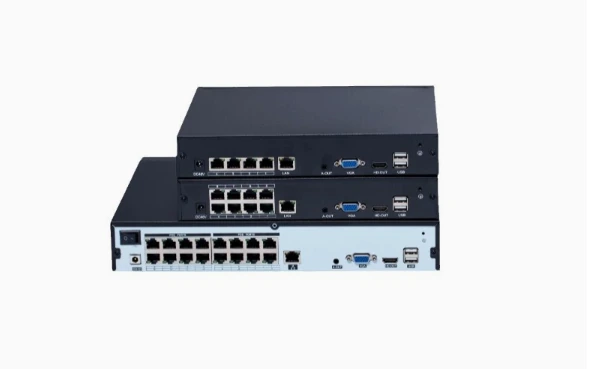
Network Video Recorders

NVR1108 (10CH), NVR1116 (16CH), NVR2232-4K (32CH), NVR4449-4K (49CH), NVR8864-4K (64CH)

Cloud APP AI
Download Seetong APP

Scan QR Code or Search "Seetong"

Available on iOS and Android. Connect to your NexPro cameras and NVRs in seconds.

Scan QR code to download Seetong iOS APP from App Store

iOS Client

V8.3.13 · 2026-07-03

Compatible with iPhone / iPad / iTunes.
Search "Seetong" in App Store or scan the QR code.

App Store Download
Scan QR code to download Seetong Android APP

Android Client

V8.3.13.3

Available on Google Play, 应用宝, 华为, 小米,
OPPO, VIVO, 荣耀, 360, 百度, 豌豆荚 and more.
Search "Seetong" or scan the QR code.

应用宝 Download

Setup guides & user manuals

Quick start guide

NexPro NVR Cloud Access Quick Start Guide

Network setup, Seetong Cloud activation and mobile access for the NVR1108, NVR1116, NVR2232, NVR4449 and NVR8864 series.

Document language: English

Models covered (5)

NexPro-NVR1108-5MP · NexPro-NVR1116-5MP · NexPro-NVR2232-4K · NexPro-NVR4449-4K · NexPro-NVR8864-4K

User manual

NexPro Seetong Client User Manual

Seetong Client video management software operations for Windows desktop. Document lists Windows 7, 8, 10 and 11.

Document language: English

Ready to Get Started?

Want to See Seetong in Action?

Schedule a live demo. Our engineering team will walk you through the Seetong platform — mobile APP, PC client, AI configuration, and remote management — tailored to your project requirements.

Catalog Chat