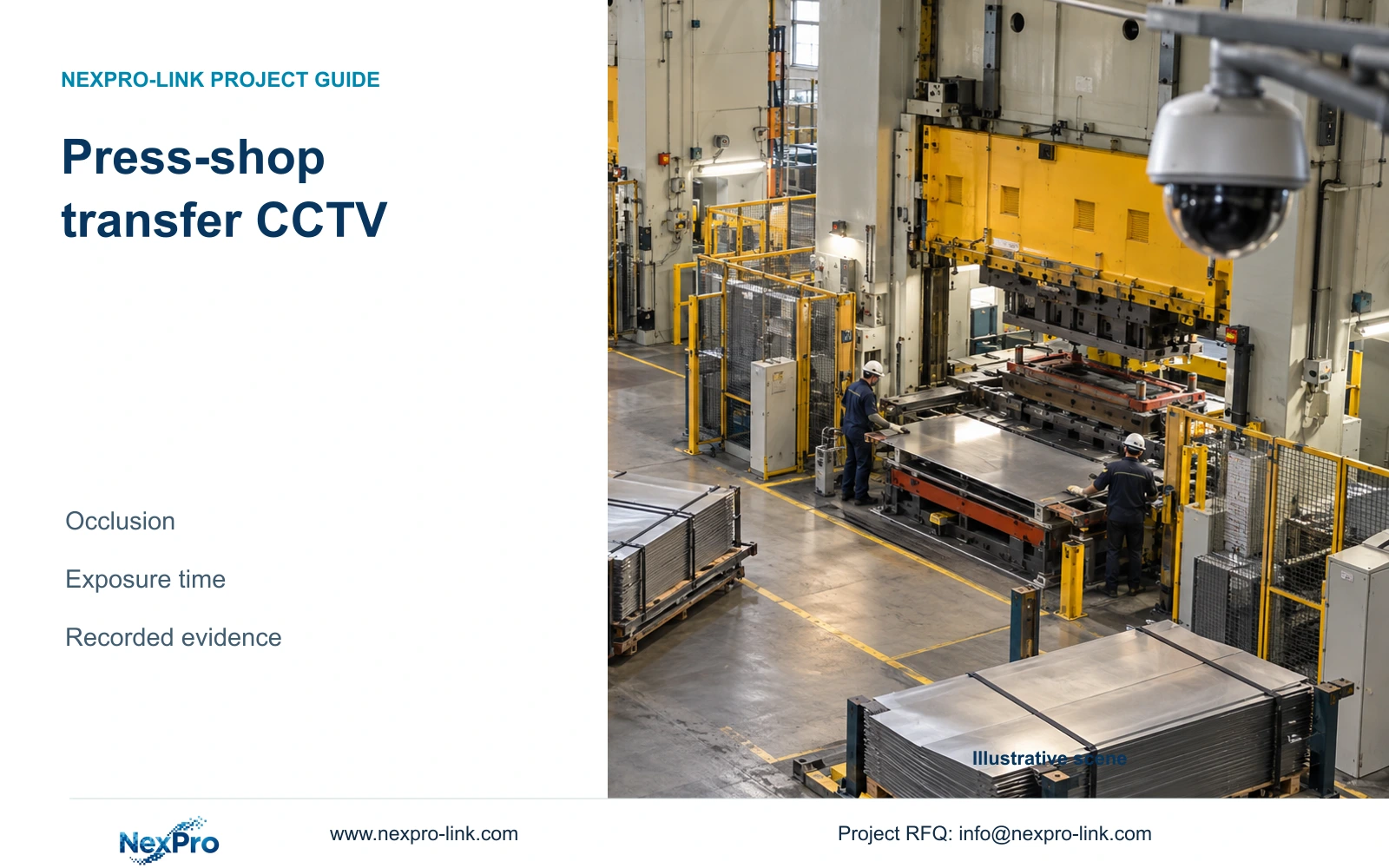
Press-shop overviews can lose handover events behind sheet stacks and forklifts. A dedicated transfer angle and a recorded-motion test provide a clearer procurement basis.
Section 01
Select a permissible position for the handover
Press shop CCTV should add a dedicated transfer view when the overview cannot retain the required handover event. Keep that surveillance task separate from machine guarding and safety controls. Begin with the permissible observation position and the material-transfer boundary; a camera aimed into the die interior answers a different question and may introduce unsuitable installation assumptions.
Illustrative project scenario: Sheet stacks and forklifts repeatedly obscure a high-mounted press-shop overview. Assume the owner needs to reconstruct delivery of a sheet stack to an approved staging position and its onward movement. The high overview remains useful for route context, but a second angle is being considered for the custody transfer. No site performance is claimed.
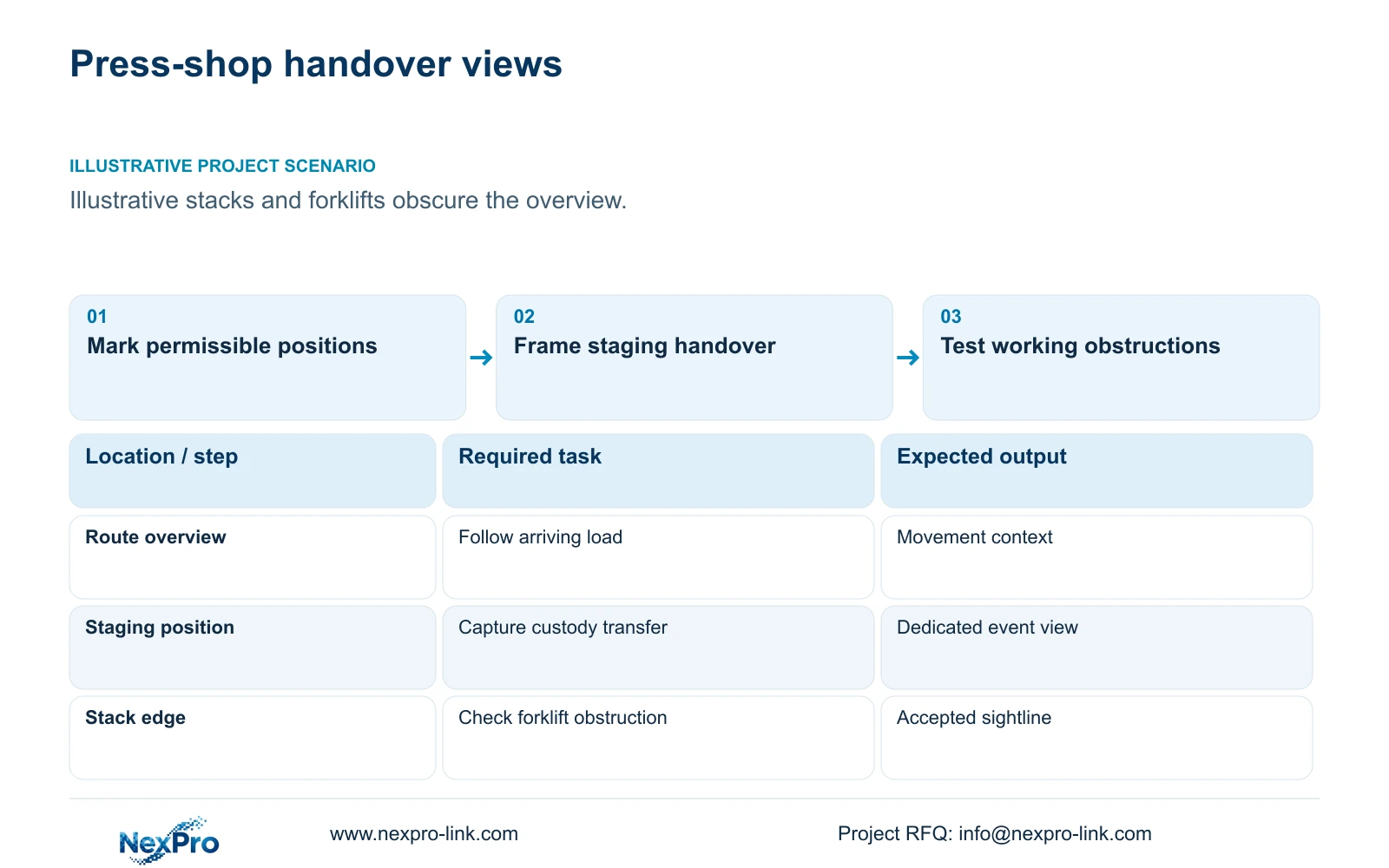
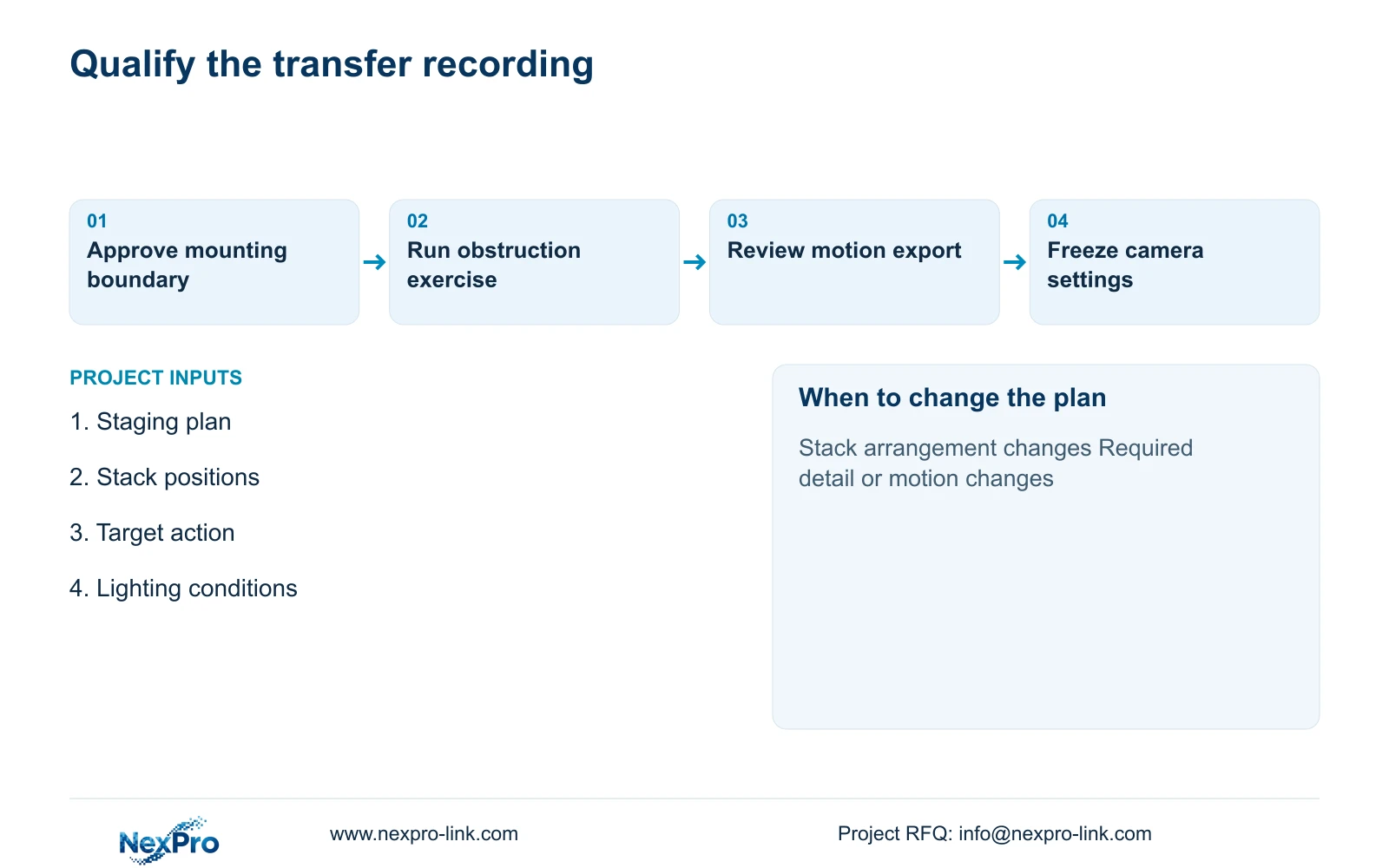
Ask the machine and site teams to mark permitted mounting locations, handling routes and service access. Record stack positions and the forklift envelope during representative work. Use CASE01's permitted machine-hall transfer category as an ordinary-security planning reference, without treating its CNC layout or camera quantities as a surveyed press-shop design.
Section 02
Frame the staging event rather than the die interior
Define what must remain visible at the staging position: arrival direction, stack placement and departure. If the owner also needs a particular label or item distinction, specify its location and orientation. A broad view of the entire press may leave the handover too small or hidden. Focus the event view on the approved transfer plane while retaining enough surrounding context to interpret the action.
Compare side and oblique positions using the normal stack arrangement. A view from one side may lose the receiving person behind the load; the opposite angle may expose the transfer but place the lens nearer contamination or moving equipment. Reject positions that depend on altered guarding or unsuitable service access. The local team should approve the physical arrangement before the lens is selected.
The NexPro-BL2812M55-5MP-DIC-AI source lists a 5MP family, 2880×1620 output field, 25fps@5MP and a 2.8–12mm motorized lens. These are candidate-selection fields, not evidence that the model will capture every moving transfer clearly. Verify the actual recorded mode and available exposure controls for the accepted task.
Section 03
Test obstruction at the moment custody changes
Treat intermittent occlusion as an event-specific problem. During the proposed acceptance exercise, include an arriving forklift, the normal parked stack and personnel in their working positions. Review whether the essential handover moment is visible. An empty-floor image can confirm framing but cannot establish performance during the action that caused the original dispute.
Keep the overview if it shows where the load came from, and assign the detail view to the transfer itself. Check that the two views fail differently: cameras positioned together may both be hidden by the same stack. Where no permissible position retains the required action, record the limitation and reconsider the observation boundary instead of approving a nominally complete camera count.
The camera role schedule should name the retained overview, proposed transfer view and the responsible acceptance party. The owner defines the event, the engineer documents the sightline and the installer confirms mounting and maintenance. Obstruction is addressed through geometry; exposure adjustments should be evaluated only after the target is actually visible.
Section 04
Separate exposure time from frame rate
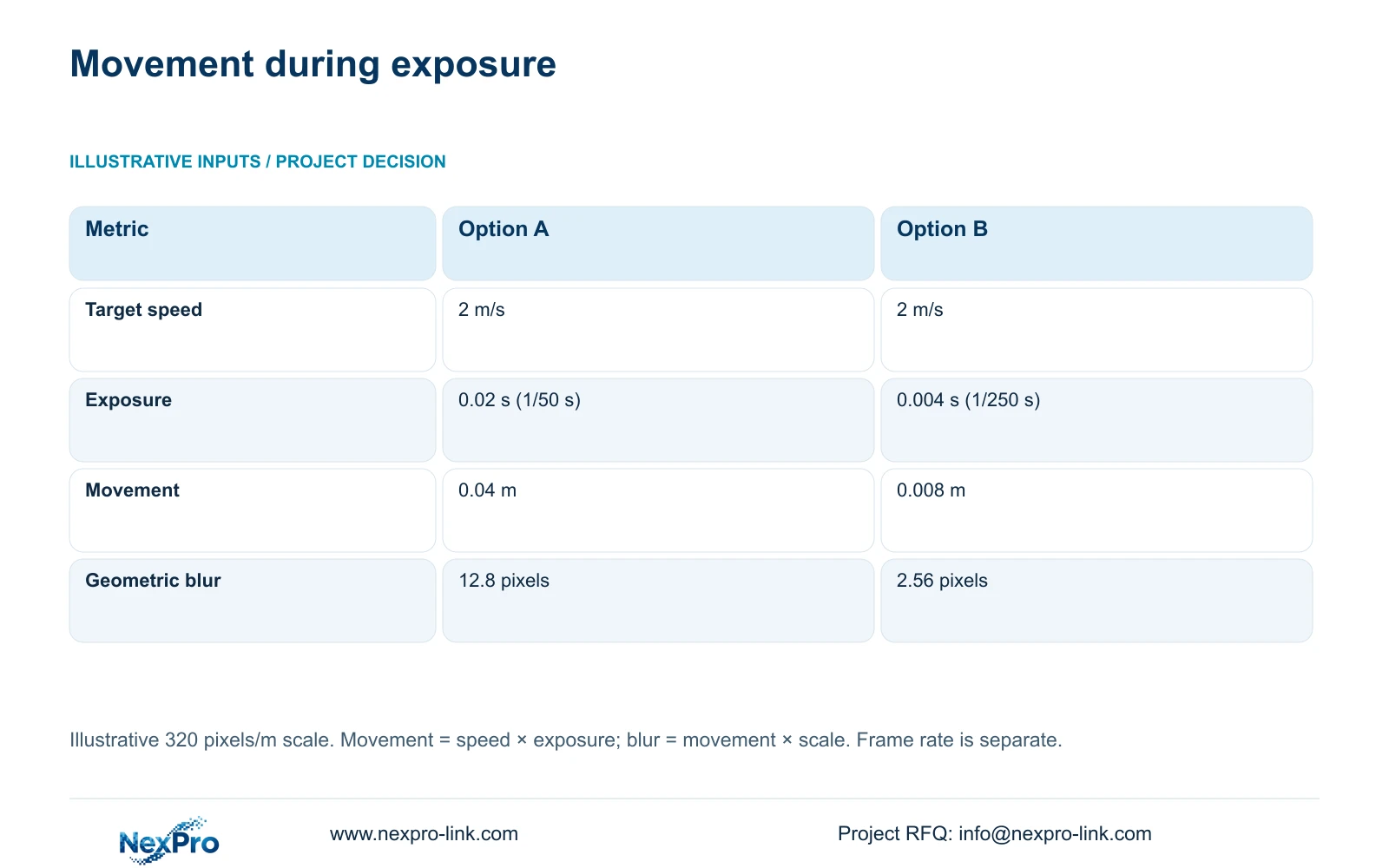
Use the supplied illustrative motion model to understand a visible but blurred transfer. Assume target speed is 2 m/s and image scale is 320 pixels/m. Compare an exposure of 1/50 s, or 0.02 s, with 1/250 s, or 0.004 s. Frame rate is a separate parameter and is unchanged by this arithmetic.
The formulas are movement_m = speed_m_s × exposure_s and estimated_blur_px = movement_m × pixels_per_m. Option A gives 2 × 0.02 = 0.04 m of movement and 0.04 × 320 = 12.8 pixels. Option B gives 2 × 0.004 = 0.008 m and 0.008 × 320 = 2.56 pixels. These are geometric estimates, not measured camera results.
The shorter exposure reduces movement in this model but requires a separate lighting review. Axis's shutter-speed guidance supports that tradeoff; it does not verify this camera or press-shop installation. Raising fps alone does not establish the 2.56-pixel result. Test recorded transfers under representative light and check detail after compression. The calculation excludes rolling shutter, flicker, gain, processing, machine safety and inspection qualification.
| Input or result | Option A | Option B |
|---|---|---|
| Target speed | 2 m/s | 2 m/s |
| Exposure | 1/50 s = 0.02 s | 1/250 s = 0.004 s |
| Movement | 0.04 m | 0.008 m |
| Geometric blur | 12.8 pixels | 2.56 pixels |
Section 05
Approve the paired views on recorded performance
Recommend a retained route overview plus a dedicated staging view where the overview repeatedly misses the handover. Approve the second view only after both obstruction and motion tests succeed. If the owner requires only route context, a revised overview may be sufficient. If the requirement becomes die inspection or automatic control, move it into a separately engineered scope.
Compare supplier proposals using the same stack positions, target action, lighting and recorded export. Preserve any mandatory platform integration or environmental protection. Include mounting, cabling and site tuning in the scope comparison. Neither higher resolution nor a brand name substitutes for a demonstrated accepted transfer sequence, and the supplied inputs do not support a price or image-quality winner.
Recheck shared resources when adding cameras or changing settings. CASE01 assumes 32 cameras at an average 4 Mbps each, for 128 Mbps input, and 30 days of continuous recording. Those assumptions are not a fixed bitrate for the proposed press-shop view. Measure representative streams and update storage, switch uplinks and actual PoE demand when the accepted configuration differs.
Section 06
Package the event definition with the equipment schedule
The procurement schedule should identify the staging location, target action, obstruction conditions, provisional lens setting and safe service method. Attach a plan showing the route overview and dedicated angle. List retained, supplied and optional equipment separately, so a quotation for the additional camera does not conceal replacement of working infrastructure.
Specify the data path from camera through the selected access switch to recorder and authorized viewing client. Confirm exact stream support, playback and export requirements. The NVR4449 reference lists 49 channels, 320 Mbps input and four SATA bays; those fields do not establish all-4K decoding or RAID. Display hardware remains a viewing branch rather than a prerequisite for recording.
NexPro-Link can coordinate model matching, the associated equipment list and technical documents through its factory-project and BOQ support scope. Use location labels to preserve the approved roles through packing and installation. Local installation, machine access authorization and final recorded-image acceptance should have named owners before shipment, with any unresolved exposure or lighting input shown in the submittal.
Section 07
Buyer questions
Would a PTZ remove the need for a fixed transfer view? Only if the required event remains recorded whenever it occurs. A camera directed elsewhere can miss the handover, so fixed event coverage is the clearer basis unless an independently verified operating workflow supports the PTZ choice.
Should sample testing use live view or exported footage? Use exported recordings for acceptance, with live view supporting alignment. Record the tested exposure, frame rate and stream settings so volume-supply preparation can reproduce the approved basis.
Can human/vehicle classification confirm the sheet transfer? Classification does not establish item identity or custody transfer. The buyer still needs a visible action and a usable retrieval workflow; evaluate any event functions separately.
Section 08
Define a press-shop transfer package
Send the staging layout, normal stack/forklift obstruction pattern, required handover detail and available lighting conditions to info@nexpro-link.com for a view-specific equipment discussion.
Engineering references
These sources support the general planning principles. Always use the selected product's current datasheet and applicable project standards for final design.