Packaging plant expansion can reuse sound CCTV infrastructure, but new stacks and loading doors need fresh coverage checks. Calculate the shared resources affected before pricing six extra cameras.
Section 01
Approve reuse at each level of the system
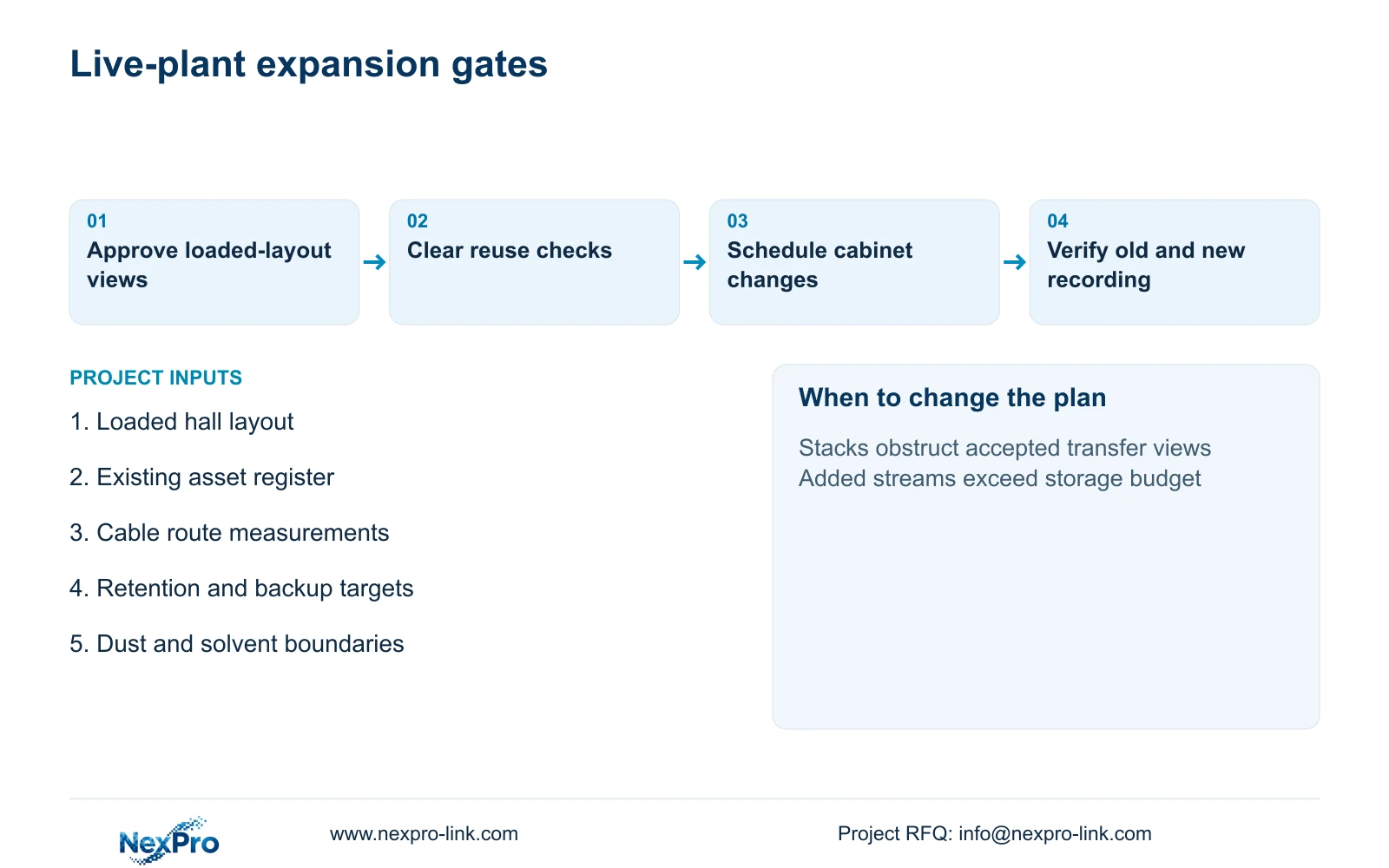
For packaging plant expansion, assess existing cameras, cable links and recording resources separately. Retain components that meet the revised task and have supporting checks. Free physical ports do not establish spare PoE power, bandwidth, storage or UPS capacity. Approve a reuse schedule only after the added views and their shared dependencies are identified.
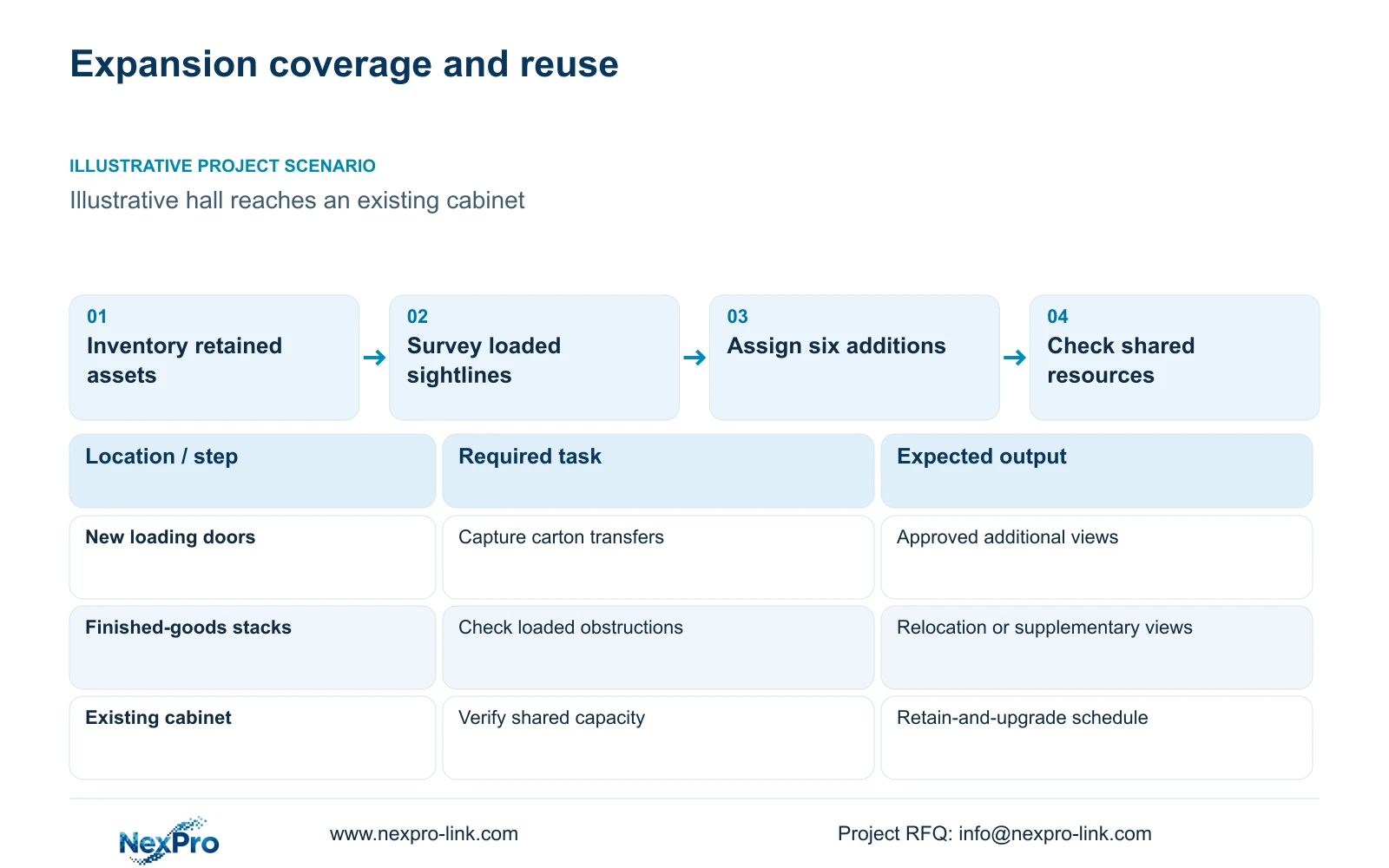
Illustrative project scenario: The expanded hall can reach the old cabinet but its new loading doors and stacks change coverage. Assume a planning baseline of 32 cameras and a proposed six-camera addition. The project manager wants to preserve useful existing equipment while capturing new packing transfers and dispatch routes. No existing component has been tested in this hypothetical scenario.
Build an asset register with model, firmware, location, link endpoint, recording assignment and power source. Give each component a status of retained subject to verification, relocated, replaced or newly supplied. Assign an owner and a completion gate to unresolved checks. This makes provisional reuse visible in the quotation and prevents a contractor from treating unknown condition as confirmed capacity.
Section 02
Survey coverage with the hall loaded
Review the expanded hall with its intended stack heights, carton staging and forklift routes marked. An empty-building view can hide the obstruction created by finished goods beside a loading door. Ask operations to identify maximum stacking footprints, temporary overflow areas and the handover position at each door. Keep the packing-to-dispatch sequence visible even when storage reaches its planned operating condition.
Retain an existing overview where it still shows route context. Relocate or supplement it when a new stack blocks the transfer point. A closer view may serve a handover position, while another camera maintains the approach route. Confirm transfer speed and lighting during representative movement; ordinary CCTV observation does not establish print inspection or machine-protection performance.
For suitable ordinary areas, the NexPro-BL2812M55-5MP-DIC-AI offers a listed 2880×1620 output, 25fps@5MP and a 2.8–12mm motorized lens. Use those source fields to propose the view, then demonstrate it against the loaded layout. Dust, solvent-area boundaries and maintenance access can change the mounting decision. Keep specialist positions separately scoped rather than assuming the existing camera family suits every new location.
Section 03
Trace the additions through shared resources
Assign each proposed camera to a specific switch, uplink, recorder and protected power circuit. Check available ports alongside the switch's total PoE budget and individual port requirements. Calculate traffic on the interfaces it actually crosses. A site-wide bandwidth total cannot show whether one cabinet or uplink bears most of the expansion demand.
Validate reused copper routes against the selected termination and test method. Fluke Networks guidance distinguishes a typical 90 m permanent link from a 100 m complete channel. Include patch cords separately and measure the real route through trays and risers. CASE01's hypothetical 41 m to 76 m links cannot be transferred to this expansion without a survey. A nearby cabinet on a floor plan may still require a long cable route.
Update complete switch AC inputs, recorder and disk loads, and any new link equipment in the UPS schedule. The assumed camera-side increase belongs inside the PoE supply calculation; do not add it again when the complete switch AC input already includes it. If an annex cabinet has its own mains supply, show its local backup requirement. A central UPS protects only the equipment electrically connected to its output.
Section 04
Check the storage threshold before adding cameras
The illustrative comparison retains an assumed 4 Mbps per camera, continuous recording and a 30-day target. Camera-side demand is assumed at 12 W per device, not quoted as a measured NexPro-Link rating. For n cameras, recording Mbps = n × 4; video_TB = 0.0108 × n × 4 × 30; PD_W = n × 12. Required usable capacity at 80% occupancy is video_TB / 0.80.
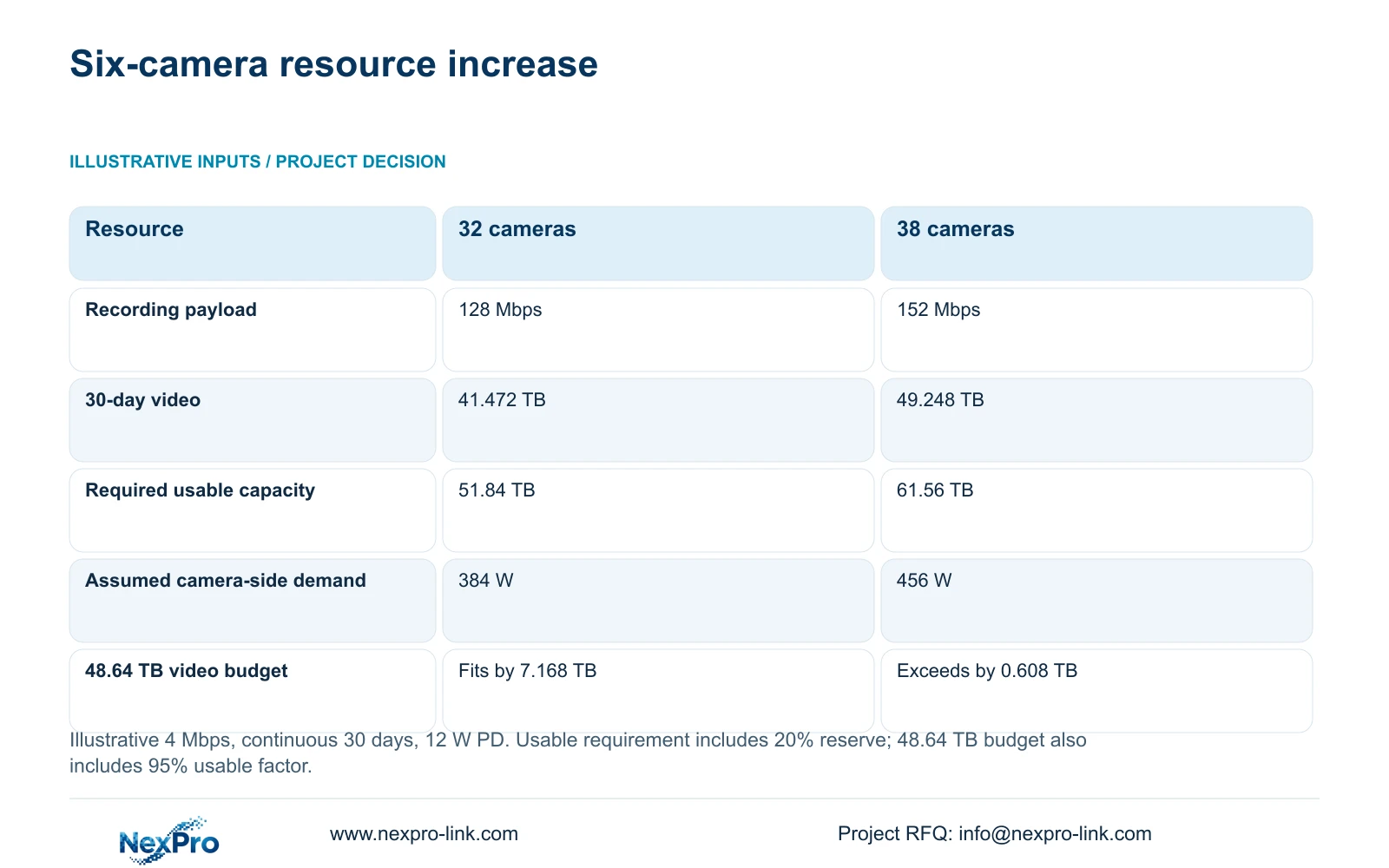
Adding six cameras increases recording payload from 128 Mbps to 152 Mbps, video from 41.472 TB to 49.248 TB, and assumed camera-side demand from 384 W to 456 W. The extra video is 7.776 TB. These totals identify additional demand, but per-node allocations and actual recording modes still determine which equipment needs modification.
Apply the CASE01 storage basis to expose a specific threshold. Four 16 TB drives give 64 TB raw and 60.8 TB after the illustrative 95% usable factor. With its 20% reserve, the video budget is 48.64 TB. The expanded 49.248 TB exceeds that budget by 0.608 TB. Equivalently, its 61.56 TB usable requirement exceeds 60.8 TB. Reserve is already included in these comparisons and must not be added again.
The NexPro-NVR4449-4K lists 49 channels, 320 Mbps input and four SATA bays up to 18 TB each. Although 38 channels and 152 Mbps fall below those headline limits, the case's installed disk combination fails the stated retention budget. Check compatible disk alternatives and actual stream modes before accepting recorder reuse. No RAID or simultaneous decoding capability follows from its channel count.
| Resource | 32-camera baseline | 38-camera expansion |
|---|---|---|
| Recording payload | 128 Mbps | 152 Mbps |
| Continuous video | 41.472 TB | 49.248 TB |
| Usable capacity at 80% occupancy | 51.84 TB | 61.56 TB |
| Assumed camera-side demand | 384 W | 456 W |
| Against 48.64 TB video budget | Fits by 7.168 TB | Exceeds by 0.608 TB |
Section 05
Choose shared expansion or a separate node
Use the existing cabinet and recorder when verified links, supported stream modes and upgraded storage can meet the expanded scope. This retains a familiar recording location and avoids introducing another recorder solely because cameras were added. Price disk work, switch changes and commissioning explicitly, including preservation of any footage the owner needs before storage changes.
Choose a separate recording and power node when the new hall's routes, cabinet capacity or operating responsibilities justify one. It may support independent hall handover, but also introduces another storage allocation, backup configuration and retrieval location. Keep each node's retention calculation separate. Spare capacity in the original recorder cannot compensate for an undersized annex recorder without a supported architecture.
CASE01's recording-priority load of 682.7407 W and SP1KR(S) capacity reference provide a starting example only. SP1KR(S) is rated 1kVA/900W; the expansion needs its own W, VA and battery check. APC/Schneider guidance treats load and selected battery configuration as runtime inputs. Preserve the existing operator display if it meets retrieval needs, and add display-wall capacity only for an approved simultaneous-viewing task.
Section 06
Release the expansion with clear handover gates
Issue a revised security handover map with retained camera IDs, new loading views, link assignments and recorder locations. Mark specialist positions and their responsible designers separately. The project manager approves opening-critical coverage, the integrator supplies link and recording checks, and the electrical contractor confirms protected circuits. Tie each responsibility to an acceptance result.
Sequence cabinet and disk changes around live production. Before modification, identify required recordings, capture the current configuration and agree the permitted recording interruption. Afterward, verify the original views as well as the six additions, retrieve a representative packing transfer, and check the revised retention settings. Commissioning only the new cameras could miss a disrupted existing route.
NexPro-Link can support model matching, technical submittals and quotation coordination through its BOQ and tender service, with relevant equipment and project packing under the factory supply scope. Request separate prices for retained-equipment verification, new equipment, shared-capacity upgrades and local work. Compare alternative suppliers against the same loaded-layout views, recording period and handover gates so omitted work remains visible.
Section 07
Buyer questions
Can existing cameras be retained when the new ones use another supplier? Potentially. Test the exact models and firmware for the required recording, playback and event functions. Specify which capabilities must remain available and price any additional client or integration work. Basic video connectivity alone is insufficient acceptance.
Could event recording avoid the storage upgrade? It changes the operating basis and needs owner approval. Establish which events must be captured, how triggers behave and whether untriggered context is needed. Do not substitute assumed event-recording savings for the agreed continuous-recording calculation.
How should uncertain reuse be handled in a quotation? Show the provisional retained item, required verification and a separately priced replacement or upgrade option. Set a decision date before installation depends on it. Unverified equipment should not disappear from the cost plan as if its reuse were assured.
Section 08
Scope the expansion around verified reuse
Send the loaded expansion layout, existing cabinet and equipment schedule, retention and backup objectives, and transfer-speed plus dust or solvent-area notes to info@nexpro-link.com for a reuse-and-upgrade scope review.
Engineering references
These sources support the general planning principles. Always use the selected product's current datasheet and applicable project standards for final design.