

The appendix's halving note belongs to its low-bitrate reference tables. Keep that qualification visible while checking the actual third-party stream, supported controls and recorder storage budget.
Section 01
Locate the condition behind the halving statement
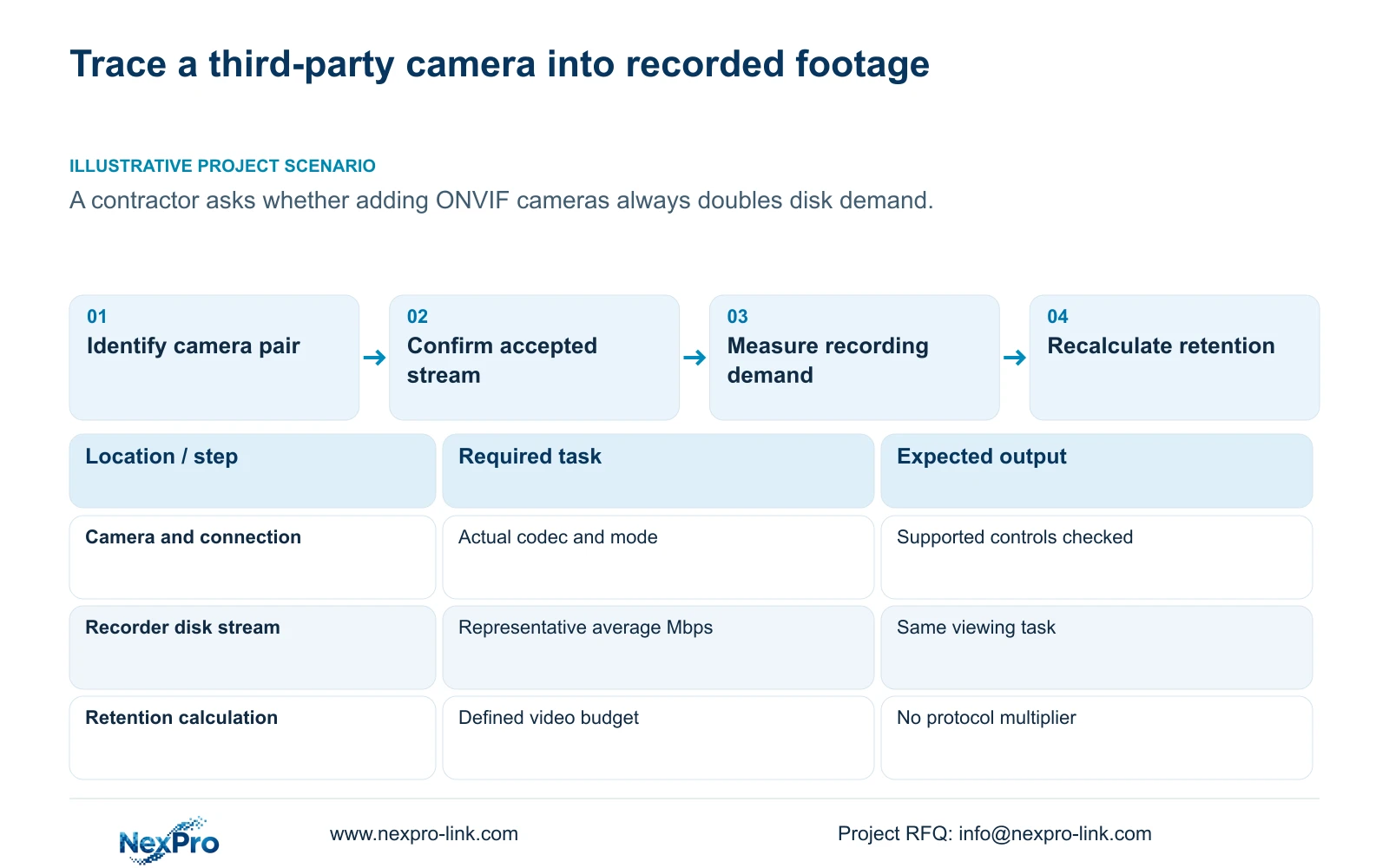
ONVIF access does not establish a universal requirement to double disk capacity. The supplied manual states that recording days are halved in a note attached to its low-bitrate equipment tables. Preserve that statement within its source context, then identify the actual stream recorded from the proposed third-party camera. Retention depends on the stored volume and available recording budget. Under equal recording hours and channel counts, doubling the average bitrate approximately halves the calculated days; a protocol label alone is not a factor in that formula. The purchasing task is to verify the accepted stream and recalculate the same retention objective.
The private supplied NVR4.0 user manual CH_V2.4.doc carries V2.4 in its filename and V2.2 in its body. The relevant note is in section 5.1.1. Locate it by section, and retain the surrounding low-bitrate reference when explaining it to a buyer.
Section 02
Preserve the equipment reference surrounding the note
The appendix includes H.265+ examples with daily ranges of 6 to 12G per 5MP channel and 4 to 8G per 2MP channel. Those figures describe the stated equipment context. They are not universal consumption values for all cameras with equivalent megapixel labels.
When a proposed third-party camera differs from that context, record the difference before using the table. A quotation should distinguish the manual's scoped statement from the project's independently calculated storage. Deleting the note conceals a source qualification; applying it to every ONVIF connection gives it a reach the source does not establish.
Keep the original low-bitrate reference available to the reviewing engineer, while placing the actual accepted recording profile in the project schedule. This allows procurement to see why a reference estimate and a site-specific requirement may differ.
Section 03
Verify required controls separately from video
Sections 4.4 and 4.10 describe operations that depend on IPC capability, with explicit prerequisites for PTZ. Receiving a picture does not prove the recorder can change every camera parameter or perform every requested control. Identify the camera model and firmware, connection method, relevant account permissions and menu level before testing a function.
Use one representative camera to check each required operation. If a control is unavailable or ineffective, retain the observation and obtain the applicable device information. A greyed button does not establish hardware damage, and the manual does not justify inventing a third-party menu path.
The public ONVIF Profiles reference helps frame a function-specific compatibility discussion. It does not certify an arbitrary camera-recorder pair or guarantee every control. For procurement, separate confirmed video recording from unconfirmed configuration or PTZ tasks so one successful test does not qualify the entire proposed workflow.
| Observed condition | Meaning | Next action |
|---|---|---|
| Video arrives; a required control fails | Basic video and that control have different evidence | Check device support and permissions |
| Connection changes the accepted codec | The stored stream may have changed | Test recording and measure volume again |
| Equivalent stream and duration are confirmed | No protocol multiplier belongs in the payload formula | Calculate from the confirmed average |
Section 04
Read the mode the camera actually supplies
Sections 4.4.5 and 4.12.7 list H.264, H.265 and H.265+, but available resolutions depend on the connected IPC. Confirm the mode accepted by the selected recorder rather than copying a codec label from a family description.
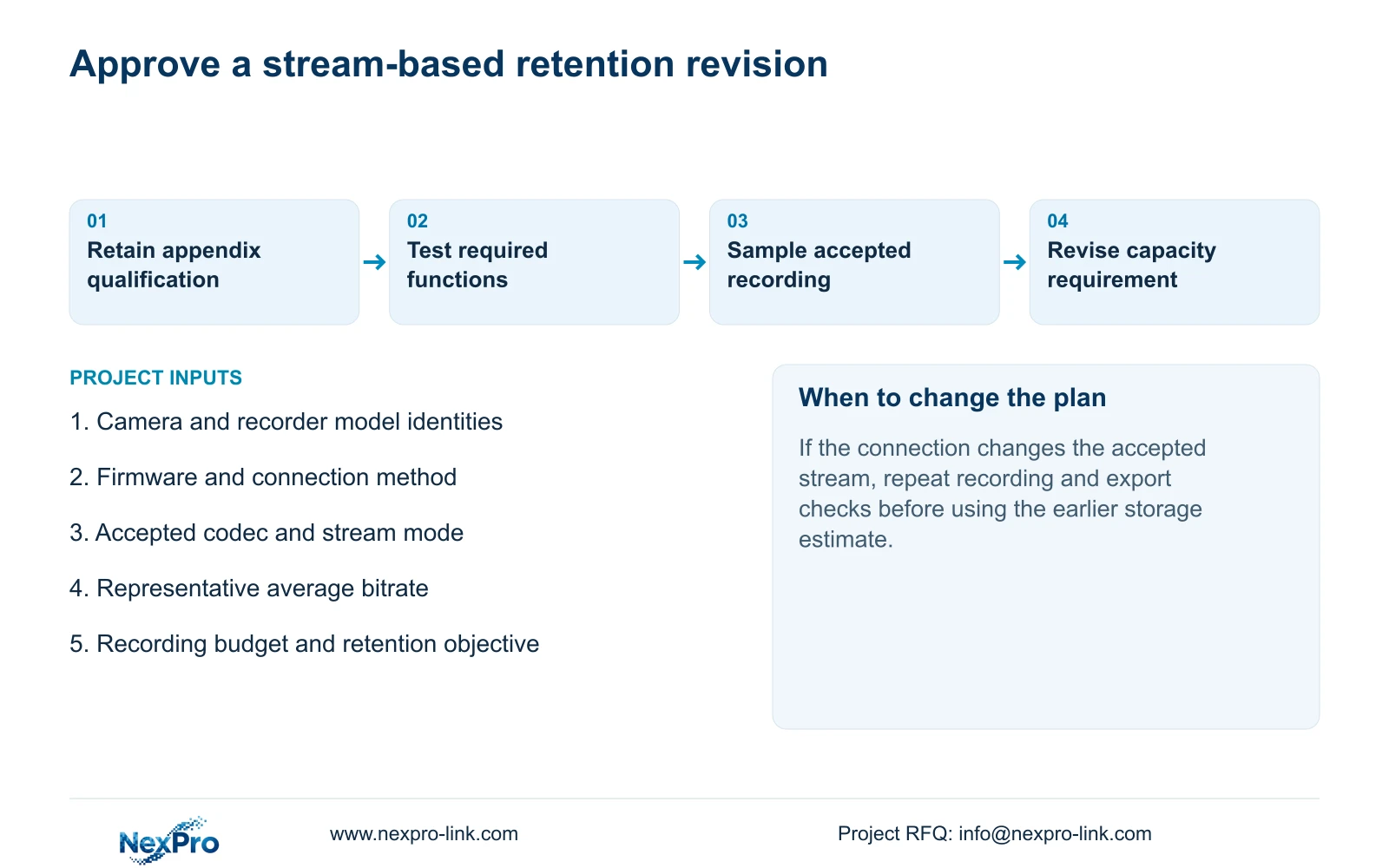
Preserve a comparable recording before changing the profile. Check local recording, export and the intended receiving client after the change. If the camera cannot supply the requested codec through the selected connection, qualify a supported alternative and revise the storage baseline. A smart-codec label does not establish a fixed saving.
Keep TS manual identities separate from commercial candidates. There is no established TS-to-NexPro-Link SKU mapping, so a successful test or model limitation must remain attached to the device that supplied it.
Section 05
Sample an average for the same viewing task
Use representative lighting and motion when comparing configurations. Record codec, resolution, frame rate and CBR or VBR settings alongside the sample. Sections 4.4.5 and 4.3.3.3 provide the setting and observation context; the sampling method is an engineering extension.
Use average stored-stream demand for retention and an appropriate peak or limit for network evaluation. A configured bitrate or a single quiet-period traffic reading does not establish the site's permanent daily volume. If useful image quality changes between samples, resolve that difference before claiming a storage advantage.
If the average rises after the connection change, document the accepted profile and observed volume. The next step is a revised capacity calculation, not an unsupported statement that ONVIF itself caused the increase.
Section 06
Calculate days from the defined recording budget
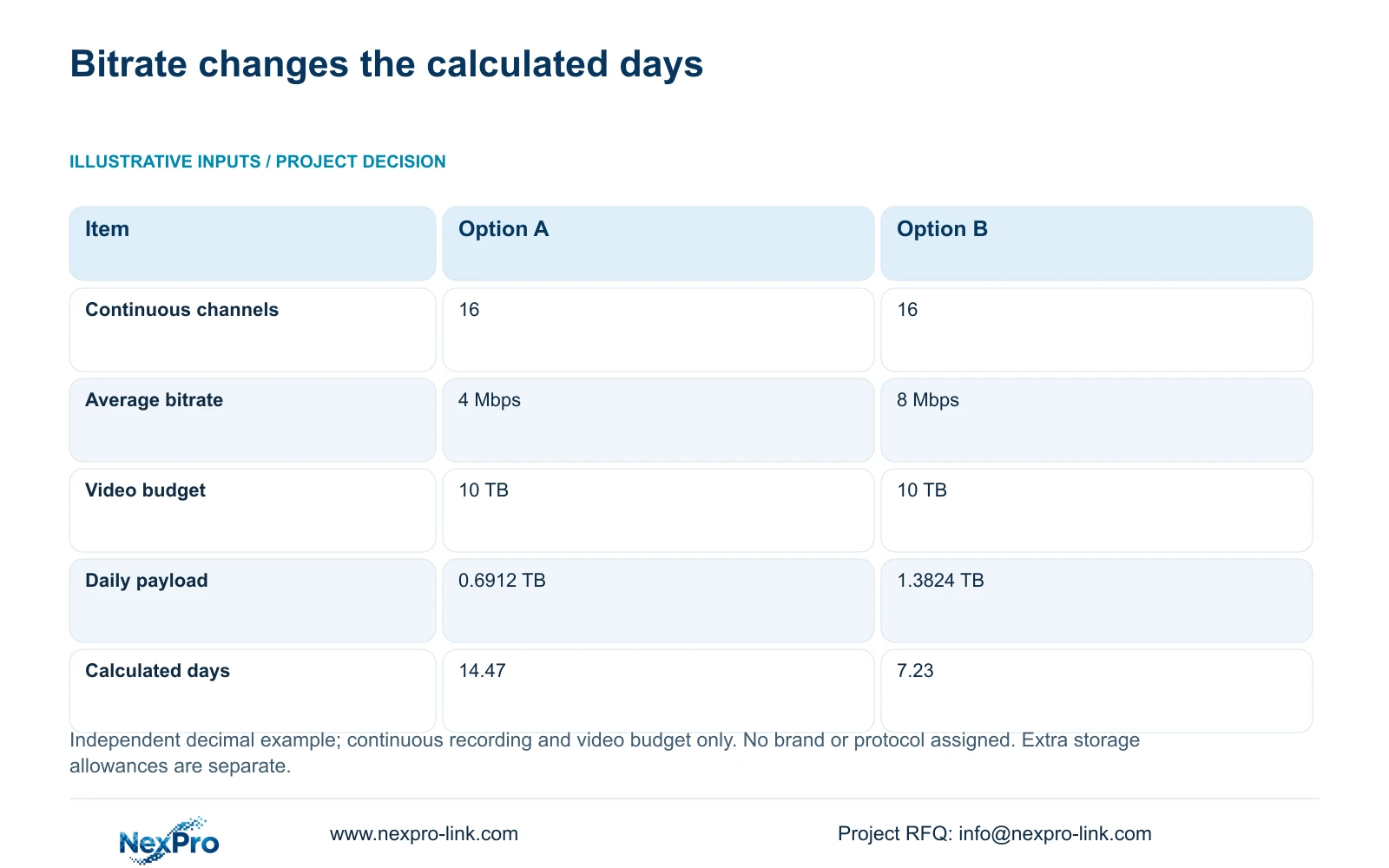
The supplied independent example uses a 10 TB video budget, 16 continuously recorded channels and average rates of 4 Mbps for Option A and 8 Mbps for Option B. No brand or protocol is assigned to either option. Decimal units are used.
For continuous daily recording, days = video budget TB ÷ (0.0108 × channels × average Mbps). Option A consumes 0.0108 × 16 × 4 = 0.6912 TB/day, giving 10 ÷ 0.6912 = 14.47 days rounded. Option B consumes 0.0108 × 16 × 8 = 1.3824 TB/day, giving 10 ÷ 1.3824 = 7.23 days rounded.
The halving follows the doubled average bitrate under equal inputs. With the same average bitrate and duration, changing only a protocol label does not change this payload calculation. This arithmetic does not erase the manual's scoped note or establish that two real configurations produce identical streams.
The 10 TB input is a video budget, not a raw disk total. Account for additional audio, overhead and reserve when translating a retention target into required usable storage. Confirm the actual disk arrangement separately.
| Item | Option A | Option B |
|---|---|---|
| Channels, continuous recording | 16 | 16 |
| Average bitrate | 4 Mbps | 8 Mbps |
| Video budget | 10 TB | 10 TB |
| Daily video payload | 0.6912 TB | 1.3824 TB |
| Calculated retention | 14.47 days | 7.23 days |
Section 07
Review the proposed camera addition
Illustrative project scenario: A contractor considers adding third-party cameras and asks whether disk capacity must always double. The engineer checks the accepted camera modes and required controls, then samples representative recordings. Procurement recalculates the unchanged retention objective using the resulting stream evidence. NexPro-Link's BOQ support can help organize that comparison, with any unresolved compatibility task recorded separately from the disk quantity.
Section 08
Buyer questions
Should the appendix note be removed? No. Preserve its low-bitrate equipment context and separate it from the project calculation.
Does successful video prove all IPC controls work? No. Test each required operation on the actual pair.
When should the disk budget increase? When the qualified recording volume and unchanged retention requirement exceed the available budget.
Section 09
Provide the proposed third-party stream
Send the third-party camera identity, accepted recording profile and representative average bitrate to info@nexpro-link.com for a retention comparison.
Engineering references
These sources support the general planning principles. Always use the selected product's current datasheet and applicable project standards for final design.


