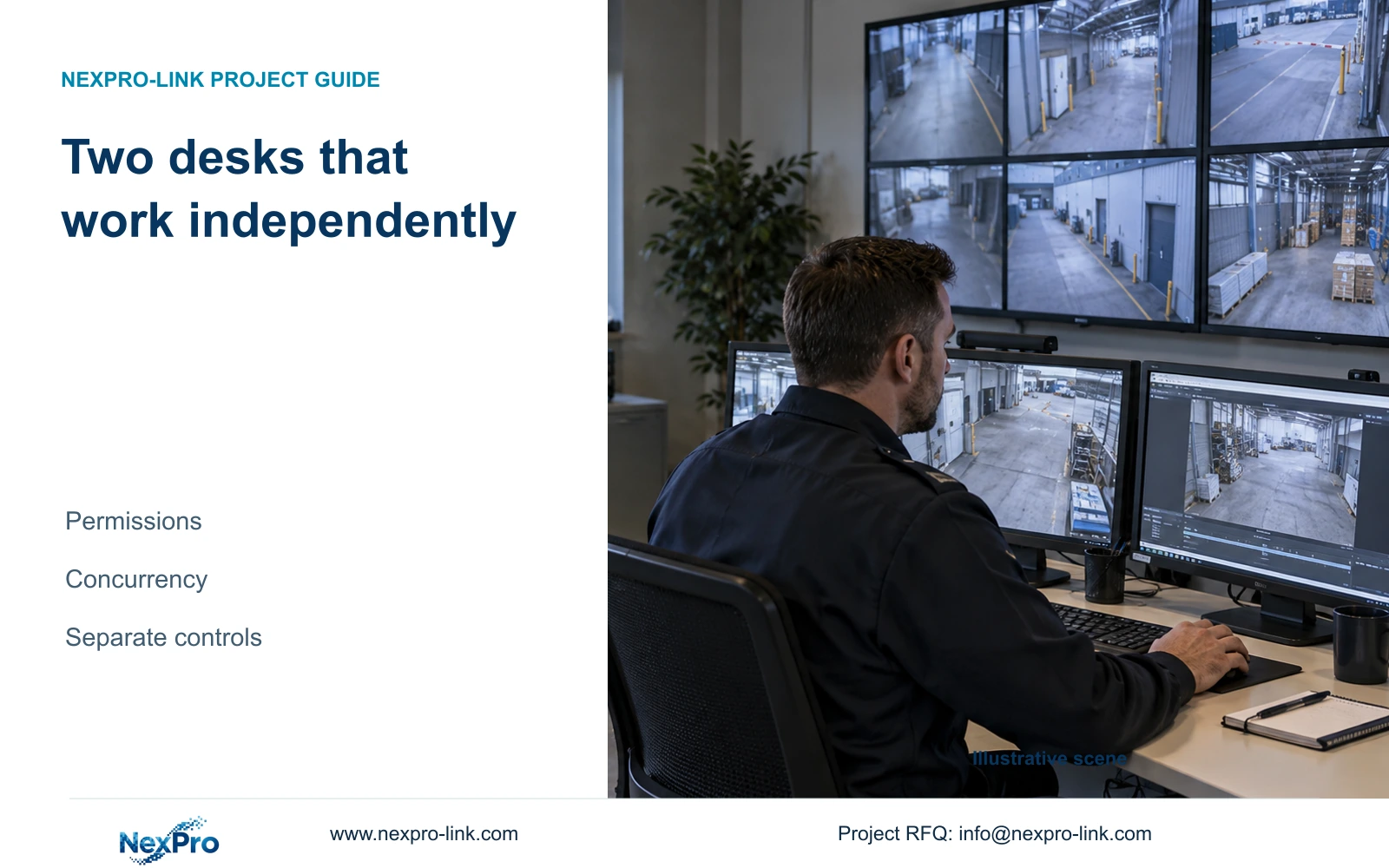
Two operator desks need independent tasks and tested access rights. A second screen alone does not establish processing capacity or prevent an investigation from disrupting live gate monitoring.
Section 01
Define two independent tasks before buying more screens
For two factory operator desks, define each user's live, playback and export work, then test those tasks simultaneously on the proposed architecture. Use independent sessions and outputs where one operator's actions must not interrupt the other. Additional screens provide presentation area; they do not establish additional processing or recorder service capacity.
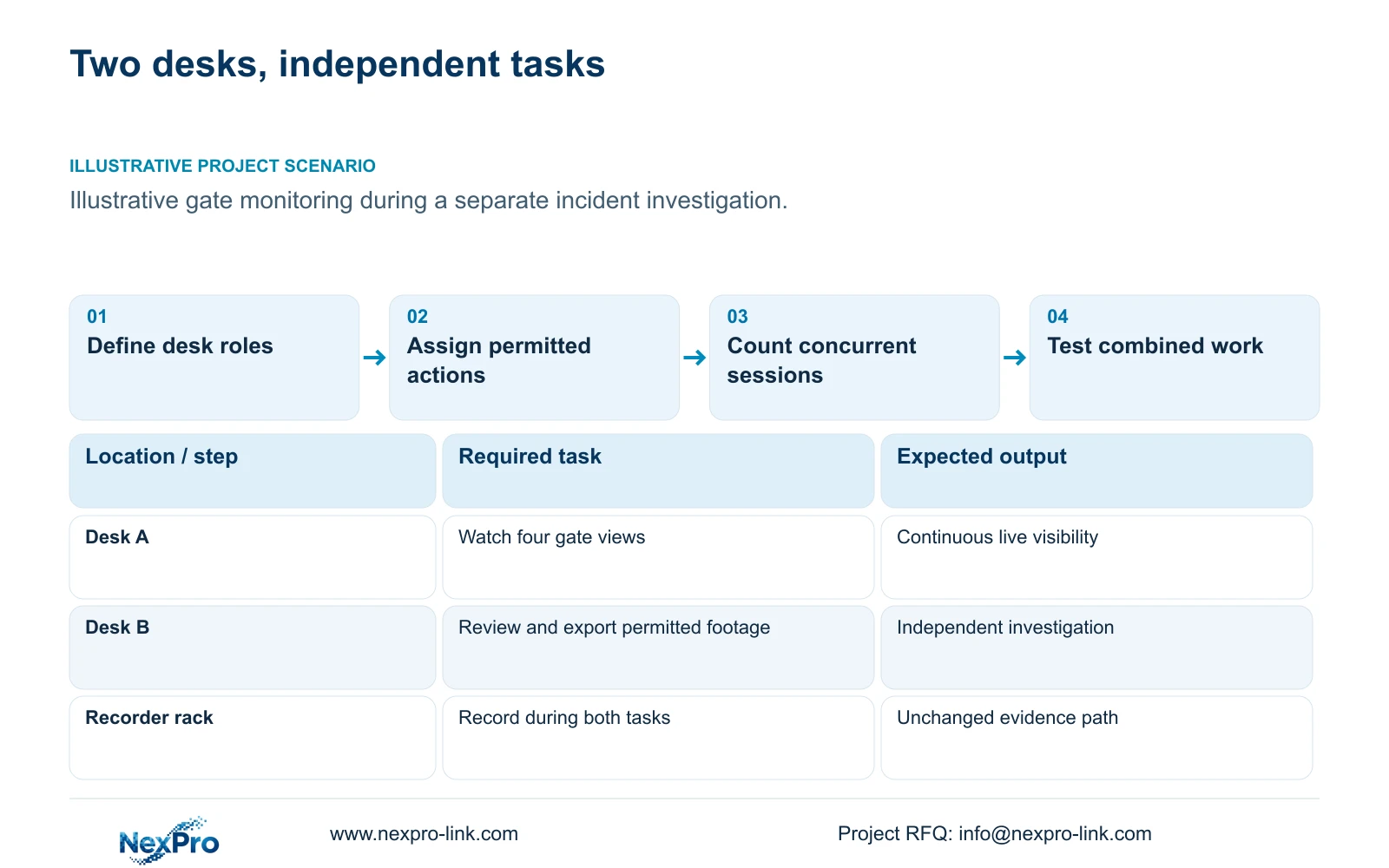
Illustrative project scenario: One guard watches gates while another investigates stored incidents. Use CASE01's 32-camera factory as the recording background. Assume the first desk keeps the four gate views visible while the second reviews selected material-transfer footage and performs an authorized export. These role assignments are planning assumptions, not documented features of a selected client.
The owner should approve who can view which cameras, who can investigate recordings and who can release copied footage. The designer then maps these tasks to sessions, equipment and displays. Keep recording available independently of both desks, so logging out, closing a client or changing an operator layout does not become an intended recording dependency.
Section 02
Count concurrent viewing and retrieval requests
Prepare an operating-state schedule for both desks together. Include routine live monitoring, incident playback, export and any shared wall that remains active. List the source and stream profile of each request. A demonstration of one quiet preview cannot establish performance while another user searches recordings or downloads a clip.
CASE01's assumed 32 × 4Mbps = 128Mbps recording input describes incoming recorded streams. It does not establish outgoing client capacity, playback throughput or export speed. The NexPro-NVR4449-4K reference lists 320Mbps input, but that input field cannot be substituted for an unprovided concurrent-service specification. Qualify the actual recorder and client combination.
If both desks view the same camera, do not assume they share one session or one decode. Confirm the architecture's behavior and include independent requests where required. A shared workstation with multiple displays may be acceptable only if it genuinely supports independent controls and permissions; otherwise, separate clients provide a clearer operating boundary, subject to their own complete qualification.
Section 03
Make permissions enforce the approved division of work
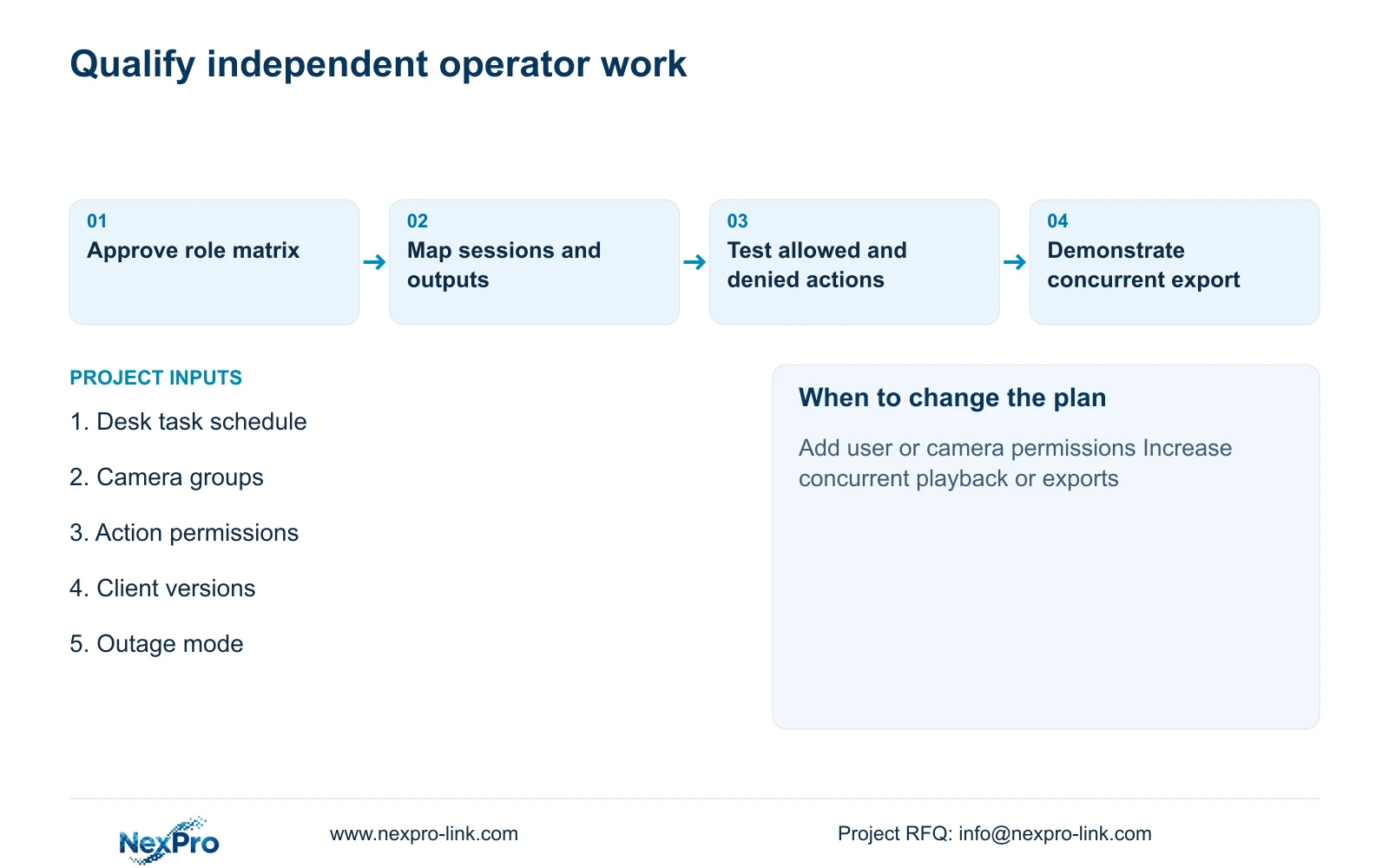
Create a project role matrix with camera groups and actions such as live view, playback, export, configuration and wall control. Give each desk the rights needed for its task and have the owner approve exceptions. Named user accounts are a useful project method for preserving responsibility; the exact rights available must be verified in the selected software and firmware.
Test both allowed and denied actions. The gate operator should complete the approved live task without gaining unintended export or configuration access. The investigator should retrieve permitted footage without changing the gate desk's layout. If the client offers only coarse permissions, record that limitation and reconsider the workflow or platform before accepting the arrangement.
NexPro-Link's Seetong System page provides APP and PC-client context, not proof that every proposed role or mixed-brand function is available. Keep any mandatory existing management platform in the comparison. Where a shared wall is used, define who may change its sources and whether private investigation footage is permitted on that publicly visible surface.
Section 04
Separate shared display area from independent operator capacity
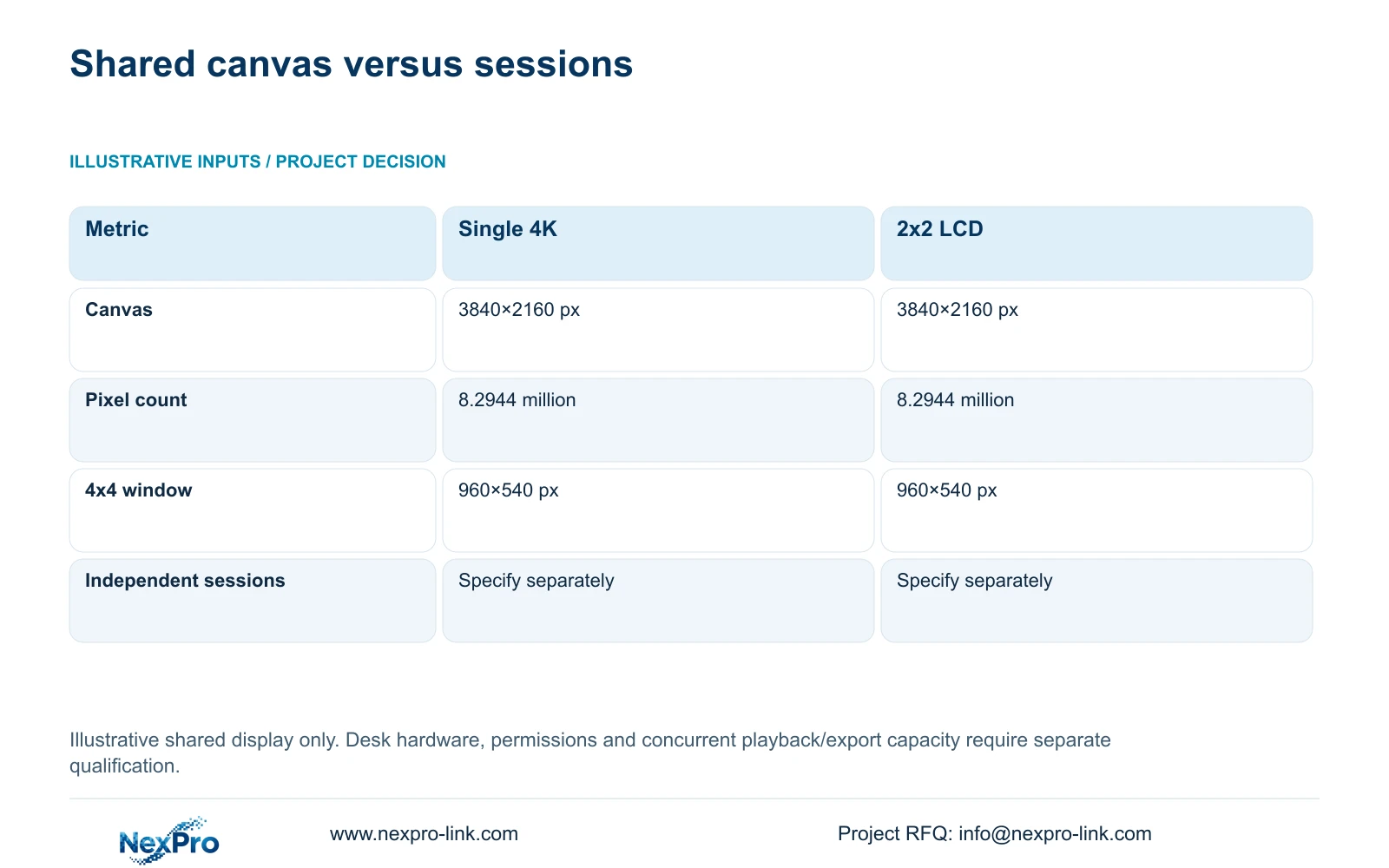
The supplied illustrative presentation comparison uses one 3840×2160 display and a 2x2 array of 1920×1080 LCD panels treated as one canvas. Calculate canvas = (columns × panel_width_px, rows × panel_height_px). The LCD array gives 3840×2160 pixels, the same nominal dimensions as the single screen.
Each arrangement has 8.2944 million pixels. With a 4×4 equal-window mosaic, nominal_window_px = canvas_px / (4,4), giving 960×540 pixels per window. These figures describe the shared presentation surface. They do not specify the resolution or number of desk screens, nor the resources needed for two independent users.
The decisive distinction is session ownership. A four-panel LCD wall can still display one user's composed canvas, while two desk sessions can perform separate tasks regardless of wall size. NX-VP-5535 is an LCD reference, and NX-VD-4K16's name does not prove the concurrent decode workload. Keep output arrangements and operator-session qualification on separate lines in the procurement schedule.
| Metric | Single 4K display | 2x2 full-HD LCD |
|---|---|---|
| Canvas | 3840×2160 px | 3840×2160 px |
| Total pixels | 8.2944 million | 8.2944 million |
| 4x4 window | 960×540 px | 960×540 px |
| Physical units | 1 | 4 |
| Independent sessions | Must be specified | Must be specified |
Section 05
Test live monitoring while the investigation is active
Recommend independent operator sessions for this scenario, with the gate task continuously visible and the investigation assigned to its own control point. Use separate clients if the proposed shared computer cannot demonstrate independent operation and permission enforcement. A shared wall remains optional unless the owner identifies an additional collective viewing task.
Run the accepted combined workload: gate live views at Desk A, approved playback at Desk B and an authorized export while recording continues. Agree what visible interruptions, task delays or layout changes are unacceptable before testing. Observe whether either user's actions alter the other's sources, controls or account state. Verify that the exported clip plays through the approved review method.
Include both desks' power and network dependencies in the equipment list. CASE01 contains one assumed 40W operator display, not two fully specified workstations. New workstation, monitor and link loads must therefore be assessed separately. Decide whether both desks are essential during outages or whether recording plus one operating position is the required backup mode.
Section 06
Release equipment and accounts against the same task schedule
The order should identify recorder and client versions, desk hardware, displays, account roles and concurrent operating states. Mark shared equipment and separate outputs clearly. Assign the owner responsibility for permission approval, the integration contractor responsibility for account implementation and the equipment supplier responsibility for confirming the proposed hardware scope.
NexPro-Link can support BOQ alignment, relevant equipment references and technical documentation for the agreed operating arrangement. Compare an alternative package with the same authorized review and export tasks, not just two monitor quantities. Preserve required platform functions and price added client hardware, software and commissioning explicitly where they are included.
At handover, demonstrate both users working together, then verify logout, replacement-user access and the approved recovery procedure. Store permission and configuration records through the owner's approved process without placing credentials in public documents or packaging labels. Changes to camera groups, export rights or a third operating desk should trigger a focused review of access and concurrency.
Section 07
Buyer questions
Can two monitors on one PC replace two operator desks? Only if the selected architecture demonstrates independent controls, appropriate access separation and the full concurrent workload. Monitor count alone does not establish those functions.
Must both operators have export permission? No. Assign export rights according to the owner's approved responsibilities and verify enforcement in the selected software. A user who only monitors gates may not need that action.
Does adding a second desk change recording retention? Not by itself. Retention stays tied to recorded streams and storage. The second desk can add viewing, playback and export traffic that still requires separate qualification.
Section 08
Specify two desks that can work independently
Send your per-desk task schedule, camera/action permission matrix, concurrent playback/export requirement and outage operating mode to info@nexpro-link.com to discuss the matching client and equipment scope.
Engineering references
These sources support the general planning principles. Always use the selected product's current datasheet and applicable project standards for final design.