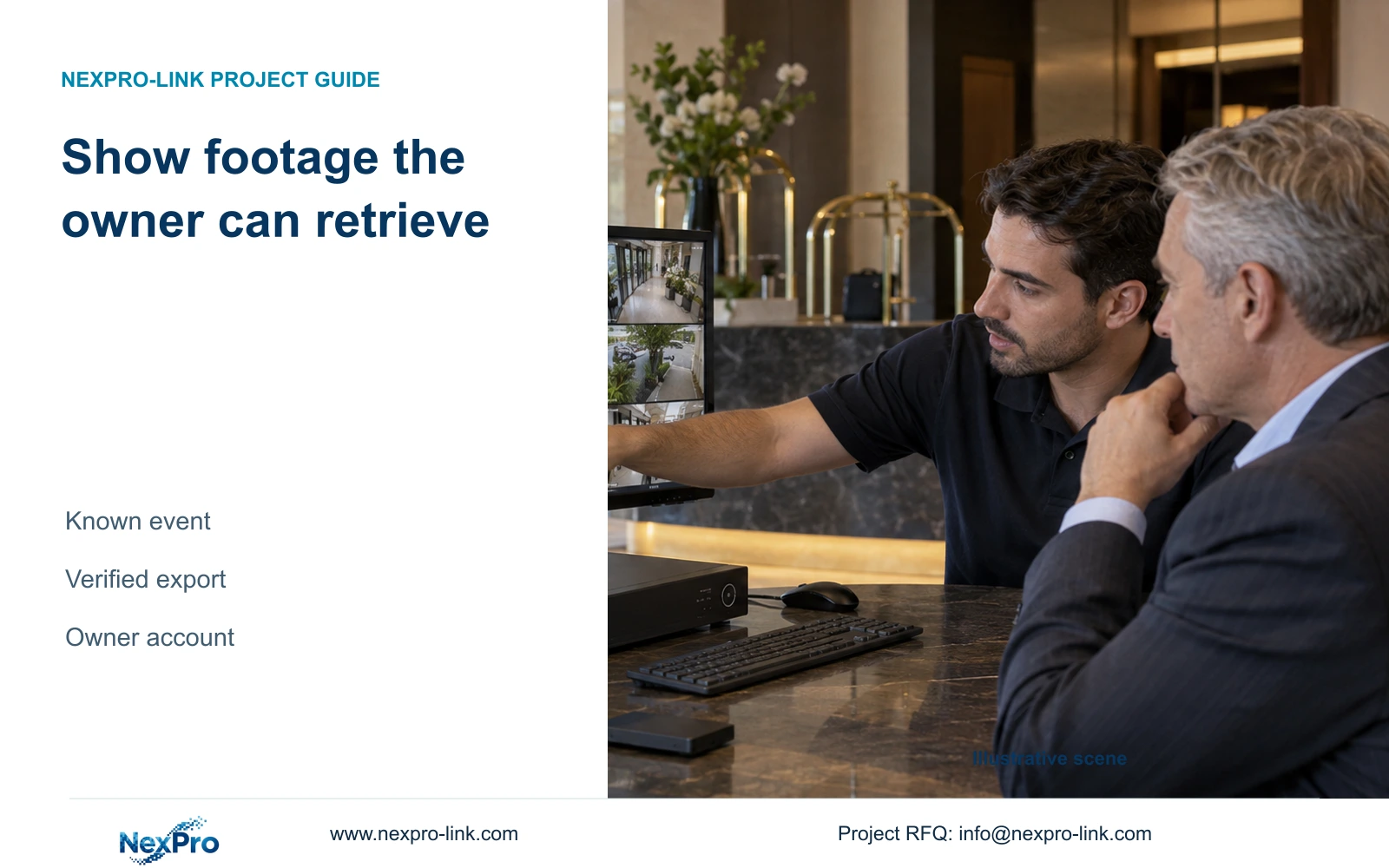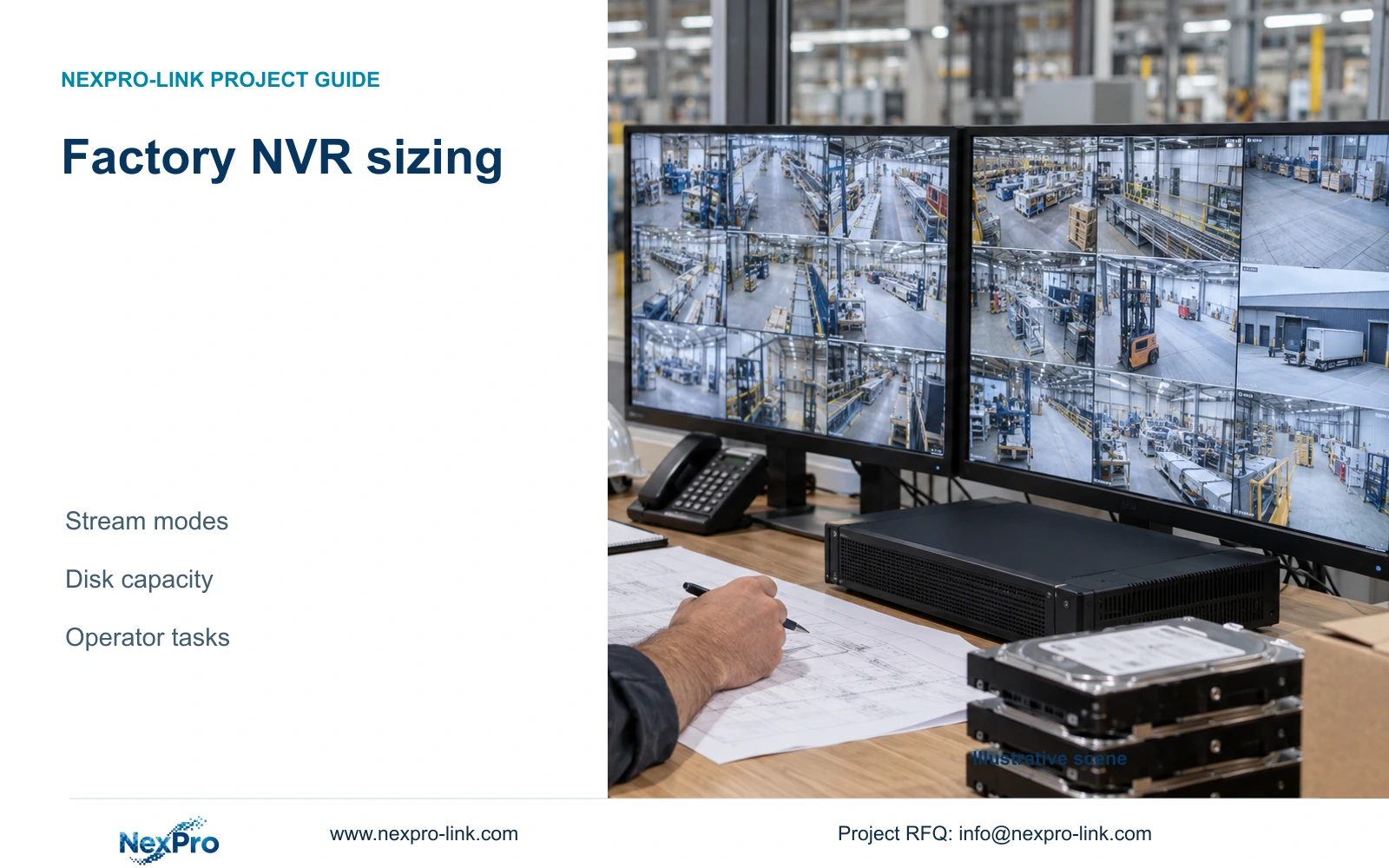
Factory incident footage must remain understandable after export. Specify the recipient setup, verify playback and time references, and document exactly what was shared.
Section 01
Define who must receive and interpret the footage
Factory video export should be accepted only after the authorised recipient can open the selected footage, identify its camera and time references, and understand the event sequence. Before choosing an export format, establish who receives the material, why they need it, and which computer and approved software they can use. Give the exporting operator a defined camera list and time window rather than unrestricted discretion to share surrounding footage.
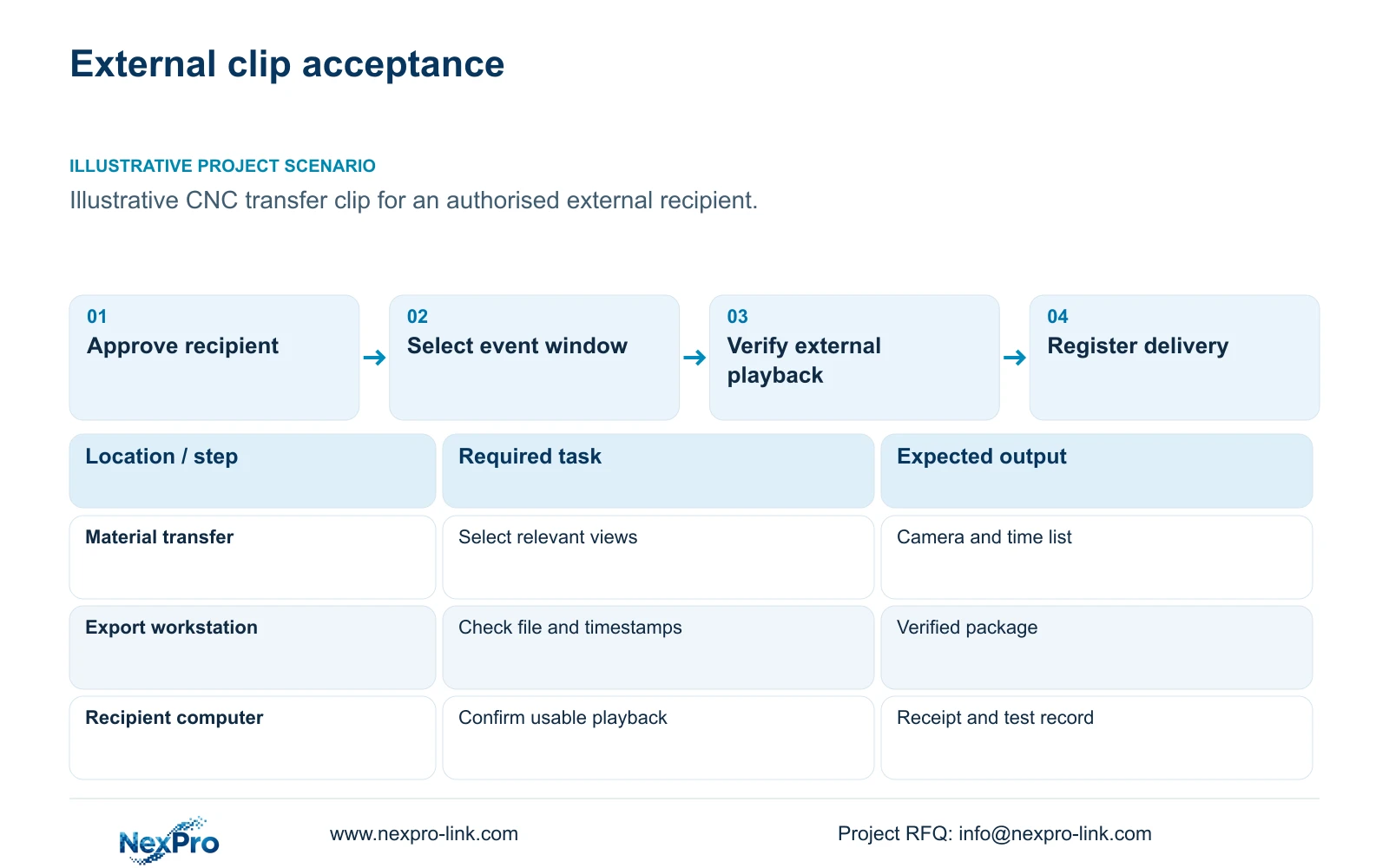
Illustrative project scenario: A manager needs to share an authorised incident clip with a party outside the factory system. Assume the incident concerns a material transfer in the supplied 32-camera CNC factory reference design. The external recipient has no recorder account and uses a managed office computer. These are planning assumptions, not a completed customer case or evidence of tested export capability.
The manager approves the disclosure scope; the engineer translates the recipient's restrictions into playback requirements. Record whether audio is needed, whether software installation is permitted, and whether the recipient requires separate camera files or a coordinated sequence. Keep factory credentials out of the delivery package. If the intended use introduces legal or privacy questions, obtain project-specific advice and verify local requirements before releasing footage.
Section 02
Test the actual file and recipient environment
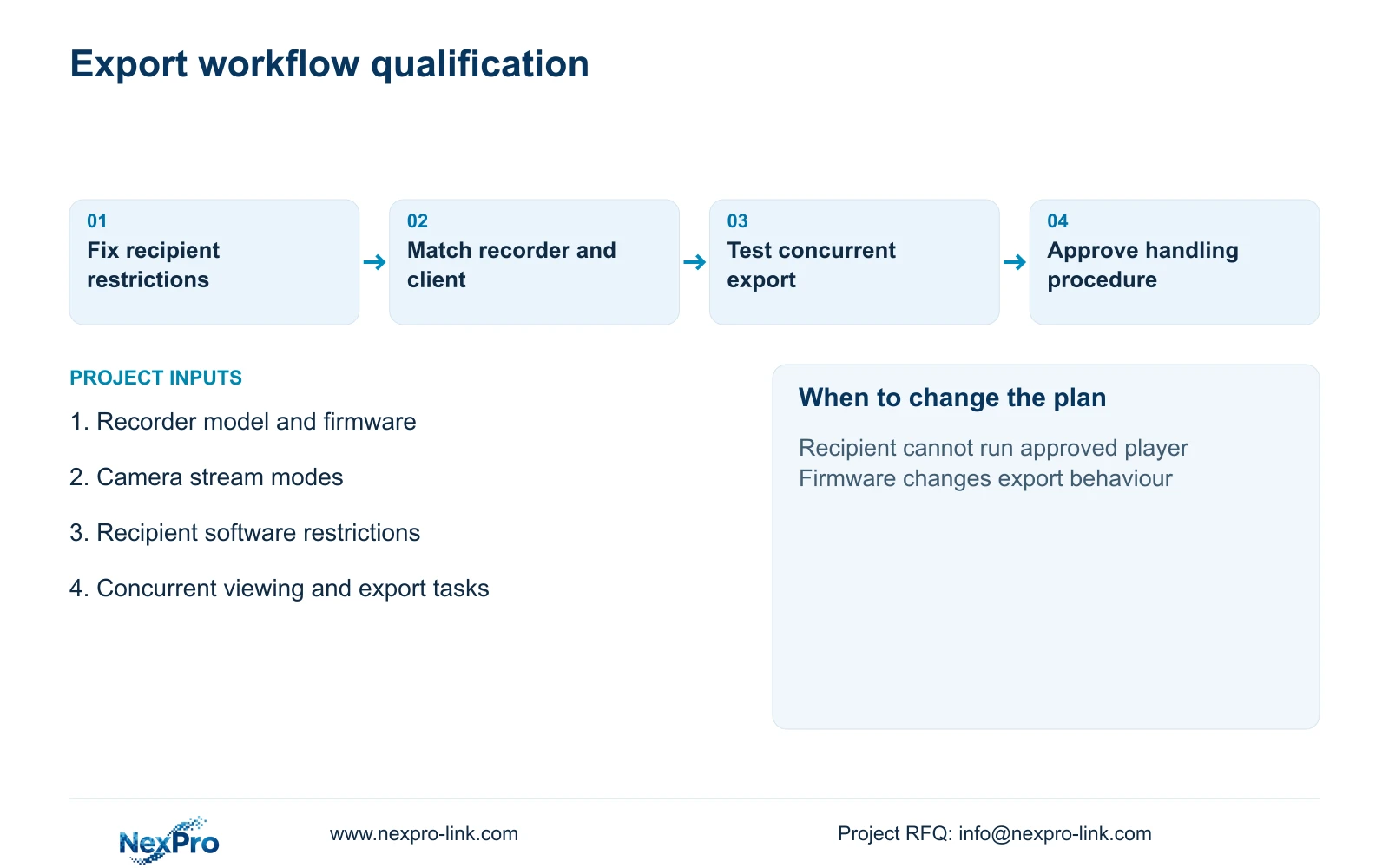
Run an export trial using the intended recorder model, firmware, camera stream and export route. Test the delivered file on a computer representative of the recipient's setup, without relying on a session already authenticated to the factory system. Check that the clip opens, seeks correctly, reaches its stated end, and displays enough detail for the agreed review task. A successful live-view demonstration leaves these questions unanswered.
If the equipment offers a native export with a supplied player, verify the exact player version, installation needs and permitted operating environment. If it offers a broadly playable format, inspect what accompanies the video: camera identity, recording time, audio and any separate metadata. Do not assume conversion preserves every field. Where conversion is required, retain the original export separately and identify the converted copy as a derivative.
Compare the timestamp visible within the picture with the player's time display and the operator's recorded selection. State the time zone and any known clock discrepancy. Test more than a convenient daylight clip if the incident task depends on night detail or motion. Document failures as specific conditions, such as missing audio or an unreadable timestamp, so the supplier can address the relevant function.
Section 03
Keep the selection and handling record together
Create an export register that follows each package from request to receipt. Useful fields include request identifier, approving person, camera identifiers, selected start and end times, time zone, recorder and firmware, export operator, filenames and playback-test outcome. Record the transfer method and recipient acknowledgement. This gives a later reviewer a practical route back to the source selection without claiming that the register alone establishes legal evidence status.
Preserve the delivered package in a controlled location and distinguish it from working copies. A recorded checksum can help compare file identity before and after transfer, but it does not prove that the camera captured the whole incident or that its clock was correct. Assign someone to manage package access and retention. Avoid placing credentials, unrelated camera views or confidential production documents alongside the clip merely for convenience.
The engineering handover should also assign responsibility for each dependency. The supplier documents the proposed recorder and export functions; the installer records the deployed firmware and client configuration; the owner controls authorisation; the recipient confirms playback. If the recipient's security policy blocks the player, that unresolved dependency belongs in the acceptance record rather than being hidden behind a completed file-copy task.
Section 04
Size the export around the complete required event
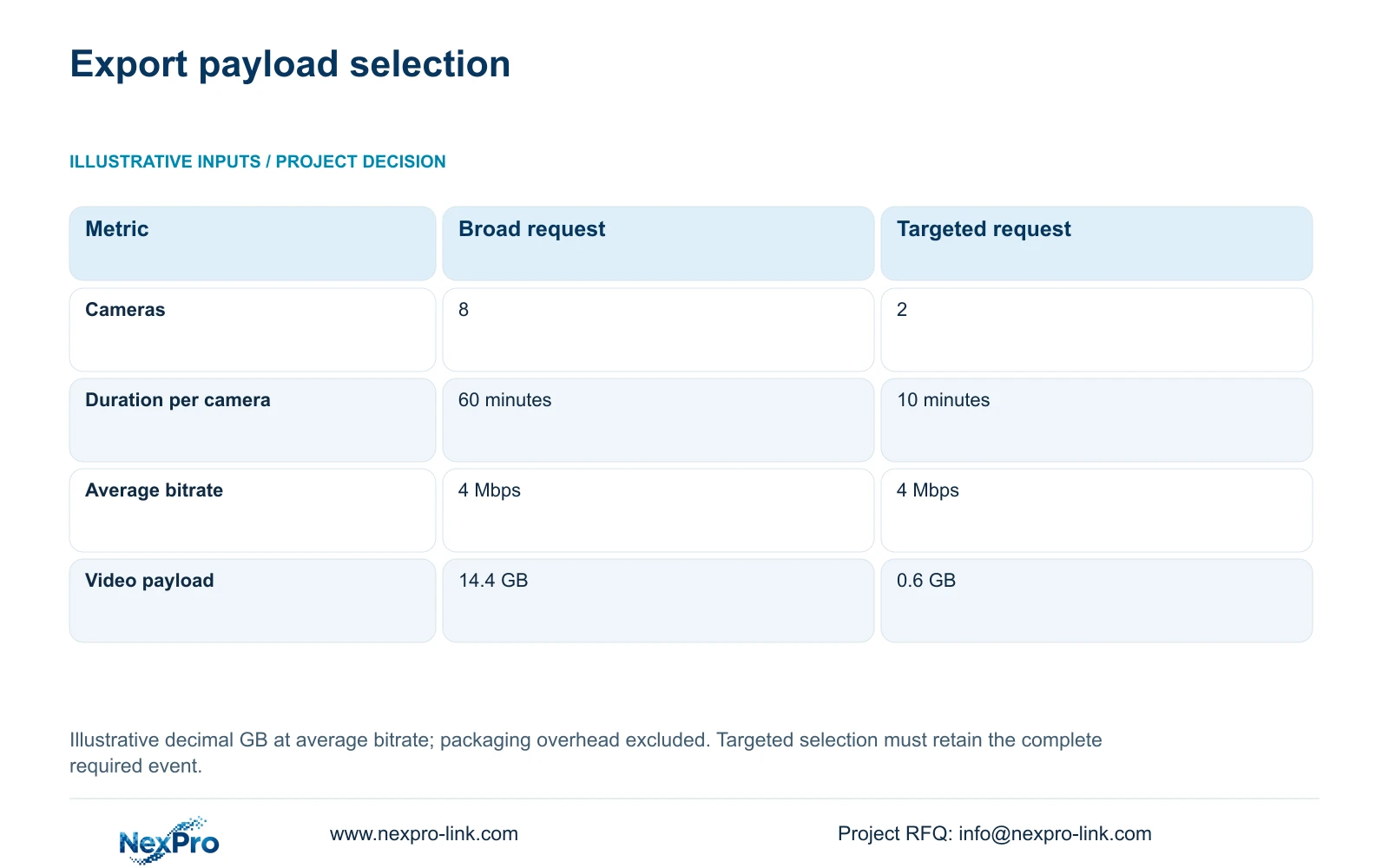
The illustrative broad request selects eight cameras for 60 minutes each at an average 4 Mbps. The targeted request selects two relevant cameras for 10 minutes each at the same bitrate. Using decimal GB, the formula is GB = cameras × Mbps × seconds / 8 / 1000. Option A is 8 × 4 × 3600 / 8 / 1000 = 14.4 GB; Option B is 2 × 4 × 600 / 8 / 1000 = 0.6 GB.
The decisive difference is the selected camera-time coverage. Choose the smaller package only after an approved event map shows that both relevant views and the necessary lead-in and aftermath fit within its window. If a vehicle leaves one view before entering the next, include the connecting view or widen the interval. Reducing unrelated material must not remove the sequence needed to interpret custody or access.
These figures estimate average video payload, excluding player files and other packaging overhead. They do not establish export duration, upload time or staff-time savings. The CASE01 system's 30-day continuous recording remains a separate scope: selecting a 0.6 GB delivery does not reduce its original recording requirement. Check the actual exported size and transfer limit before promising a delivery method.
| Input or result | Option A: broad | Option B: targeted |
|---|---|---|
| Cameras selected | 8 | 2 |
| Duration per camera | 60 minutes | 10 minutes |
| Average bitrate | 4 Mbps | 4 Mbps |
| Estimated video payload | 14.4 GB | 0.6 GB |
Section 05
Separate recording capacity from export capability
For the supplied CNC reference, 32 cameras at an assumed average 4 Mbps produce 128 Mbps of recording input. The NexPro-NVR4449-4K is a candidate with published 320 Mbps input and four SATA bays supporting up to 18 TB per drive. Its summary distinguishes 49×5MP and 9×4K modes. Those catalogue fields support hardware screening; they do not establish simultaneous playback, export behaviour or recipient-player compatibility.
The illustrative four 16 TB disks provide 64 TB raw capacity. Applying the case's 95% usable-space assumption and 20% reserve gives 64 × 0.95 × 0.80 = 48.64 TB of video budget, compared with 41.472 TB required. The reserve is already included. This recording margin cannot be treated as proof that export will remain responsive while recording, viewing and playback occur together.
Recommend a targeted, verified export workflow on the accepted recording platform. Request a recorder and client capacity comparison tied to exact firmware, covering ongoing recording, live viewing, playback and export separately. Change the arrangement if repeated multi-camera exports exceed the demonstrated workflow or the recipient requires an unsupported format. A different recorder or client needs the same test; more channels or disk bays alone cannot resolve a software limitation.
Section 06
Make external playback an acceptance item
Write a procurement acceptance task that starts with an approved incident selection and ends with verified playback outside the recorder. Specify the representative stream, camera count, time interval, recipient environment and concurrent factory tasks. Require the offer to identify export formats, player dependencies and any unanswered firmware questions. Keep the pass condition observable: the delivered package opens and retains the agreed event and time context.
Compare alternative proposals against that same task. Separate equipment, export-player provision, client preparation, demonstration and operator instruction in the quotation. If an existing platform or mandated brand already supplies a required workflow, preserve that requirement when assessing a NexPro-Link alternative. An omitted software dependency or local support task is an unresolved cost, not a saving.
NexPro-Link can discuss recorder matching, relevant technical documents and a coordinated equipment schedule through its BOQ and tender-support scope. The useful delivery record identifies the supplied hardware and the tested software versions, while the owner's team retains control of disclosure and acceptance. Schedule another sample export after a material firmware or recipient-environment change rather than assuming the original result still applies.
Section 07
Buyer questions
Should we send the export player with every clip? Include it only when the selected format requires it and the recipient permits that software. Record the approved version and instructions. If installation is prohibited, agree and test another supported delivery format before the incident package is released.
Can a checksum replace the export handling register? No. A checksum helps compare file identity, while the register explains selection, approval, timing and transfer. Neither establishes that the original view was complete or that the recording clock was accurate.
Do we need a larger NVR for occasional exports? Decide from a representative concurrent-workflow test. Occasional export may fit the existing recorder, but repeated requests, additional playback users or unsupported formats can require client or platform changes rather than simply more recording channels.
Section 08
Specify your external-playback requirement
Send your recorder model and firmware, camera stream modes, recipient computer and software restrictions, and expected export workload to info@nexpro-link.com for an export-focused recorder and client scope discussion.
Engineering references
These sources support the general planning principles. Always use the selected product's current datasheet and applicable project standards for final design.