Specify a concurrent incident exercise: normal recording continues while authorized operators replay and export the required channels. Record model, firmware, stream mix and client workload.
Section 01
Separate the recording requirement from operator work
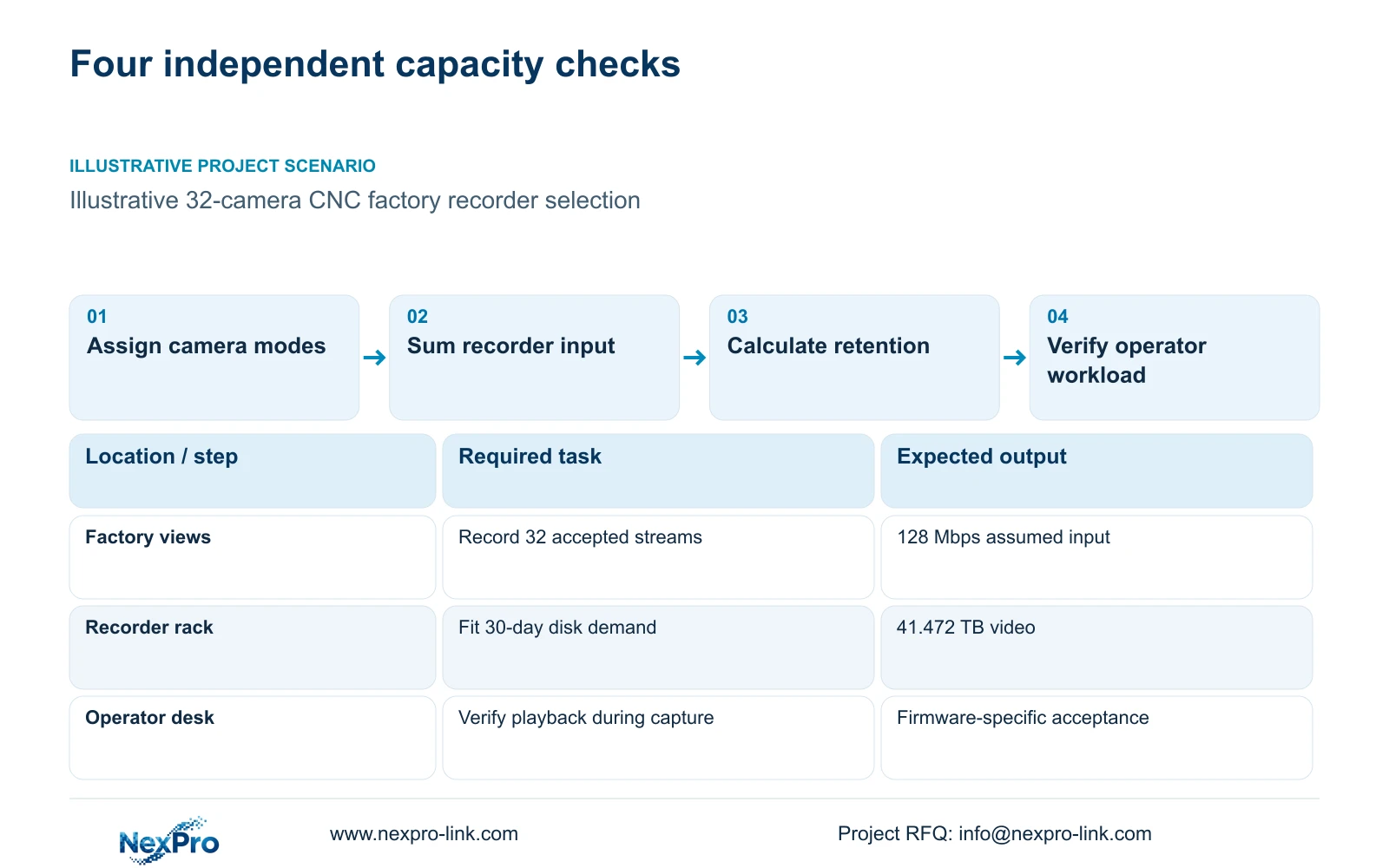
Specify a concurrent incident exercise: normal recording continues while authorized operators replay and export the required channels. Record model, firmware, stream mix and client workload. Accept only the demonstrated combination. A successful idle playback trial cannot qualify a shift that must capture new evidence while reviewing an earlier event.
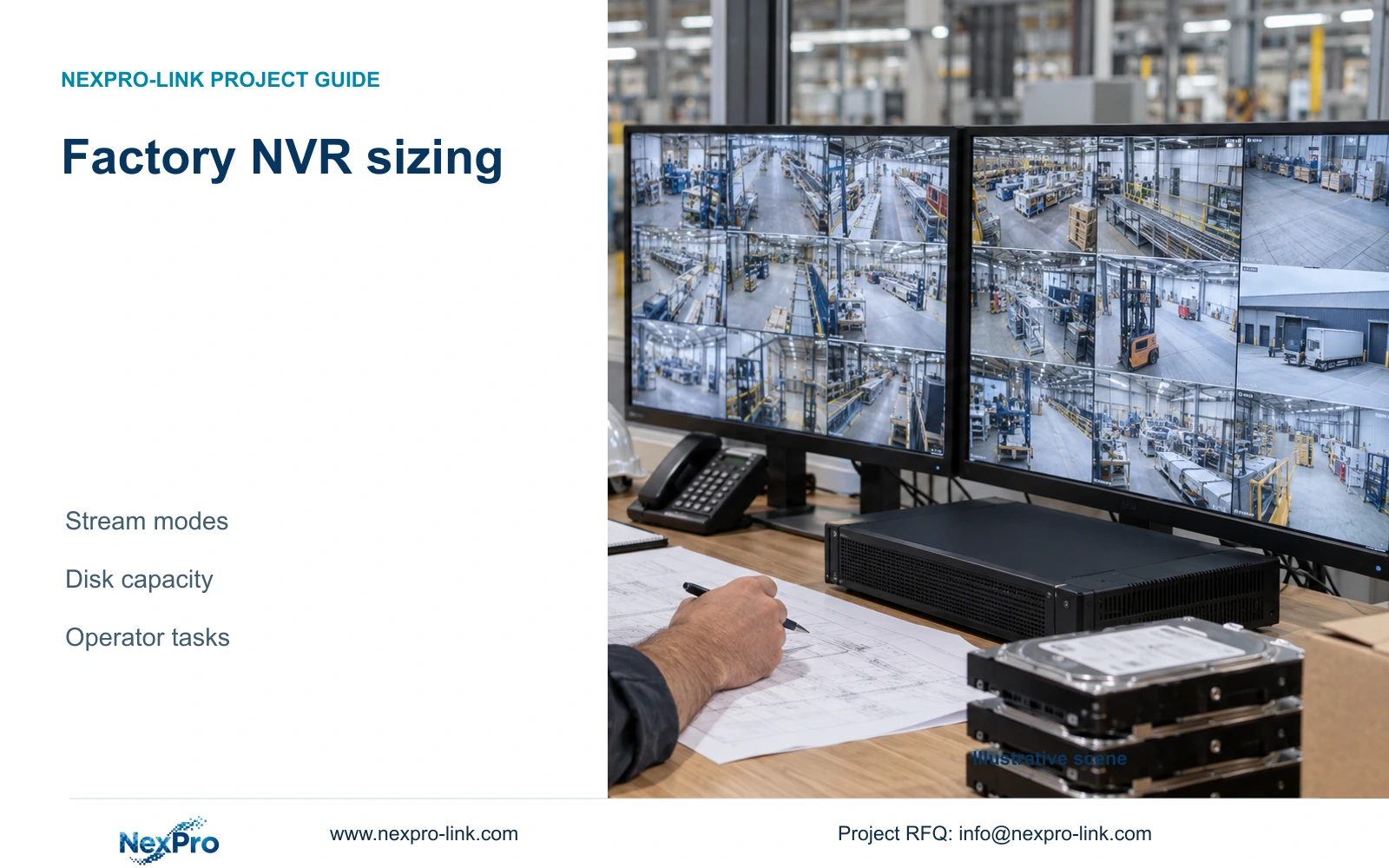
Factory NVR sizing needs four independent checks: the permitted channel and resolution combination, incoming video bandwidth, usable disk capacity, and simultaneous operator tasks. Approve a recorder only when each check fits the proposed configuration. Spare channels cannot compensate for insufficient retention, and an input bandwidth rating does not establish how many pictures an operator can decode or replay together.
Illustrative project scenario: A new CNC factory has 32 ordinary security cameras covering gates, material stores, permitted transfers, common routes, dispatch and equipment-room approaches. The owner wants continuous recording and a choice between 30 and 60 days of retention. These are planning assumptions drawn from CASE01, not a completed installation. The cameras observe access and custody; they do not inspect machining quality or control machine safety.
Write separate acceptance tasks for capture, live overview, incident playback and export. For example, an assumed operator may need a multi-camera overview while another authorised user retrieves dispatch footage. Record the required window count, stream selection and playback concurrency. This gives the engineer a workload to verify instead of asking whether the recorder is simply powerful enough.
Section 02
Match each camera group to a documented recorder mode
The NexPro-NVR4449-4K catalogue lists 49 channels, 320 Mbps input, four SATA bays with up to 18 TB per drive, and dual Gigabit LAN. Its summary distinguishes 49×5MP from 9×4K. The NexPro-NVR8864-4K lists 64 channels, the same 320 Mbps input rating and eight SATA bays, while distinguishing 64×5MP from 16×4K. Keep those combinations intact when preparing the comparison.
For CASE01, all 32 streams are assumed to fall within the selected recorder's supported 5MP-class mode. A proposed change to 8MP cameras therefore needs another mode check even if the channel total remains 32. The supplied 5MP camera specification lists 2880×1620 output; retain that exact field in the camera schedule rather than substituting a resolution inferred from the family name.
Assign cameras to actual recorder groups before summing traffic. At an illustrative average of 4 Mbps each, the single CASE01 recorder receives 32×4 = 128 Mbps. This is below the published 320 Mbps input reference, but a final comparison also needs configured limits or representative peaks. Averages used for storage are not a complete network acceptance test.
Section 03
Choose the disk arrangement before approving the chassis
Translate retention into a disk requirement before choosing a recorder because four and eight bays create different storage options. CASE01 proposes four compatible 16 TB surveillance drives: 64 TB raw. Applying its illustrative 95% formatting and overhead factor gives 60.8 TB usable. After reserving 20% of usable space, the video budget is 48.64 TB.
Compare video demand directly with that 48.64 TB budget, or compare required usable capacity with 60.8 TB. Both methods account for reserve once. A quotation that lists 64 TB without showing its usable recording allowance leaves the owner unable to judge whether the requested retention fits.
Have the supplier identify the exact drive model and supported disk arrangement, the engineer check capacity, and the owner define acceptable consequences of disk failure. Multiple bays do not establish RAID or automatic recovery. If resilience becomes a requirement, select an architecture with documented support and calculate its capacity separately.
Section 04
Use retention to distinguish the two equipment options
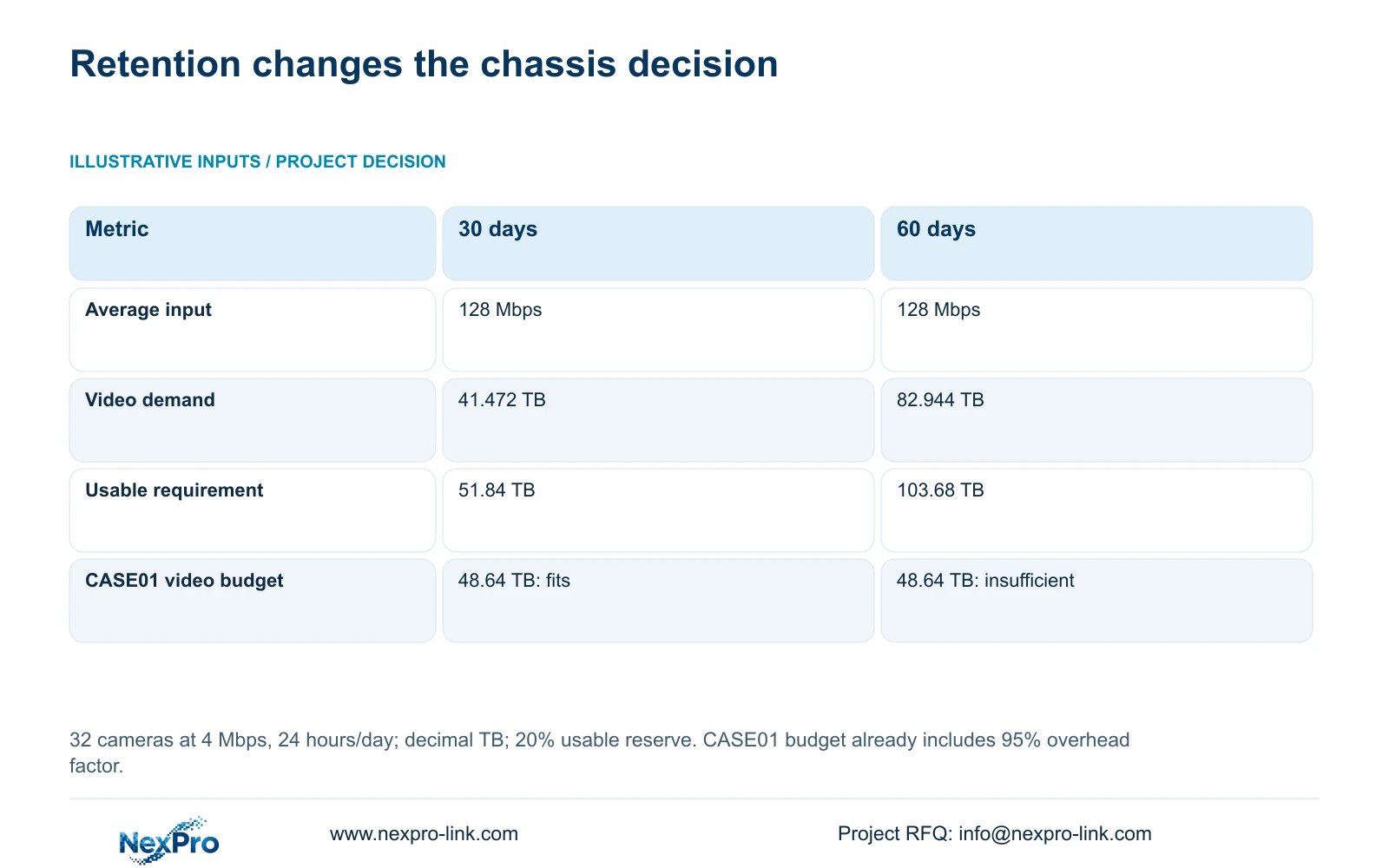
The illustrative calculation uses 32 cameras, an average 4 Mbps per camera and continuous recording for 24 hours/day. In decimal units, video_TB = cameras × Mbps × 10^6 × 86400 × days / 8 / 10^12. Required usable capacity = video_TB / 0.8, leaving 20% of usable space free.
The table shows the decisive difference: doubling retention doubles video demand without increasing channel count or average incoming bandwidth. CASE01's four-drive arrangement accommodates 41.472 TB within its 48.64 TB video budget. The 82.944 TB requirement for 60 days exceeds it. More spare channels would not change that result.
Audio and extra metadata are excluded from these figures. Replace the average bitrate with representative project measurements before making a binding retention commitment, and retain the accepted image settings. Lowering bitrate to make the disk figure fit changes the image-quality basis and requires owner approval.
| Metric | 30-day option | 60-day option |
|---|---|---|
| Cameras | 32 | 32 |
| Average per camera | 4 Mbps | 4 Mbps |
| Recording schedule | 24 hours/day | 24 hours/day |
| Video data | 41.472 TB | 82.944 TB |
| Required usable capacity | 51.84 TB | 103.68 TB |
| CASE01 video budget | 48.64 TB: fits | 48.64 TB: insufficient |
Section 05
Select the smallest configuration that preserves the accepted task
For the stated 30-day baseline, retain the four-bay recorder candidate and four 16 TB drives, subject to exact stream-mode, disk and workflow confirmation. This keeps the CASE01 observation schedule unchanged and provides an explicit storage allowance. The owner can approve a defined retention task rather than an unspecified future expansion promise.
If 60 days is required, investigate an eight-bay chassis or another supported storage architecture. Check permitted streams and operator work again; the larger chassis does not remove those constraints. Quote the additional drives, rack requirements and preparation separately so the cost team can distinguish retention spending from camera expansion.
Compare another brand on identical camera modes, accepted image quality, retention and concurrent tasks. Preserve mandatory integration or brand requirements where they apply. Neither the illustrative arithmetic nor an unmatched quotation establishes a compression advantage or an overall brand winner.
Section 06
Turn the checks into an orderable capacity schedule
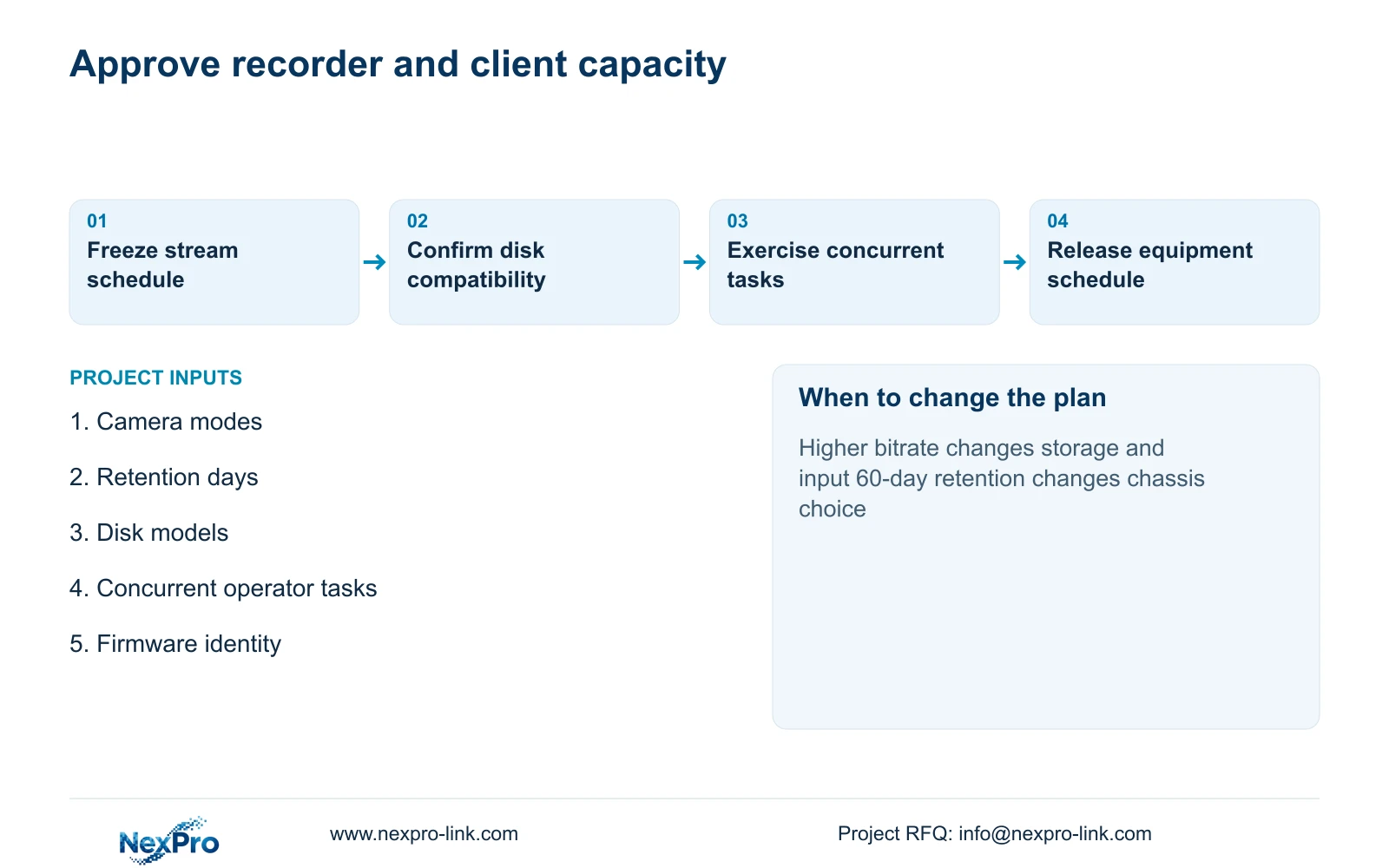
Prepare one capacity record for each recorder: assigned camera IDs, output modes, firmware identity, average and configured stream rates, disk models, usable allowance and required operator tasks. Mark each entry as supplied, retained or optional. The local integrator should own installed network checks, while the supplier states the proposed equipment configuration.
NexPro-Link's BOQ and tender support can coordinate model matching, technical submittals and quotation differences. For this decision, the useful deliverable is a recorder and client capacity comparison with firmware scope. Include a verification plan for uninterrupted capture during the agreed viewing, playback and export workload; catalogue channel counts alone cannot close that acceptance item.
Keep display hardware optional unless the operating task requires it. CASE01's retrieval screen remains a separate role from its optional LCD wall. Confirm power and installation dependencies after the recorder choice, and maintain the disk and camera schedule through subsequent revisions so a late change does not leave an obsolete retention calculation in the order.
Section 07
Buyer questions
Can we buy a larger channel count now and add disks later? Only if the installed disks meet the opening retention requirement and the selected chassis supports the planned drive additions. Record the initial and future disk configurations separately; unused channels do not provide temporary storage capacity.
Should every camera use the same bitrate in the final design? No. Different scenes may justify different settings. Calculate the total from the accepted per-camera averages, then check configured or observed peaks for input capacity. Keep the uniform 4 Mbps figure only as the illustrative comparison basis.
Does dual Gigabit LAN prove recorder failover? No. The published interface count does not establish automatic network failover, recorder redundancy or a supported routing arrangement. Request documentation for the specific network behaviour the project requires.
Section 08
Request a factory recorder capacity comparison
Send your camera mode schedule, retention and disk requirements, concurrent viewing/playback tasks, and required platform or firmware constraints to info@nexpro-link.com for a NexPro-Link recorder and client capacity comparison.
Engineering references
These sources support the general planning principles. Always use the selected product's current datasheet and applicable project standards for final design.