

Two viewing users, historical playback and a file transfer can share one uplink. Calculate the tasks that actually cross it, then verify the network path and recorder output separately.
Section 01
Budget the tasks crossing the selected uplink
Evaluate an NVR uplink against the viewing, playback and file-transfer tasks that cross it at the same time. In the supplied example, two users each open eight 0.5 Mbps streams, producing 8 Mbps of live-view payload. One historical playback stream adds 4 Mbps, and a separately limited 10 Mbps file transfer raises the combined payload from 12 Mbps to 22 Mbps. Protocol overhead and other business traffic still need allowance. Camera recording input is a separate path check. If the shared link or recorder output cannot support the workload, adjust concurrent tasks or resources while preserving the approved recording quality.
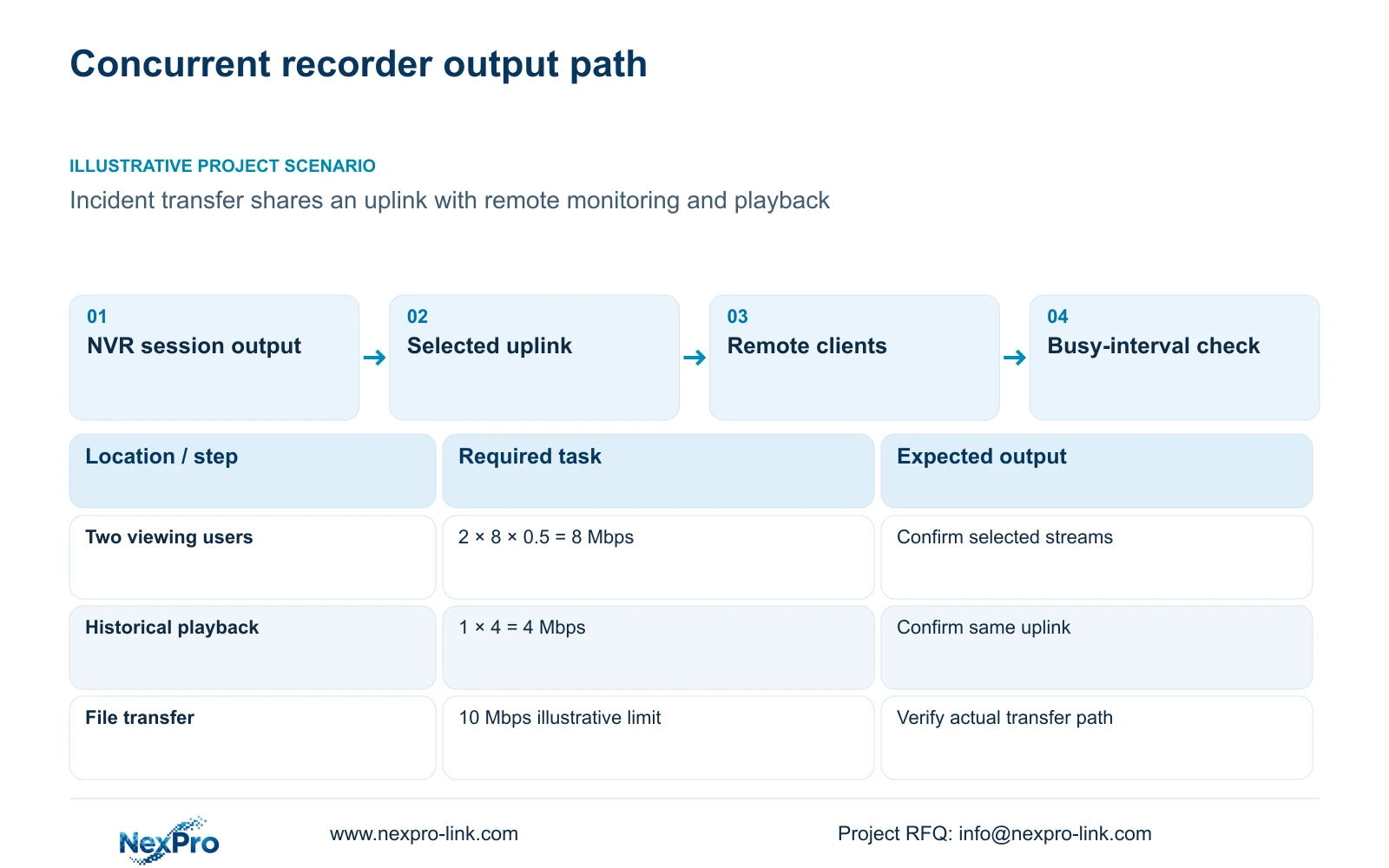
Draw the path from recorder to switch, router and receiving client for the link under review. Mark camera input separately. A total for all cameras does not describe every uplink, and a remote session may follow a different route from the local recording path.
Section 02
List simultaneous sessions and their stream roles
Count what each active user opens, not the total number of accounts. Record channels viewed together, main-stream or substream selection, historical playback and downloads. Identify the direct or forwarded path used by each task before assigning it to the shared-link budget.
The manual's overview supports multiple remote users without promising unlimited concurrency. Cloud reachability, account authorization and usable simultaneous video capacity are separate checks. An account list cannot establish how much traffic the recorder sends during an incident review.
The example assumes both viewing users' selected streams cross the same uplink. Each user requests eight streams averaging 0.5 Mbps. If the actual path, selected stream or active layout differs, revise that session row rather than retaining the example total.
Section 03
Calculate live view, playback and transfer independently
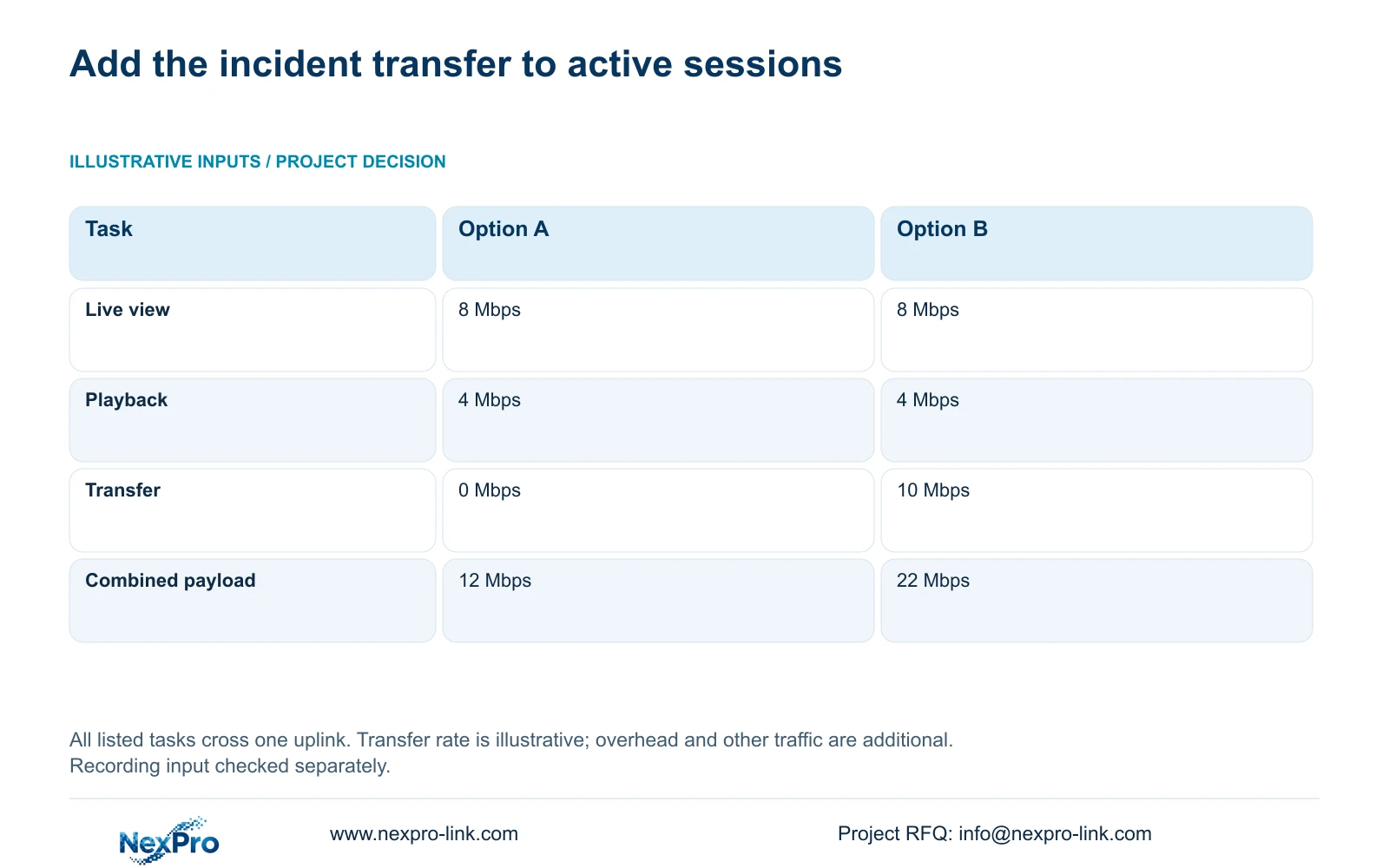
Live-view payload = users × streams per user × average stream Mbps = 2 × 8 × 0.5 = 8 Mbps. Historical playback = 1 × 4 Mbps = 4 Mbps. Option A has no file transfer, so combined payload = 8 + 4 + 0 = 12 Mbps.
Option B adds a file transfer limited to 10 Mbps in this teaching example. Combined payload = 8 + 4 + 10 = 22 Mbps. The transfer limit is an illustrative input, not a documented recorder control or measured download result.
Total payload Mbps = live-view sessions + playback + file transfer actually crossing the selected link. Recording input must be checked independently and included on a link only where the topology carries it. These numbers describe compressed video and file payload, not complete measured interface traffic.
| Task | Option A | Option B |
|---|---|---|
| Live viewing | 8 Mbps | 8 Mbps |
| Historical playback | 4 Mbps | 4 Mbps |
| File transfer | 0 Mbps | 10 Mbps |
| Combined payload | 12 Mbps | 22 Mbps |
Section 04
Define the incident copy before assigning transfer demand
Select the intended channels, recording types and start/end period before budgeting the incident transfer. A clearly bounded selection makes the task reproducible and avoids using an unspecified download as the explanation for peak traffic.
Section 4.11.4 describes local recorder backup: choose the format and recording selection, update the required-capacity estimate, detect the inserted USB storage and start copying. MP4 is the documented default, and the workflow permits multiple channels. Confirm that the resulting files cover the requested period and open on the receiving device.
Local USB backup and a network download have different paths. A USB copy is not the example's 10 Mbps uplink transfer. Use the applicable client and device workflow to establish a network transfer's actual path and rate; the local backup instructions do not prove a remote transfer control.
Section 05
Keep viewing streams and stored files distinct
Main-stream and substream parameters appear separately in the manual. A lower-rate viewing selection may suit the agreed monitoring task, but it does not establish that the recorder changed its recording source. Record the viewed stream and inspect a saved sample separately.
Likewise, an exported file's transfer rate is not necessarily its original recording bitrate. Treat playback and file movement as different tasks. If a client opens a different stream or changes the active view count, update the viewing budget while preserving the approved recorder recording settings.
Seetong PC local recordings and NVR disk recordings are separate storage objects. Identify where the incident file comes from before attributing its traffic to the recorder. This prevents a client-side operation from being mistaken for a change in the NVR's stored footage.
Section 06
Check routing and measure the busy interval
The traffic screen presents interface receive and transmit information separately. Recording input and outgoing sessions need not be equal. Observe the relevant interface during a defined interval with the stated tasks active, and distinguish payload estimates from measurements that include overhead and other traffic.
Local camera traffic may succeed while the recorder's internet or cloud path fails. Check the selected default route, gateway, DNS and cloud status, then review activation and account authorization where applicable. Do not replace that diagnosis with blanket public port exposure.
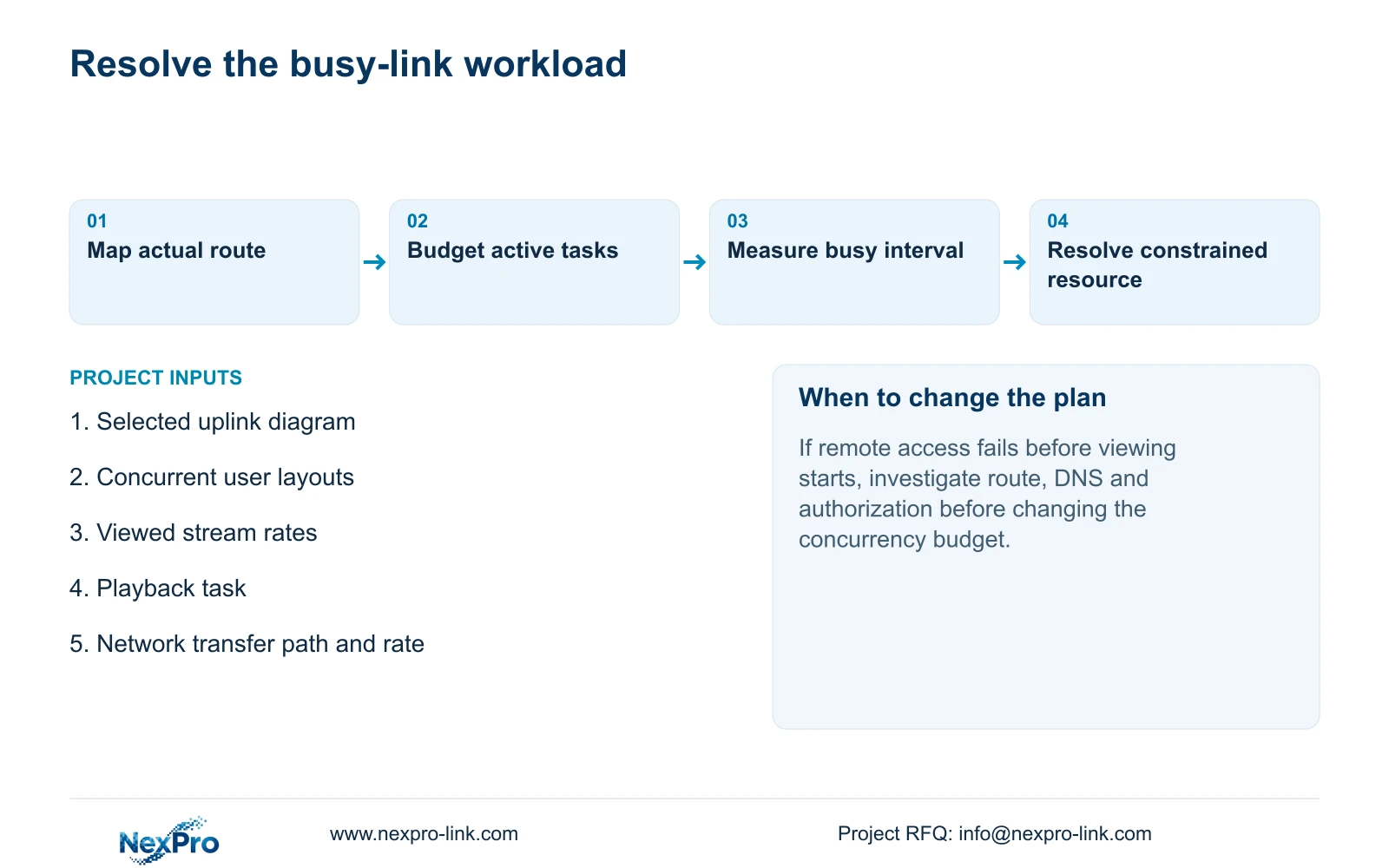
Reserve capacity for protocol overhead and other business activity based on the actual link, rather than assigning an invented universal percentage. If remote access fails before a session opens, investigate reachability separately from the concurrency budget. If it works until transfer begins, compare the busy interval and output constraints.
Section 07
Resolve the constrained task or resource
Compare the measured workload with the actual link and exact recorder's output and concurrent-task constraints. A nominal interface speed does not establish every application limit. The manual's TS specifications also cannot be transferred to an unrelated commercial model.
Illustrative project scenario: A control room downloads an incident while two remote users continue their normal monitoring tasks. The team adds the defined playback and file transfer to the viewing sessions crossing the same uplink. If the workload exceeds an applicable constraint, it can review download timing, concurrent layouts or network resources without automatically lowering accepted recording quality.
Source scope: This guide uses the supplied private NVR4.0 user manual CH_V2.4.doc, with V2.2 in its body, sections 4.3.3.3, 1.2, 4.11.4, 4.4.5, 4.12.7, 4.3.3.2, 4.12.8, 5.1 and 5.2. Sections take priority over page numbers; concurrency arithmetic is an engineering example.
| Observation | Interpretation | Next action |
|---|---|---|
| Remote access fails before viewing | Concurrency is not yet established | Check route, DNS and authorization |
| Viewing slows when transfer starts | Shared workload needs investigation | Measure the busy interval and output limits |
| Local USB copy is the export path | Copy does not cross the reviewed uplink | Exclude it from that link's transfer row |
Section 08
Should transmit traffic match camera input?
No. Recordings arrive while viewers, playback and downloads request their own flows. Compare each direction against the tasks and topology active during the measurement.
Section 09
Submit the concurrent-task path
Send the selected uplink path and simultaneous viewing, playback and download task list to info@nexpro-link.com for a scoped network and recorder review.
Engineering references
These sources support the general planning principles. Always use the selected product's current datasheet and applicable project standards for final design.


