

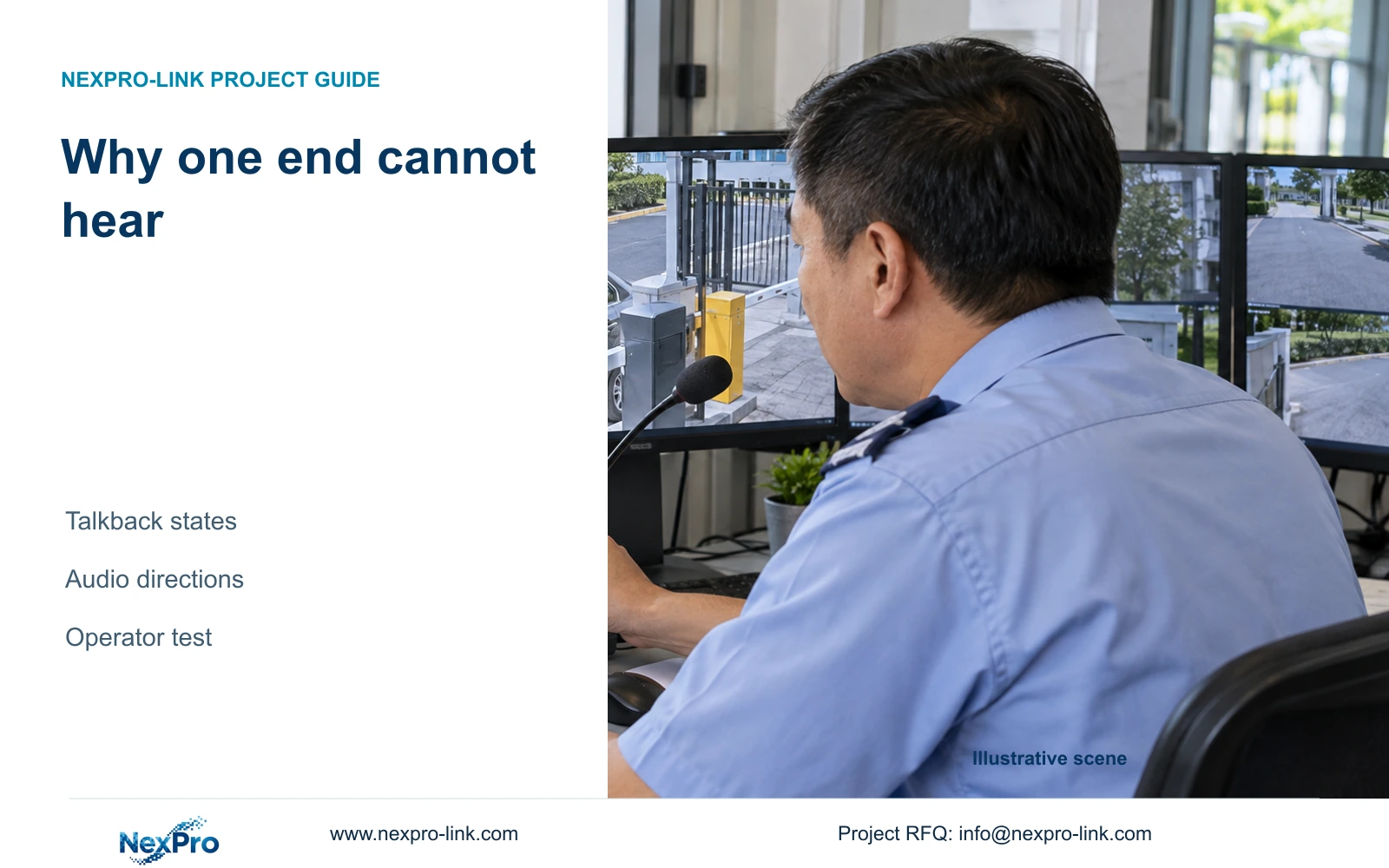
When one end cannot hear during NVR talkback, identify the operating state before changing equipment. Test each audio direction and verify the gatehouse conversation with the assigned account.
Section 01
Identify the active state before testing speech
When one end of an NVR talkback session cannot hear, first identify whether the recorder is waiting for input or showing an output state, then test each audio direction separately. The supplied manual distinguishes these states and does not establish universal simultaneous full-duplex operation from a two-way-audio label. Confirm the actual recorder and camera support before treating silence as a fault. Use the authorized gatehouse account, observe the applicable state indication, and have the person at the other end confirm the spoken message. If each direction works under the documented sequence but simultaneous conversation is required, the remaining issue is workflow suitability.
Describe the symptom precisely. State who spoke, who should have heard, which interface was used and what state was visible. 'No talkback' combines several possible observations and makes a repeatable test difficult. A message heard in one direction is useful evidence, but it leaves the reverse direction unproven.
This guide follows the private NVR4.0 user manual CH_V2.4.doc, whose body states V2.2. Sections 1.2, 2.3.3, 2.4.4 and 5.2 cover the relevant model limits and state descriptions. Use section headings for location. No exact button gesture or state-switching shortcut is assumed beyond the supplied evidence.
Section 02
Read the audio indication separately from other icons
The manual describes different symbols for recording, remote preview, movement events, I/O events and light-intelligence states. Identify the applicable talkback indication using the instructions for the actual device. A nearby recording or alarm icon does not establish which audio direction is active.
Observe the indication while performing a controlled speech test. Record the state before the message and whether the listener heard it. If the indication and expected operation do not agree, retain that observation and check the model-specific instructions. Do not assign a universal meaning to an unfamiliar icon merely because another recorder looks similar.
Status icons describe current observations. They do not prove a complete conversation was usable or retained. The operator needs evidence from the person at the receiving end, while any recording requirement needs a separate check of the requested channel and period.
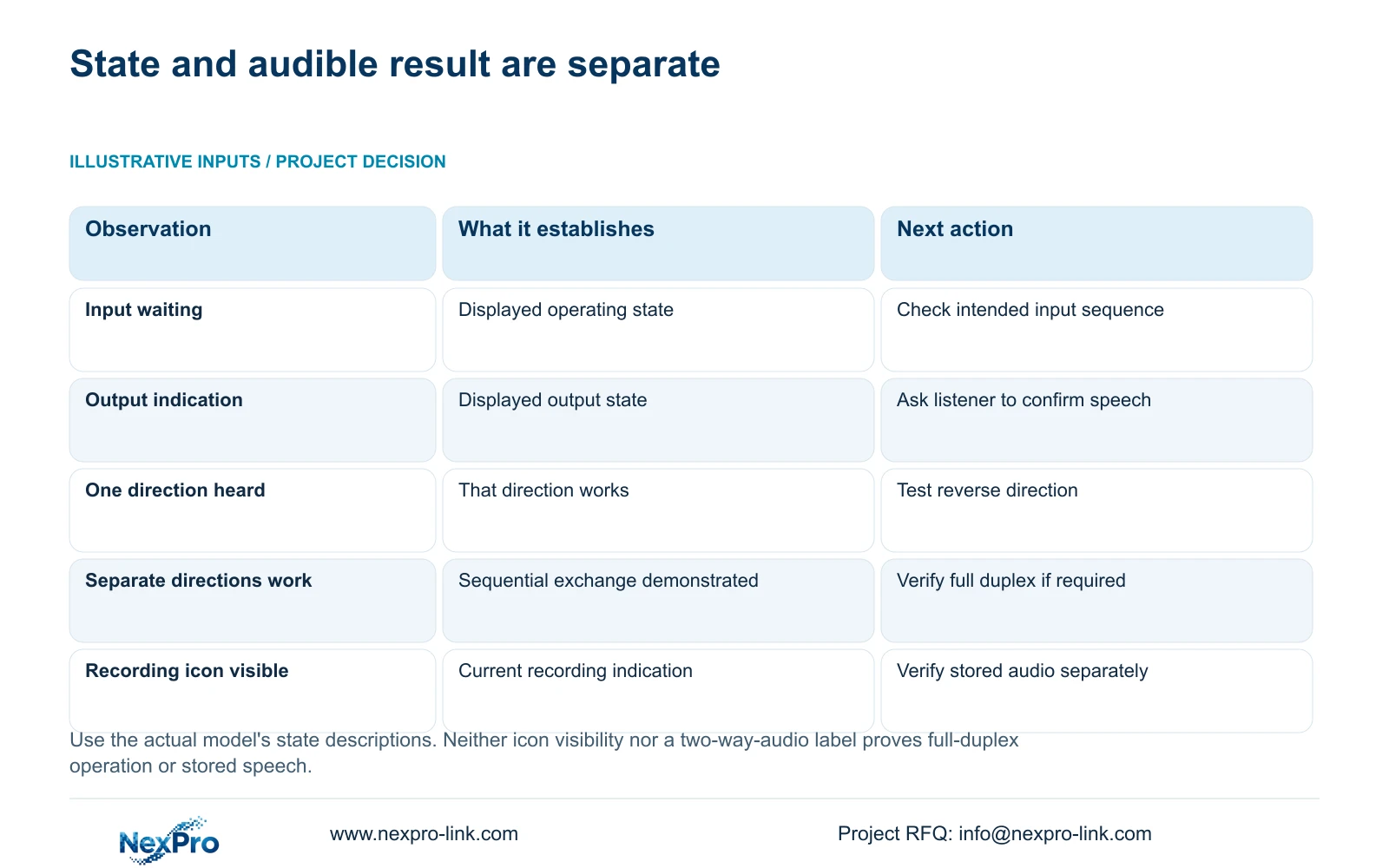
| Observation | Meaning to preserve | Next test |
|---|---|---|
| Waiting-input state is shown | The displayed state must be interpreted using the applicable manual | Check the intended microphone path and documented operating sequence. |
| Output state is shown but the listener hears nothing | An output indication alone does not prove audible delivery | Confirm the selected endpoint and its receiving output. |
| One direction works | Only that direction has been demonstrated | Test the reverse direction separately with the same devices. |
| Directions work separately, simultaneous speech does not | Sequential success does not establish full duplex | Compare the verified sequence with the gatehouse requirement. |
| Live conversation works but stored sound is absent | Communication and recording are separate tasks | Inspect the recording source, playback control and export. |
Section 03
Verify the microphone and speaker paths independently
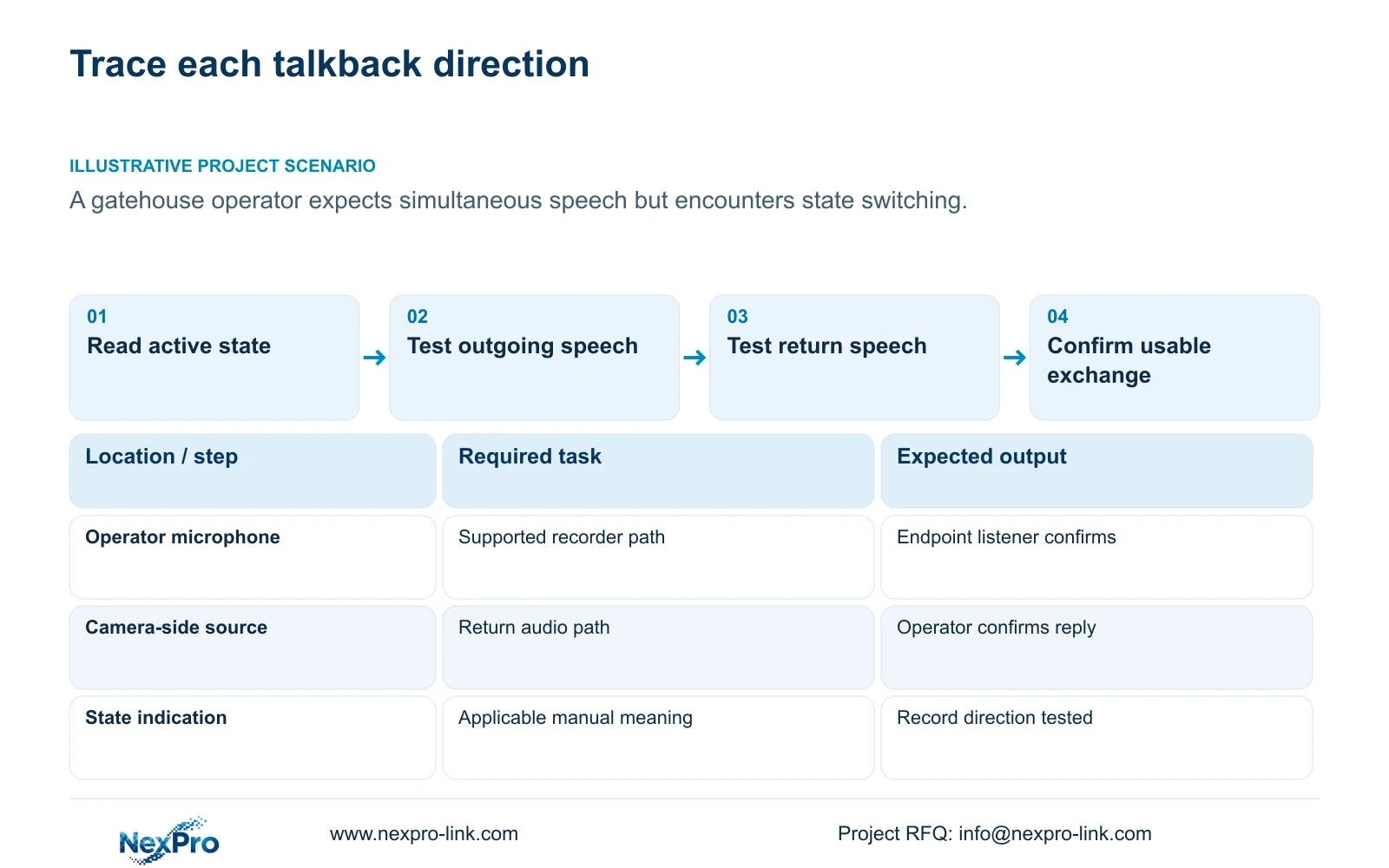
Start with a single identified endpoint and the documented operating sequence. For the operator-to-camera direction, confirm the local voice source and ask the endpoint listener to report the message heard. For the return direction, have that person speak and check the intended operator-side output. Keep the endpoint and account unchanged between tests.
If only one direction fails, focus on its source, supported command path and receiving output. Changing both ends together can hide which adjustment mattered. Record whether the failure follows a particular endpoint or occurs throughout the tested arrangement, without turning that pattern into a confirmed cause.
Sections 4.4.6 and 4.11.3 through 4.11.4 describe audio encoding and playback functions. Hearing live audio does not prove it was included in earlier footage. Enabling sound now cannot recreate missing historical audio, and successful talkback does not establish that conversations are recorded.
Section 04
Confirm the recorder and camera can perform the task
Several manual descriptions restrict the documented talkback and broadcast functions to 32- or 36-channel models. The appendix lists TS8108D7 and TS8116D7 without talkback support, while TS8232C4 and TS8836M/TS8436M have supported talkback rows. Apply the actual model evidence instead of the family overview.
Check the camera's relevant audio capabilities and the selected connection as well. A camera with two-way audio does not prove the recorder can provide every requested conversational mode. Basic live video and an available menu do not establish a working audio command path.
The supplied manual does not map TS models to NexPro-Link commercial SKUs. For an offered unit, attach its model and firmware to the demonstrated task. If the hardware does not support the documented path, stop treating state changes as a way to create the missing capability and define an appropriate communication arrangement.
Section 05
Repeat the sequence with the gatehouse account
Section 4.12.3 separates local and network permissions. Confirm the intended interface and assigned operator role, then repeat the conversation test through that path. An administrator's successful demonstration does not prove that the gatehouse account can use the same controls during routine work.
Verify an allowed operation and an operation the account should be denied. Keep playback and local backup permissions separate when recorded evidence forms part of the role. The manual contains an inconsistent description in the remote-upgrade permission row, so that row should not be used to infer audio rights.
When a permitted task is unavailable, document the role and result for authorized review. Do not publish credentials or use unrestricted access as a general workaround. The useful comparison holds the devices and audio sequence constant while checking whether the assigned operating path meets the requirement.
Section 06
Accept the real conversation workflow
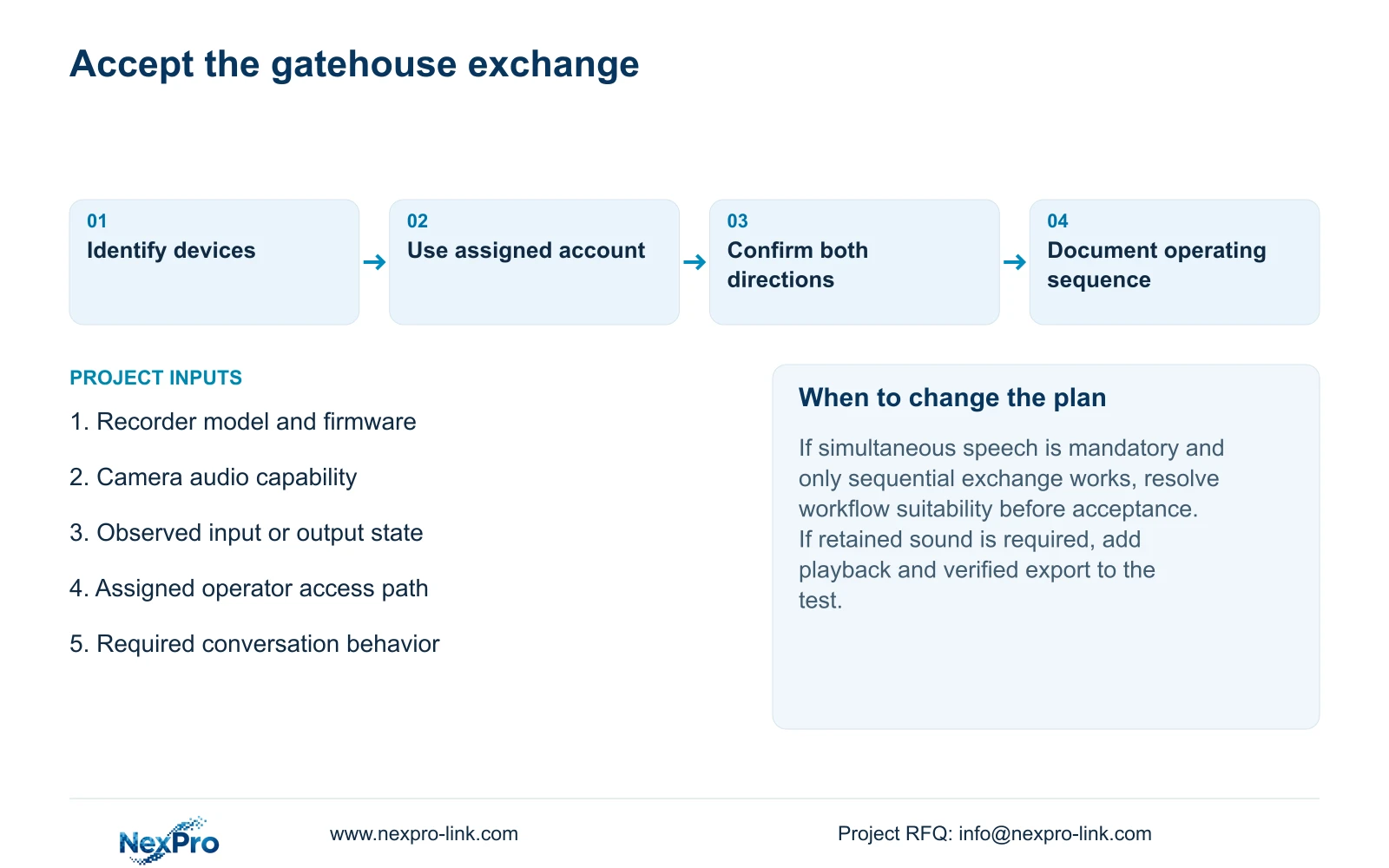
Illustrative project scenario: A gatehouse operator expects to speak and hear simultaneously but encounters the manual's state-switching workflow. The acceptance test follows the applicable sequence, checks each direction and asks whether the operator can complete the intended exchange. Separate-direction success would still leave a mandatory simultaneous-speaking requirement unresolved.
Record the expected action and observed result for each direction. A usable conversation requires more than a working microphone indicator: the receiving person must hear the intended message, and the operator must receive the required reply through the agreed sequence.
If retained audio is part of the approved task, extend acceptance through recording. Identify the channel, inspect disk and recording policy, observe the known test period, play it back, then export and open the copy on the intended receiving system. This is an engineering workflow around sections 4.3, 4.11 and 4.12.21, not a built-in automatic test or a promise that talkback speech is stored.
Section 07
Does two-way audio mean simultaneous speaking?
Not by itself. Verify full-duplex behavior on the exact recorder, camera and operating path if simultaneous conversation is mandatory.
Section 08
Can a state icon replace a listener check?
No. It shows an operating state. Confirm audible delivery at the intended output and test the reverse direction before accepting the conversation.
Section 09
Report the failing audio direction
Send NexPro-Link the recorder model and firmware, failing speech direction and observed state at info@nexpro-link.com for a focused talkback discussion.
Engineering references
These sources support the general planning principles. Always use the selected product's current datasheet and applicable project standards for final design.


