


Keep the manual's daily-volume shorthand intact and calculate video payload separately. This guide explains the units, bitrate evidence and usable-capacity checks needed for a defensible storage quotation.
Section 01
Resolve the daily-volume discrepancy
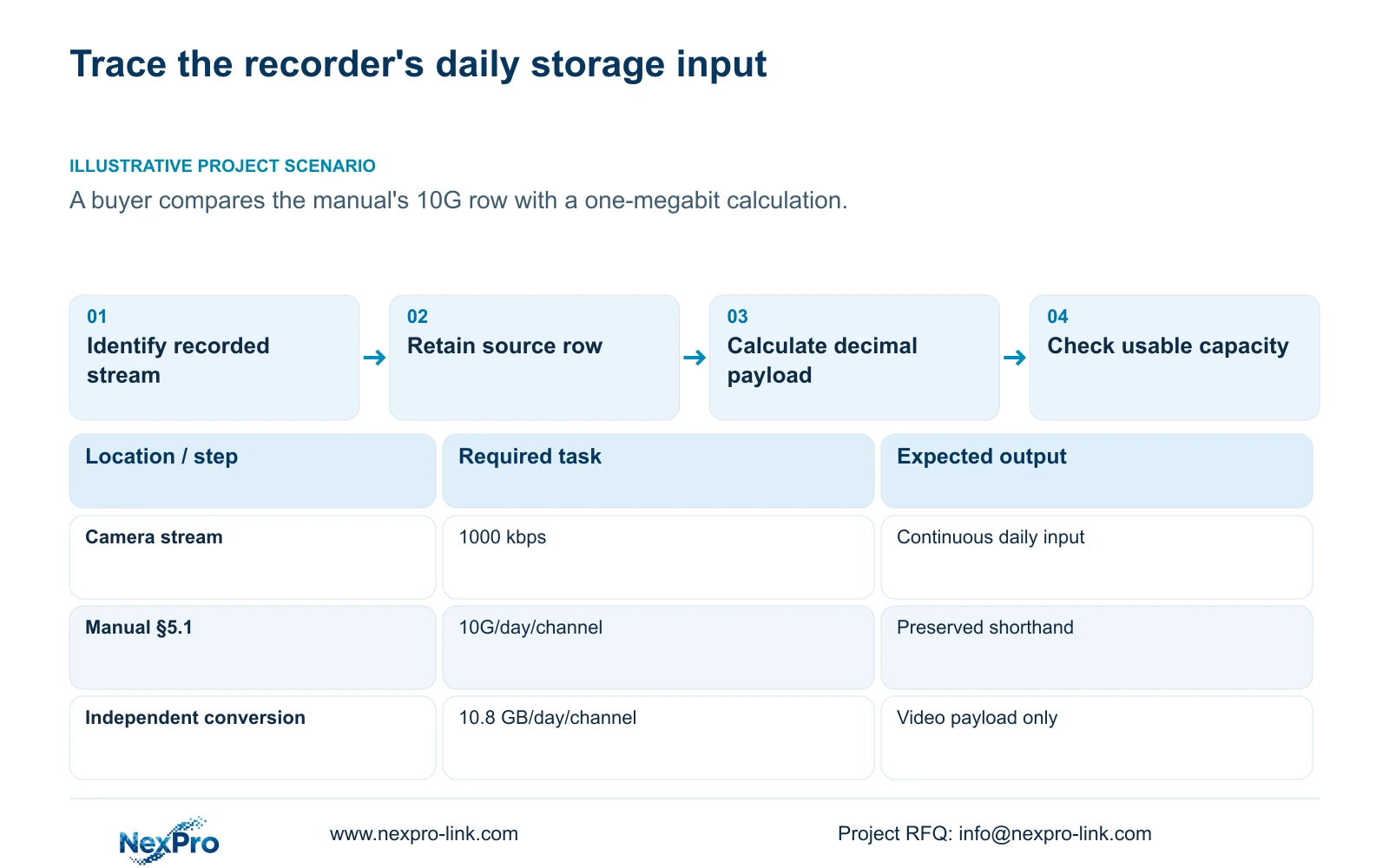
Keep the manual's 1000kbps to 10G/day/channel row unchanged, and show 10.8 GB as a separate decimal calculation. A constant 1 Mbps video stream over 24 hours contains 10.8 GB of payload under the stated conversion. The manual's G shorthand is not defined precisely enough to make its quick-reference row an exact unit conversion. For a purchase decision, identify which method produced the estimate, then use the project's recording hours, average bitrate and usable-capacity allowance consistently. The discrepancy alone does not establish a recorder fault, a camera performance result or a reason to replace equipment.
The operating source is the private supplied NVR4.0 user manual CH_V2.4.doc. Its filename states V2.4 and its body states V2.2. Section 5.1 contains the quick-reference table; section references take priority over page numbers. This article concerns footage stored on the recorder, not Seetong PC local recordings.
Section 02
Calculate the decimal column independently
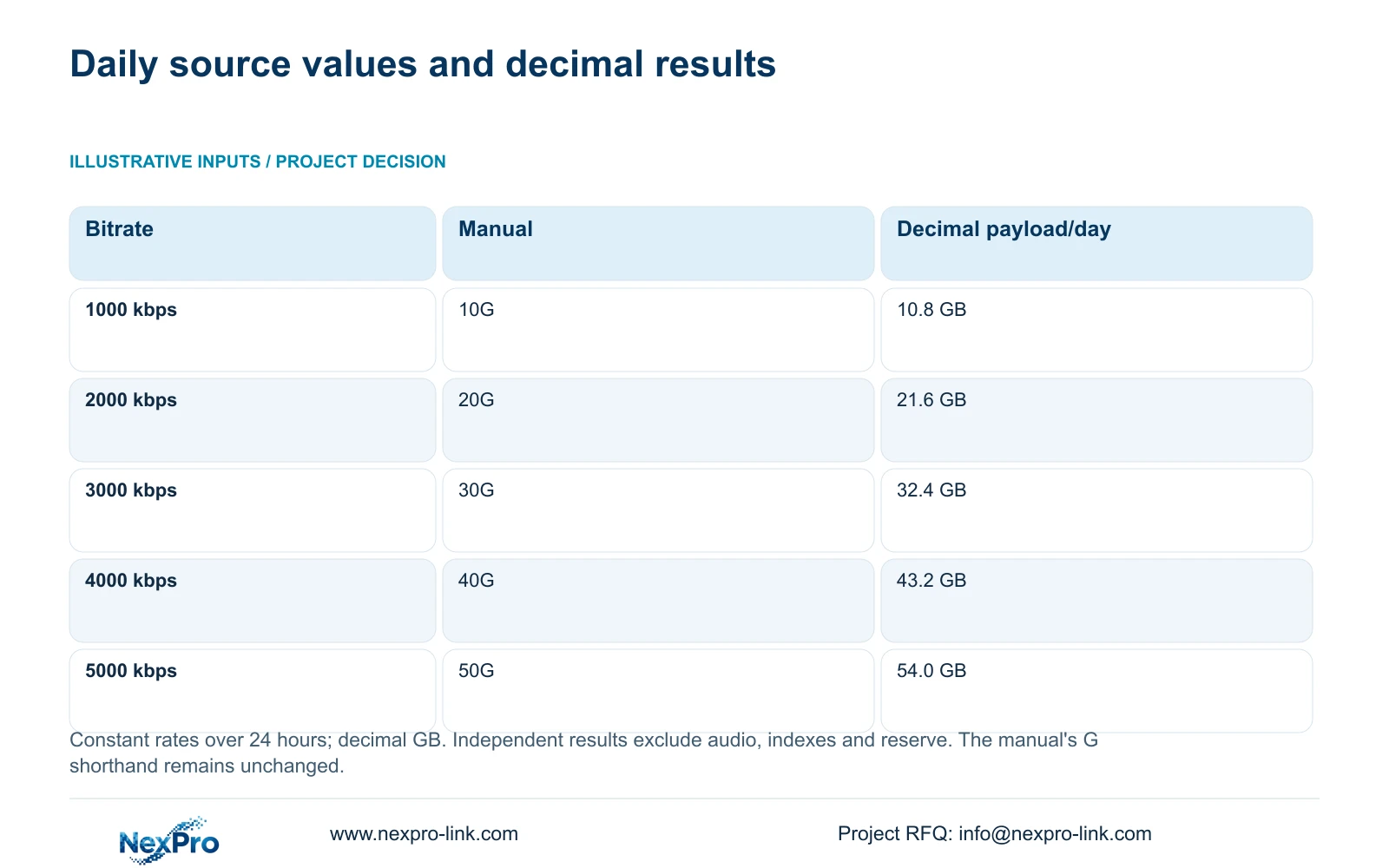
Use the supplied inputs of 1000, 2000, 3000, 4000 and 5000 kbps, each sustained for a full day. Decimal conversion uses 1000 bits per kilobit, 86400 seconds per day, eight bits per byte and 10^9 bytes per GB. The formula is GB/day = kbps × 1000 × 86400 ÷ 8 ÷ 10^9.
At 1000 kbps, the arithmetic is 1000 × 1000 × 86400 ÷ 8 ÷ 10^9 = 10.8 GB/day/channel. Applying the same conversion gives 21.6, 32.4, 43.2 and 54.0 GB for the remaining rates. These are video-payload calculations, excluding additional audio, indexes and reserved space.
If a supplier uses the manual column, retain that attribution. If the supplier uses decimal payload, request the formula and exclusions. Mixing the columns in one schedule makes the resulting capacity difficult to reproduce.
| Bitrate / kbps | Manual §5.1 shorthand | Independent decimal result |
|---|---|---|
| 1000 | 10G | 10.8 GB/day/channel |
| 2000 | 20G | 21.6 GB/day/channel |
| 3000 | 30G | 32.4 GB/day/channel |
| 4000 | 40G | 43.2 GB/day/channel |
| 5000 | 50G | 54.0 GB/day/channel |
Section 03
Keep low-bitrate examples attached to their equipment
Section 5.1.1 provides a different reference: H.265+ low-bitrate equipment examples with stated daily ranges of 6 to 12G per 5MP channel and 4 to 8G per 2MP channel. Preserve those ranges and their equipment context. They do not establish one daily consumption value for every camera with the same resolution.
Before using that appendix in a quotation, check whether the proposed camera and recording profile match its scope. Where they differ, obtain representative stored-volume evidence or declare a planning bitrate. Do not combine a low-bitrate example with an unrelated configured rate and describe the result as a manual-derived retention guarantee.
Section 04
Choose an average that represents the recording period
Sections 4.4.5 and 4.3.3.3 distinguish encoding settings and traffic observations. CBR, VBR and an entered bitrate describe configuration. They do not independently prove the volume stored throughout the day. Record the stream settings alongside representative lighting and motion conditions so another engineer can understand the sample.
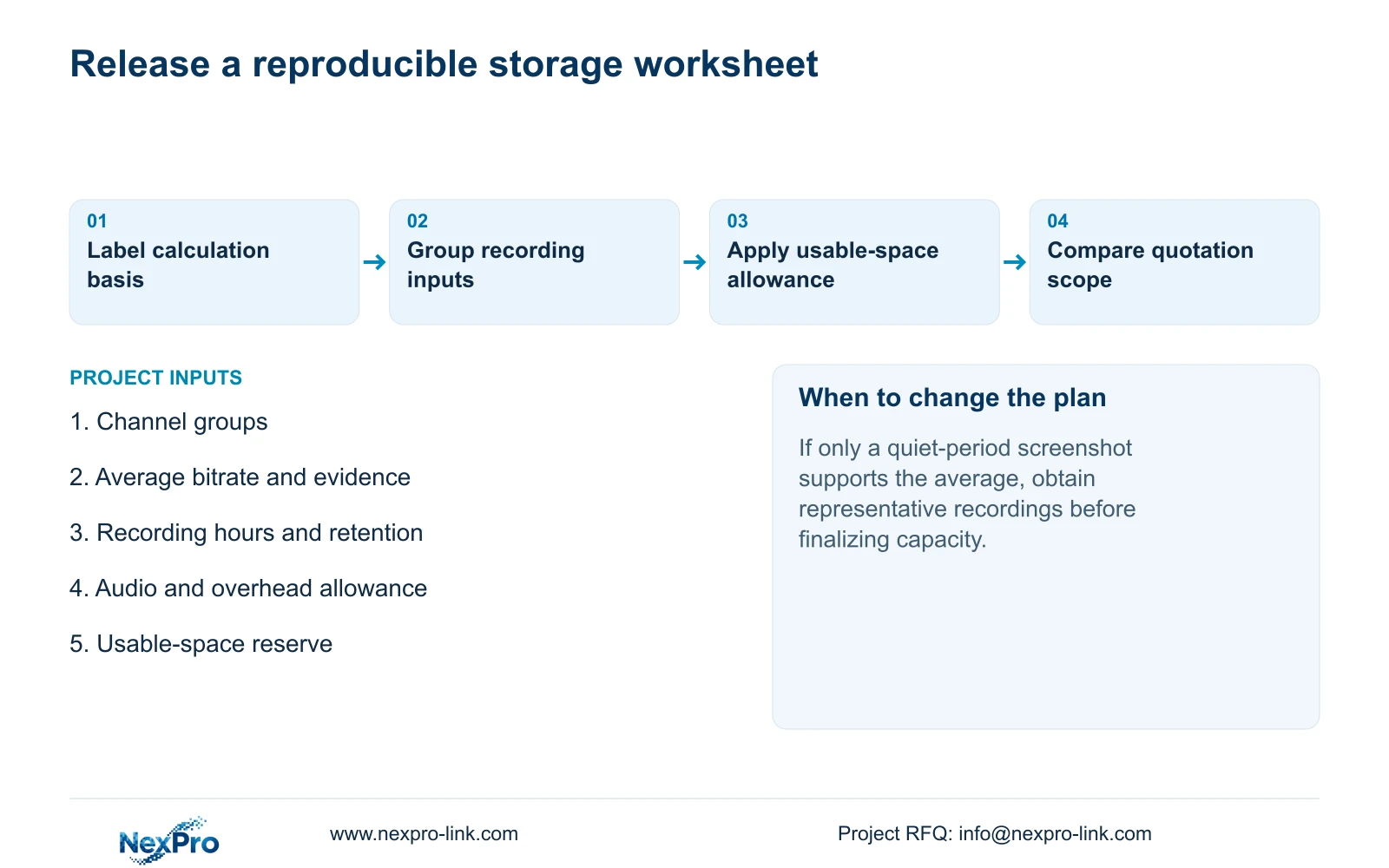
Use a representative average for retention planning and an appropriate peak or limit for network checks. If the only evidence is a quiet-period screenshot, keep the estimate provisional. If day and night observations differ, revise the average using their actual durations rather than selecting whichever screenshot supports the smaller disk order.
Section 05
Translate payload into a usable-capacity requirement
For grouped channels, decimal video TB = 0.00045 × Σ(channels × average Mbps × recording hours/day × retention days). The coefficient converts megabits, hours and bytes into decimal TB. Keep each group's hours and rate inside the sum when schedules differ.
Add separately identified audio and storage overhead before applying the chosen reserve. If r is the fraction of usable space that must remain available, required usable capacity = planned stored volume ÷ (1 - r). Simply adding r to the payload does not produce the same occupancy condition.
Compare that requirement with the selected configuration's usable recording space. Physical disk labels alone do not establish it. Confirm supported bays, individual disk limits and the actual storage arrangement without assuming a RAID level or redundancy from a shared menu.
| Observation | Interpretation | Next action |
|---|---|---|
| Quotation uses 10G as exact GB | Source shorthand and decimal units are mixed | Separate the methods and recalculate |
| Only configured bitrate is available | The average remains a planning assumption | Label it and obtain representative recordings |
| Disk total exceeds video payload | Overhead and reserve may still be excluded | Check required usable recording capacity |
Section 06
Connect the capacity decision to operation and price
Section 4.12.21 describes overwrite and stop-recording choices. Overwrite supports cyclic retention of newer footage; stop mode makes full capacity a stopping condition. Agree the consequence with the owner and define when selected incidents must be exported. Disabling the startup no-disk prompt changes a notification, not storage capacity.
Normalize channel modes, retention and playback requirements before comparing quotations. Include the disks, accessories, software and site-service boundary in each scope. A recorder-only price cannot represent an installed package. Without matched quotations, document the differences instead of inventing savings.
NexPro-Link's BOQ and tender support page is relevant to turning the calculation into a comparable equipment schedule. Its project-support scope does not convert an assumed bitrate into a measured result.
Section 07
Apply the distinction to the buyer's query
Illustrative project scenario: A buyer notices that a one-megabit stream calculation does not match the manual's 10G daily row. The engineer preserves the original row and adds the independently calculated 10.8 GB column. Procurement then identifies the method used in each quotation and requests a consistent usable-capacity calculation. The resulting comparison concerns storage scope, without claiming either value was measured on the buyer's recorder.
Section 08
Buyer questions
Should the manual row be corrected to 10.8GB? Keep its 10G wording intact. Add the decimal result with its assumptions and formula.
Does 10.8GB include everything written to disk? No. This conversion covers the stated video payload; additional audio, indexes and reserve require separate treatment.
Can a 5MP label settle the storage order? No. Confirm the supported recording profile and representative average volume.
Section 09
Request a consistent storage calculation
Send the channel-group bitrate, recording-hours and retention worksheet to info@nexpro-link.com so NexPro-Link can discuss the corresponding usable-capacity requirement.
Engineering references
These sources support the general planning principles. Always use the selected product's current datasheet and applicable project standards for final design.


