

Choose a guard-desk layout around what operators must notice and inspect. Window geometry, supported decoding and recorded detail need separate checks.
Section 01
Decide what the operator must notice
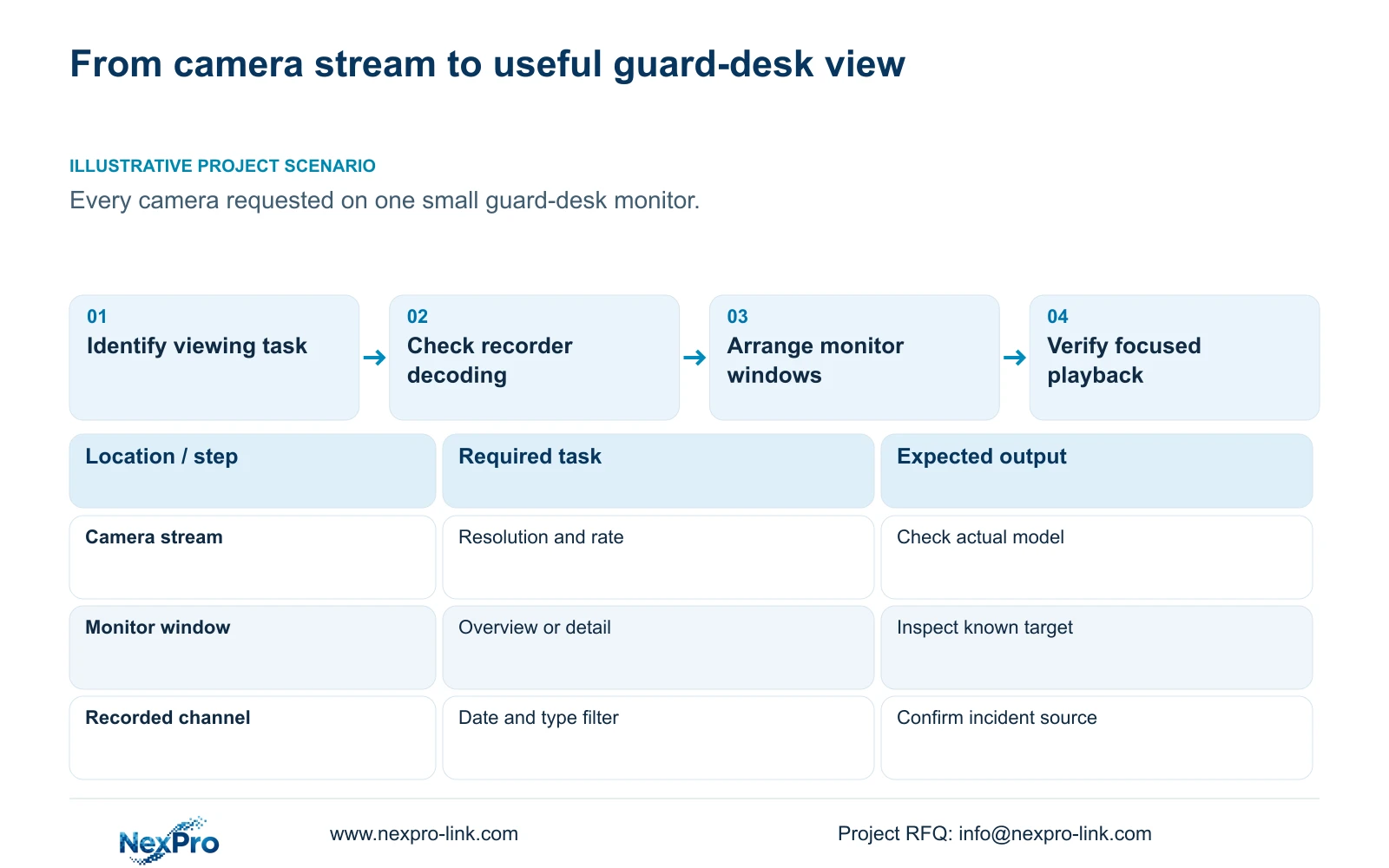
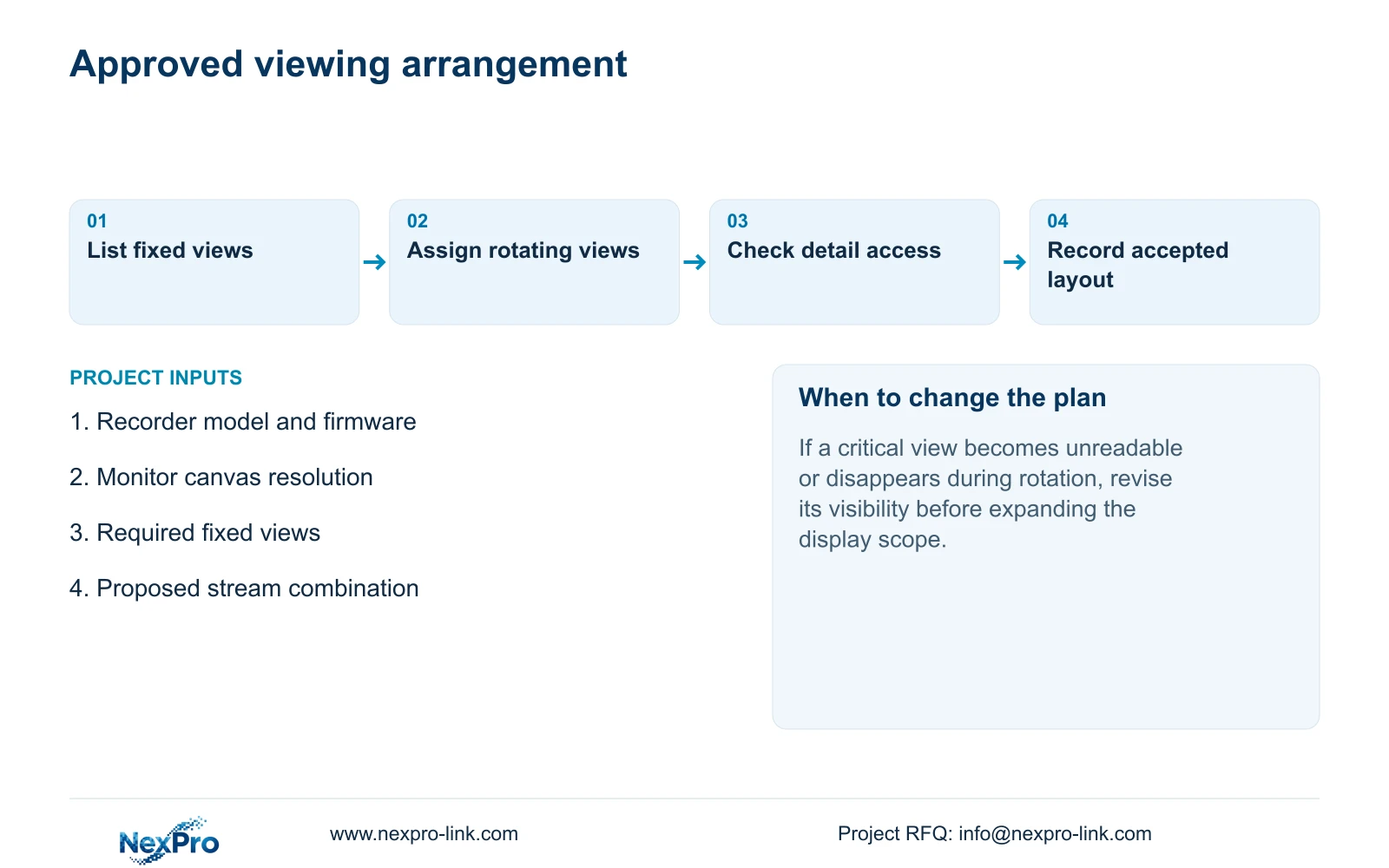
Choose the smallest practical overview that lets the operator notice the required activity, then provide a clear route into a focused camera view and recorded review. Showing every camera on a small monitor can make each image too small for the task. A selectable grid also does not establish full-resolution decoding in every window. Before approving the layout, identify the cameras that need continuous visibility, the details that require enlargement, and the views suitable for occasional inspection. Check the actual recorder's stream combinations separately. Accept the arrangement only after the intended operator can recognize the relevant activity and find its recording.
Section 4.5 lists 1, 2, 4, 6, 8, corridor 8, 9, 10, 16, 24, 25 and 36-picture layouts. Treat these as arrangement choices. Begin with the duty task, such as noticing entrance activity, rather than selecting the largest grid and trying to make it usable afterward.
Section 02
Check the workload behind the grid
Write camera enrollment, total incoming bitrate, live-preview decoding, simultaneous local playback and monitor output as separate requirements. The overview uses preview resources; reviewing an incident uses playback resources. Neither requirement is answered by the recorder's channel count alone.
For example, section 5.2 lists TS8232C4 local playback as 1×4K OR 4×2MP OR 2×5MP. These are alternatives, not a combined allowance. They do not establish four simultaneous 4K playback streams, and they cannot be transferred to a NexPro-Link commercial SKU without model-specific evidence. If the operator needs a combination outside the applicable table, revise the review arrangement or qualify another device.
The operating source is the private supplied NVR4.0 user manual CH_V2.4.doc, whose body identifies V2.2. Sections 4.5, 4.7, 4.11.2, 4.11.3, 4.6, 4.12.5, 3.3, 4.8 and 5.2 support this workflow. Locate the sections by heading; the guide concerns the applicable NVR local interface.
Section 03
Calculate the space available to each image
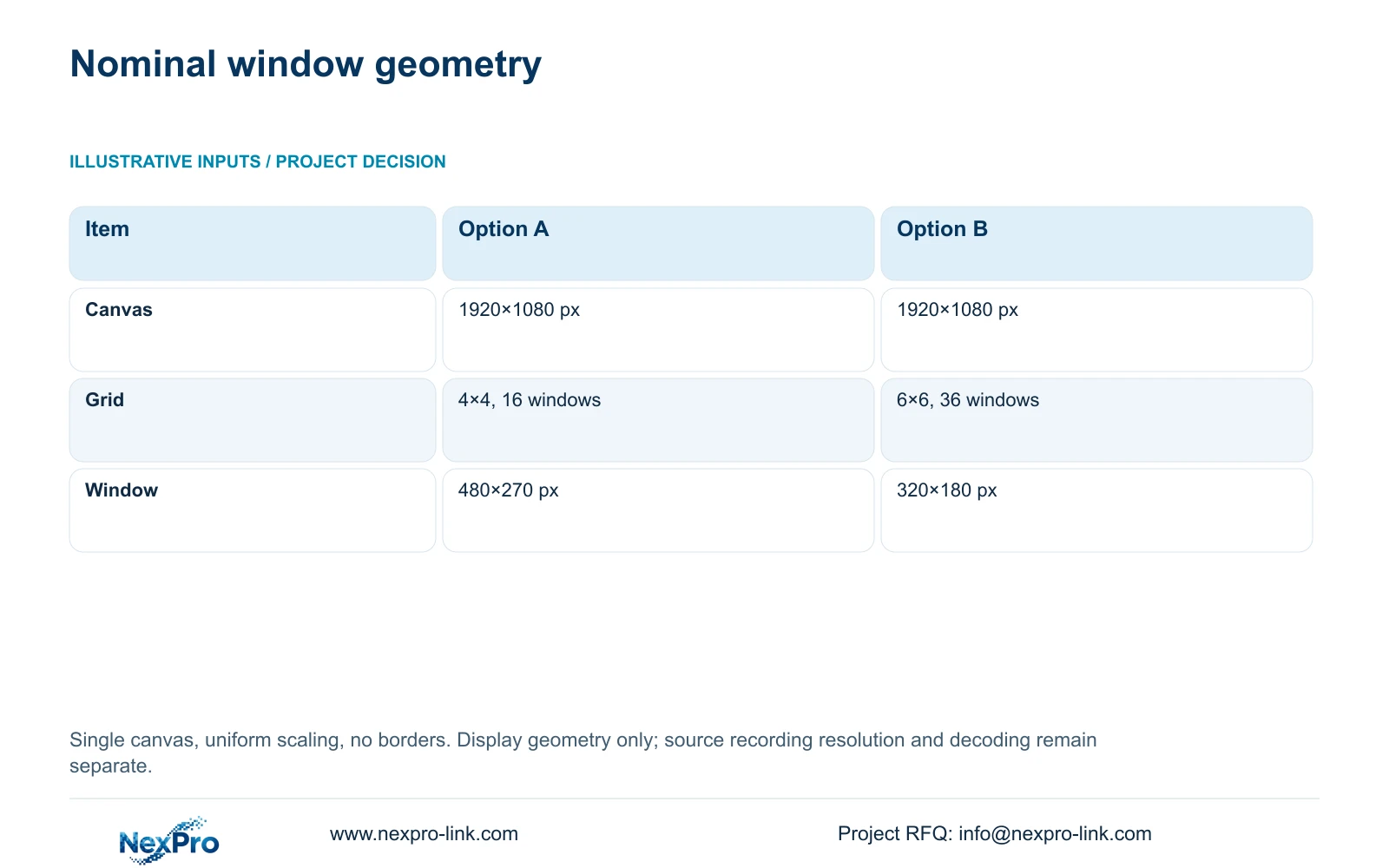
Use a 1920×1080 px single canvas with uniform scaling and no borders. Option A is a 4×4 grid, giving 16 windows. Option B is a 6×6 grid, giving 36 windows. Window width = canvas width ÷ columns; window height = canvas height ÷ rows.
For A, width = 1920÷4 = 480 px and height = 1080÷4 = 270 px. For B, width = 1920÷6 = 320 px and height = 1080÷6 = 180 px. These are nominal display dimensions, not the resolution recorded from each camera.
If the required target is difficult to inspect in the smaller window, open that channel in a focused view and check the source stream. Compare a known target in the same recording using its appropriate aspect ratio, a stretched presentation and electronic zoom. Stretching changes shape; enlargement presents existing pixels. Neither creates detail absent from the recording.
| Item | Option A | Option B |
|---|---|---|
| Canvas | 1920×1080 px | 1920×1080 px |
| Grid | 4×4, 16 windows | 6×6, 36 windows |
| Window size | 480×270 px | 320×180 px |
Section 04
Rotate views that can tolerate observation gaps
Once the important views are identified, decide which remaining cameras can appear in a screen tour. Sections 4.6 and 4.12.5 describe selecting channels, applying a layout and interval, and saving a scheme. Specify the sequence before choosing the dwell time.
For equally timed groups, cycle duration = group count × dwell time, plus any transition time. A group's absence lasts through the other groups and their transitions. This relationship helps the owner decide whether a view can rotate, even when no numerical timing requirement has yet been supplied.
If a rotating entrance disappears during activity that requires immediate attention, keep that view continuously visible through a supported arrangement. Shortening every dwell can make inspection harder. Screen touring changes the displayed sequence; it is separate from moving a PTZ camera through a cruise route and from the recording schedule.
Section 05
Make focused playback part of the layout
A useful overview needs a reliable review route. Section 4.11.2 says playback initially uses the channel selected in preview. After opening or moving between windows, confirm that the selected channel actually corresponds to the incident location before searching.
Check the date, time window and ordinary, alarm or motion recording filter. Orange dates indicate that recordings exist for that date in the documented workflow; gray dates indicate no recordings. An orange date does not establish uninterrupted coverage of every camera.
When a search returns no relevant segment, correct the channel and filters before concluding that footage is missing. Then inspect the requested period in playback. The operator should be able to move from noticing activity in the overview to identifying the correct recorded source without relying on a remembered window position.
Section 06
Expand the display only for a defined viewing need
Illustrative project scenario: A site owner wants every camera visible at once on one small guard-desk monitor. Compare the maximum grid with an arrangement that keeps important views readable and gives other cameras an agreed inspection route. Ask the operator to inspect the same relevant activity in both arrangements.
If a normal monitor serves the task, retain it and evaluate storage and protected-power requirements separately. If the required views cannot remain usable together, define a display expansion brief. Separate source streams, decoding resources, output connections, display canvas and any controller.
Include installation, added power and maintenance responsibility in that brief. A video wall does not automatically improve captured pixels or retention. NexPro-Link's BOQ and tender support can help organize the equipment scope once the required viewing behavior is stated.
| Observation | Interpretation | Next action |
|---|---|---|
| Overview readable; detail too small | Window size limits inspection | Provide focused channel review |
| Required stream combination unsupported | Processing requirement exceeds listed mode | Revise combination or qualify another device |
| Critical view absent during tour | Observation gap is unacceptable | Keep that view visible |
Section 07
Does a 36-window option prove 36 full-resolution views?
No. The layout menu and model-specific decoding limits are separate. Qualify the proposed streams and operating task on the selected recorder.
Section 08
Does a smaller window reduce recorded resolution?
Window size alone does not establish a recording change. Inspect the recorded sample and its source settings separately from display scaling.
Section 09
Prepare the viewing requirement
Send NexPro-Link your recorder model and firmware, monitor canvas resolution, and list of views that must remain visible at info@nexpro-link.com.
Engineering references
These sources support the general planning principles. Always use the selected product's current datasheet and applicable project standards for final design.


