

Manual, alarm and playback snapshots have different creation paths. Identify the source before searching, then verify the image, time reference and accompanying video needed for handover.
Section 01
Identify how the still image was created
The supplied NVR4.0 manual separates manual snapshots from live view, snapshots triggered by alarm actions, and images captured during playback. That creation path determines which image category to search. Before treating an absent result as a failed capture, check the selected type, recorder channel and time range. Image Management can open with the first channel and the recorder's current date, which may exclude the picture you need. These images belong to the recorder's storage workflow, separate from the Seetong PC Picture directory. For incident review, keep the still image connected to its source recording whenever the surrounding sequence matters.
Ask the operator what they were doing when they captured the image. A live-view capture, an alarm response and a playback capture may show the same location, yet belong to different categories. Record the operation before choosing a filter. If the operator used a PC client, establish whether the image was saved on that PC before searching the recorder.
This guide uses the private file NVR4.0 user manual CH_V2.4.doc, whose body identifies V2.2. Sections 4.9.1 through 4.9.3 describe snapshot management. Section references take priority over page numbers; the actual recorder model and firmware must match the instructions.
| Creation path | What to establish | Next action |
|---|---|---|
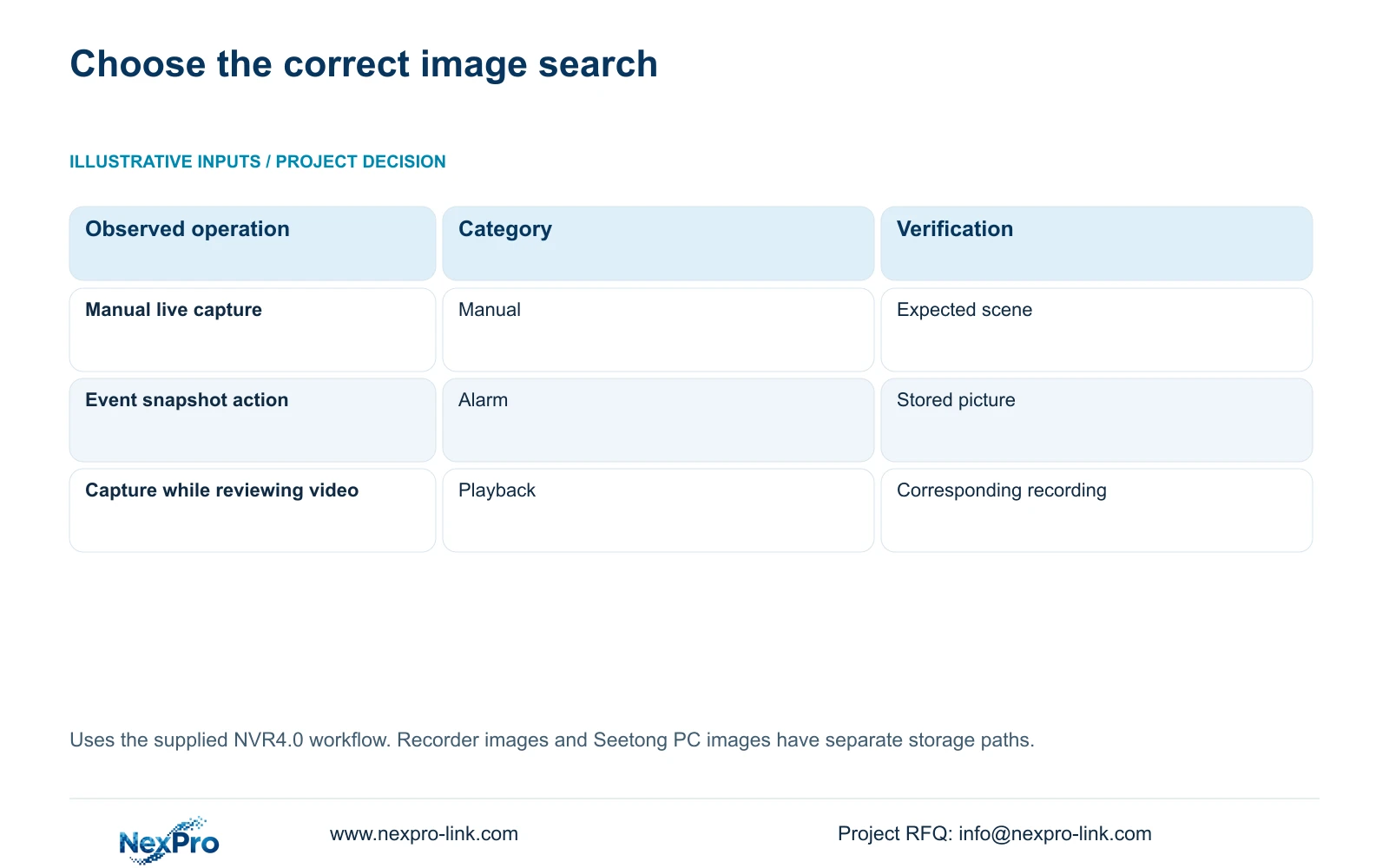
| Manual capture from live view | The channel viewed when capture was requested | Search manual snapshots for that channel and period |
| Alarm-triggered capture | The event and its configured snapshot action | Search alarm snapshots, then verify the linkage |
| Capture during playback | The recording channel and reviewed event period | Search playback snapshots and compare with the source video |
Section 02
Check the snapshot action independently
An alarm snapshot depends on the intended alarm response being configured. Section 4.12.11 lists separate actions, including a popup, border flashing, buzzer, email, sending a screenshot, snapshot capture, preset call, recording and app push. A visible popup establishes that the popup occurred. It does not establish that the recorder stored a picture or recorded the event.
For a missing alarm image, inspect the snapshot linkage for the relevant event before changing unrelated settings. If the requirement includes an emailed screenshot, verify the recipient path separately from the recorder-held image. Receiving an attachment and finding a stored alarm snapshot are different observations.
Use an authorized event check to observe each requested output at its destination. Search Image Management for the stored picture, inspect playback for the recording, and check the intended recipient for a notification. Keep the duration of an alarm action separate from the period for which recordings must remain available.
Section 03
Search the image and its recording deliberately
Set the snapshot category first, then confirm the channel and date range before running the search. A location name should resolve to the actual recorder channel. Check the resulting image content against the expected view, especially when channels have been reordered or cameras replaced.
When checking the accompanying recording, use the playback controls described in section 4.11.2. Playback opens on the preview-selected channel and has ordinary, alarm and motion recording filters. Those recording filters are a separate selection from the manual, alarm and playback image categories.
An orange playback date indicates that recordings exist for the selected date in this workflow; grey indicates no recordings. Orange does not prove complete coverage of the required period. Locate and play the actual interval before using a picture as the reference for an incident package.
Section 04
Keep capture time and event time understandable
A playback snapshot requires a clear connection to the recorded event. Document the event period being reviewed and the capture operation so the recipient does not assume that the image depicts a current live scene. Where the displayed image time and recorder search time differ, retain both observations while checking their source.
Sections 4.4.2 and 4.12.2 provide IPC time controls and separate recorder time settings. The IPC controls include manual time, network synchronization, time zone and daylight saving. The recorder has network time and an IPC synchronization interval measured in hours.
Document which device supplies time and which device follows it. Avoid enabling competing mechanisms without understanding their direction. If the clocks disagree, compare a known event across the required cameras and record the difference. The manual does not establish support for every possible local NTP arrangement.
Section 05
Open the exported image at the destination
After finding the picture, inspect its content before exporting it. Confirm that it shows the requested location and moment, then open the exported file on the intended receiving system. A completed transfer indicator alone cannot establish that the selected image is useful.
If the recipient needs movement or event order, export the corresponding video through section 4.11.4 and verify that file separately. The manual mentions players such as VLC for backed-up video and audio, without guaranteeing every player, operating system or codec combination.
If the image opens but its content is wrong, return to the source selection. If the correct image cannot be opened at the destination, preserve the source and investigate the receiving path. Repeating a different capture would change the material being handed over.
Section 06
Name the image and video as separate deliverables
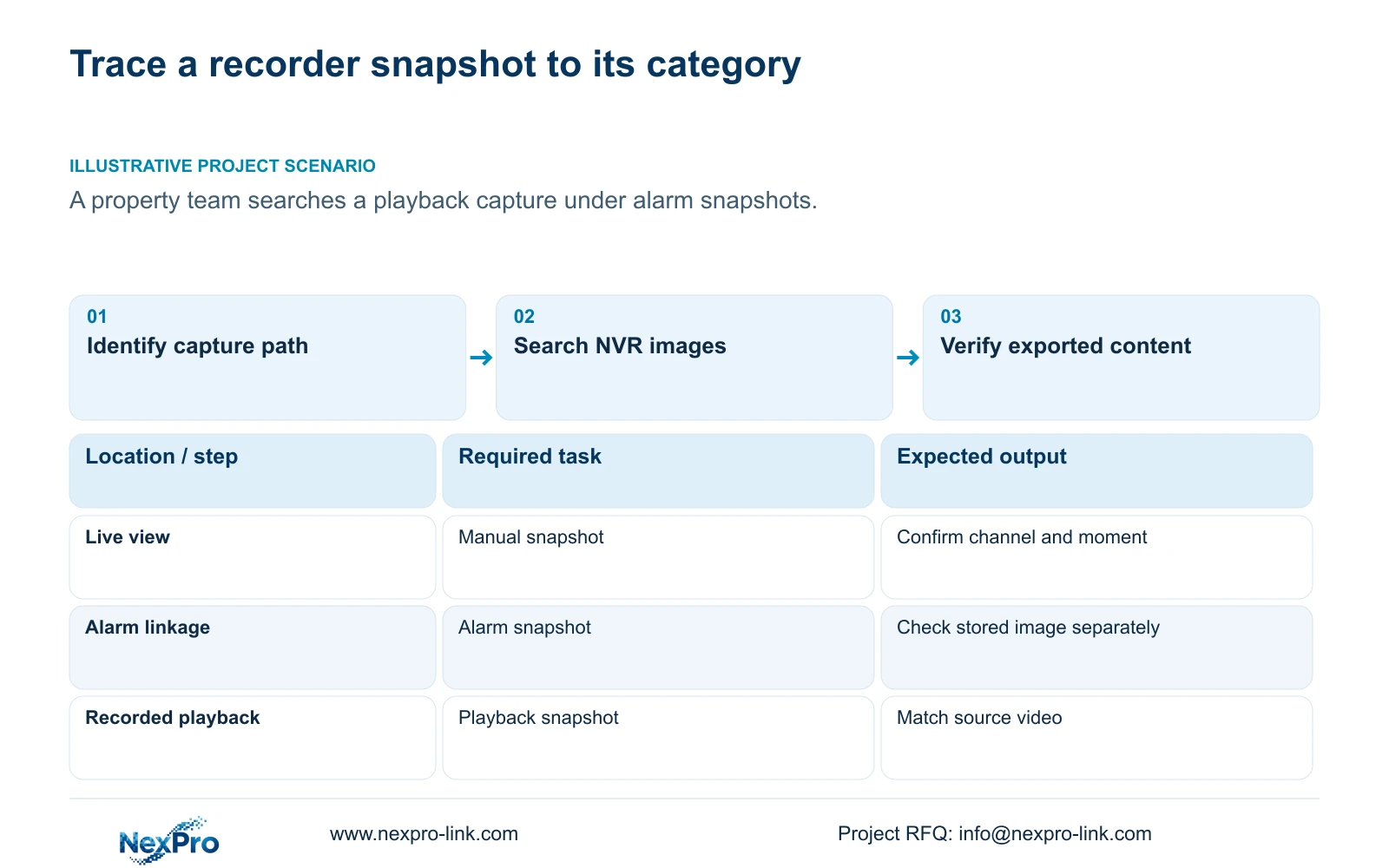
Illustrative project scenario: A property team searches for a still image captured during playback but filters only alarm snapshots. The appropriate next step is to select the playback snapshot category, confirm the channel and review the relevant time range. This is a search correction to try, not a claim that the image has been recovered.
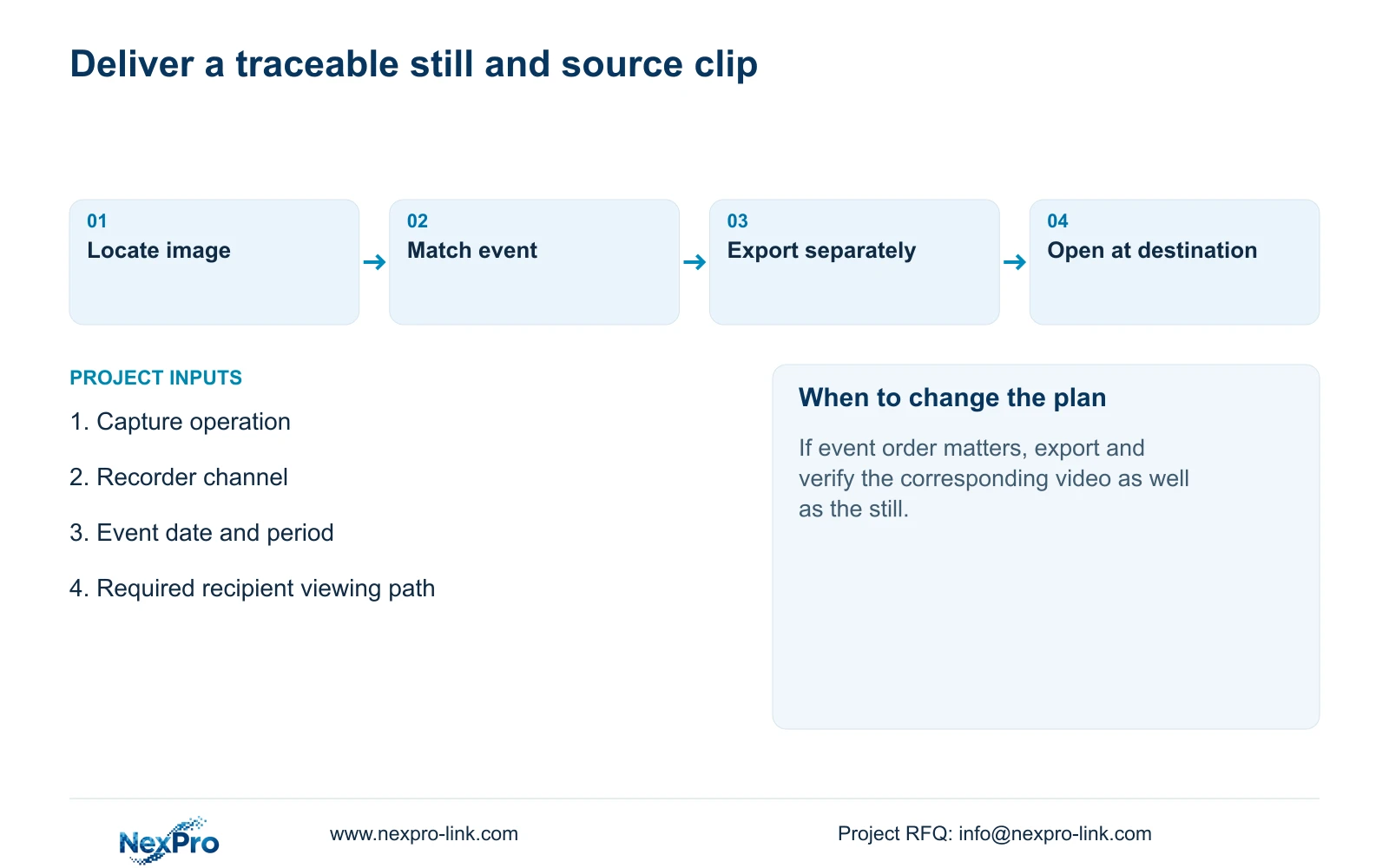
For handover, give the image and video separate filenames with a shared incident reference. Include the channel, event period and snapshot category in the file index. Record the viewing method used to check the exports and identify the person responsible for later retrieval.
The operator should be able to find the same material again using that record. Keep the applicable recorder versions, configuration-backup location and maintenance responsibilities in the operating documentation. Transfer credentials through a controlled route. Receipt of the files and an operator's ability to repeat the task are separate checks.
Section 07
Should I look in the Seetong PC Picture folder?
Only when the image was saved through that PC workflow. Recorder-held snapshots described in sections 4.9.1 through 4.9.3 use the NVR storage and image-management path.
Section 08
Does an alarm picture prove that video exists?
No. Snapshot capture and recording are separate alarm actions. Search and play the required recording interval before including it in the handover scope.
Section 09
Resolve the capture category
Send NexPro-Link the capture operation used and the selected image category, channel and date range at info@nexpro-link.com to discuss the unresolved snapshot search.
Engineering references
These sources support the general planning principles. Always use the selected product's current datasheet and applicable project standards for final design.


