

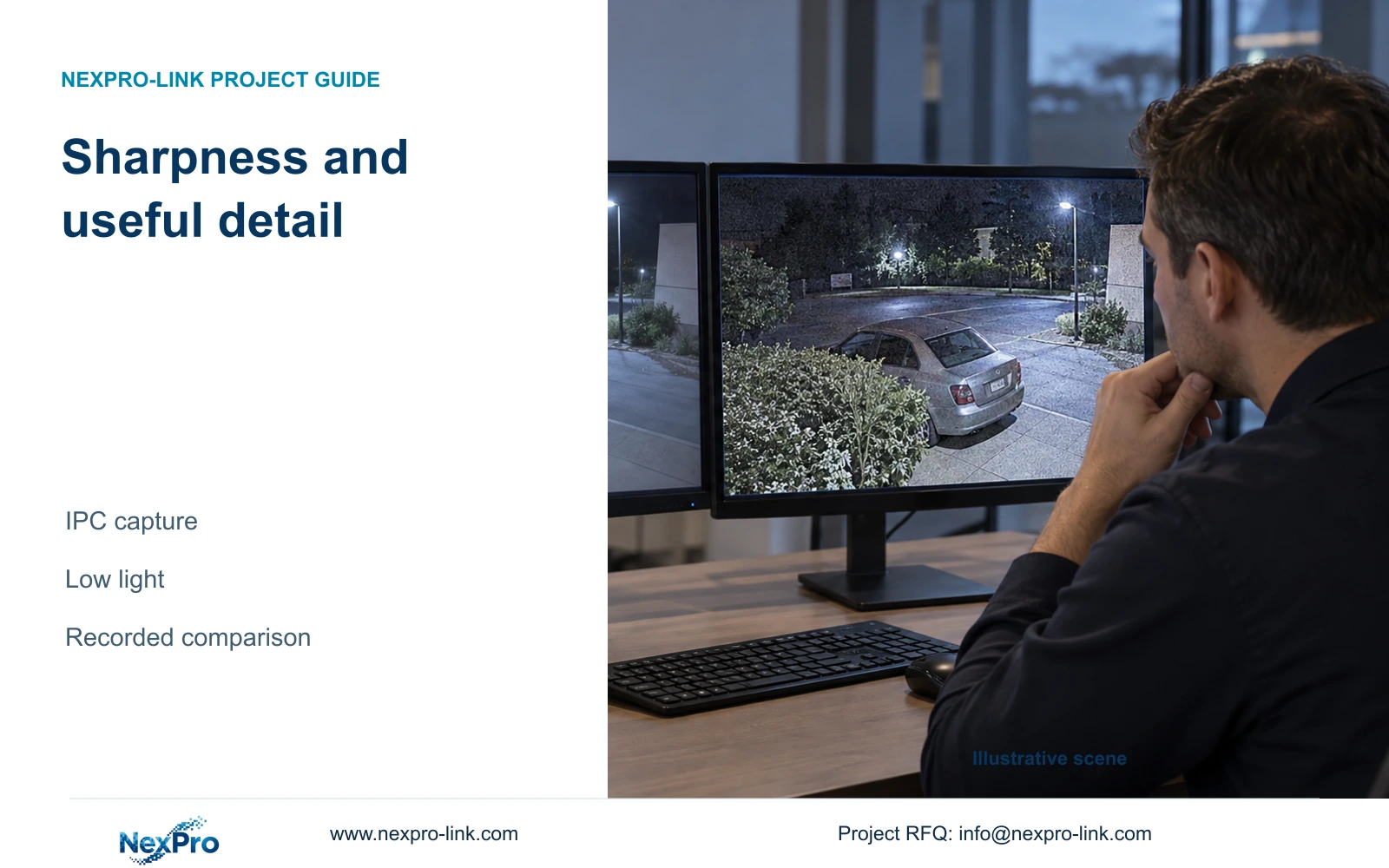
A stronger-looking edge does not establish better recorded detail. Compare camera-side sharpness under consistent lighting, encoding and playback conditions.
Section 01
Choose the recorded detail that must improve
Keep a sharpness adjustment only when comparable recordings make the required subject easier to interpret. A more striking live picture, stronger outlines or a brighter monitor does not establish that useful detail has improved. Start with the affected camera, identify the detail the operator needs, and preserve a baseline recording. Then change camera-side sharpness alone while keeping the viewing method and encoding conditions consistent. Review relevant movement in both daytime and low light, including an export on the intended receiving system. If the image looks more forceful but the task remains uncertain, retain the documented baseline and investigate the remaining limitation separately.
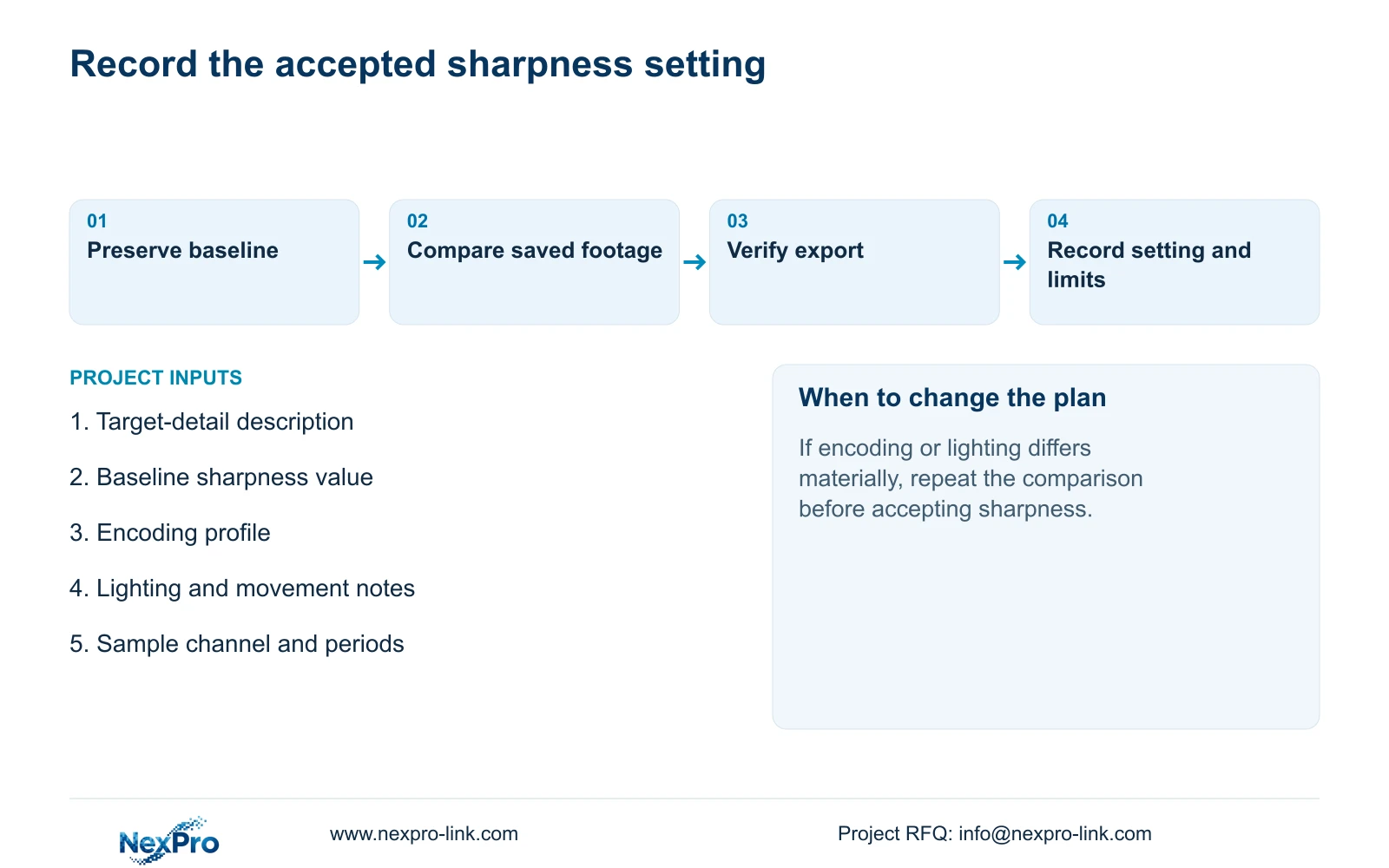
Write the target as an observable task, such as distinguishing an object carried through the monitored doorway. Avoid an acceptance statement that says only 'looks sharper'. Identify where the subject should be evaluated and whether it is stationary or moving. This gives the person reviewing the recordings a repeatable question.
Section 4.4.3 lists IPC brightness, saturation, sharpness, contrast, image flips, digital wide dynamic range, starlight and corridor modes. Confirm which controls the selected camera actually exposes. The list provides possible adjustments, without establishing a maximum-sharpness recommendation or a common preset for every camera.
Section 02
Remove display changes from the comparison
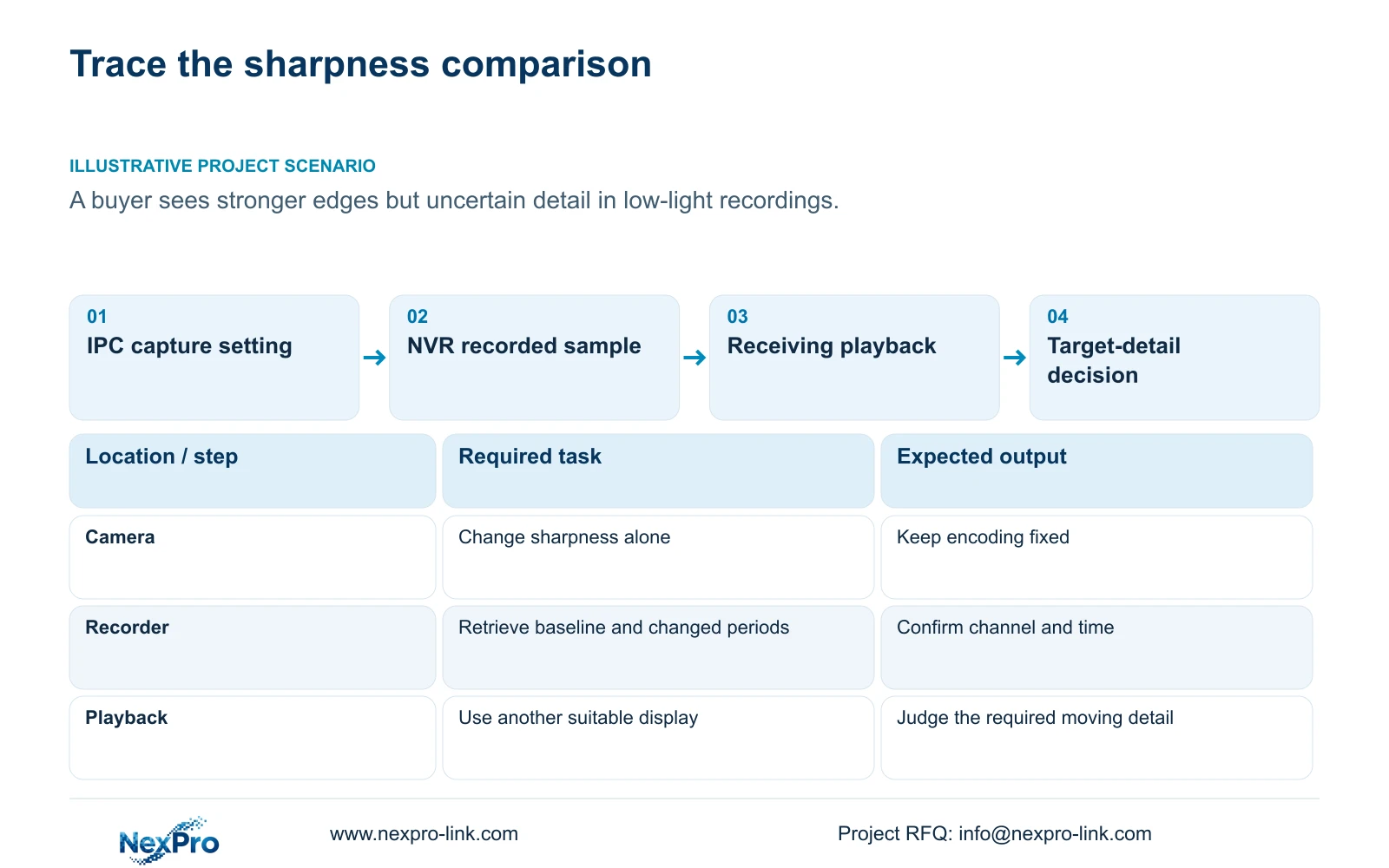
Before adjusting another camera parameter, replay the same saved segment through another suitable display path. The manual separates VGA/HDMI output adjustment in section 4.8 from IPC capture settings in section 4.4.3. A monitor-facing brightness or color change belongs in the display record, not in the camera profile.
If the complaint changes with the display while the file remains identical, investigate that viewing path first. Keep the camera baseline unchanged during this check. If the required detail remains unclear through both paths, proceed with the camera-side comparison, while recording the playback conditions.
Use consistent viewing size and the same part of the recording for each assessment. Comparing a small preview with a larger playback window introduces another variable. Record whether the apparent improvement survives the second viewing path; do not treat a corrected monitor picture as proof that source capture improved.
Section 03
Record lighting and actual stream behavior
Attach the sharpness setting to the conditions under which it was assessed. Record the camera channel, sample period, lighting state, relevant movement and selected stream settings. A quiet daytime sample cannot settle a complaint about moving subjects in low-light footage.
Sections 4.4.5 and 4.3.3.3 distinguish encoding configuration from observed operation. CBR or VBR and an entered bitrate describe the control profile. They do not establish the site's permanent traffic or daily recording volume. Keep measured traffic observations separate from configured values.
Where the change affects a retention discussion, use representative average operation for that purpose and an appropriate peak or limit for network evaluation. No supplied measurement establishes a storage penalty or saving for this sharpness adjustment. If the comparison conditions differ materially, collect another sample before selecting the profile.
Section 04
Hold encoding constant while testing sharpness
Keep the codec, resolution and other recorded stream settings unchanged during the initial sharpness comparison. Changing compression at the same time makes it difficult to attribute the observed result to the image adjustment. Save the original profile values before testing a supported alternative.
The manual lists H.264, H.265 and H.265+ in sections 4.4.5 and 4.12.7, with available resolutions dependent on IPC capability. A visible codec name does not establish support across the camera, recorder and receiving playback system. H.265+ also provides no fixed saving for this scene.
If an encoding change is subsequently needed, treat it as a separate test with its own baseline. Verify recording, export and the intended client before accepting it. If playback fails after that change, resolve the encoding path before judging sharpness from an incomplete or unavailable comparison.
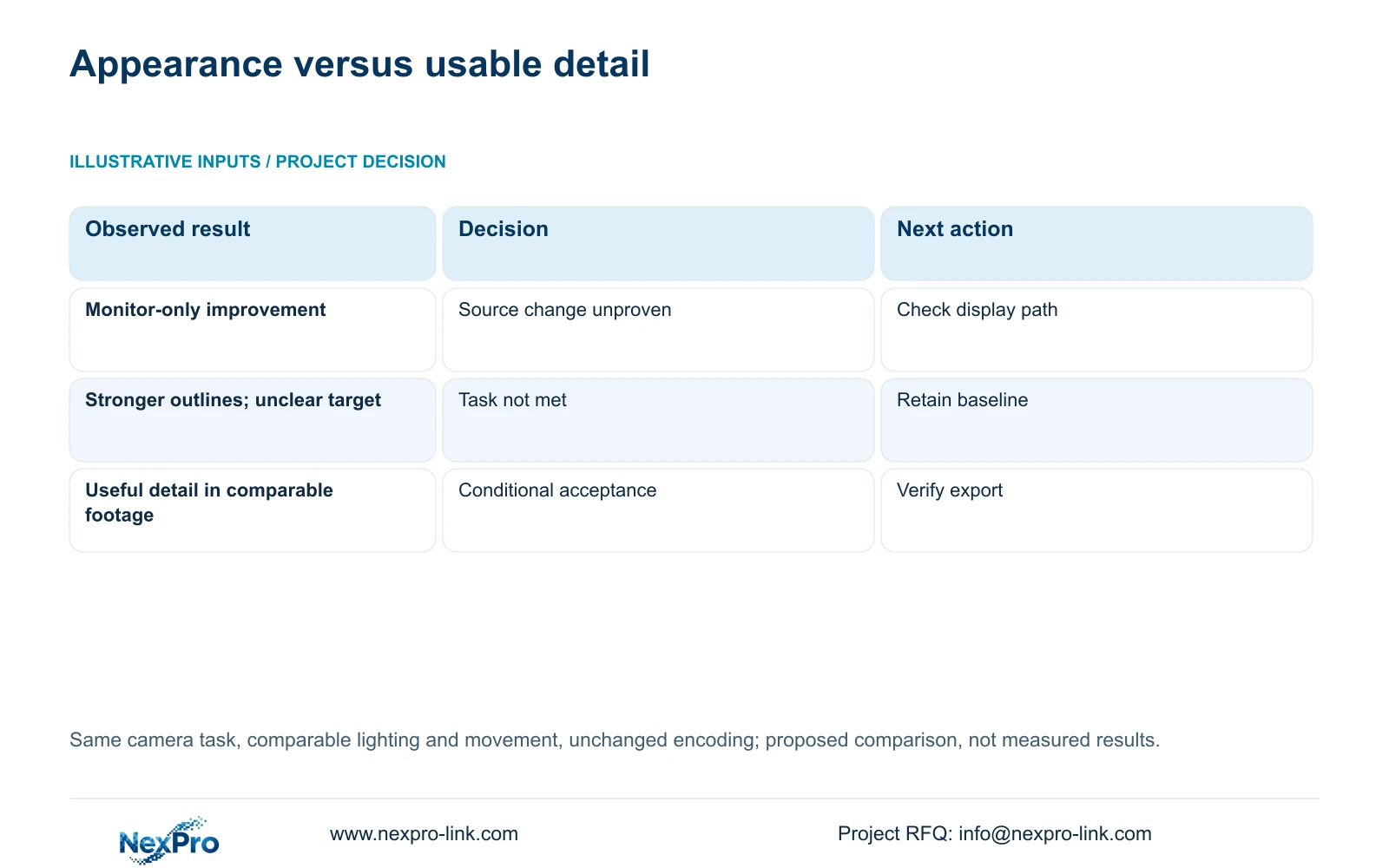
| Observation | Meaning | Next action |
|---|---|---|
| Only the monitor image improves | Source improvement remains unproven | Keep camera settings; check the display path |
| Outlines look stronger; target remains unclear | Visual impact has not met the task | Retain baseline; investigate the remaining limitation |
| Recorded moving detail improves in comparable samples | The adjustment supports this viewing task | Verify export and document tested conditions |
| Codec or lighting changed between samples | The comparison cannot isolate sharpness | Repeat with comparable inputs |
Section 05
Compare saved footage and a usable export
Retrieve the baseline and adjusted periods from the recorder's recording store. Confirm the channel and time window before comparing them. A Seetong PC local recording is a different storage object and should not silently replace the NVR footage being assessed.
Export a relevant sample and open it on the intended receiving system. Section 4.11.4 mentions players such as VLC, without guaranteeing every operating-system and codec combination. Verify actual playback and any required audio, and record the method used.
Protect the original footage until the required copy is verified. Keep sample files unaltered so later reviewers can repeat the assessment. If the export fails while local playback works, record that as a separate deliverable failure. An attractive local image does not complete a task that requires a usable file.
Section 06
Accept an observed improvement, with its limits
Describe what the reviewer could determine from each sample. 'Stronger edges' and 'the carried object can be distinguished during movement' are different observations. Record the chosen setting, conditions and unresolved limitations without assigning an untested cause to the remaining noise or missing detail.
Illustrative project scenario: A buyer increases sharpness and reports a more striking picture but uncertain detail in low-light recordings. The engineer preserves the baseline, excludes display changes and compares the same task under consistent encoding. If interpretation remains uncertain, the increased setting has not passed acceptance merely because the picture looks more striking.
A failed comparison should lead to the next smallest relevant investigation, not a collection of simultaneous image changes. Sections 4.3.3 and 5.3 provide the diagnostic context; this workflow is a proposed assessment, not a report of a completed installation.
Section 07
Source and device scope
This guide uses the supplied private NVR4.0 user manual CH_V2.4.doc, whose body identifies V2.2. Relevant sections are 4.4.3, 4.8, 4.4.5, 4.3.3.3, 4.12.7, 4.11.4 and 5.3. Section references take priority over page numbers. Its TS models have no established mapping to NexPro-Link commercial SKUs.
Section 08
Should sharpness be set to its maximum?
The manual provides no universal maximum-setting recommendation. Select the supported value that improves the required recorded task under the tested conditions.
Section 09
Can a bitrate setting prove the change saves storage?
No. Configured bitrate and measured recording volume are different evidence. A storage conclusion needs representative operation with comparable image usefulness.
Section 10
Provide the unresolved comparison
Send NexPro-Link a redacted baseline-versus-adjusted comparison with the target detail and unchanged encoding settings at info@nexpro-link.com.
Engineering references
These sources support the general planning principles. Always use the selected product's current datasheet and applicable project standards for final design.


