

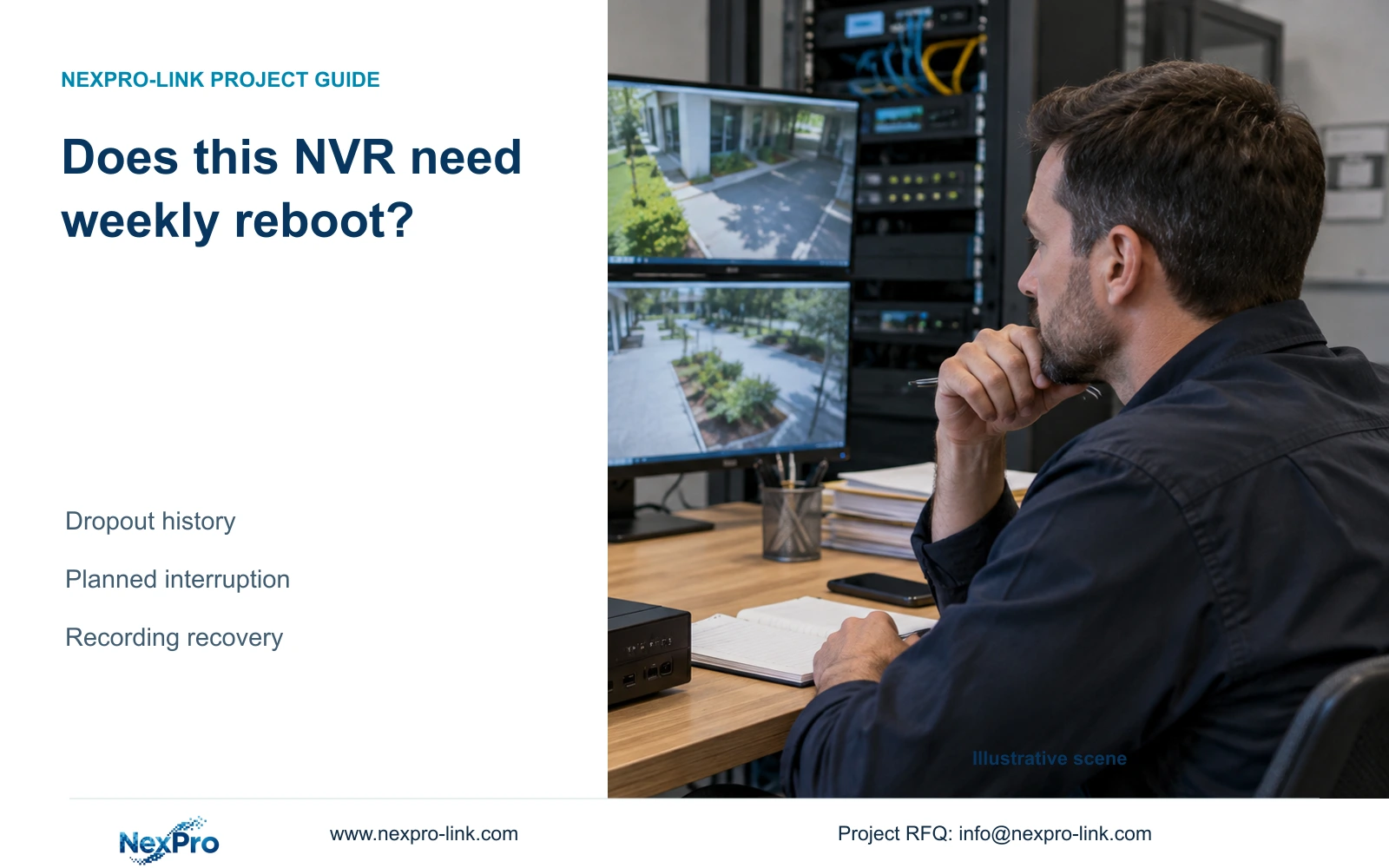
The manual offers weekly scheduled restart with the option disabled by default. Investigate recurring dropouts first, then approve any restart against its purpose and recording interruption.
Section 01
Decide whether recurring restart has a defined purpose
An NVR does not need a weekly reboot simply because the menu offers one. The supplied manual presents weekly scheduled restart as an option that is disabled by default. For a site repeatedly restarting the recorder after camera dropouts, first preserve symptom times, system logs and available connection history. Then decide whether a planned interruption serves an agreed maintenance purpose. The owner should approve its effect on recording and operator access. After a restart, verify newly stored footage and monitor the original symptom under relevant operating conditions. A recovered live picture proves only that viewing has returned at that moment.
Write down why the schedule is being considered. A maintenance choice should have an identifiable objective, a responsible person and a completion check. 'The cameras sometimes disappear' describes a symptom that still needs investigation. It does not establish that recurring reboot is the appropriate permanent response.
Avoid claims that a fixed restart frequency extends disk life or guarantees continuity. The manual provides the setting, without proving those outcomes. Keep an existing approved arrangement distinguishable from a newly proposed schedule so later observations can be related to the actual configuration.
Section 02
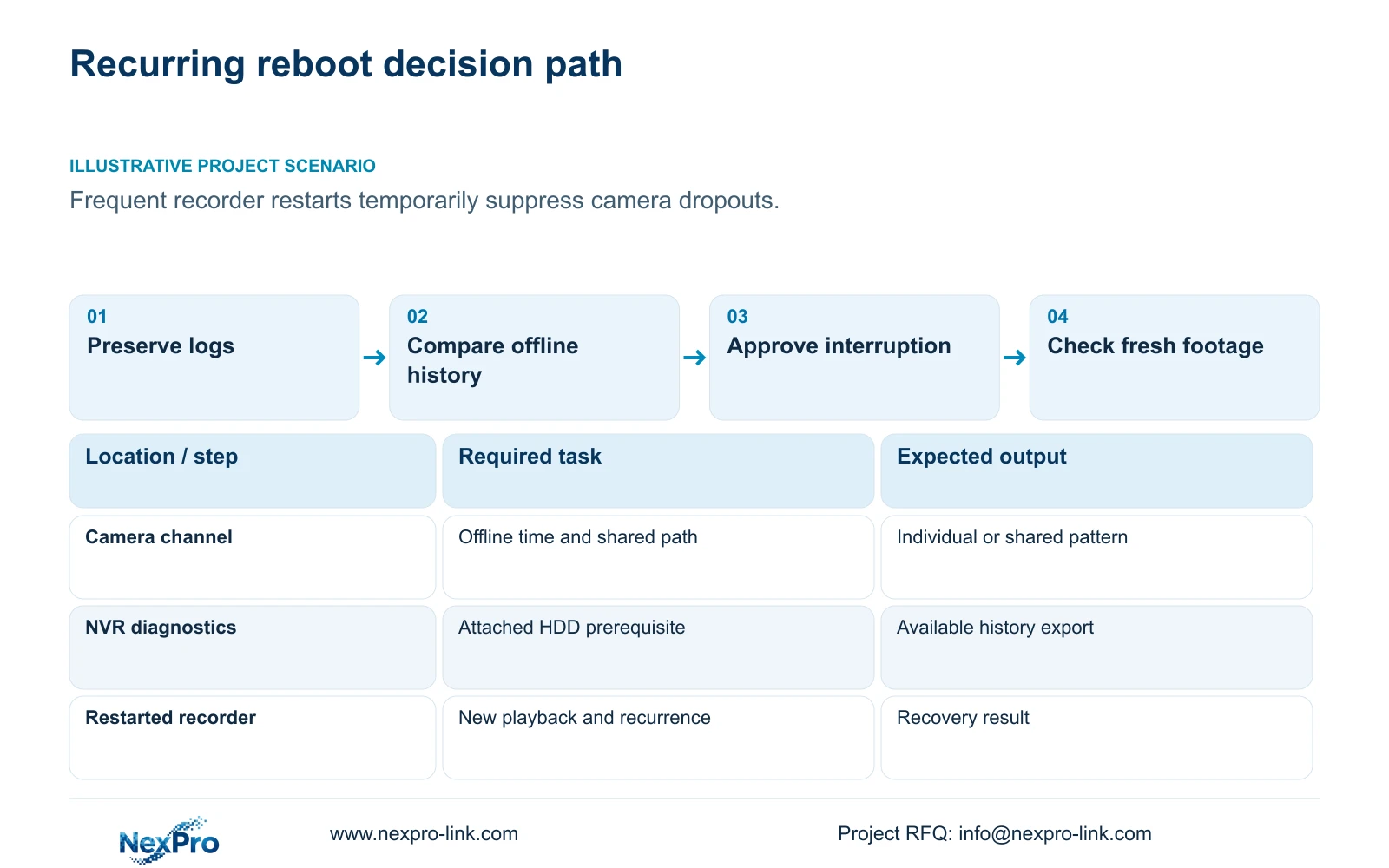
Preserve the fault timeline before changing operation
Record the affected channels and the times at which the dropout began, ended or was noticed. Distinguish those times from the operator's subsequent restart. Otherwise the recovery action can be mistaken for the beginning of the fault.
Section 4.12.17 describes log searching with a default current-day selection and type filters. Check both before interpreting an empty result. If the incident occurred earlier, select the relevant date or use the documented all-log query by leaving the date condition unselected. Inspect meaningful details and export the text record.
Save the exported record with its search conditions and recorder identity. It supports investigation, but the export function does not establish unlimited retention or tamper-proof auditing. Preserve the useful baseline before any action that would make the original sequence harder to reconstruct.
Section 03
Check the disk prerequisite for connection diagnostics
The local-network diagnostic feature in section 4.3.3.1 requires an attached hard disk for enabling it. Check that prerequisite before deciding the feature has failed. A diskless demonstration recorder cannot be evaluated against the same historical-diagnostic workflow without addressing its storage condition.
This requirement belongs to the documented diagnostic function. It does not mean every network operation requires a disk. Do not attribute an unavailable diagnostic option to a damaged cable merely because the cameras are also experiencing connection trouble.
Where the applicable feature is available, use its real-time diagnostic view and connection history alongside the log timeline. If the actual model or firmware lacks the documented path, record the difference and obtain matching instructions. Do not transfer a Seetong PC diagnostic or local-storage assumption to the recorder.
Section 04
Compare repeated dropouts without clearing the baseline
The manual describes the past week's offline details and export of connection statistics. Preserve those records before resetting counters. Compare channels against fault times and the site's shared network or power dependencies.
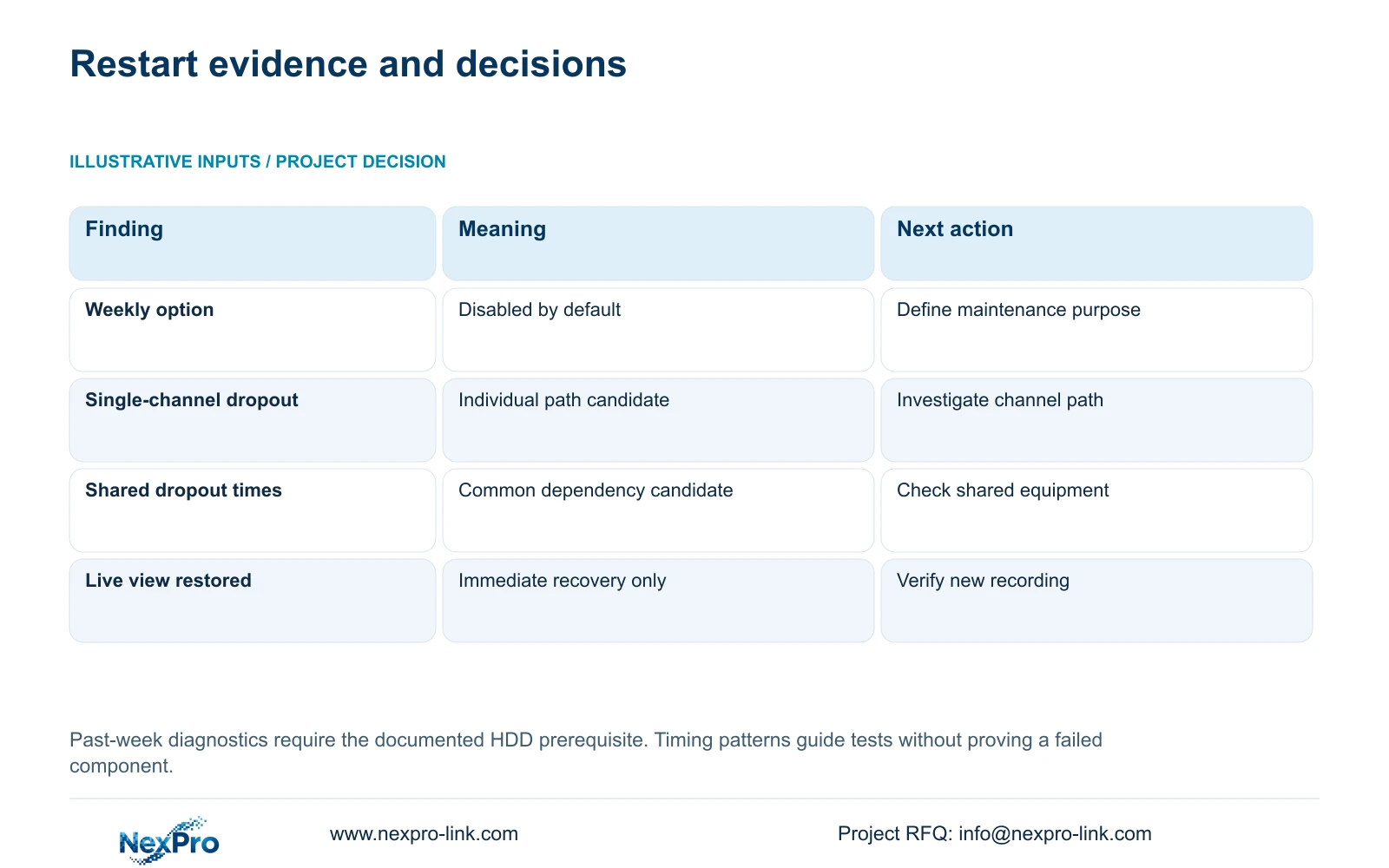
A fault limited to one channel directs attention toward that camera's path. Similar outage times across channels sharing equipment justify checking the common dependency. These are investigation branches, not proof that a particular switch, cable or power supply is defective.
Keep observed timing separate from the suspected cause. If the evidence does not show a repeated pattern, continue collecting relevant observations instead of scheduling restarts to make the symptom less visible. The table turns each finding into a specific next action.
| Observation | Interpretation | Next action |
|---|---|---|
| Only today's logs are shown | Earlier incident may be filtered out | Search the incident date and inspect details |
| Local diagnostics unavailable on a diskless unit | Documented prerequisite is unmet | Resolve feature scope before blaming the network |
| One channel repeatedly drops | Individual path needs investigation | Compare its timing and relevant dependencies |
| Several channels drop together | Shared dependency is a candidate | Check common equipment without declaring a cause |
| Picture returns after restart | Immediate viewing recovery is observed | Check new footage and symptom recurrence |
Section 05
Approve the recording interruption and correct operating action
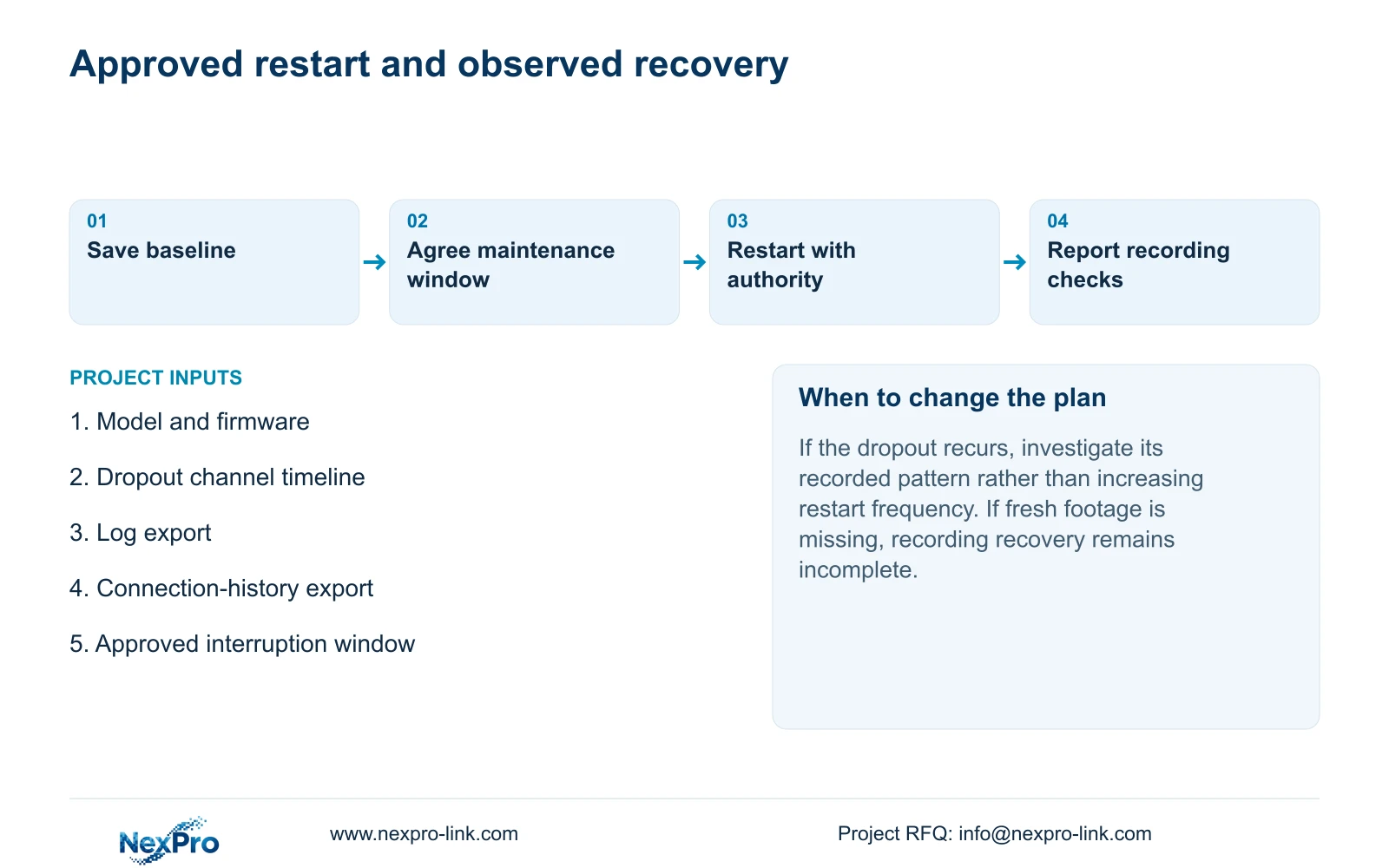
A scheduled restart changes the recorder's operating state. Agree its timing with the owner and identify recording or retrieval tasks that could be interrupted. Protect incident footage needed during maintenance and preserve the diagnostic baseline before the authorized restart.
Logout ends an operator session. Restart acts on the recorder, and shutdown is the appropriate documented software action before planned removal of power. The manual asks the operator to close the system through software before disconnecting power; pulling the supply is not the scheduled-restart workflow.
If work also requires power removal, define that separately with the responsible party. Automatic recovery after an unexpected event does not promise uninterrupted footage and does not replace a protected power arrangement appropriate to the recording path. Do not insert an unverified downtime duration into the maintenance approval.
Section 06
Test recording recovery and the original fault
After restart, check time and live channels, then retrieve video generated during a defined recovery period. Also test a relevant older sample, an export and the intended accounts. Verify required event behavior if it forms part of the site's operating task.
Continue observing the condition associated with the original dropout. If it returns, report that recurrence with the new logs and channel times. Even when it does not recur during observation, describe the observed period rather than declaring a permanent cure.
Illustrative project scenario: A site uses frequent restarts to suppress intermittent camera dropouts without investigating them. The engineer preserves the existing history, compares single-channel and shared outages, and presents the owner with the restart purpose and interruption boundary. Any approved restart is followed by recording checks and renewed observation of the dropout condition.
Section 07
Does the manual require weekly automatic reboot?
No. It describes a weekly option that is off by default. Enable it only for an approved maintenance purpose with suitable recovery checks.
Section 08
Should counters be cleared before investigating dropouts?
Export the existing connection record first. Cleared counters remove the baseline needed to compare earlier behavior with later observations.
Section 09
Keep the restart decision tied to applicable evidence
The source is NVR4.0 user manual CH_V2.4.doc, with V2.2 in its body. Relevant sections are 4.12.18, 4.12.17, 4.3.3.1, 3.1 and 4.1.4 to 4.1.5. Recovery checks are an engineering workflow around those functions. Hardware warranty and troubleshooting responsibilities remain separate matters under the applicable support agreement and return policy.
Send NexPro-Link the recorder model, firmware and dropout timeline at info@nexpro-link.com for a scoped discussion of the recurring restart decision.
Engineering references
These sources support the general planning principles. Always use the selected product's current datasheet and applicable project standards for final design.


