

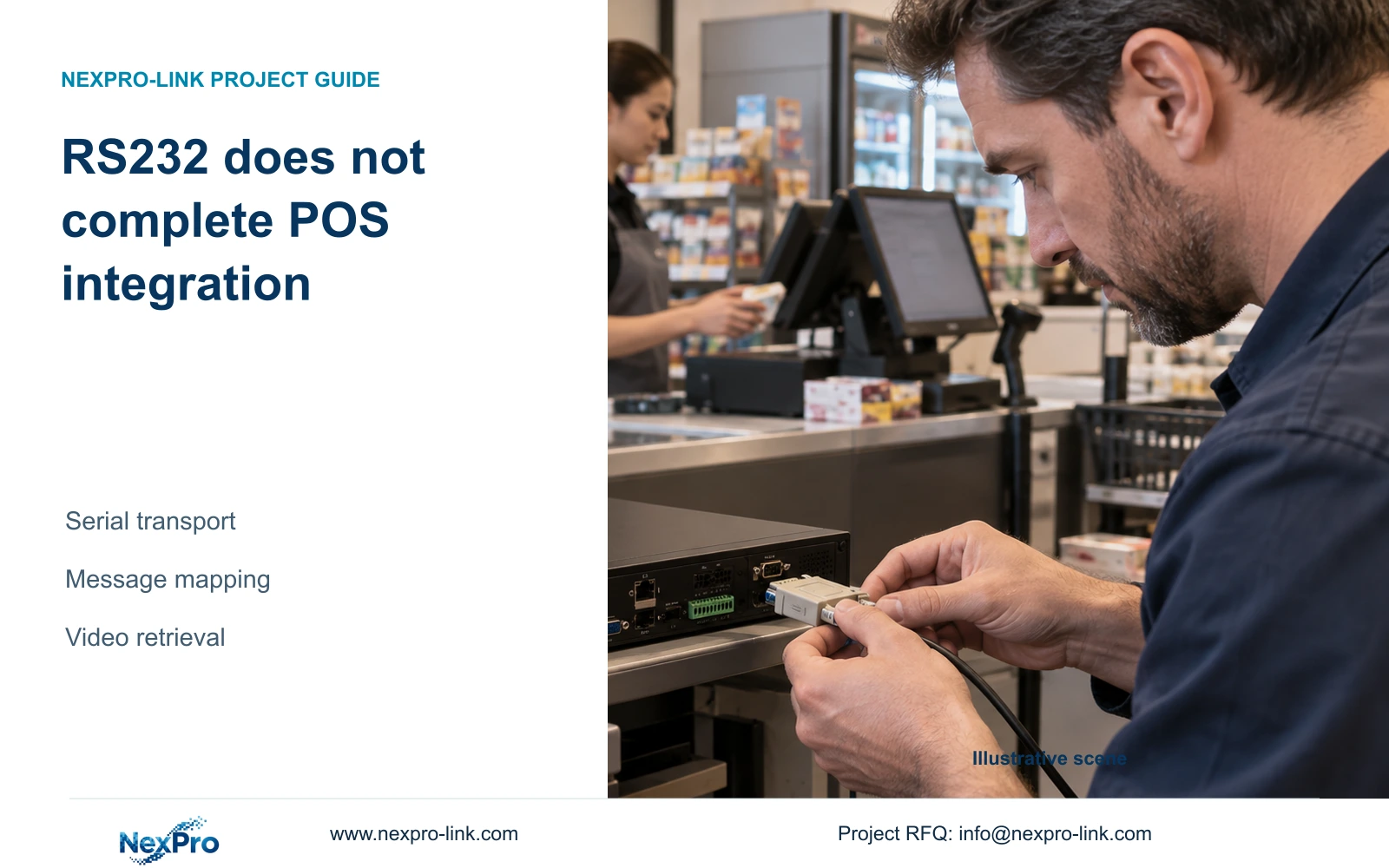
RS232 settings describe a serial transport path. Transaction-to-video integration still needs supported application messages, camera mapping, aligned clocks and a demonstrated retrieval task.
Section 01
Define the serial endpoints before promising transaction links
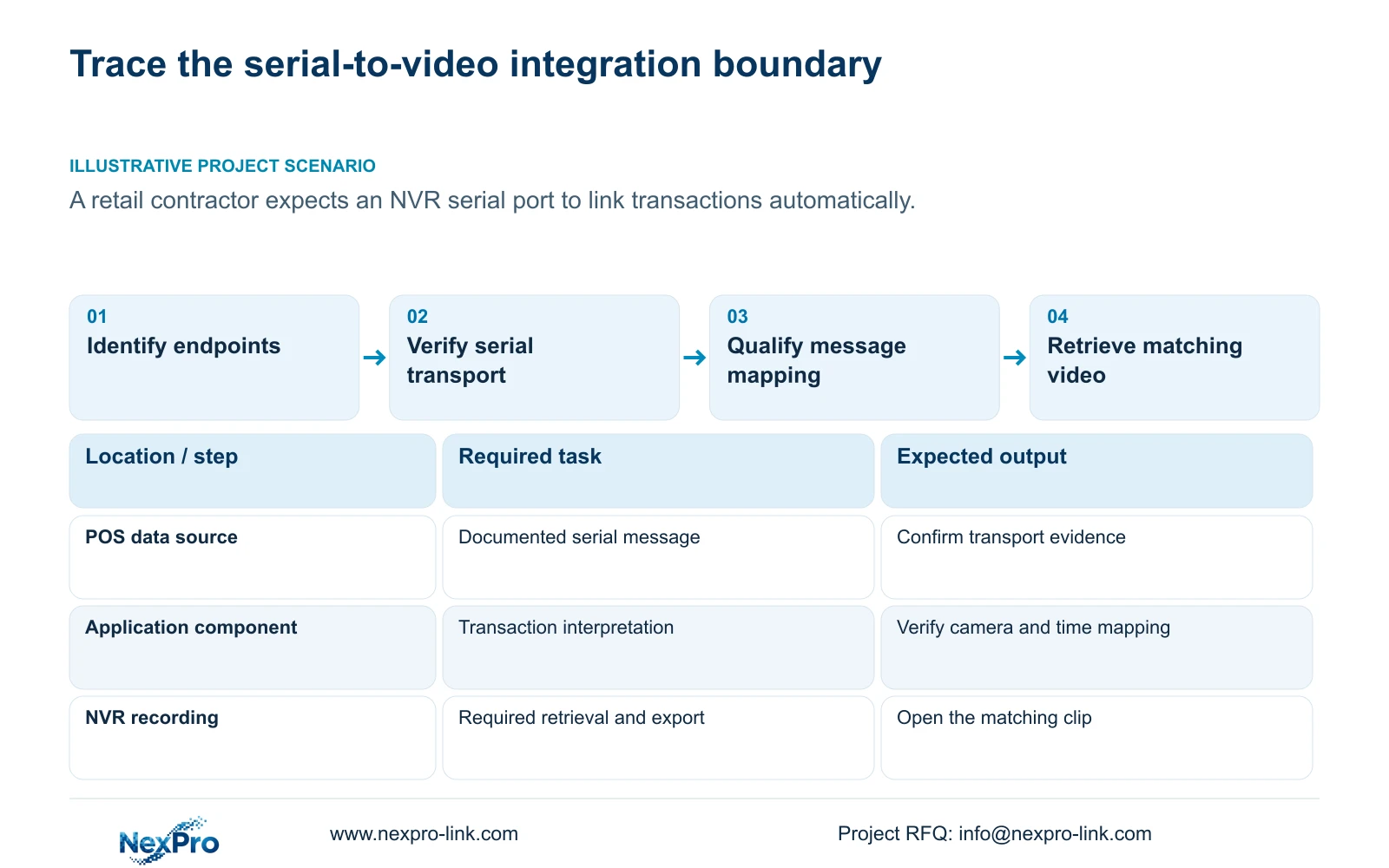
An NVR serial port does not automatically associate POS transactions with recordings. The supplied manual describes baud rate, data bits, stop bits, parity, flow control and transparent transmission; those fields establish serial communication settings, not complete interpretation of business messages. Before specifying integration, identify the POS data source, the recorder endpoint, compatible electrical interfaces and the required application behavior. Define which transaction fields must reach which camera and how an operator should retrieve the related video. Then verify clock alignment and demonstrate that exact task. Port connectivity alone is insufficient acceptance evidence for transaction overlay, searchable events or automatic video retrieval.
Start with the two endpoints and direction of data flow. Record the communication settings required by each device and confirm the proposed connection against their documentation. Use the actual values supplied for the equipment; the source pack gives no project-specific serial preset to copy.
The private source is NVR4.0 user manual CH_V2.4.doc, whose body identifies V2.2. Section 4.12.4 describes serial parameters and transparent transmission. Sections 4.12.19, 4.4.2 and 4.12.2 support identity and clock checks. Section references take priority over page numbers, and the manual's TS identities are not mapped to commercial SKUs.
Section 02
Confirm the exact recorder and physical interface
Use System Information, described in section 4.12.19, to record the product model, hardware version, software version and software date. Confirm that the identified hardware actually has the required interface and that the applicable documentation describes its supported use. A serial menu in a family manual cannot establish every unit's physical arrangement.
Attach the POS model and software version to the same record. Identify any proposed intermediate component and who supplies it. If an interface or compatible operating mode is undocumented, obtain that evidence before connecting equipment or writing a functional promise into the BOQ.
Equipment identity helps select the right instructions; it does not diagnose why a transaction failed to appear. Keep serial numbers and sensitive references within an appropriate private project record. Redact identifiers and customer information from public captures used to explain the interface.
Section 03
Specify the message and retrieval behavior
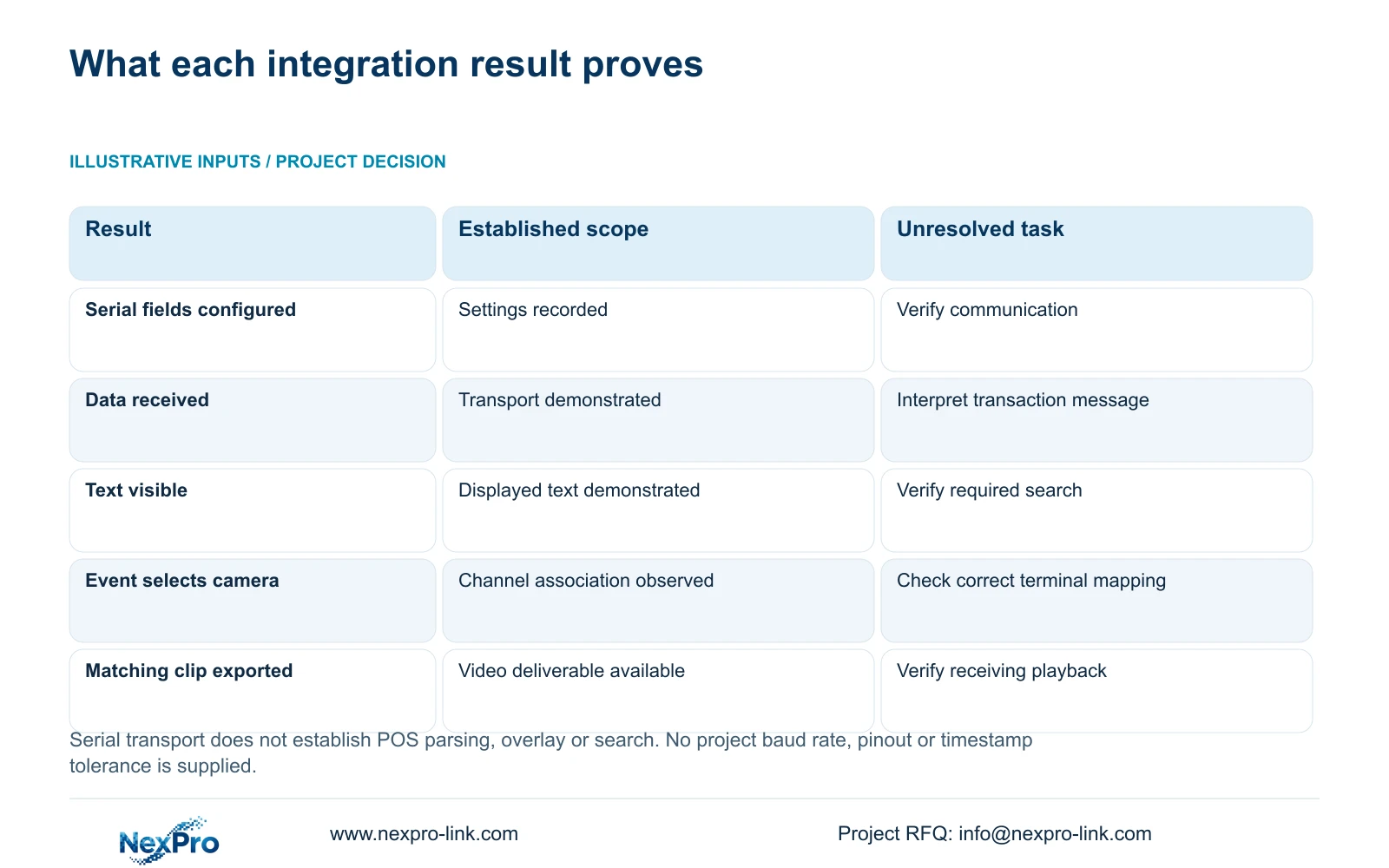
Write down the approved transaction event and the fields required for the review task. Identify the message format, delivery method and component responsible for interpreting it. Transparent transmission does not, by itself, establish transaction parsing, text overlay, structured event storage or search.
Keep overlay and retrieval requirements separate. If the operator needs to read transaction text on a picture, qualify that function. If the operator needs to filter events or jump to matching footage, qualify the structured retrieval workflow independently. Do not accept a visible text demonstration as proof of every search function.
Use observations to guide the next test. If data is shown as received but no useful transaction appears, investigate message interpretation and mapping. If an event exists but opens the wrong channel, inspect the terminal-to-camera relationship. Describe each observation without declaring a cause before the controlled test supports it.
| Observed state | What remains unproven | Next action |
|---|---|---|
| Serial fields are configured | Actual communication and compatible endpoints | Verify the documented transport path using the agreed test. |
| Data reception is demonstrated | Meaningful transaction interpretation | Check message format and the responsible application component. |
| Transaction text is visible | Search or event-jump capability | Demonstrate the operator's required retrieval action. |
| Event opens another camera | Correct terminal-to-camera mapping | Review the approved channel association. |
| Correct camera opens at an unsuitable time | Transaction and video time alignment | Inspect clock authority, timezone and the known event. |
Section 04
Align transaction time with the recording task
Map the POS clock, recorder clock and relevant camera clocks before enabling overlapping synchronization methods. The manual's IPC settings include manual time, network synchronization, timezone and daylight-saving controls. The NVR settings separately include network time and an IPC synchronization interval measured in hours.
Document which source sets each clock and the direction of synchronization. Include the POS time behavior using its own documentation. Avoid an arrangement in which PC, NVR and IPC settings repeatedly overwrite each other. A matching clock display at one moment does not establish sustained alignment.
Compare a known transaction with its visible scene and recorded time. If the mismatch concerns timezone or daylight-saving behavior, resolve that branch before blaming serial communication. The supplied network-time description does not establish support for every local NTP deployment, and no universal timestamp tolerance is supplied for this integration.
Section 05
Demonstrate a transaction through verified video export
Choose an authorized test transaction and identify the camera that should show its handling context. Confirm live video, inspect the selected disk and recording policy, and observe the known recording period. Retrieve that period through the proposed application workflow only after its functions have been established.
Check that the retrieved footage shows the intended channel and event. Then export the required segment and open it on another appropriate viewing system. Record expected and actual outcomes at each step. Sections 4.3, 4.11 and 4.12.21 support the recorder-side recording and retrieval workflow, not a claim that the manual supplies POS parsing.
If serial reception works but application retrieval does not, keep the successful transport result separate from the unresolved integration result. Preserve the relevant footage and test records. A demonstration should expose the unfinished component instead of treating all failures as an NVR hardware problem.
Section 06
Assign interface responsibilities in the enquiry
Illustrative project scenario: A retail contractor assumes an NVR serial port will automatically link transactions to recordings. The project review confirms the recorder identity, lists the serial fields, and asks who interprets the POS messages. Camera mapping and clock behavior are then tied to a transaction retrieval demonstration.
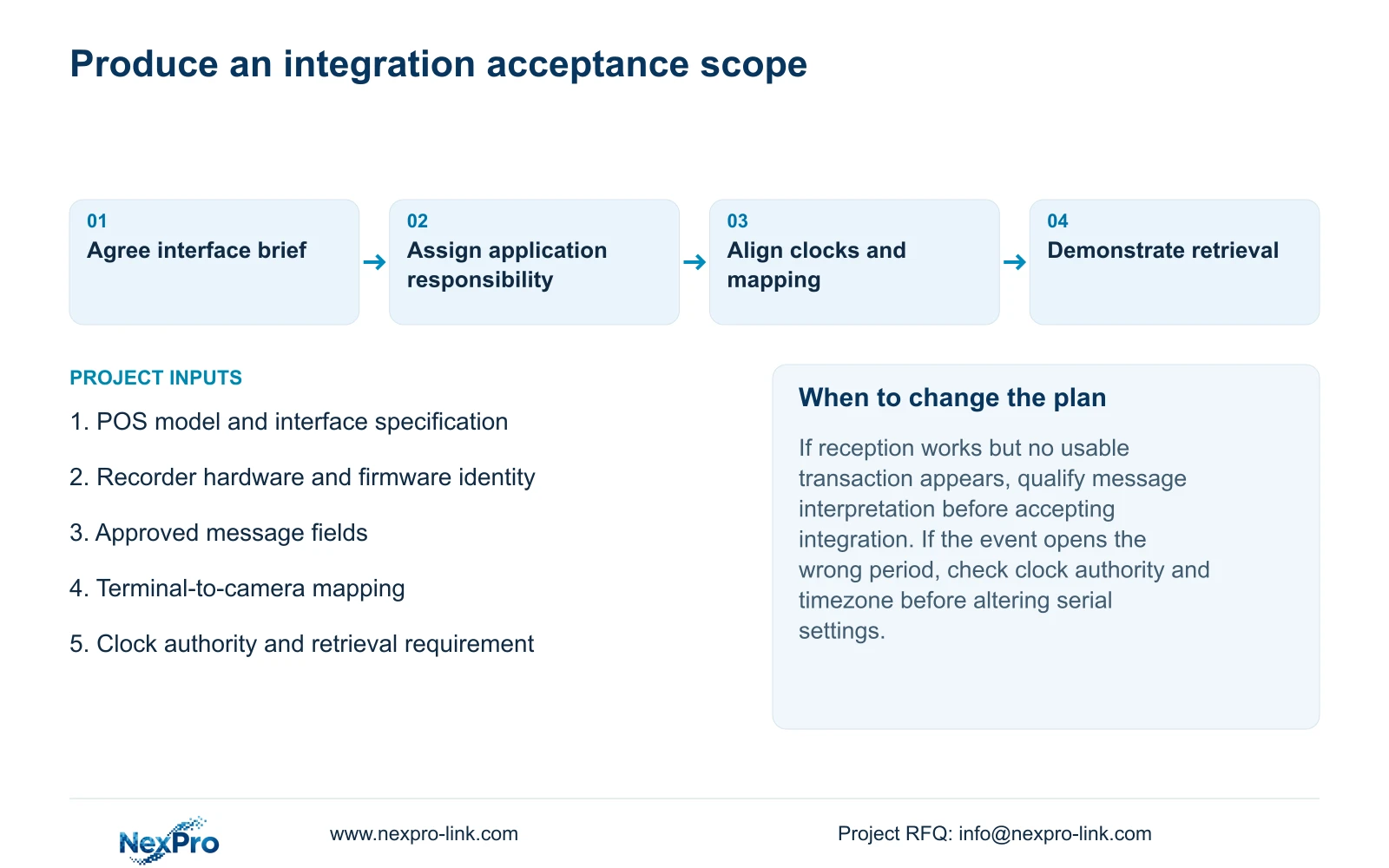
Separate equipment supply from application integration responsibility. State who provides the POS interface information, any interpretation component, configuration and acceptance testing. Keep unsupported functions visible as items requiring confirmation, rather than including an unqualified POS integration promise in the recorder description.
NexPro-Link's BOQ and tender support can serve the equipment and scope discussion. Begin with the interface brief and required retrieval task. The wider camera schedule, recording requirement and delivery details can follow when relevant; a full confidential tender or public credentials are unnecessary for this first technical decision.
Section 07
Does transparent transmission include POS parsing?
The supplied serial section does not establish that function. Identify the component that understands the POS message and verify the requested application behavior separately.
Section 08
Can a connected port satisfy integration acceptance?
No. Demonstrate the approved transaction, correct camera and time, required retrieval action and usable exported footage.
Section 09
Start with the POS interface brief
Send the POS interface specification, recorder identity and required transaction-to-video retrieval action to info@nexpro-link.com so NexPro-Link can discuss the equipment and integration boundary.
Engineering references
These sources support the general planning principles. Always use the selected product's current datasheet and applicable project standards for final design.


