

Restore Layout has a documented drag-mode condition. Preserve the current arrangement and camera mapping before deciding how to recover an unexpected screen.
Section 01
Check the condition before repeating recovery
When Restore Layout does not return the expected channel order, first check the active drag mode and confirm which order is actually approved. Section 4.12.5 limits Restore Layout to dragging bound to channel numbers. Allowed dragging and disabled dragging are separate modes, so the command is not a universal recovery method. Preserve the current arrangement before making further changes, then compare the displayed cameras with the camera-to-channel record. During an incident, retrieve footage by confirmed channel identity rather than waiting for a familiar screen to return. If the documented condition is met but behavior differs, retain the model, firmware and observed result for investigation.
Distinguish layout recovery from configuration restoration or a system reset. The immediate task concerns window arrangement. It does not justify resetting unrelated settings, changing camera connections or assuming that the recorder needs a broader repair.
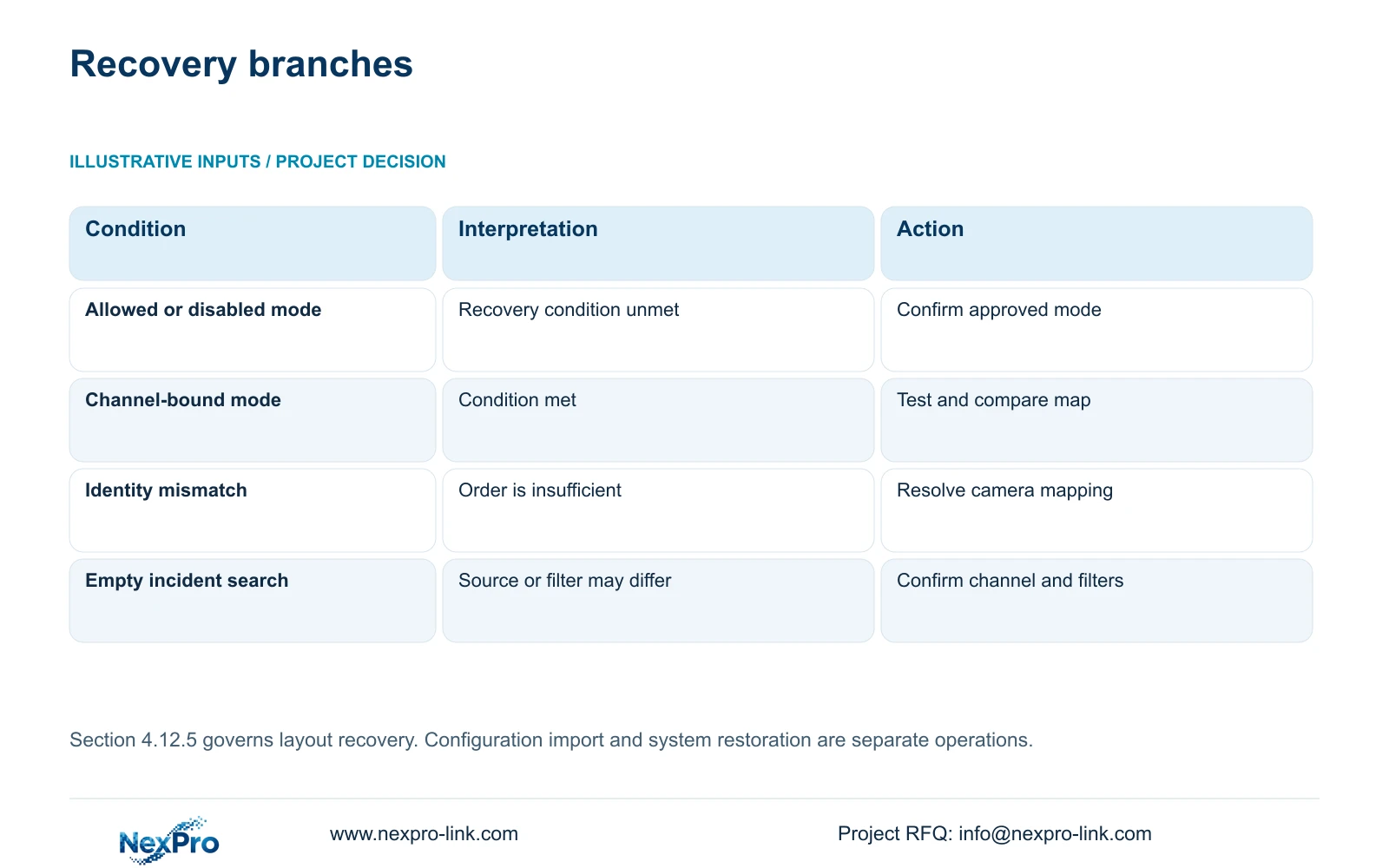
| Observed condition | Meaning | Next action |
|---|---|---|
| Allowed dragging active | Restore Layout condition not met | Record arrangement and confirm approved mode |
| Disabled dragging active | Restore Layout condition not met | Check how the current order was established |
| Channel-bound mode active | Documented condition met | Test recovery and compare channel map |
| Camera identity conflicts with map | Order alone cannot resolve identity | Resolve mapping before accepting recovery |
Section 02
Record the screen that exists now
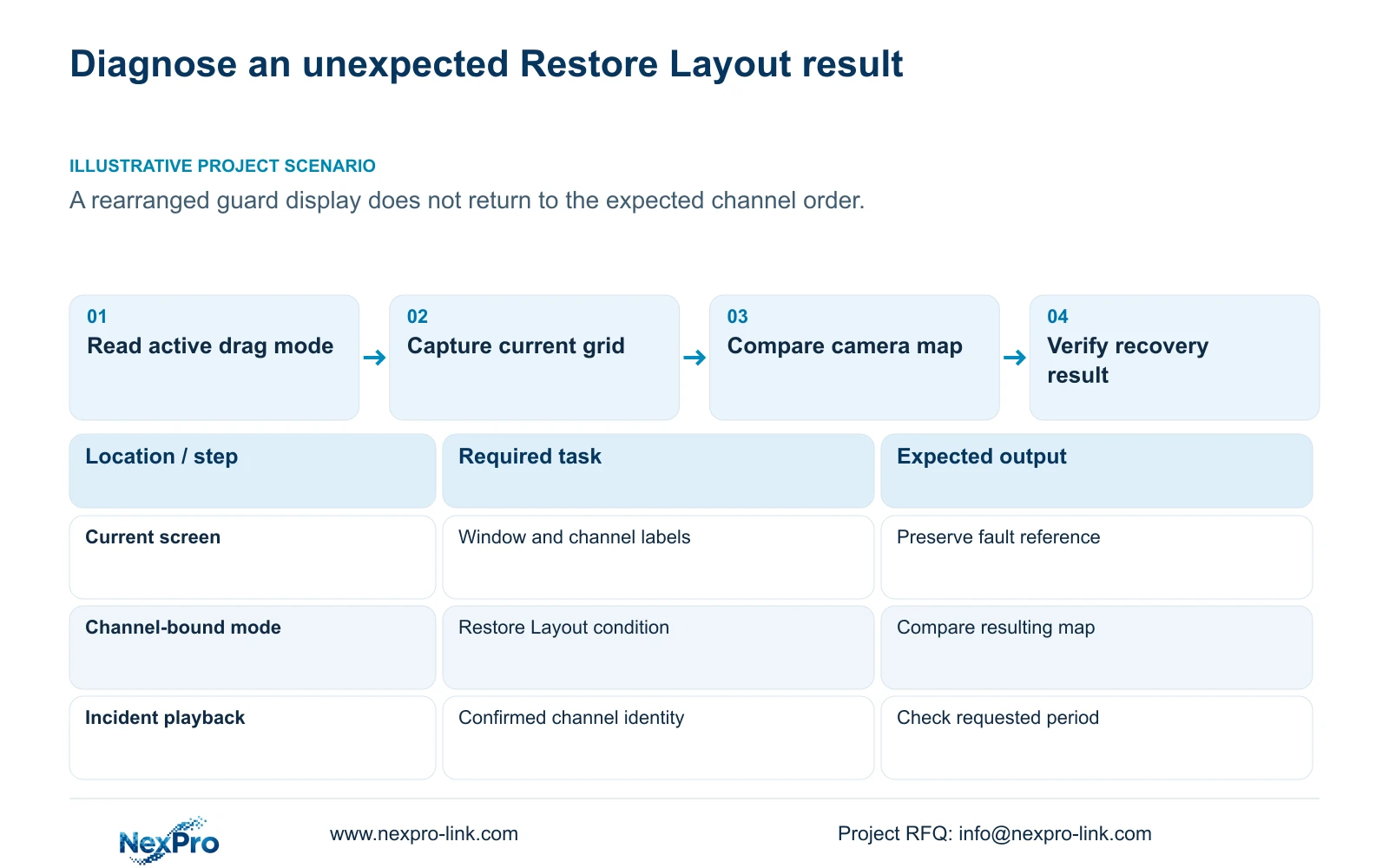
Before another recovery attempt, record the active layout, the camera shown in each relevant window, the selected channel and the reported symptom. Keep a private reference image or written map, excluding credentials and identifiers from anything shared publicly. This captures the difference between the current screen and the expected one.
Section 4.5 lists several layouts, while section 5.2 separately limits model processing. Check whether the guard expects the same grid that is currently selected. A different window count or arrangement can make the order appear unfamiliar even before channel identity is considered.
Also distinguish an out-of-order picture from an absent or unusable picture. If the camera is present elsewhere, follow the mapping branch. If it cannot be displayed in the proposed workload, investigate its stream and the applicable decoding combination. Repeating Restore Layout cannot establish missing decoding capacity.
Section 03
Use the camera schedule to establish the intended order
Read the approved record with separate fields for drawing location, physical camera identity, IP address, NVR channel and displayed name. Window position is another field. Sections 4.3.1, 4.4.4 and 4.12.6 provide relevant channel and name controls, but the project must maintain their relationship.
Compare each affected window with that record. A familiar alias can remain after a physical camera replacement, and a camera can occupy a different window without becoming a different location. Resolve those possibilities individually. Do not edit names merely to make the unexpected order look plausible.
Once the actual identities are confirmed, state the intended layout and test the documented recovery condition under authorized operation. Judge the result against the map, including labels and locations. A visually neat grid is insufficient if the entrance and another similar-looking area have been confused.
Section 04
Keep the approved configuration separate from the fault record
Retain any known approved configuration export before creating a new copy. Name the current diagnostic export separately so it does not silently replace the accepted reference. Section 4.12.18 describes configuration export; logs and footage have different purposes and workflows.
A configuration file is not a video backup or a disk image. If an incident is being reviewed, preserve its relevant footage through the applicable section 4.11.4 workflow. Keep the incident selection independent of the screen-order investigation.
Do not import a file simply because its filename mentions layout. Confirm the target model, version and settings scope first; universal cross-model import is not established. A broader configuration restoration needs owner authorization, preservation of relevant data and an assessment of affected settings or interruption. The Restore Layout control discussed here is a separate, narrower operation and should be tested against its documented mode condition.
Section 05
Keep incident retrieval reliable while the display is unresolved
Section 4.11.2 says entry into playback defaults to the preview-selected channel. An operator who clicks a familiar window position after rearrangement can therefore start a search against the wrong camera. Confirm the channel identity before opening the calendar, and check it again in the playback selection.
Set the required date and time window, then review ordinary, alarm or motion filters as appropriate. Orange indicates recordings on that date in the documented workflow; gray indicates no recordings. Neither a familiar calendar nor an orange date proves that the requested incident is present.
If the search is empty, correct the source and filter choices before declaring a recording loss. When the relevant segment is found, verify its location from the footage and mapping record. The screen-order problem can remain open while the authorized operator completes a correctly identified retrieval.
Section 06
Write an operation card from the demonstrated result
Illustrative project scenario: A guard tries to restore a rearranged display but the expected channel order does not return. The supervisor first records the current grid and mode. If channel-bound dragging is inactive, the documented recovery condition explains why the guard should not rely on Restore Layout. If it is active, the supervisor compares the result with the approved map and records the discrepancy.
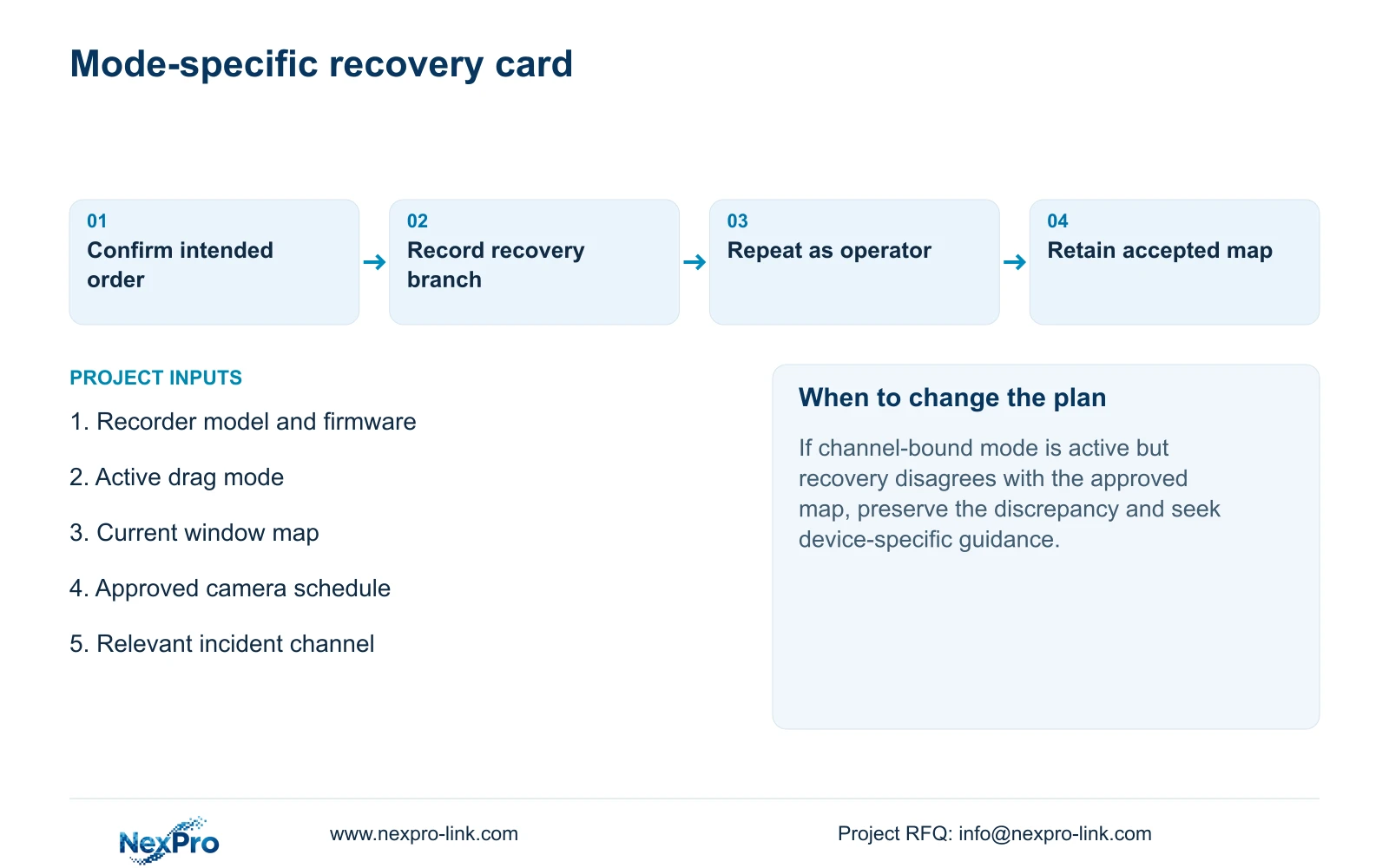
Build the operation card around that decision branch. State the applicable recorder and firmware, accepted drag mode, approved map location and checks required before using recovery. Include the route to confirmed channel playback when an incident cannot wait.
Ask the intended operator to demonstrate the procedure and identify the affected locations afterward. Record the configuration-backup location and the person responsible for maintaining the map. Transfer credentials through a controlled process. Acceptance should cover correct identification and retrieval, not simply whether a recovery control was clicked.
Section 07
Source and device scope
The private supplied NVR4.0 user manual CH_V2.4.doc has V2.2 in its body. This guide follows sections 4.12.5, 4.5, 5.2, 4.3.1, 4.4.4, 4.12.6, 4.12.18, 4.11.4, 4.11.2 and the handover-related sections 4.12.3 and 4.12.17 through 4.12.19. Section headings take priority over old page numbers. The workflow concerns the applicable NVR local interface.
Section 08
Will Restore Layout recover any custom window order?
That is not established. The manual gives a channel-bound mode condition. Compare the actual result with the approved mapping instead of assuming arbitrary custom-order recovery.
Section 09
Does rearrangement mean the recordings have disappeared?
The display arrangement alone does not establish a recording loss. Search the confirmed channel, date, period and recording type, then inspect playback.
Section 10
Document the unresolved recovery
Send NexPro-Link your recorder model and firmware, active drag mode, and a redacted comparison of expected and observed channel order at info@nexpro-link.com.
Engineering references
These sources support the general planning principles. Always use the selected product's current datasheet and applicable project standards for final design.


