

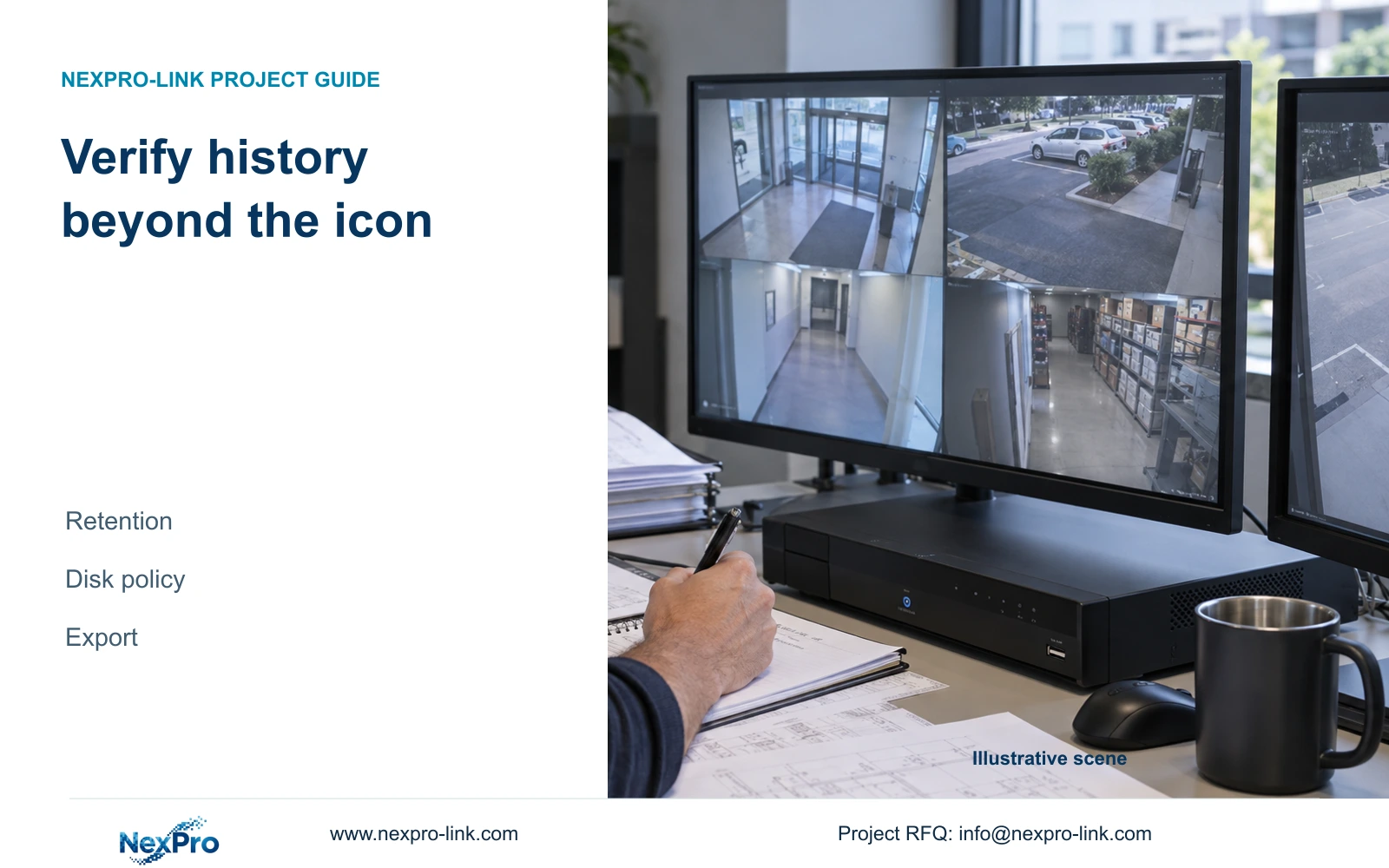
A recording icon describes the current state. Retention acceptance needs the historical recording plan, disk-full policy and playable footage at the oldest required boundary.
Section 01
Turn the live indication into a dated observation
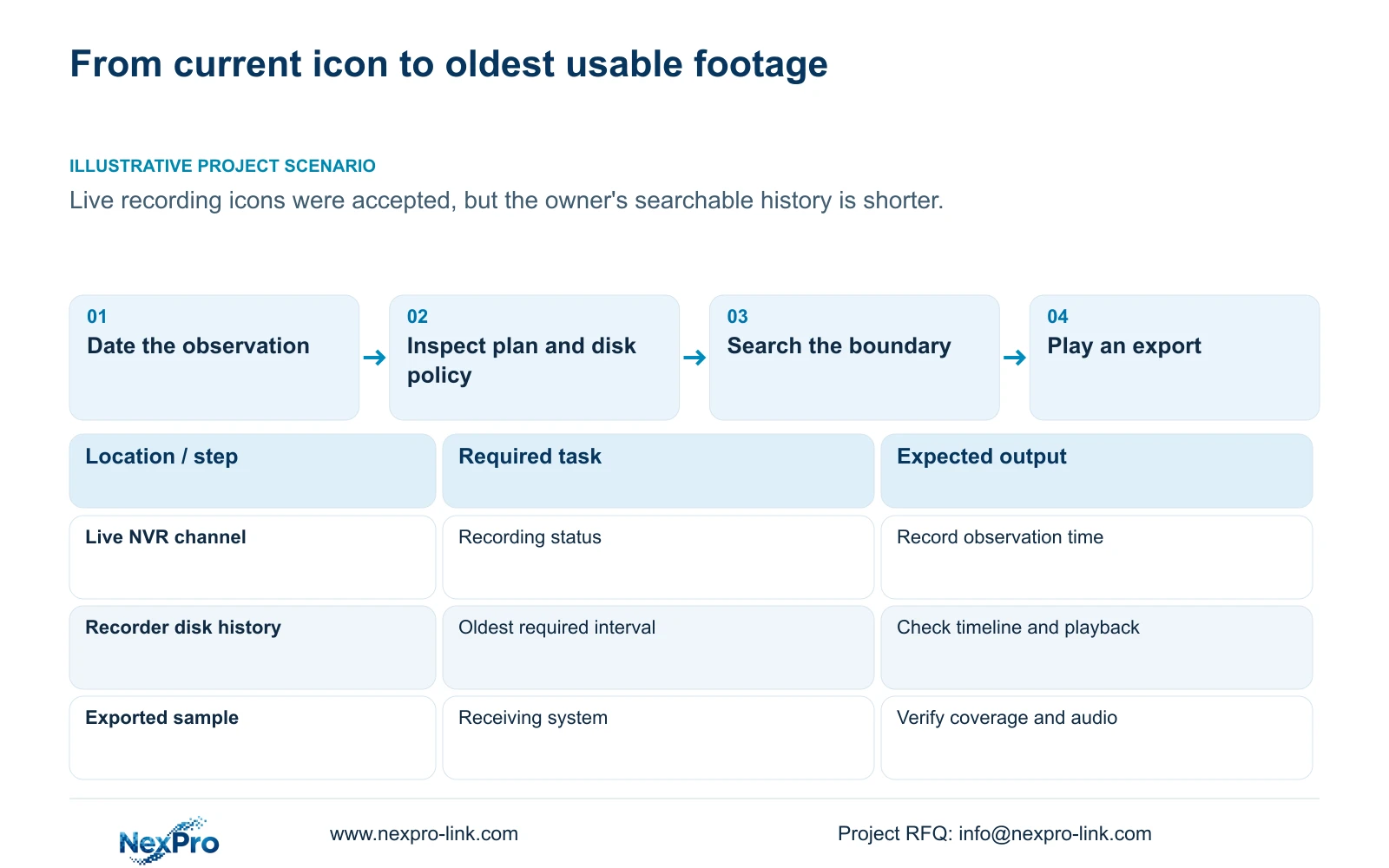
A recording icon cannot establish how far back footage remains searchable. It describes a current operating state, while retention depends on what was recorded earlier, the available storage and the full-disk policy. Record the channel and observation time, then inspect the historical plan and search the oldest period the owner requires. Play that footage and verify a sample export on the receiving system. If the required interval is absent, distinguish an incorrect search, an intentional recording gap and a storage limitation before accepting retention. A live screen can help start the check, but the acceptance result must identify the actual usable history.
Sections 2.3.3 and 2.4.4 distinguish recording, remote preview, motion, I/O and light-intelligent status indications. Record which symbol was observed rather than describing every active symbol as recording. An alarm symbol disappearing does not establish lost footage, and a recording symbol appearing now does not describe yesterday's coverage.
This guide uses the private supplied NVR4.0 user manual CH_V2.4.doc. Its filename states V2.4 and its body states V2.2. The cited sections govern the operating scope; no TS model is mapped to a NexPro-Link commercial SKU. Recorder disk footage and Seetong PC local recordings remain separate objects.
Section 02
Check the plan that governed the required history
Section 4.11.1 provides timed recording, no recording, motion recording and motion-plus-timed recording on a grid with a 30-minute minimum scale. Inspect the channel's assigned periods and ask whether the plan changed during the history being accepted. The present configuration alone cannot reconstruct an earlier configuration.
A motion-only plan leaves quiet periods without motion-triggered footage. Motion-plus-timed continues ordinary timed recording between triggers. If the acceptance requirement calls for continuous coverage, an older motion-only interval is a coverage mismatch even when its recorded events extend back far enough.
Document the required camera groups and periods before treating a short timeline as a capacity problem. A deliberate no-recording period, an untriggered motion-only interval and footage lost from the available history require different explanations. Keep any unknown historical plan marked as unknown.
Section 03
Read the consequence of a full disk
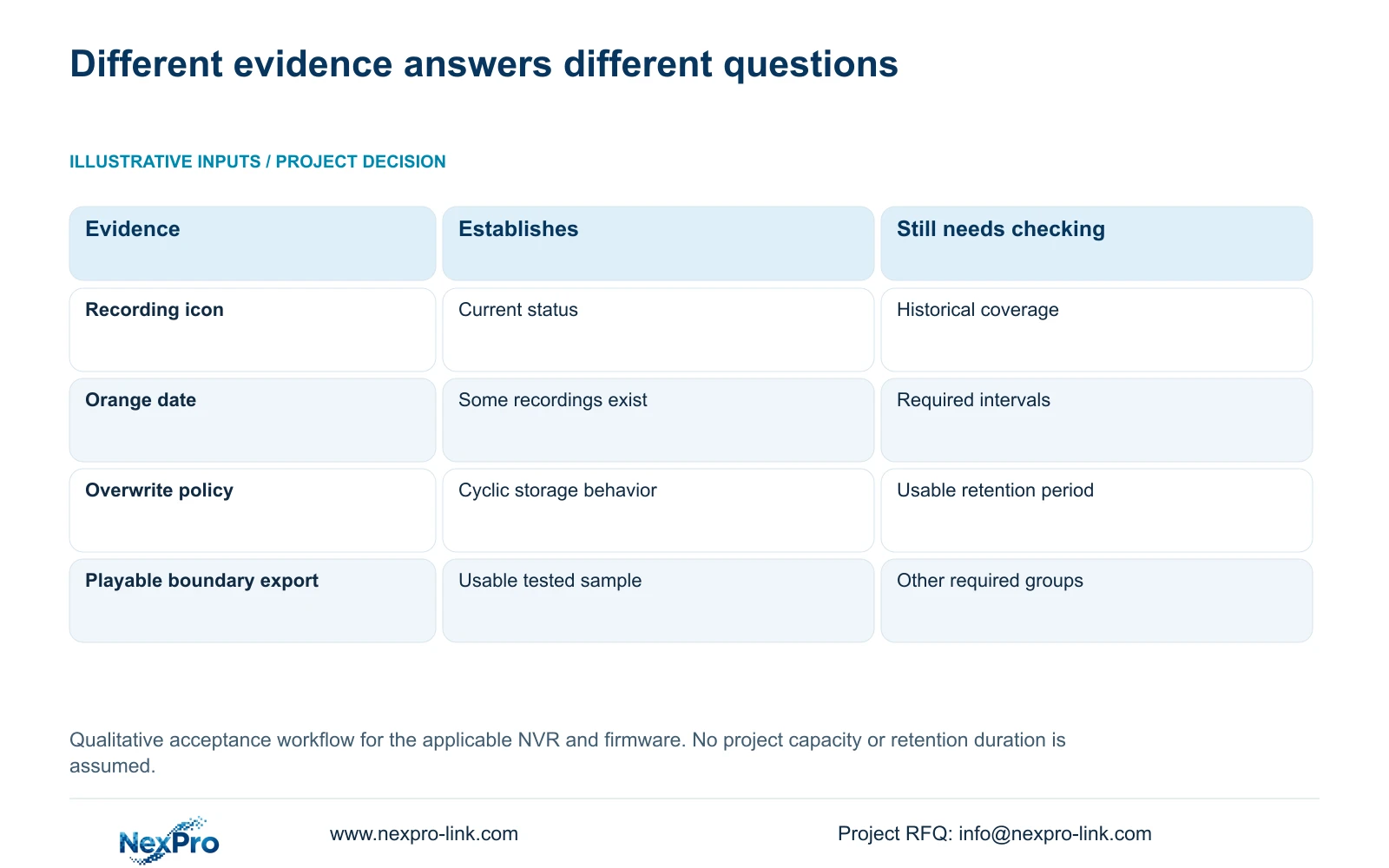
Section 4.12.21 describes overwrite and stop-recording behavior. Overwrite supports cyclic storage use that retains newer footage as older footage is replaced. Stop-recording mode makes full capacity a condition that can stop new recording. Neither selection establishes that the owner's target history is available.
Choose the policy with the owner around routine retention and incident preservation. If selected incidents must survive the routine cycle, assign an authorized export procedure. Do not call stop mode inherently safer: it may preserve existing files while allowing later activity to go unrecorded. Overwrite likewise requires enough usable storage for the agreed history.
The no-disk startup prompt is a separate interface setting. Disabling it does not create storage or establish recording retention.
| Observation | Meaning to investigate | Next action |
|---|---|---|
| Recording icon is active | Current recording indication only | Search the oldest required interval |
| Old footage ends before the target | Search, plan or storage may differ | Check filters and historical assumptions |
| Overwrite is selected | Older footage can leave the cycle | Compare usable capacity with the target |
| Stop mode and full disk | New recording may stop | Review capacity and the preservation procedure |
| Old sample plays and exports | That sample is usable | Check other required groups and boundaries |
Section 04
Calculate the capacity requirement from actual recording hours
For each channel group, collect the channel count, average video bitrate in Mbps, recording hours per day and required retention days. Identify whether the bitrate is measured or assumed. Add audio and storage overhead separately, and state any reserve fraction. A channel count or disk label by itself cannot describe the retention requirement.
The independent decimal calculation associated with section 5.1 is video TB = 0.00045 × Σ(channels × Mbps × hours/day × days). The conversion factor follows 1 Mbps × 3600 seconds ÷ 8 ÷ 1,000,000 = 0.00045 TB per hour. Use group-specific hours where schedules differ.
If r is the fraction of usable capacity to remain reserved, required usable capacity = accounted recording volume ÷ (1 - r). Adding r times the volume uses a different basis and does not reserve that fraction of the resulting capacity. This topic supplies no project counts or reserve value, so it does not produce a numerical disk quotation.
Compare the requirement with the supported configuration's usable capacity. Do not infer RAID levels, redundancy or an expansion method from a shared menu. If capacity is insufficient, revise the supported storage arrangement or obtain owner approval for a changed recording requirement.
Section 05
Test the oldest required period with the correct filters
In section 4.11.2, playback initially uses the preview-selected channel. Confirm the camera reference before choosing the oldest required date and interval. Inspect ordinary, alarm and motion filters as appropriate to its plan. An orange calendar date means recordings exist; it does not establish uninterrupted footage across that date.
Play the boundary interval and examine representative periods within the required history. For motion-only groups, test recorded events and describe the accepted quiet-period limitation. For continuous coverage, include quiet intervals and schedule boundaries so a busy-period clip cannot conceal a plan gap.
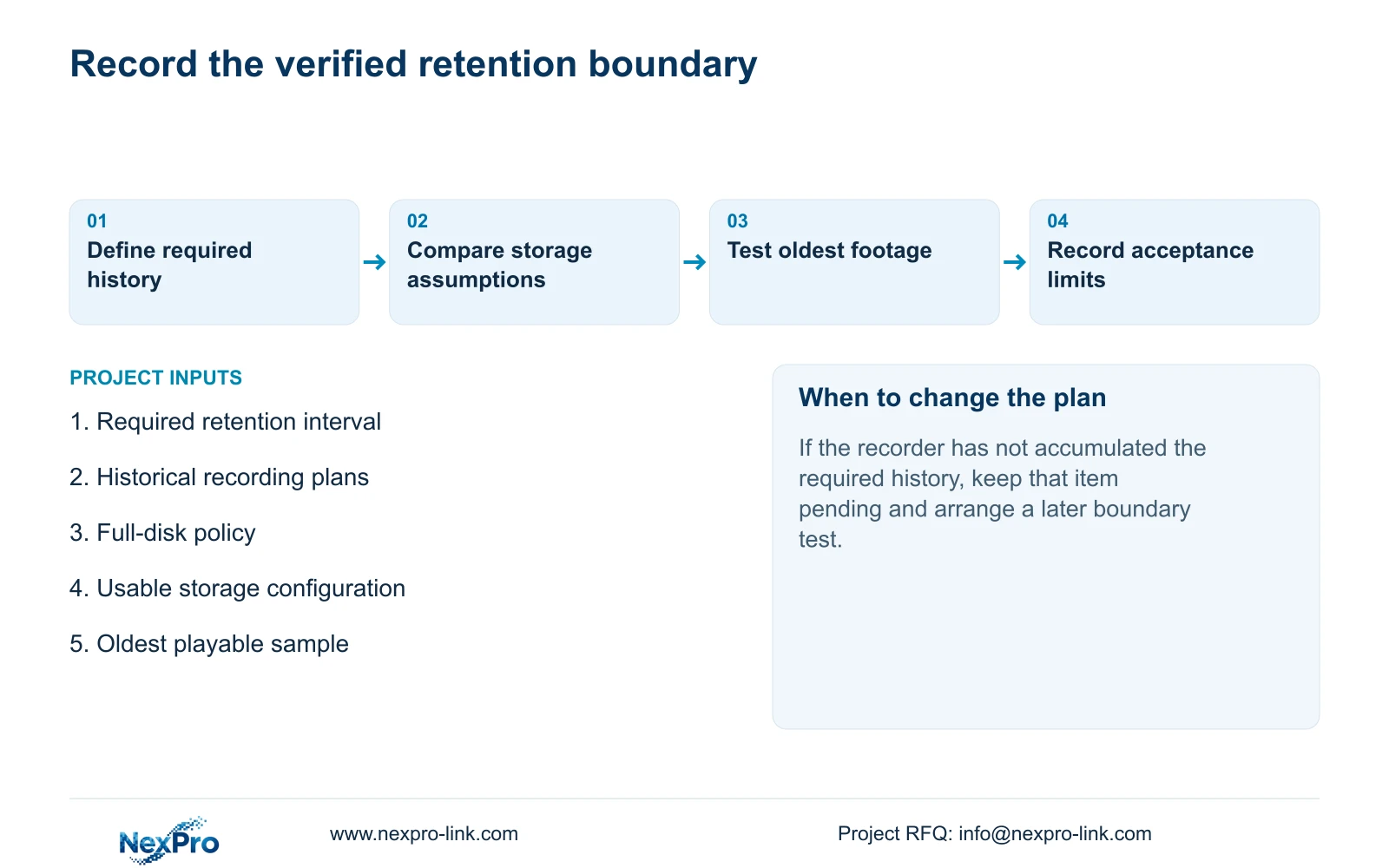
Record the earliest interval actually found and the required boundary separately. A recorder that has only recently begun operation cannot yet demonstrate a longer history. Keep that acceptance item pending and schedule a later check; a capacity estimate is not a substitute for accumulated footage.
Section 06
Verify a usable file before closing retention acceptance
Section 4.11.4 describes backup playback using software such as VLC. Export a relevant sample and open it on the intended receiving system. Check its source channel, start and end coverage, actual playback and any required audio. Record the tested viewing method without promising every operating-system and codec combination.
Illustrative project scenario: A project is accepted using live recording icons, then the owner later discovers a shorter searchable history than expected. Reopen the retention item with its agreed period, historical schedule and full-disk policy. Search the boundary footage and compare the result with the capacity assumptions. Preserve the findings as a coverage issue, a search correction or an unresolved storage question.
The resulting acceptance record should name the tested channels and periods, the oldest usable samples, the export viewing method and any limitation. A successful sample supports only its tested scope; it does not certify every interval or create a legal retention obligation.
Section 07
Does an orange calendar date prove a full day is retained?
No. It indicates recordings exist for that date. Check the channel, recording type and required intervals through playback.
Section 08
Can backup completion replace a playback check?
No. Open the exported sample and verify the required coverage and audio on the receiving system before accepting that deliverable.
Section 09
Provide the required and observed history
Send NexPro-Link the required retention interval, oldest playable interval, affected camera group and recorder storage configuration at info@nexpro-link.com.
Engineering references
These sources support the general planning principles. Always use the selected product's current datasheet and applicable project standards for final design.


