

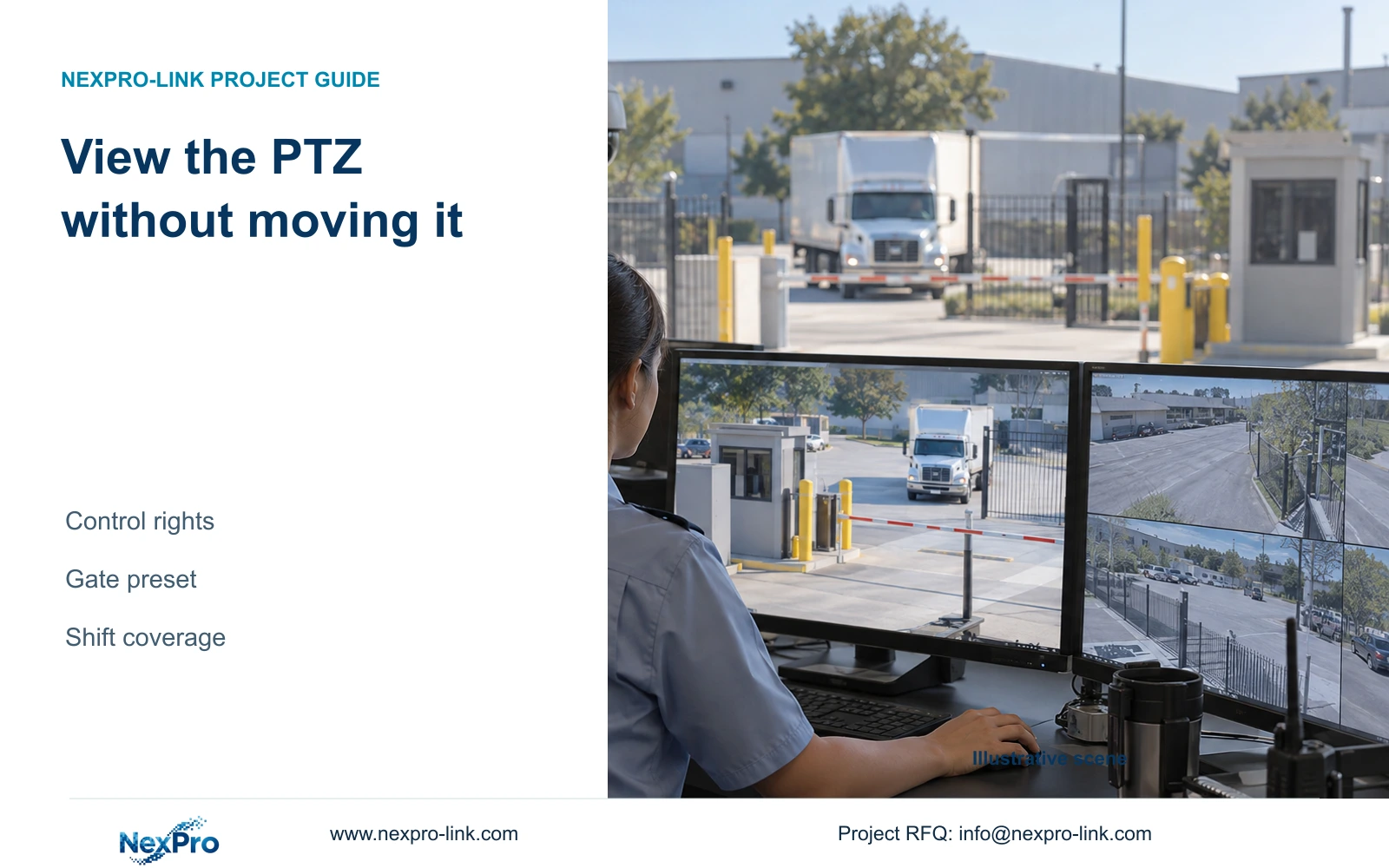
Protect the gate view by assigning PTZ control separately from viewing, verifying actual camera functions and documenting a tested return to the agreed preset.
Section 01
Protect the gate view through separate control rights
Give users the viewing access they need and assign PTZ control only to the people responsible for moving the camera. The supplied NVR4.0 manual separates preview and PTZ permissions across local and network paths, so test both permitted viewing and prohibited movement with each intended account. Before accepting the arrangement, verify the camera's actual movement capabilities, synchronize its preset list and identify the agreed gate position. Define who may interrupt a cruise and who returns the camera afterward. A camera that points elsewhere cannot provide continuous detailed coverage of the gate, even while remote users still receive a live picture.
List viewers and controllers separately. A remote manager may need the yard picture without needing to change its direction during a gate-control shift. The local gate operator may have an assigned control task. Specify the relevant path for each person instead of assuming local restrictions also apply over the network.
Section 4.12.3 is the permission basis. Run a viewing test and a controlled movement-denial test for the viewing-only role. If the camera moves, review that role's PTZ authorization before acceptance. Keep the test limited to the intended camera and an agreed operational window.
| Role or state | Proposed control scope | Required observation |
|---|---|---|
| Remote viewer | Preview without PTZ movement | Pictures available; movement refused |
| Assigned gate controller | Approved camera movement | Control works through the assigned path |
| Cruise operation | Only when coverage gaps are accepted | Operator understands time away from gate |
| End of manual inspection | Return to verified gate preset | Gate framing is restored |
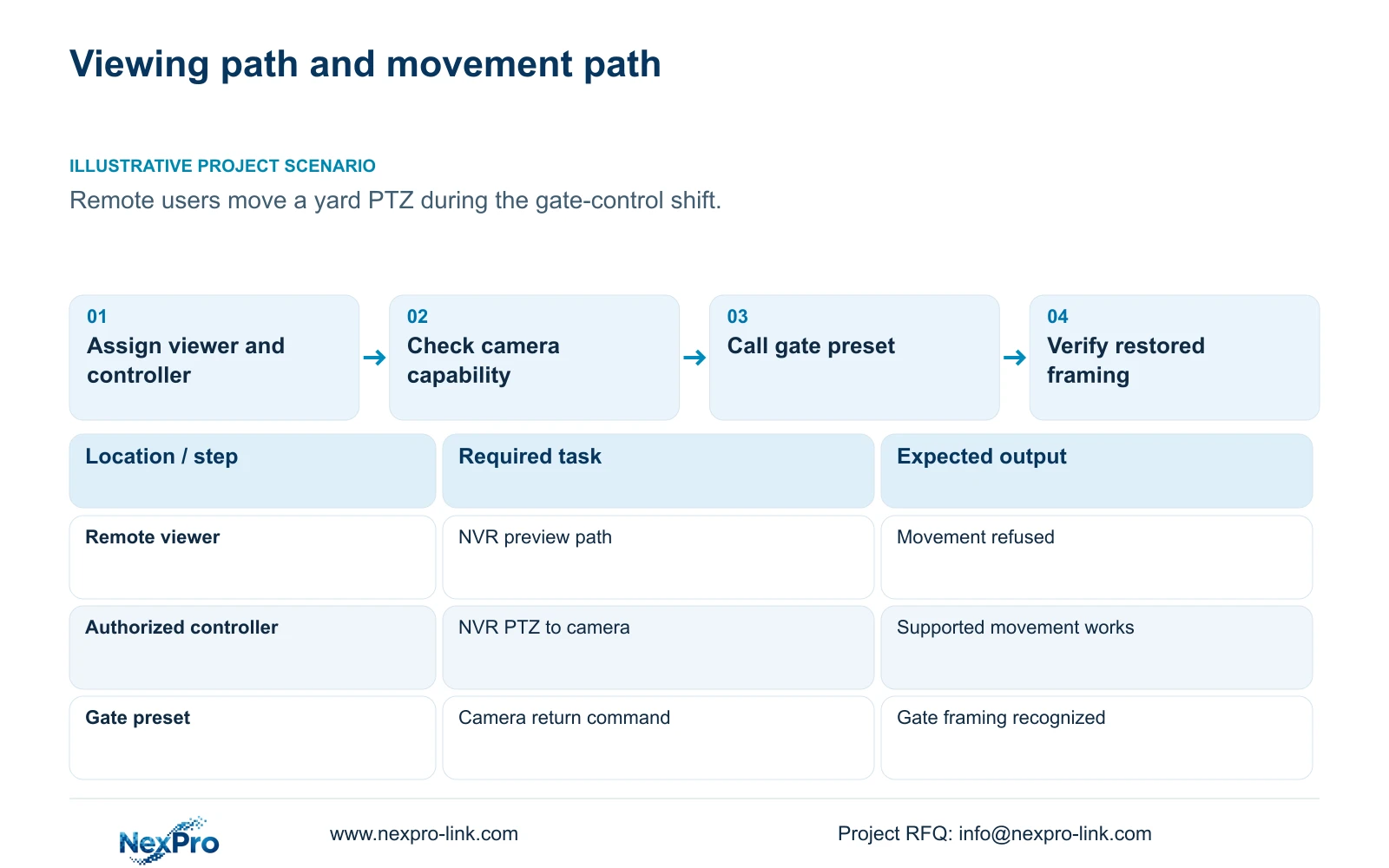
Section 02
Confirm which operations the camera can perform
Section 4.10 requires an IPC that supports PTZ configuration. Separate physical pan and tilt from optical zoom, focus and electronic enlargement. A fixed motorized-varifocal camera may expose lens controls without being able to turn horizontally or vertically.
Identify the exact camera, recorder firmware and control protocol, then test the specific operation the role needs. If lens adjustment works but pan does not, check whether pan is a supported camera function before changing permissions. If an authorized controller cannot move a known PTZ camera, compare that operation through the intended path with the documented capability.
ONVIF profile information is relevant to matching functions between products, but it does not establish universal interoperability. Video reception, movement and preset behavior need their own checks on the selected device pair. Keep those results separate from the account authorization result.
Section 03
Synchronize and verify the gate preset
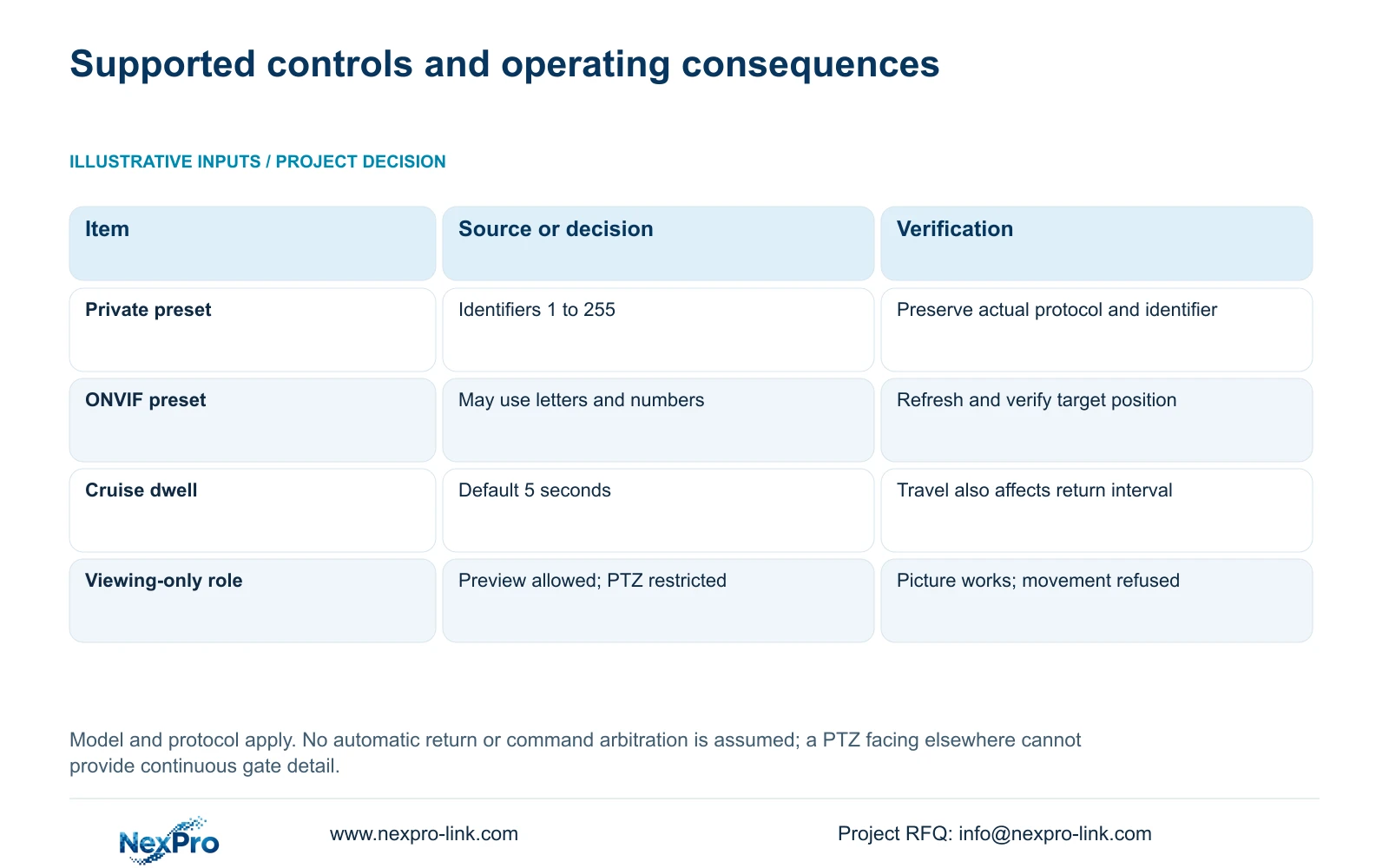
Section 4.10.1 includes Refresh to synchronize preset information between the NVR and camera. Use it before interpreting a familiar preset label as the current camera position. Verify the intended gate framing before adding, editing or deleting preset entries.
The documented private-protocol preset range is 1 to 255. ONVIF identifiers may contain letters and numbers. Preserve the actual identifier and protocol in the operating record; do not automatically transfer a numeric reference to another camera or protocol.
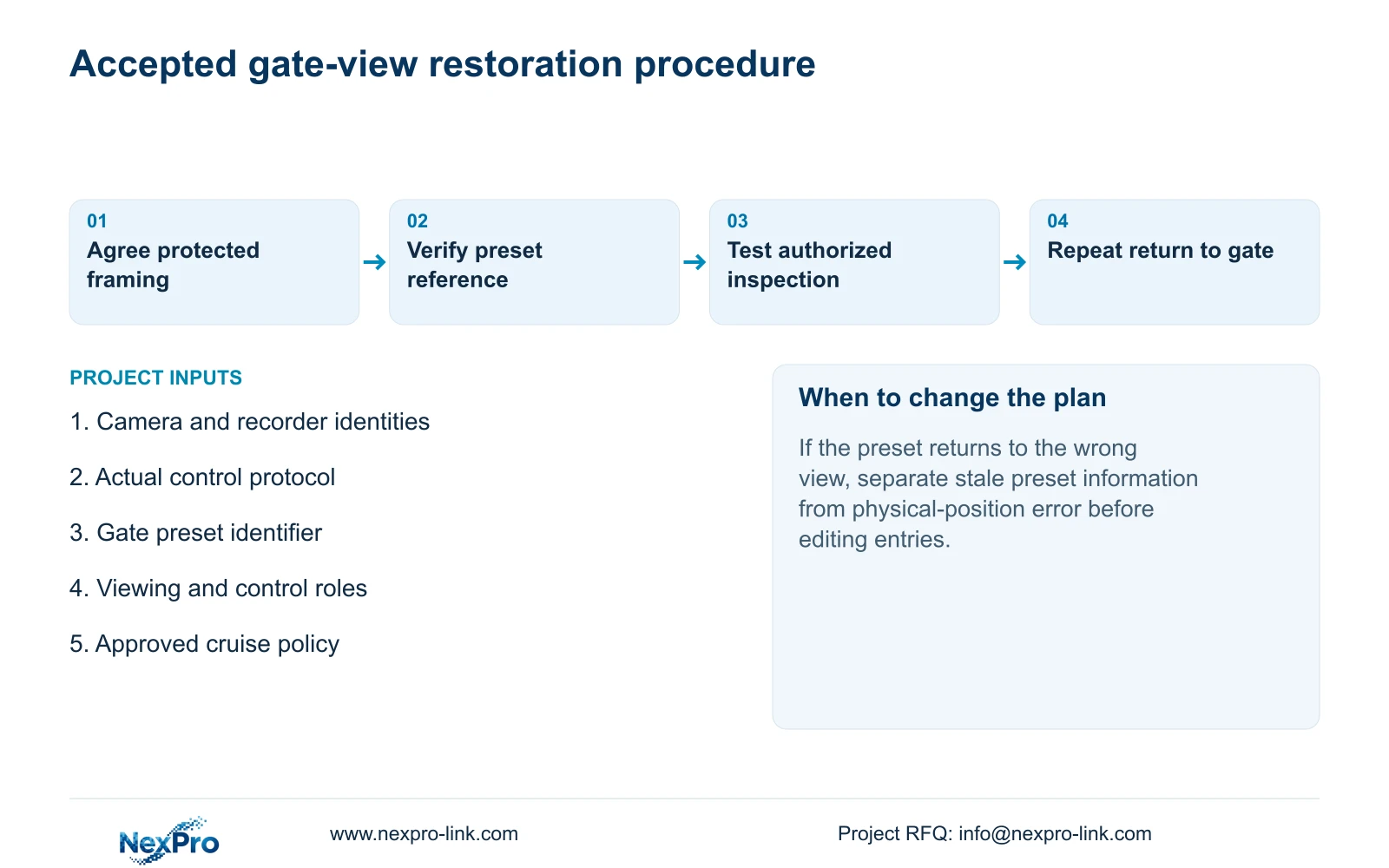
Call the agreed gate preset through the authorized control path and observe the resulting picture. Record the channel, identifier and recognizable framing reference. If the list is stale, refresh and compare it again. If the identifier resolves but the physical view is wrong, treat that as a position issue requiring authorized correction.
A label alone is insufficient for return-to-view acceptance. The next operator should be able to recognize whether the camera has actually returned to the gate.
Section 04
Define the transition between cruise and manual work
Section 4.10.2 describes a cruise route built from presets and dwell times, with a default dwell of 5 seconds. Dwell is only the time assigned at the preset. Movement and any relevant settling time also contribute to the observed cycle, so the default cannot establish how soon the camera returns to the gate.
Decide whether cruise is acceptable during the gate-control shift. If the gate requires continuous detailed coverage, a route that points away cannot meet that requirement by itself. Keep the camera at the required view during that duty, or address continuous coverage separately in the design.
Where manual inspection and cruise are both required, document the approved transition and test it on the actual equipment. Observe what the camera does after manual work and how the operator restores the agreed state. Do not assume automatic return, command priority or a timer feature from the presence of a cruise menu.
If the tested transition leaves the gate unobserved unexpectedly, revise the operating procedure before accepting routine remote control.
Section 05
Check competing connections and viewing workload
The family overview supports multiple remote users, but it supplies no unlimited-concurrency promise. Record the simultaneous sessions that matter to the gate shift, including which users only watch and which can control the camera.
With the authorized participants present, test that a viewing-only connection cannot interfere with the assigned controller. Where more than one controller is genuinely required, establish a procedural handoff and observe competing commands under controlled conditions. Do not describe an automatic arbitration mechanism unless the selected device's documentation and test establish it.
Also list each session's open channels, selected streams and any concurrent playback or download work. Follow the actual direct or relay path and inspect relevant traffic using section 4.3.3.3. This article has no supplied bitrate inputs, so it does not assign a numerical bandwidth result.
If control behavior is inconsistent only during the intended simultaneous workload, record that condition separately from a basic permission failure. Cloud reachability and account availability do not establish sufficient viewing capacity or predictable control behavior.
Section 06
Hand over a reproducible return to the gate
Illustrative project scenario: A yard camera is repeatedly moved by remote users during a gate-control shift. The owner separates the remote viewing group from the assigned controller, verifies the gate preset and decides whether cruise is allowed during that shift. Acceptance includes observing the gate view after an authorized inspection.
The operator instruction should identify the camera and actual preset reference, describe the approved control path and explain how to recognize restored framing. Have the intended controller demonstrate it while the viewing-only account remains connected.
Keep recorder and camera versions, configuration-backup location and maintenance responsibilities in the controlled record. If the camera cannot return to the verified view, use the established support route and record the observed state. Credentials belong in a private handover process.
Include the resulting coverage decision in broader project acceptance. An owner may need incident retrieval and playable exports from this channel as well, but those tasks do not replace proving that the camera is pointing where the shift requires.
Section 07
Questions about protected PTZ views
Can a motorized lens prove pan and tilt capability? No. Lens adjustment and physical movement are separate camera functions.
Does Refresh correct the camera's physical aim? It synchronizes preset information. The resulting position still needs visual verification.
Does a 5-second dwell mean a 5-second cruise cycle? No. The cycle also includes other presets, travel and any relevant settling time.
Section 08
Provide the view that control must preserve
The source is NVR4.0 user manual CH_V2.4.doc, whose body identifies V2.2, sections 4.12.3, 4.10, 4.10.1, 4.10.2, 1.2 and 4.3.3.3. Control ownership and return-to-view acceptance are engineering procedures, not claims of undocumented automatic features.
Send NexPro-Link the required gate view, camera and recorder identities, and which roles need movement control at info@nexpro-link.com.
Engineering references
These sources support the general planning principles. Always use the selected product's current datasheet and applicable project standards for final design.


