

Start an NVR quotation with a provisional camera schedule, recording assumptions, retention and operator tasks. Keep unresolved inputs visible and equipment, installation and freight scope separate.
Section 01
Give suppliers enough information to qualify a recorder
Send a provisional camera or equipment schedule, the required recording hours and retention period, viewing and playback tasks, relevant network and power arrangements, and the delivery destination. Those inputs let NexPro-Link distinguish a recorder candidate from a complete equipment package. If the camera schedule is unfinished, identify which positions and settings remain provisional instead of delaying every discussion or presenting assumptions as confirmed specifications. A camera count alone cannot establish incoming bandwidth, usable disk capacity or simultaneous playback. The first RFQ should make those decisions visible while requesting only the information needed to move the project forward.
Begin with the project location, intended delivery destination and whether the request covers a new recording system or an addition to retained equipment. Describe what is already fixed. Existing cameras, network equipment or a required viewing platform can constrain the proposed recorder even before the final quantities are approved.
Section 02
Keep provisional positions and camera identities separate
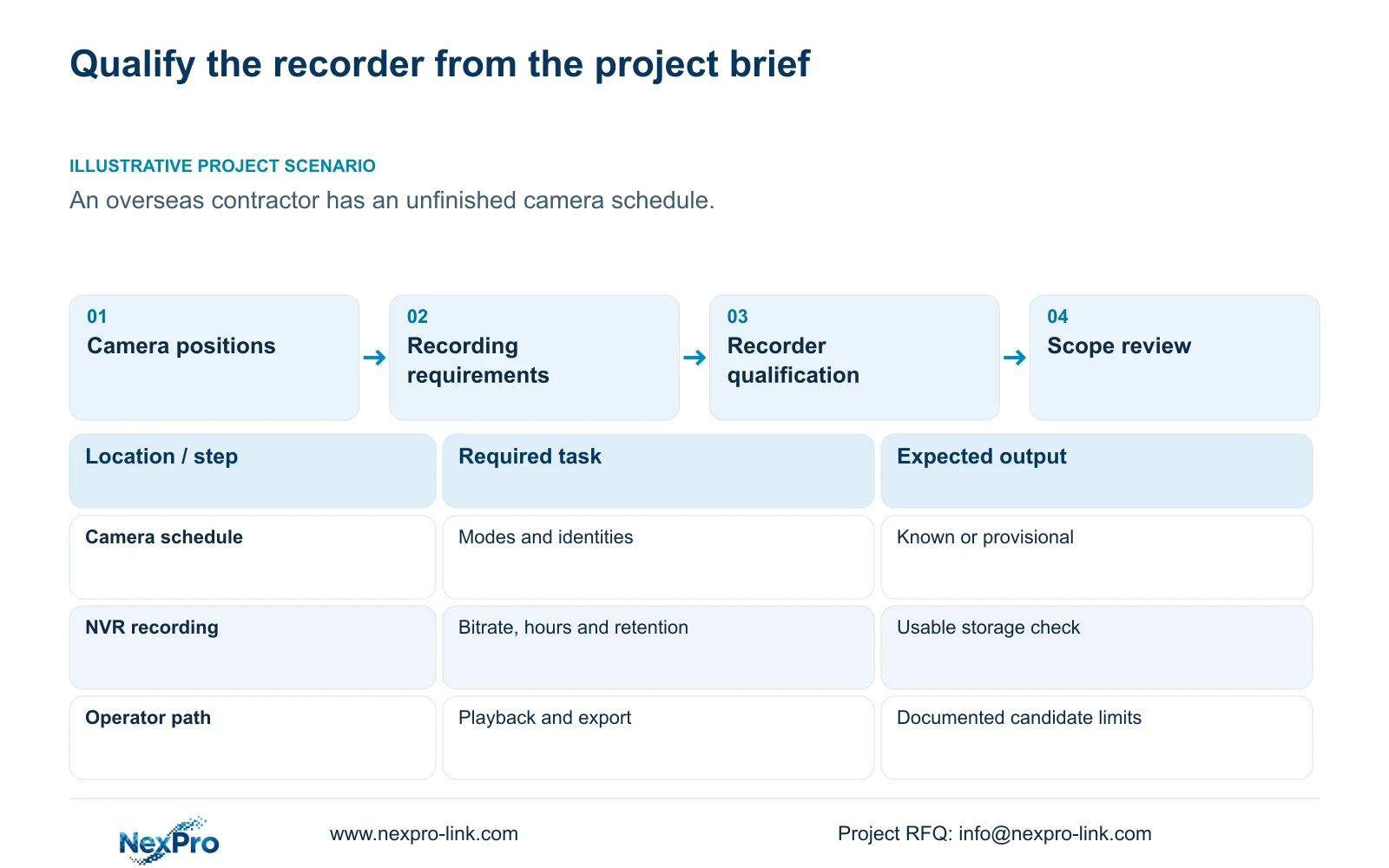
List each known position with its intended camera model and recording mode. Where the model remains undecided, describe the required view and mark the model field as pending. This lets the supplier ask a focused question about that position instead of treating the entire schedule as unknown. Separate existing equipment from proposed additions so the quotation shows which devices must work together.
For an existing installation, keep drawing location, physical camera identity, IP address, recorder channel and displayed name in separate fields. Sections 4.3.1, 4.4.4 and 4.12.6 provide channel and OSD controls, but the project maintains the relationship between those fields. A renamed view is different from a replaced camera. Preserve that distinction in the RFQ because an equipment change may affect the required stream or control function.
Section 03
Identify whether bitrate figures are settings or observations
State the existing or intended CBR or VBR setting alongside each relevant camera group. The entered bitrate describes configuration; measured traffic and stored data describe operation. Sections 4.4.5 and 4.3.3.3 support that distinction. Neither control method establishes that a quiet scene represents the site's permanent recording demand.
When representative observations exist, identify the lighting, motion and stream settings during the sample. Use an appropriate average for retention planning and an appropriate peak or limit for network evaluation. If observations are unavailable, retain the proposed bitrate as an assumption and ask the supplier to qualify the configuration on that basis. Do not quietly replace a planning value with a claim of measured performance.
Section 04
State the recording period before choosing disks
Provide recorded hours per day and required retention days for each camera group. Add the recording policy because motion-only and continuous recording describe different coverage. Motion-plus-timed recording continues ordinary timed recording between motion triggers, so it should not enter an RFQ as an event-only storage allowance.
For decimal units, the planning relationship is video TB = 0.00045 × Σ(channels × average Mbps × recorded hours per day × retention days). Account separately for audio, storage overhead and reserved space. If r is the reserved fraction, divide the applicable recorded-volume requirement by (1 - r). This topic supplies no project bitrate, hours or retention inputs, so it cannot produce a completed capacity figure. If any input is missing, identify it before fixing the disk configuration.
Section 05
Describe what the operator must view and retrieve
Write the required live-view arrangement, simultaneous playback combination and export task separately. Identify whether the operator works locally at the recorder or through a client. Recorder disk storage and Seetong PC local storage are different destinations, and an RFQ should state which one must retain the required footage.
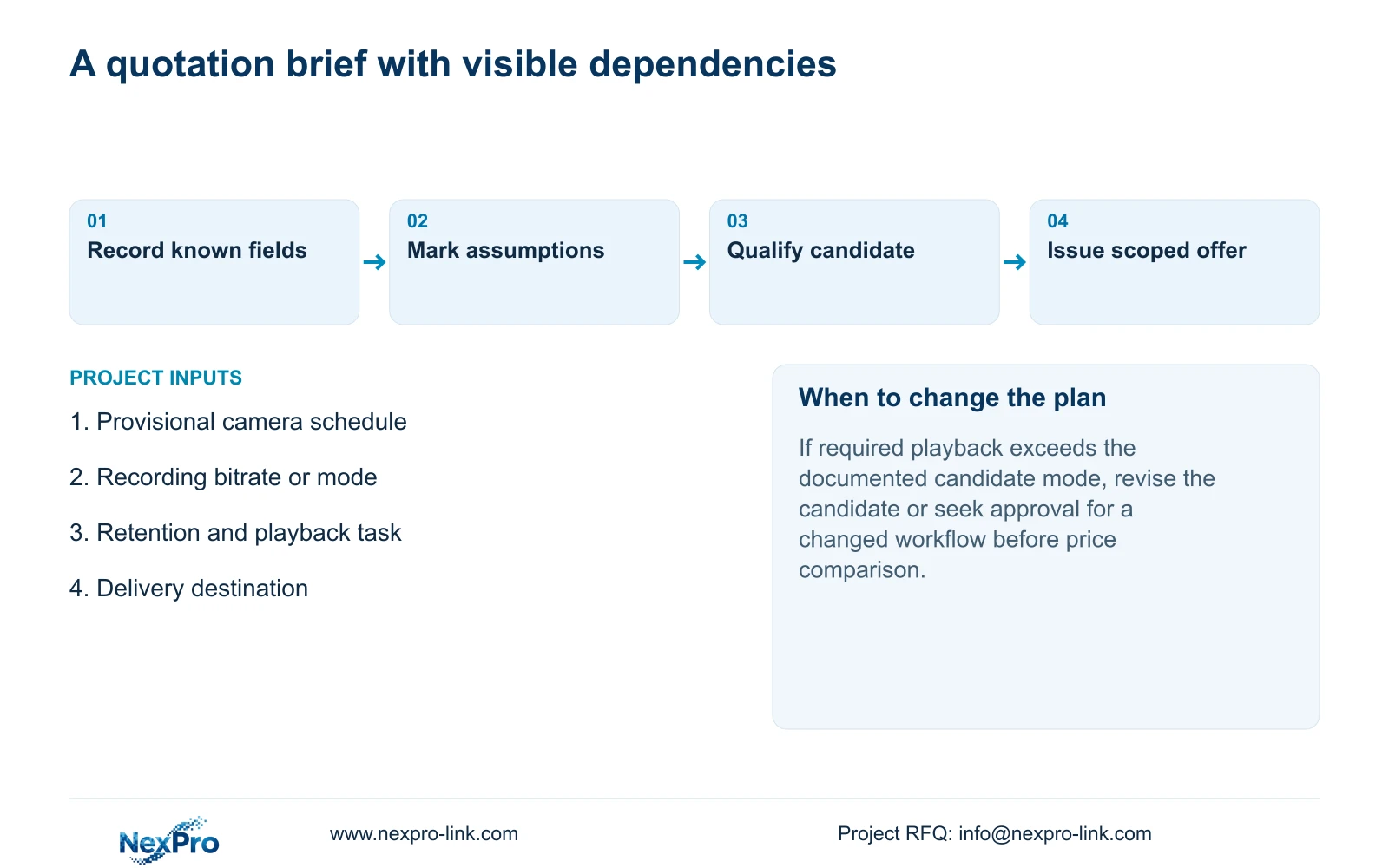
The manual's TS8232C4 example lists local playback of 1×4K OR 4×2MP OR 2×5MP. These alternative modes cannot be added together, and they do not establish the limits of a NexPro-Link commercial SKU. A supplier response should qualify camera enrollment, incoming bandwidth, preview decoding, playback and monitor output independently. If the required playback combination is unsupported, revise the candidate or seek approval for a different review workflow before comparing prices.
Section 06
Make the commercial boundary explicit
Separate the recorder, installed disks and required accessories from optional equipment. Identify software and preparation work where relevant, then state whether local installation, commissioning and freight belong in the requested offer. A recorder-only price cannot be compared directly with an installed-system total.
Use the same recording and retrieval outcome for every supplier. The following decisions help turn incomplete information into a reviewable request without inventing prices or savings. NexPro-Link's BOQ and tender support page provides a relevant route for discussing equipment schedules and model matching; the written offer must still identify its actual supply and service boundary.
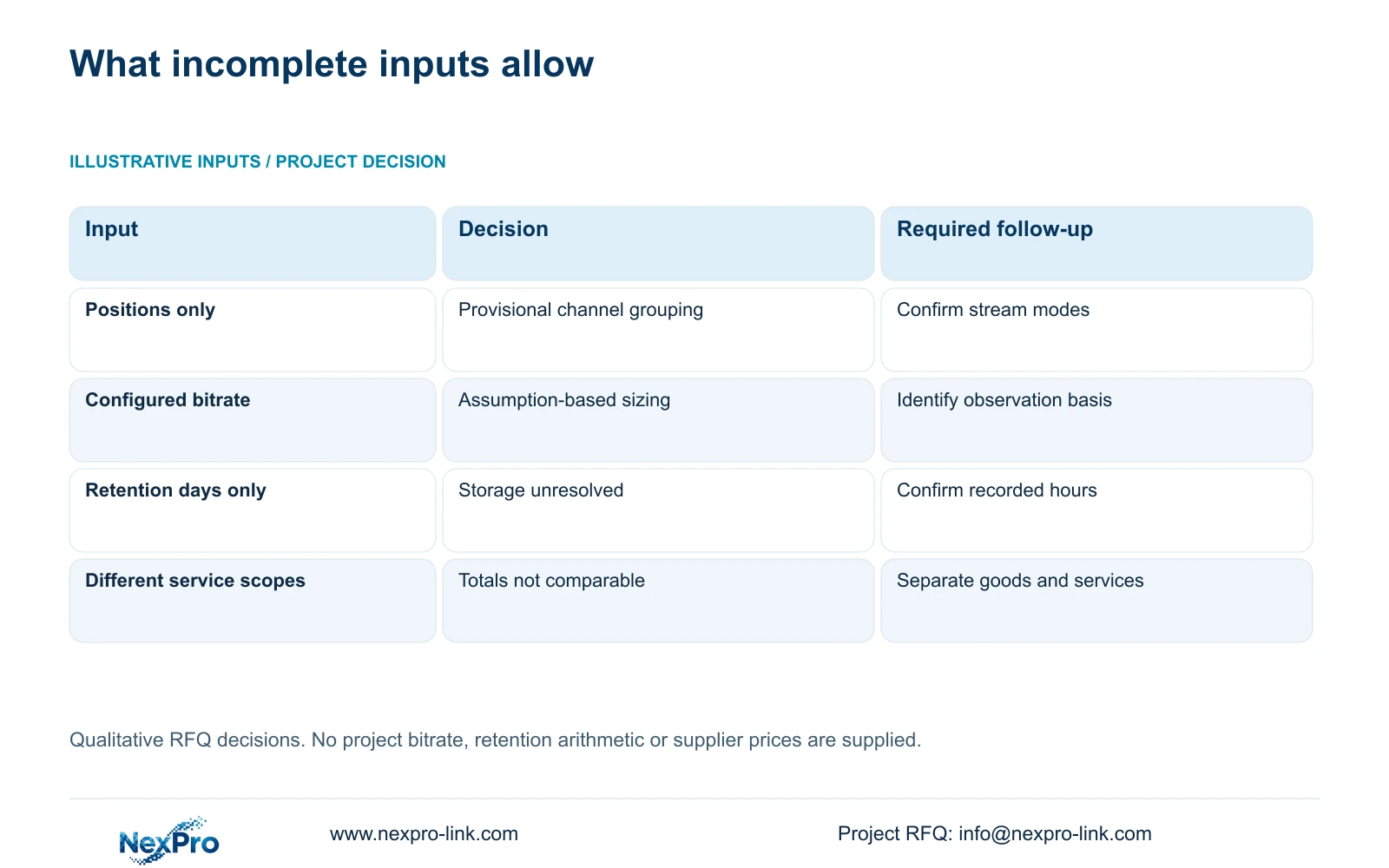
| Information received | What can be decided | Next action |
|---|---|---|
| Camera positions known, models pending | Provisional channel grouping | Mark camera modes and models for confirmation |
| Bitrate settings supplied without observations | Assumption-based sizing discussion | Keep the bitrate basis visible in the offer |
| Retention days supplied without recorded hours | Disk requirement remains unresolved | Confirm each group's daily recording coverage |
| Playback task exceeds a candidate's documented mode | Candidate needs revision or an accepted deviation | Resolve playback before price comparison |
| One offer includes installation and another excludes it | Totals have different boundaries | Separate goods, services and freight |
Section 07
Move an unfinished schedule toward a qualified offer
Illustrative project scenario: An overseas contractor requests a recorder price before the final camera schedule is ready. The contractor can submit the known positions, provisional camera modes and delivery destination, with retention and playback requirements marked as confirmed or pending. The supplier can then identify which recorder decisions remain conditional. When the camera schedule changes, update the affected recording and disk assumptions together. This produces a useful quotation basis without suggesting that the early candidate is already approved for purchase.
Section 08
Can an RFQ begin before camera models are final?
Yes. Submit the known positions and intended recording tasks, identify provisional fields and keep model-dependent decisions conditional. Confirm those fields before releasing the final equipment order.
Section 09
Is the entire confidential tender needed initially?
A scoped equipment schedule and relevant requirements can start the discussion. Include procurement conditions that affect selection, but keep credentials and unrelated confidential material outside the initial enquiry.
Section 10
Prepare the provisional recording brief
Technical distinctions follow the supplied private NVR4.0 user manual CH_V2.4.doc, whose body identifies V2.2, particularly sections 4.3.1, 4.3.3.3, 4.4.4, 4.4.5, 4.12.6, 5.1 and 5.2. Section references take priority over page numbers. RFQ organization and capacity planning are project methods, not evidence of a completed installation.
Send NexPro-Link your provisional camera schedule with the known recording, retention and playback requirements and delivery destination at info@nexpro-link.com.
Engineering references
These sources support the general planning principles. Always use the selected product's current datasheet and applicable project standards for final design.


