

Overwrite favors continuing recent coverage; stop mode risks losing new recordings when capacity is reached. Choose the consequence explicitly and give operators a tested incident-export and historical-check workflow.
Section 01
Choose which footage the policy must protect
Choose overwrite when the owner accepts cyclic replacement of older footage to maintain recent coverage, and arrange verified exports for incidents that must outlast the normal window. Choose stop-recording mode only with explicit acceptance that new recording can stop when storage fills and with a responsible person assigned to act before that condition. Neither choice is universally safer. The decision must state what happens to older recordings, what happens to new coverage and how selected incidents are preserved. Check the policy on the recorder that owns the footage; changing a Seetong PC setting does not establish that the recorder's disk behavior changed.
The private supplied NVR4.0 user manual CH_V2.4.doc has V2.4 in its filename and V2.2 in its body. Section 4.12.21 describes full-disk behavior and the separate startup no-disk prompt. Sections 4.11.2 and 4.11.4 cover retrieval and backup. Section references take priority over page numbering.
Section 02
State the operating consequence before changing the setting
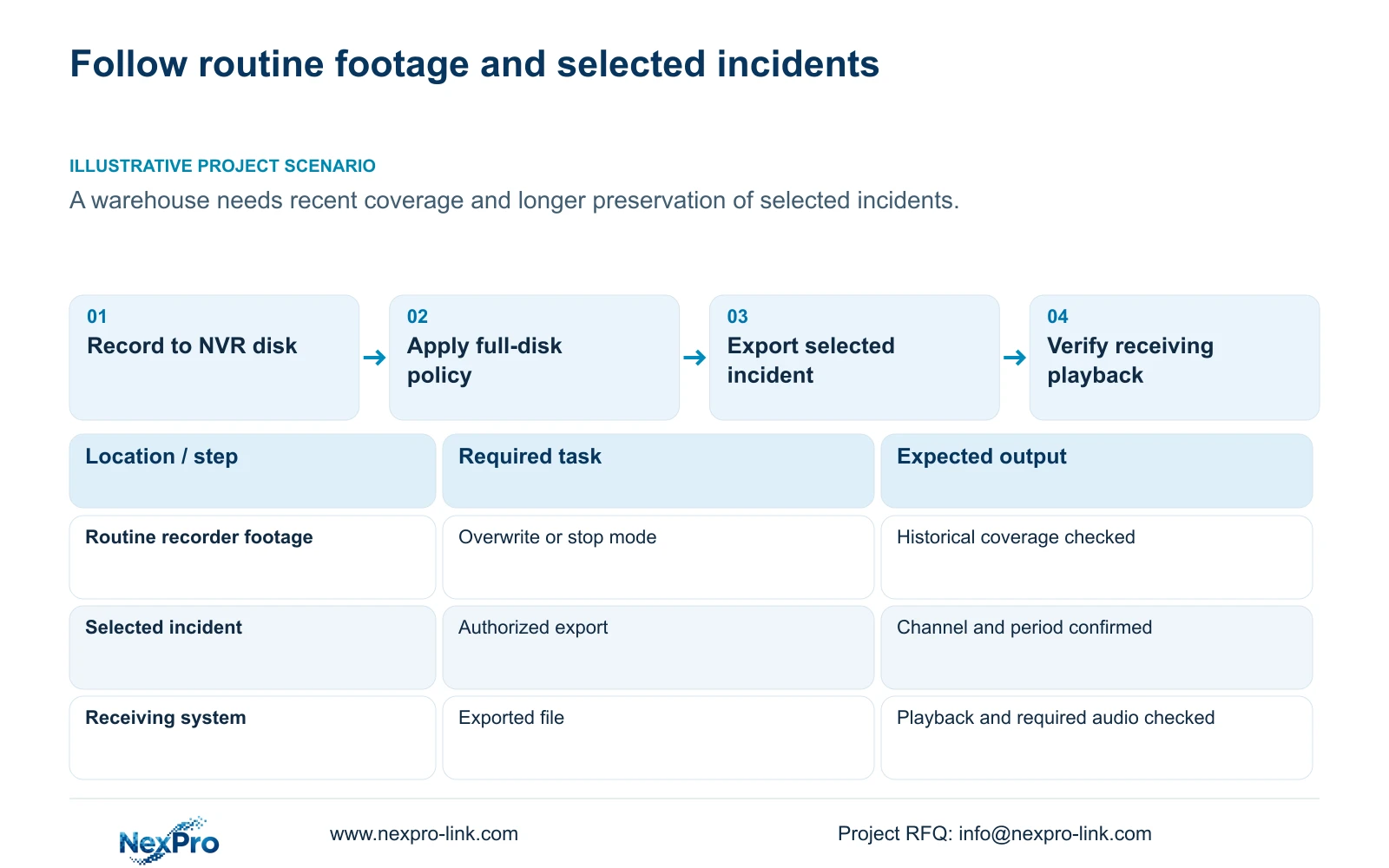
Overwrite allows the configured cyclic use of storage for newer footage. An important incident can age out of that window unless an authorized operator preserves a usable copy in time. Stop mode makes full capacity a stopping condition, so maintaining existing footage can coincide with loss of new coverage.
Have the owner approve the intended consequence before an authorized configuration change. Preserve required incidents first if enabling cyclic overwrite could expose them to replacement. Record the selected mode and the person responsible for monitoring it.
The startup no-disk prompt is a separate interface option. Disabling it neither creates recording space nor establishes that a diskless recorder retains footage. A quiet startup screen cannot substitute for checking storage and playback.
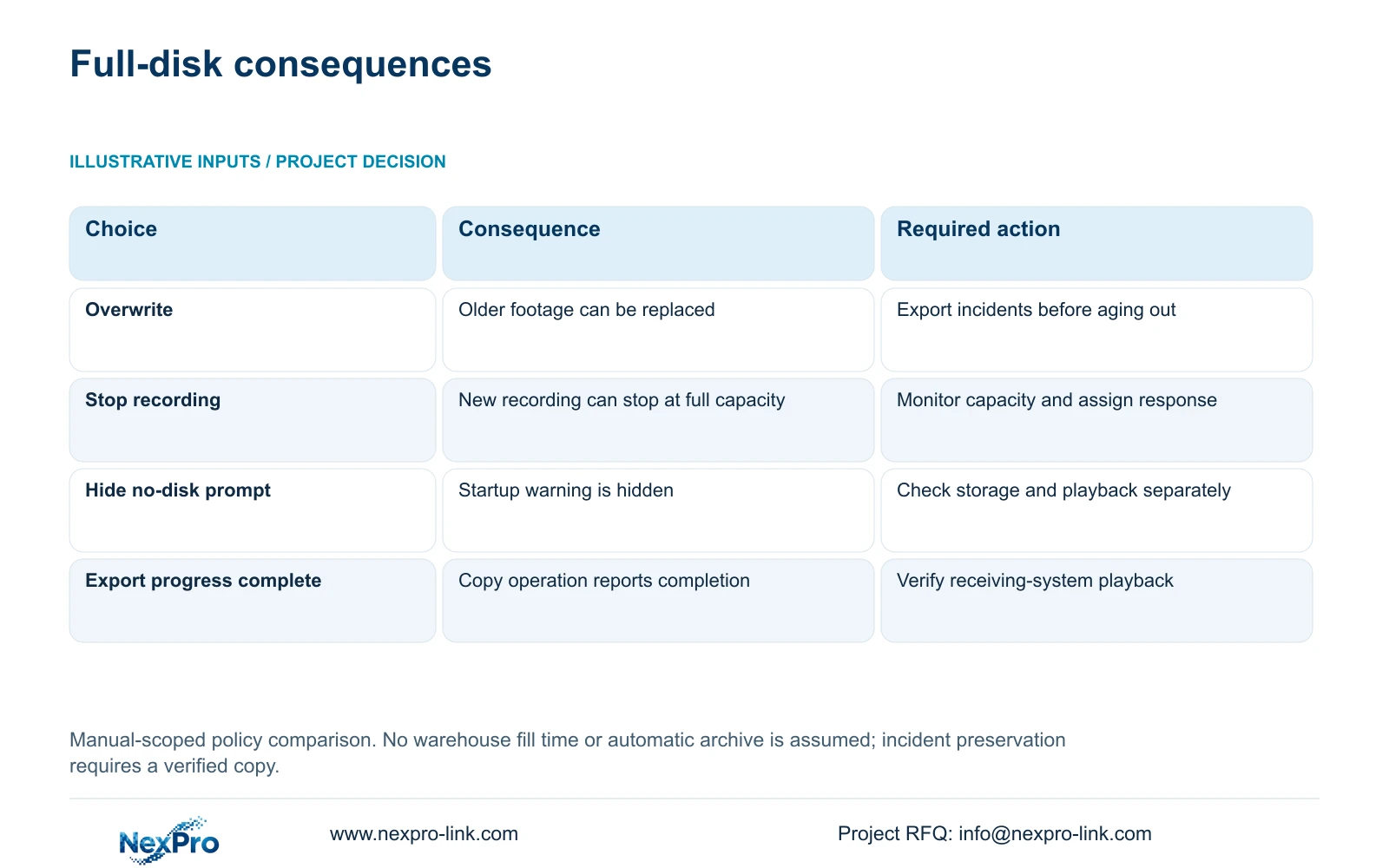
| Choice or condition | Operating consequence | Required workflow |
|---|---|---|
| Overwrite | Older footage can be replaced as storage cycles | Export selected incidents before they age out |
| Stop recording | New recording can stop when capacity is full | Assign capacity monitoring and an authorized response |
| No-disk prompt disabled | The startup warning is hidden | Check actual storage and recorded footage |
Section 03
Estimate the available decision window
Collect channel groups, representative average video rates and actual recording hours. Add the owner's retention objective and separately defined audio, overhead and reserve allowances. Section 5.1 supplies the storage-reference context; project sizing should use the accepted recording profile.
For decimal units, video TB = 0.00045 × Σ(channels × average Mbps × hours/day × days). A reserve fraction r requires division of the planned stored volume by (1 - r). For an existing installation, compare actual available recording budget with representative daily stored demand to assess how soon capacity may become a constraint.
This article has no supplied numerical warehouse load, so no fixed fill time is claimed. If only a configured bitrate is available, identify it as an assumption. If settings or activity change, revise the estimate. Use the estimate to schedule checks and incident handling, then verify the actual footage window.
Section 04
Preserve selected incidents through a checked copy
Create an incident workflow that starts when the event is identified, while the original footage remains available. Record the channel and required start and end times, select the relevant recording types and prepare the backup described in section 4.11.4. Keep the receiving destination and authorized recipient identified.
A completed progress indicator does not establish a useful deliverable. Open the exported sample on the intended receiving system, confirm its source and period, and check playback and any required audio. The manual mentions players such as VLC, without guaranteeing every operating-system and codec combination.
If the file does not play, retain the original footage and investigate the export format and intended viewing path. Do not mark preservation complete because a file exists. Record the tested viewing method and the copy's location so another authorized operator can retrieve it later.
Incident copies and routine recorder storage are different objects. A verified export can preserve a selected interval beyond the cyclic window, but it does not prove continuous recording elsewhere or create an automatic archive for future incidents.
Section 05
Use current icons to choose the next check
Sections 2.3.3 and 2.4.4 distinguish recording, remote preview, motion events, I/O events and light-intelligence status icons. Read each as an observation of the current state. A remote viewer's presence does not establish disk recording, and an alarm indication does not establish a complete retained event.
If a recording icon appears, inspect the required channel and recent playback rather than concluding that the full historical window is intact. If the indication changes near a capacity concern, check disk state and the selected full-disk policy. Keep that observation separate from the suspected cause.
An alarm icon disappearing also does not establish that its recording was preserved. The export workflow should be driven by the owner's incident requirement and the retrieved footage, not by how long an icon remains visible.
Section 06
Check the history the owner actually needs
Section 4.11.2 says playback entry defaults to the preview-selected channel. Confirm the camera before searching the required date and interval. Check ordinary, alarm and motion type filters so the search includes the relevant recordings.
Orange indicates recordings exist on that date in the documented workflow; grey indicates none. An orange date does not establish complete daily coverage. Inspect and play the required portions of the timeline, including the oldest interval the owner expects to retain.
If the interval is absent, recheck the channel, date and filters before reporting loss. If it remains absent, document the missing period alongside the recording plan and disk-policy observations. Do not change storage settings simply to make the current screen look normal.
Section 07
Assign the policy and prove the operator can use it
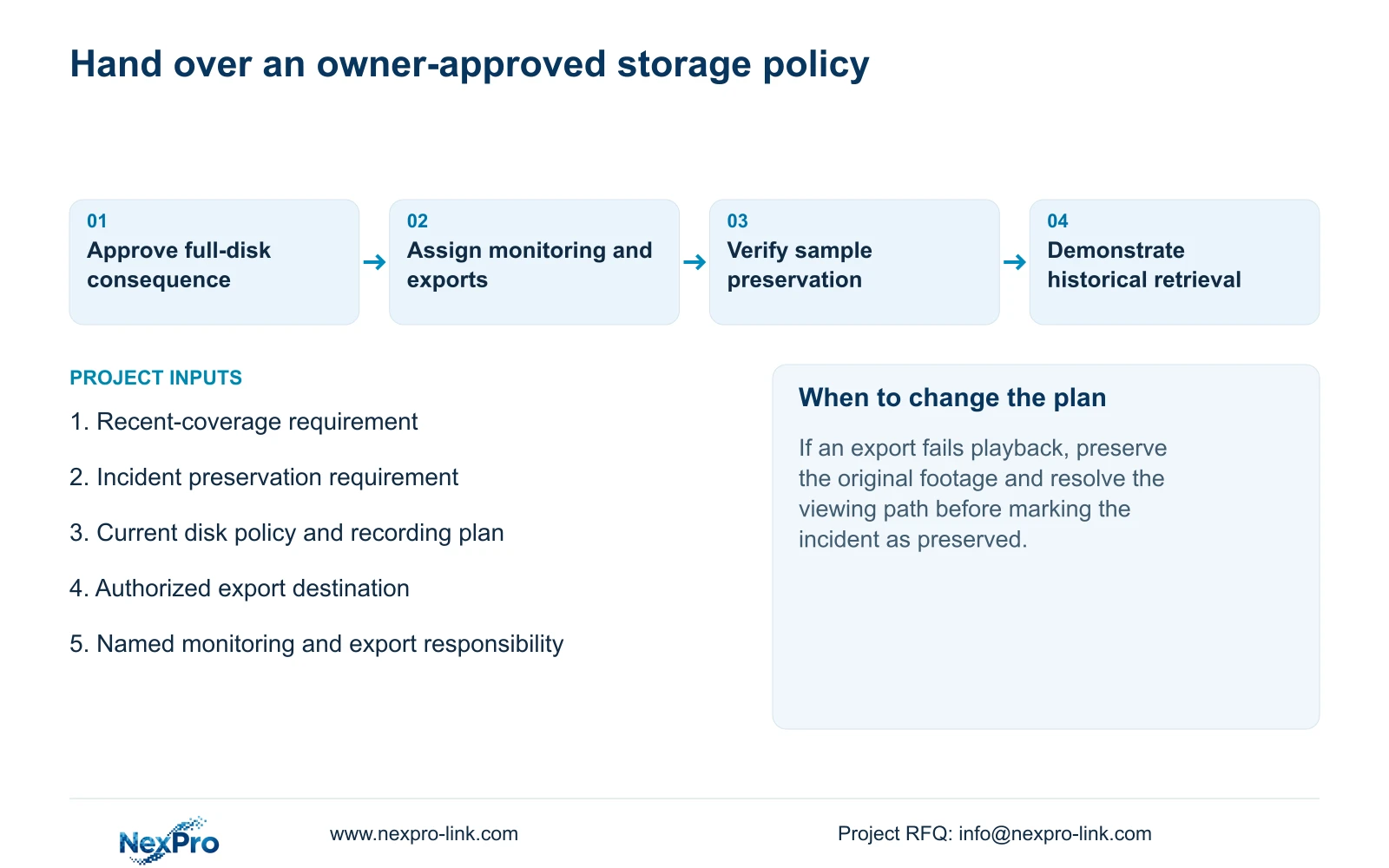
The handover should identify the selected full-disk mode, monitoring responsibility and incident-export owner. Keep the recorder's applicable versions, configuration-backup location and support responsibilities together. Transfer credentials through a controlled route rather than public documentation.
Ask the authorized operator to identify a channel, retrieve a required interval and produce a playable export. Receiving a document folder and completing that task are separate acceptance outcomes. Record unresolved difficulties and their responsible follow-up.
NexPro-Link's BOQ support can help define equipment and project-document scope. Any additional storage or service proposal should address the accepted recording task. It should not assume that the owner's policy question requires replacing the entire recorder.
Section 08
Apply the policy to the warehouse requirement
Illustrative project scenario: A warehouse wants continuous recent footage but also needs selected incidents preserved beyond the normal retention window. The owner considers cyclic overwrite for routine coverage and assigns an authorized operator to export incidents before they age out. The handover includes a receiving-system playback check and a historical retrieval exercise. If incident handling cannot reliably occur within the available window, the owner must review storage or preservation arrangements before accepting that workflow.
Section 09
Buyer questions
Does stop mode guarantee a better result? No. Its full-capacity consequence can include missing new recordings.
Does export completion prove incident preservation? Verify the channel, period, playback and required audio on the receiving path.
Can the recording icon replace a history check? No. It describes a current state, not the entire retained interval.
Section 10
Define the required preservation outcome
Send the required recent-coverage window and selected-incident preservation requirement to info@nexpro-link.com for a scoped storage-policy discussion.
Engineering references
These sources support the general planning principles. Always use the selected product's current datasheet and applicable project standards for final design.


