

Night shifts and seasonal weekend production need their own recording requirements. Translate the operating periods into supported schedule blocks and verify coverage across midnight.
Section 01
Translate actual shifts into recording requirements
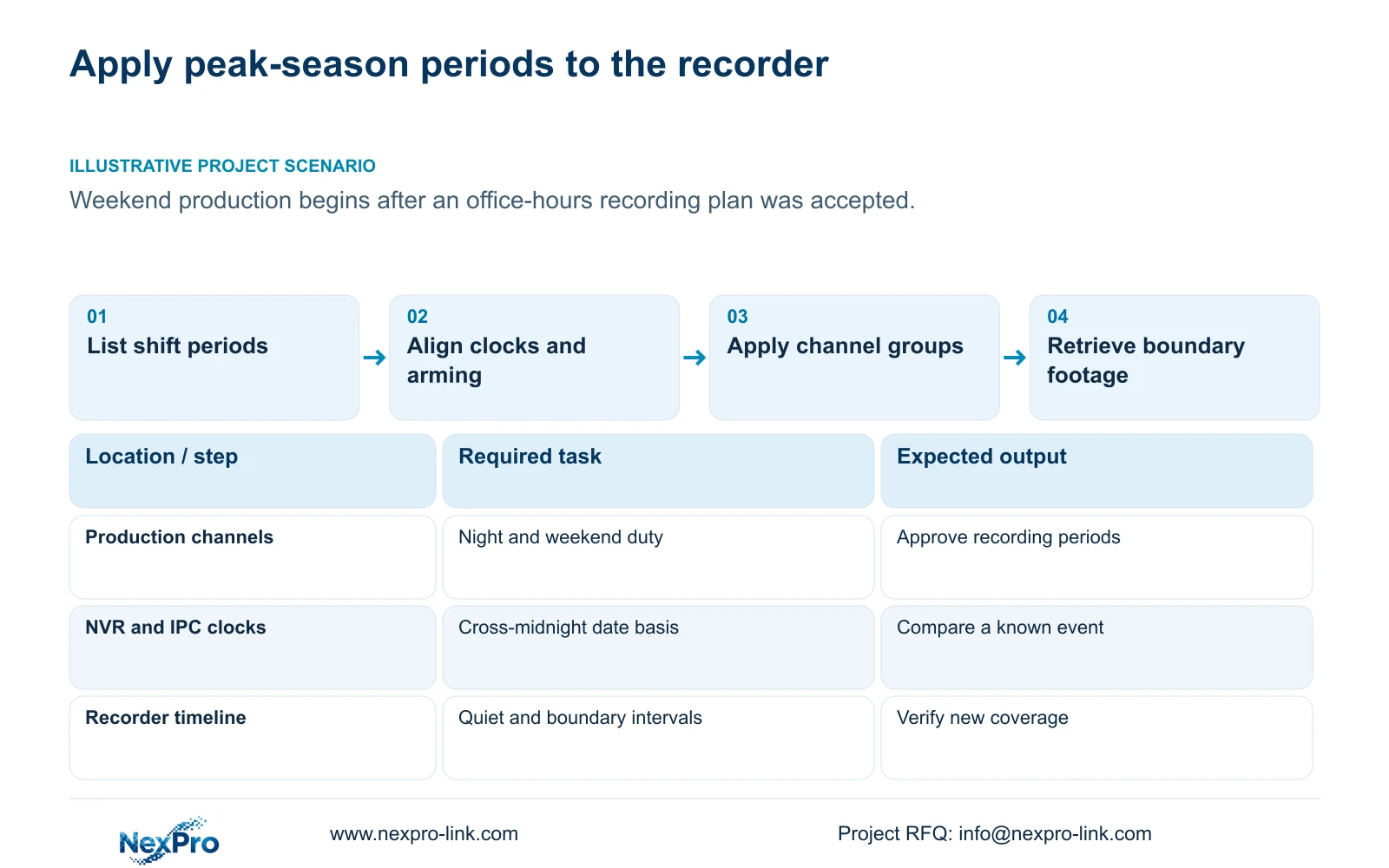
Configure night and weekend recording from the site's operating and security requirements, including seasonal production and quiet periods. An accepted office-hours plan can leave later shifts uncovered when the operating pattern changes. List the required periods by area, select the supported recording mode and fit those periods to the documented 30-minute grid. Check alarm arming separately, confirm the clock basis across midnight and copy settings only to compatible task groups. Then account for the additional recording hours and assign responsibility for seasonal changes. Acceptance should include footage at shift boundaries and during quiet intervals, rather than relying on a busy daytime sample.
Start with the normal week and the peak-season week. Include handover activity and any non-working period that still requires footage. Ask the owner whether quiet-period context must remain available. That decision determines whether motion-only coverage is acceptable or a timed component is needed.
The private supplied NVR4.0 user manual CH_V2.4.doc carries V2.2 in its body. Section 4.11.1 describes timed, no, motion and motion-plus-timed recording. Motion-only records upon motion detection; motion-plus-timed continues ordinary recording between triggers. These are recorder settings, not Seetong PC local-recording instructions.
Section 02
Align alarm periods with the changed operating state
Extending a recording period does not establish that the alarm arming period changed. Sections 4.11.1 and 4.12.11 describe separate recording and motion-alarm conditions. Compare the proposed shift plan with alarm enablement, arming time, detection area and required linkage actions.
Decide whether an area should notify an operator during active production, quiet periods or both. Keep that requirement separate from the requirement to retain footage. A site may need ordinary recording during a staffed shift even where its alarm response differs from the unstaffed period.
Test a relevant event inside and outside the revised arming period. Inspect the intended response and resulting footage. If the recording passes but the alarm action fails, investigate the alarm chain without shortening the recording plan.
| Site condition | Decision | Verification |
|---|---|---|
| Peak-season weekend production | Add approved recording periods | Retrieve weekend boundary footage |
| Quiet period needs context | Use a timed recording component | Play an interval without motion |
| Alarm period differs from recording | Retain separate approved windows | Test the required alarm response |
| Areas have different duties | Keep separate channel groups | Inspect each destination plan |
Section 03
Check the date and time basis across midnight
A night shift spans two calendar dates. Record the intended start date, end date and time zone before translating it into daily blocks. Inspect both sides of midnight so the end of one day's plan and the beginning of the next cover the required operation.
Sections 4.4.2 and 4.12.2 provide IPC time controls and separate NVR settings. The IPC controls include manual time, network synchronization, time zone and daylight-saving settings. The NVR has network time and an IPC synchronization interval expressed in hours.
Document the intended time authority and synchronization direction. Avoid allowing unrelated PC, recorder and camera mechanisms to overwrite one another without a defined arrangement. The manual's network-time entry does not establish support for every local NTP deployment. After configuration, compare a known event across the required camera views and its playback timestamps.
Section 04
Apply the revised plan to appropriate channel groups
Group cameras by recording task and supported options before copying a profile. A production area that operates weekends can differ from an office corridor or a gate that needs continuous coverage. Shared camera models do not make those duties identical.
Record the source channel and destination list, then inspect the applied values on the destination channels. Sections 4.11.1, 4.4.2, 4.12.6 and 4.12.7 describe relevant copy workflows, but the controls do not evaluate the site's task differences or preserve an exception automatically.
If a destination receives an unsuitable plan, correct that channel through an authorized configuration change and repeat its boundary test before extending the copy. Keep unrelated stream settings unchanged unless the approved task also requires them. A save confirmation establishes that an operation was accepted, not that every copied schedule is suitable.
Section 05
Calculate the extra coverage imposed by the grid
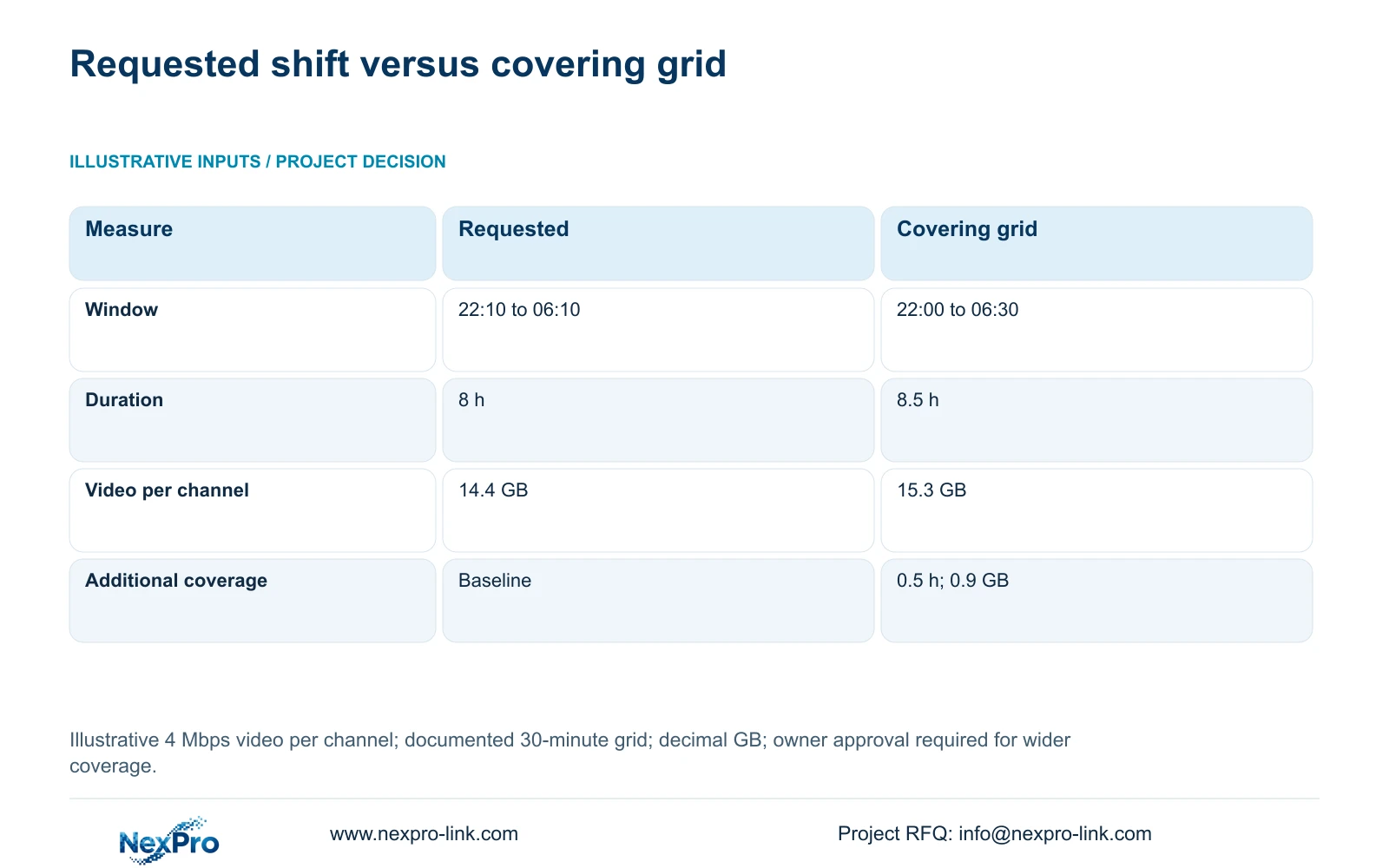
The teaching requirement runs from 22:10 to 06:10, an 8-hour interval across midnight. Section 4.11.1 documents a 30-minute minimum grid, so do not depict a selectable 10-minute boundary. One covering arrangement is 22:00 to 06:30, giving 8.5 hours. The owner must approve the wider coverage if exact exclusion boundaries matter.
At the supplied average video bitrate of 4 Mbps per channel, decimal video GB = Mbps × 3600 × hours ÷ 8 ÷ 1000 = Mbps × hours × 0.45. Requested coverage produces 4 × 8 × 0.45 = 14.4 GB per channel. The covering grid produces 4 × 8.5 × 0.45 = 15.3 GB per channel.
Extra video GB = (covering hours - required hours) × 4 × 0.45 = (8.5 - 8) × 4 × 0.45 = 0.9 GB per channel per occurrence. The additional 0.5 hour is a coverage consequence of this arrangement, not a measured product penalty. These decimal payload figures exclude unspecified audio and overhead.
For the full seasonal revision, calculate each group's additional recording hours over its actual operating days. The general decimal video formula is TB = 0.00045 × Σ(channels × Mbps × hours/day × days). Add other storage requirements separately and use division by 1 - r for an agreed reserve fraction r. No weekend frequency or channel quantity is assumed here.
| Measure | Requested interval | Covering grid |
|---|---|---|
| Time window | 22:10 to 06:10 | 22:00 to 06:30 |
| Duration | 8 h | 8.5 h |
| Decimal video payload | 14.4 GB | 15.3 GB |
Section 06
Assign responsibility for the seasonal revision
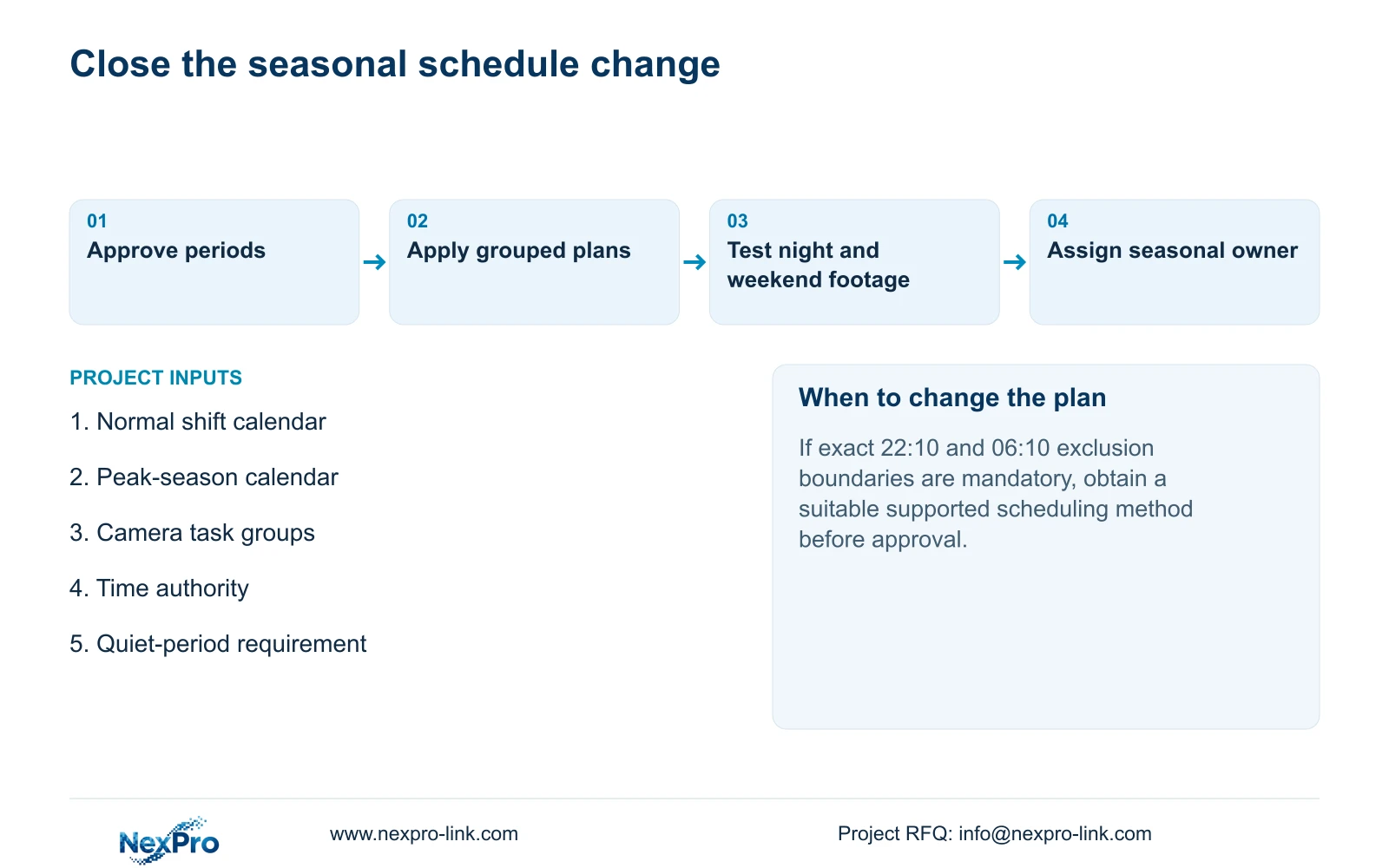
Illustrative project scenario: A production site runs weekends during peak season after the initial office-hours configuration was accepted. The owner identifies the affected areas and approves their weekend coverage. The engineer checks arming and time settings, applies suitable channel profiles and verifies the new periods in playback.
Name who authorizes the seasonal plan, who applies it and who confirms its eventual replacement. Keep the approved periods, applicable firmware and configuration-backup location in the controlled operating record. Transfer credentials through the agreed private route.
The handover should let the operator identify a channel, retrieve a night or weekend interval and export a playable file. Demonstrate those tasks separately from checking that documents were supplied. If the new recording hours exceed the supported usable storage arrangement, resolve capacity or revise the owner's approved requirement before closing the change.
Section 07
Can this plan use an exact 22:10 start?
The documented grid has a 30-minute minimum scale. Use an approved covering arrangement or obtain applicable device evidence for a different scheduling capability.
Section 08
Should weekend settings be copied to every camera?
Only where the destination shares the required task and supported options. Preserve area-specific exceptions and verify each relevant group's footage.
Section 09
Provide the revised shift periods
Send NexPro-Link the normal and peak-season shift periods, affected camera groups and required quiet-period coverage at info@nexpro-link.com.
Engineering references
These sources support the general planning principles. Always use the selected product's current datasheet and applicable project standards for final design.


