

Size USB backup media around all selected camera views and their recorded duration, then check the recorder's updated capacity and each exported file.
Section 01
Size the complete set of requested views
USB space depends on every selected channel's recorded bitrate and duration. For the supplied example, four channels averaging 4Mbps each over the same twenty-minute period produce 2.400GB of video payload in decimal units. That is a planning estimate, not the final packaged export size. Set the actual channels, recording types, format and start/end time on the recorder, then use Update to display its capacity requirement. Compare that value with the destination's available space and leave room for the complete export. Finish by checking every requested view, because a sufficiently large USB device can still contain an incomplete or incorrectly selected backup.
Define whether all views cover the same interval. A warehouse movement may pass through several cameras, but the review requirement can still call for the whole period from each view. Selecting only the brief visible action on each camera changes the delivered scope. Agree on the intended coverage before buying media or shortening selections to fit.
Section 4.11.4 permits multiple-channel selection and lists MP4 as the default format. Record the camera locations beside their channel assignments so that a later file check can establish whether the complete review set was copied.
Section 02
Use recorded-rate evidence for the estimate
Collect the average recorded video rate for each selected camera. Sections 4.4.5 and 4.3.3.3 distinguish stream configuration from traffic observations. CBR or VBR and the entered bitrate describe control settings; they do not establish that every scene produces the same stored volume throughout the day.
Use a representative average for payload planning. Document motion, lighting and stream settings beside any measured sample, because a quiet view may not represent the warehouse movement being reviewed. Peak or limit values serve a different purpose when evaluating network interfaces. CBR and VBR are not reliability rankings.
If the selected channels have different average rates or durations, calculate their payloads separately and add them. Do not substitute one convenient camera's rate for the entire group. Where actual rate evidence is unavailable, identify the planning assumption and let the recorder's refreshed selection requirement guide the immediate copy.
Section 03
Calculate payload, then confirm the time boundaries
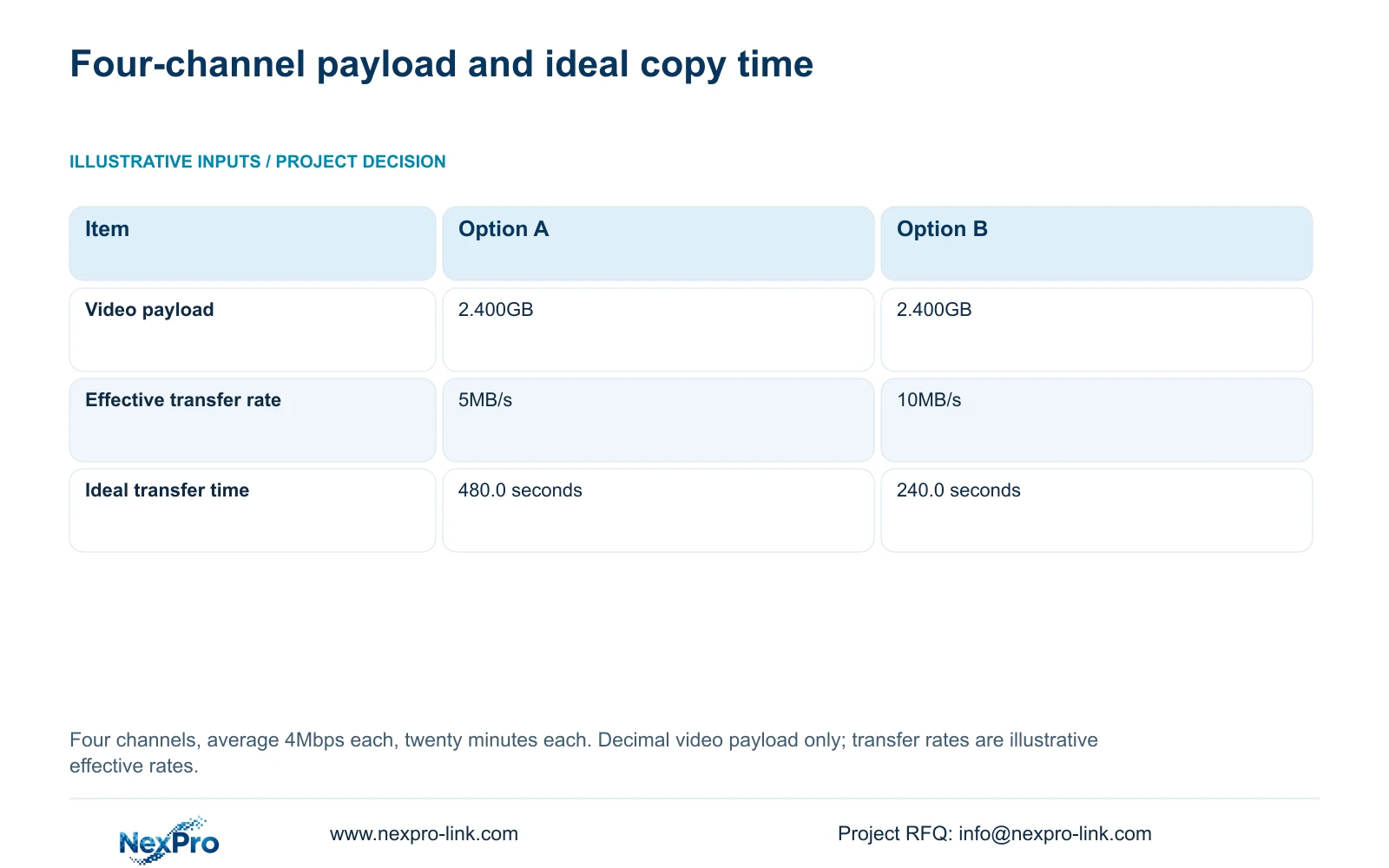
The supplied inputs are four channels, average 4Mbps per channel and twenty minutes per channel. Video payload in GB = channels × Mbps × minutes × 60 ÷ 8 ÷ 1000. The arithmetic is 4 × 4 × 20 × 60 ÷ 8 ÷ 1000 = 2.400GB, or 2400MB. Division by eight converts bits to bytes; division by 1000 expresses decimal GB.
For one channel over that same twenty-minute period, 1 × 4 × 20 × 60 ÷ 8 ÷ 1000 = 0.600GB. The four-view requirement is four times this payload. Event duration alone therefore cannot determine USB capacity without the channel count and recorded rate.
Ideal transfer time in seconds = GB × 1000 ÷ effective MB/s. At the hypothetical Option A rate of 5MB/s, 2.400 × 1000 ÷ 5 = 480.0 seconds. At Option B's 10MB/s, 2.400 × 1000 ÷ 10 = 240.0 seconds. These rates describe assumed effective copying, not interface specifications or measured device performance.
| Item | Option A | Option B |
|---|---|---|
| Video payload | 2.400GB | 2.400GB |
| Effective transfer rate | 5MB/s | 10MB/s |
| Ideal transfer time | 480.0 seconds | 240.0 seconds |
Section 04
Check the selected interval before committing space
Use playback to verify the beginning and end of the requested movement on each camera. Section 4.11.3 provides thirty-second jumps, time positioning and timeline zoom. A twenty-second teaching event can fall between coarse jumps, so inspect the relevant interval more closely before declaring that it is missing.
Image enlargement helps inspect picture detail, while timeline zoom helps inspect time. Neither changes the backup scope until the appropriate selection fields are set. After adjusting channels, types or boundaries, run Update again. Packaging, disk activity and other work can change actual size or elapsed copying time, so use the refreshed recorder requirement rather than treating the payload calculation as a finished-file guarantee.
Section 05
Compare the requirement with usable destination space
Check the destination's available space, not only its labelled total capacity. Detect the inserted USB storage through the documented backup workflow. Recognition establishes a destination check; it does not establish enough free space for the complete selection.
Keep the recorder's recording disks separate from the USB export destination. Section 4.12.21, titled External Storage Devices, describes attached-disk information, selected formatting, full-disk behavior and a startup no-disk prompt. That heading does not establish NAS, NFS, iSCSI, RAID or an alternative recording architecture.
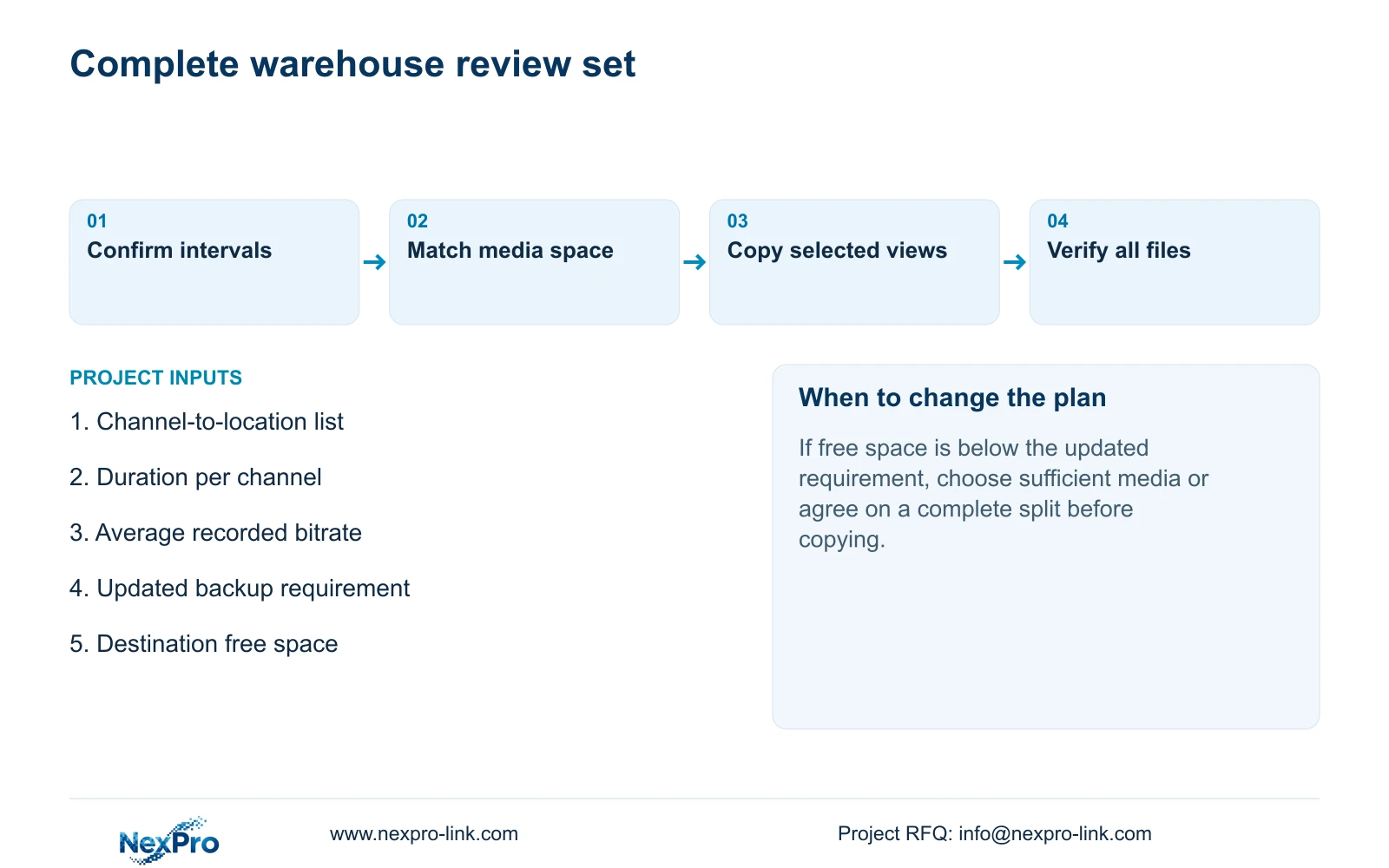
If the refreshed requirement exceeds free space, use suitable media with sufficient available capacity or agree on a deliberate split that preserves all required views and periods. Do not silently omit a camera. Formatting is not a capacity-check step: any formatting decision requires identification of the target, authority and preservation of needed files first.
| Condition | Interpretation | Next action |
|---|---|---|
| Media detected, free space insufficient | Recognition has passed; capacity has not | Choose a sufficient destination or agree on a complete split |
| Updated size differs from payload estimate | Actual selection or packaged data needs checking | Review channels, types and boundaries before copying |
| One requested camera file absent | The review set is incomplete | Check that channel's selection and recording availability |
Section 06
Verify every view and specify the export equipment
After the task ends, open each requested channel's export on the intended receiving system. Confirm camera location and time coverage, including the beginning and end of the twenty-minute selection. Check required audio separately. The manual mentions VLC as a viewing option without guaranteeing every platform and codec combination.
Retain source footage while the review set remains unverified. A working file from one camera does not establish that the others exported correctly. Record any missing channel or interval so a repeat copy targets the actual gap.
For procurement, add the export task to the delivery equipment list: requested simultaneous views, maximum review interval, destination-media role and receiving workflow. Ongoing retention capacity belongs in a separate requirement. NexPro-Link's BOQ support can use this scoped export requirement alongside the equipment schedule without needing the buyer's complete confidential tender.
Section 07
Apply the estimate to a warehouse review
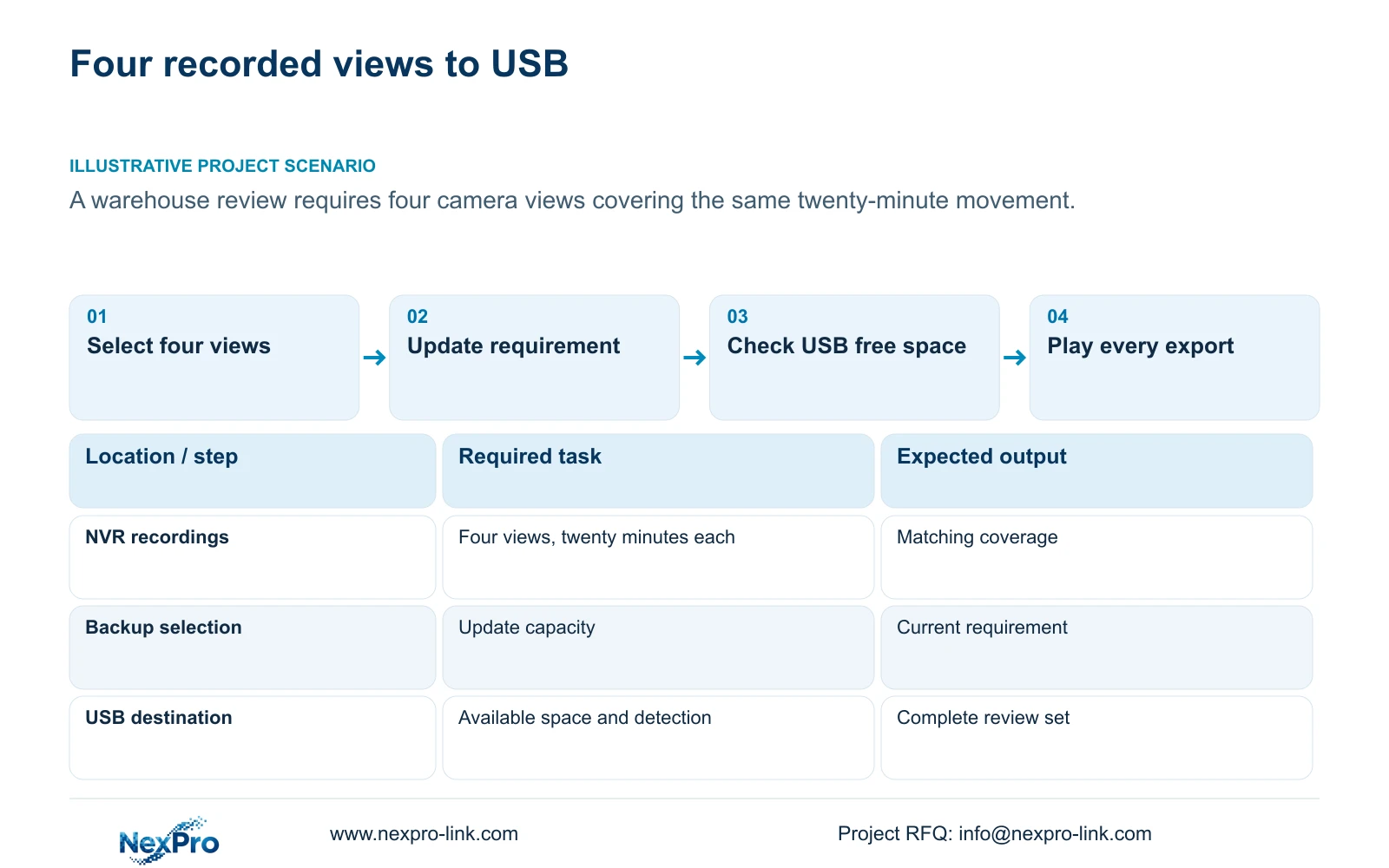
Illustrative project scenario: A warehouse review requires four camera views covering the same twenty-minute movement. The operator uses the 2.400GB payload estimate for preliminary planning, refreshes the actual selection capacity and checks destination free space. The reviewer then verifies all four exported views. This describes an intended workflow, not measured results.
The private source is NVR4.0 user manual CH_V2.4.doc, with V2.2 in its body. Relevant sections are 4.11.4, 4.4.5, 4.3.3.3, 4.11.3 and 4.12.21. Use section references and the actual device/firmware scope. Seetong PC local storage does not establish the recorder's backup requirement.
Section 08
Buyer questions about backup-media sizing
Is 2.400GB a guaranteed finished-file size? No. It is the decimal video payload for the stated assumptions. Check the updated recorder requirement.
Can one playable view approve the whole backup? No. Verify every requested channel and its time coverage.
Does a faster USB label establish the copy time? No. The calculation uses assumed effective file-transfer rates, and actual recorder and media activity can change elapsed time.
Section 09
Provide the export selection for media planning
Send NexPro-Link the selected channel count, required duration and available recorded-bitrate information at info@nexpro-link.com for a scoped backup-media discussion.
Engineering references
These sources support the general planning principles. Always use the selected product's current datasheet and applicable project standards for final design.


