

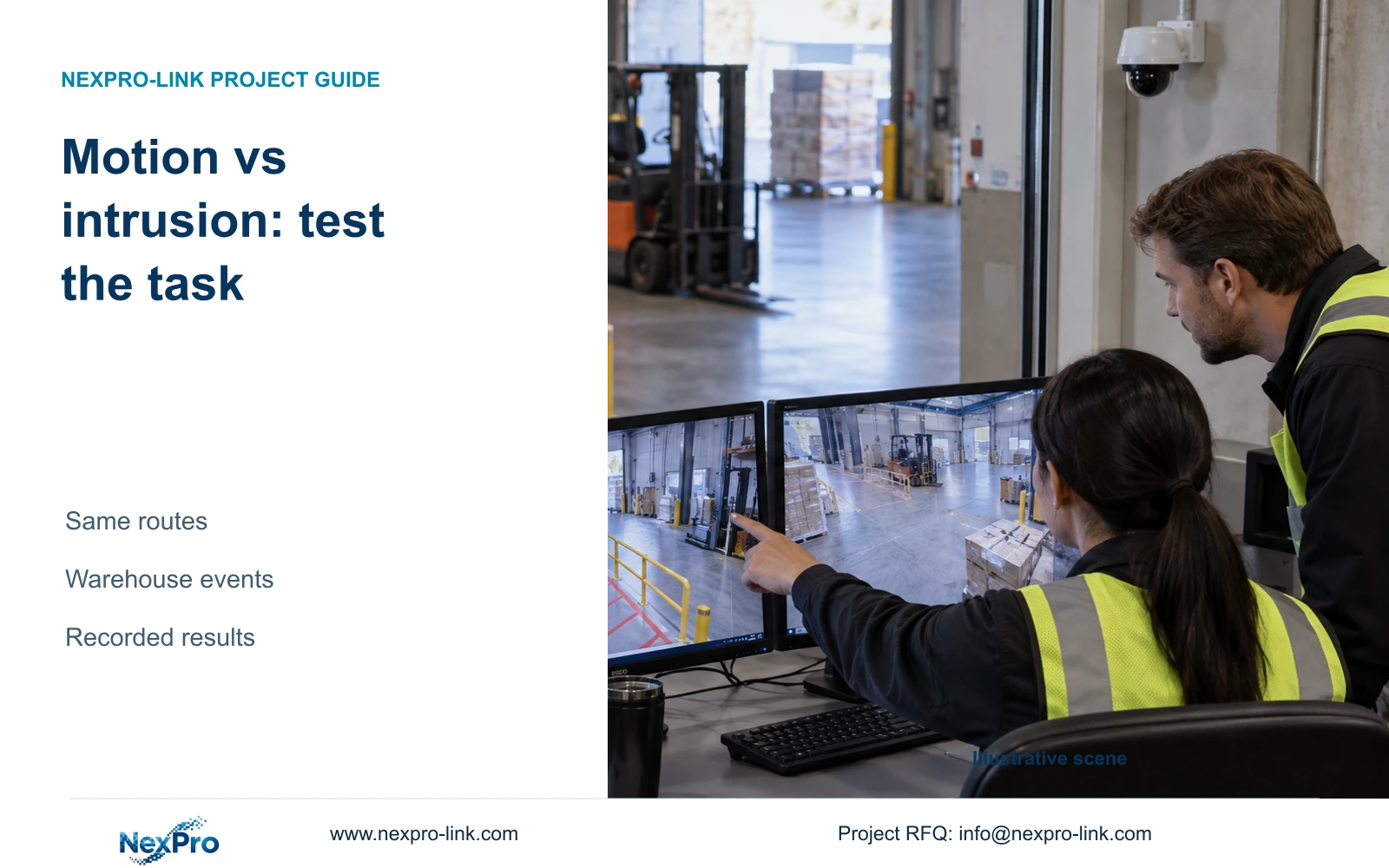
Compare ordinary motion and intrusion against the same operational task. Keep routes and conditions consistent, then record detection, notification and footage as separate results.
Section 01
Define the restricted-path event in operational terms
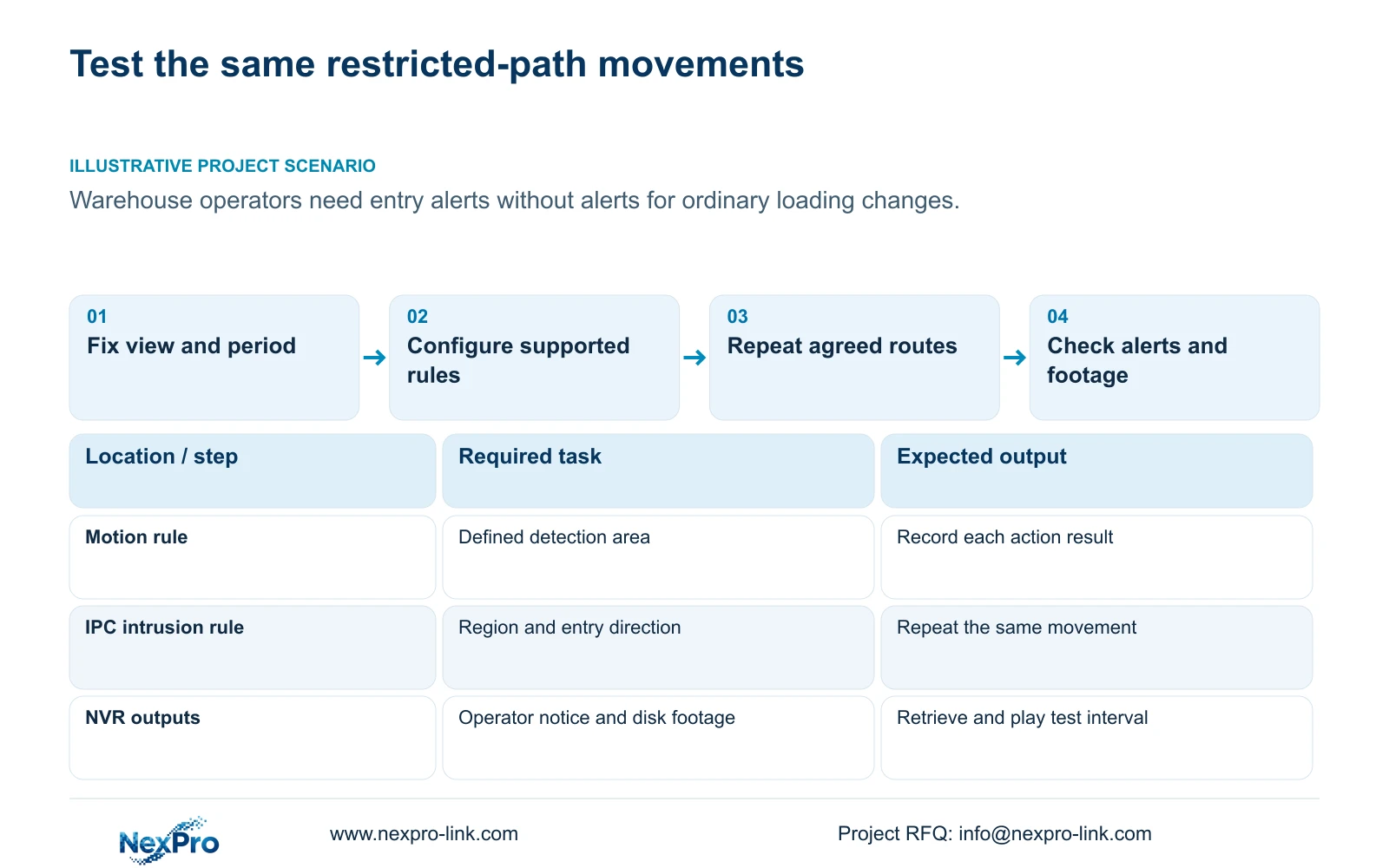
Compare motion and intrusion by testing the behavior the warehouse team needs to detect, using the same scene, route and operating period. Ordinary motion and entry into a defined region describe different events. Neither a more advanced feature name nor a sensitivity value establishes a better outcome. For a restricted path, specify the movement that should alert staff and the loading activity that should leave them undisturbed. Configure each supported function, repeat the agreed movements and inspect notifications and footage separately. Choose the combination that demonstrates the required task, while recording missed or unwanted events without inventing an accuracy claim.
Write a usable requirement before opening the menu: entry into the restricted path during the defined period should produce the selected operator alert and retrievable footage. If the requirement specifically excludes other target categories, confirm separate classification capability. Directional intrusion alone does not establish human-only detection.
Section 02
Hold the camera view and test period constant
A comparison becomes difficult to interpret if motion uses one view while intrusion uses another. Record the selected camera and channel, field of view, relevant lighting condition and operating period. Use comparable movements through the same area for both configurations and note any change that cannot be held constant.
Section 4.12.11 describes the motion chain through enablement, arming period, detection area and linkage. Section 4.12.15 describes the NVR-side analytics function followed by IPC Front-end Settings. Confirm that the selected camera and connection support intrusion before presenting it as a viable comparison option. If support is unresolved, retain the known motion result and obtain the applicable device information; a recorder checkbox cannot supply missing camera analysis.
Section 03
Configure the area and direction for each event
Set the motion detection area to the agreed viewing task, then configure the intrusion region around the actual restricted path. Keep a record of the geometries so an unwanted event can be traced to the rule that produced it. A broad region covering normal loading activity tests a different requirement from a narrow restricted-path boundary.
The manual lists entry, exit and both directions for area intrusion. Line crossing offers one-way or two-way crossing. For an entry requirement, test entry and the permitted reverse route separately. After camera movement or a lens change, inspect the geometry again. Adjust sensitivity as a configuration control where supported, and assess the resulting observations. Its numerical position is not a statistical accuracy percentage.
Section 04
Test required and unwanted movements across schedules
Use approved movements that include entry into the restricted path, travel in the permitted direction and normal activity outside the restricted area. Record the expected outcome before observing the result. Repeat the same action set for the supported motion and intrusion configurations, rather than selecting favorable examples for either.
Include relevant periods inside and outside arming time. Section 4.11.1 concerns the recording plan; alarm enablement, period, area and linkage are separately configured. If movement is visible but no alert occurs, check whether that test should have been armed. If an alert occurs without the required footage, inspect recording separately. Change one relevant setting and repeat the affected action, keeping the previous observation available for comparison.
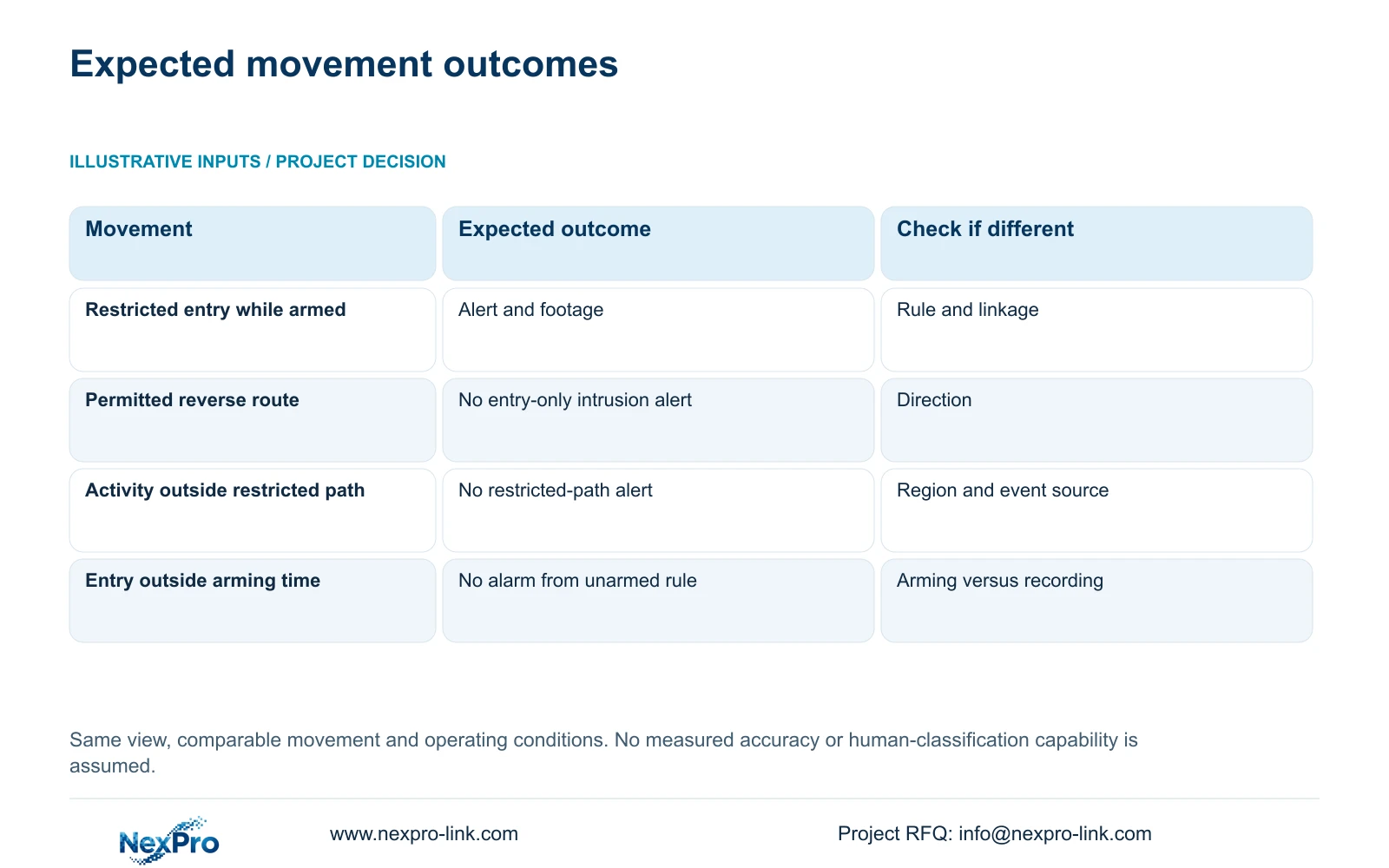
| Test movement | Expected task outcome | If the result differs |
|---|---|---|
| Entry into restricted path while armed | Required notification and retrievable footage | Check geometry, event reception and selected actions |
| Permitted reverse movement | No intrusion alert when entry-only is specified | Inspect direction and region |
| Normal activity outside restricted path | No restricted-path alert | Inspect region coverage and the triggering function |
| Same entry outside arming time | No alarm from the unarmed rule | Check arming separately from recording |
Section 05
Record notifications and footage independently
For each movement, record which event was observed, which selected notification reached the intended operator and whether the required footage can be found. The manual lists popup, border flashing, buzzer, email, snapshot, preset call, recording and app push as separate actions. A successful popup cannot complete an email or recording requirement.
Describe unwanted and missed events in terms of the observed action set and conditions. Do not turn an informal demonstration into a brand-wide performance percentage. If both detectors are active and the source of an alert is unclear, resolve that attribution before choosing a preferred configuration. Keep action duration separate from retention, and record the camera/channel identity with the test time so the footage can be checked later.
Section 06
Select a configuration only after retrieval succeeds
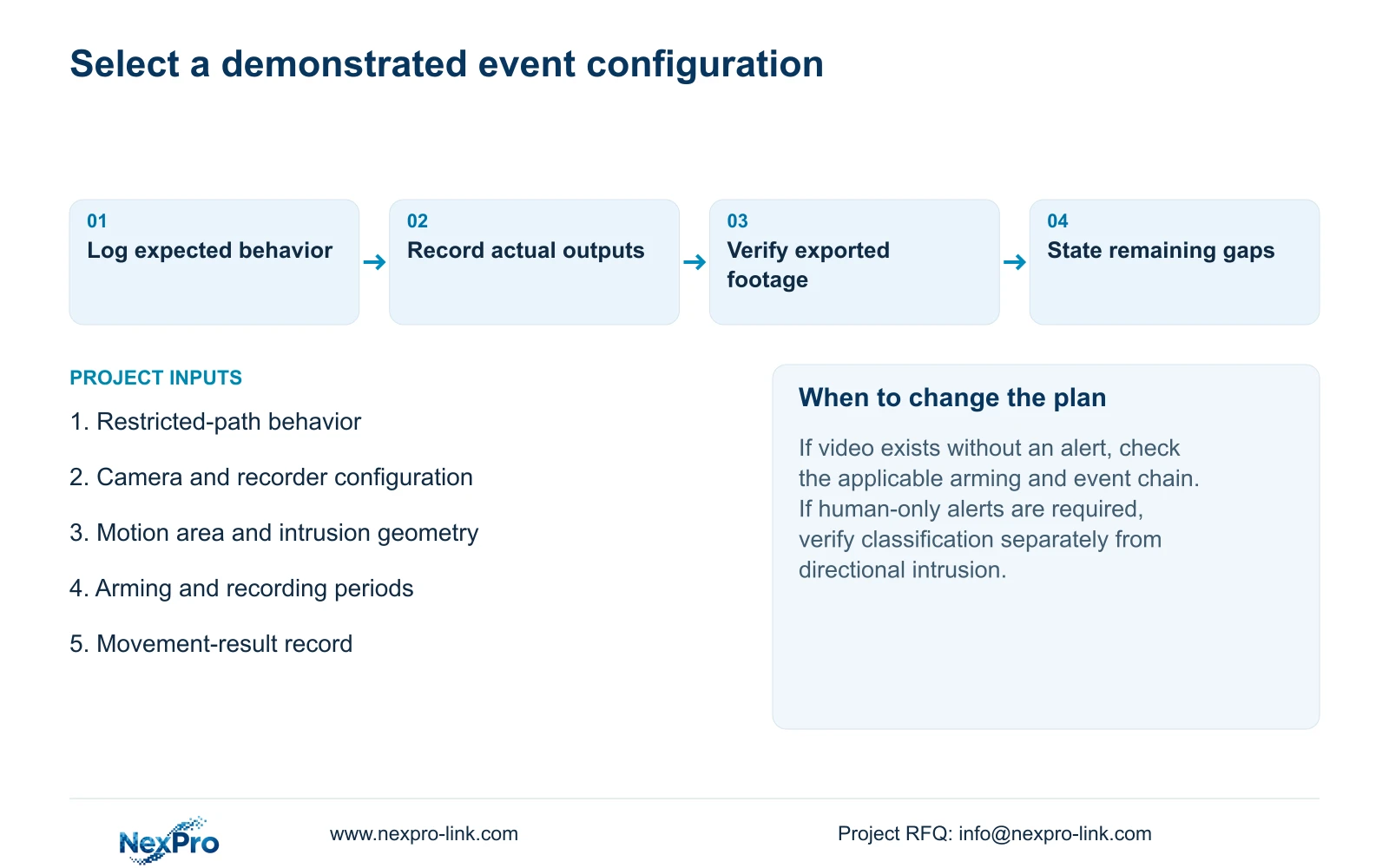
Complete the task through the recorder's storage workflow. Identify the channel, observe live video and recording state, then retrieve the known test period. Inspect the selected disk and recording policy as part of that check. Export the relevant interval and open it on the intended receiving system.
A suitable recommendation states the actual camera, recorder, connection and configuration tested, with the conditions and unresolved items. If motion meets the requirement, its simpler event scope may be sufficient for that project. If supported intrusion better matches the required entry geometry, retain that configuration only after its notification and footage tasks succeed. If neither meets the requirement, revise placement, supported capability or the operational brief instead of claiming success from the menu selection.
Section 07
Apply the comparison to the warehouse path
Illustrative project scenario: A warehouse team wants alerts only when a person enters a restricted path, not for every change in the loading image. The engineer tests the same entry, reverse route and outside activity under both supported configurations. The result sheet records what reached the operator and what footage was retrievable. A separate human-classification requirement remains open unless the actual equipment supports and demonstrates it.
The private source is NVR4.0 user manual CH_V2.4.doc, whose body identifies V2.2, sections 4.12.11, 4.12.15, 4.11, 4.3 and 4.12.21. The comparison is an engineering acceptance method, not a built-in benchmark. Recorder disk footage and Seetong PC local recordings remain separate objects.
Section 08
Can footage exist when the alarm rule is unarmed?
Yes, depending on the recorder's separate recording plan. Inspect the plan and retrieve the tested period; an unarmed alarm rule alone does not establish that recording stopped.
Section 09
Share the event comparison
Send NexPro-Link the required restricted-path behavior, tested device combination and action-result sheet at info@nexpro-link.com.
Engineering references
These sources support the general planning principles. Always use the selected product's current datasheet and applicable project standards for final design.


