

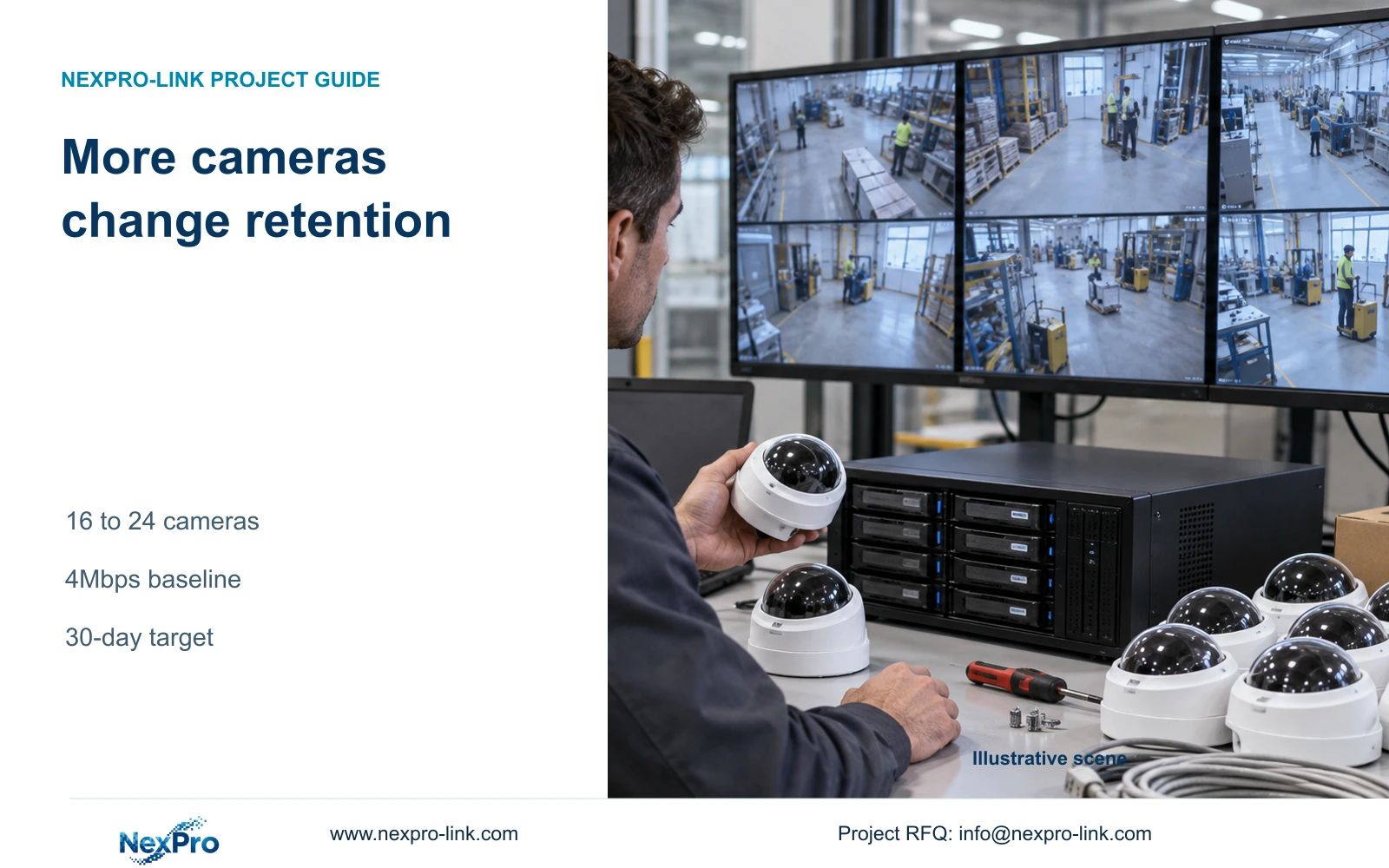
Expanding from 16 to 24 cameras changes both recording traffic and retained video volume. Keep bitrate, recording hours and retention fixed when sizing the upgrade.
Section 01
Keep the original recording target in the comparison
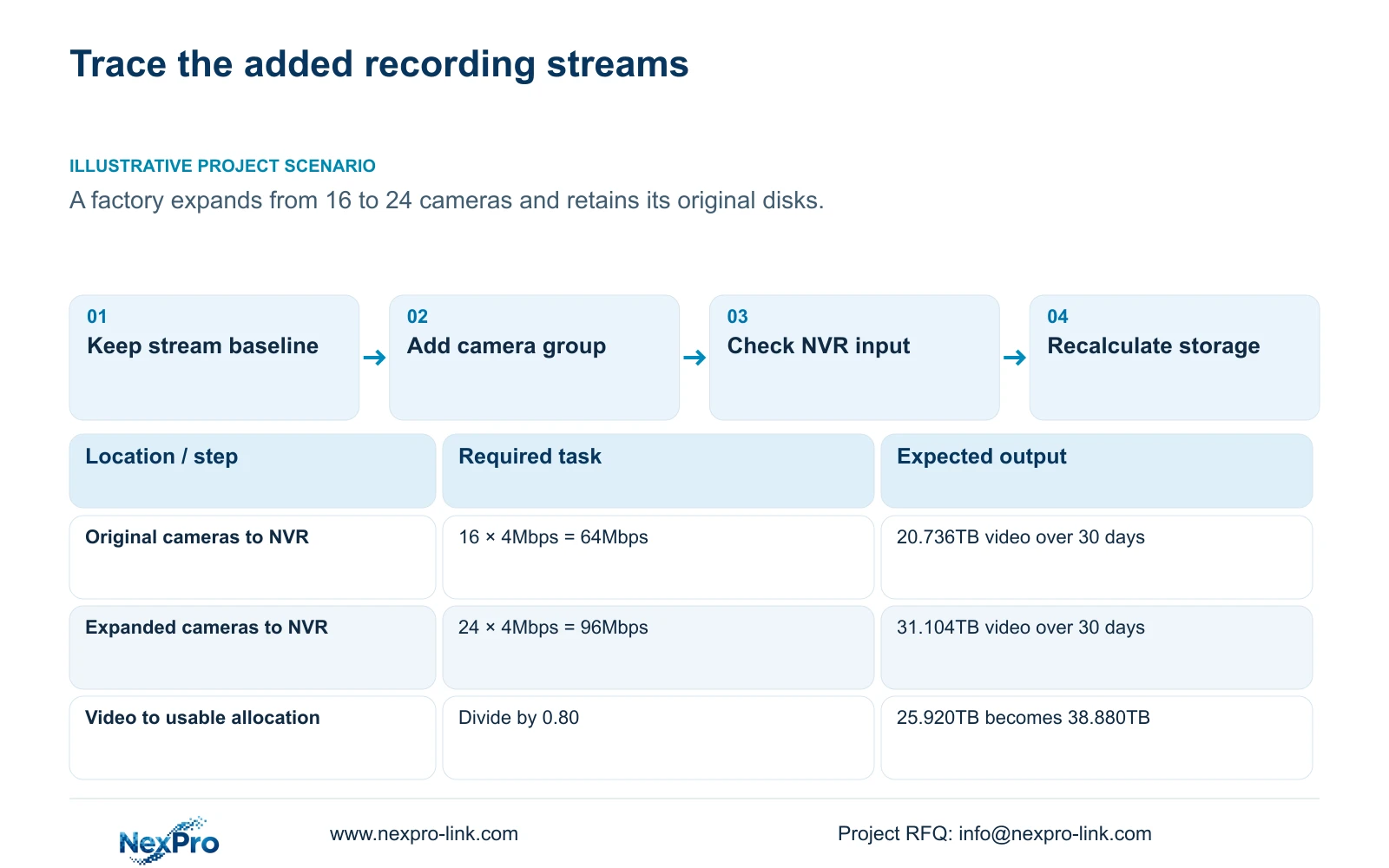
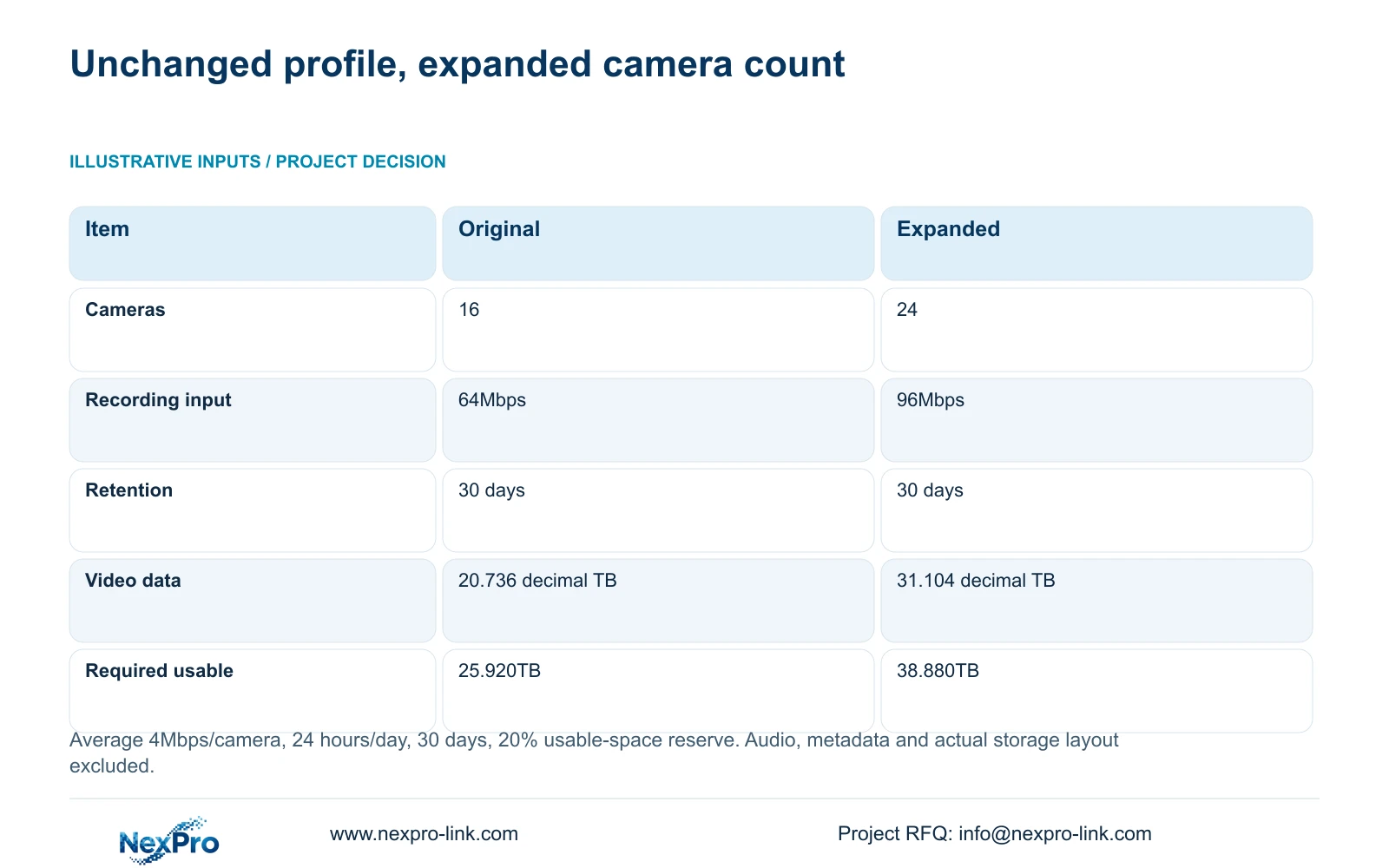
Adding cameras increases the volume written to the recorder when the recording profile stays unchanged. For the supplied example, expanding from 16 to 24 cameras at an average 4Mbps per camera raises recording input from 64Mbps to 96Mbps. At 24 hours per day over 30 days, video grows from 20.736TB to 31.104TB. With 20% of usable capacity reserved, the requirement rises from 25.920TB to 38.880TB. Retaining the original disks therefore requires a fresh capacity check. Keep the retention period fixed while comparing upgrades, and separately verify channel support, incoming bandwidth and playback. These are illustrative planning figures, excluding audio, metadata and actual disk-layout effects.
Record the existing camera groups, average bitrate, daily recording hours and required days before evaluating expansion. Keep those inputs visible beside the added group. Otherwise a proposal can appear to accommodate more cameras by quietly shortening retention or changing the image profile. Any such change needs its own agreed decision.
Section 02
Define the added group from its recording profile
The example adds eight cameras using the same assumed average 4Mbps and continuous recording hours as the original group. In a real factory, new views may need different profiles. Record those differences and calculate separate groups instead of applying the existing average without explanation.
Sections 4.4.5 and 4.3.3.3 describe CBR/VBR configuration and bitrate fields. An entered rate is not the same object as representative traffic or stored data. Use a documented average for retention planning and an appropriate peak or limit for interface assessment. Preserve lighting, motion and stream settings when comparing samples.
If the expansion estimate rests on a quiet scene sample, obtain a representative recording basis before accepting a permanent daily-volume claim. CBR and VBR describe control methods; neither label alone establishes better reliability or suitable image quality. Keep required recorded detail in the acceptance criteria.
Section 03
Calculate both the total and the added volume
The exact inputs are option A: 16 cameras × average 4Mbps × 24 hours/day × 30 days; option B: 24 cameras at the same bitrate, hours and retention. Both reserve 20% of usable space. All capacity results use decimal TB.
Video TB = 0.00045 × channels × Mbps × hours/day × days. Option A gives 0.00045 × 16 × 4 × 24 × 30 = 20.736TB. Option B gives 0.00045 × 24 × 4 × 24 × 30 = 31.104TB. Required usable TB = video TB ÷ (1 - 0.20), so 20.736 ÷ 0.80 = 25.920TB and 31.104 ÷ 0.80 = 38.880TB.
The added group's input is (24 - 16) × 4 = 32Mbps. Its daily video volume is 0.00045 × 8 × 4 × 24 × 1 = 0.3456TB/day. Across 30 days it adds 0.3456 × 30 = 10.368TB of video. The required usable-capacity increase is 10.368 ÷ 0.80 = 12.960TB.
These differences isolate the expansion effect at the unchanged baseline. They do not specify physical disk quantities. Audio, metadata and actual layout deductions remain outside the calculation and must be resolved before selecting the storage configuration.
| Item | Option A | Option B |
|---|---|---|
| Camera count | 16 | 24 |
| Recording input | 64Mbps | 96Mbps |
| Retention | 30 days | 30 days |
| Video data | 20.736 decimal TB | 31.104 decimal TB |
| Required usable space | 25.920TB | 38.880TB |
Section 04
Check channels, disk limits and playback separately
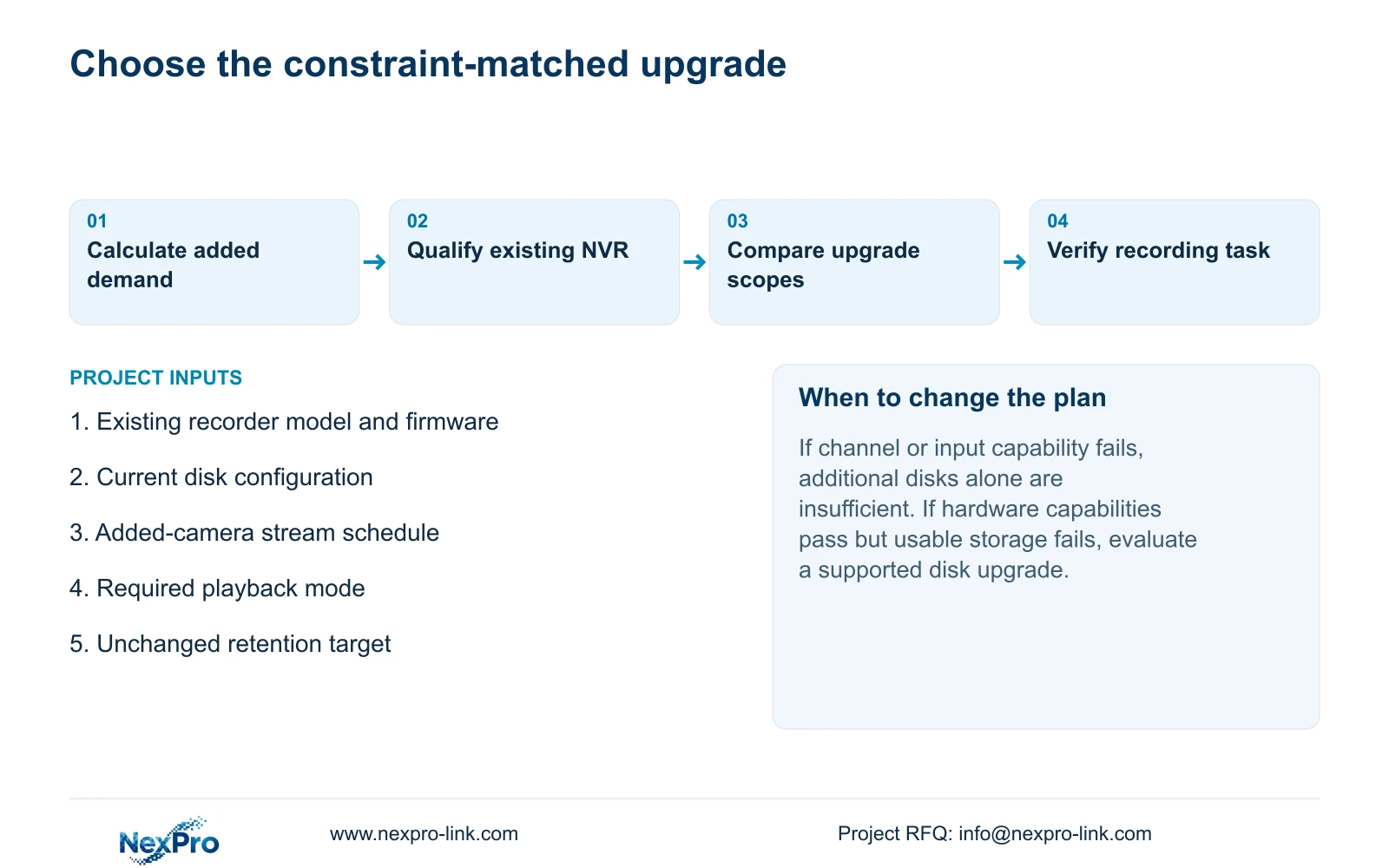
Compare the actual recorder's channel support, accepted stream modes, incoming bitrate, disk positions and per-disk capacity limits with the expanded requirement. Then check the operator's simultaneous playback task. Additional storage cannot supply missing channel capability, and a larger channel label does not establish the required playback combination.
The manual's TS model rows remain separate from commercial NexPro-Link specifications. For example, TS8232C4 lists local playback as 1×4K OR 4×2MP OR 2×5MP. These are alternative modes, not additive resources. Do not transfer that row to a commercial SKU or turn it into a promise to review every expanded channel simultaneously.
If existing hardware meets the operating constraints but its confirmed usable capacity falls short, assess a supported disk upgrade. If channel, input or playback requirements fail, include recorder alternatives. An undocumented field requires confirmation before approval.
Section 05
Identify an input limit before reducing image quality
Section 5.3 question 7 associates insufficient channel resources with total incoming IPC bandwidth and suggests reducing the affected bitrate. Record the original stream mix and observed symptom before changing rates. Compare aggregate input, individual accepted streams and local decoding as separate constraints.
If a reduced bitrate restores a picture, verify that the recorded image still meets the factory's observation task. Restored viewing alone is not evidence that the expansion is qualified. Where the required streams exceed the recorder's supported input, select an appropriate recorder instead of concealing the shortfall through an unaccepted image-profile reduction.
Section 06
Assess the historical window under the full-disk policy
With overwrite selected, higher recording volume can bring older footage out of the available history sooner when recording capacity remains unchanged. With stop-recording selected, reaching full capacity can halt new footage. Neither behavior establishes the unchanged 30-day target merely because it was used in the earlier design.
Do not promise an exact new retained period from the old estimate alone. Confirm actual usable capacity and representative recording volume, then inspect the available playback interval during operation. Keep incident exports outside routine cyclic retention so required copies have their own verified destination.
The reserve in the calculation is a planning allocation. It is not evidence that the firmware automatically limits recording to that fraction. State the allocation basis and full-disk behavior separately in the project record.
For a separate fixed-budget sensitivity check, keep the original illustrative video budget of 20.736 TB. At the same 4 Mbps average and continuous schedule, 24 channels consume 0.0108 × 24 × 4 = 1.0368 TB/day; 20.736 ÷ 1.0368 = 20 days, compared with the original 30 days. This holds the video budget fixed instead of increasing it to preserve the 30-day target. It is not the observed history or a raw-disk prediction, and the previously stated exclusions still apply.
Section 07
Compare disk expansion with recorder replacement
Ask for alternatives delivering the same 24-camera profile, retention and playback task. The disk option should state supported media and resulting usable capacity. The recorder option should state the necessary input and playback capabilities as well as storage. Keep accessories, software, configuration work and site-service boundaries explicit.
Any physical disk work requires an authorized interruption and preservation of required accessible footage. Formatting is a separate data decision, not an automatic part of a procurement comparison. Without matched quotations, compare scope and unresolved requirements rather than inventing a saving percentage.
Illustrative project scenario: A factory expands from sixteen cameras to twenty-four while retaining the original disks. The cost manager carries the unchanged recording baseline into both upgrade requests and asks which constraints each option resolves. Neither option is assumed to pass until usable capacity and recorder capability are established.
The private source is NVR4.0 user manual CH_V2.4.doc, with V2.2 in its body. Sections 5.1, 5.2, 5.3 question 7, 4.4.5, 4.3.3.3 and 4.12.21 provide the operating context. The arithmetic is an independent illustrative engineering calculation.
Section 08
Will more disk capacity fix an input-resource warning?
It addresses retention capacity only. Establish whether the warning concerns aggregate incoming bandwidth or another recorder constraint before selecting the upgrade.
Section 09
Size the expansion against the existing recorder
Send NexPro-Link the existing recorder identity, disk configuration and added-camera stream schedule at info@nexpro-link.com to compare the relevant upgrade scope.
Engineering references
These sources support the general planning principles. Always use the selected product's current datasheet and applicable project standards for final design.


