

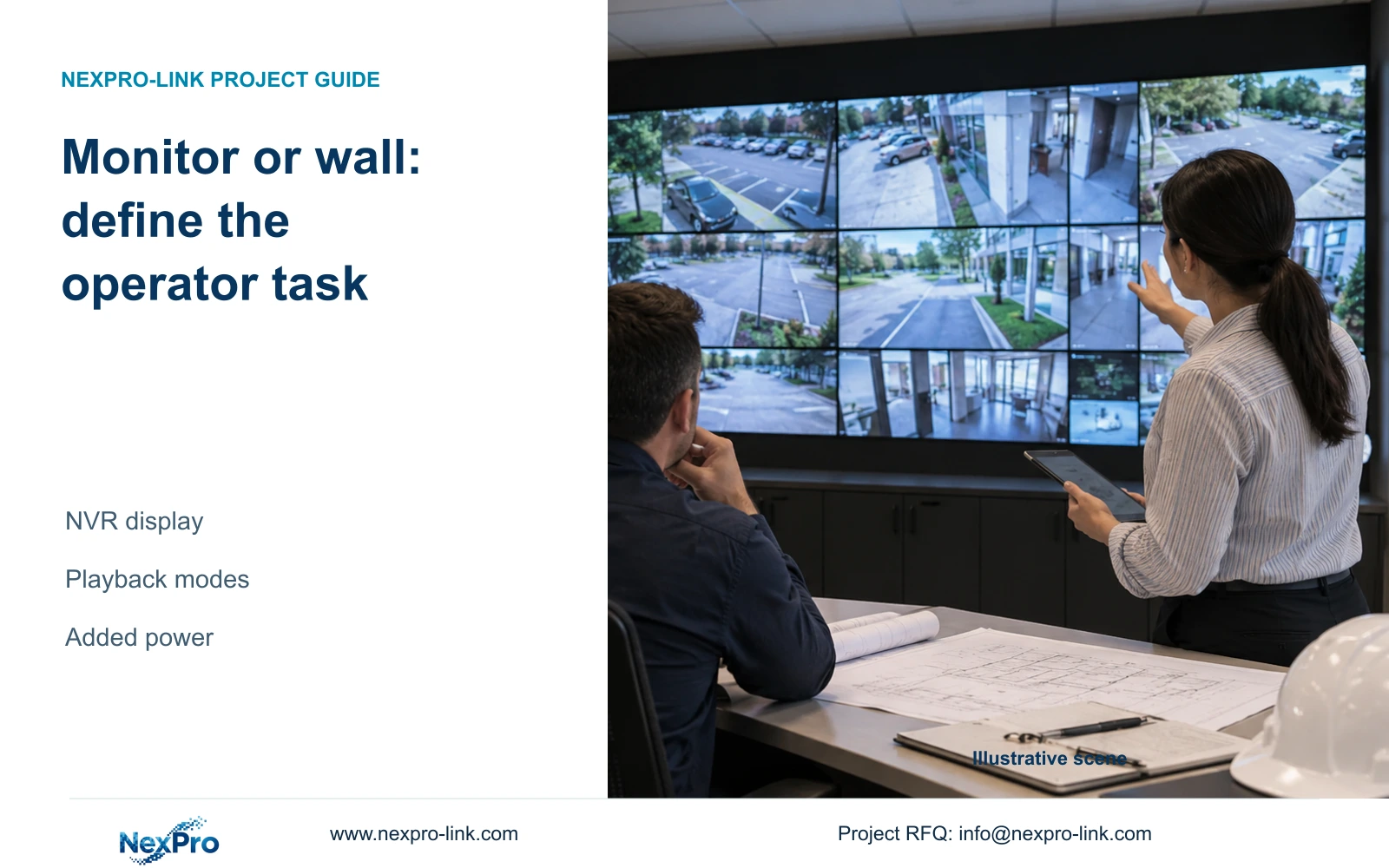
A video wall changes the viewing arrangement without automatically changing recorded detail or retention. Compare operator tasks and display power separately.
Section 01
Specify the views the operator needs to use
Choose an NVR monitor or video wall by the operator's simultaneous viewing and event-review tasks, while keeping the recording requirement unchanged. A wall can expand the presentation area, but it does not automatically increase captured detail, retention or the recorder's playback capacity. Verify decoding modes and independent-view behavior before adding panels. Then list the display equipment and calculate its separate power demand. In the supplied example, retaining the existing operator screen and adding four assumed 120 W LCD panels plus 100 W of decoding equipment raises the protected load from 510 W to 1090 W. Battery runtime and apparent-power capacity still need their own checks.
Describe which scenes must remain visible and what happens when the operator reviews an event. Does the review replace the live overview, or must both remain available? State the stream modes needed for each task and identify the intended operator position. A wall-sized picture of the layout does not establish that the selected equipment can produce it.
Keep recording channels, incoming bitrate, preview decoding, simultaneous playback and monitor output as separate requirements. If an existing monitor completes the agreed tasks, retain it as the baseline and evaluate wall expansion as an additional option.
Section 02
Check the applicable playback combination
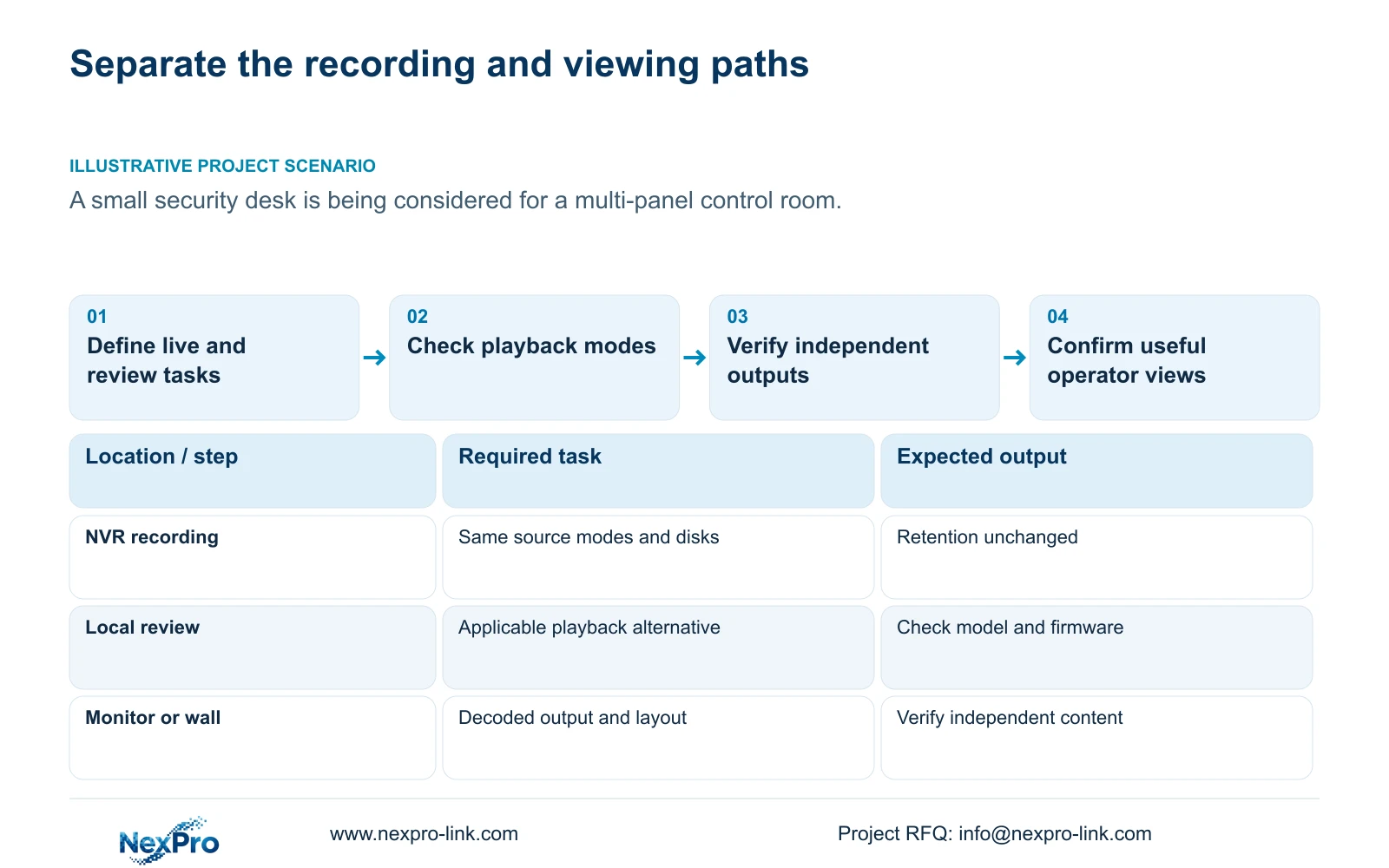
The supplied manual lists model-specific alternative playback modes. TS8232C4 is shown with 1 × 4K OR 4 × 2MP OR 2 × 5MP. These are alternatives, not capacities to add together. A recorder's channel count does not establish that every recorded channel can be played locally at full resolution at once.
Other appendix rows have different limits: TS8108D7 lists 1 × 3MP, and TS8116D7 lists 1 × 5MP OR 2 × 2MP. TS8836M/TS8436M lists 1 × 4K 30fps OR 2 × 5MP OR 4 × 4MP@20fps OR 4 × 2MP@25fps. Preserve the stated mode and frame-rate conditions when evaluating an operator task.
These TS references are manual examples with no established mapping to NexPro-Link commercial SKUs. Obtain the selected recorder's own applicable specification and firmware scope. If the requested review exceeds its supported mode, revise the viewing arrangement or select a qualified decoding path.
Section 03
Verify independent content at each output
The manual states that VGA and HDMI can output simultaneously. That statement does not establish two independently managed canvases. For a desk that needs one live overview and a different event-review screen, request confirmation of the content and control behavior on the exact recorder.
Record output resolution and supported layout alongside the intended view. Two connectors can satisfy a duplicated presentation task without satisfying independent operator tasks. If independent views remain unconfirmed, keep that item open rather than approving the arrangement from a rear-panel photograph.
Where the recorder cannot provide the required views, scope a workstation or decoding arrangement explicitly. Identify the software and supported device combination used for that task. Seetong PC local storage remains separate from recorder disk storage; adding a client does not silently change the retention basis.
Section 04
List the equipment added by the wall option
Separate recording, decoding, the display canvas and its controller in the equipment schedule. For the enhanced option, include the inputs and outputs needed to carry the intended streams, the concurrent decoding requirement, panels, operator control equipment and installation scope.
Identify who configures layouts and who maintains the added devices. Include their power supplies and the required physical installation work. A coordinated equipment package does not establish that all components are manufactured by one supplier or that local installation is included.
If ordinary display meets the task and the additional wall has no defined operating benefit, preserve the baseline. The owner can keep essential storage and protected-power requirements visible in the budget without treating wall expansion as a prerequisite for recording.
Section 05
Calculate the display increment without replacing the baseline
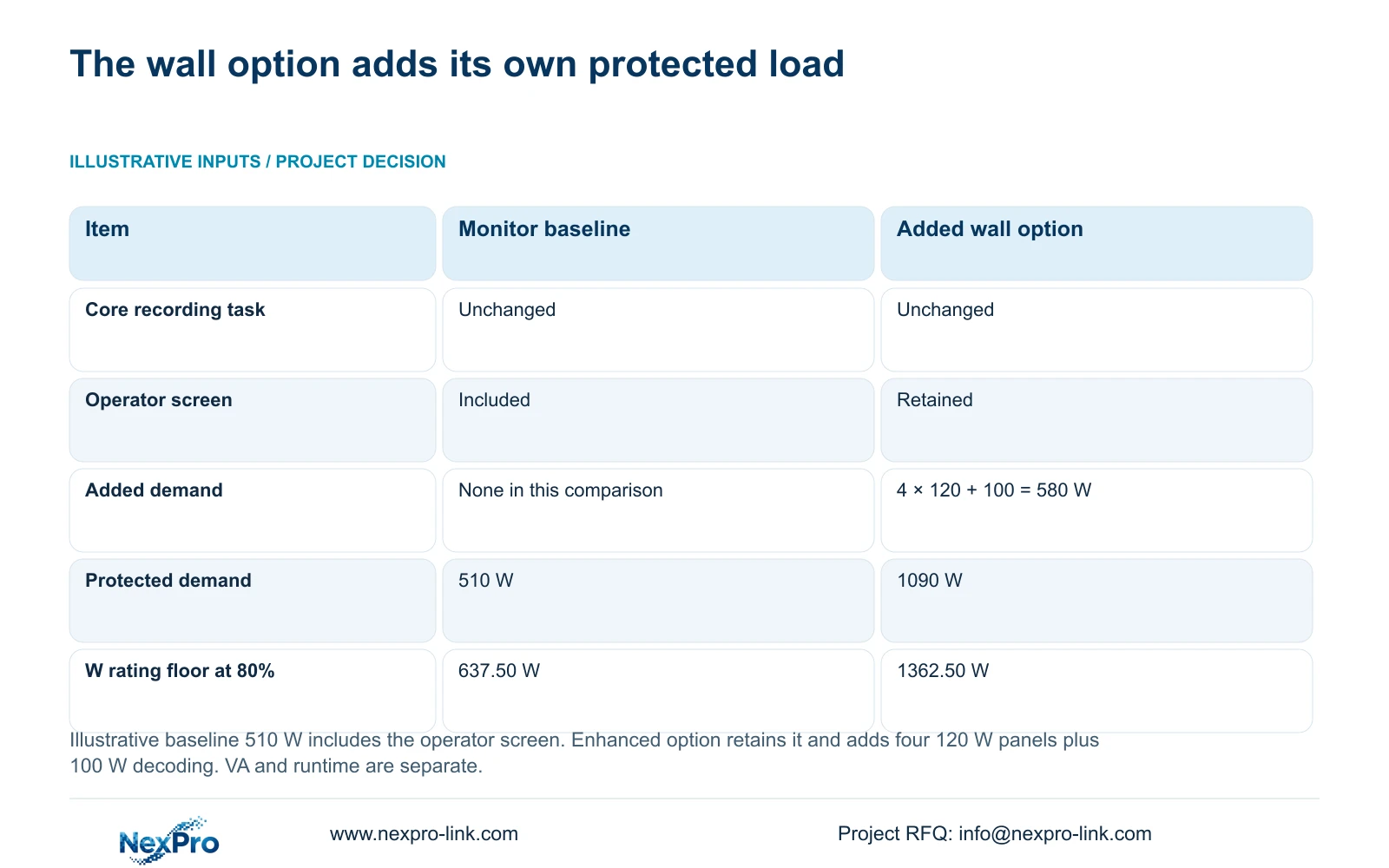
The illustrative baseline is an already defined protected load of 510 W, including the operator screen. Option B retains that screen and adds four assumed LCD panels at 120 W each and decoding equipment at 100 W. Additional demand = 4 × 120 W + 100 W = 580 W. Enhanced total = 510 W + 580 W = 1090 W.
At the selected maximum planned loading of 80%, the baseline watt-rating floor = 510 W ÷ 0.8 = 637.50 W. The enhanced floor = 1090 W ÷ 0.8 = 1362.50 W. These are illustrative watt-capacity thresholds, not measured panel loads.
The public SP1KR(S) rating of 900 W / 1000 VA supports a baseline watt-capacity discussion. SP2KR(S), rated 1800 W / 2000 VA, supports an enhanced watt-capacity discussion. Actual VA demand and battery runtime require separate evidence; no runtime follows from those ratings.
Decide whether the full wall must remain powered during an outage. Recording continuity requires camera power, required switches and the NVR to survive. An optional wall can have a different scope. Count cameras once when the switch AC demand already includes their PoE load.
| Requirement | Option A: monitor baseline | Option B: added wall |
|---|---|---|
| Core recording and retention | Unchanged | Unchanged |
| Existing operator screen | Included | Retained |
| Illustrative protected demand | 510 W | 1090 W |
| W rating floor at 80% loading | 637.50 W | 1362.50 W |
| Independent operator views | Confirm for the task | Confirm the full decoding and output path |
Section 06
Compare prices against unchanged retention
Hold camera modes, recording schedule, bitrate basis, disks and retention target constant across the options. If a proposal changes recording settings while adding a wall, disclose that separate change before comparing totals. A display improvement cannot be credited with storage or recording changes that come from different inputs.
Compare the incremental display package and its installation separately from the core recording package. Keep software and commissioning responsibilities visible. Without actual matched prices, the decision table supports a scope comparison and does not establish a saving or a brand winner.
Section 07
Choose the package after reviewing the duty layout
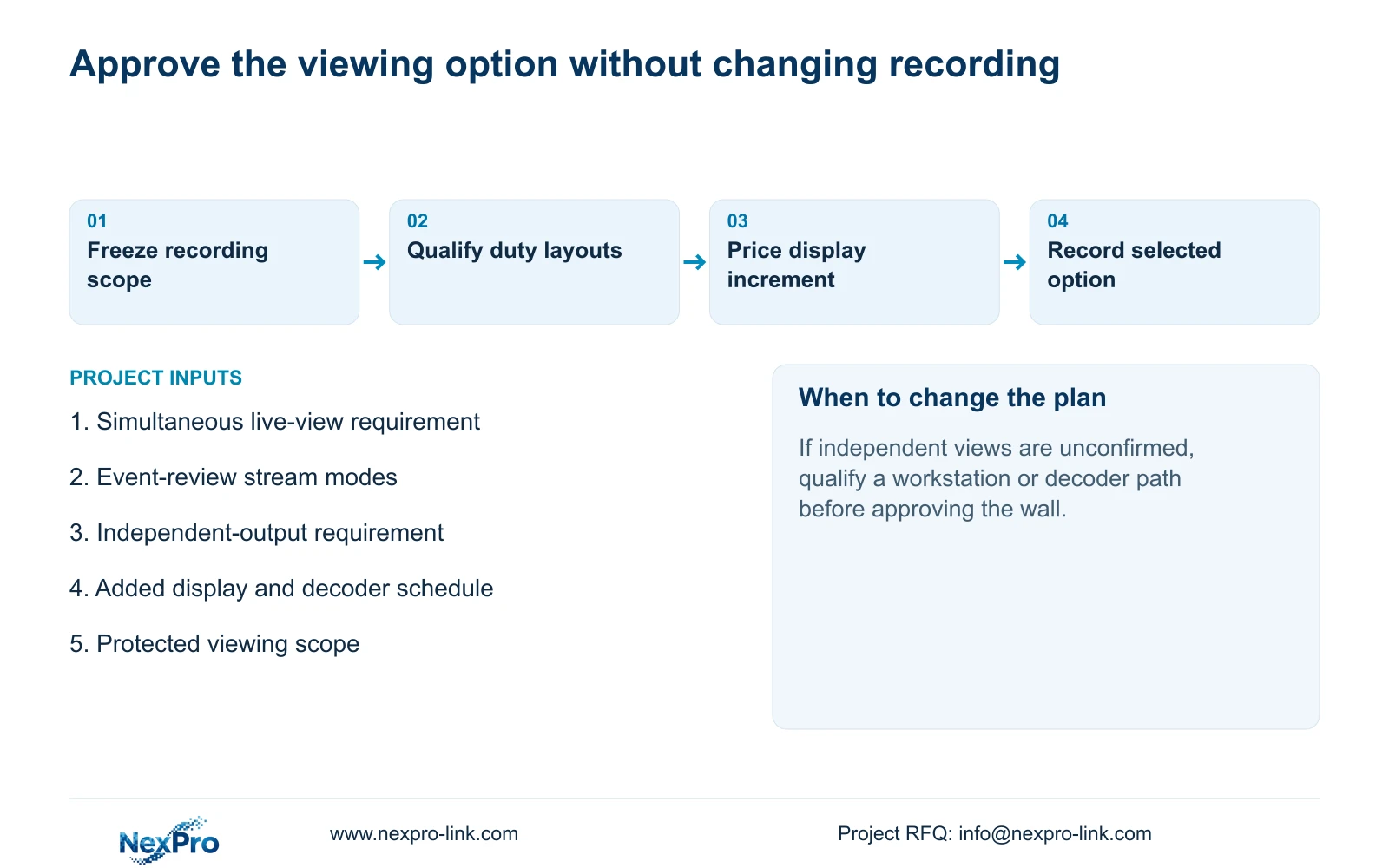
Illustrative project scenario: An owner considers upgrading a small security desk to a multi-panel control room. The team first checks whether event review must remain separate from live observation. It verifies the required playback mode and independent outputs, then evaluates the added decoding and power scope.
Recommend the baseline when it completes the stated duty task. Consider the enhanced package when the extra views have a defined use and the signal path can support them. Record unresolved output behavior or battery runtime as a condition before selection.
Section 08
Will extra panels make recorded footage sharper?
No. Panels change presentation. Captured detail depends on the source recording, and local review remains subject to the selected decoding and playback mode.
Section 09
Provide the intended duty views
Source scope is NVR4.0 user manual CH_V2.4.doc, §§1.2, 3.3, 4.5, 4.8, 4.12.1, 4.12.18, 5.1 and 5.2. The body says V2.2. Display expansion and the load comparison are engineering examples.
Send NexPro-Link the intended live and playback layouts, identifying which views must remain available together, at info@nexpro-link.com.
Engineering references
These sources support the general planning principles. Always use the selected product's current datasheet and applicable project standards for final design.


