


Treat a factory-gate incident spanning midnight as one review task. Search both dates, preserve the time basis and verify that the exported files collectively cover the required sequence.
Section 01
Search both dates as one incident task
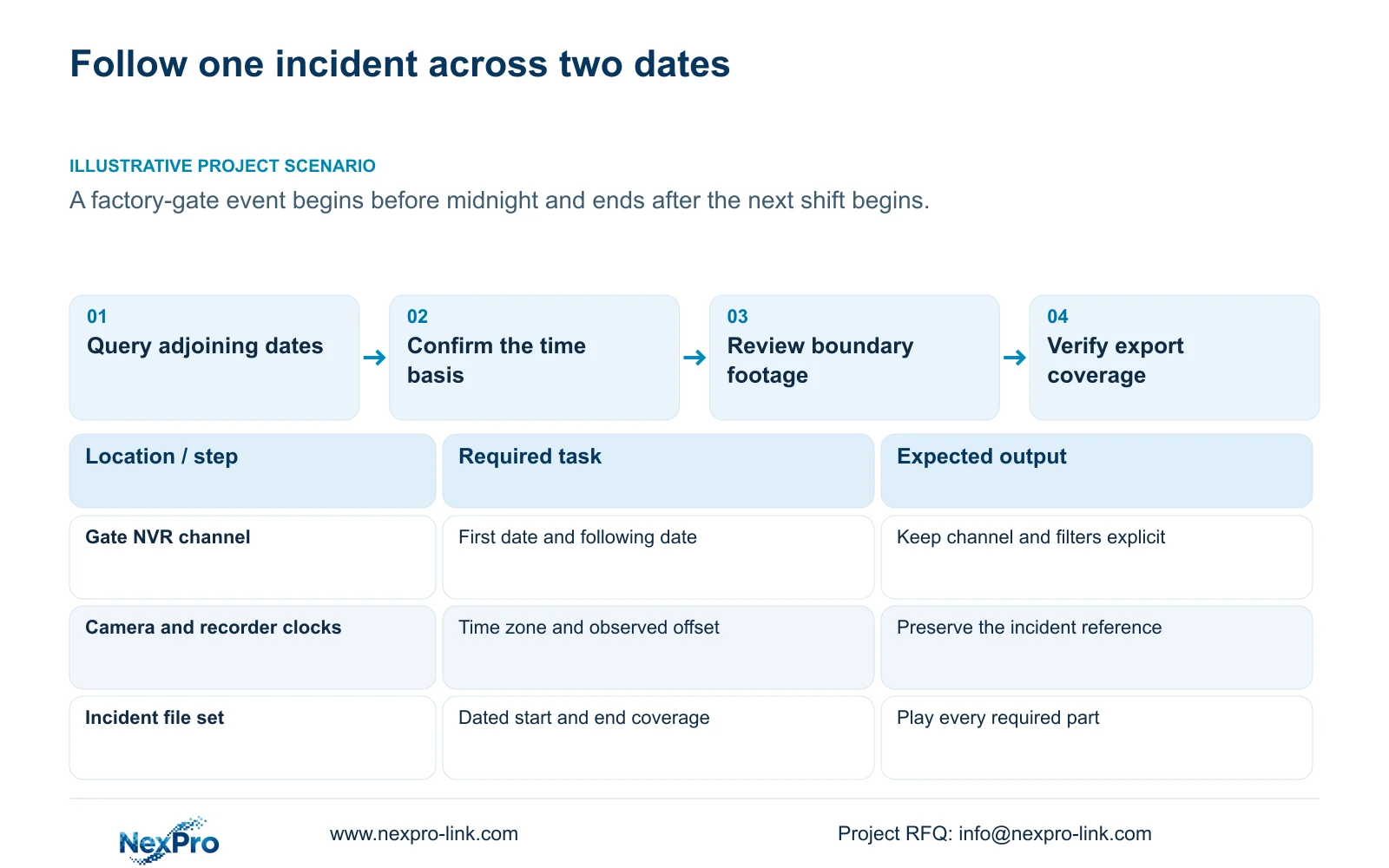
For an incident spanning midnight, search the same camera on both calendar dates and define the requested start and end with their dates attached. Confirm the recorder and camera time basis before interpreting a gap at the boundary. Review the footage near midnight continuously, then build an export selection covering the complete operational sequence. If the applicable interface or resulting files divide the period, retain those parts as one identified incident set and verify each file's coverage. The supplied manual does not establish automatic cross-date stitching. A missing second-day result should first trigger checks of date, channel, filters and time context, rather than a conclusion that recording stopped.
This workflow follows the supplied private NVR4.0 user manual CH_V2.4.doc, whose body identifies V2.2. Sections 4.11.2 through 4.11.4 describe retrieval, navigation and backup; sections 4.4.2 and 4.12.2 describe time settings. Section references take priority over page numbers.
Section 02
Keep the camera and filters constant across the date change
Section 4.11.2 says playback initially selects the channel active in preview. Confirm that this is the factory-gate camera, then search the date on which the incident starts and the following date on which it ends.
Use the ordinary, alarm and motion filters appropriate to the incident. A motion or alarm segment may not describe all the contextual footage needed before entry or after the activity finishes. Check whether ordinary recordings cover those surrounding periods.
Orange calendar dates indicate recording presence in the documented workflow; grey indicates no recordings. Neither observation should be expanded into a conclusion about an entire incident without checking the exact query. Keep a record of the last relevant period found on the first date and the first relevant period found on the next.
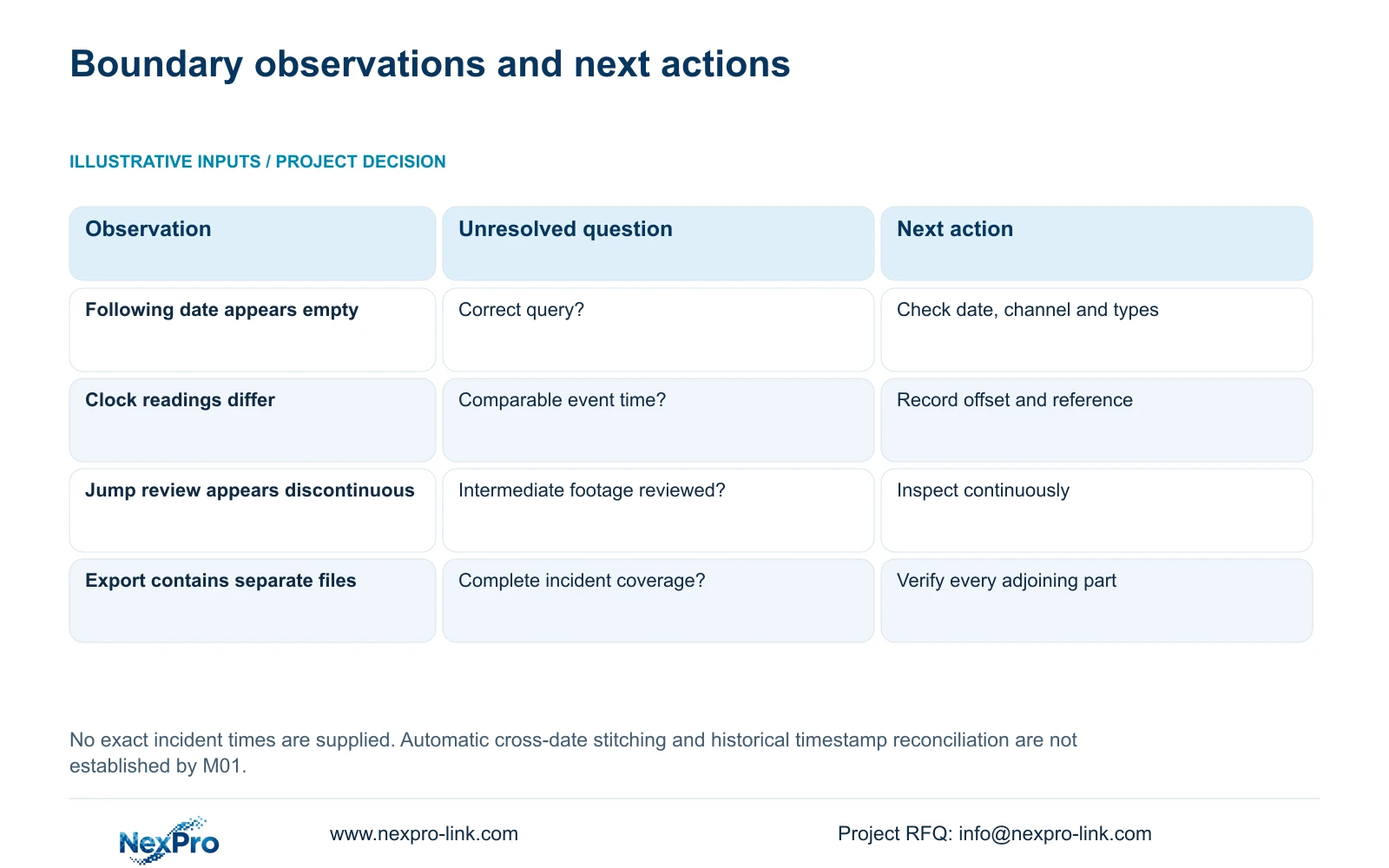
| Observation | Interpretation | Next action |
|---|---|---|
| First date has footage; next date appears empty | Second-date query remains unresolved | Confirm channel, filters and the following date |
| Camera time differs from recorder time | The incident reference needs an offset record | Preserve both time readings and a reference event |
| Playback appears to skip at midnight | Navigation or source continuity needs inspection | Review the adjoining intervals continuously |
| Exports divide the incident into files | File boundaries need a coverage check | Identify each part and verify their collective period |
Section 03
Identify which clock supplies the incident reference
An operational log, camera display and recorder search can use different time references. Record the reference used to report the event and compare it with the relevant camera and recorder clocks before narrowing the search.
Sections 4.4.2 and 4.12.2 provide IPC manual time, network synchronization, time-zone and daylight-saving controls, alongside NVR network-time settings and an IPC synchronization interval measured in hours. Document the intended authority and synchronization direction.
Overlapping PC, recorder and camera settings can obscure which mechanism is responsible for current time. Confirm the applicable arrangement before changing it. The manual's network-time entry does not establish support for every local NTP-server configuration. If a difference is observed, preserve it and use an identifiable event to relate the recordings to the operational report.
Section 04
Preserve the time zone and daylight-saving context
A synchronized clock can still show the wrong local time when its time-zone or daylight-saving settings differ from the intended configuration. The manual calls for selecting the correct time zone before network synchronization and provides separate daylight-saving start and end settings.
Before an authorized correction, record the observed offset and reference event and preserve the relevant footage. Then verify current display and retrieval behavior. Changing the current clock does not establish that earlier timestamps have been rewritten or automatically reconciled.
For historical review, retain the time basis applicable to the incident. If that basis is uncertain, broaden the corresponding searches and document the unresolved relationship. Do not invent a repeated-hour indexing mechanism or assume that a clock correction makes every earlier time query unambiguous.
Section 05
Inspect the adjoining footage without coarse skipping
Section 4.11.3 provides thirty-second jumps, timeline scaling and time positioning. Use these to locate the boundary, then review the end of the first day's relevant footage and the beginning of the next day's relevant footage at normal speed.
A coarse jump can carry the operator past a short part of the sequence. If the apparent gap appears only during jump-based searching, return to continuous review before reporting a recording interruption. Picture enlargement changes image presentation and cannot establish temporal continuity.
Illustrative project scenario: A factory gate event starts before midnight and ends after the next shift begins. Keep the pre-midnight activity and subsequent shift activity within one investigation record. The shift change helps define the operational context, while the recorded dates and verified file coverage determine what footage is available. This is an illustrative task, not a delivered project.
Section 06
Specify dates at both ends of the export
Write the start as a date and time on the first day and the end as a date and time on the following day. Keep those boundaries attached to the camera identity and recorded time basis so a later operator can reproduce the selection.
Section 4.11.4 requires file format, recording types, channels and start/end times, followed by Update to display the capacity estimate. It lists MP4 as the default and permits multiple-channel selection. Detect the inserted external USB storage before starting backup.
Inspect what the applicable interface accepts and what the copy actually produces. If the task requires separate selections for the dates, identify both as parts of the same incident. If one selection produces several files, list them individually. Neither multi-channel selection nor completed copying proves automatic cross-day merging or uninterrupted coverage.
Section 07
Verify the complete file set on the receiving system
Open every file needed for the incident on the intended receiving path. Confirm its camera identity, actual start and end coverage, playback and any required audio. Check the adjoining portions around midnight so an omitted segment is not hidden by the file list.
The manual mentions VLC as a possible player without guaranteeing every operating-system and codec combination. Record the viewing method that works for the actual deliverable. If a file fails to play, resolve that receiving-path result before treating its content as reviewed.
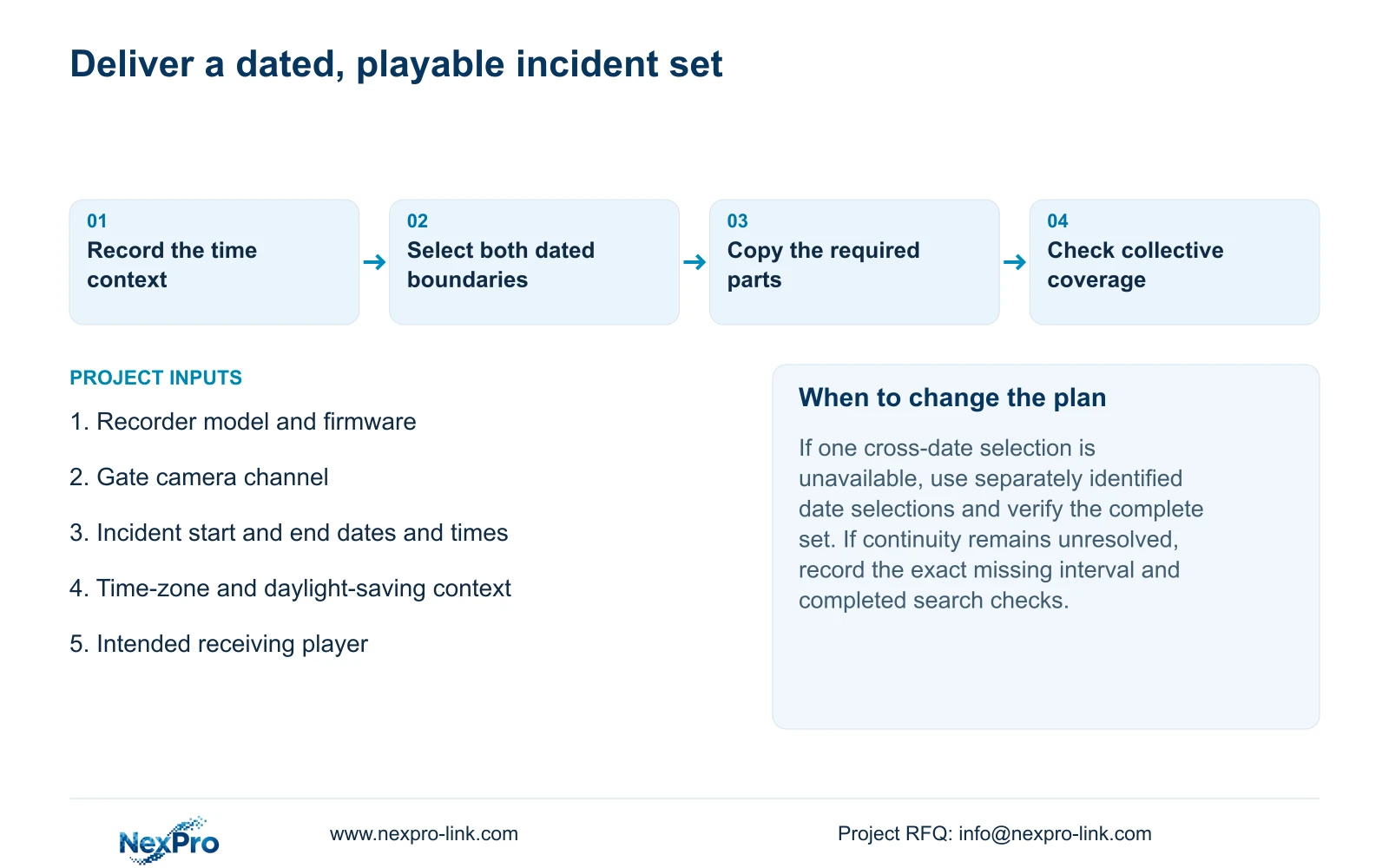
Preserve the original recordings until the required copies are verified, and identify the authorized recipient. The completed result is a usable incident set with explicit boundaries and a documented time basis. Any remaining gap should name the exact period and checks already completed instead of attributing it to midnight alone.
Section 08
Must a cross-midnight incident be delivered as one file?
The supplied manual does not establish automatic stitching. A clearly identified set can serve the task when each required part plays and its collective coverage has been verified.
Section 09
Will correcting the clock repair the old search timeline?
That is not established by the manual. Preserve the original time difference and incident reference, then verify historical retrieval separately from the corrected current display.
Section 10
Provide the dated incident boundaries
Send NexPro-Link the incident's start and end dates and times, time-zone context, affected channel, and recorder model and firmware at info@nexpro-link.com.
Engineering references
These sources support the general planning principles. Always use the selected product's current datasheet and applicable project standards for final design.


