

Visible motion events and a silent recorder require separate checks. Trace global alarm controls, the event's buzzer linkage and actual hardware support before altering detection settings.
Section 01
Separate a detected event from its audible response
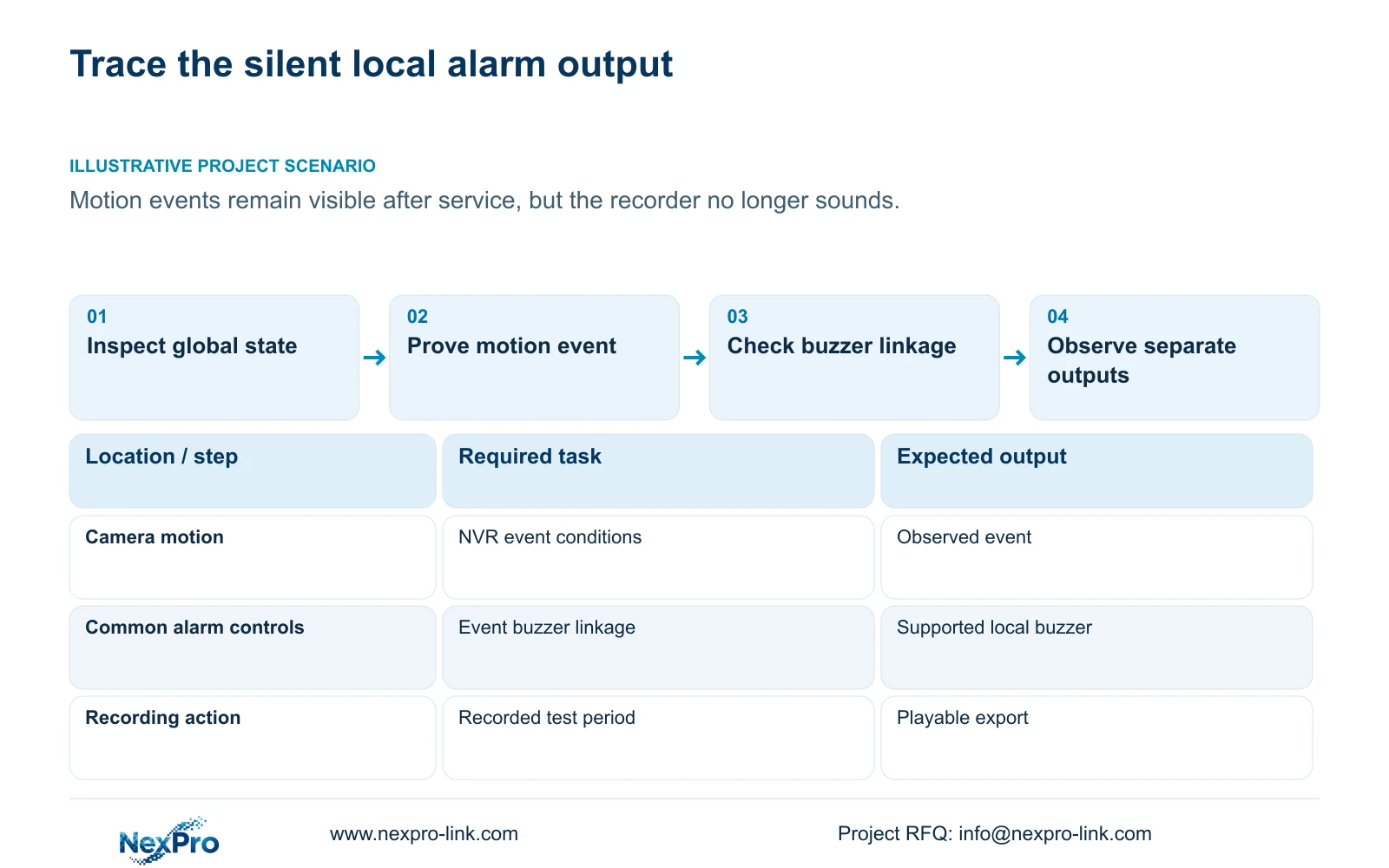
When motion events remain visible but the recorder is silent, check the global alarm and buzzer controls, the affected event's buzzer linkage and the actual model's hardware support. A working detection region does not establish that every output is enabled. The supplied manual describes a global control for closing all alarms alongside individual event actions, and its appendix lists TS8108D7 without buzzer support. Record the present settings before making a targeted correction. Then reproduce the intended event and observe sound separately from popup, recording and remote notification results. This avoids repeatedly changing motion detection when the failure is in the audible response.
Describe the symptom precisely: no event, no local sound and no remote notification lead to different checks. If several channels lost sound after the same service visit, begin with their common controls. If only one event is silent, compare its linkage with an otherwise equivalent working event.
Section 02
Inspect the common controls before adjusting a channel
Section 4.12.16 describes the global alarm and buzzer controls. Inspect whether the recorder has been set to close all alarms and whether its buzzer control is enabled. Record both states and the intended operating policy. A channel-level checkbox cannot be evaluated in isolation while a common control is suppressing the required response.
Do not enable every action across every channel as a troubleshooting shortcut. Establish which output the owner expects for the selected event, change the relevant setting with authorization and repeat the same test. If the global state already matches the agreed policy, keep it unchanged and move to the event-specific conditions.
A quieter interface after service may reflect an intentional temporary change. Confirm the service scope before reversing it, then make the restored state explicit so the next operator knows which alarms should be active.
Section 03
Prove that the intended motion event occurs
Section 4.12.11 separates motion enablement, arming time, detection area and linkage actions. Use an identifiable channel and an agreed test movement within the intended area and period. Record the recorder time and the observed event. Movement visible in live view alone does not establish that the configured detection conditions were met.
If the event is absent, inspect the enablement, area and arming conditions before investigating sound. If the event is present, leave the proven detection conditions alone and examine the output chain. Ordinary motion detection is not evidence of human or vehicle classification, and a sensitivity setting is not an accuracy percentage.
Use the same event conditions for each repeat. Changing the detection area and output settings together would make it difficult to explain which change restored the required response.
Section 04
Check buzzer linkage independently of other actions
The motion-alarm section lists buzzer, popup, email, screenshot sending, snapshot, preset call, recording, border flashing and app push as separate actions. Inspect whether the tested event actually selects the buzzer. A popup or flashing border confirms that output only; it does not establish local sound or saved footage.
Write the expected outputs beside their observation points. Listen at the recorder for the local audible requirement, inspect the timeline for recording and check the intended recipient path for notifications. Keep action duration separate from footage retention. The table below supports the silent-alarm investigation without treating all outputs as one result.
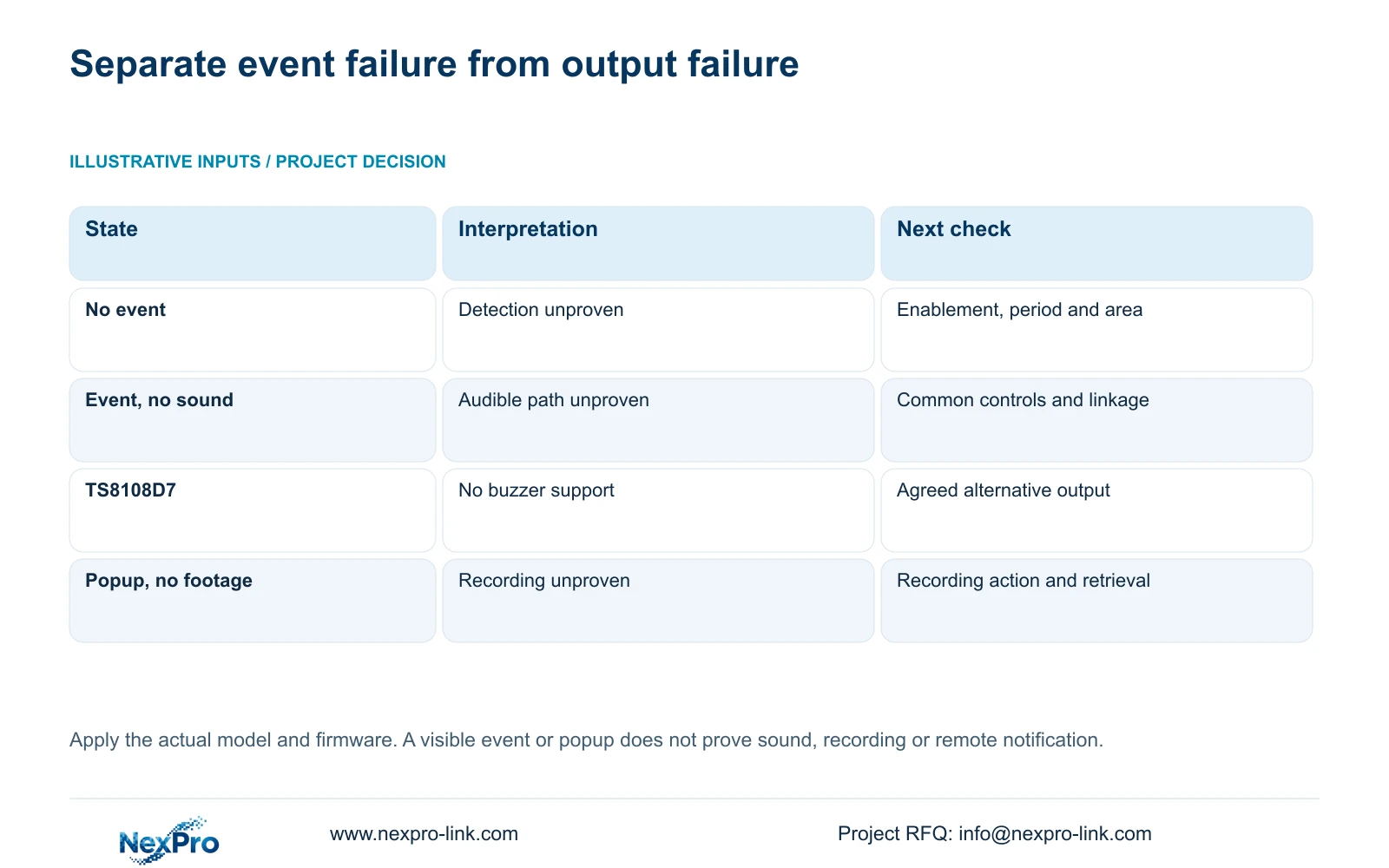
| Observed state | What remains unproven | Next action |
|---|---|---|
| No motion event appears | Detection conditions | Check enablement, arming period and area |
| Event appears and common alarms are closed | Output under the agreed global state | Restore the authorized common state and retest |
| Event appears and buzzer linkage is unselected | The event's audible action | Select the required linkage and reproduce the event |
| Controls agree but model has no buzzer | Hardware capability is absent | Use an agreed supported alternative or revise the equipment requirement |
| Sound returns but footage is missing | Recording and retrieval | Investigate the recording action and policy separately |
Section 05
Confirm that the identified recorder supports a buzzer
Read the actual model row in section 5.2 alongside the family overview in section 1.2. TS8108D7 is listed without buzzer support. The supplied rows list buzzer support for TS8116D7, TS8232C4 and TS8836M/TS8436M. Enabling a visible control cannot create missing hardware, and support in a different recorder does not establish support in this one.
These are manual TS identities, with no established one-to-one mapping to NexPro-Link commercial SKUs. If the installed model does not match a documented row, obtain its applicable specification before promising a local audible action. Buzzer support also says nothing by itself about talkback, local playback combinations or every other family feature.
Section 06
Preserve the service window and settings history
Use section 4.12.17 to inspect logs around the service visit. The default search covers the current day and includes type filters; the manual describes an all-log query when the date condition is not selected. Check those filters before declaring the history empty, inspect relevant details and export the selected text records.
Keep a separate service note for known setting changes and operator decisions. Do not assume every configuration action will be established by a particular log entry. The useful record connects the symptom window, observed settings and authorized correction. Text export supports troubleshooting; it does not establish unlimited retention or tamper-proof auditing.
Section 07
Restore the agreed behavior and prove recording
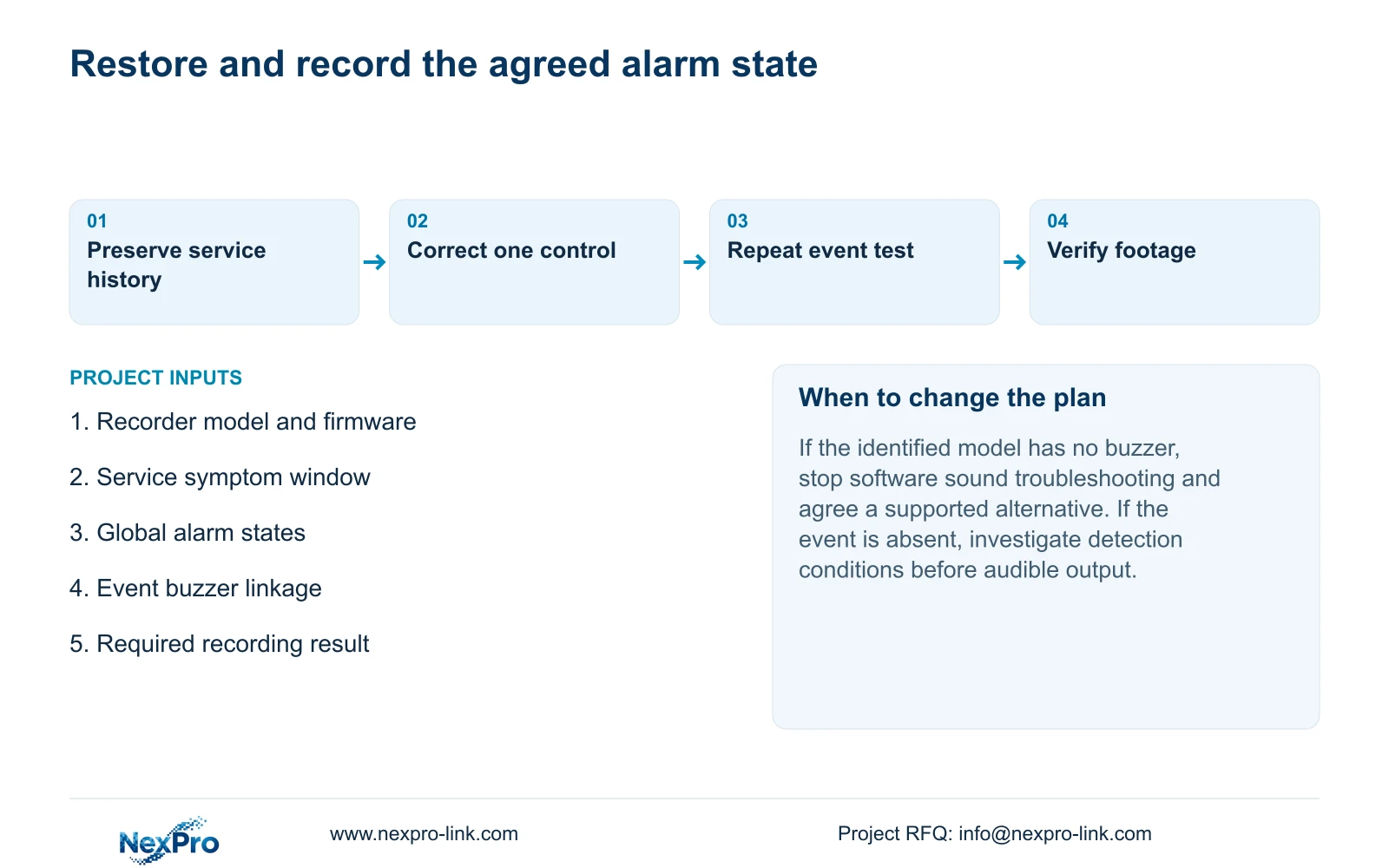
Illustrative project scenario: A service visit leaves motion events visible but the local buzzer no longer sounds. The integrator preserves the service-window evidence, checks the common controls and then inspects the affected event's buzzer linkage. Hardware support is confirmed before treating persistent silence as a fault. Each changed setting is followed by the same controlled event test.
After sound is restored, identify the test channel, observe its recording state and retrieve footage from a defined test interval. Export a sample and open it on the intended receiving system. Check the selected disk and recording policy where recording is required. Record sound, footage and notification outcomes separately, including anything still failing.
The private operating source is NVR4.0 user manual CH_V2.4.doc, with V2.2 in its body. Relevant sections are 4.12.16, 4.12.11, 1.2, 5.2, 4.12.17, 4.3, 4.11 and 4.12.21. The retrieval sequence is an engineering verification workflow, not a claimed built-in self-test.
Section 08
Does a working popup rule out an alarm configuration problem?
No. It proves a visible response on that path. The common controls, event buzzer linkage and hardware support still need checking for the audible requirement.
Section 09
Provide the silent-output evidence
Send NexPro-Link the recorder identity, symptom time and redacted global-control and event-linkage states at info@nexpro-link.com.
Engineering references
These sources support the general planning principles. Always use the selected product's current datasheet and applicable project standards for final design.


