

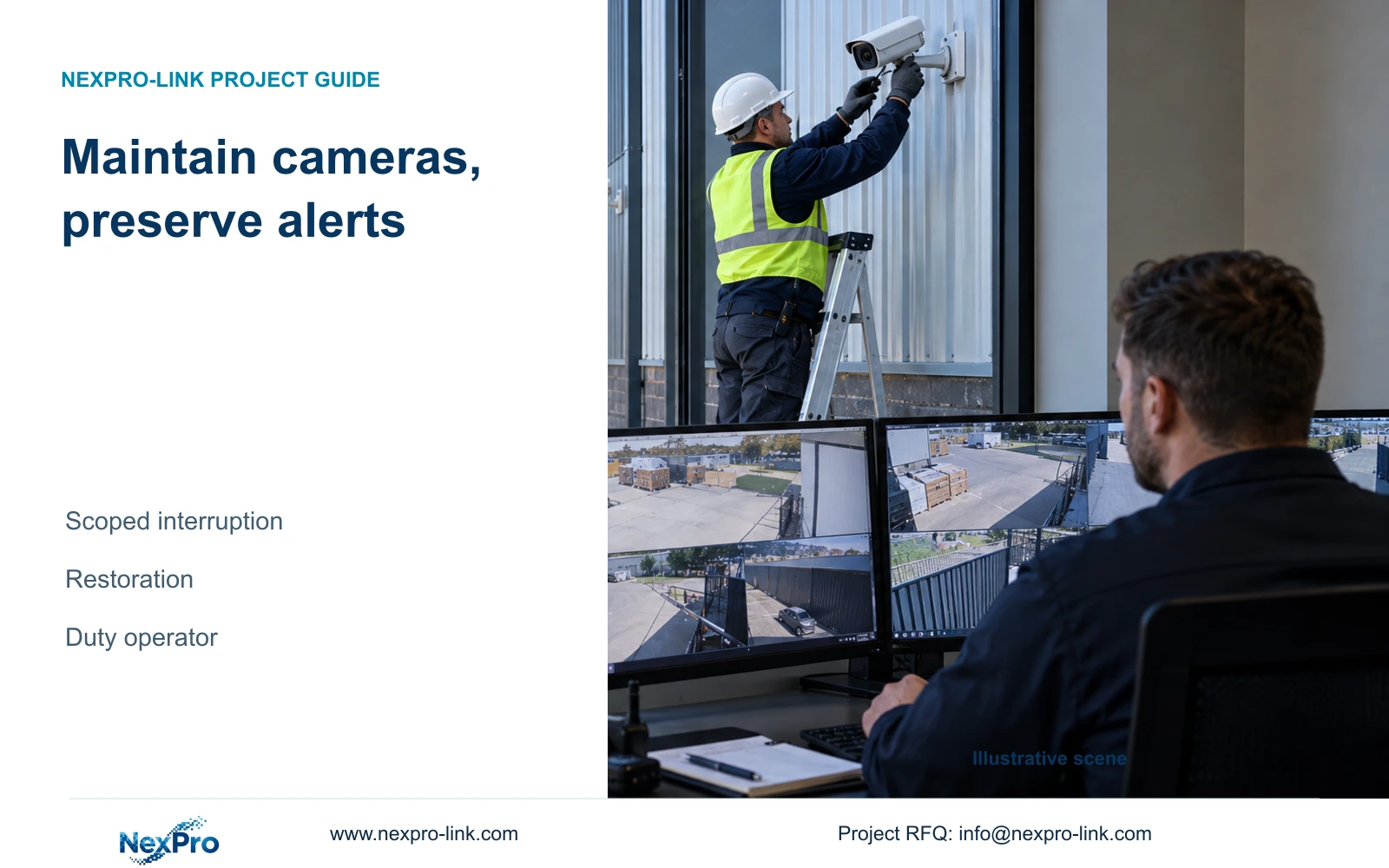
Planned camera work needs a named channel scope, an approved window and a restoration test. Keep unrelated factory views monitored and record every temporary alert change until the operator accepts the returned state.
Section 01
Define which interruptions are authorized
Manage planned camera alerts by naming the affected channels and approved maintenance window, changing only the relevant supported controls and assigning a restoration check. Keep unrelated views and important fault notifications available while work proceeds. Video loss during an approved interruption is an expected observation, but loss outside that scope still needs investigation. Record temporary alarm changes and restore them explicitly; do not assume the recorder will automatically undo them. Before closing the work, verify each serviced camera's live image, newly recorded footage and required alarm response. Give the duty operator a list of unresolved conditions, including any monitoring restriction that remains.
Prepare a channel-to-location list and identify shared dependencies before work begins. A camera may share its switch or power source with views outside the maintenance scope. If the proposed work would interrupt those dependencies, obtain a revised approval instead of treating the extra loss as part of the original camera task.
Section 02
Keep alarm timing separate from recording policy
Section 4.11.1 defines the recording plan, while section 4.12.11 separates motion enablement, arming periods, detection areas and linkage. Changing an alarm period does not by itself define the recording policy. Record which layer needs a temporary adjustment and preserve the original value for restoration.
Use only controls supported by the actual event and firmware. The motion arming schedule does not establish an equivalent maintenance timer for video-loss alarms. If a scoped suppression control is unavailable, keep the notifications and have the operator identify the approved interruption, or obtain an explicitly approved alternative operating arrangement.
If work crosses a shift boundary, include the next shift's required alarm period in the return check. A correctly restored daytime setting can still leave the intended night response unproven. Test under the relevant period and inspect footage separately.
Section 03
Leave unrelated fault paths observable
The global controls in section 4.12.16 affect the alarm and buzzer state beyond a single event. Closing all alarms to quiet a small camera maintenance task can conceal problems elsewhere. Inspect the common state before the work and after restoration, even when the planned adjustment is channel specific.
List the important unrelated notifications that must remain available and verify them through an approved observation or test. Separate no sound, no notification and no detected event. For TS8108D7, section 5.2 lists no buzzer support, so audible monitoring cannot be assumed; use the agreed available path.
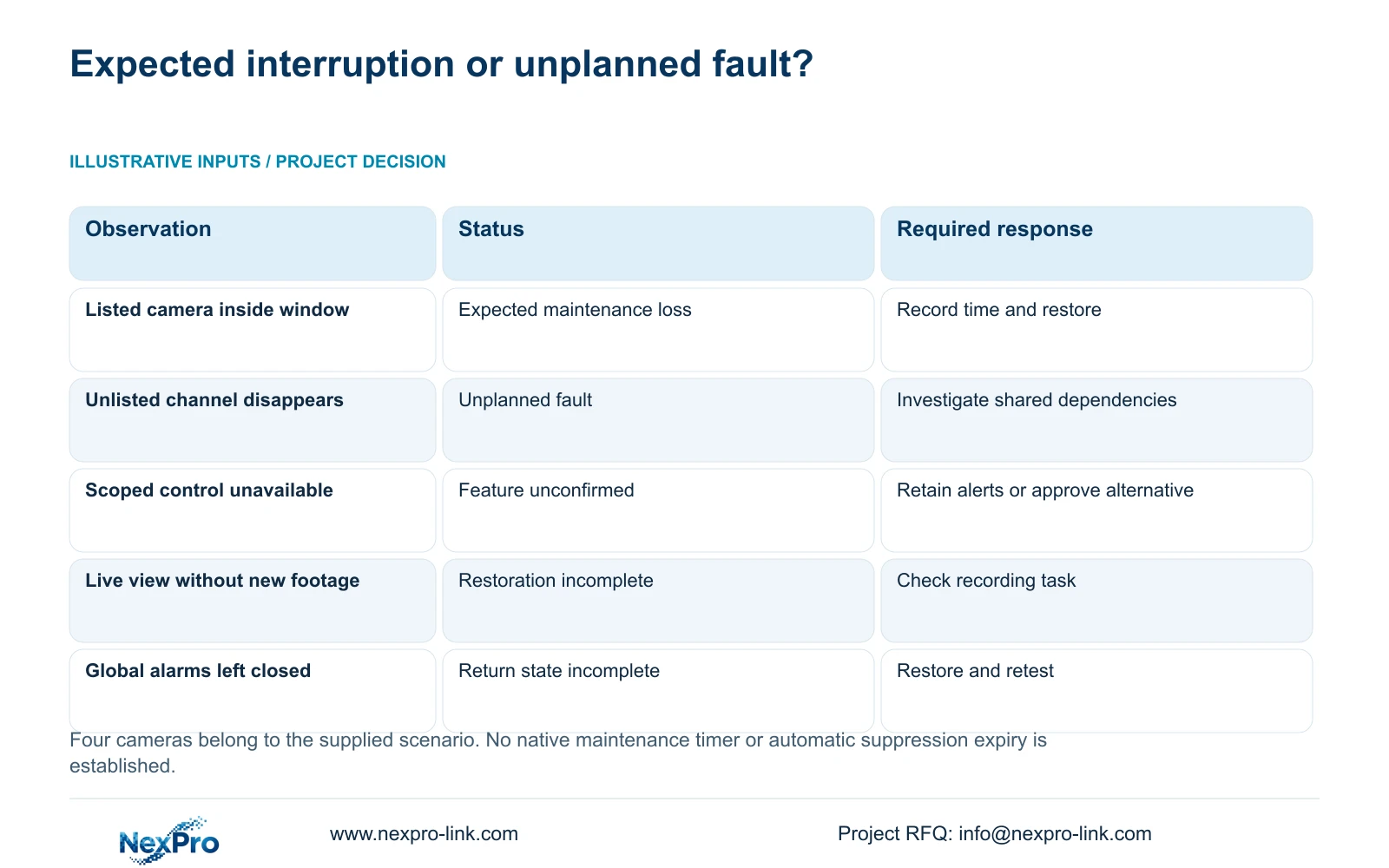
The following branches keep expected maintenance observations separate from conditions that need a different response. They are operating decisions, not a claim that the recorder contains a dedicated maintenance mode.
| Condition | Decision | Next action |
|---|---|---|
| Approved camera loses video inside its window | Treat as expected interruption within scope | Record the channel and time; retain restoration responsibility |
| Unlisted camera loses video | Treat as an unplanned fault | Investigate its shared network and power boundary |
| Scoped suppression is unavailable | Do not assume a native timer or isolation feature | Retain alerts with operator awareness or approve an alternative |
| Global alarms remain closed after camera work | Return state is incomplete | Restore the agreed global state and test required outputs |
| Live image returns but new footage is absent | Recording restoration has failed | Keep the task open and check recording policy and storage |
Section 04
Record suppression and restoration as separate actions
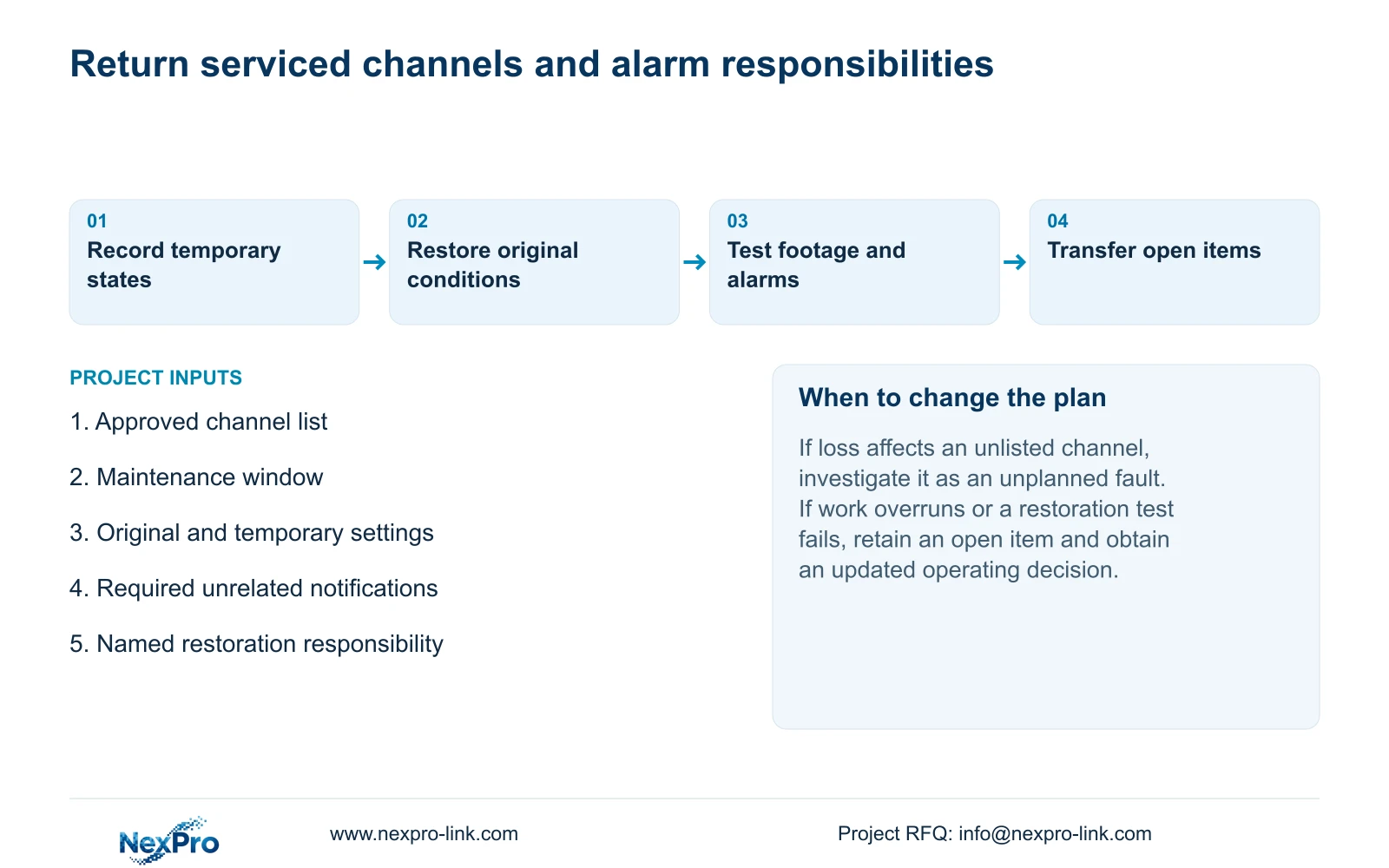
Keep a maintenance record of the channel, original setting, temporary value, authorization and time of each change. Record restoration separately, with the result of its test. This gives the next operator enough information to identify an unfinished change without relying on the installer's memory.
Section 4.12.17 describes log detail viewing and text export. The default query uses the current day and includes type filters; an all-log query is described when the date condition is not selected. Choose the appropriate date and types before concluding that no relevant record exists.
Preserve useful logs alongside the maintenance note. Do not assume the export captures every service decision or provides unlimited, tamper-proof history. If the record and the observed setting disagree, inspect the current state and resolve the discrepancy before closing the work.
Section 05
Verify each serviced channel after reconnection
Check the recovered live view and its time, then retrieve footage produced during a defined post-maintenance interval. Review a relevant older sample and verify an export where the owner needs incident retrieval. Test the intended operator account and required events. A channel marked online does not establish those results.
Restore the agreed event conditions and outputs, then reproduce the approved alarm test on each relevant channel. Keep the observation tied to that channel and configuration. If the picture returns but an event remains absent, inspect enablement, period, area and linkage without masking the failure through global disablement.
This camera maintenance task does not ordinarily require stopping the recorder. If additional work does require a recorder shutdown, obtain authority, preserve required accessible footage and configuration separately, and arrange the interruption before using the applicable stop procedure. Do not expand the work into an unplanned restart.
Section 06
Service exterior cameras while factory monitoring continues
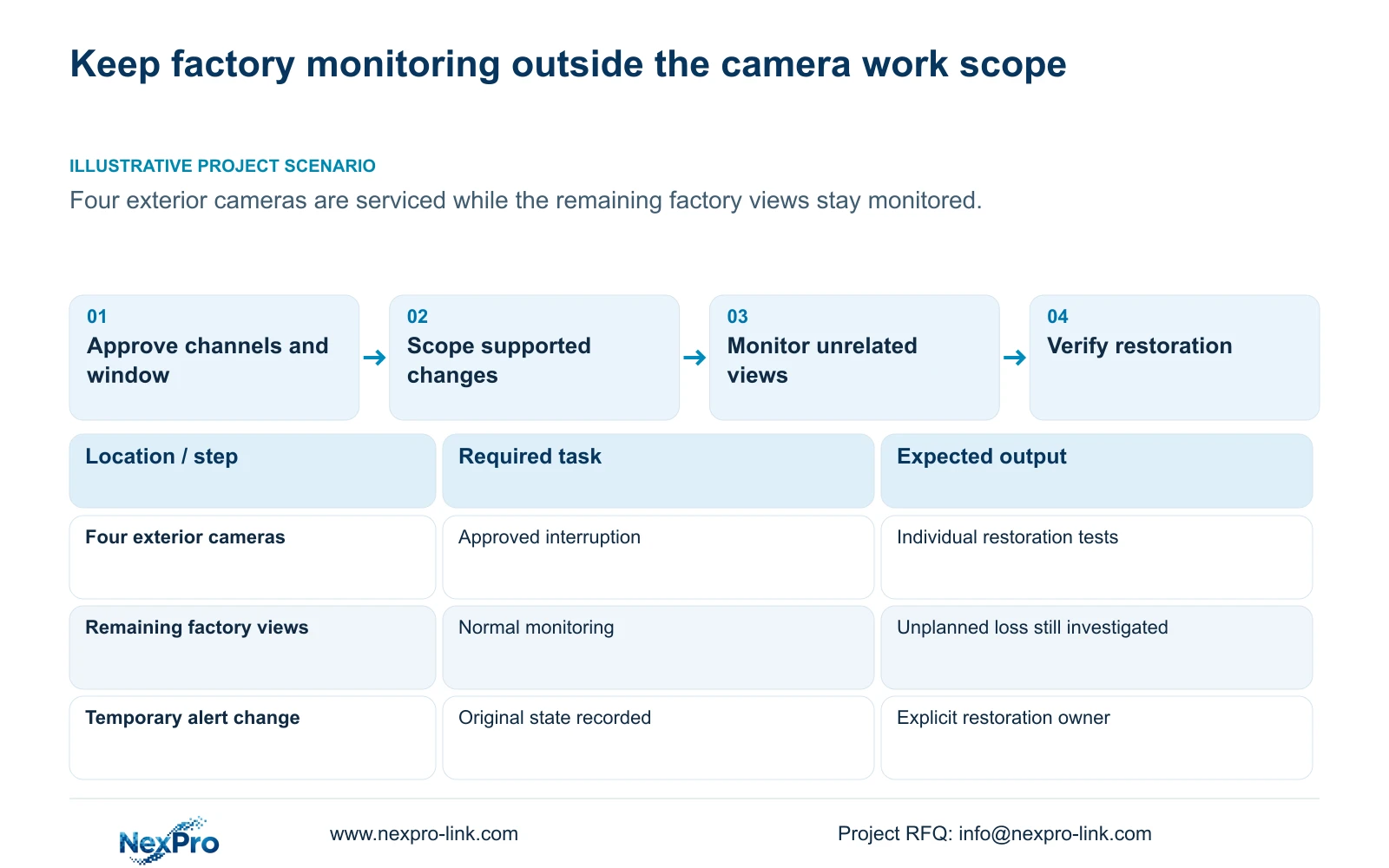
Illustrative project scenario: An installer services four exterior cameras while the remaining factory views must stay monitored. The installer names those four channels and the approved window, checks whether they share dependencies with other views and records any supported temporary alert adjustment. The duty operator continues to treat loss on an unlisted channel as a fault.
After reconnection, the installer checks each serviced channel's picture, new footage and required alert action. A camera that returns to live view but fails the recording test remains an open item. If the work overruns its window, the responsible person obtains an updated operating decision and informs the next shift rather than leaving the suppression unexplained.
Section 07
Return the remaining responsibilities to the duty operator
Give the operator the restored states, tested channels and unresolved items, together with the responsible support contact. Keep the applicable recorder version and configuration-backup location with the maintenance record. Transfer credentials only through the controlled site process. The operator should be able to identify a channel and retrieve the relevant period, not merely acknowledge receipt of documents.
This procedure uses the private supplied NVR4.0 user manual CH_V2.4.doc, with V2.2 in its body. Relevant sections are 4.12.12, 4.11.1, 4.12.11, 4.12.16, 5.2, 4.12.17, 4.12.3 and 4.12.18 through 4.12.20. Restoration and handover checks are engineering extensions; the manual does not establish automatic expiry of temporary suppression or universal rollback.
Section 08
Does planned video loss prove the camera needs replacement?
No. Compare the observation with the approved channel and time window. Continued loss after restoration requires connection and power investigation before a hardware conclusion.
Section 09
Provide the maintenance alert boundary
Send NexPro-Link the affected channel list, maintenance window and notifications that must remain active at info@nexpro-link.com.
Engineering references
These sources support the general planning principles. Always use the selected product's current datasheet and applicable project standards for final design.


