

A login prompt does not establish that an NVR has stopped recording. Verify the action taken and retrieve footage spanning the shift change before revising the operating procedure.
Section 01
Check the exit action before judging the recording
Logging out ends the operating session; it is a different action from shutting down the recorder. A login prompt therefore does not establish that unattended recording has ended. For a guard shift change, confirm that the action used was logout, preserve the existing recording plan, and retrieve the same channel across the transition. Judge coverage against that plan, because motion-only recording can legitimately have periods without footage. Check screen visibility separately from storage, and use playback followed by a usable export to verify the required interval. This gives the owner evidence about the shift transition without introducing an unnecessary recorder interruption.
The supplied NVR4.0 user manual CH_V2.4.doc, with V2.2 in its body, distinguishes logout and system actions in sections 4.1.4, 4.1.5 and 4.12.1. The verification sequence here is an engineering acceptance task for the applicable recorder and firmware.
Section 02
Separate the operator session from recorder operation
Record what the outgoing guard actually selected. Logout protects the operating session. Automatic locking handles access after inactivity, while shutdown and restart change the recorder's system state. A similar-looking screen after different actions is insufficient to identify what happened.
Routine shift handover should follow the agreed session procedure. If shutdown or restart was used, treat the event as a system-state change with a potentially different recording interval to investigate. Any planned action that stops a running recorder needs authority, preservation of relevant data and an agreed interruption. Do not use shutdown simply to demonstrate that logout and shutdown differ.
Section 03
Approve locked-screen visibility independently
Section 4.12.5 provides a separate option to prohibit preview by users who are not logged in. The owner's display policy should specify whether an unattended desk may still show images. Automatic locking alone cannot establish that all camera views are concealed.
Observe the screen after the actual session action and compare the result with the desk's approved policy. If pictures remain visible, that describes preview visibility, not whether recordings are being written. If pictures are hidden, that also does not prove recording has stopped. Keep the visibility finding separate from the footage check so one result does not obscure the other.
Section 04
Use status icons to choose the next check
Sections 2.3.3 and 2.4.4 distinguish recording, remote preview, motion events, I/O events and light-intelligence status indications. Identify the actual symbol before interpreting it. A remote viewing indication concerns a viewing session; it cannot establish the recorder's retained footage.
A recording icon describes the current observed state. It cannot prove complete coverage before and after the guard's logout, and an alarm icon disappearing does not establish loss of ordinary recordings. Record the observation alongside its channel and time, then use it to guide inspection of the plan, disk information and requested playback interval.
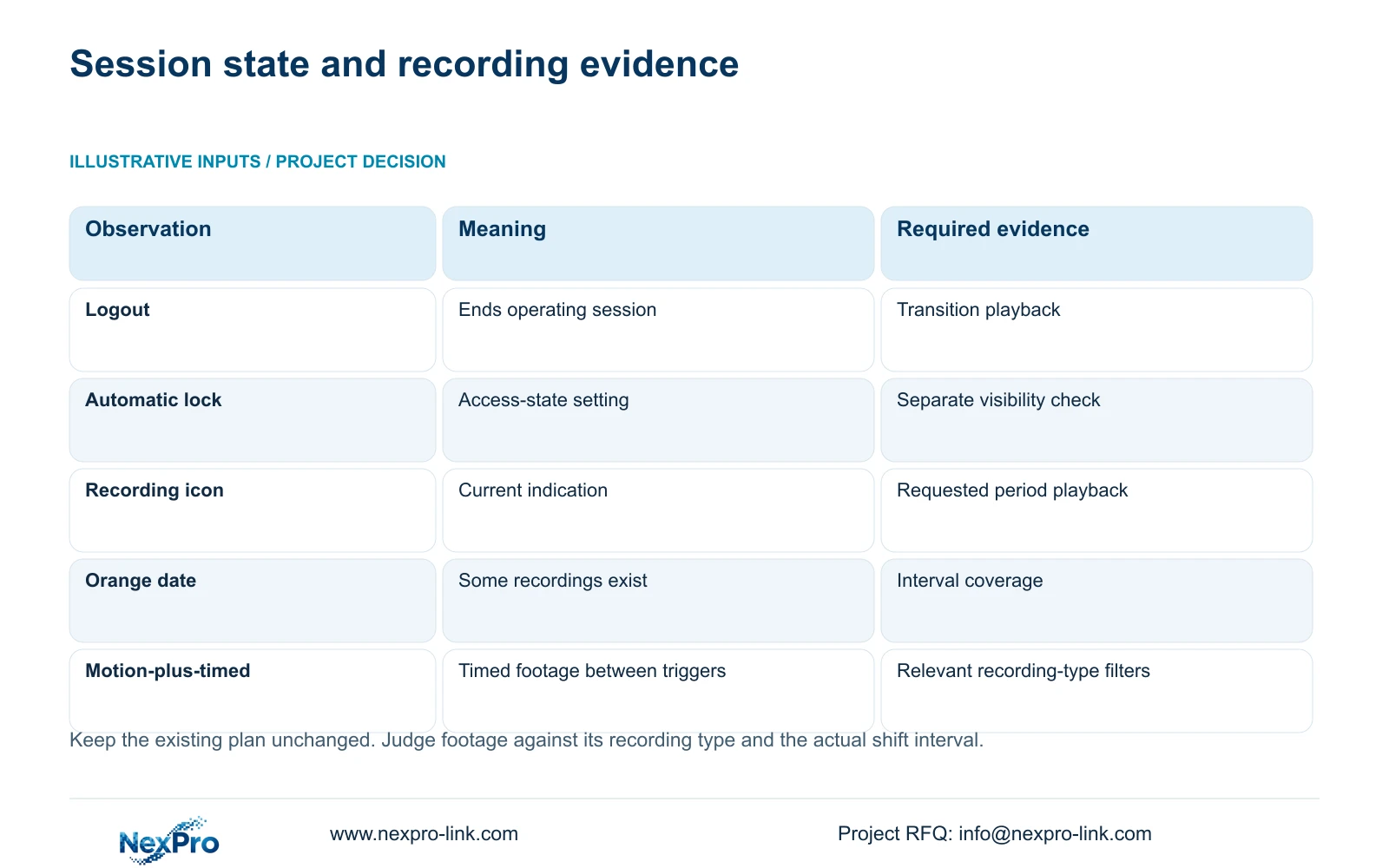
| Observation | What it establishes | Next action |
|---|---|---|
| Login prompt appears | A session or access-state observation | Confirm the action used and retrieve the transition interval. |
| Images remain visible | Preview is still visible in that state | Compare with the unlogged display policy. |
| Recording icon appears | Current recording indication | Check actual playback for the requested period. |
| No motion-only clip | No clip found under the current search | Check trigger expectation, channel and filters. |
| Orange playback date | Recordings exist for that date | Inspect coverage across the shift transition. |
Section 05
Read the recording plan without changing the test
Section 4.11.1 describes timed recording, no recording, motion recording and motion-plus-timed recording. Its grid has a 30-minute minimum scale. Inspect the channel's plan covering the transition and preserve it during the logout check. Changing the plan at the same time would make the result harder to interpret.
Motion-only records when motion detection triggers. Motion-plus-timed continues ordinary timed recording between triggers and records motion-type footage when triggered. It should therefore be checked for both recording types across the relevant period. A no-recording block or a quiet motion-only period can explain an absence without proving that logout stopped the recorder. If the owner's required coverage differs from the plan, resolve that policy mismatch as a separate authorized change.
Section 06
Search the same channel across the shift boundary
Section 4.11.2 says playback entry defaults to the preview-selected channel. Explicitly select the camera being tested before choosing the date and time. The documented calendar shows orange where recordings exist and gray where none are shown. An orange day does not establish uninterrupted coverage of the whole day.
Include the period before logout, the transition and the period afterward. Review ordinary, alarm and motion filters according to the channel's plan. For a transition crossing midnight, inspect both dates. If the expected segment is missing, confirm these search conditions before concluding that stored footage has been lost. Compare the missing period with the recording policy and relevant disk state.
Section 07
Turn a controlled shift check into an operating procedure
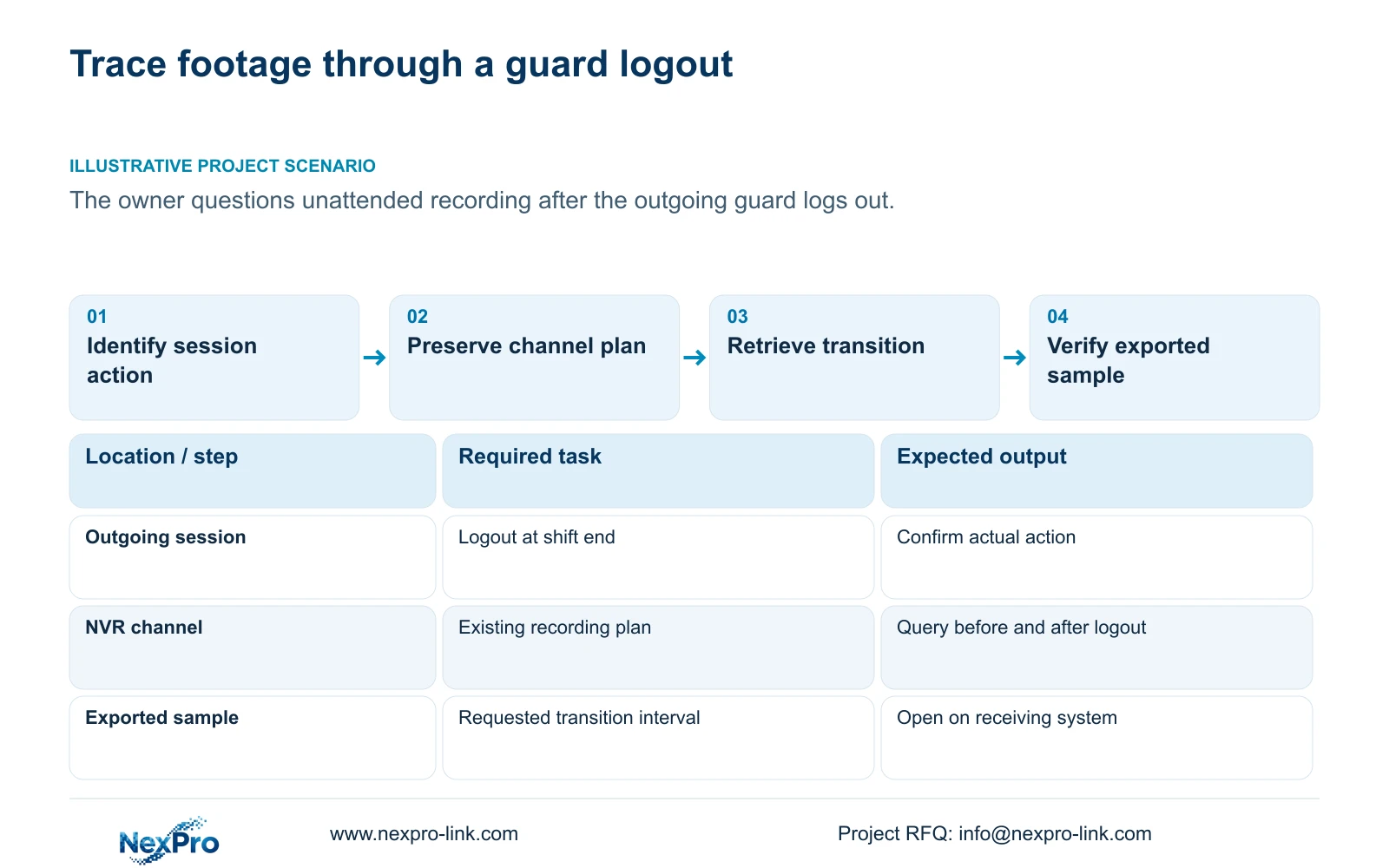
Illustrative project scenario: A guard logs out at the end of a shift and the owner worries that unattended recording has ended. The incoming authorized operator queries the agreed camera across that transition, checks the recording types expected by the unchanged plan, and exports the relevant sample.
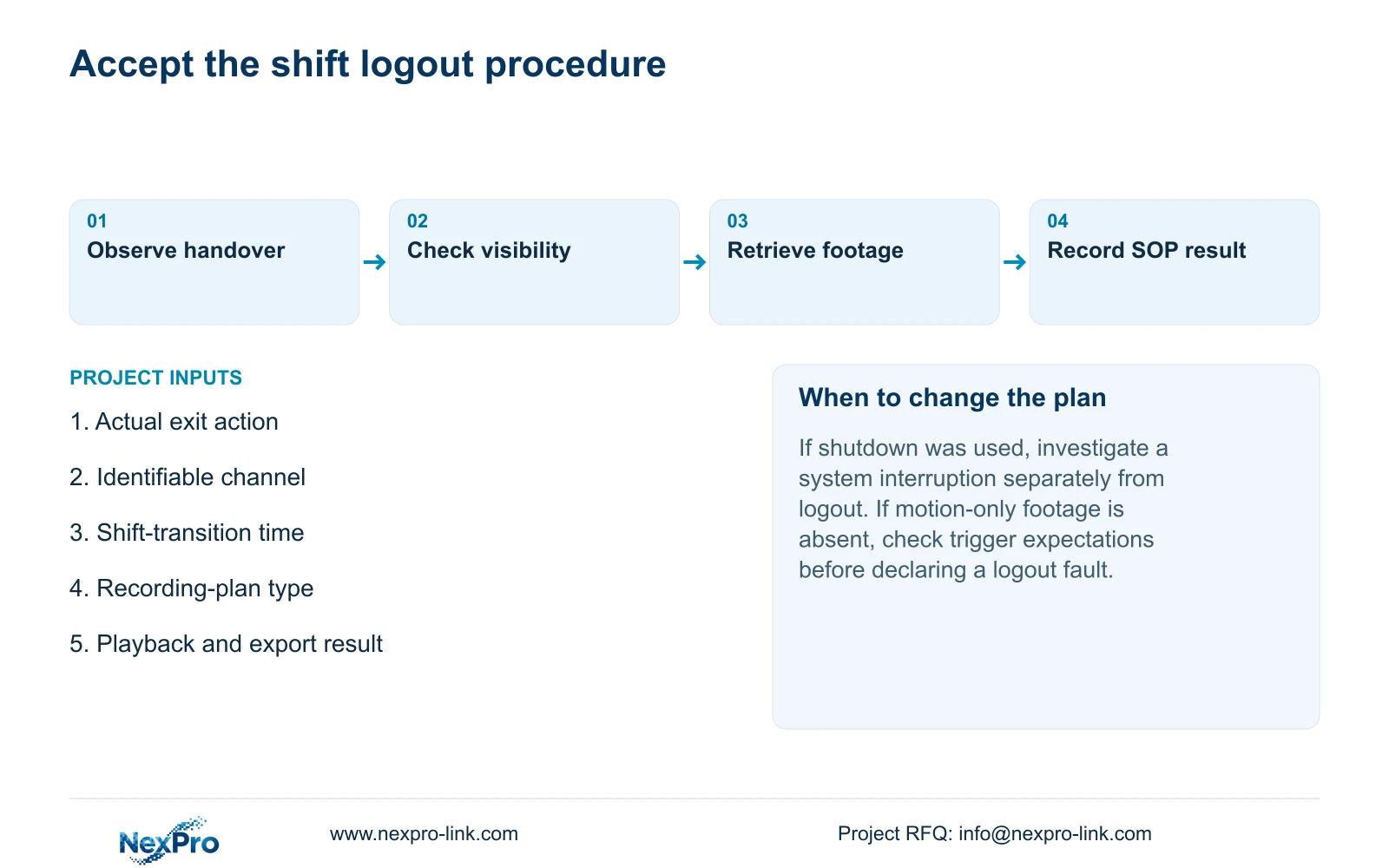
Build the procedure around an identifiable channel and a known recording period. Confirm live view, observe the recording state, allow the agreed interval to occur, retrieve it and open the export on another intended viewing system. Section 4.12.21 supplies the relevant disk information, while sections 4.3 and 4.11 provide the channel and retrieval functions.
Record expected and observed results separately. The procedure should name the session action, display policy and person responsible for unresolved footage findings. A verified sample supports that specific task and interval; it does not certify every channel for every day. NexPro-Link's project-support route can be used when the handover procedure or acceptance responsibility needs clarification.
Section 09
Should every motion-only period contain footage after logout?
No. Motion-only recording depends on a trigger. Compare the actual event expectation with the plan and search conditions before attributing an empty period to logout.
Section 10
Provide the shift-transition finding
Send NexPro-Link the channel, logout time, recording-plan type and missing playback interval at info@nexpro-link.com to discuss an unresolved shift-transition result.
Engineering references
These sources support the general planning principles. Always use the selected product's current datasheet and applicable project standards for final design.


