

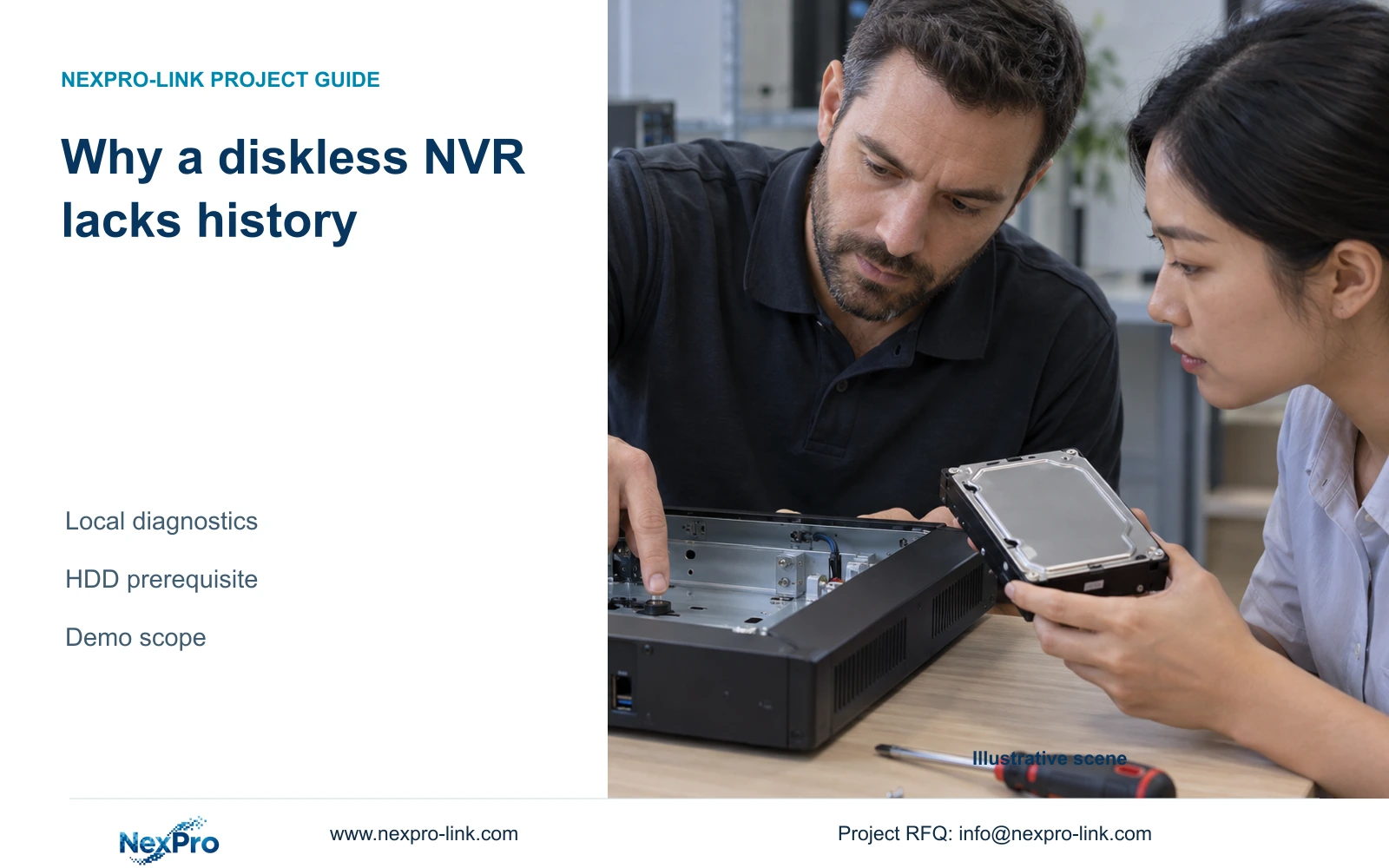
A diskless recorder cannot demonstrate the full local diagnostic workflow described in this manual. Confirm disk recognition before interpreting missing connection history.
Section 01
Establish whether the history test can run
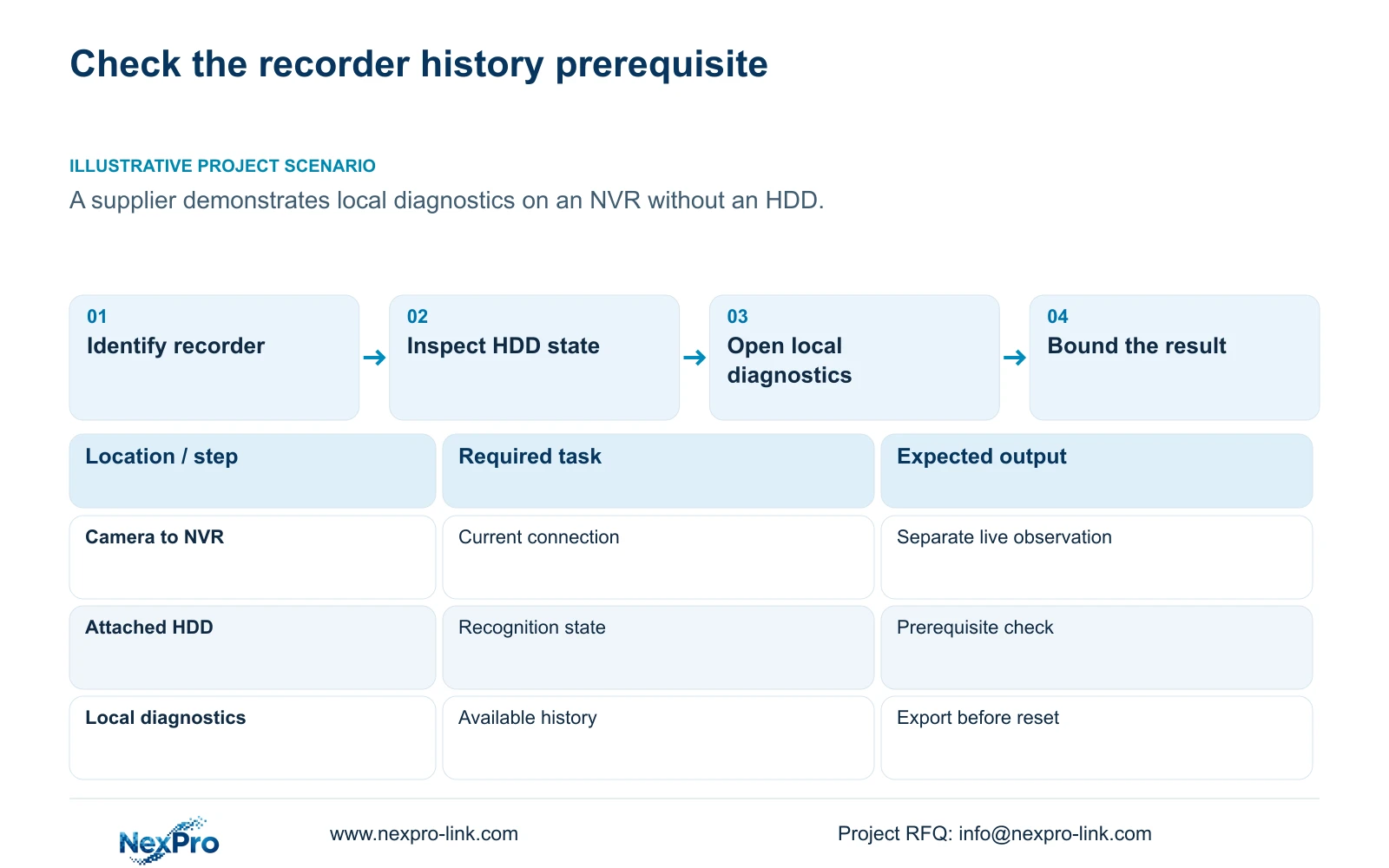
The supplied NVR4.0 manual requires an attached hard disk to enable its local-network diagnostic feature. If a supplier demonstrates a recorder without an HDD, missing history or an unavailable diagnostic function cannot establish a camera or cable fault. Confirm the recorder model, firmware and disk recognition before evaluating that workflow. Keep basic connectivity observations separate from historical statistics: a current live picture answers a different question from a record of earlier disconnects. Once the storage prerequisite is met, inspect the available diagnostic details and preserve any existing history before resetting statistics. A diskless demonstration should explicitly leave historical diagnosis untested.
Section 4.3.3.1 describes local diagnostics, connection-history export, statistics reset and details of offline behavior over the past week. Establish which of these the buyer expects to see. If the task is simply showing a current camera connection, record that limited result without describing it as a completed historical-diagnostic test.
This guide uses the supplied file NVR4.0 user manual CH_V2.4.doc, whose body identifies V2.2. Section references take priority over page numbering. These instructions concern the applicable recorder interface; a Seetong PC storage setting does not satisfy an NVR disk prerequisite.
Section 02
Resolve an undetected disk before testing history
Ask whether the demo unit has no disk installed or has an installed disk that the recorder cannot detect. Those conditions require different next actions. An intentionally diskless unit needs a supported storage installation before the documented feature can be evaluated. An installed but missing disk needs a recognition investigation.
Section 5.3, question 4, identifies the disk itself, power-supply adequacy, disk-power connections and SATA connections as checks. Record the installed arrangement and whether the symptom affects one disk or every installed disk. Compare the supply with the recorder and adapter labels; a plug that fits does not establish a suitable supply.
Internal connection inspection requires an authorized interruption. Preserve required recordings where possible, agree when the running recorder may stop, then shut down and remove power before inspecting wiring as described in section 3.2. Record the recognition state after restart. Formatting existing media is not a recognition test and can put needed recordings at risk.
Section 03
Read the disk state without inferring extra interfaces
Once a disk appears, inspect the information associated with that actual device. A detected disk and a disk awaiting initialization are different states. Note the displayed condition and any requested operation before deciding whether the diagnostic workflow is ready. Recognition alone does not demonstrate that historical records are already available.
Section 4.12.21 is headed External Storage Devices, but its described operations concern disk information, selected formatting, full-disk behavior and the startup no-disk prompt. The heading does not establish NAS, NFS, iSCSI, RAID or shared-storage support. A separate architecture requirement needs evidence for the selected model and firmware.
If initialization is genuinely required, confirm the selected media, obtain authority and protect any data that must survive before formatting. Suppressing a no-disk prompt changes a notification; it does not establish the attached storage required by the diagnostic feature.
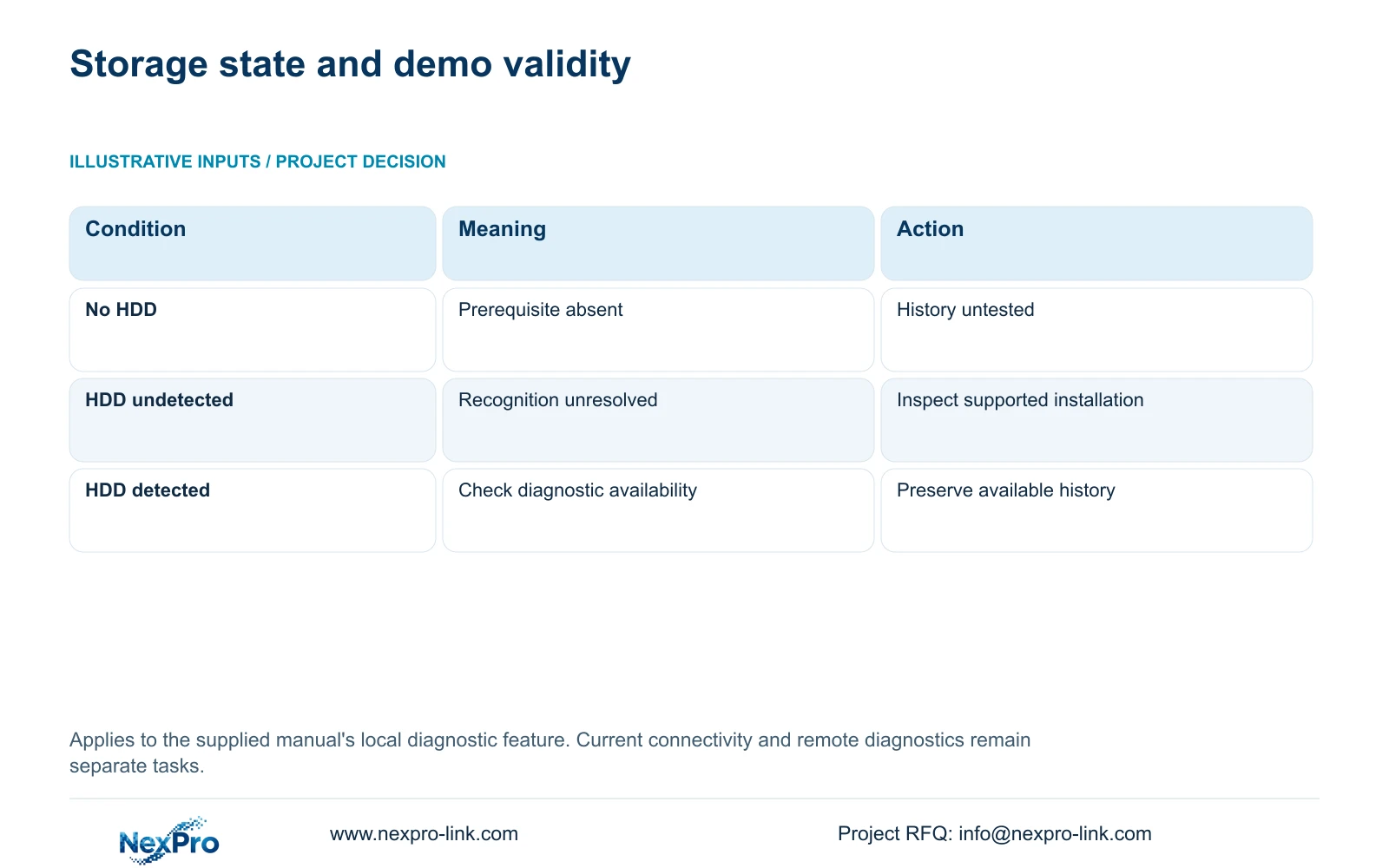
| Observed condition | Interpretation | Next action |
|---|---|---|
| No HDD installed | The documented enabling prerequisite is absent. | Limit the demo result and arrange supported storage. |
| HDD installed but undetected | Disk recognition remains unresolved. | Check the disk, specified supply and internal connections safely. |
| Disk detected with an initialization request | Recognition and storage preparation are separate. | Confirm media identity and data preservation before authorized action. |
| Diagnostics available but history absent | No historical result has yet been established. | Record the available observation period and collect a new baseline. |
Section 04
Separate current status from earlier disconnects
Use current diagnostic observations to describe the present state. Use the historical details to describe what happened during the available period. A camera can be online now and still have earlier disconnects. Conversely, an empty history screen does not establish uninterrupted operation when the feature prerequisite or observation coverage is uncertain.
Export existing connection statistics before resetting them. Keep channel identity and fault time together so another engineer can relate the record to the same camera. Compare isolated events with events shared by several channels. Shared timing can identify a useful next test, but it cannot alone prove that a switch, cable or supply caused the interruption.
If the supplier installs storage for the demonstration, distinguish the newly available workflow from historical evidence that was never collected. Do not imply that attaching a disk reconstructs the diskless period.
Section 05
Keep remote-network detection on its own path
Section 4.3.3.2 describes the recorder's remote-network diagnostic function, including results, suggestions, network settings and a tool for observing packet loss. It addresses a different operating path from local camera connection history. The local diagnostic HDD condition should not be silently generalized to every network operation.
If local viewing works while an off-site session fails, record those separate outcomes and investigate the remote path. If a camera is unavailable locally, preserve that local symptom. Neither diagnostic page certifies every client or cloud service, and remote access does not establish that the recorder has retained footage.
Section 06
Write a bounded demonstration result
Illustrative project scenario: A supplier demonstrates network diagnostics on a recorder with no HDD installed. The buyer should record the missing prerequisite and identify historical diagnosis as untested. Any successful live view remains a separate observation. The next demonstration should use the applicable recorder and supported storage, then show the diagnostic state and the history actually available.
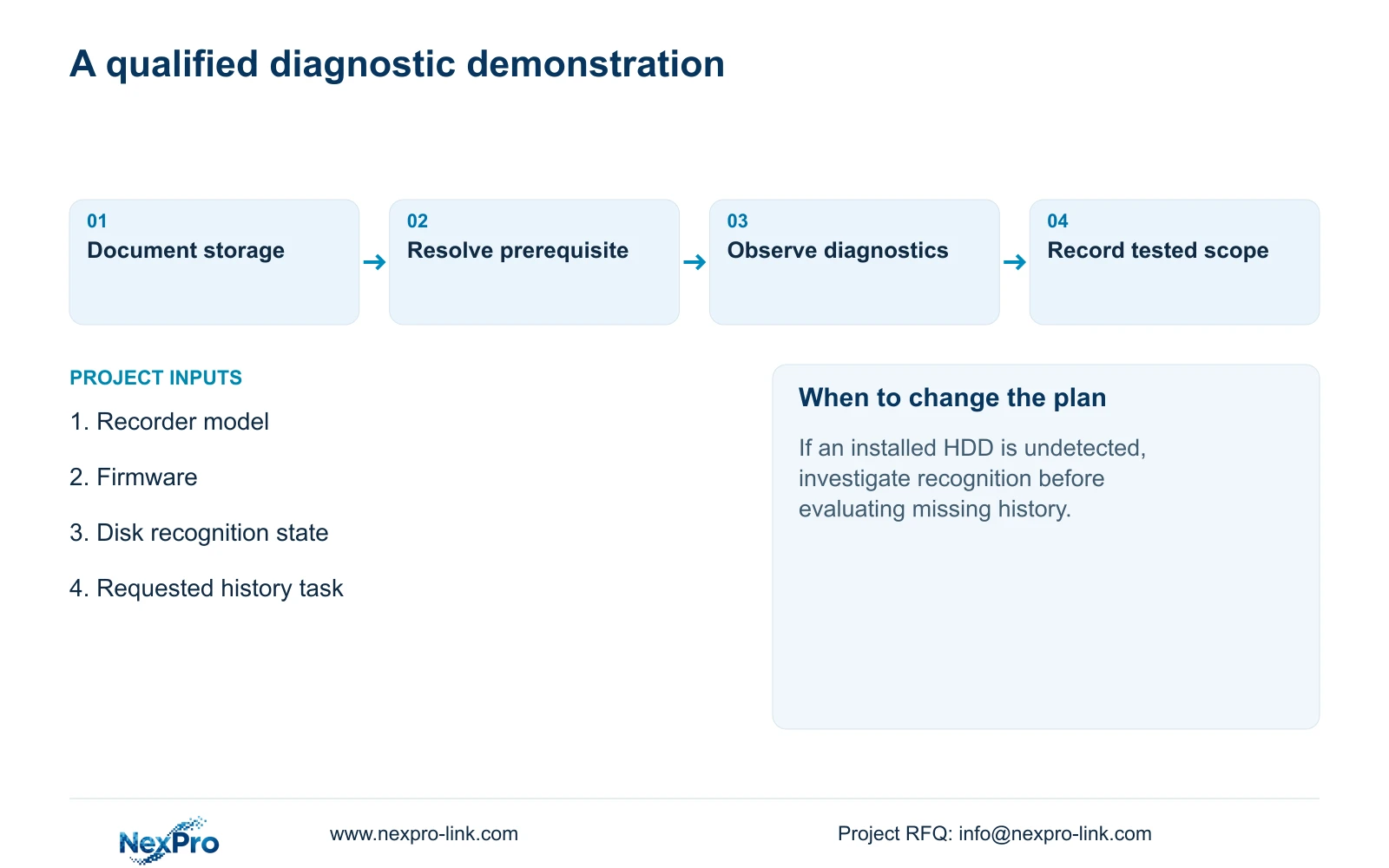
A useful result names the equipment, storage state, task attempted and observation period. It also states the next unresolved check. If the actual firmware differs from the manual, retain that difference and request the corresponding instructions before proceeding. This gives the supplier a specific configuration question instead of an unsupported hardware-failure claim.
Section 07
Can a diskless demo still show useful connectivity?
Yes, current connectivity observations can still be useful. They do not complete the HDD-dependent local diagnostic workflow described here or establish a historical record.
Section 08
Does detecting USB backup media satisfy this check?
USB backup detection does not establish recorder recording-disk readiness. Confirm the applicable attached HDD and local diagnostic state separately.
Section 09
Provide the demo storage state
Send NexPro-Link the recorder model, firmware and a redacted disk-status observation at info@nexpro-link.com to clarify the next diagnostic demonstration.
Engineering references
These sources support the general planning principles. Always use the selected product's current datasheet and applicable project standards for final design.


