

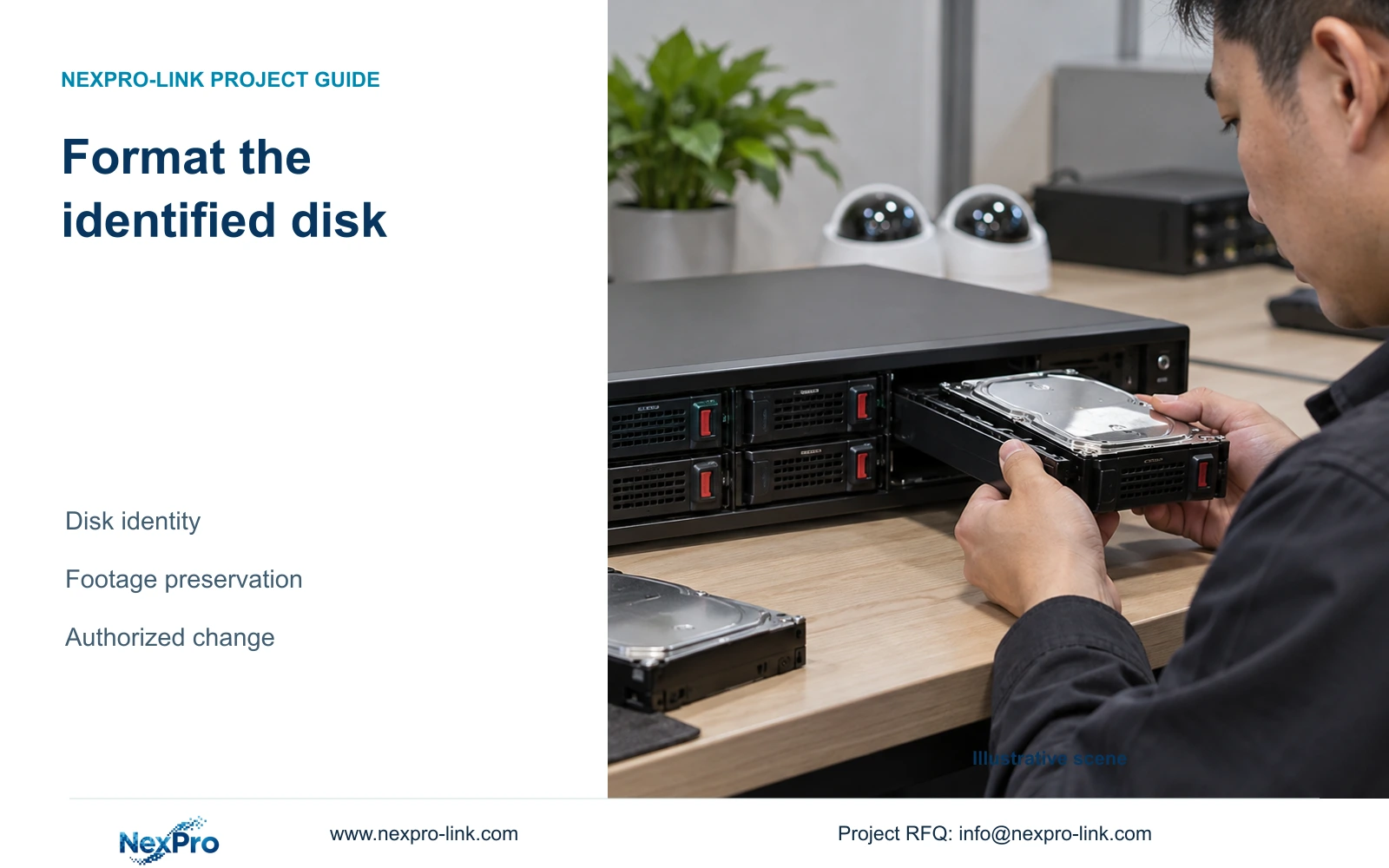
On a recorder containing both blank and previously used disks, formatting requires a verified target, an explicit data decision and a recording check afterward.
Section 01
Define which media may be changed
Format an NVR disk only after identifying the actual selected media, establishing what footage must remain available and obtaining authority for that specific change. On a multi-bay recorder, a screen entry must be reconciled with the intended physical disk before confirmation. New blank media and disks holding recent incidents need different treatment. Export required accessible recordings and verify the copies on the receiving system before allowing their source media to be changed. A settings backup does not preserve video. After the authorized operation, check newly generated footage and relevant surviving historical samples. A completed formatting indicator alone does not establish that the recording task now works.
Write the authorization around a named target and data requirement. State which disk may be prepared, which media must remain unchanged, and which incident periods need preservation. If the selected disk's identity or existing data is uncertain, stop before confirmation. A broad instruction to fix recording does not resolve those questions.
Formatting changes storage and should not be presented as a harmless repair trial. A disk that is not recognized requires a recognition-path investigation first. Keep the original symptom and the reason for preparing recognized media in the change record.
Section 02
Reconcile each disk entry before selecting it
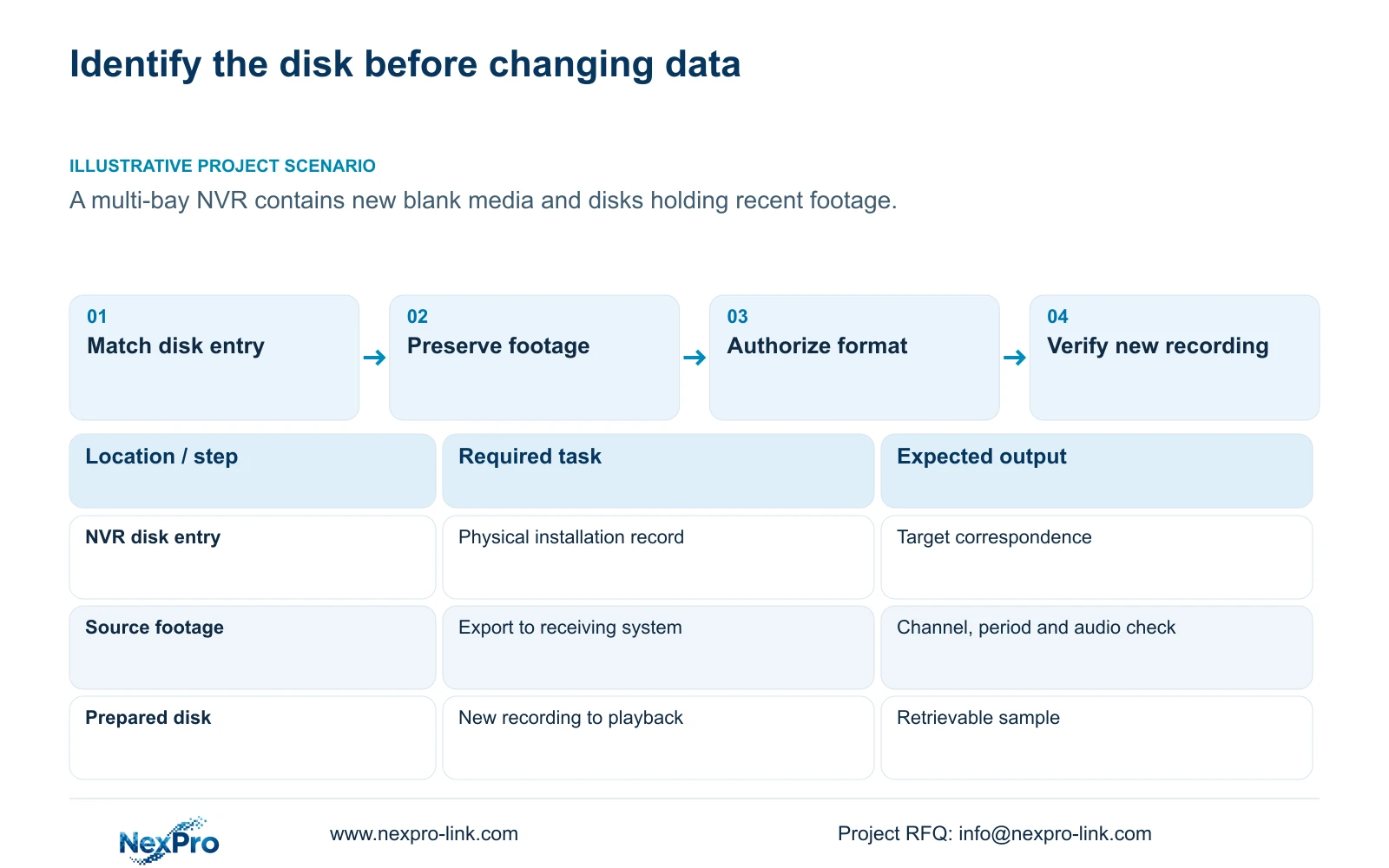
Section 4.12.21 describes disk information and selected formatting under External Storage Devices. Review each relevant entry separately and compare the information actually displayed with the installation record. Do not assume that a visible disk number matches a physical bay label. Similar disks make a remembered position or informal description insufficient.
The section also covers full-disk behavior and the no-disk startup prompt. Those controls answer different questions from target identity. The heading does not establish NAS, NFS, iSCSI, RAID or shared-storage support, and a multi-disk display does not explain how footage is protected across disks.
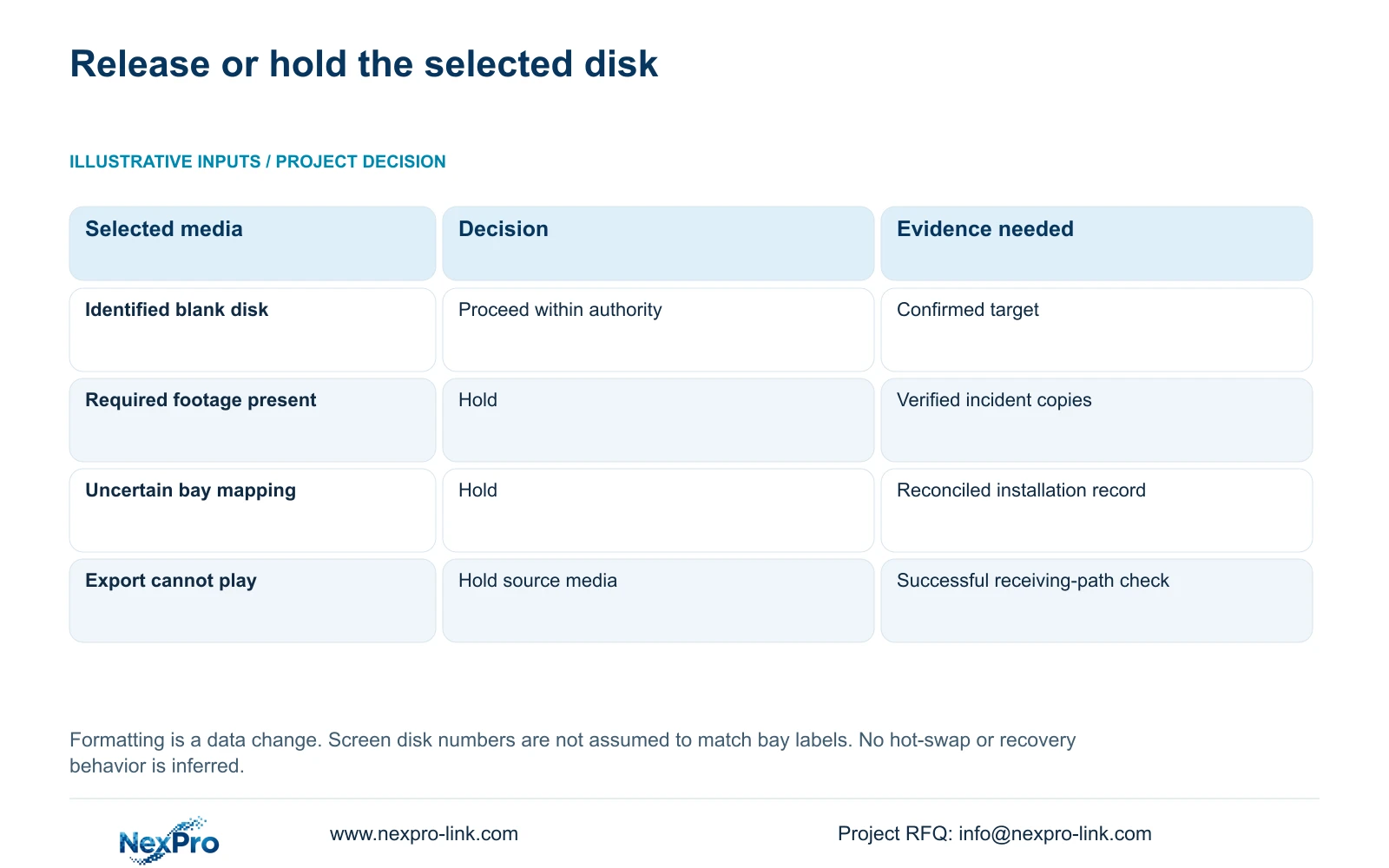
Use the decision table before proceeding. Its purpose is to separate a resolved preparation task from missing evidence. If the interface and physical record disagree, preserve the observed information and resolve the mapping instead of selecting the disk that merely looks most likely.
| Condition | Decision | Required next action |
|---|---|---|
| New blank disk, identity confirmed | Preparation can proceed within authorization | Recheck the selected entry before confirmation |
| Disk contains required recent footage | Hold formatting | Export and verify the required periods |
| Screen entry cannot be matched to physical media | Target unresolved | Reconcile the installation record |
| Required export does not play correctly | Preservation incomplete | Resolve the copy before changing its source disk |
| Disk is not recognized | Formatting is not the recognition test | Investigate the disk, supply and SATA path |
Section 03
Verify incident copies before releasing their source
Build the preservation list from the required channels and start/end periods. Section 4.11.4 provides the video-backup workflow. Keep a record connecting each required interval to its exported file and authorized recipient. A progress indicator shows the export operation's status; the receiving system still needs to open the resulting material.
Check that the copy contains the intended camera, requested interval and usable playback. Include audio when the handover requires it. The manual mentions players such as VLC, but that recommendation does not guarantee every operating-system and codec combination. Record the viewing method that was actually checked.
If a required file is missing, truncated in the needed period or unplayable on the receiving path, retain the source footage and investigate the export. Do not release the disk for formatting merely because other files worked. Where important footage cannot be retrieved, the owner must resolve the preservation decision before the storage change proceeds.
Section 04
Use the installation record to resolve physical identity
Compare the selected media with the record of what was installed and where. Physical installation and software formatting are separate actions. Installing a disk does not authorize erasing it, and a previously used disk must not be treated as blank simply because it has been moved into another recorder.
If internal inspection is necessary, arrange an authorized shutdown and recording interruption, preserving required accessible footage beforehand. Section 3.2 begins with power disconnected, followed by opening the enclosure, securing the disk, connecting SATA data and power, and replacing the cover. Follow that powered-down boundary for internal handling. The manual does not establish hot-swap support for these connections.
After restarting, compare the interface information again with the physical record. If the correspondence remains unclear, obtain applicable model guidance. Avoid changing multiple disks while attempting to resolve one selected target.
Section 05
Keep settings, logs and footage in separate backups
Sections 4.12.18 and 4.11.4 distinguish configuration export, log export and video backup. Label and store them according to their objects. The configuration file supports settings work; it is not a disk image or an incident-video copy. Logs provide an operating record without replacing footage.
Before the change, confirm that the saved configuration is identifiable and belongs to the applicable recorder and version. The manual does not guarantee universal cross-model import, so a file from another device is not a proven recovery route. Retain the pre-change records alongside the formatting authorization and export checks.
This separation also helps procurement define service scope. Disk preparation, video preservation and configuration handling are distinct work items. A hardware service or replacement arrangement should not be assumed to include data recovery; consult the applicable written terms and public warranty policy.
Section 06
Check the recording task after preparation
Confirm the intended disk state, live camera view and correct recorder time. Use a known scheduled period to produce new footage, retrieve it through playback and verify a sample export. Check the intended account and any event behavior relevant to the original recording task.
Review required historical samples on media intended to remain unchanged, as well as the preserved copies from the changed disk. Do not describe erased source footage as surviving because its exported copy exists. Record those two locations separately.
If a check fails, document the changed variable, channel, period and observed result. An online recorder or completed operation is insufficient acceptance evidence. Seek the next supported action for the actual model without assuming automatic rollback or attempting another unrelated data change.
Section 07
Prepare only the identified new media
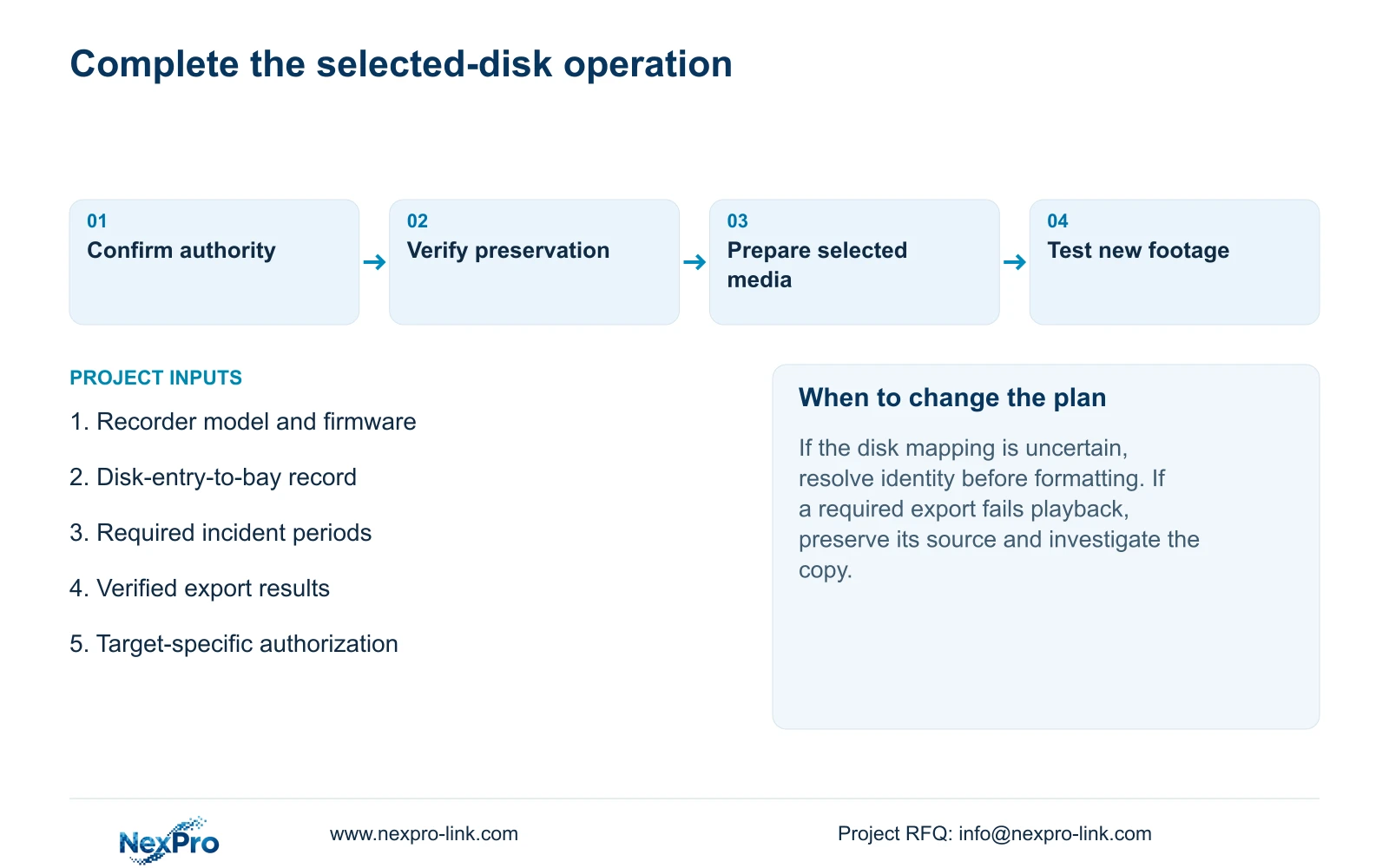
Illustrative project scenario: A multi-bay recorder contains both new blank media and disks with important recent footage. The team identifies the new disk, reconciles its screen entry with the installation record and keeps the used media outside that authorization. Required incident copies are checked before any source disk is released. The final check concerns new recording and retrieval, not simply the presence of several disks.
The private operating source is NVR4.0 user manual CH_V2.4.doc, with V2.2 in its body. Sections 4.12.21, 4.11.4, 3.2, 4.12.18 and 4.12.17 through 4.12.20 support this workflow. Section references take priority over page numbering. Apply the instructions to the identified recorder and firmware.
Section 08
Does a configuration export make formatting safe?
No. It preserves a separate settings object. Formatting still requires a confirmed disk target, a resolved footage-preservation requirement and explicit authority for the storage change.
Section 09
Resolve an uncertain disk selection
Send NexPro-Link the recorder model and firmware with a redacted disk-entry-to-installation record at info@nexpro-link.com if the formatting target remains uncertain.
Engineering references
These sources support the general planning principles. Always use the selected product's current datasheet and applicable project standards for final design.


