

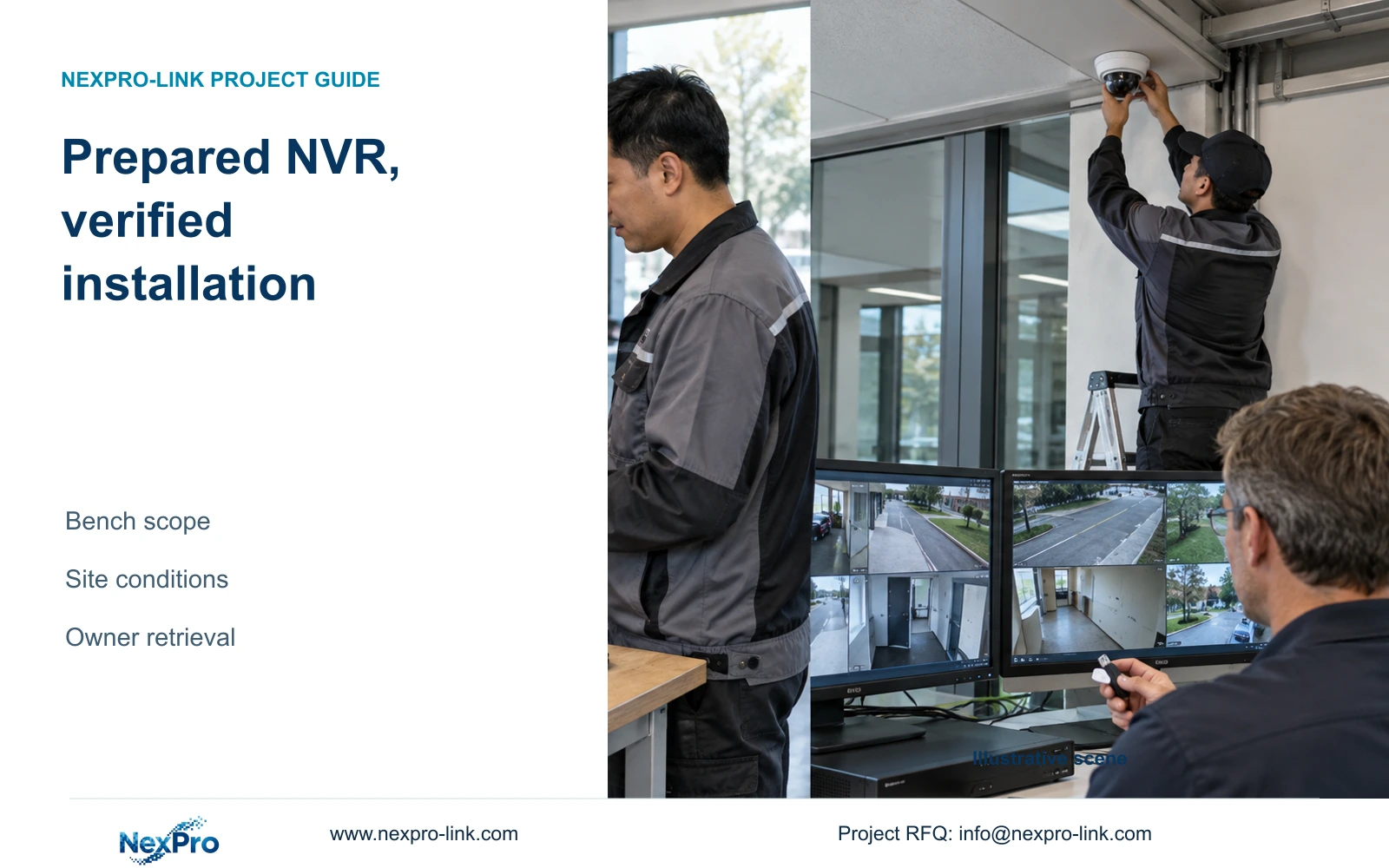
A prepared NVR kit can carry a defined configuration and bench-test record. Site acceptance must still establish the installed views, recording path, power behavior and owner retrieval task.
Section 01
Carry bench evidence into an installed-system test
A preconfigured NVR kit still needs site commissioning. Bench preparation can establish a known equipment combination, recording policy and retrievable sample under stated conditions. Site acceptance must confirm the actual camera views, routed links, power arrangement and intended operator task after installation. Carry the bench identities and configuration into the site record, then repeat the recording-to-export check through the installed path. If the site differs from the prepared arrangement, identify the changed condition before attributing the result to the recorder. Factory preparation is useful when it makes those differences traceable; it cannot prove an unseen installation or promise zero commissioning work.
Agree which combinations the preparation team can reproduce. Record the recorder, cameras, connection method, storage and viewing destination used for the task. If site equipment will be retained, identify which interfaces are represented on the bench and which remain untested. The resulting record should describe an actual test boundary rather than a broad statement that the system is ready.
Section 02
Demonstrate recording and retrieval before shipment
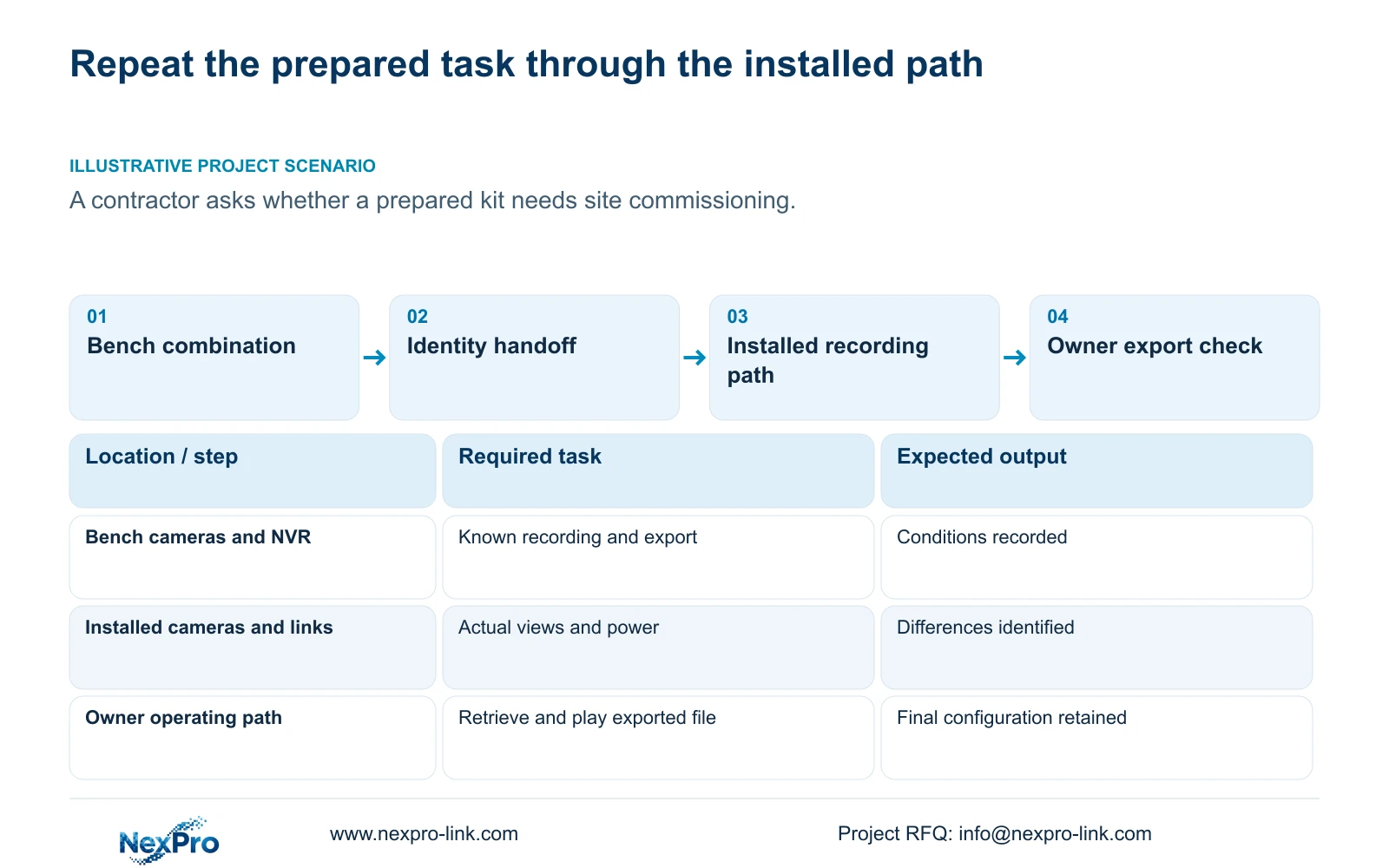
Follow an identifiable channel from live view through a known recording period, playback and export. Inspect the selected disk and recording policy, then open the exported file on the nominated viewing system. Record expected and observed results at each stage. A picture on the bench monitor does not establish that the owner can later retrieve the required footage.
This acceptance method is an engineering workflow around the manual's camera, recording and disk operations, not a built-in factory certification feature. Where the bench cannot reproduce the final operator or recipient path, identify that test as outstanding. A preparation report can then help the installer concentrate on the conditions that change at the site.
Section 03
Deliver the prepared settings with their identity
Keep configuration export, log export and video backup separately named. The configuration file supports a settings record; it is not a disk image or the sample footage. Identify the recorder and version associated with each file. The manual does not guarantee universal cross-model import, so a prepared settings file should not be treated as a transferable clone for any replacement unit.
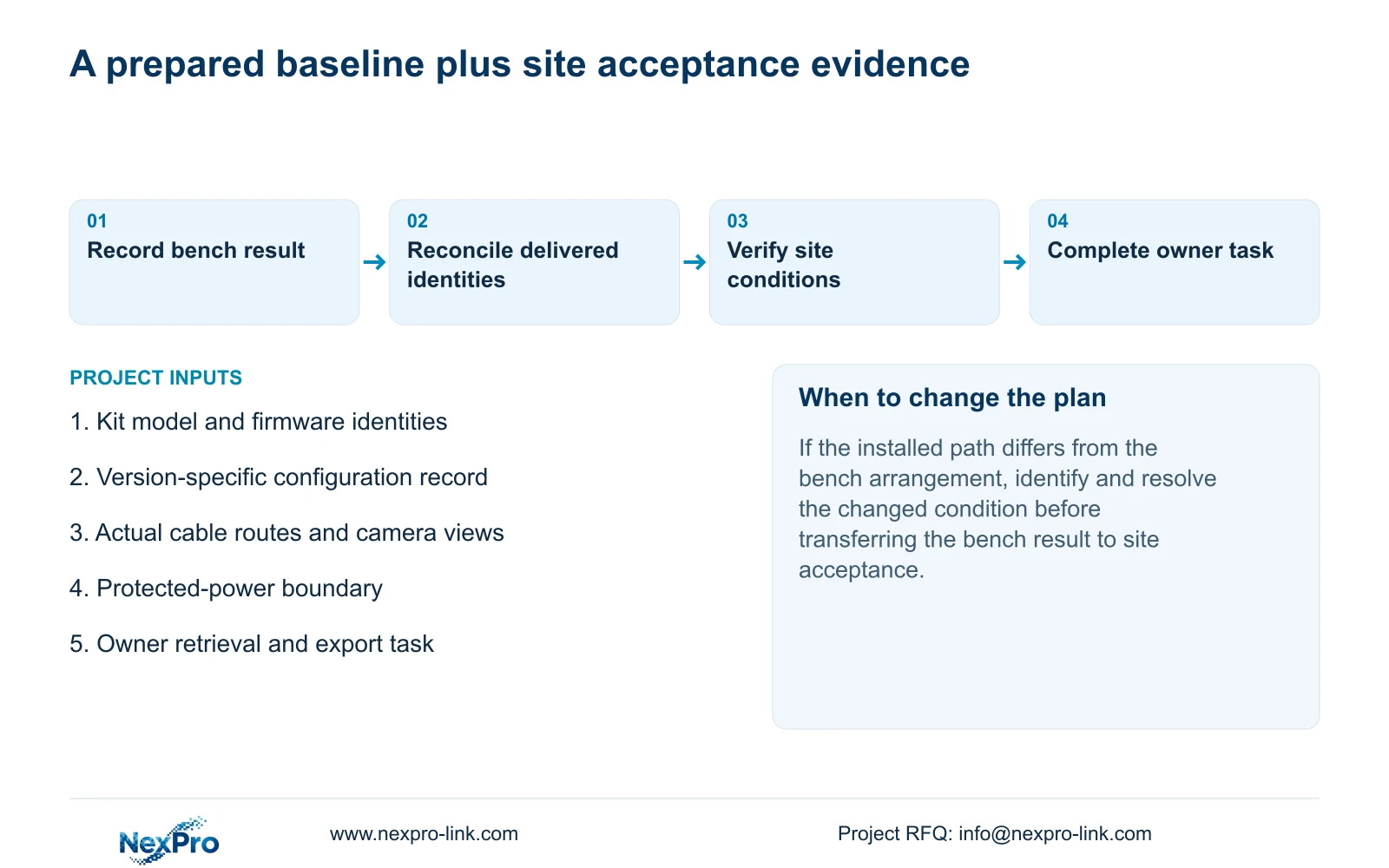
Record the actual product model, hardware version, software version and release information using section 4.12.19. Reconcile the equipment labels, packing record and prepared configuration before shipment, then compare them again at receipt. Keep credentials in a controlled handover route and sensitive identifiers out of public screenshots. A discrepancy needs clarification before the installer uses the preparation record as the baseline.
Section 04
Check the actual route and the installed view
At the site, verify that each required view belongs to the intended position and follows the planned camera-to-recorder path. Bench conditions cannot establish a routed link or the image produced from the final mounting position. If the view is wrong, review the position and channel mapping. If the connection is unstable, isolate the affected installed path before making unrelated recorder changes.
The manual's general long-cable wording supplies no universal distance, cable grade or power budget. Procurement also needs executable continuous cuts. In the supplied illustration, ten runs of 85m total 10 × 85m = 850m. A 305m reel yields floor(305m ÷ 85m) = 3 complete runs, with 305m - 3 × 85m = 50m remaining. Three reels yield only 9 runs; ceil(10 ÷ 3) = 4 reels are needed. This assumes 85m is the required cut length and establishes no link-performance guarantee.
Section 05
Verify power protection across the recording path
Identify the camera power source, necessary switching and recorder power separately. A UPS serving only the NVR cannot preserve the recording path if the cameras or required network lose power. Include displays only where the protected operating task requires them. Count each load once: a measured PoE-switch AC input may already include its powered cameras.
Watt capacity, apparent-power capacity in VA and battery runtime require separate checks. The NVR manual contains no UPS runtime table, and a bench power-up cannot establish outage duration at the installed load. Agree the site continuity or recovery task and the responsible parties before testing. Any planned interruption of a running recorder needs authority, preservation of relevant footage and configuration, and an agreed interruption window; it should not be improvised by disconnecting power.
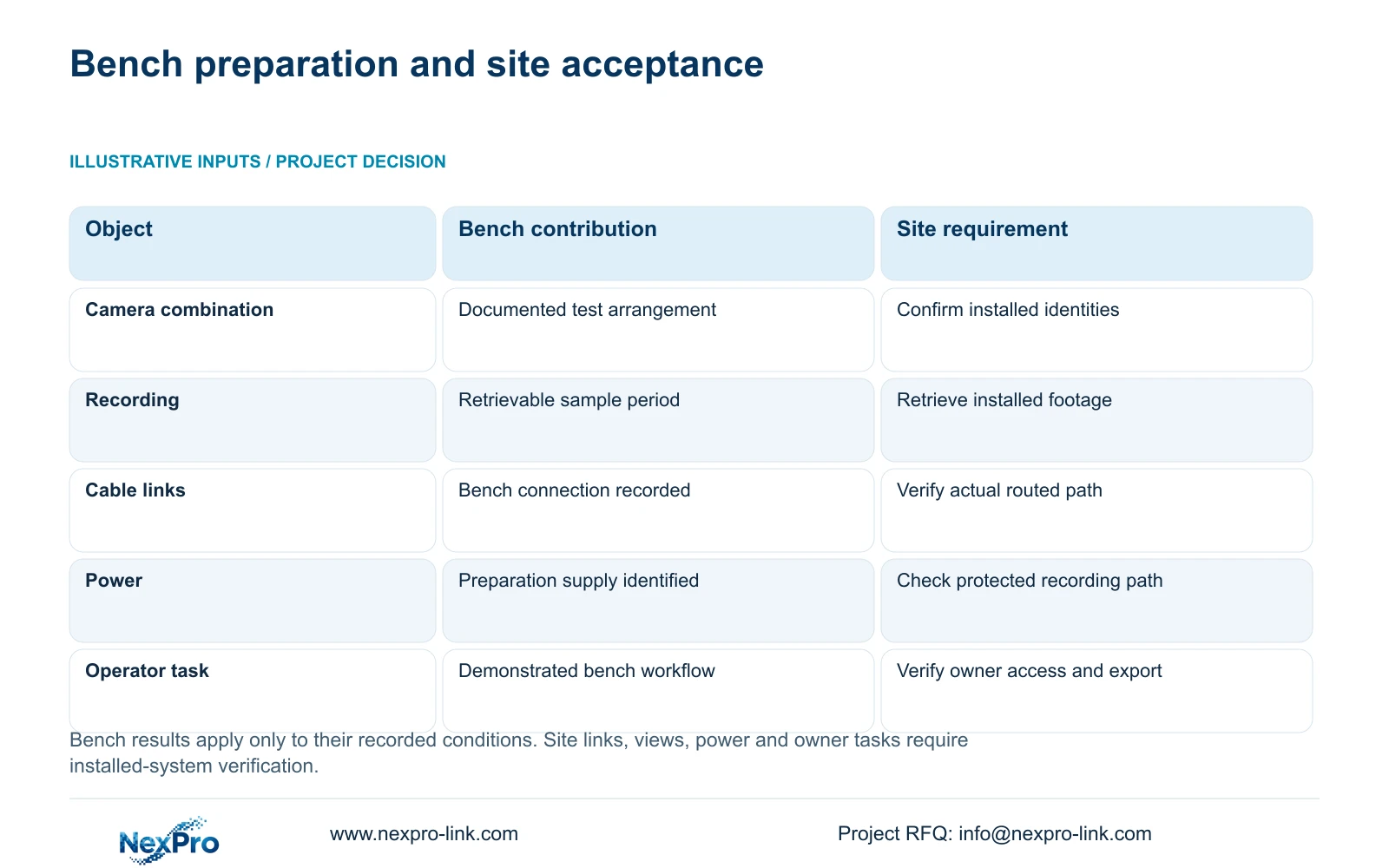
| Task | Bench evidence | Required site evidence |
|---|---|---|
| Camera-recorder combination | Identified devices work under recorded bench conditions | Installed devices and paths match the baseline |
| Recording and export | Known sample period can be retrieved and played | Installed channel and period can be retrieved by the owner |
| Cable path | Bench connection method is recorded | Actual routed links and views are checked |
| Protected power | Preparation power arrangement is identified | Required installed loads and recovery task are verified |
| Configuration | Version-specific settings record is retained | Site changes and final backup location are documented |
Section 06
Finish with the owner's installed retrieval task
Repeat the known recording and export task after installation through the intended user role. Confirm the channel identity, selected period and receiving-system playback. If an earlier stage fails, resolve that stage before accepting the export result. Retain the actual viewing method and any required audio check with the handover record.
Keep final equipment versions, configuration-backup location and maintenance responsibilities together. Identify who supports equipment questions and who handles the site network or power arrangement. The owner should be able to locate a channel, retrieve footage and produce a usable copy. Delivering a folder of files and demonstrating that the operator can perform the task are separate handover outcomes.
NexPro-Link's BOQ and tender support is relevant when defining preparation and supply responsibilities. The existing NVR4.0 project workflow article addresses the recording-to-export check in more detail. Neither reference makes local installation or site acceptance automatically part of an equipment-only offer.
Section 07
Hand a prepared kit to an installer with clear remaining work
Illustrative project scenario: A contractor asks whether a preconfigured NVR kit can be handed to an installer without any commissioning work. The useful handoff includes equipment identities, prepared settings and a bounded bench-test record. The installer still checks actual links, views and power, then demonstrates retrieval and export after installation. Any site change enters the final configuration record. This defines a division of work; it does not claim a completed project or a measured reduction in commissioning time.
Section 08
Can preconfiguration replace site acceptance?
No. It establishes the prepared arrangement under stated conditions. The installed routes, views, power and operator task still need verification.
Section 09
Is the preparation configuration file also a video backup?
No. Save required footage through the separate video backup workflow and verify the exported copy. Configuration and logs have different purposes.
Section 10
Define the preparation and site-test boundary
This workflow uses the supplied private NVR4.0 user manual CH_V2.4.doc, with V2.2 in its body, particularly sections 1.1, 3.1, 3.3, 3.3.1, 4.3, 4.11, 4.12.3, 4.12.17, 4.12.18, 4.12.19 and 4.12.21. Sections take priority over page numbers. Cable takeoff and power-protection reasoning are engineering extensions.
Send NexPro-Link the proposed kit identities and a short division of the recording-to-export checks requested before shipment and after installation at info@nexpro-link.com.
Engineering references
These sources support the general planning principles. Always use the selected product's current datasheet and applicable project standards for final design.


