

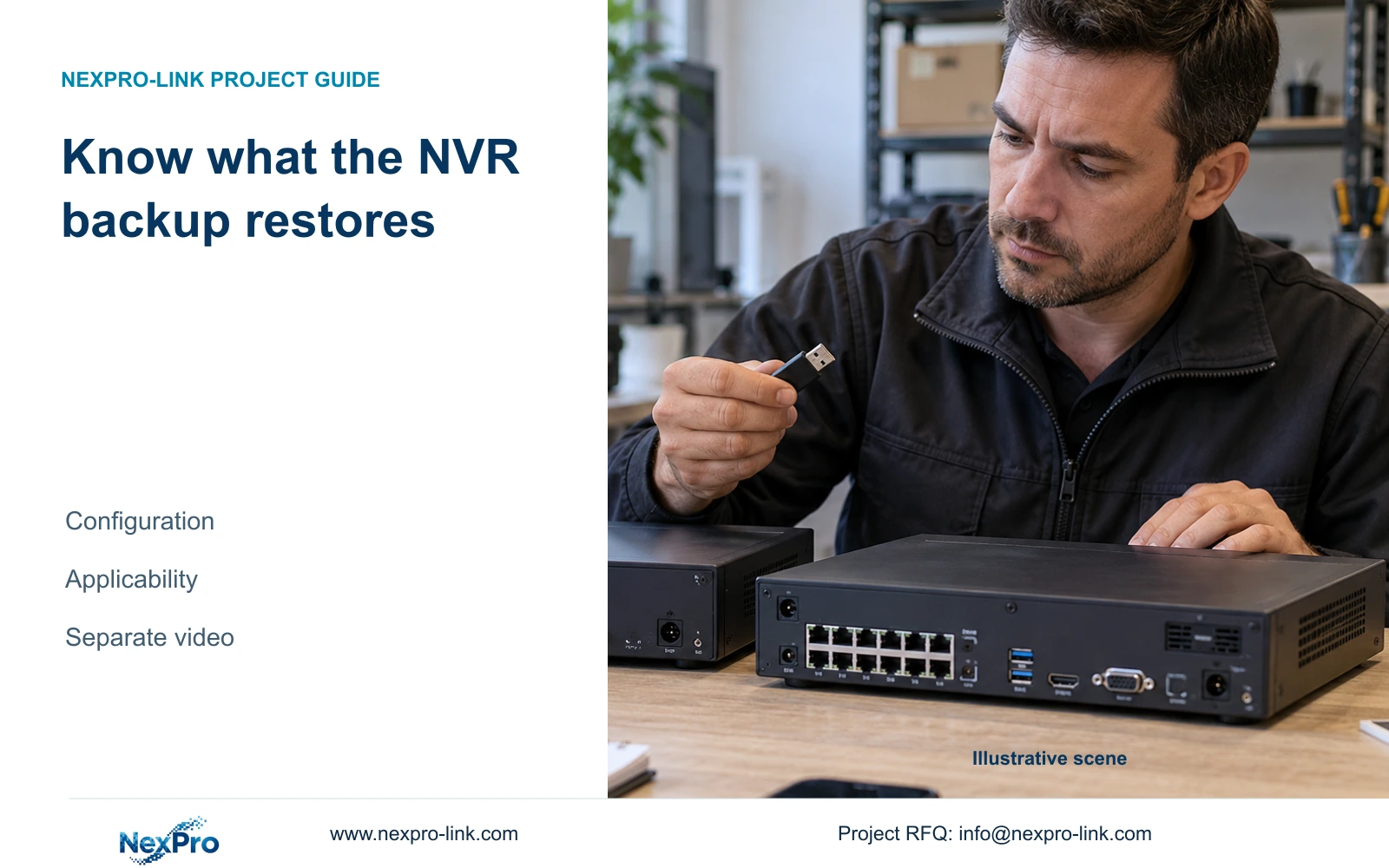
A recorder settings file has a different job from video and log backups. Check its source identity and target applicability before using it for restoration.
Section 01
Identify the saved object before planning restoration
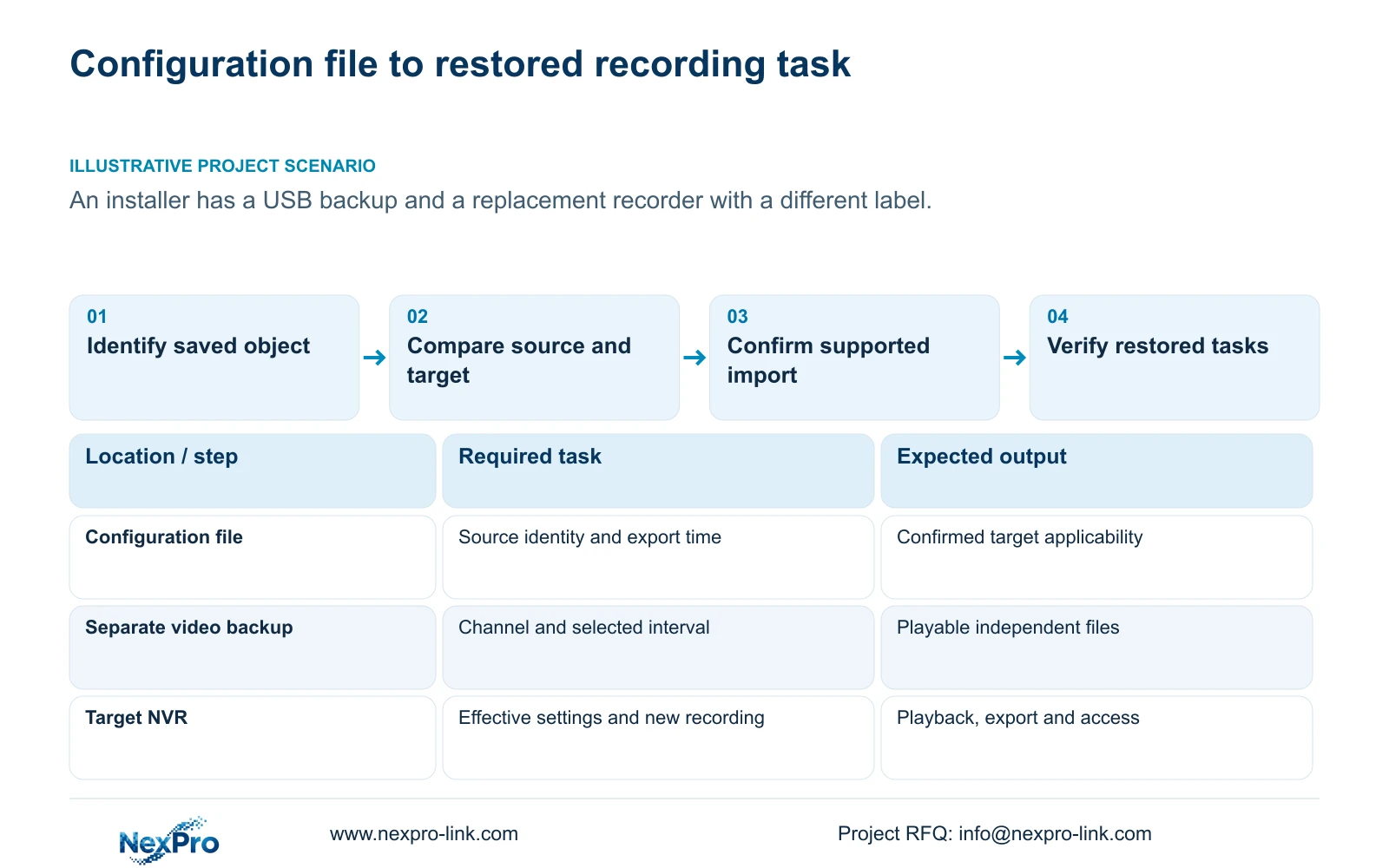
An NVR configuration export is a settings backup, separate from recorded video and exported logs. Before importing it, identify the source recorder, its hardware and software versions, and when the file was exported. Compare that information with the target recorder and confirm the supported import conditions, especially after a model or firmware change. The supplied manual does not establish universal cross-model cloning or restoration of footage from a settings file. Preserve required video independently, retain relevant fault logs, and check addresses, permissions, time and recording after the authorized import. Completion means the intended operating tasks work, not merely that a file was accepted.
Give the configuration file a clear reference linked to the source identity and export time. Keep video backups and log exports under their own references even when they share external storage. This prevents an installer from treating a USB device labeled 'backup' as evidence that every recovery object is present.
Section 4.12.18 describes configuration export and import. Section 4.11.4 covers video backup. Determine which object is actually available before deciding whether it can support the proposed restoration.
Section 02
Compare the source recorder with the replacement
Read the replacement recorder's product model, hardware version, software version and software date or release information from System Information in section 4.12.19. Compare the displayed values with the saved configuration's source record. Preserve exact identifiers rather than shortening them to a family name.
A different model label is a compatibility question that needs an answer before import. Matching labels also require confirmation of applicable software and import conditions. A familiar enclosure or shared NVR4.0 menu does not establish that the file will restore every needed setting.
If the source record is missing, obtain it from the original maintenance or equipment record where possible. Mark unresolved fields explicitly. Keep serial numbers in appropriate private records and redact cloud identifiers, QR codes and customer information from material intended for public discussion.
Section 03
Confirm supported import conditions before changing settings
The source for this guide is the supplied private NVR4.0 user manual CH_V2.4.doc. Its body headers identify V2.2. Retain both labels and locate System Maintenance by section heading. Those document versions do not establish compatibility between a saved file and installed firmware.
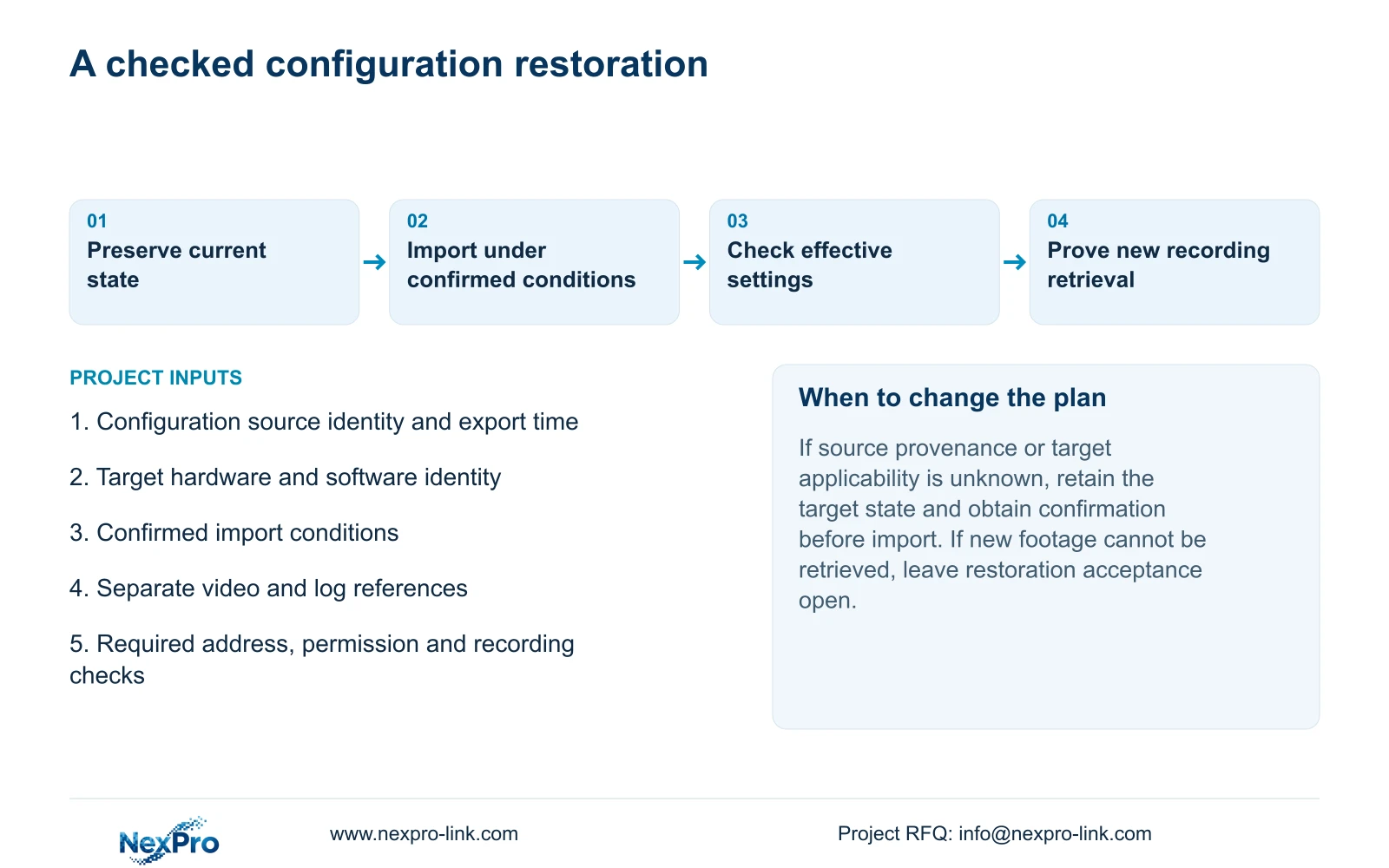
Ask for confirmation against the source and target identities and the intended restoration task. If import is supported only under particular conditions, keep those conditions with the file reference. If it is unconfirmed, retain the target's current state and obtain applicable guidance instead of testing an unknown file on a running installation.
Configuration import or restoration requires authority, preservation of relevant settings and footage, and an approved interruption where the operation affects service. Identify the target's existing configuration before changing it. The manual does not justify promising that every setting transfers or that a failed import has a universal recovery path.
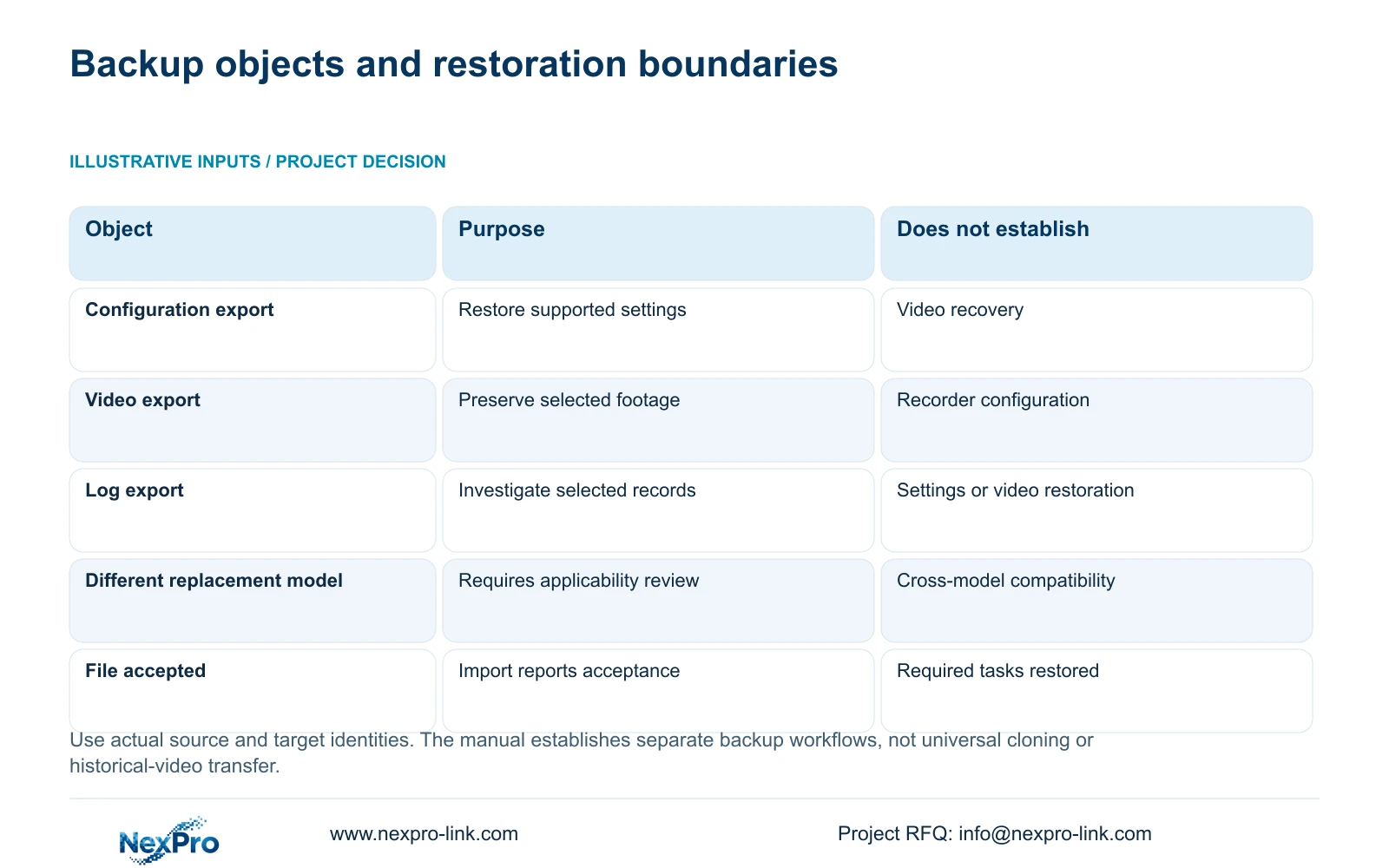
| Available object or condition | Supported use | Next decision |
|---|---|---|
| Identified configuration export | Settings restoration under confirmed conditions | Compare source and target identities |
| Unknown-source configuration file | Applicability remains unresolved | Recover provenance before import |
| Replacement has a different model label | Cross-model compatibility is not established | Obtain device-specific confirmation |
| Selected video export | Independent access to the copied interval | Verify files and playable coverage |
| Filtered log export | Fault investigation within the recorded search scope | Retain filters, details and symptom time |
Section 04
Copy required recordings independently of settings
Use the video backup selection in section 4.11.4 for footage that must remain available. Select the file format, recording types, channels and start and end times, then update the required-capacity estimate. Insert the external media, detect it and start the backup through the applicable controls.
The manual lists MP4 as the default format and permits multiple channels. Check the actual resulting files against the requested channel and interval. Play the exported material on another device before treating the preservation task as complete.
If the media is detected but a file is incomplete or unplayable, preserve the observation and investigate that export task separately. A successful configuration export cannot compensate for missing footage. Seetong PC local storage is also a separate object from the recorder's disk recordings and must not be substituted without identifying the actual saved material.
Section 05
Retain the log record from the fault period
Export relevant logs before changing the configuration when they can help explain the fault or restoration requirement. Section 4.12.17 describes a current-day default, log-type filters, detail viewing and text export. Record the date and type selections alongside the file.
If the search is empty, check whether the symptom occurred outside the selected day or under another type. The manual describes querying all available logs when the date condition is not selected. Review those conditions before concluding that the recorder contains no relevant record.
Logs support investigation; they do not restore settings or footage. Their export function does not establish unlimited retention or tamper-proof evidence. Keep the symptom time and affected channel with the exported record so it remains useful after the configuration changes.
Section 06
Verify restored tasks on the target recorder
Illustrative project scenario: An installer keeps a USB backup and wants to use it on a replacement recorder with a different model label. The installer identifies the saved object, compares source and target versions, and requests confirmation of applicability. Required video remains an independent preservation task.
After an authorized supported import, inspect the effective network addresses and required access, operator permissions, time and camera-to-channel mapping. Check the selected storage and recording policy. Record what is present on the target rather than assuming that each source setting transferred.
Follow an identifiable channel through a defined new recording period, retrieve that interval and verify a playable export. Check relevant older footage only where it is actually present on the target; configuration import does not establish that the original recorder's video has moved there.
If a required task fails, record the changed variable and failed observation. Seek a supported next action before applying further configuration changes. Keep separate results for settings restoration, new recording and historical access so the handover accurately describes what the owner can retrieve.
Section 07
Configuration restoration questions
Can a configuration file recover incident footage? No. Preserve the selected recording through the separate video backup workflow.
Can the file be imported into any replacement NVR? The manual gives no universal cross-model guarantee. Confirm applicability against both devices and their software.
Does accepting the file prove restoration succeeded? No. Check effective settings and complete the required recording, playback, export and access tasks.
Section 08
Confirm the source-to-target match
Send NexPro-Link the configuration's source model and software version plus the replacement recorder's hardware and software identity at info@nexpro-link.com.
Engineering references
These sources support the general planning principles. Always use the selected product's current datasheet and applicable project standards for final design.


