

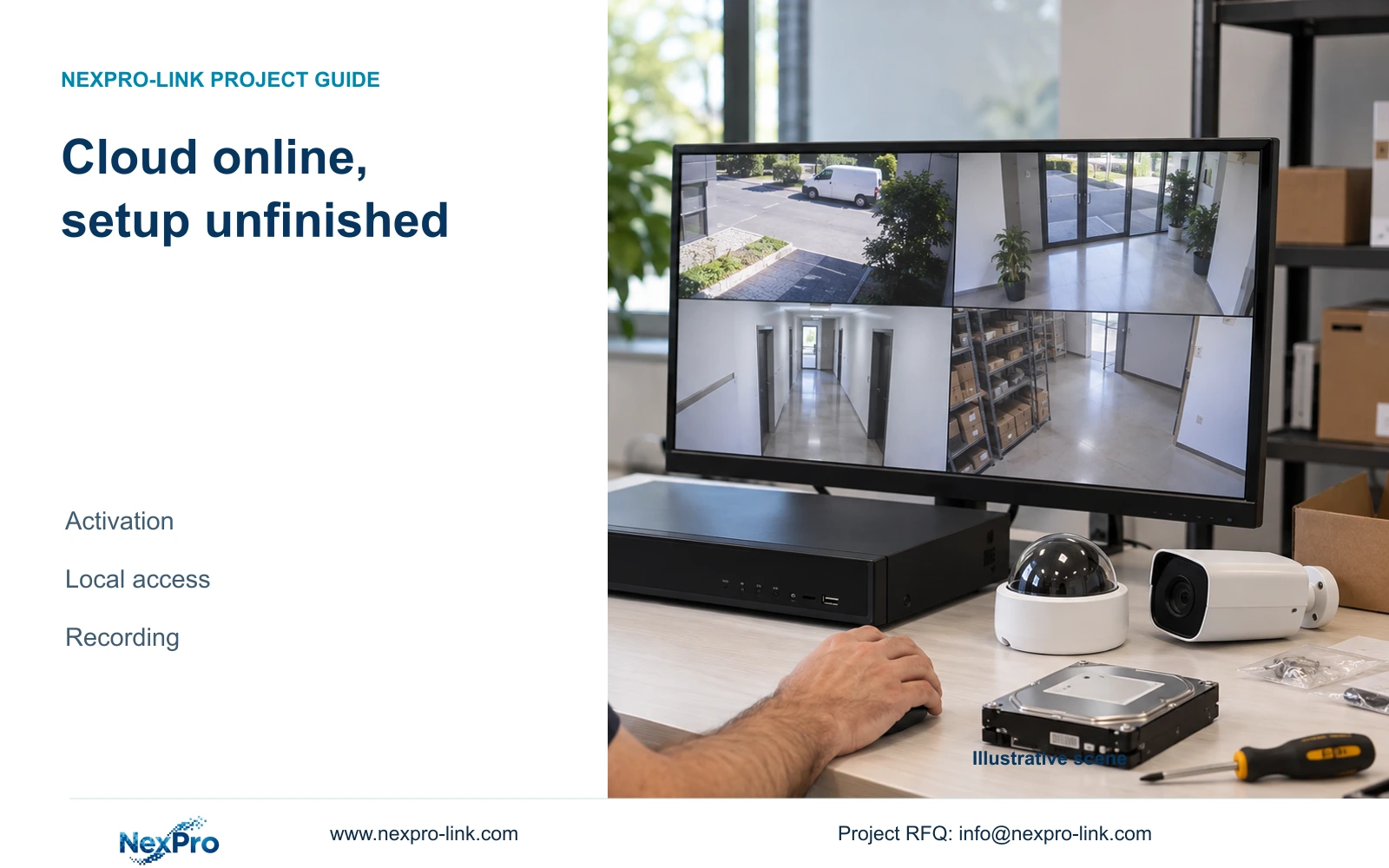
A cloud-online recorder still needs local permission and storage checks. Follow one channel through recording, playback and export before accepting setup.
Section 01
Establish what the online state actually confirms
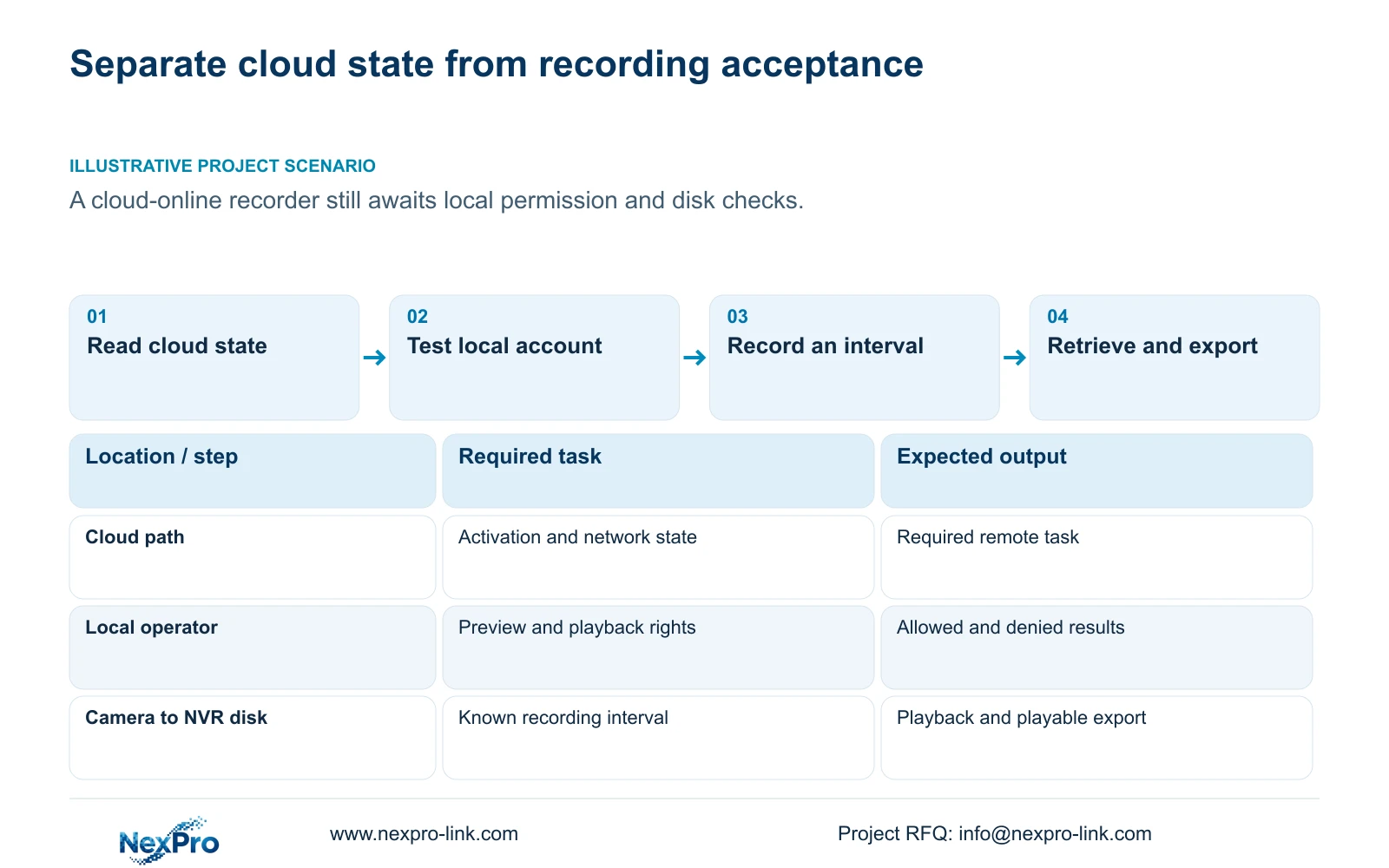
Cloud activation enables the recorder's documented cloud-service workflow; local login gives an account access to operations at the recorder. Complete and test those tasks separately. When a new unit appears online, the installer still needs to check the intended local user's permissions, the attached disk and the recording plan. Then follow an identifiable camera through a known recording period, playback and a playable export. An online label cannot establish any of those storage results. For a project manager, the useful completion record therefore separates cloud state, operator access and retrieved footage, with an unresolved result assigned to its own next check.
The operating source is NVR4.0 user manual CH_V2.4.doc, whose body identifies V2.2. Sections 4.1.1 and 4.12.8 describe activation and network conditions. Use section titles to locate instructions and confirm applicability to the actual recorder and firmware. The TS family in that document has no established mapping to NexPro-Link commercial SKUs.
For the documented initial unactivated state, the workflow includes setting a cloud password. The manual requires uppercase and lowercase letters with numbers and rejects an empty or default password. These are rules for that cloud-password task. They do not establish a common password policy or a shared credential for every account.
Section 02
Assign each credential to its connection
Before testing access, identify the recorder's local user, the relevant network user, the camera connection credentials and any third-party cloud account. A channel's username and password authenticate its camera connection. The account used at the local monitor governs local operations. Cloud access follows its own account and permission path.
This distinction matters when setup fails halfway through. If local login works but a camera channel does not connect, changing the local user's password does not address the camera's authentication boundary. If the camera image is available while cloud activation remains incomplete, retain the working camera connection and investigate the activation task.
Keep a service record of credential ownership and update dependencies. Record which authorized person holds each account and whether the required setup is complete. Actual passwords belong in the owner's controlled credential process, outside the BOQ, public screenshots and general project correspondence.
Section 03
Check cloud state without exposing device identity
The manual provides several observations: the top cloud-status area, the network page and basic system information. Read them together. The stated conditions include network connectivity, activation and a valid device identity. Finding a familiar icon is insufficient when another observation remains unresolved.
If the recorder reports an identity anomaly covered by the manual's troubleshooting branch, preserve the observation for private supplier review. Do not alter a serial number or attempt to bypass ownership or binding. Redact cloud identifiers, QR codes and identifiable site content from material circulated outside the authorized support process.
Record the state before proceeding to local acceptance. If cloud access is outside the agreed installation scope, mark it accordingly rather than treating an unfinished remote task as proof that local recording has failed.
Section 04
Test the intended operator on each access path
Section 4.12.3 separates local and network permissions for operations including preview, playback and system settings. Local recording backup is also a distinct permission. Use the intended operator account for acceptance, because success under an administrator does not demonstrate the operator's permitted tasks.
Choose an allowed action and a prohibited action for each required path. Confirm that the operator can perform the allowed task and cannot perform the prohibited one. If local preview succeeds while remote playback fails, inspect remote playback permission before revisiting cloud activation or storage.
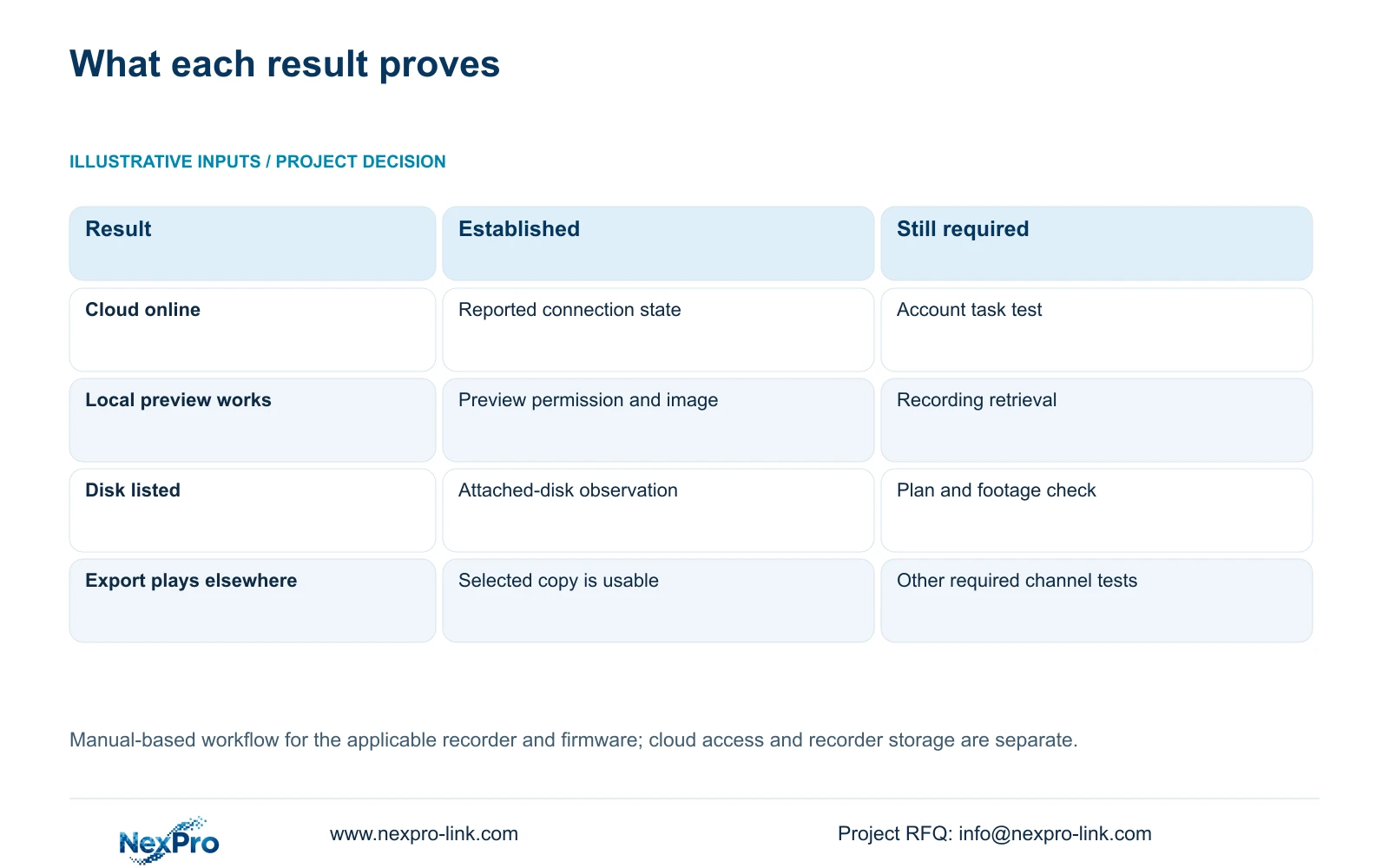
| Observation | What it establishes | Next action |
|---|---|---|
| Cloud reports online | The reported cloud connection state | Test the required account and remote task |
| Local operator sees live video | Local preview works for that account | Test playback and backup permissions separately |
| Remote playback is denied | The requested task is unavailable on that path | Check the applicable network permission |
| Live image exists but no footage is retrieved | Preview works; recording remains unproven | Inspect disk, plan and playback selection |
Section 05
Confirm the disk and recording policy
Section 4.12.21, headed External Storage Devices, describes attached-disk information, selected-disk formatting, full-disk behavior and the startup no-disk prompt. Inspect the actual disk information and the intended recording plan. Cloud activation does not initialize a disk or configure retention.
The heading does not establish NAS, NFS, iSCSI, RAID or shared-storage support. If the project requires one of those architectures, obtain a model-specific specification. Seetong PC local storage is a separate recording destination and cannot substitute for checking the recorder's disk.
If disk preparation requires formatting, obtain authority, identify the selected disk and preserve relevant existing data first. Formatting should never be used as an automatic response to an incomplete cloud setup. A no-disk prompt setting only controls the prompt; it does not provide recording capacity.
Section 06
Close commissioning with retrievable footage
Identify a camera by channel and physical location. Observe its live image and recording state, then allow a clearly recorded start-to-end interval to pass. Retrieve that same channel and interval through playback. Export a selected sample and check that it plays on another device.
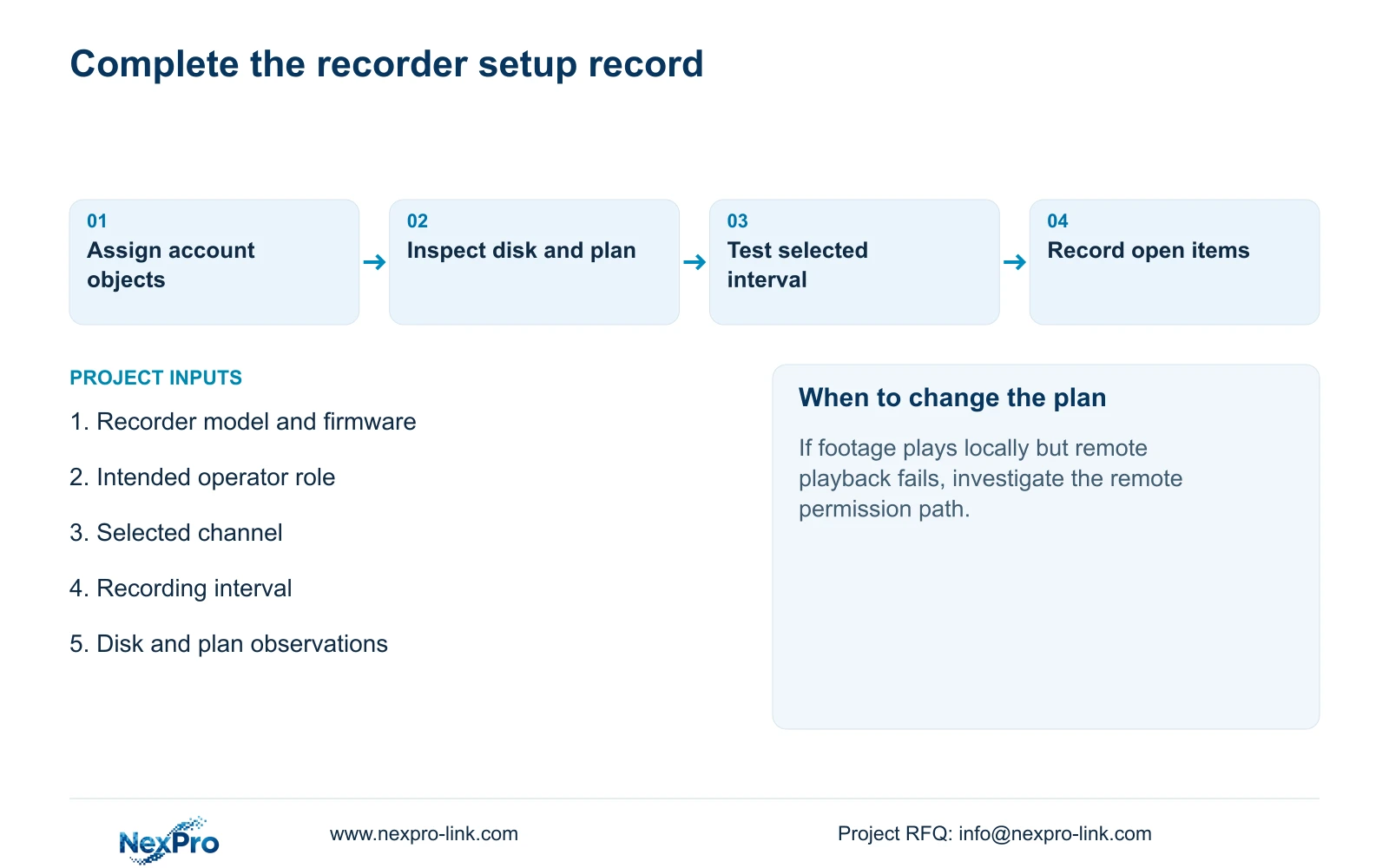
Record the expected and observed result at each step. A missing playback interval returns the investigation to the recording plan, disk or search selection. A playable local recording with a failed remote task returns it to access and permissions. This acceptance sequence is an engineering workflow built around sections 4.3, 4.11 and 4.12.21, not a built-in automatic certification feature.
Section 07
A new recorder awaiting local acceptance
Illustrative project scenario: A new recorder becomes cloud-online but the installer has not checked local user permissions or disks. The project manager keeps cloud status as one completed observation and requests the remaining local tests. Acceptance stays open until the intended operator retrieves the selected interval and the exported sample plays independently.
Section 08
Does activation prove that recording has started?
No. Activation concerns the cloud-service workflow. The recording plan, selected disk and actual recorded interval require separate verification.
Section 09
Identify the unfinished setup task
Send NexPro-Link the recorder model and firmware plus the setup task that remains incomplete at info@nexpro-link.com.
Engineering references
These sources support the general planning principles. Always use the selected product's current datasheet and applicable project standards for final design.


