

Prepare a focused NVR support record before granting remote access. Model details, symptom timing and filtered diagnostics help define a useful task within the owner's network policy.
Section 01
Prepare a focused support record first
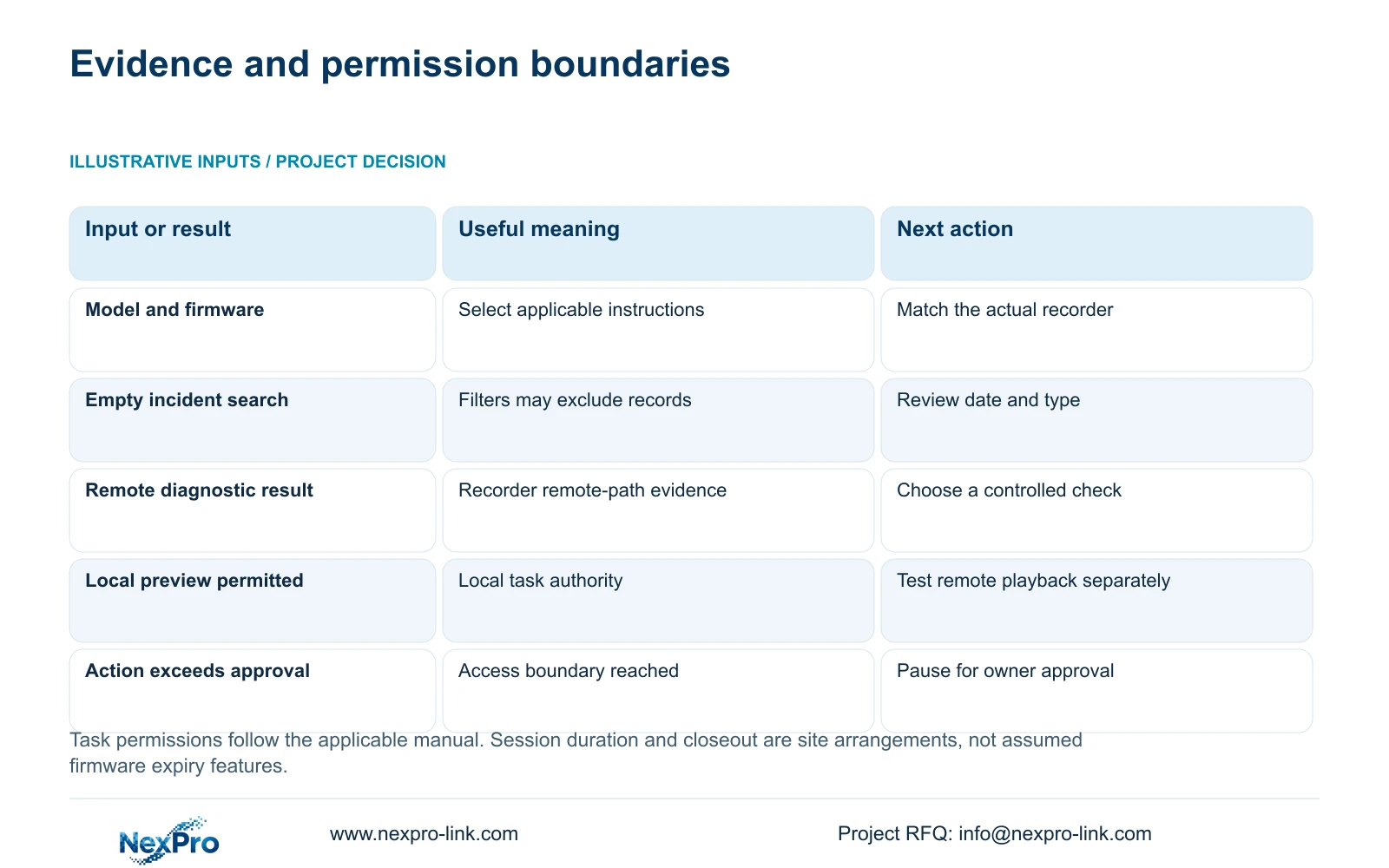
Begin with the recorder's model, hardware and software versions, affected channel, symptom time and relevant diagnostic results. Those details let support select the appropriate instructions without receiving every account or unrestricted access to the security network. Confirm what the owner permits before arranging a remote session, and share credentials only through an approved private process when genuinely required. Keep local recording, LAN viewing and remote access as separate observations. A useful support request identifies the failed task and the next authorized check. It should also define who may approve changes and how access will be reviewed when the work ends.
Section 4.12.19 describes the recorder's basic information. Record the product model, hardware version, software version and software date together, then attach the symptom to that identity. Describe what the operator attempted and what appeared. 'Remote playback fails for the affected interval while local playback works' provides a clearer starting point than 'NVR offline.'
Redact cloud identifiers, login codes and recognizable site content from shared screenshots. Serial numbers can remain in an appropriate private service record when needed. Version information selects the operating scope; a recent software date alone does not explain the fault.
Section 02
Preserve logs for the relevant time window
Section 4.12.17 describes a current-day default search and log-type filters. If the symptom occurred earlier, adjust the search conditions before concluding that no record exists. The manual also describes querying all available logs when the date condition is not selected, viewing details and exporting text.
Start with the incident date and relevant types. If that search is empty, broaden the conditions and record which filters changed. Keep the original symptom time beside the exported record so support can compare events with the reported failure. The text export is diagnostic material; its existence does not establish unlimited retention or tamper-proof auditing.
Preserve relevant records before an approved reset or upgrade. Either action requires authority, protection of relevant data and an agreed interruption plan. Do not perform it merely to make the support screen look different, especially when the existing state is needed to understand the incident.
Section 03
Diagnose the path that actually failed
Section 4.3.3.2 describes remote-network detection for the recorder's remote-network situation. Its page includes results and suggestions, access to network settings and a network tool that can show packet loss. Share the relevant result with its test context. This does not require a scan of the owner's entire network.
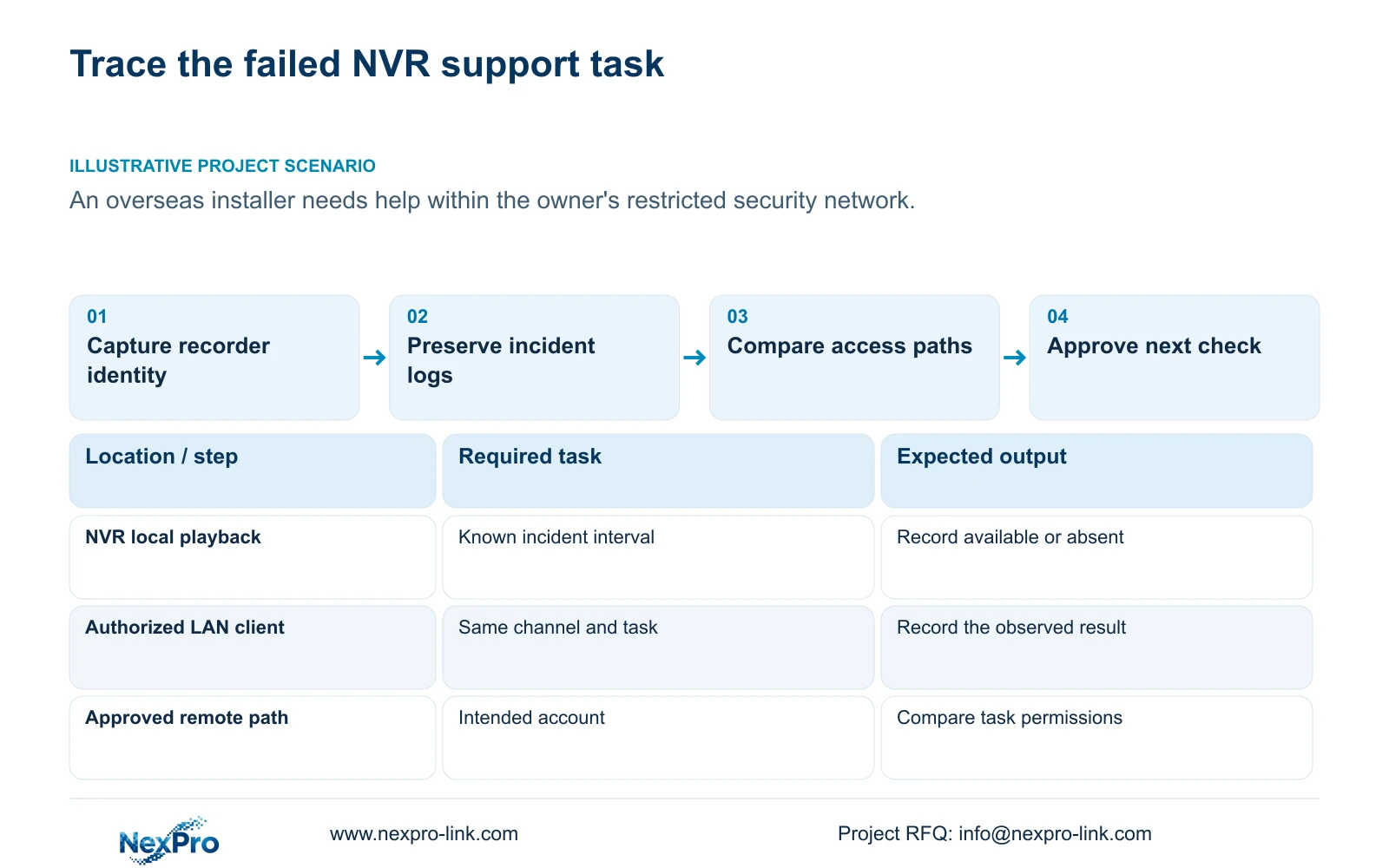
Check whether the same channel can be viewed and played back locally, whether an authorized LAN client works, and which remote task fails. If local footage is available but remote playback is denied, investigate the remote path and permissions. If the footage is absent locally, remote-network detection cannot establish why it was not recorded.
A diagnostic suggestion is a basis for a controlled check, not proof of a single cause. Preserve the difference between an observed failure and a suspected WAN, DNS, activation, authentication or service issue.
| Observation | Investigation scope | Next authorized check |
|---|---|---|
| Local playback works; remote playback fails | Remote route or task permission | Test the intended account on the approved path |
| LAN view works; remote view fails | Recorder remote-network situation | Capture remote diagnostic results |
| The incident log search is empty | Search date and type conditions | Broaden filters and preserve the result |
| Local preview works; required footage is absent | Recording path and search conditions | Check the recorder task before remote settings |
| A requested action exceeds the access approval | Owner authorization | Pause and obtain a specific approval |
Section 04
Keep the session within site network policy
Recorder network menus do not authorize an exception to the owner's firewall or access policy. Use the approved support path, and coordinate any proposed network change with IT. The request should name the required service and the observed problem that justifies the change.
If direct access is unavailable, a local authorized installer can collect the relevant observations and run an agreed check. Keep the next action small enough that its result can be interpreted. Changing several unrelated settings at once makes it harder to determine which condition mattered.
An IP change requires explicit authority, preservation of relevant configuration and data, and a plan for any interruption or loss of access. If the proposed route conflicts with site policy, stop at that boundary and seek an approved alternative instead of broadening exposure.
Section 05
Limit permissions to the support task
Section 4.12.3 separates local and network permissions for tasks such as preview, playback, system settings and PTZ. Local recording backup is also a distinct permission. A successful local view therefore does not establish remote playback authority.
Define the account's permitted task and the authorized session period. Treat the period as a site access arrangement unless the actual equipment documents an expiry feature. Test an allowed action and a prohibited action on the intended path. If either result differs from the agreed matrix, correct the access arrangement before expanding the session.
The manual's remote-upgrade permission row contains inconsistent descriptive text. Obtain model-specific clarification before relying on that row; do not infer its behavior from the copied description or use it as permission to change firmware.
Section 06
Review access and configuration when support ends
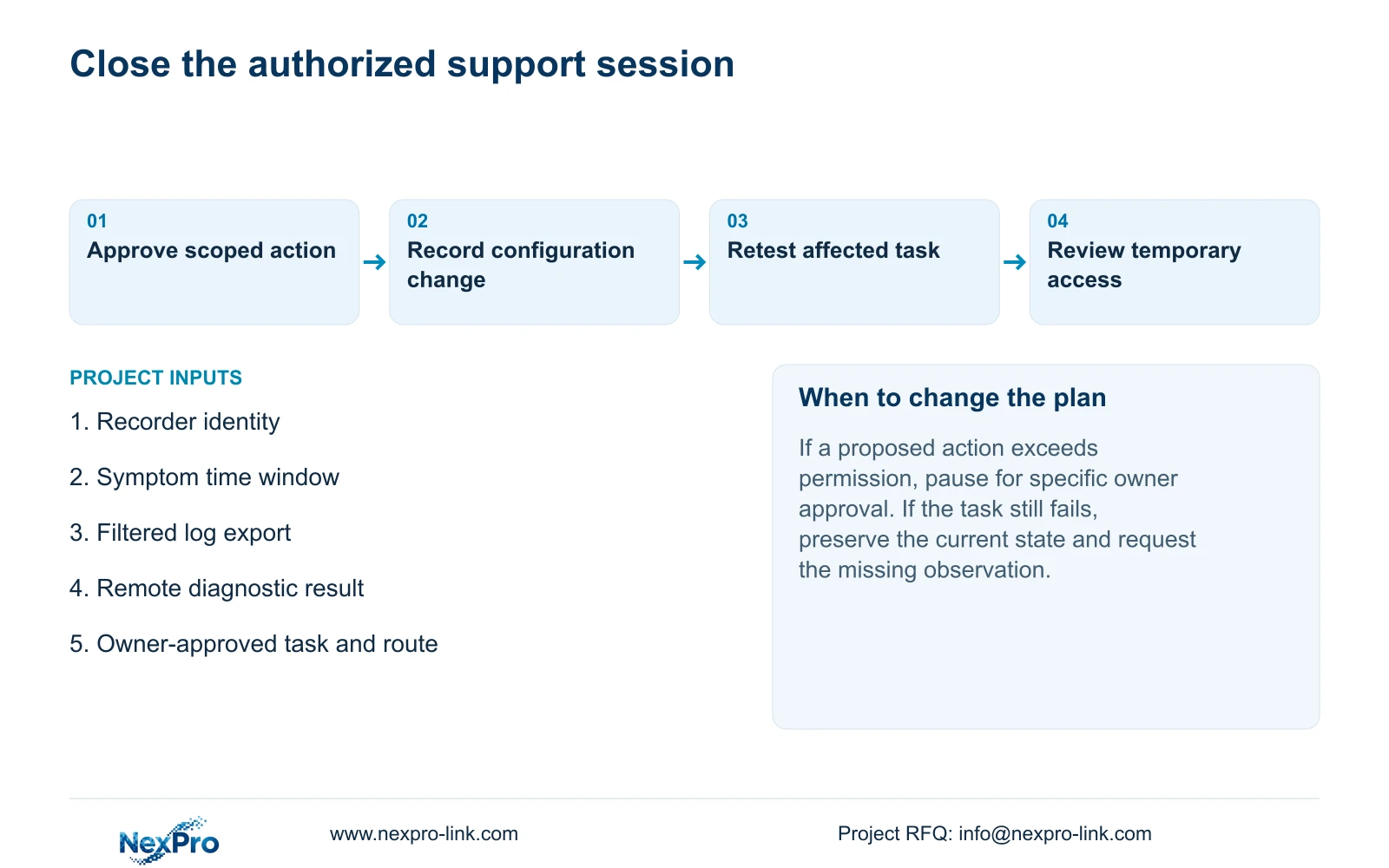
Keep a change record showing the original observation, approved action and subsequent result. At closeout, have the responsible site administrator review temporary access and restore the agreed access state. Recheck the affected task and confirm that unrelated recording or viewing functions remain available.
If the issue remains unresolved, preserve the last known state and specify the next missing observation. A fault request needs device identity, channel, timing and diagnostics. A later equipment proposal may need a camera schedule and supply scope, but that is a separate task. NexPro-Link's project support entry does not make the buyer's whole confidential tender necessary for initial troubleshooting.
Section 07
Work within the owner's restricted network
Illustrative project scenario: An overseas installer needs supplier assistance but the owner restricts remote access to the security network. The installer prepares redacted identity details, incident logs and local-versus-remote results. The owner approves the next diagnostic task and permitted route. A proposed session ends with a review of access and configuration changes; no successful repair is assumed.
Section 08
Must the first request include an administrator password?
No. Begin with the scoped evidence. If a later task genuinely needs credentials, the owner must approve the access and private sharing process.
Section 09
Does a remote diagnostic certify the whole system?
No. It examines the recorder's remote-network situation. Local recording, client behavior and the permitted task still require their own checks.
Section 10
Manual scope and access arrangements
The operating source is the private supplied NVR4.0 user manual CH_V2.4.doc, with V2.2 in its body, sections 4.12.19, 4.12.17, 4.3.3.2, 4.12.8 and 4.12.3. Section references take priority over page numbers. Session approval, duration and closeout are engineering arrangements, not claimed built-in firmware features.
Section 11
Submit the initial diagnostic record
Send NexPro-Link the recorder model and firmware, affected task and time window, and a redacted diagnostic result at info@nexpro-link.com.
Engineering references
These sources support the general planning principles. Always use the selected product's current datasheet and applicable project standards for final design.


